Search SaaS UI & UX Design Examples

Search thousands of real SaaS screens by keyword, category, industry, or product. Discover relevant UI patterns and find inspiration faster.
Type
Categories
Patterns
Thank you! Your submission has been received!
Oops! Something went wrong while submitting the form.
:
Specify Blog Post
Blog Post
Specify
Blog Post
Blog Cards
Marketing
Specify Work together Docs Templates Guide Blog Pricing Jobs Login Book a demo GETTING STARTED How to sync design tokens from Specify to GitLab Learn how to pull design tokens from Specify in your GitLab repository using GitLab CI/CD November 05, 2022 • 6 min read Louis Chenais IN THIS ARTICLE 01 Prerequisites 02 The workflow 03 Generating design tokens Create SSH private and public_keys Testing our design tokens generation 04 Creating the merge request 05 ln_summary Specify helps you collect design data from Figma and distribute it in the right format, in the right project, at the right time, and to top it all: automatically. In this article you'll learn how to synchronize design tokens from Specify to your GitLab repository. We're about to sync design tokens as CSS Variables. Looking for another output format? Feel free to check all our other configuration templates (React, Tailwind, Style Dictionary...). We will use the Specify CLI inside GitLab CI/CD. Prerequisites Please make sure you have: A Specify repository containing design tokens — A working Specify CLI config A GitLab account The workflow We will pull design tokens and assets from several Specify repositories and generate them as CSS Variables in a single GitLab repository thanks to the Specify CLI. Azure repository Spec'fy Light Theme Dark theme General Specify CLI Config Light Theme Config Dark Theme Config General Tokens Light Theme Tokens Dark Theme Tokens General Design tokens from 3 Specify repositories generated by the Specify CLI inside an GitLab repository. We'll setup a GitLab workflow that does 2 jobs: 1. Generate design tokens on a branch called specify 2. Create a merge request from the specify to the main Generating design tokens Fork this GitLab repository branch 2. 3. Generate public and private SSH keys. We need them to authorize the Cl machine to push to your GitLab repository Generate a Specify personal access token from your user settings Create SSH private and public keys GitLab CI/CD consists in creating a series of actions called Jobs a virtual machine will execute. Our first job does the following: Authorizes our virtual machine to push to our GitLab repository by setting SSH 2. 3. 4. private and public keys (see code). Installs the Specify CLI (see code). Executes Specify and generates design data (see code) branch (see code) Push to the specify Generate SSH private and public keys Generate your SSH private and public keys: key" ssh-keygen -t ed25519 -C "gitlab-ci-ssh- Advice: When you're prompted to "Enter a file in which to save the key" name your file id_gitlab so you don't override a potential existing file already named ed25519 Add them in GitLab Add public key to your GitLab user settings. Now add your private and public keys in your GitLab repository CI/CD variables: 2. 3. 4. 5. For each of them, go to your folder containing your SSH keys and copy their value in base64 Run cat id_gitlab base64 1 pbcopy to copy your private key Run cat id_gitlab.pub I base64 pbcopy to copy your public key Add each of them with their respective variable name set in .gitlab.ci.yml and For each of them disable the "Protect variable option" and enable "Mask variable" Don't forget to delete your private and public SSH keys on your machine. Now they are encoded in base64 in our GitLab repository CI/CD variables we don't need them anymore. Add your Specify personal access token in your CI/CD variables Set your Specify personal access token as a CI/CD variable named SPECIFY_TOKEN (Settings > CI/CD > Variables). 01 Several SSH private keys and a Specify personal access token set as GitLab CI/CD variables Testing our design tokens generation Before we see how to create a merge request let's test our job. The following code in every x time: .gitlab.ci. yml sets our job to only run generate_design_tokens: only: - schedules Now, let's define a CRON job in your GitLab repository CI/CD settings that will run our generate_design_tokens job: Edit Pipeline Schedule An example GitLab CI/CD schedule called 'Generate design tokens' that runs every day. Need help writing a CRON expression? Check these examples Now run your newly pipeline by hitting the Play" button. You should see a job called running in your Jobs page: n s 'Gg22_ 'sasswossg OCOtag oocol:u o ocotzs Now our job has passed, let's generate a merge request on the main branch. Creating the merge request Now we have pushed our design tokens on the specify branch we need to merge it on the main branch. We handle this via the "create_merge_request" job in the .gitlab-ci.yml file. This job runs a file which uses the GitLab API to create a merge request on your GitLab user behalf. As we're using the GitLab API we need to set a personal access token: 2. 3. 4. Go to your Access Tokens settings Generate a new personal access token (e.g., "GitLab API") and check api in the permissions scope Copy it Add it in your GitLab repository CI/CD variables. Name it I Disable the 'Protect variable option" and enable "Mask variable" Artifacts g Ipt-. An example personal access token set as a GitLab CI/CD variable Now go back to your Schedules page and run your "Generate design tokens" schedule by hitting the "Y Play" button again. Our 2 jobs and will be exectued one after the other and you should get a new merge request created containing your design tokens. In summary We just pulled design tokens from several Specify repositories to our GitLab repository. We used the Specify CLI inside GitLab CI/CD to generate design tokens on a branch called specify . Then, we used the GitLab API to create a merge request from the branch to the main one. specify Now, every time your design data is updated on Specify, you'll receive an automated merge request on your GitLab repository e Back to blog posts More articles from the blog MAXREWARDS Get don Cræte GETTING STARTED CUSTOMER STORIES CUSTOMER STORIES Specify Work together Docs Templates Guide Blog Pricing Jobs Login Book a demo GETTING STARTED How to sync design tokens from Specify to GitLab Learn how to pull design tokens from Specify in your GitLab repository using GitLab CI/CD November 05, 2022 • 6 min read Louis Chenais IN THIS ARTICLE 01 Prerequisites 02 The workflow 03 Generating design tokens Create SSH private and public_keys Testing our design tokens generation 04 Creating the merge request 05 ln_summary Specify helps you collect design data from Figma and distribute it in the right format, in the right project, at the right time, and to top it all: automatically. In this article you'll learn how to synchronize design tokens from Specify to your GitLab repository. We're about to sync design tokens as CSS Variables. Looking for another output format? Feel free to check all our other configuration templates (React, Tailwind, Style Dictionary...). We will use the Specify CLI inside GitLab CI/CD. Prerequisites Please make sure you have: A Specify repository containing design tokens — A working Specify CLI config A GitLab account The workflow We will pull design tokens and assets from several Specify repositories and generate them as CSS Variables in a single GitLab repository thanks to the Specify CLI. Azure repository Spec'fy Light Theme Dark theme General Specify CLI Config Light Theme Config Dark Theme Config General Tokens Light Theme Tokens Dark Theme Tokens General Design tokens from 3 Specify repositories generated by the Specify CLI inside an GitLab repository. We'll setup a GitLab workflow that does 2 jobs: 1. Generate design tokens on a branch called specify 2. Create a merge request from the specify to the main Generating design tokens Fork this GitLab repository branch 2. 3. Generate public and private SSH keys. We need them to authorize the Cl machine to push to your GitLab repository Generate a Specify personal access token from your user settings Create SSH private and public keys GitLab CI/CD consists in creating a series of actions called Jobs a virtual machine will execute. Our first job does the following: Authorizes our virtual machine to push to our GitLab repository by setting SSH 2. 3. 4. private and public keys (see code). Installs the Specify CLI (see code). Executes Specify and generates design data (see code) branch (see code) Push to the specify Generate SSH private and public keys Generate your SSH private and public keys: key" ssh-keygen -t ed25519 -C "gitlab-ci-ssh- Advice: When you're prompted to "Enter a file in which to save the key" name your file id_gitlab so you don't override a potential existing file already named ed25519 Add them in GitLab Add public key to your GitLab user settings. Now add your private and public keys in your GitLab repository CI/CD variables: 2. 3. 4. 5. For each of them, go to your folder containing your SSH keys and copy their value in base64 Run cat id_gitlab base64 1 pbcopy to copy your private key Run cat id_gitlab.pub I base64 pbcopy to copy your public key Add each of them with their respective variable name set in .gitlab.ci.yml and For each of them disable the "Protect variable option" and enable "Mask variable" Don't forget to delete your private and public SSH keys on your machine. Now they are encoded in base64 in our GitLab repository CI/CD variables we don't need them anymore. Add your Specify personal access token in your CI/CD variables Set your Specify personal access token as a CI/CD variable named SPECIFY_TOKEN (Settings > CI/CD > Variables). 01 Several SSH private keys and a Specify personal access token set as GitLab CI/CD variables Testing our design tokens generation Before we see how to create a merge request let's test our job. The following code in every x time: .gitlab.ci. yml sets our job to only run generate_design_tokens: only: - schedules Now, let's define a CRON job in your GitLab repository CI/CD settings that will run our generate_design_tokens job: Edit Pipeline Schedule An example GitLab CI/CD schedule called 'Generate design tokens' that runs every day. Need help writing a CRON expression? Check these examples Now run your newly pipeline by hitting the Play" button. You should see a job called running in your Jobs page: n s 'Gg22_ 'sasswossg OCOtag oocol:u o ocotzs Now our job has passed, let's generate a merge request on the main branch. Creating the merge request Now we have pushed our design tokens on the specify branch we need to merge it on the main branch. We handle this via the "create_merge_request" job in the .gitlab-ci.yml file. This job runs a file which uses the GitLab API to create a merge request on your GitLab user behalf. As we're using the GitLab API we need to set a personal access token: 2. 3. 4. Go to your Access Tokens settings Generate a new personal access token (e.g., "GitLab API") and check api in the permissions scope Copy it Add it in your GitLab repository CI/CD variables. Name it I Disable the 'Protect variable option" and enable "Mask variable" Artifacts g Ipt-. An example personal access token set as a GitLab CI/CD variable Now go back to your Schedules page and run your "Generate design tokens" schedule by hitting the "Y Play" button again. Our 2 jobs and will be exectued one after the other and you should get a new merge request created containing your design tokens. In summary We just pulled design tokens from several Specify repositories to our GitLab repository. We used the Specify CLI inside GitLab CI/CD to generate design tokens on a branch called specify . Then, we used the GitLab API to create a merge request from the branch to the main one. specify Now, every time your design data is updated on Specify, you'll receive an automated merge request on your GitLab repository e Back to blog posts More articles from the blog MAXREWARDS Get don Cræte GETTING STARTED CUSTOMER STORIES CUSTOMER STORIES GETTING STARTED Introduction to DesignOps Learn more about Design Operations aka "DesignOps". What is it? Where is it? Who does it involve? How can I get... sep 20, 2022 7 min read CUSTOMER STORIES How MaxRewards manage Light and Dark modes from design to code Learn how MaxRewards use Specify to manage light and dark modes for Web, iOS and Android from Figma to React... Dec 06, 2022 3 min read CUSTOMER STORIES How Specify helps Nortal get more clients Learn how Nortal, an agency, use Specify to improve their value proposition and get more clients Feb 13, 2023 6 min read Your brand. Your products. Always in sync. Meet the design data platform you ever dreamt of. Specify Get started for free Product Documentation Changelog Pricing Feedback Notion Book a demo Resources Templates Guide Blog Customers Help Center Company Press Kit Climate Jobs Privacy Policy Terms of use Contact us Community Discord Twitter GitHub Dribbble 0 2023 Specify • All rights reserved.
Dark
Specify Blog Feed
Blog Feed
Specify
Blog Feed
Marketing
Discover the latest news, tips and user research insights from Specify. You'll learn about design tokens, design systems and Design APIs best practices. CUSTOMER STORIES Specify Blog ozo 04, 2022 Docs Templates Guide Blog Pricing Jobs Login Book a demo Pitch Latest articles How Pitch uses Specify to sync icons from design to code Pitch is the collaborative presentation software for modern teams. The product team uses Specify to automate its design workflows and deliver fast releases. sep 20, 2022 8 min read Product Updates Getting Started GETTING STARTED Inside Specify Customer Stories GETTING STARTED o Why Specify and Style Dictionary are a perfect match Learn how to sync your design tokens with Specify and how to transform them with Style Dictionary Oct 24, 2022 • 8 min read M i d•lml senior PM INSIDE SPECIFY How to build from scratch a Career Framework for your company (a step-by-step tutorial) A simple step-by-step tutorial to create your first Career Framework for your company to increase employee... Jan 05, 2023 9 min read MAXREWARDS CUSTOMER STORIES How MaxRewards manage Light and Dark modes from design to code Learn how MaxRewards use Specify to manage light and dark modes for Web, iOS and Android from Figma to React... Dec 06, 2022 3 min read GETTING STARTED How to sync design tokens from Figma to React Learn how to collect design data from Figma to Specify and pull them in your project as a theme compatible with... Aug 22, 2022 6 min read GETTING STARTED How to sync design tokens from Figma to SCSS variables Learn how to collect design data from Figma to Specify and pull them in your project as SCSS variables Aug 02, 2022 • 6 min read GETTING STARTED How to sync design tokens from Figma to CSS Custom Properties Learn how to collect design data from Figma to Specify and pull them in your project as CSS Custom Properties 08, 2022 6 min read GETTING STARTED Getting started with Configuration Templates Start syncing your design tokens and assets from Figma to GitHub in minutes with our ready-to-use Configuration... Jun 08, 2022 2 min read Announcing our €4M Seed Round INSIDE SPECIFY Specify raises €4M seed round to build the first Design Data Platform We are excited to announce our €4M seed funding round. Jan 24, 2022 7 min read .t..xe GETTING STARTED Becoming a design tokens ambassador Let's see why a design tokens pipeline is an improvement that interests the developers, designers, and business... How to sync design tokens from Specify to Azure DevOps Learn how to pull design tokens from Specify in your Azure DevOps repository using Azure DevOps pipelines Feb 06, 2023 6 min read GETTING STARTED How to run Style Dictionary with a GitHub Action Learn how to sync your design tokens from Specify to GitHub and transform them with Style Dictionary using a... NOV 14, 2022 • 8 min read GETTING STARTED How to sync design tokens from Specify to GitLab Learn how to pull design tokens from Specify in your GitLab repository using GitLab CI/CD NOV 05, 2022 • 6 min read Nath * INSIDE SPECIFY Inside Specify #4: Welcome to Nathanaél & Florent Learn more about two of our new team members: Nathanaél who joined us as a Software Engineer, and Florent who... Aug 11, 2022 • 4 min read Choose a date Define a budget Find a location Organize transportation Define activities & workshops INSIDE SPECIFY Step-by-step guide to launching a memorable retreat Everything you need to know to organize a memorable retreat for a 15 people team in a fully remote company Jill 29, 2022 • 7 min read PRODUCT UPDATES Introducing our Raycast Extension Have you always wanted to have your organization's colors or logos at hand? Learn how to consume your design.. 3 min read New CLI Part 2 —Designing PRODUCT UPDATES Designing the Specify CLI Lessons learned designing a Command- Line Interface (CLI). Jun 07, 2022 • 5 min read Thibaut INSIDE SPECIFY Inside Specify #2: Welcome to Thibaut, Adrien & Nicolas Learn more about three of our new team members: Thibaut who joined us as a Motion Designer, and Nicolas who join... Dec 23, 2021 7 min read GETTING STARTED How to sync your design tokens from Figma to Tailwind Learn how to collect design data from Figma to Specify and pull them in your project as a theme compatible with... Aug 05, 2021 • 6 min read GETTING STARTED How to pull design tokens from several Specify repositories in GitHub Learn how to sync your design tokens from several Specify repositories to GitHub NOV 30, 2022 • 8 min read CUSTOMER STORIES How Specify helps Nortal get more clients Learn how Nortal, an agency, use Specify to improve their value proposition and get more clients Feb 13, 2023 6 min read DesigOps together Get done Crnte GETTING STARTED Introduction to DesignOps Learn more about Design Operations aka "DesignOps". What is it? Where is it? Who does it involve? How can I get.. sep 20, 2022 7 min read PRODUCT UPDATES The future of design system documentation We're shaping the future of design system documentation with Figma and Notion. Learn the behind-the-scenes... Aug 04, 2022 8 min read GETTING STARTED How to sync design tokens from Figma to React Native Learn how to collect design data from Figma to Specify and pull them in your project as a theme compatible with... 21, 2022 6 min read INSIDE SPECIFY Inside Specify #3: Welcome to Alexis & Khalil Learn more about two of our new team members: Alexis who joined us as a People Manager, and Khalil who joined... Jun 10, 2022 • 2 min read New CLI Part 1 — Introducing PRODUCT UPDATES Introducing the Specify CLI Meet the (new) Specify CLI, with a fresh new design and a new error management system to help you get th... May 24, 2022 3 min read INSIDE SPECIFY Inside Specify #1: Welcome to Maud & Yann-Edern Learn more about the two new people who recently joined our team: Maud as a Product Manager and Yann-Edern as a... Oct 25, 2021 4 min read GETTING STARTED Introduction to design tokens Learn about what design tokens are and how they can help you scale your branding with confidence. May 27, 2021 • 6 min read sep 07, 2021 9 min read PRODUCT UPDATES OSP Connect Specify. Distribute DSPs. Automatically. Specify is the first Design Data Platform allowing you to create a continuous delivery workflow between your design.. Oct 08, 2020 6 min read Your brand. Your products. Always in sync. Meet the design data platform you ever dreamt of. Specify Get started for free Product Documentation Changelog Pricing Feedback Notion Book a demo Resources Templates Guide Blog Customers Help Center Company Press Kit Climate Jobs Privacy Policy Terms of use Contact us Community Discord Twitter GitHub Dribbble 0 2023 Specify • All rights reserved.
Dark
Specify Template Item
Template Item
Specify
Templates Library
Marketing
We're shaping the future of design system documentation in Notion. Check it out -Y Specify Docs Templates Guide Blog Pricing Jobs Login Parsers 7 sort-by Book a demo Distribute your design tokens and assets with CSS Custom Properties This template is dedicated for Web developers using CSS. It helps you generate all types of design tokens as CSS Custom Properties in their respective CSS file. It optimizes your icons with SVGO and your font files in modern font formats. to-css-custom-properties to-css-text-style to-css-font-import convert-font kebabcasify svgo Types Get started for free Input e Copy configuration (JavaScript) 4 color font Share 'Ag textStyle rot vector Your configuration file, what Specify follows as rules to extract your design tokens and assets and create the corresponding files and variables. .specifyrc.js (CLI) Output Your files and variables created by Specify, with the name, case and format you indicated inside your configuration file. output/styles/colors.css 65 66 67 68 69 70 71 72 73 74 75 76 77 78 79 80 81 82 83 84 85 86 87 88 89 90 91 name: 'Design Tokens / Import font files' , path • S{publ i cPath} / $ {fontsFolderName} filter: { types: ['font'], parsers: [ . ' convert-font' , name • options: { formats: fontFormats , const vectorRules = name: 'Design Tokens / Vectors' , path • filter: { 1 2 3 4 5 6 7 8 9 10 : root { COLOR --black: rgb(3Ø, 33, 43); --blue: rgb(87, 124, 254); --green: rgb(88, 205, 82); --grey: rgb(2Ø4, 213, 225); --orange: rgb(255, 142, 5); --red: rgb(245, 72, 63); --white: rgb(255, 255, 255); types : parsers: 'vector'), Copy configuration Browse other templates Whether you're using Sass, Tailwind, iOS or Android, there's a Specify template ready to help you kickstart your product. React Generate design tokens compatible with theme-ui, icons as JSX components and font files in modern formats. SCSS Variables Generate design tokens as SCSS variables, optimize icons with SVGO and generate font files in modern formats. Tailwind Generate design tokens compatible with Tailwind, optimize icons with SVGO and generate font files in modern formats. Frequently Asked Questions Can't find the answer here? Visit our Help Center. What is Specify? What are design tokens? What's a Specify configuration template? How do I use a Specify configuration template? How do I suggest a Specify configuration template? Resources to help you get started Find here all resources that help you use configuration files, undertstand Design Data Platforms and design tokens. — Article Introduction to design tokens, by Louis Chenais Learn about what design tokens are and how they can help you scale your branding with confidence. Guide Design Data Platforms 101 Everything you need to know to scale your brand with confidence and get started with Specify: the world's D Template Figma Template: Design tokens and assets This Figma template helps you index your design tokens and assets compatible with Specify. D Template Specify Documentation Learn how to integrate Specify in your workflow. first Design Data Platform. Pitch Census Already loved and trusted by product teams DASHLANE Ruter# EPIC COMCAST BUSINESS '01 Medium tgp Pocket STAR ,STLAS Pelo .studio Your brand. Your products. Always in sync. Meet the design data platform you ever dreamt of. Specify Get started for free Product Documentation Changelog Pricing Feedback Notion Book a demo Resources Templates Guide Blog Customers Help Center Company Press Kit Climate Jobs Privacy Policy Terms of use Contact us Community Discord Twitter GitHub Dribbble 0 2023 Specify • All rights reserved.
Dark
Specify Templates Library
Templates Library
Specify
Templates Library
Marketing
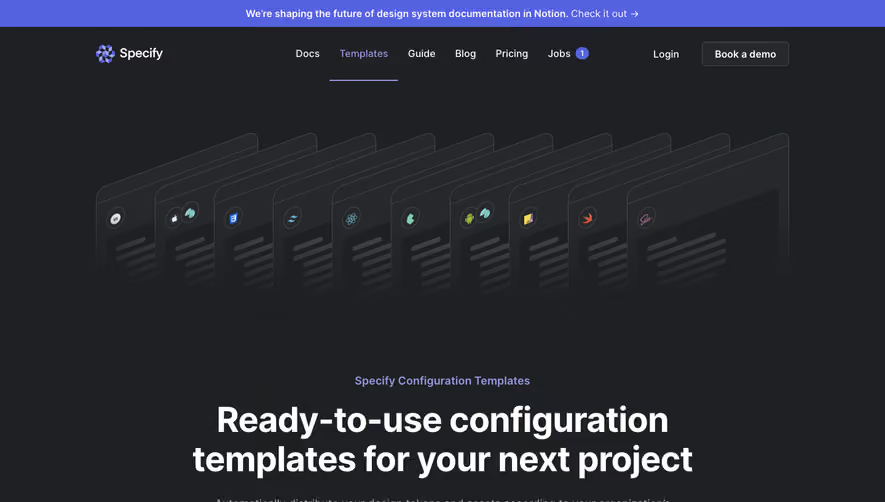
We're shaping the future of design system documentation in Notion. Check it out -Y Specify Docs Templates Guide Blog Pricing Jobs Login Book a demo Specify Configuration Templates Ready-to-use configuration templates for your next project Automatically distribute your design tokens and assets according to your organization's standards with our ready-to-use configuration templates. 0 01 CSS Custom Properties Generate design tokens as CSS Custom Properties, optimize icons with SVGO and generate font files in modern formats. SCSS Variables Generate design tokens as SCSS variables, optimize icons with SVGO and generate font files in modern formats. Tailwind Generate design tokens compatible with Tailwind, optimize icons with SVGO and generate font files in modern formats. React Native Generate design tokens compatible with React Native, optimize icons with SVGO and generate font files in modern formats. Style Dictionary (Android) Generate design tokens compatible with Style Dictionary. Don't see your technology here? Feel free to submit your ideas and requests on our public roadmap, we take a look at it everyday! React Generate design tokens compatible with theme-ui, icons as JSX components and font files in modern formats. Style Dictionary (iOS) Generate design tokens compatible with Style Dictionary. Frequently Asked Questions Can't find the answer here? Visit our Help Center. What is Specify? What are design tokens? What's a Specify configuration template? How do I use a Specify configuration template? How do I suggest a Specify configuration template? Resources to help you get started Find here all resources that help you use configuration files, undertstand Design Data Platforms and design tokens. = Article Introduction to design tokens, by Louis Chenais Learn about what design tokens are and how they can help you scale your branding with confidence. Guide Design Data Platforms 101 Everything you need to know to scale your brand with confidence and get started with Specify: the world's D Template Figma Template: Design tokens and assets This Figma template helps you index your design tokens and assets compatible with Specify. D Template Specify Documentation Learn how to integrate Specify in your workflow. first Design Data Platform. Pitch Census Already loved and trusted by product teams DASHLANE Ruter# EPIC COMCAST BUSINESS Medium tgp Pocket STAR ,STLAS Pelo .studio Your brand. Your products. Always in sync. Meet the design data platform you ever dreamt of. Specify Get started for free Product Documentation Changelog Pricing Feedback Notion Book a demo Resources Templates Guide Blog Customers Help Center Company Press Kit Climate Jobs Privacy Policy Terms of use Contact us Community Discord Twitter GitHub Dribbble 0 2023 Specify • All rights reserved.
Dark
Specify Pricing Page
Pricing Page
Specify
Pricing Page
Marketing
Specify Pitch DOCS Templates Guide Blog Pricing Jobs Sign in Book a demo Pricing Whether you're just getting started with rapid testing or scaling across the organization, we've got you covered. Team Built for teams looking to streamline their workflows. Book a demo Includes Unlimited users Unlimited repositories Unlimited sources & destinations Chat support Organization Built for organizations looking for more security and customization. Talk to Sales Everything in Team, plus... SAML / Single Sign On CDN Dedicated support Private parsers Already loved and trusted by product teams Pitch Census DASHLANE Ruter# EPIC GAMES COMCAST BUSINESS Medium tA8Pocket STAR ATLAS Pelo .studio Frequently asked questions Is there a free trial of the paid plan? What's a source? What's a destination? What's a repository? How can I monitor my billing? Where can I find my billing history or make a change to my plan? How do I cancel my subscription? When does my subscription renew? Can I get a refund? How? How can I contact your support? How can I renew my subscription? "The automation from design to code with Specify is incredibly powerful. The ability to reference the same tokens and assets in Figma — and in our codebase — saves us an incredible amount of time, while reducing manual, error-prone work." Roy Van Rooijen Product Designer Specify 02023 Specify All rights reserved. Have more questions? Check out our support section Trusted by product teams Join our Discord tÆPocket "Specify helps our designers keep their assets and design decisions in sync with the actual code, avoiding extra development effort and making design implementation much more flexible." Niels Boey Product Designer Your brand. Your products. Always in sync. Product Documentation Changelog Pricing Feedback Notion Book a demo Resources Templa tes Guide Blog Customers Help Center Company Press kit Climate Jobs Privacy policy Terms of use Contact us Pelo .studio "Specify is the perfect addition to our front-end boilerplate. Tokens, assets, fonts: everything comes straight out from Figma. Less configuration, more creative development. Our team loves it!" Alexis Oney Lead Developer Community Discord Twitter GitHub Dribbble
Dark
Specify Landing Page
Landing Page
Specify
Landing Page
Tabs, Features
Marketing
Specify New • Try our Notion integration DOCS Templates Blog Pricing Sign in Book a demo Design system infrastructure for modern teams With Specify versatility, product teams release better experiences faster while staying in-line with their company standards. Book a demo Read our vision Already loved and trusted by product teams Pitch Census Design tokens DASHLANE Ruter# EPIC GAMES COMCAST BUSINESS Design API Medium tl-:g STAR ATLAS Pelo .studio A powerful Design API to sync and transform your design tokens at scale. Colors, text styles, shadows, dimensions, and many more. REST API Extend Specify functionalities beyond what we provide out of the box Assets Automatically sync, convert and optimize bitmaps, vectors and font files. Command-Line Interface Pull your design tokens and assets right from the terminal and in your CI/CD. Formats Our data is provided in json format and fully configurable to meet your needs. Webhooks Soon Trigger custom scripts thanks to dedicated webhooks. Design tokens and assets Specify supports all types Of design tokens and assets your team use daily. Color A •A Font Inter Regular Inter Medium Inter SemiBoId Spacing Export code production ready Generate design tokens and assets matching your company standards thanks to our powerful and flexible API. ' aacme/des ignSvstem 11Q3aa581b321d3'.c58b9E 'Design Tokens / Colors "parsers ' sort-bv The most advanced format We have worked hard for years with the DTCG to create a standard. Our data graph is based on it and allows you to do much more. Pitch "The automation from design to code with Specify is incredibly powerful. The ability to reference the same tokens and assets in Figma — and in our codebase — saves us an incredible amount of time, while reducing manual, error-prone work." Roy Van Rooijen Product Designer o Continuous Delivery Platform Connect your daily apps to Specify to easily share, sync and consume your design tokens and assets. Sources Collect your design tokens from your Figma library or from a JSON file. Real-time Sync Make sure to update your apps with the latest design decisions. Destinations Sync design tokens to git repositories, Notion, Raycast and more. Flexible, production-ready outputs You're in control of the code generates for you. Not the other way around. Notifications Receive alerts when some actions are triggered and be responsive. Open-source & Community driven Our community benefit from public and private open source parsers. Parsers Connect your apps We're already compatible with Figma, GitHub, Notion, Raycast, and many more to come. Discover all available apps Dozens of parsers help you generate design tokens and assets that match your company standards. Discover all parsers filter Ibabcasify o-css-font-import Templates round-number T camelcasify to-jss px-to-rem pascalcasify to-scss-map Need your design tokens as CSS, a Tailwind theme, a JS theme object or even in Style Dictionary? Find the template you need. Discover our templates -Y CSS Custom Properties øl { "rep "rut' 01 { React Style Dictionary ( iOS) •repl •rut' " rept "rul. " repl "rut' " rept Pelo .studio "Specify is the perfect addition to our front-end boilerplate. Tokens, assets, fonts: everything comes straight out from Figma. Less configuration, more creative development. Our team loves it!" Alexis Oney Lead Developer Create re ittyy Design System Management Manage your design tokens and assets, enrich your data and collaborate with your team, all around a delightful interface. Repository Store your design decisions as you wish, either by themes, projects, products, or clients. Overview Manage your Sources and Destinations at a glance. See if your data is up to date. Repositories 2 Dark Theme Updated Imin ago Create Repository Light Theme Updated 1 min ago Notion CATEGORY Color STAT US • ACTIVE . ACTIVE CREATED ON 3 pipelines LAST SYNC Nov. 22, 2022 3min ago ocr 12. 2022 3min ago Single source of truth By unifying design data from your apps, Specify is the ultimate source of truth in your organization. Colors 122 NAME surface-info-light surface-info-medium Q Search token. PREVIEW VALUE rgba(226, 220, 253, 1) rgba(132. 157, 255. 1) ADDED Jul. 01, Jul. 01, t148Pocket Teams finally reunited Drive your design system from a central place. Easily manage your API, its data and delivery pipelines. Maud Valentin Allan "Specify helps our designers keep their assets and design decisions in sync with the actual code, avoiding extra development effort and making design implementation much more flexible." Niels Boey Product Designer Trusted by product teams Join our Discord —Y? t dn from design to code Is incredibly powerful. The sence the same tokens and na — and in our codebase — n credible amount of time, lg manual, error-prone work." 'an Rooijen Designer Specify t#PÖCKét "Specify helps our designers keep their assets and design decisions in sync with the actual code, avoiding extra development effort and making design implernentation much more flexible." Niels Boey Product Designer .studio "Specify is the perfect addition to our front-end boilerplate. Tokens, assets, fonts: everything comes straight out from Figma. Less configuration, more creative development. Our team loves it!" Alexis Oney Lead Developer makémusc "Specify is the missirä design and engineer)t definitely helped us ir tokens in an automate and seamlessly into c Gabriel Cous Front-era Your brand. Your products. Always in sync. Product Documentation Changelog Pricing Feedback Notion Book a demo Resources Templa tes Guide Blog Customers Help Center Company Press kit Climate Jobs Privacy policy Terms of use Contact us Community Discord Twitter GitHub Dribbble 02023 Specify All rights reserved.
Dark
Overflow Download Page
Download Page
Overflow
Download Page
Marketing
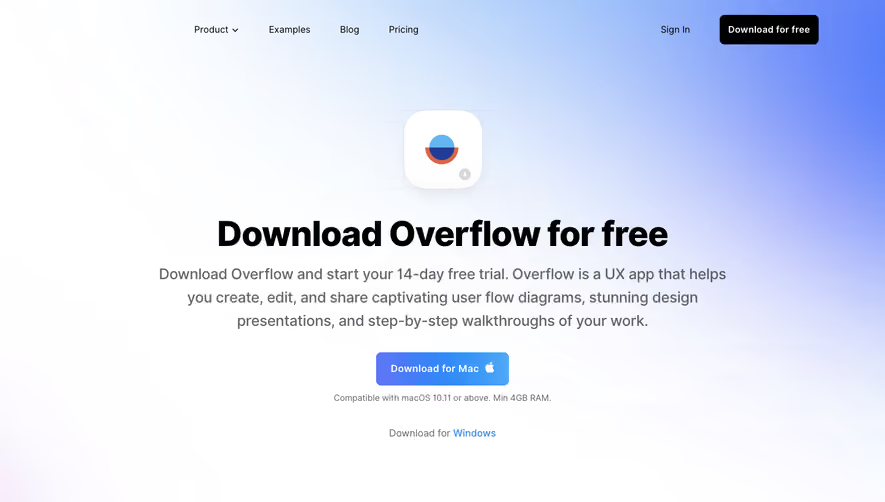
Product v Examples Blog Pricing o Sign In Download for free Download Overflow for free Download Overflow and start your 14-day free trial. Overflow is a UX app that helps you create, edit, and share captivating user flow diagrams, stunning design presentations, and step-by-step walkthroughs of your work. Free 14-day trial Download the Overflow desktop app to start your full-featured free trial. Download for Mac Compatible with macos 10.11 or above. Min 4GB RAM. Download for Windows No credit card required Enjoy using Overflow and decide if you'd like to subscribe after your trial ends. Spotify Microsoft Sign up in minutes Set up your Overflow account with basic information in a few steps. amazon NETFLIX facebook yahoo! Trusted by more than 500,000 designers and product managers across the globe Sync your work from your favorite design tool Figma plugin Figma is the place for teams to create, test, and ship better designs from start to finish. Sketch plugin Sketch allows you to design websites, icons, and user interfaces for mobile or desktop. Learn more > Adobe XD plugin Wireframe, animate, prototype, collaborate, and more - all in Adobe XD. Learn more > Learn more > Product How it works Features Integrations Overflow Stories Pricing Enterprise Start for free Cookie Statement All plugins are installed automatically with the Overflow desktop app. Use Cases Product Teams Design Teams Design Agencies Tech Startups Agile Teams Educational Institutions Resources Examples Help Center Support Slack Community Events About Our story Media Kit Blog Careers Email us overflow Get the latest news about Overflow's new features & product updates. Your email Subscribe Terms Of Service Privacy Policy @ 2023 PROTOIO Inc. All rights reserved. Made with'by PROTOIO Inc.
Light
Skiff Blog Post
Blog Post
Skiff
Blog Post
Blog Cards, Related Items, Call to Action
Marketing
Product v ELI MACKINNON / 1.07.2023 Pricing Resources Download Sign in Start for free Skiff Domains launches! With thousands of Skiff Mail users already using custom domains for email, we're excited to launch a major feature to make custom domains even simpler: Skiff domains. Skiff Domains take all the pain out of domain registration for your own privacy-first, end-to-end encrypted mail address. Instead of configuring MX, CNAME, and TXT records, you can now simply sign up, open Skiff Mail, and purchase a domain that will be automatically configured to receive mail privately on Skiff. Skiff Domains help you go from Mail users to a professional custom domain - for your business, family, or personal projects - in seconds. How to use Skiff Domains To start, open Skiff Mail, and click into the settings page inside Skiff Mail. Then, click on the "custom domains" tab on the left. Or, click this link to go directly to custom domain settings -4 https://app.skiff.com/mail?settingTab=custom+domains. From this settings page, you can create, purchase, or manage all of your custom domains. This includes adding domains that you already own using DNS record verification, adding aliases for domains that are already verified, and purchasing new domains on Skiff. To start with buying a domain, click "Buy custom domain." Then, you 'II be prompted with an input field to search for a new domain. Once you've entered a search term, you'll view suggested domains with different endings. Once you've selected your preferred domain, simply click on it, and you will be redirected to a checkout page to sign up for a subscription for your domain. After checkout is complete - congratulations! Your domain is now ready for use on Skiff Mail. Note that you may have to wait 3-5 minutes for DNS records to propagate. nightwatch.org nightwatch.net nightwatch.wiki ntwatch.org nitewatch.org Price, cost, and registration $19.99 ANNUAL $19.99 ANNUAL $12.99 $19.99 ANNUAL $19.99 ANNUAL $19.99 To purchase a domain through Skiff Domains, you 'II have to be a Skiff Pro or Skiff Business subscriber with access to custom domains. Then, follow the guide above to purchase your domain. After waiting a few minutes, it will be set up with all needed DNS records for sending and receiving mail. Then, visit the alias tab (via this link) and click "add alias" under your domain to add email addresses. Anyone shared on your workspace will also be able to use aliases at this domain. Why use Skiff Domains? Managing a domain name and DNS records can be frustrating and tedious, as you have to transfer them from the original source, wait for them to update, and fix any typos or errors. Purchasing a one- click domain through Skiff avoids all of this complexity, allowing you to simply click and checkout to send email from a custom domains. Adding aliases Adding aliases with a Skiff domain is as simple as using any other custom domain. Once purchased and verified, you'll see your Skiff domain at the bottom of the custom domains settings page (inside the "Manage domains" section). There, click the dropdown and "add alias;" you'll then be able to add any alias, including a one-character alias. Questions? If you have any questions, reach out to us in-app via the "send feedback" button, on Twitter, on Discord, or on Reddit. FAQ What happens if I cancel my account? If you cancel your subscription, your domain will no longer be renewed. As long as your subscription and payment information is active, your domain will continue to be renewed and work with Skiff Mail. Can I send and receive calendar invites? Yes! Any Skiff Domains purchased domain works natively for Skiff Calendar as well. All invites will be sent from the alias you've set as your default email alias from inside Skiff Mail. What aliases can be created? There is no limit on the length and type of aliases. So, if you want a one-character alias, go for it! How many aliases can be created? Unlimited aliases can be added per domain, just like any custom domain. Want access to privacy? Join Skiffs end-to-end encrypted email, document, drive, and calendar platform. Related articles ANDREW MILICH Quick guide: Get your custom domain set up How can you add a custom domain to your Skiff account? Learn more in this guide. ANDREW MILICH 10 tips for setting up an email account Setting up a new email account can be a daunting proposition. Follow these tips for a painless migration and setup process. Skiff 2023. All rights reserved. 2022 SKIFF TEAM 2022 Year in review 2022 was an incredible year for Skiff. on for some of our biggest updates! The 25 best neu apps 012022 SKIFF TEAM Read Skiff named top 25 app of 2022 Skiff is thrilled to be one of the top 25 new apps of 2022! SKIFF TEAM Skiff Calendar Launches! Skiff Calendar is out: Privacy-first, end-to end encrypted, and easy to use. PETER LU How to add a shared custom domain You've set up your Skiff workspace with your team. How can you add a shared custom domain? APR 01 Sign up ANDREW MILICH How to invite your team to a shared workspace You've just set up your Skiff account. How can you share your team? ANDREW MILICH & JASON GINSBERG Admin Panel launch The Skiff Admin Panel is live! Now, workspace admins can easily manage workspace users, email aliases, and adding Join the community Become a part of our 400,000+ community and join the future of a private and decentralized internet. Start for free Free plan • No card required or removing users. SECURITY Whitepaper Report an issue PRODUCTS Mail Pages Drive Calendar Pricing Download RESOURCES Blog Help Changelog Videos For startups TOP RESOURCES Note taking Domain setup Secret email Private storage OPEN SOURCE Github LEGAL Privacy policy Terms of service Acceptable use policy
Light
Skiff Blog Feed
Blog Feed
Skiff
Blog Feed
Marketing
Product v Pricing Resources Download Sign in News Tutorials Guides ISLJNNY Ll & GUY SERFATY Skiff Calendar on mobile Skiff Calendar launches on iOS and Android today! Download the apps for invites, RSVPs, and scheduling, all end-to-end encrypted. Start for free August 2022 TANDREW Email TLS encryption—what it is, and how much protection it offers Email TLS encryption is touted as a solid security standard, but does it live up to the promises? Learn everything about its effectiveness and shortcomings. NISHIL SHAH How to keep your email protected and safeguard your sensitive data Keeping your email protected from unauthorized access and malicious parties isn't as hard as it may seem. Learn how to shield your account in a few easy steps. RACKAUCKAS How to choose an Android email client—honest reviews of six popular apps Looking for an Android email client that will help you stay productive on the go? Learn how to find the best option and check out our reviews of popular apps. INTERCHAIN NAMESERVICE SKIFF MAIL RICHARD LIU & ANDREW Skiff x Interchain Name Service launch Skiff has integrated the Interchain Name Service for more decentralized, private communication options. IFILBERT ZHAN@ What is the more secure alternative to the SMTP mail protocol? Explained by experts Wondering what is the more secure alternative to the SMTP mail protocol? Learn about the best SMP T alternatives in our in-depth guide on email security. SUNNY Ll & GUY SERFATY Add video calls to Skiff Calendar events Add private video and audio meeting links to Skiff Calendar events. IFHSAN ASDA@ How to encrypt a PDF file for email and send your attachments securely Sending sensitive information doesn't have to carry privacy risks. Learn how to encrypt a PDF file for email and ensure carefree file transfer. GUY One SERFATY + 2 OTHERS -click Gmail import to Skiff Import your emails from Skiff to Gmail with just one click. SUNNY Ll & GUY SERFA!V Recurring events in Skiff Calendar Create and share recurring events in Skiff Calendar. SUNNY Ll & GUY SERFATY Add video calls to Skiff Calendar events Add private video and audio meeting links to Skiff Calendar events. !+NDREW Can someone hack your Cash App with your email (and how to prevent fraud) Can someone hack your Cash App with your email, and what types of fraud should you beware of? Read our article to learn how to keep your account and funds safe. . _ . What This, SIFF TEAMI Skiff in the WSJ on encryption The Skiff Team published an opinion article in The Wall Street Journal advocating against worldwide encryption proposals. IFLI MACKINNON A guide to sending anonymous emails with attachments When sending anonymous emails with attachments, you must go the extra mile to protect your privacy. Discover the most effective way to ensure confidentiality. CHAI PEDADA Best paid email services—five providers reviewed Not sure which email provider is worth your money? Check out our reviews of the best paid email services and learn how to choose the best platform. IFLI MACKINNON Confidential email in Outlook— what it is and how much protection it offers Sending a confidential email in Outlook? Learn about the level of protection this feature offers and discover how to secure your online correspondence. PETER LU Mail Privacy Protection—what is it, and should you enable it? If you haven't enabled Mail Privacy Protection on Apple Mail, doing so can be a good idea. Learn how it helps and what other security steps you should take.
Light
Skiff Download Page
Download Page
Skiff
Download Page
Marketing
Product v Pricing Resources Download Sign in Start for free Download Skiff apps Skiff offers privacy-first Android, iOS, and macOS apps for your desktop and mobile devices. Skiff for Mobile Mail Protect your inbox with end-to-end encrypted email. Download Skiff for Desktop Download macOS pages Take your ideas to the next level with privacy-first notes, wikis, and docs. Download Download mobile Drive Keep your files, images, and data secure. Download 01 Cal Keep your schedule end- to-end encrypted. Download Download Work securely across Mail, Pages, Calendar, and Drive in the macOS app. Sk ff Drive V DAO Design 0 o o IS KIF • OPEN SOURCE Github Share Upload Q Search Settings G Everyone Design Editor Product Sync.docx Town Hall.jpeg index _ j S audio-2093.mp3 daily-finances.xls NYT contract.pdt geanz animation.mp4 Invoice PDF.pdf investors-call. mp3 DAODAO contract.md skiff-whitepaper_pdf Milestones Product Sync Town Hall index audio-2093 daily-finances NYT contract Beanz animation Invoice PDF in vestors—call PRODUCTS Mail Pages Drive Calendar Pricing Download 2 _ 2vg 2.2va 2 _ 2Mg 2.2va 2 _ 2M8 2 _ 2MB SECURITY Add file Sep. 14 2022 Sep. 14 2022 sop. 14 2022 Sep. 14 2022 Sep, 14 2022 Sep. 14 2022 Sep. 14 2022 sem 14 2022 Sep, 14 2022 sem 14 2022 Skiff 2023. All rights reserved. RESOURCES Blog Help Changelog Videos For startups TOP RESOURCES Note taking Domain setup Secret email Private storage Whitepaper Report an issue LEGAL Privacy policy Terms of service Acceptable use policy
Light
Skiff Pricing Page
Pricing Page
Skiff
Pricing Page
Marketing
Product v Pricing Resources Download Sign in Pricing Use Skiff for free with your whole team. Upgrade for 1 TB storage, custom domains, and advanced admin features. Start for free BUSINESS $12 Monthly Annually FREE $0 v Unlimited pages v Desktop, tablet, and mobile access v IPFS support v Full text search Sign up PRO $8 Per month Everything in Free 100 GB storage 10 Custom domains Sign up Per user/month v Everything in Pro v 1 TB Storage v 15 aliases Interested in Skiff for your startup? Apply now and earn up to $1,000 of credit Claim credits Drive Storage Per-file upload limit E2EE file storage E2EE link sharing IPFS storage (optional) Mail Custom domains Short aliases Skiff.com aliases Custom signatures Auto reply Schedule send Undo send Folders & labels Pages Collaborators/workspace Version history Priority support Text search Sharing via link End-to-end encryption Calendar End-to-end encryption Shared calendars Sync with Skiff Mail Skiff 2023. All rights reserved. Free $0 Sign up 10 GB 50 MB 4 5 6 24 hours Free Sign up Pro POPULAR per month $8 Sign up 100 GB 2 10 Unlimited 6 Unlimited Sign up Sign up Business $12 per user per month Sign up 10 GB 5 15 Unlimited Unlimited Unlimited Business Sign up SECURITY Whitepaper Report an issue PRODUCTS Mail Pages Drive Calendar Pricing Download RESOURCES Blog Help Changelog Videos For startups TOP RESOURCES Note taking Domain setup Secret email Private storage OPEN SOURCE Github LEGAL Privacy policy Terms of service Acceptable use policy
Light
Skiff Landing Page
Landing Page
Skiff
Landing Page
Marketing
Product v Pricing Resources Download Sign in Start for free Skiff is the privacy-first workspace for free thinkers. End-to-end encrypted email, calendar, documents, and files that give you the power to communicate freely. Start for free Free plan • No card required Skiff Drive Skiff Calendar 01 Skiff Pages Skiff Mail Nightwatch Compose Q Search @ Settings MAIL Inbox Sent Send later Draft Spam Archive Trash Design March 2023 General > Design Inbox 12 Mogt recent Heinrich Lox Angelina Jason, Sunny, Joseph Ox600f...er2 Tony, Paulie, Chris M Jason, Sunny, Joseph Upload Today Publish Share -a Update to engineering status — Hey all, After touching base with Laura: Product strategy sync— Hey Jo, will you be joining us this call? Rewind Feature Eng Sync— I'm not entirely sure I agree with that approach. Llsers Where to find contract agreement? — Hey Jason, you mentioned the other day tha Upcoming event — Don't miss out! Join us for our upcoming event. Meeting Tomorrow at 2 PM — lease let me know if you need to reschedule. Confirmation of Payment Received — We have received your payment for invoice # Nightwatch 115 1 Essential apps that protect your g Email O Files Documents End-to-end encrypted Because of advanced cryptography, no one else - not even Skiff - can read your data. MAIL No trackers or ads Your data is never sold, shared, or monetized. Sign up and upgrade without sharing any personal information. Events Open-source and audited Skiff Mail is open-source, uses open-source cryptography, and undergoes external security audits. 7 End-to-end encrypted inbox and messages Skiff Mail protects your inbox with free private email, giving you the power to communicate freely with anyone. Inbox 12 Update to engineering status Heinrich Lox [email protected] Mar 2023 I wanted to share with you the latest developments in our cryptographic research. I invite you to join us for a presentation on the new algorithm next week. We will provide a detailed explanation of its design and share the results of our testing. Heinrich Lox Angelina Jason, Sunny, Joseph ox600f...er2 Update to engineering status— I Product strategy sync — Thank y. Rewind Feature Eng Sync— I m n Where to find contract agreemen 7 Angelina [email protected] Mar 2023 7 PAGES Collaborate on private documents and write secure notes. Skiff Pages takes your thoughts and ideas to the next level with private, end-to-end encrypted wikis, docs, and notes. Elliptic Curve Crypto We discuss analogs based on elliptic curves over finite fields of public key cryptosystems which use the multiplicative group of a inite field. These elliptic curve cryptosystems may be more secure, because the analog of the discrete logarithm problem on elliptic curves is likely to be harder than the classical discrete logarithm Oroblem. esoeciallv over GF(2"). We discuss the Question of DRIVE Keep your files and photos safe in a secure vault. Skiff Drive is end-to-end encrypted file storage, with 10 GB free. Upload, protect, and share any file. Thank you for the update on your research. I am thrilled to hear about the promising results of your new algorithm. As you know, the security of digital communication is of utmost importance and any advancements in this field are highly valuable. CALENDAR Keep track of events, without being tracked. Skiff Calendar empowers you to privately share invites, start video calls, and send RSVPs with a fully end-to-end encrypted calendar. Skiff Drive Nightwatch Upload Q Search @ Settings GENERAL QI overview Team review Design Design Name QI overview Team review BG-02.png FetchTable.py WED o 2 Type CODE Design sync 9:35 - IO:OOAM Team All-hands 10:00 - 10:3DAM Growth Brainstorm 11:15 - 11:45AM TWIsZXNOb25UFJ1dHJv cd.png 7 wallet-jpeg 6.5<8 Mar Mar . 1 2023 . 1 2023 Transparent, audited, & open source Privacy is more than a promise. Anyone can verify our encryption protocols and privacy protections. View on GitHub O Skiff Mail Read whitepaper Skiff Mail's client is completely open-source, giving you the — srp.generateSalt(); const salt — const masterSecret = await createKeyFromSecret(password, salt); const verifierPrivateKey = await createSRPKey(password, salt); srp.deriveVerifier(verifierPrivateKey); const verifier = const passwordDerivedSecret = createPasswordDerivedSecret(masterSecret); const privateUserData: ReturnType (typeof decryptPrivateUserDataRecovery) // recoverySigningPublicKey is the component of the keypair used // to sign SSS shards. upon share combination, spliterati verifies att; // signatures of each shard to confj shard is correct. This is // important, since otherwise it's it to know which shard is outdated Skiff Ul Use, modify, and share our open-source user interface and design confidence to communicate freely. New message O DiffE Subject An update to engineering status [email protected] From Download Skiff for mobile cc BCC system components. 9:41 Inbox 34 Search messages... Jason Oppenheim all e 12:52 PM Want to access your inbox, files, and schedule on the go? Download our iOS and Android apps. Download apps * Interested in Skiff for your startup? Apply now and earn up to $2,000 of credit for custom update to engineering status (6) Hey, After touching base with Laura, wem Jason, Dave Design sync? Are you joining us? Jason & 2 others 9:06 AM O Work O Design Re: Mercury v3 brainstorming (4) O Work I'm not entirely sure l- Angela Kim Where to find Sketch file? Hey Oscar, you._ O Work 7:32 AM O XFN Jun 20 O XFN domains, 1 TB storage, and more Claim credits Skiff in the news WSJ Encryption Bans ... What Is This, Russia? Many in the U.S., U.K. and Australia would like to force companies like mine to add backdoors giving access to both law enforcement and hackers. IANDREW MILICH TheVerae Skiff Mail is taking on Gmail by betting on privacy — and crypto. Now, it's coming for Gmail. The company is launching an email service called Skiff Mail that aims to be, well, encrypted Gmail — and eventually much more than that. DAVID PIERCE Forbes Skiff Wants You To Sign Out Of Google Workspace Forever Skiff is taking a big step toward becoming a more private and secure replacement for the G-suite by adding end-to-end encrypted Calendar and Drive products to its suite. IFASH SHIRVASTAVA GILBERT ZHANG PCMAG.COM The Best Email Encryption Services for 2023 You don't have to pay a thing to use Skiff for end-to-end encrypted email, file sharing, and collaboration. It's also very easy to use, but includes advanced features for the technically inclined. NEIL J. RUBENKING Get the latest in Privacy SUNNY Ll & GUY SERFATY Skiff Calendar on mobile Skiff Calendar launches on iOS and Android today! Server ANDREW MILICH Download the apps for invites, RSVPs, and scheduling, all end-to-end encrypted. Skiff 2023. All rights reserved. Email TLS encryption—what it is, and how much protection it offers Email TLS encryption is touted as a solid security standard, but does it live up to the promises? Learn everything about its effectiveness and shortcomings. APR 01 What is the more secure alternative to the SMTP mail protocol? Explained by experts Wondering what is the more secure alternative to the SMTP mail protocol? Learn about the best SMP T alternatives in our in-depth guide on email security. Join the community Join our 400,000+ person community and contribute to a more private and decentralized internet. Start for free Free plan • No card required PRODUCTS Mail Pages Drive Calendar Pricing Download RESOURCES Blog Help Changelog Videos For startups TOP RESOURCES Note taking Domain setup Secret email Private storage OPEN SOURCE Github SECURITY Whitepaper Report an issue SUNNY Ll & GUY SERFATY Recurring events in Skiff Create and share recurring even LEGAL Privacy policy Terms of service Acceptable use policy
Light
Help Kit Academy
Academy
Help Kit
Academy
Marketing
Help Center Academy Definition Characteristics Category Structure Writing Articles PRO D OCT #3 Product of the Day Examples Tools & Resources Checklist The Ultimate Help Center Best Practices A complete, step-by-step guide with help center examples and tools to help you create the perfect help center for your business. •I've Oeen looking tor a comprenensive nelp center gulde anc tnls is exactly wrat 1 neeoeff Tne step-Oy-step •nstruct•ons anc examples were IncreOlOly nelptul' SIYI - FounCer or LJblOrop is a Help Center and What do I need it? Why A help center is a self-serve resource for customers covering the most important and up-to-date information about your product, best- practices, workflows, and troubleshooting. A SaaS Help Center is... Instant help for your customers. You've probably heard this phrase before: it all starts with great customer service. Unless you have built a flawless product (congratulations O), your customers will always have questions. They want to get immediate help when they need it most. No emails, no chat, no annoying waiting for an answer. A complete and up-to-date knowledge base has to be an integral part of your customer support. O All information in one place A help center can provide all the information that your customers need in one place. It can range from FAQs about your product/service, common issues and their solutions, videos with tutorials on how to do things and more. @ Reduces your support volume The best thing about a help center is that it not only helps your customers find answers faster but it also drastically reduces the support ticket volume for your customer service team. How can we and Must-Have Characteristics of a Great Help Center A great help center isn't simple just a knowledge base website with a bunch of help articles. It is compromised of various characteristics that enhace your users learning experience and make it a great help center. RESPONSIVENESS Optimized for both Desktop and Mobile In the past few years, the number of mobile users has been steadily increasing. There will be three billion smartphone users globally soon which means that a full 50% of your potential customers are now accessing your site from their mobile devices. It's essential that your help center is fully responsive and optimized for mobile, tablet and desktop. HOW C hdp? X CUSTOMIZE A professional customizable on-brand design Your customers deserve a professional looking knowledge base. A great knowledge base looks and feels like your brand and allows you to adjust the accent color, backgrounds as well as icons. G SEO Search engines love to display your articles Google, Bing and other search engines should love to rank your knowledge base articles. To maximize your SEO appearance you should be able to customize your Meta Title, Meta Description, Favicon Image, and and OG Image. CUSTOM DOMAIN Host your help center on a dedicated subdomain You ideally want to host your help center on a subdomain of your main website with a commonly recognizable word domain support.acme.com or help.acme.com. Wondering if you should host your help center on a subdomain or sub path? We did a little study Subdomain Q SEARCH A search bar to help customers find what they need A help center should have a sophisticated search feature so that customers can immediately find the answer to their questions. The search should have an autocomplete function so that users get article suggestions as they type. Ideally you want these queries to be saved and analysed based on search misses so you can improve your knowledge base in the future. ANALYTICS Learn from your users and optimize your support center A great knowledge base software shows helps you understand your knowledge base usage. Learn about how many users visit your site, the most popular articles, user countries, referrers and more. Ideally you want a privacy friendly and cookie-less way so you do not have to display those annoying cookie banners and your users data does not get sold to big tech WIDGET Reach your users in context with a widget An embeddable widget with your knowledge base can be installed on your own website and help your customers right when they need it without ever leaving your site. The sooner a customer can fix their problem and continue using your product the better. Widgets are a great way to keep your customers engaged and focused. a custom domain a filmtypes.helpkit.so support.filmtypes.com Subfolder c!] The questions of questions and we have the answer. We crawled over 300 help centers from all around the web and discovered that the majority of help centers are hosted on a subdomain. • Subdomain 250 200 150 100 50 • Subpatn Subdomain vS Subpath usage Of 305 trawled help renters 68% Subdomain Subpath The two most common used subdomains were support.acme.com and help.acme.com. Category Structure You might be wondering what categories your help center knowledge base should have. While it depends largely on your product, there are four must-have categories every help center should have. Additionally, we suggest having a category explaining all your features. Getting Started Help your users learn more about the basics of your product and how they can get started. Click me O What is {Your Product} How do I install/login to {Your Product) O {Your Product} Glossary Billing & Subscription Help users learn about billing cycles, payment methods, invoice location, and plan differences. O How do I upgrade my current plan O How do I cancel my subscription O What payment methods are available Hover Over me Grab our free Notion template with all categories, example articles and the guide on how to write them. Get the Notion Template Writing Help Articles Troubleshooting Use this category to educate and help users solve commonly known issues. O How do I fix {Common Issue} O I found a bug, how can I report it O Why can't I do {Common Issue} Profile & Account Help users with tasks such as user management, account access, or updating profile settings. O How do I change my profile settings O How do I delete my account How to manage email notifications Nothing is worse than help articles that don't... help. Articles are the core of your help center. You want them to be as helpful and easy to read as possible. Here are the top five tips to write a killer support What to write about What to write about Naming your articles article. Make content easy to read Use your customers voice Add visual elements Support Ticket How do I upgrade my plan? D Customers turn to your help center to solve their problems. Your goal should be to help them find answers to the questions they have about your product or service. Besides the most common questions addressed in the category section above, the best way for you to come up with content for your help center is by looking into your support tickets. Your support tickets are the best resource for finding things your users are struggling with. Turning questions from your support tickets into a dedicated help article whenever you receive a new one is a fantastic way to fill up your knowledge base with relevant and helpful content. e Takeaway Create a new help center article whenever you receive a new support ticket 20 Best Help Center Examples The following 20 help centers are some of the best examples we found on the world-wide-web. They are all unique in their own ways, but they also share some common traits. Hi. How can we help? Hi, how can we help? LD Common Category C) Getting Started C) Billing & Subscription C) Troubleshooting C) Profile & Account Curious about best the best tools that help you build an awesome help center? Keep scrolling... Slack Help Center 0 slack.com/help Help I Todoist 0 todoist.com/help Addy I Help Center 0 support.addyinvest.com/ What can we help you with? by 'Opie 6 Main Categories t 5 Main Categories Built with Notion 7 Main Categories Airbnb Help Center 0 airbnb.com/help H."o. hep Sketch Help 0 help.sketch.com Pocket Support 0 help.getpocket.com Asana Support aircover 4 Main Categories o f:) 9 Main Categories th 4 Main Categories More resources o Help Center Academy Definition Characteristics Category Structure Writing Articles PRO D OCT #3 Product of the Day Examples Tools & Resources Checklist The Ultimate Help Center Best Practices A complete, step-by-step guide with help center examples and tools to help you create the perfect help center for your business. •I've Oeen looking tor a comprenensive nelp center gulde anc tnls is exactly wrat 1 neeoeff Tne step-Oy-step •nstruct•ons anc examples were IncreOlOly nelptul' SIYI - FounCer or LJblOrop is a Help Center and What do I need it? Why A help center is a self-serve resource for customers covering the most important and up-to-date information about your product, best- practices, workflows, and troubleshooting. A SaaS Help Center is... Instant help for your customers. You've probably heard this phrase before: it all starts with great customer service. Unless you have built a flawless product (congratulations O), your customers will always have questions. They want to get immediate help when they need it most. No emails, no chat, no annoying waiting for an answer. A complete and up-to-date knowledge base has to be an integral part of your customer support. O All information in one place A help center can provide all the information that your customers need in one place. It can range from FAQs about your product/service, common issues and their solutions, videos with tutorials on how to do things and more. @ Reduces your support volume The best thing about a help center is that it not only helps your customers find answers faster but it also drastically reduces the support ticket volume for your customer service team. How can we and Must-Have Characteristics of a Great Help Center A great help center isn't simple just a knowledge base website with a bunch of help articles. It is compromised of various characteristics that enhace your users learning experience and make it a great help center. RESPONSIVENESS Optimized for both Desktop and Mobile In the past few years, the number of mobile users has been steadily increasing. There will be three billion smartphone users globally soon which means that a full 50% of your potential customers are now accessing your site from their mobile devices. It's essential that your help center is fully responsive and optimized for mobile, tablet and desktop. HOW C hdp? X CUSTOMIZE A professional customizable on-brand design Your customers deserve a professional looking knowledge base. A great knowledge base looks and feels like your brand and allows you to adjust the accent color, backgrounds as well as icons. G SEO Search engines love to display your articles Google, Bing and other search engines should love to rank your knowledge base articles. To maximize your SEO appearance you should be able to customize your Meta Title, Meta Description, Favicon Image, and and OG Image. CUSTOM DOMAIN Host your help center on a dedicated subdomain You ideally want to host your help center on a subdomain of your main website with a commonly recognizable word domain support.acme.com or help.acme.com. Wondering if you should host your help center on a subdomain or sub path? We did a little study Subdomain Q SEARCH A search bar to help customers find what they need A help center should have a sophisticated search feature so that customers can immediately find the answer to their questions. The search should have an autocomplete function so that users get article suggestions as they type. Ideally you want these queries to be saved and analysed based on search misses so you can improve your knowledge base in the future. ANALYTICS Learn from your users and optimize your support center A great knowledge base software shows helps you understand your knowledge base usage. Learn about how many users visit your site, the most popular articles, user countries, referrers and more. Ideally you want a privacy friendly and cookie-less way so you do not have to display those annoying cookie banners and your users data does not get sold to big tech WIDGET Reach your users in context with a widget An embeddable widget with your knowledge base can be installed on your own website and help your customers right when they need it without ever leaving your site. The sooner a customer can fix their problem and continue using your product the better. Widgets are a great way to keep your customers engaged and focused. a custom domain a filmtypes.helpkit.so support.filmtypes.com Subfolder c!] The questions of questions and we have the answer. We crawled over 300 help centers from all around the web and discovered that the majority of help centers are hosted on a subdomain. • Subdomain 250 200 150 100 50 • Subpatn Subdomain vS Subpath usage Of 305 trawled help renters 68% Subdomain Subpath The two most common used subdomains were support.acme.com and help.acme.com. Category Structure You might be wondering what categories your help center knowledge base should have. While it depends largely on your product, there are four must-have categories every help center should have. Additionally, we suggest having a category explaining all your features. Getting Started Help your users learn more about the basics of your product and how they can get started. Click me O What is {Your Product} How do I install/login to {Your Product) O {Your Product} Glossary Billing & Subscription Help users learn about billing cycles, payment methods, invoice location, and plan differences. O How do I upgrade my current plan O How do I cancel my subscription O What payment methods are available Hover Over me Grab our free Notion template with all categories, example articles and the guide on how to write them. Get the Notion Template Writing Help Articles Troubleshooting Use this category to educate and help users solve commonly known issues. O How do I fix {Common Issue} O I found a bug, how can I report it O Why can't I do {Common Issue} Profile & Account Help users with tasks such as user management, account access, or updating profile settings. O How do I change my profile settings O How do I delete my account How to manage email notifications Nothing is worse than help articles that don't... help. Articles are the core of your help center. You want them to be as helpful and easy to read as possible. Here are the top five tips to write a killer support What to write about What to write about Naming your articles article. Make content easy to read Use your customers voice Add visual elements Support Ticket How do I upgrade my plan? D Customers turn to your help center to solve their problems. Your goal should be to help them find answers to the questions they have about your product or service. Besides the most common questions addressed in the category section above, the best way for you to come up with content for your help center is by looking into your support tickets. Your support tickets are the best resource for finding things your users are struggling with. Turning questions from your support tickets into a dedicated help article whenever you receive a new one is a fantastic way to fill up your knowledge base with relevant and helpful content. e Takeaway Create a new help center article whenever you receive a new support ticket 20 Best Help Center Examples The following 20 help centers are some of the best examples we found on the world-wide-web. They are all unique in their own ways, but they also share some common traits. Hi. How can we help? Hi, how can we help? LD Common Category C) Getting Started C) Billing & Subscription C) Troubleshooting C) Profile & Account Curious about best the best tools that help you build an awesome help center? Keep scrolling... Slack Help Center 0 slack.com/help Help I Todoist 0 todoist.com/help Addy I Help Center 0 support.addyinvest.com/ What can we help you with? by 'Opie 6 Main Categories t 5 Main Categories Built with Notion 7 Main Categories Airbnb Help Center 0 airbnb.com/help H."o. hep Sketch Help 0 help.sketch.com Pocket Support 0 help.getpocket.com Asana Support aircover 4 Main Categories o f:) 9 Main Categories th 4 Main Categories More resources o Buffer Help Center 0 support.buffer.com Dropbox help center Dropbox Help Center - Dropbox Help 0 help.dropbox.com Help Center - Ahrefs 0 help.ahrefs.com o Zoom Support 0 support.zoom.us How can we help you? Knowledge Base I Semrush 0 semrush.com/kb Support docs I ruttl 0 ruttl.com/support Omio Help Center 0 help.omio.com Search K now•ledge 9 HubSpot Knowledge Base 0 knowledge.hubspot.com How can we help? o o Canva Help Center 0 canva.com/help What do you need help with? Help Center I Typeform 0 typeform.com/guide 9 Main Categories 6. t 5 Main Categories o 11 Main Categories o 6 Main Categories o f:' 9 Main Categories 6 Main Categories f' 3 Main Categories 10 Main Categories t 8 Main Categories 8 Main Categories Asana Support - Help Center • Asana 0 asana.com/support Lyft Help 0 help.lyft.com Paddle - Help Center paddle.com/help More resources Help Center Welcome to where the answers are. o 3 Main Categories 7 Main Categories t 5 Main Categories t 5 Main Categories Help Center I Elementor.com 0 elementor.com/help zee Spark Pro Knowledge Base 0 sparkmailapp.com/help How can we help? ClickUp Help 0 help.clickup.com How can we help? Monday Knowledge — Support 0 support.monday.com Shopify Help Center 0 help.shopify.com Railway I Help Center 0 help.railway.app/ 2 S I -unify Help Center f:) 6 Main Categories o t 10 Main Categories f:) 8 Main Categories t 5 Main Categories f' 4 Main Categories Tools & Resources for Creating a Help Center Browser through our curated list of tools and resources to help you build your next help center like a pro. Knowledge Base Help Kit your K edge with Notion HelpKit — Build your Knowledge Base with the ease of Notion Turn your Notion docs into a hosted self-service Knowledge Base for your customers — no code required. Get started for free! Embeddable... Champions f customer service Zendesk Zendesk: Customer Service software & sales CRM Zendesk is award-winning customer service software trusted by 200K* customers. Make customers happy via text, mobile, phone, email... LEARN ZONE Screenshot The Knowledge Base for growing companies Visual Guide snow All TOOIS Video Editing Photo Editing @ Helpjuice World's Most Powerful Video Capture / Annotation HELPCRuNCH Document360 — Software That Scales With Your Product Instantly create a self-service knowledge base for your customers. Build FAQ user guides, Product Documentation, Standard Operating... Knowledge Base Software Helpjuice - Knowledge Base Software Knowledge Base Software used by 130,000+ users from companies like Amazon, Hertz, Shipt Start your free 14-Day Trial today One platform Multiple tools Infinite customer relationships Unite your sup rt. marketing, and sales for ra business growth Customer Platform, Live Chat & More I HelpCrunch HelpCrunch offers live chat, chatbot, knowledge base, popups, and email marketing tools for building strong customer relationships. The Ultimate Help Center Checklist Nothing is worse than help articles that don't... help. Articles are the core of your help center. You want them to be as helpful and easy to read as possible. Here are the top five tips to write a killer help article. Define goals and objectives Clearly identity the purpose of your help center, such as improving customer satisfaction or reducing support inquiries. provide accurate information Include comprehensive and up-to- date information about your product or service, with step-by-step instructions and troubleshooting guides. Ö Keep it current Regularly update your help center to ensure that the information remains relevant and accurate. Ensure accessibility Make sure that your help center is accessible for all device types and screen sizes, and that it is compatible with assistive technologies. Measure effectiveness: Track and measure the effectiveness of your help center, using metrics like customer satisfaction scores and the number of views or searches. 4 Organize information Structure your help center in a way that makes it easy for customers to find what they need, using a navigation menu or search bar. Design for usability Make your help center user-friendly and easy to read, with clear headings and helpful images or videos. Offer feedback options Include a feedback system that allows customers to provide comments or suggestions about your help center. Promote the help center Develop a strategy for promoting your help center to customers, such as highlighting it on your website or sending out notifications when new information is added. Share the Help Center Academy with your colleagues and friends We spent countless hours researching and crafting this guide to help you build a better help center. If you found it useful, we would forever be grateful if you share it with your colleagues and friends. Broduct Hunt 334 MADE BY A NOTIONEER AT HELPKIT Build your Help Center with Notion Hey I'm Dominik, the founder of HelpKit. HelpKit is the perfect tool for creating your company's knowledge base, help center or documentation with Notion. Write your help articles in Notion and HelpKit takes care of the rest. It's as simple as that. HelpKit is powerful, flexible, and allows you to create and maintain a knowledge base that lasts. Embed a Widget on your website to provide customer support any time they need it. HelpKit is also optimized for SEO so that search engines easily find your website. Oh, and did we tell you faster than default Notion pages as well?! that HelpKit pages load up Creating content, answering questions, and adding tutorial videos has never been easier. There's no need for coding or technical knowledge, just sign up and get started for free! Create your Help Center with Notion Help Kit PRODUCT Why Help Kit? Knowledge Base Help Center Documentation Embeddable Widget Pricing Follow the Creator Product Hunt 472 Our Help Center Book a tree demo How to setup HelpKit See HelpKit in full action FREE RESOURCES Help Center Academy Knowledge Base Template Notion Simple Table Turn your Notion docs ABOUT Changelog Status Terms Privacy Run by a human C) 2023 Seven Degrees Labs LLC All rights reserved. Hel
Light
Help Kit Pricing Page
Pricing Page
Help Kit
Pricing Page
Marketing
elp Kit Why Help Kit? Starter Product v Pricing Showcase Academy Blog Log in Create a Knowledge Base now Try HelpKit free for 7 days Join 150+ happy customers who set up fully functional knowledge bases in hours not days and provide instant help to your customers. All powered by Notion. Monthly Business Yearly MOST POPULAR per site $19 per month 25 Articles 1 seat Custom Domain + SSL SEO Optimization Basic Search Custom Branding Custom Icons Get started for free per site $39 per month 100 Articles 5 Seats Everything in Starter, plus... Embeddable Widget Article Feedback Full Text Search Password Protection Third Party Analytics Integration Email Contact Form Custom JavaScript Custom CSS Get started for free Save 2 months on yearly Professional per site $79 per month 1000 Articles 10 seats e- Everything in Business, plus... Analytics Insights Auto Sync Autosuggest Contact Form Pretty Print Articles Contact Integrations Alias Article Links Search Intent Get started for free A few ways to save... Get 2 months free when you choose annual billing If you're a nonprofit or open source project, contact us. Get started for free Need more articles, more seats? None of the above plans fit your needs? No worries, we have dedicated enterprise and agency (3+ knowledge bases) plans. Please contact us for more information. "With Helpkit we literally went from O to fully functional knowledge-base in 1 hour! The best thing about Helpkit is it allows my non-technical co-founder to do 95% of the work and manage our knowledge-base. We signed up because of how beautiful and well-designed the product is!" DAN KELLY, CEO AT ADJUST SQUARE. ADJUST Frequently asked questions You have questions? We have the answers. Can't find the answer you're looking for? Reach out and ask O What is HelpKit? HelpKit is the perfect tool for creating your knowledge base in the shortest possible time. It is powered by the best content management system in the world: Notion. You write your help articles in Notion and HelpKit takes care of the rest. It's as simple as that. O How does the free 7 day trial work? HelpKit offers a 7 day free trial to help you explore. No credit card required. There's zero cost to get in the product and set things up. Within the trial period you will be able to use all available features. After the trial is over, you can choose to subscribe to one of our offered subscription plans. O Can I use every block type from Notion? HelpKit supports most blocks from Notion. There are just a few complex block types such as calendars and databases that we are working on to get rendered as well. You can see our test suite here. O Why do I need a knowledge base? Unless you have built a flawless product (congratulations O), your customers will always have questions and they demand immediate help. A knowledge base can provide all the information that users need in one place. It can range from FAQs about your product/service, common issues and their solutions, videos with tutorials on how to do things and more. O Is my data safe with HelpKit? HelpKit takes your privacy seriously and follows best practices to ensure that the confidentiality of personal information and customer data is protected and maintained. We do not disclose or share your data with outside parties. All your knowledge base content is hosted in your own Notion workspace. O Who is behind HelpKit? HelpKit is an indie software company run_by a human named Dominik. Not sure if HelpKit is the right fit for your company or want a personal onboarding by the founder? Book your free demo/onboarding I wanted to reach out and say how incredible Help Kit is. You did a fantastic job of providing growing organizations with a quick and easy way to build out enterprise-grade help centers with just a few clicks. You literally thought of everything in terms of core features and functionality, plus a wealth of extras. This is seriously one of the best solutions I've come across in some time. versapay Izaak Lundberg Product Marketing Manager Ready to create your professional Documentatiol Get started free Free 7 day trial. No credit card required. Help Kit PRODUCT Why Help Kit? Knowledge Base Help Center Documentation Embeddable Widget Pricing Follow the Creator Product Hunt 472 LEARN ZONE Our Help Center Book a free demo How to setup HelpKit See HelpKit in full action FREE RESOURCES Help Center Academy Knowledge Base Template Notion Simple Table ABOUT Changelog Status Terms Privacy Run by a human 2023 Seven Degrees Labs LLC All rights reserved.
Light
Help Kit Landing Page
Landing Page
Help Kit
Landing Page
Marketing
elp Kit Why Help Kit? Product v Pricing Showcase Academy Blog Log in Create a Knowledge Base now Easily build your Knowledge Base with Notion Turn your Notion docs into a hosted self-service Knowledge Base for your customers — no code required. Create your Knowledge Base now Free 7 day trial. No credit card required. a PiOdPipcr I How can we help? Search for articles... What is the Hacker Hostel? All Getting Started Access Control Installation Guides Compression Home Contact us A" G.ttmg What is the Hacker Hostel? -Hacker is tho he moved into aft" Aviato Was bcmght by •seven HOW to find it? Go take to Ano 2. Take big and to 5230 Road Join 150+ happy companies serving happy customers. Railway THOMAS FRANK Y BrandBird Standalone page Revin versapay Arrows Store Previewer Embeddable widget Public help center or docs page with your own domain, custom appearance and SEO optimization Install the widget on your website so users can get their answers in context WHY HELP KIT? Reduce your support volume via a Self-Service Knowledge Base Customers demand instant solutions to their problems. Deliver instant help and make them happier while dealing with less conversations — without leaving Notion. Easy & Amazing Help Kit is the easiest no-code solution to create a knowledge base your customers will find amazing Look Professional Your articles look like a professionally created website with your brand instead of the default Notion page. Help Center Not Another App Use Notion as a CMS to write your docs. Notion provides a great editing experience and all of your companies docs are probably written there anyway. Own Domain Use your own domain such as support.acme.com so your visitors can easily find you. Choose your layout Perfect for Teams Make use of Notion's real time collaboration features and work on your articles together. Your changes are automatically updated. Blazingly Fast Help Kit is optimized for SEO so that search engines easily find your website. Loads up to 100x faster than default Notion pages. Documentation Create a professional self-service help center that will help your customers find answers to to their problems. How we Create world-class product documentations, API docs, frequently asked questions, onboarding walkthroughs and much more. Ope Opc single A professional Help Center HOW DOES IT WORK? Help Kit has been designed with you and your customers in mind. We take care of all the nitty gritty details so you can focus all your brain juice on creating amazing help articles in in seconds — not hours. Watch the 60sec instruction video Duplicate our template Duplicate our free Notion template to your own workspace and write your help articles. Notion. 2 Make your page public Next, make your root Notion page public and paste the URL into Help Kit's dashboard. 3 Customize and publish Preview your knowledge base and add custom colors and links. Then share it with the world. "With Helpkit we literally went from O to fully functional knowledge-base in 1 hour! The best thing about Helpkit is it allows my non-technical co-founder to do 95% of the work and manage our knowledge-base. We signed up because of how beautiful and well-designed the product is!" DAN KELLY, CEO AT ADJUST SQUARE. ADJUST Turn your Notion docs into a professional Knowledge Base A knowledge base can provide all the information that your customers need in one place. It can range from FAQs about your product/service, common issues and their solutions, videos with tutorials on how to do things and more. POWERED BY NOTION Your content stays in Notion Creating content, answering questions, and adding tutorial videos has never been easier with Notion's amazing editor and block types. No coding or technical skills necessary. Just sign up and connect your Notion page to get started! CUSTOM DOMAIN Connect your custom domain We have chosen our name for a reason. We host your project on a subdomain of our pretty helpkit.so domain such as piedpiper.helpkit.so Make it match your brand by connecting your own subdomain so that it looks like support.piedpiper.com HOW C an hdp? X CUSTOMIZE Perfectly match your site with your brand Customize your site experience so that it looks and feels like yours. From gradient backgrounds, menu and footer Help Kit Knowledge Base PROFESSIONAL LOOK Blow away customers by how great it looks Your customers deserve a professional looking knowledge base. Sure, you can publish your Notion page on its own but it might come across as unprofessional with the messy Notion url, distracting links pointing to Notion and the lack of customizability. We went the extra mile, optimized HelpKit for all devices and designed it so beautifully, that your customers will get blown away. a custom domain a filmtypes.helpkit.so support.filmtypes.com Q SEARCH c!] links to widget icons. General Info About What is Why do a 33 Did this answe< your question? G SEO 67 s Search engines love to display your articles In order to serve your customers the fastest knowledge base on earth, we cache most of the Notion data. This also comes with an amazing side benefit: Google, Bing and other search engines love to rank fast websites. To maximize your SEO appearance HelpKit allows you to customize your Meta Title, Meta Description, Favicon Help customers find what they need Enhance your knowledge base with our sophistacted search that helps your users find exactly what they are looking for. REACTIONS Optimize your help articles Article reactions are a great way to get insight on your good vs bad articles. This way you can improve articles that don't work and learn from the ones that that do. Q) Image, and and OG Image. support.helpkit.so docs.helpkit.so SHOWCASE Check out our customers who are using HelpKit help.railway.app help.booster.me help.warpvr.com publidata.helpkit.so hub.logseq.com help.arrows.to You are using HelpKit and want to get listed here? Shoot us an email I love using Notion to write articles and then HelpKit takes care of the rest. It's easy and beautiful. The help widget works great and is worth the price all on its own. Even if you haven't used Notion, you'll pick it up super fast and you'll love how easy it is to update your articles. Fred Cutler CEO at WeVu. TESTIMONIALS Our Wall Of Love See what others say about us on the world wide web Charlie Stewart @cjdevlife In the case anyone needs docs-as-a- service for their SaaS company, try @HelpkitHQ - hooks straight into your Notion, have a help guide up in minutes Great product, easy to setup, and absolutely fantastic support from @sobedominik - big props, thanks Dominik. 4 Jan 15, 2023 Tony Dinh @tdinh_me helpdesk for Black Magic done (with help from my content marketing freelancer V) shoutout to @sobedominik for building @HelpkitHQ ! Oct 27, 2022 James Ivings @Jameslvings Saturday ship! #buildinpublic We moved all our help docs to @HelpkitHQ It looks so much better and is functionally much better too, read on for a little rundown before after 26 Introduction NOV 12, 2022 Daniel Habib Cofounder of True3D O Just tried it out. Its a beautiful and easy to use product, Well done! I'm going to set this up for our product documentation. We currently send around notion links so this should be perfect for adding the level of professionalism we are Adam Janié @adam_janis Shoutout to @Kian_NH for the initial content of @repeatdev docs really appreciated - you are the best blob. Docs are powered by @HelpkitHQ. It comes with smooth onboarding, a widget, and a full-text search. docs.repeat.dev 8 NOV 11, 2022 Valentin @valentin_wln just went from nothing to a fully featured help center for Findymail in a matter of hours courtesy of Helpkit from the awesome @sobedominik knowing the sheer existence of those awesome indie products feels like a cheatcode sometimes ngl we help? •ating elp Kit Why Help Kit? Product v Pricing Showcase Academy Blog Log in Create a Knowledge Base now Easily build your Knowledge Base with Notion Turn your Notion docs into a hosted self-service Knowledge Base for your customers — no code required. Create your Knowledge Base now Free 7 day trial. No credit card required. a PiOdPipcr I How can we help? Search for articles... What is the Hacker Hostel? All Getting Started Access Control Installation Guides Compression Home Contact us A" G.ttmg What is the Hacker Hostel? -Hacker is tho he moved into aft" Aviato Was bcmght by •seven HOW to find it? Go take to Ano 2. Take big and to 5230 Road Join 150+ happy companies serving happy customers. Railway THOMAS FRANK Y BrandBird Standalone page Revin versapay Arrows Store Previewer Embeddable widget Public help center or docs page with your own domain, custom appearance and SEO optimization Install the widget on your website so users can get their answers in context WHY HELP KIT? Reduce your support volume via a Self-Service Knowledge Base Customers demand instant solutions to their problems. Deliver instant help and make them happier while dealing with less conversations — without leaving Notion. Easy & Amazing Help Kit is the easiest no-code solution to create a knowledge base your customers will find amazing Look Professional Your articles look like a professionally created website with your brand instead of the default Notion page. Help Center Not Another App Use Notion as a CMS to write your docs. Notion provides a great editing experience and all of your companies docs are probably written there anyway. Own Domain Use your own domain such as support.acme.com so your visitors can easily find you. Choose your layout Perfect for Teams Make use of Notion's real time collaboration features and work on your articles together. Your changes are automatically updated. Blazingly Fast Help Kit is optimized for SEO so that search engines easily find your website. Loads up to 100x faster than default Notion pages. Documentation Create a professional self-service help center that will help your customers find answers to to their problems. How we Create world-class product documentations, API docs, frequently asked questions, onboarding walkthroughs and much more. Ope Opc single A professional Help Center HOW DOES IT WORK? Help Kit has been designed with you and your customers in mind. We take care of all the nitty gritty details so you can focus all your brain juice on creating amazing help articles in in seconds — not hours. Watch the 60sec instruction video Duplicate our template Duplicate our free Notion template to your own workspace and write your help articles. Notion. 2 Make your page public Next, make your root Notion page public and paste the URL into Help Kit's dashboard. 3 Customize and publish Preview your knowledge base and add custom colors and links. Then share it with the world. "With Helpkit we literally went from O to fully functional knowledge-base in 1 hour! The best thing about Helpkit is it allows my non-technical co-founder to do 95% of the work and manage our knowledge-base. We signed up because of how beautiful and well-designed the product is!" DAN KELLY, CEO AT ADJUST SQUARE. ADJUST Turn your Notion docs into a professional Knowledge Base A knowledge base can provide all the information that your customers need in one place. It can range from FAQs about your product/service, common issues and their solutions, videos with tutorials on how to do things and more. POWERED BY NOTION Your content stays in Notion Creating content, answering questions, and adding tutorial videos has never been easier with Notion's amazing editor and block types. No coding or technical skills necessary. Just sign up and connect your Notion page to get started! CUSTOM DOMAIN Connect your custom domain We have chosen our name for a reason. We host your project on a subdomain of our pretty helpkit.so domain such as piedpiper.helpkit.so Make it match your brand by connecting your own subdomain so that it looks like support.piedpiper.com HOW C an hdp? X CUSTOMIZE Perfectly match your site with your brand Customize your site experience so that it looks and feels like yours. From gradient backgrounds, menu and footer Help Kit Knowledge Base PROFESSIONAL LOOK Blow away customers by how great it looks Your customers deserve a professional looking knowledge base. Sure, you can publish your Notion page on its own but it might come across as unprofessional with the messy Notion url, distracting links pointing to Notion and the lack of customizability. We went the extra mile, optimized HelpKit for all devices and designed it so beautifully, that your customers will get blown away. a custom domain a filmtypes.helpkit.so support.filmtypes.com Q SEARCH c!] links to widget icons. General Info About What is Why do a 33 Did this answe< your question? G SEO 67 s Search engines love to display your articles In order to serve your customers the fastest knowledge base on earth, we cache most of the Notion data. This also comes with an amazing side benefit: Google, Bing and other search engines love to rank fast websites. To maximize your SEO appearance HelpKit allows you to customize your Meta Title, Meta Description, Favicon Help customers find what they need Enhance your knowledge base with our sophistacted search that helps your users find exactly what they are looking for. REACTIONS Optimize your help articles Article reactions are a great way to get insight on your good vs bad articles. This way you can improve articles that don't work and learn from the ones that that do. Q) Image, and and OG Image. support.helpkit.so docs.helpkit.so SHOWCASE Check out our customers who are using HelpKit help.railway.app help.booster.me help.warpvr.com publidata.helpkit.so hub.logseq.com help.arrows.to You are using HelpKit and want to get listed here? Shoot us an email I love using Notion to write articles and then HelpKit takes care of the rest. It's easy and beautiful. The help widget works great and is worth the price all on its own. Even if you haven't used Notion, you'll pick it up super fast and you'll love how easy it is to update your articles. Fred Cutler CEO at WeVu. TESTIMONIALS Our Wall Of Love See what others say about us on the world wide web Charlie Stewart @cjdevlife In the case anyone needs docs-as-a- service for their SaaS company, try @HelpkitHQ - hooks straight into your Notion, have a help guide up in minutes Great product, easy to setup, and absolutely fantastic support from @sobedominik - big props, thanks Dominik. 4 Jan 15, 2023 Tony Dinh @tdinh_me helpdesk for Black Magic done (with help from my content marketing freelancer V) shoutout to @sobedominik for building @HelpkitHQ ! Oct 27, 2022 James Ivings @Jameslvings Saturday ship! #buildinpublic We moved all our help docs to @HelpkitHQ It looks so much better and is functionally much better too, read on for a little rundown before after 26 Introduction NOV 12, 2022 Daniel Habib Cofounder of True3D O Just tried it out. Its a beautiful and easy to use product, Well done! I'm going to set this up for our product documentation. We currently send around notion links so this should be perfect for adding the level of professionalism we are Adam Janié @adam_janis Shoutout to @Kian_NH for the initial content of @repeatdev docs really appreciated - you are the best blob. Docs are powered by @HelpkitHQ. It comes with smooth onboarding, a widget, and a full-text search. docs.repeat.dev 8 NOV 11, 2022 Valentin @valentin_wln just went from nothing to a fully featured help center for Findymail in a matter of hours courtesy of Helpkit from the awesome @sobedominik knowing the sheer existence of those awesome indie products feels like a cheatcode sometimes ngl we help? •ating Oct 27, 2022 Dominik Schürmann IT expert and CEO of heylogin documentation. We currently send around notion links so this should be perfect for adding the level of professionalism we are •ating O Great work, we launched our support page on https://support.heylogin.com/ using HelpKit and it works great. Everything internally happens in Notion and now we can stay inside Notion to edit our Help Center pages. I am looking forward to multi-language hoping to achieve Aug 25, 2022 Dan Duggan Maker of Revin This is a great product Dominik! O We have recently started using help kit for Revin and everyone is impressed with the ease of use and Ul! Great work Aug 25, 2022 Clifton Cunningham We have been happy users for some time, good to see it formally launch @sobedominik! Congrats and good luck. Aug 25, 2022 Livia Burbulea Copywriter I'm so glad I've stumbled upon this product! I've been looking into building a Knowledge Base with Notion, and Helpkit seems like a really good solution. Great hunt, @benln, great product @@sobedominik. Best of luck with this launch. Thanks for sharing this awesome app with us! Aug 25, 2022 O Testimonial ABOUT HELPKIT NOV 8, 2022 Nik Redi cofounder @ colorful.app O O features Aug 25, 2022 Sophie Aldebert UX Researcher O HelpKit is a hidden gem! We were looking to build a Support Hub but didn't have the time or capacity to fully build it. As we work a lot with Notion, HelpKit was the perfect software for our Support Hub - it was set up in such a short time thanks to Dom's work! He's so reactive and helpful. Can't recommend more! (the customization and other integrations are a We love HelpKit as everything runs in Notion @Colorful - we have been using HelpKit for months now. Check it out: https://documentation.colorful.app/ Aug 25, 2022 Denislav Jeliazkov Founder Figura O We've been looking to build a custom help center, but not anymore! Thanks for this must as well) Aug 25, 2022 Paula Deutsch O Dominik! Aug 25, 2022 Braydon Coyer With so many helpful products like this entering the market, Notion is literally becoming the best productivity tool around. Being able to write your knowledge base/documentation in Notion and use HelpKit to serve it to customers is a dream! Aug 25, 2022 O I love tools and companies with impact Congrats, great to see how the product developed over the last year! As a big fan of doing everything in Notion, the product just makes so much sense to me! Aug 25, 2022 I want you to deal with less support and make your knowledge base work for you Hey I'm Dominik, the founder of HelpKit. There are already a couple of knowledge base softwares out there to help you improve your customer support. And while most of them are certainly doing a good job, are they actually making use of the best content management system in the world? I have been using Notion for a few years now. It's an amazing tool for storing and organizing all of my company's knowledge and documentation. After a while, I realized that I need something that I can expose to my customers. I didn't want to leave Notion. Furthermore, it should feel similiar to tools such as Intercom or Zendesk. Since I couldn't find the right solution — I built HelpKit. Sure, you can publish your Notion page on its own but it might come across as unprofessional. The messy Notion url, distracting links pointing to Notion and the lack of customizability are just a few disadvantages... HelpKit is solving all of this. It is for businesses who need an easy way to create a reliable knowledge base powered by Notion. — Dominik Sobe, Founder e se with Notion Knowledge Base with Notion Help Kit Learn how HelpKit works Watch Dominik demonstrating how you can get started creating your knowledge base with Notion and HelpKit. Ready to create your professional Documentation?' Get started free Join 150+ happy companies serving happy customers. Free 7 day trial. No credit card required. Help Kit guild " t h Nøtim PRODUCT Why Help Kit? Knowledge Base Help Center Documentation Embeddable Widget Pricing Follow the Creator Product Hunt 472 LEARN ZONE Our Help Center Book a free demo How to setup HelpKit See HelpKit in full action FREE RESOURCES Help Center Academy Knowledge Base Template Notion Simple Table ABOUT Changelog Status Terms Privacy Run by a human 2023 Seven Degrees Labs LLC All rights reserved.
Light
Help Kit Widget Settings
Widget Settings
Help Kit
Settings
Color Picker, Code Snippet, Settings & Preferences
Product
Help Kit @ General @ Knowledge Base Look & Data d) Insights It' Settings Integrations [email protected] Widget @ SEO Manage Members O Preview Generate Widget Code Customize the widget to your needs, save your settings and then copy the code below on your website @ Widget View Pick what you want to display on your widget Show All Categories Show Suggested Articles Show Contact Us Button Show Launch Button Optionally you can choose to hide the launch button and only open the widget programatically within your app. Learn how O @ Launch Button Customize your launch button so that it perfectly matches with your brand How can we help? Q Search for articles A" Catewries Getting Started Learn everything about how to get started with HelpKit 2 Second Collection The description for your second collection 2 Third Collection Make your descriptions short and to the O Help Button Position Bottom Left Button Icon Question Mark Background Color 010101 hex Bottom Right G B Button Text Help Display Icon Only Alpha + Show "Powered by Help Kit" Badge Pssht Apparently, besides helping a bootstrapped indie company grow, displaying this badge also makes your widget look two times cooler than it already is O Save Settings Install Widget It just takes a few seconds to embed our HelpKit widget on your website and start serving your customers right away. Copy and paste the code below right before the tag of your website: <script O Copy to clipboard data-project-id=" saasframe" ty Learn how to install O Linking to a specific article Want to link to a specific article within your app like the "Learn how to install" button above? Learn how to use the widget API O O Help
Light
Help Kit Appearance Settings
Appearance Settings
Help Kit
Appearance Customization
Text Input, Color Picker, Settings & Preferences
Product
Help Kit @ General Layout @ Knowledge Base Look & Data d) Insights Widget @ SEO It' Settings Integrations Documentation Manage Members O Preview Help Center Choose your layout style ot your site O Help Center 8 Logo How can we help? Search for articles All Categories Twitter by Help Kit Pick your company logo that will get displayed on your knowledge base Dark Background Linking to... https://www.yourmainpage.com @ Header Style Customize your header and accent color so that it pertectly matches with your brand Background Color solid 010101 hex C? Menu Links Gradient Accent Color solid G B Alpha 5b01e5 hex 91 G 229 B 100 Alpha Set the links that will appear in your right top menu. Leave a row blank and it won't show up Name Website HelpKit Article Contact us C? Footer Links URL Link https://www.saasframe.io/ General-Int0/i33BtsT92JIGrrnBKDtvnvv/V Set the links that will appear in your bottom footer. Leave a row blank and it won't show up Name Twitter Changelog Blog Follow us Contact us E Support Email URL Link https://twitter.com/saasframe https://updates.yourmainpage.com https://yourmainpage.com/blog https://twitter.com/@yourmainpage The support email that your customers can contact via the widget Support Email [email protected] IA Localization Override the default wording to match your brand or translate it into a different language Show Suggested Articles Suggested articles let you surface specific articles to customers when they view the main page. Learn more O O Show Contact Us Button This button allows your customers to contact you either via our contact form or one of our live chat providers. Learn more O Show Table of Contents Display a table of contents on your help article pages. Learn more O + Show "Powered by Help Kit" Badge Pssht Apparently, besides helping a bootstrapped indie company grow, displaying this badge also makes your help center look two times cooler than it already is e Save Settings [email protected] Web site O Help
Light
Upgrade to SaaSFrame Pro to browse all screens

Monthly

$18 /month

Billed $18 monthly
Browse all screens & flows
Filter and search screens & flows
Search text in screenshots
Access Figma files
Access mobile versions
Join now

Quarterly

$16 /month

Billed $48 quarterly
Browse all screens & flows
Filter and search screens & flows
Search text in screenshots
Access Figma files
Access mobile versions
Join now

Yearly

$15 /month

Billed $180 yearly
Browse all screens & flows
Filter and search screens & flows
Search text in screenshots
Access Figma files
Access mobile versions
Join now