 SaaSFrame
Comments & Threads
Foster collaboration with SaaS Comment and Annotation patterns. Learn how to handle threaded replies, '@mentions,' and 'Resolve' buttons for a social and productive user experience.

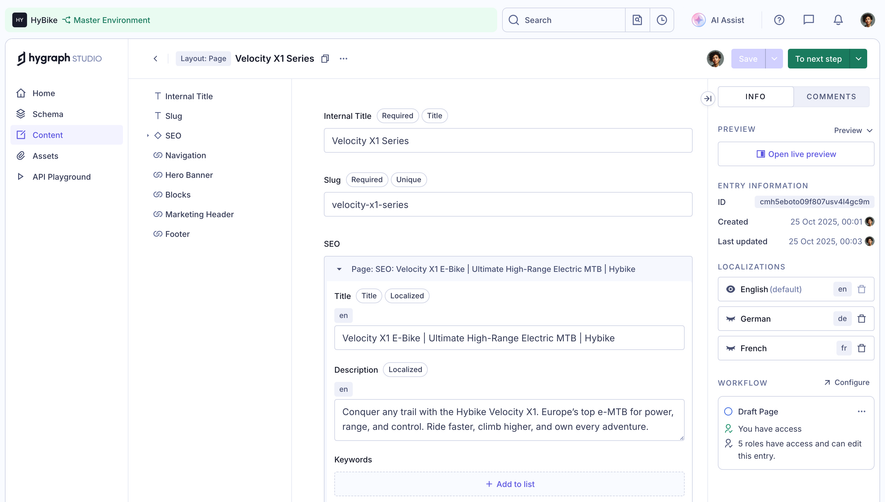

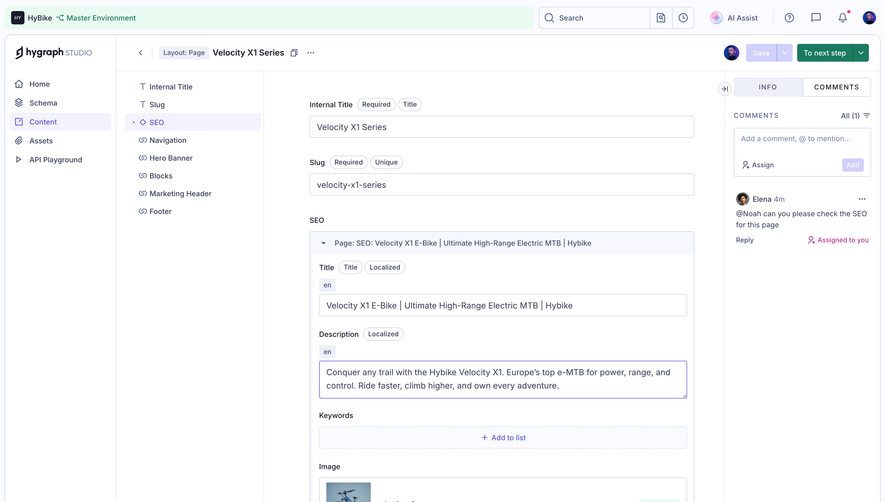
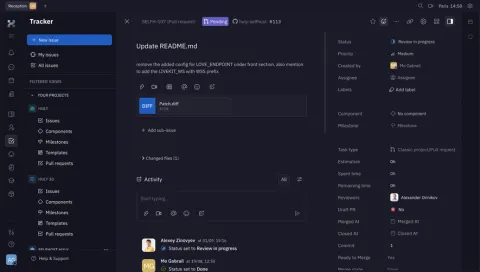
Index of all 28 Comments & Threads examples
- Huly Room Detail
- Huly Profile Details
- Huly Issue Tracker
- Pitch Presentation Comments Side Panel
- Oku Book Reviews
- Hyperline General Settings
- Hyperline General Settings
- Frame Product Tour
- Frame Product Tour
- Frame Product Tour
- Frame Company Settings
- Frame Upload Company Logo
- Frame Company Settings
- Frame New Note Text Editor
- Frame Text Editor
- Duffel Order Confirmation
- Loops Email Campaign Recap
- Supabase Table Editor
- Assembly Post Details
- Height Details
- Folk Comments Empty State
- Folk Comments List
- Narrative BI Analytics
- Narrative BI Analytics
- Narrative BI Analytics
Comments & Threads: design guide
Short answer
Comments and threads attach discussion to the work itself: a task, document or design. Show the object and purpose of the conversation, separate human messages from system history, choose flat or nested threads by the work, keep sending predictable and distinguish mentions from assignments.
In the libraryas of November 2026
- Examples
- 28
- SaaS products
- 14
- Last added
- Sep 2026
Most common inDetails 6Settings 5Add & Edit 3Analytics 3Product Tour 3
Comments and threads attach discussion to the work being discussed. A task, post, document, or design can carry its own conversation, reducing the need to reconstruct context from a separate chat channel. The pattern is useful when people need to ask questions, explain decisions, or coordinate changes around a specific object.
A successful discussion surface makes the object, participants, and conversation state understandable. It also distinguishes human messages from automated activity. Without that structure, a thread can become a long stream in which users cannot tell what needs a response or whether a decision was actually made.
What is the conversation about?
Start with what the discussion belongs to. An object-level thread concerns the whole task or post. An anchored comment concerns a particular passage, element, or version. Those models support different kinds of precision and require different ways to keep context intact.
Decide whether the surface primarily supports conversation, review, or a record of decisions. A fast exchange may benefit from chat-like presentation. A formal review may need assignment, resolution, and clear references. A discussion UI should not imply an approval process unless the product actually implements one.
Keep the parent object identifiable while people read and write. If the thread opens in a panel, include enough title or location information to prevent commenting on the wrong item. Context is the main reason to attach discussion to the object in the first place.
Assembly puts comments beside the post-production task
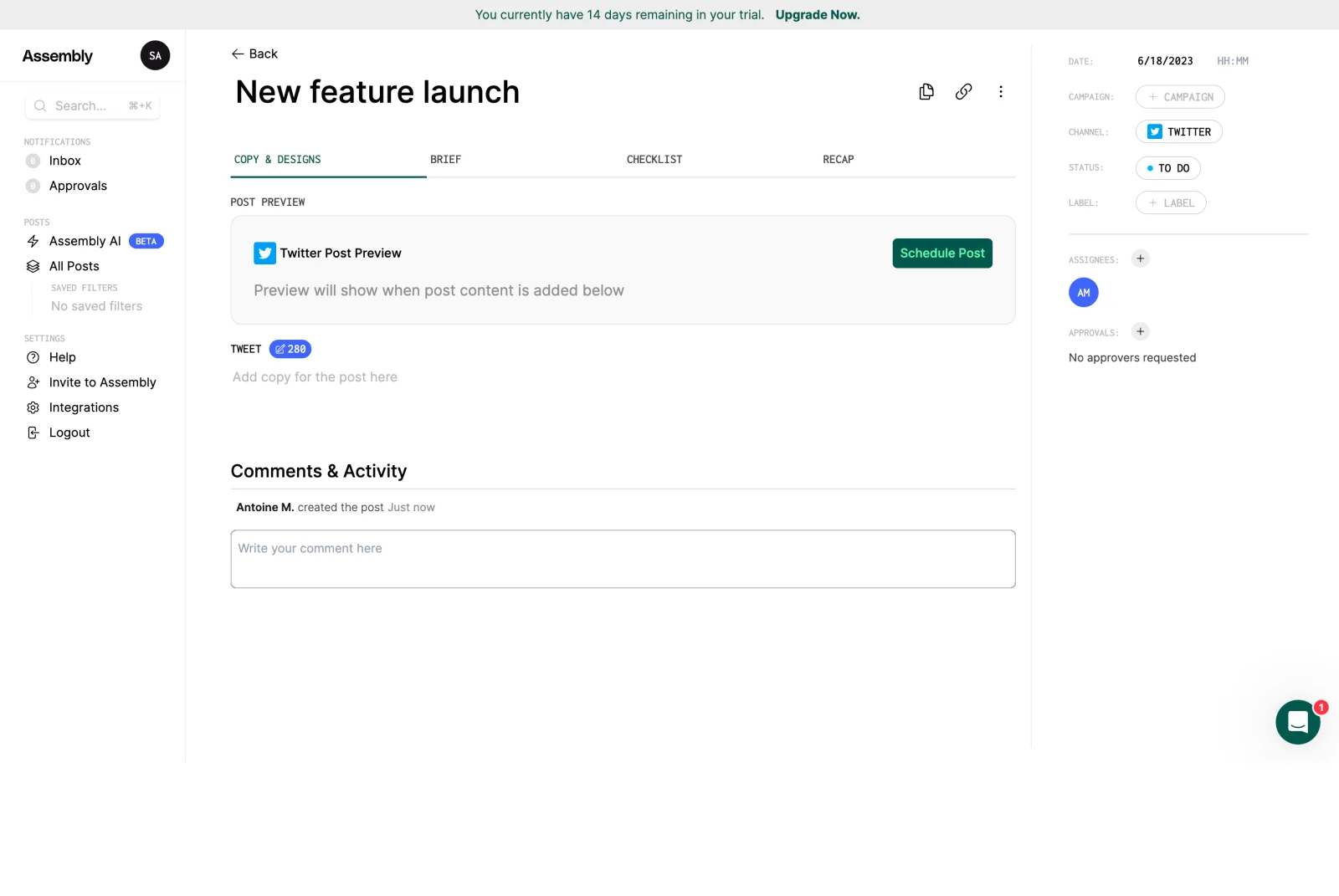
The Assembly screenshot shows a post titled New feature launch. Tabs organize Copy & Designs, Brief, Checklist, and Recap. The right side contains scheduling and workflow metadata, while a Comments & Activity area appears beneath the content workspace.
The placement ties discussion to a concrete piece of work. A collaborator can see the post context and its current status while preparing a message. This can reduce ambiguity compared with a detached chat message that says “the launch post” without linking to the object.
The visible activity line records that the post was created, while the composer invites a comment. That shared area introduces a useful design distinction: system history and human conversation can coexist, but they should remain recognizable as different kinds of entry.
The screenshot does not show an active reply thread, notification behavior, or approval outcome. It supports analysis of placement and context. Do not infer a complete review workflow simply because comments appear near approval metadata.
Height makes human messages visually different from task history
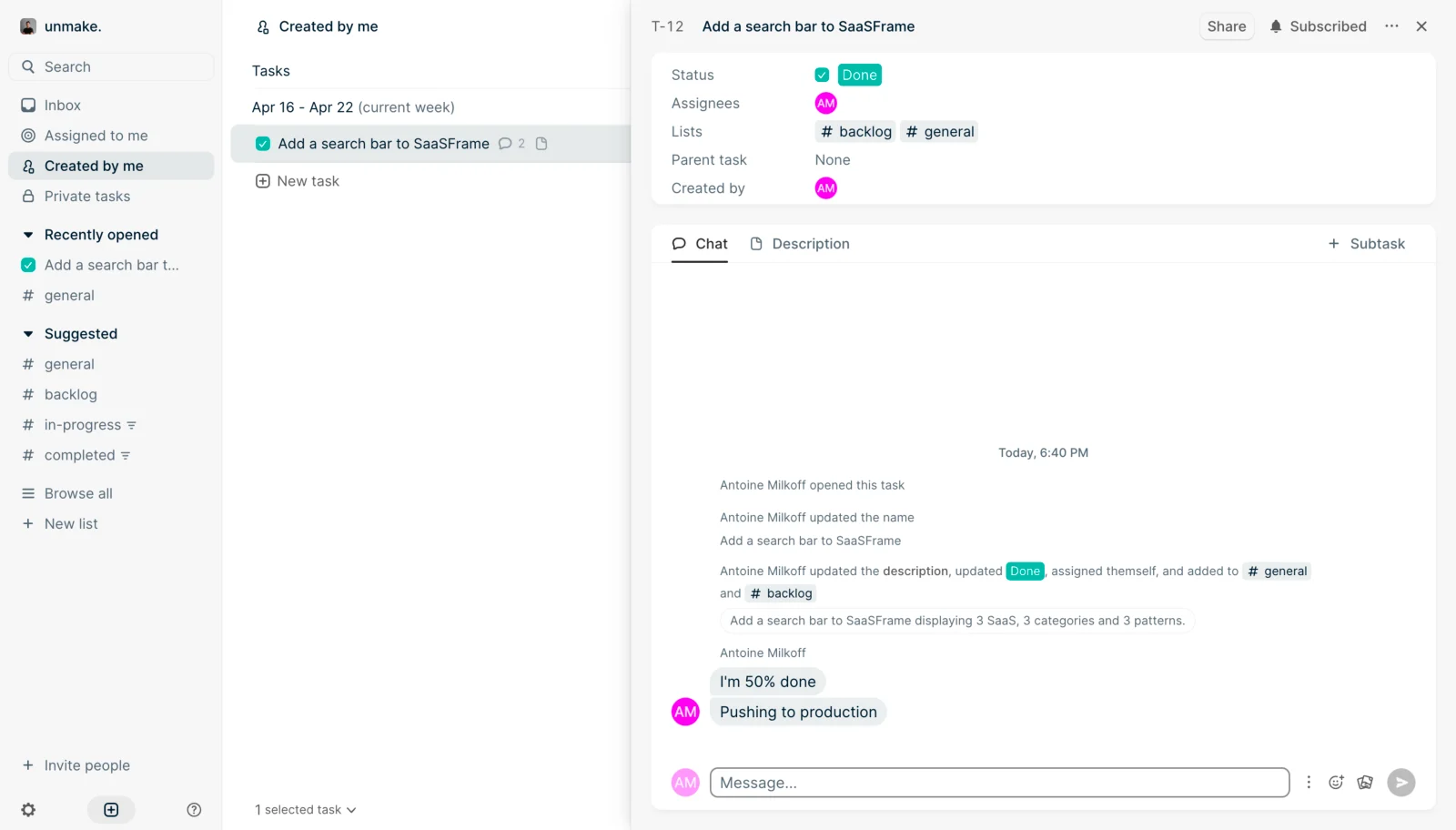
The Height screenshot shows a selected task in a detail panel. Status, assignee, lists, and creator appear above Chat and Description tabs. The chat area contains activity about opening and updating the task, followed by human messages displayed as bubbles and a composer at the bottom.
The different treatments help distinguish an event from a statement. A status update describes something the system recorded. A message expresses what a person said. That distinction matters when users are trying to understand whether work is complete, proposed, or merely discussed.
The list row also shows a comment indicator, while the detail view has a subscription state near its header. These visible elements connect collection awareness with object-level discussion. The capture does not establish exactly what the count includes or which notifications subscription produces.
For your own product, define those rules. A count can represent all messages, unread messages, or threads. Subscription can include human comments, activity changes, or both. Users need enough explanation to understand what they are following.
Choose flat discussion or nested threads according to the work
A flat conversation can work for a focused object with a small number of related messages. Nested threads help separate several questions or review points, but they also add navigation and can hide replies. Choose the model based on the number of independent topics users need to manage.
When replies are nested, preserve the parent message's context. Users should understand which statement they are answering and how to return to the broader conversation. Collapsed replies need a clear indication that more discussion exists.
A thread can have its own resolution state when the workflow calls for it. Define whether resolving means the question is answered, the requested change is complete, or the discussion is archived. A generic check mark can conceal those differences.
Do not let resolution rewrite history. Users may need to inspect the discussion later to understand a decision. Keep resolved content discoverable according to the product's retention and access rules.
Make composing and sending predictable
The composer should communicate what users can include: plain text, formatting, mentions, or attachments. Expose advanced tools when they help the task without making a simple message feel like a publishing project.
Define the relationship between Enter, line breaks, and sending. Different users have different expectations from chat and document editors. Provide a visible send route and make keyboard behavior understandable rather than relying on accidental discovery.
Preserve drafts when a panel closes or navigation interrupts a meaningful message, where the product supports that behavior. If the draft will be discarded, make the consequence clear. Losing a detailed review note can cost more effort than the comment control's small size suggests.
When sending fails, keep the message available for correction or retry. Do not present an unsent bubble as a successfully delivered contribution. A visible pending or failed state should explain the next useful action.
Use mentions and assignments as different relationships
A mention draws someone's attention to a message. An assignment gives them responsibility for a task or review point. Products can support both, but the interface should not make them look equivalent when their consequences differ.
Show enough identity to choose the right person, especially in larger workspaces. Similar names and different roles can lead to accidental mentions. If the person lacks access to the object, define whether the product prevents the mention, warns the author, or offers an appropriate sharing route.
Do not imply that a mention grants access unless that is an explicit feature with clear consequences. Notification and authorization are separate concerns. The discussion interface should respect the parent object's permissions.
Assignments need an outcome model. A named owner may need to respond, resolve, or complete a change. If the product offers only notification, use language that reflects that lighter relationship.
Keep notifications useful by separating attention from activity
Not every event deserves the same notification. Direct replies, mentions, and assigned review requests may need more attention than routine edits. Define defaults based on the work and provide meaningful control where discussion volume can become high.
Unread state should correspond to the product's actual reading model. Opening an object does not always mean a user has read every message in a long thread. Decide when content becomes read and use that rule consistently across inboxes, badges, and object views.
A notification should return the user to the relevant message or thread, not merely the top of a long page. Preserve enough context to understand what triggered it. A deep link is especially useful when several independent discussions share one object.
Let users understand what a subscription follows. A generic Subscribed label, as visible in Height's capture, needs a defined policy behind it. The interface can be compact, but the product should make notification preferences discoverable when users need them.
Handle edits, deletion, and object changes without losing meaning
A comment may refer to a version of content that later changes. Anchored review systems need a policy for moved or deleted content. Object-level conversations may need version or activity context so that old statements remain interpretable.
Editing a message can correct mistakes, but the product should decide how edited content is indicated and whether history is needed. The answer depends on the collaboration and accountability requirements of the product.
Deletion should preserve the coherence of replies where appropriate. Removing a parent message can leave responses confusing. A placeholder or another clear treatment may be useful, subject to the product's data and visibility rules.
Keep access aligned with the parent object. A shared link to a thread should not expose a private task or document. Test conversation visibility after permission changes, archival, and object removal.
Do not confuse reviews, comments, and activity feeds
A public review may include a recommendation or rating, while a work comment coordinates a specific action. An activity feed records events. Similar cards, avatars, and timestamps do not make these surfaces interchangeable.
For a mixed feed, label and style each entry according to its meaning. Users should be able to distinguish a human request from an automated record, and a review opinion from a workflow decision. This is more important than maintaining identical visual density.
Filters can help in a busy conversation, such as showing comments separately from routine activity. Use them when volume justifies the added control. Do not hide consequential state changes so thoroughly that the conversation loses its relationship to the work.
Test reading, replying, and returning with realistic discussion volume
Test more than an empty composer and two messages. Include long comments, attachments, several threads, deleted entries, and unread content. Users should be able to find the latest relevant response without losing the original question.
Keyboard users need to reach messages and actions, compose, send, and move into a thread without getting trapped. Newly arriving content should not disrupt reading or steal focus. On narrow screens, preserve the object identity alongside the discussion.
Evaluate whether users can explain the next action after reading. A long conversation may be technically usable while leaving responsibility unclear. If the product's purpose is review or coordination, the interface should help surface decisions and unresolved work.
- Define the conversation's object and purpose.
- Choose flat or threaded structure deliberately.
- Distinguish human messages from system activity.
- Specify sending, drafts, and failure recovery.
- Separate mentions from assignment and access.
- Make unread and subscription rules coherent.
- Test long discussions, deep links, and permission changes.
Frequently asked questions about comments and threads
Should every comment support replies?
Not necessarily. A flat discussion can suit a focused task. Threads become useful when several independent topics need separate context or resolution.
Should activity and comments share one feed?
They can when the combination helps users understand the work. Give the entry types distinct meaning and consider filtering when routine activity overwhelms human discussion.
Does resolving a thread complete the underlying task?
Only if the product explicitly defines that relationship. A resolved conversation and a completed task are often separate states and should not be silently conflated.
Explore comments and threads examples on SaaSFrame to compare object context, activity treatment, composers, and collaborative discussion surfaces.