 SaaSFrame
Code Snippet
Win over developers with beautiful SaaS Code Snippet patterns. Featuring syntax highlighting, 'Copy' buttons, and dark-mode themes, these examples make your technical assets look professional.
Website sections 4



Product screens 66
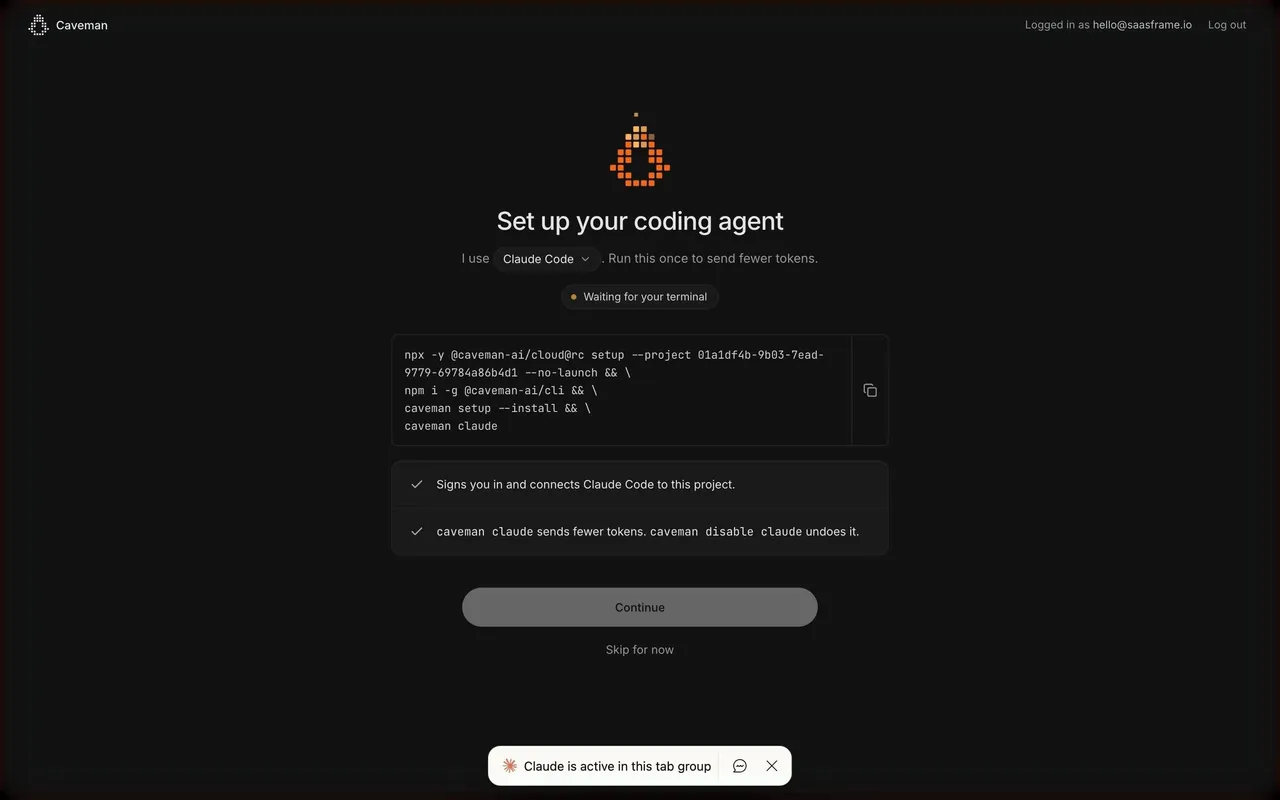

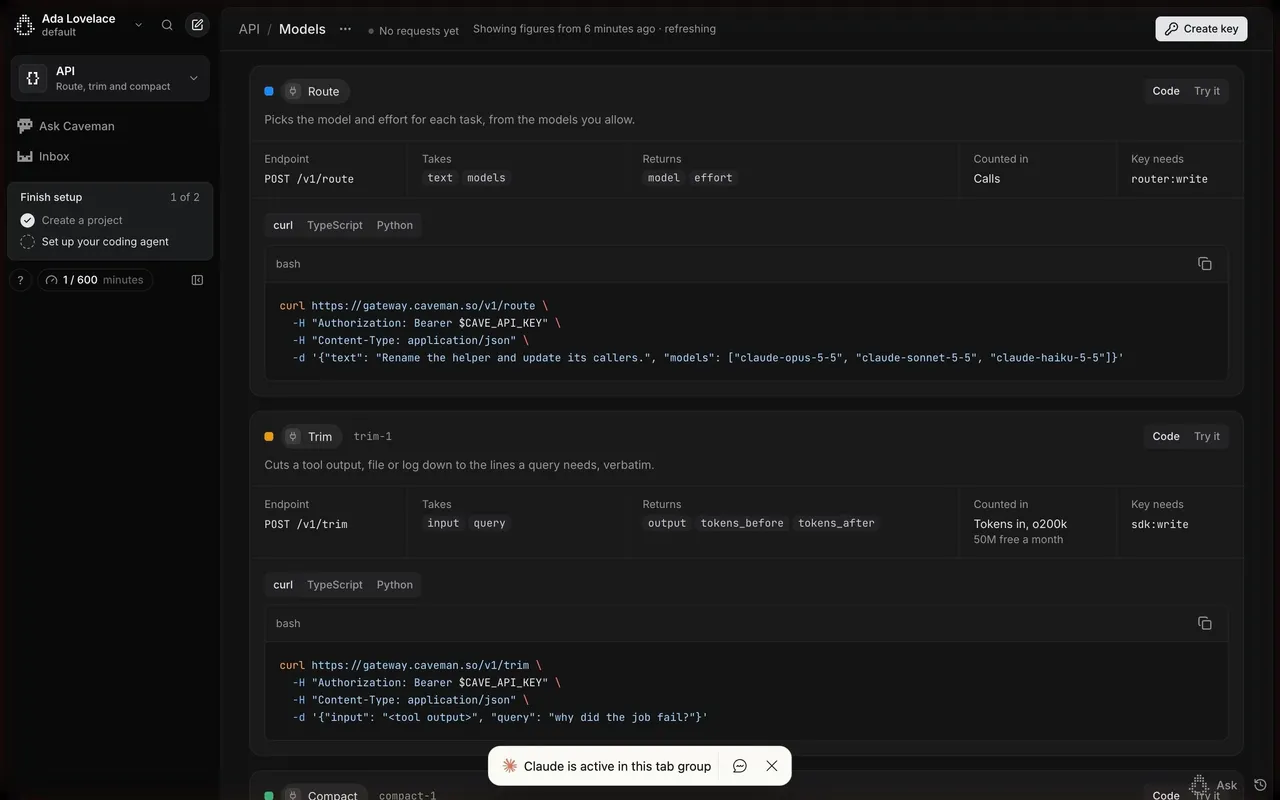
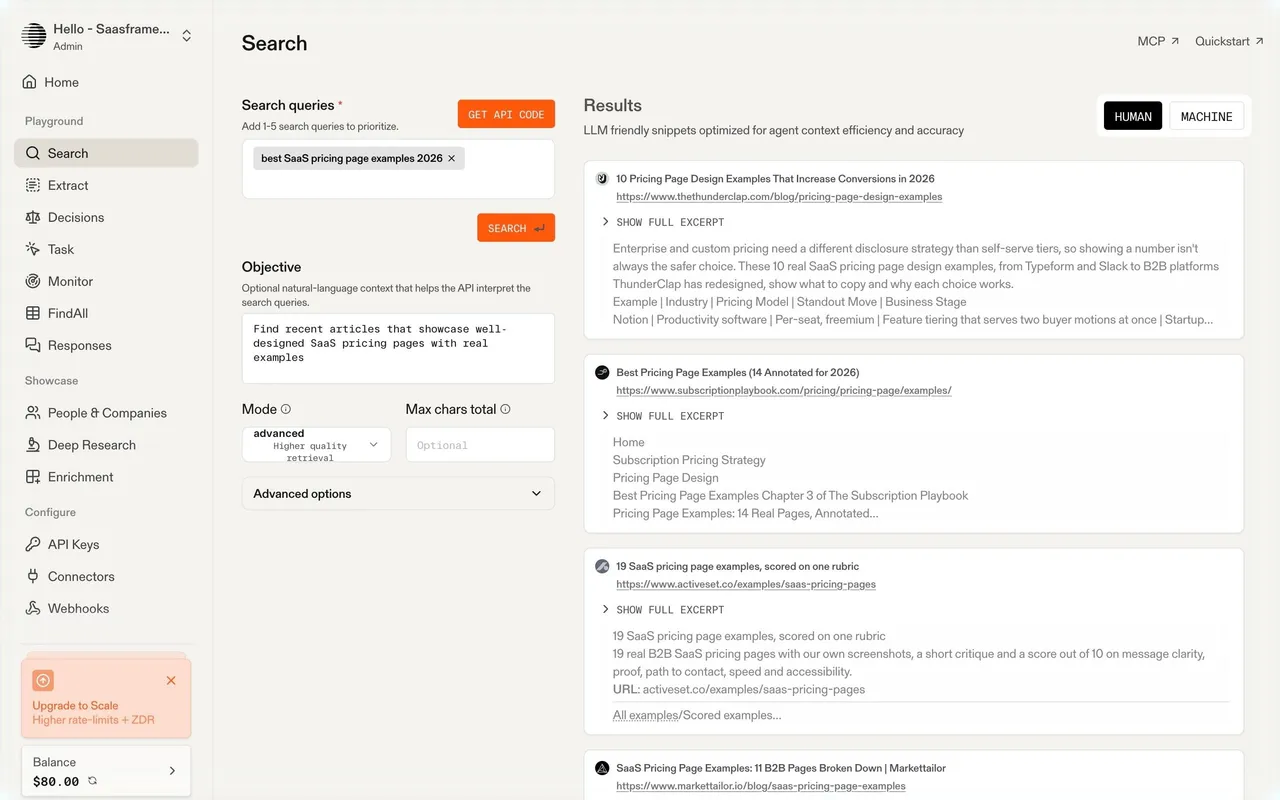

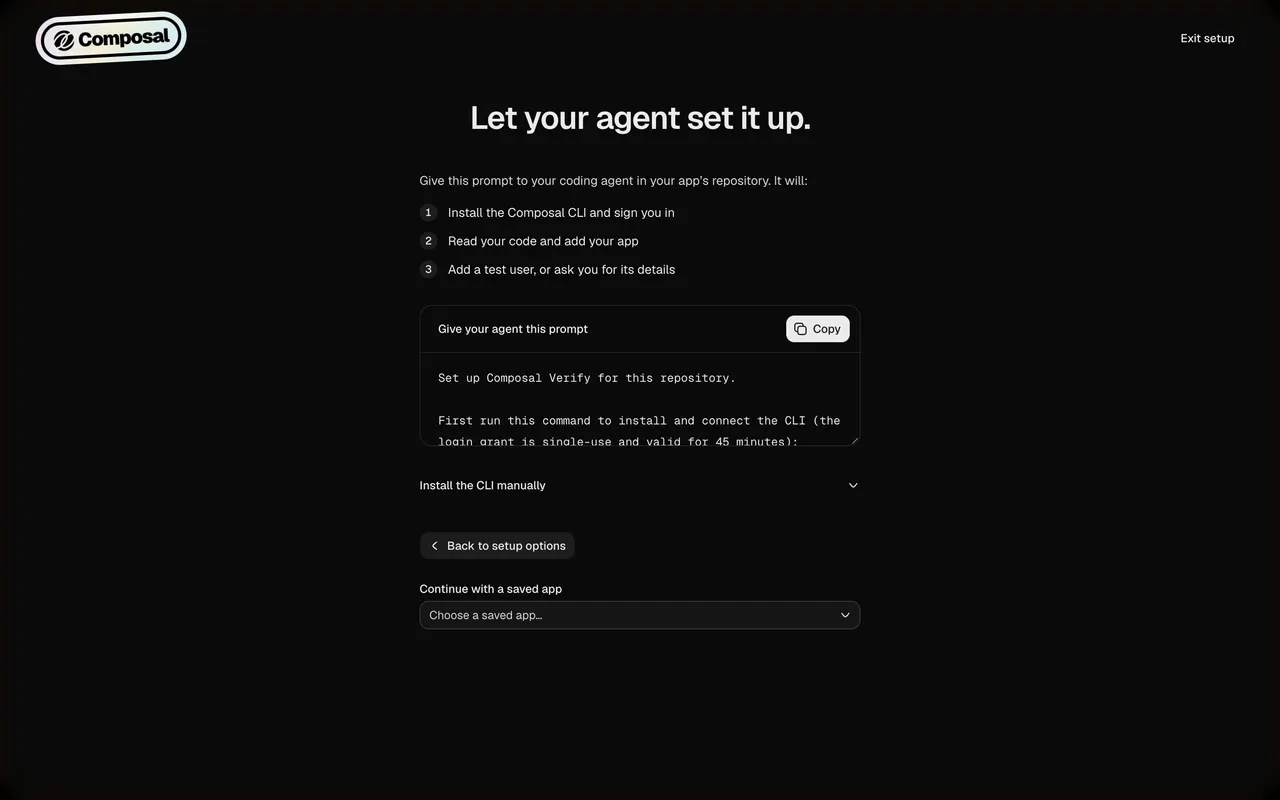
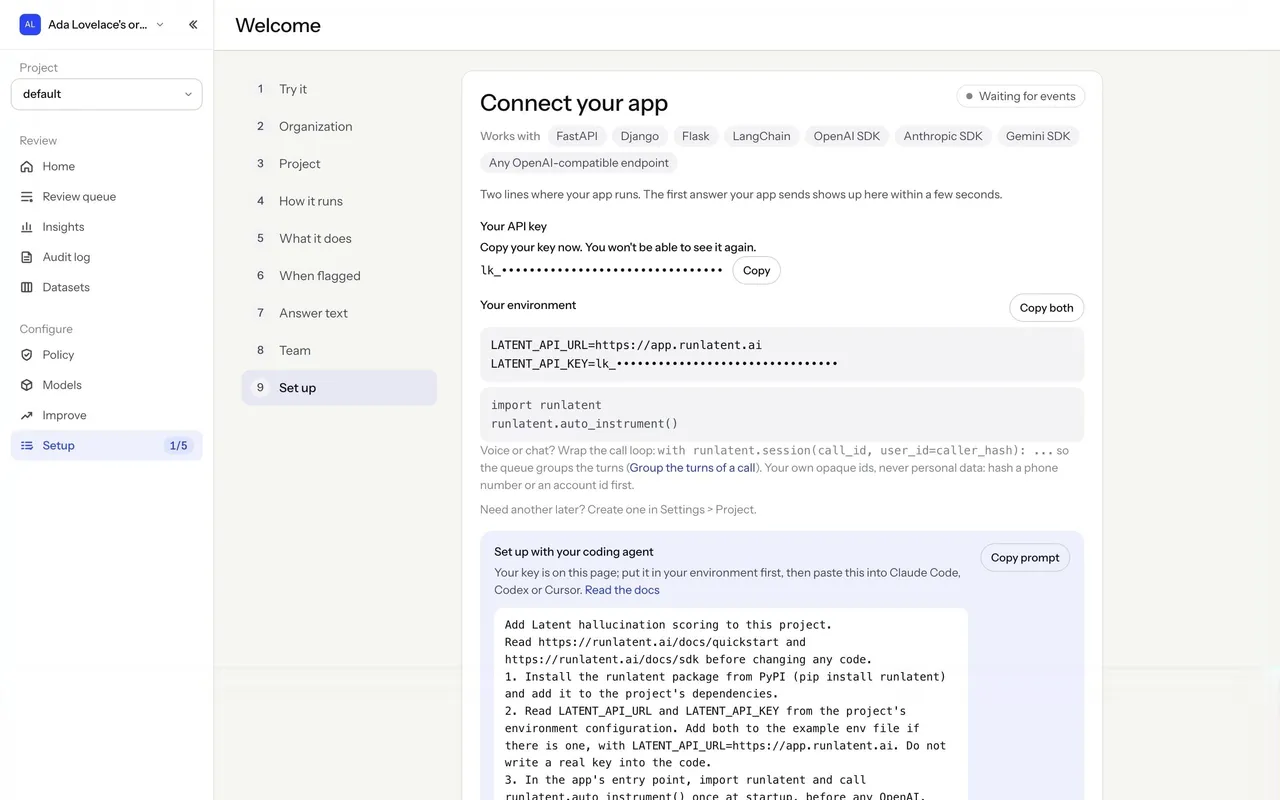
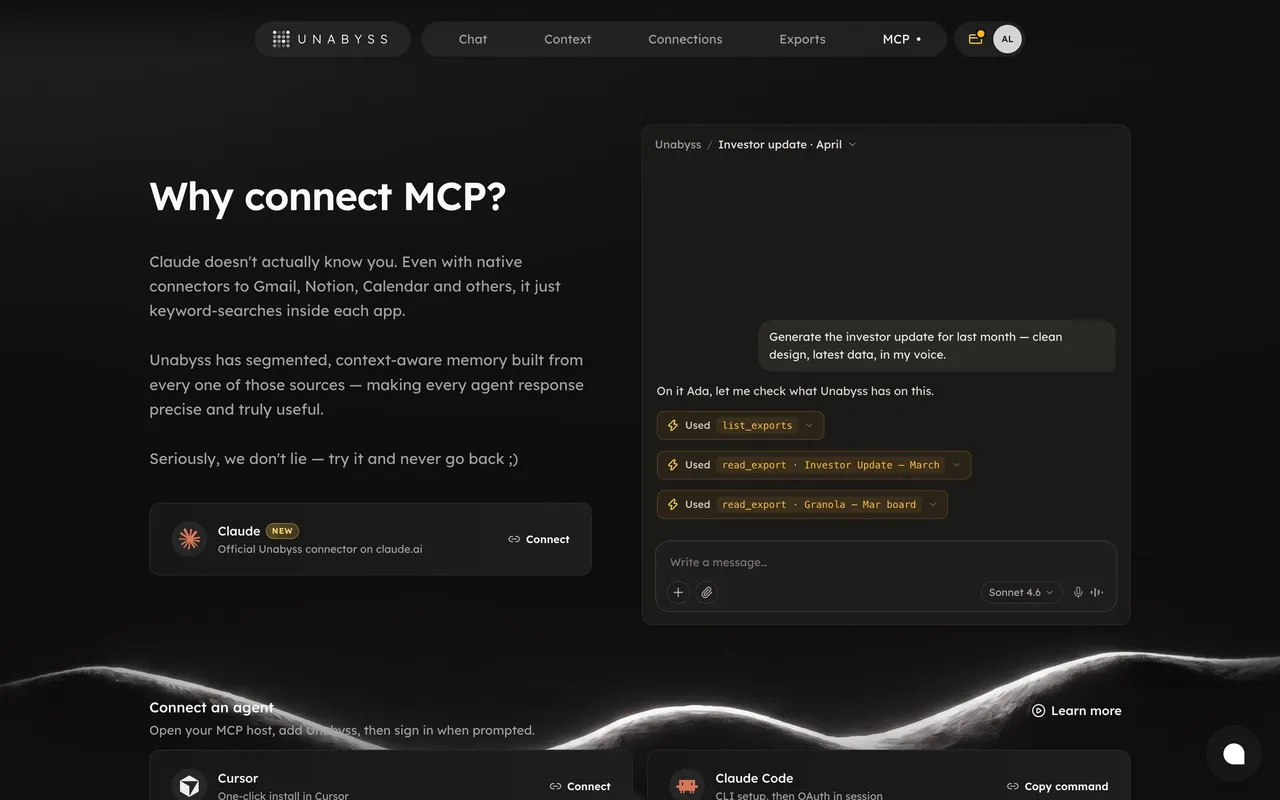
Index of all 66 Code Snippet examples
- Composal Agent Setup Prompt
- Latent Connect Your App Onboarding
- Unabyss Connect MCP
- Unabyss MCP Setup Guides
- Voiceflow Atlas Onboarding Goal Step
- Voiceflow Chat Widget Installation
- Respan Onboarding Gateway Setup
- Datashake Get Started Home
- Datashake Connect to AI (MCP)
- Moss Preview a sample index dataset
- Moss Connect an index to your app
- Dub Configure conversion tracking
- Pangram Developer dashboard
- Tines Onboarding Workflow Runbook
- Tines Onboarding Execution Details
- Tines Onboarding Blocker Summary
- Tines Skill Definition Editor
- Tines MCP Connection Setup
- Lightspark Transaction Details
- Hugging Face Model details and inference widget
- Hugging Face Dataset details and viewer
- Hugging Face Hugging Face Jobs quick start
- Hugging Face MCP server configuration
- Hugging Face Static Space setup guide
- EigenPal Automation run details
- EigenPal Automation execution details
- EigenPal API endpoint reference
- Lightdash Metric Analytics
- Lightdash AI Analysis
- Unkey API Key Ready
- Unkey Rate Limites Settings
- Prelude Add Prelude To App
- Hume AI Text to Speech Playground
- Checkout.com Set Up API Keys
- OpenAI Empty Playground
- OpenAI Create An Assistant
- OpenAI Create An Assistant
- OpenAI Assistant Created
- Intercom Install Messenger
- Plausible Analytics Account Setup
- Plausible Analytics General Settings
- Meiro Sharing Setup
- Loops Forms Builder
- Supabase New Project Welcome Screen
- DataPulse Account Setup
- DataPulse Welcome Screen
- Conduktor Create Element
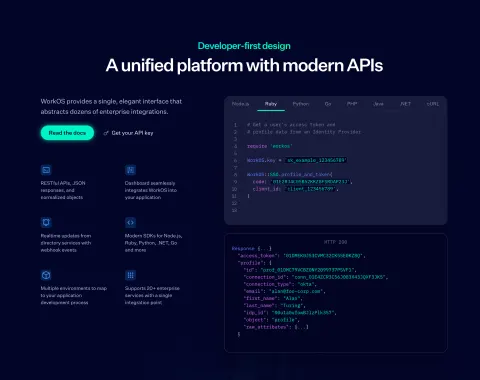
- WorkOS Directory Sync Configuration
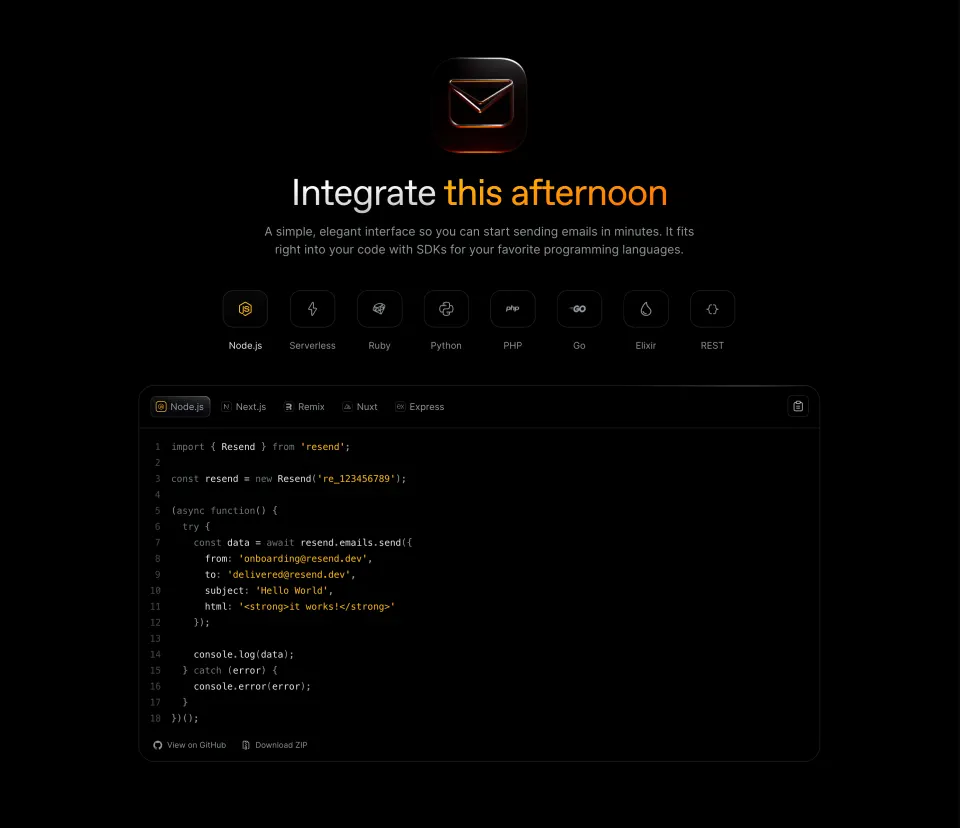
- Resend User Onboarding
- Resend User Onboarding
- Formcarry Form Setup
- Luma Event Details
- Logsnag Playground
- Pirsch Analytics Add A Website
- Pirsch Analytics Integration Settings
- Help Kit Widget Settings
- Help Kit Integrations Settings
- Senja User Onboarding
- June Account Setup
- Squeaky Install tracking code
- Fiberplane User Onboarding
- Fullstory Sign Up Flow
- Hotjar Sign Up Flow
Code Snippet: design guide
A code snippet shows a short piece of code or configuration users need, such as an install script or API call. Explain the task and where the code goes before showing it, separate generated values from placeholders, keep formatting readable and offer one-click copy.
In the libraryas of November 2026
- Examples
- 70
- SaaS products
- 43
- Last added
- Nov 2026
Most common inUser Onboarding 13Account Setup 10Details 10Playground 10Integrations 9
A code snippet gives users a small, purposeful piece of code or configuration within a SaaS workflow. It may install tracking, connect a data source, call an API, or demonstrate an integration. The snippet should help someone understand what to change, where to place it, and how to determine whether it worked.
Displaying code is only one part of that job. A visually polished block can still fail if it uses the wrong environment, hides a placeholder, or leaves the next step unclear. Good code snippet UX treats the code as an executable instruction with context rather than decorative evidence that the product is technical.
What task should the snippet help complete?
Lead with the outcome and prerequisites. Users should know whether they are installing a script, creating a file, or making a request. Identify the relevant environment and any permissions or dependencies that affect the task.
Keep the explanation specific enough to distinguish similar destinations. “Add this to your website” may be too vague when the snippet belongs in a particular part of the page. “Create this configuration file and replace the endpoint” establishes a different task.
Do not bury the code under a long product pitch. A person who has reached setup often wants a concise sequence. Provide deeper documentation when needed while keeping the immediate action visible.
If the snippet is an example rather than a ready-to-use configuration, say so. Users may otherwise copy it unchanged and assume that generated-looking values are already linked to their account.
Squeaky connects the block to a specific installation location
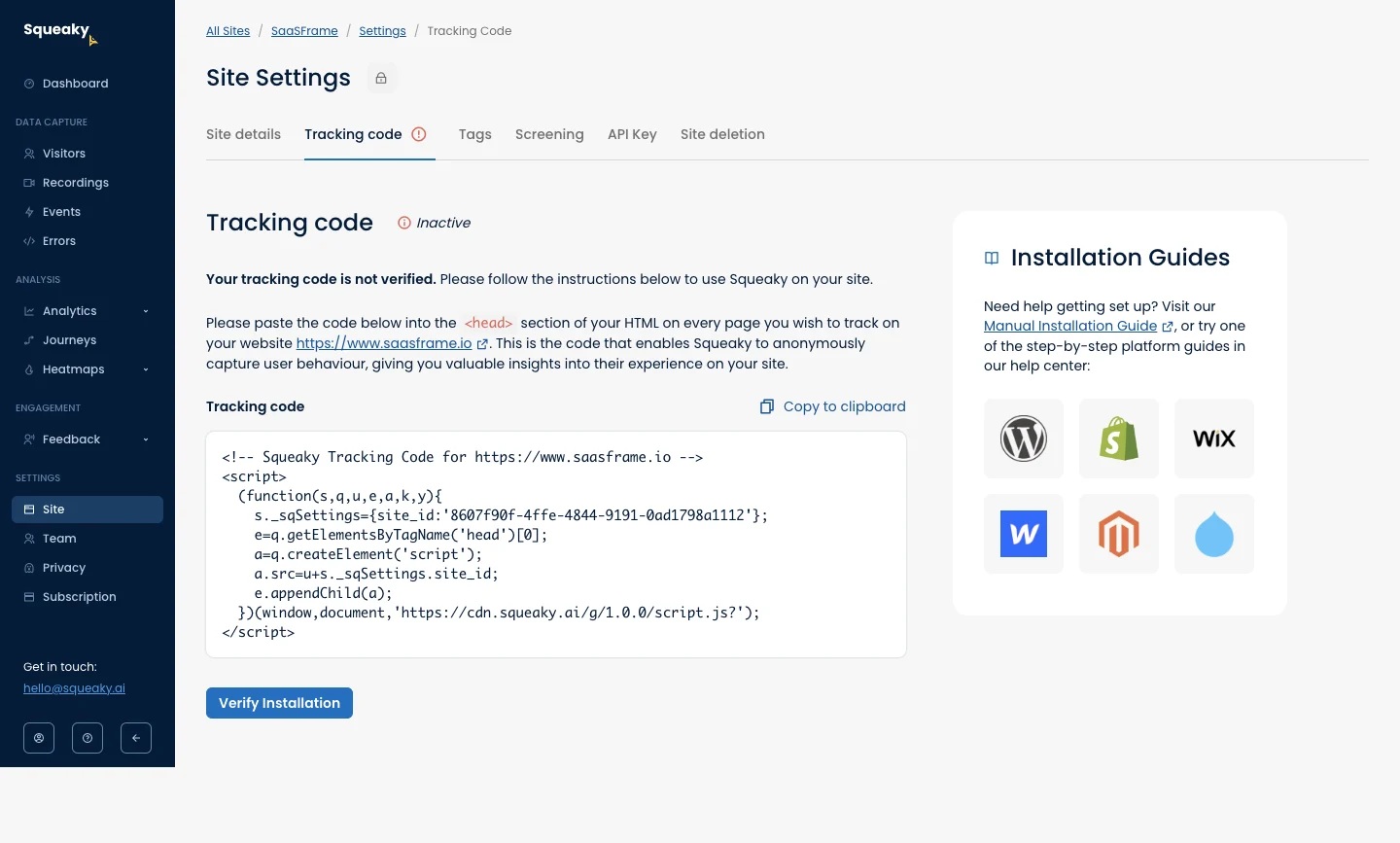
The Squeaky screenshot presents tracking code for a named site. The instructions identify the page location where the script belongs, the block has a “Copy to clipboard” action, and “Verify Installation” appears below it. A separate panel offers manual and platform-specific guides.
The sequence answers three practical questions: what to copy, where it goes, and what to do after placement. Verification is separate from copying, so the interface does not confuse obtaining the code with successfully completing installation.
The inactive status also makes the current state explicit. The code block is part of a setup process that has not yet been verified. Users can understand why this screen is relevant and what successful progress should look like.
This is a historical capture used to study the design. Its script content is not a current installation recommendation. Production snippets should come from the product’s current setup flow and match the intended account and environment.
Fiberplane makes environment selection part of the snippet
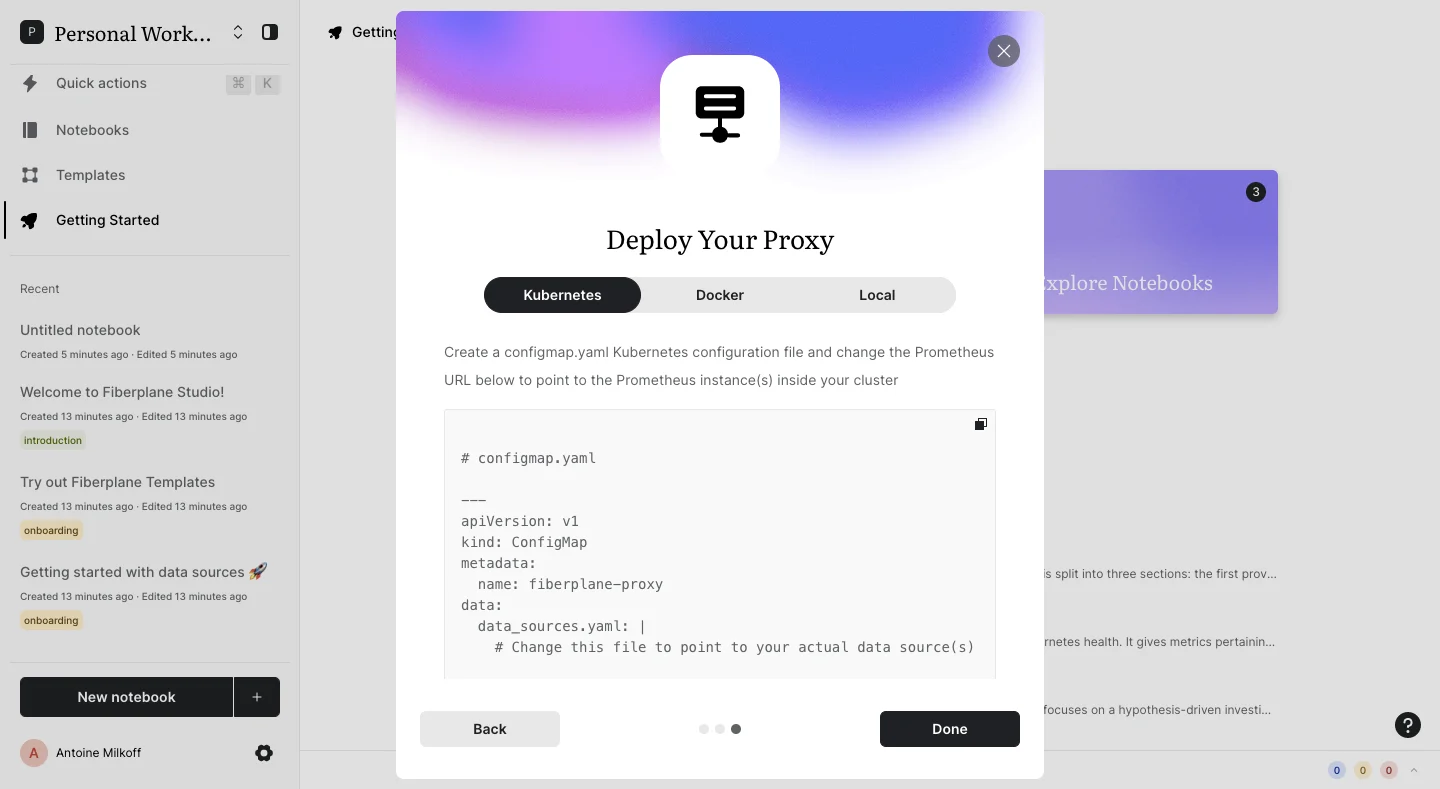
The Fiberplane capture shows a “Deploy Your Proxy” dialog with Kubernetes, Docker, and Local options. Kubernetes is selected. The text describes creating a configuration file and changing the Prometheus URL before the code block. A copy icon appears within the block.
This arrangement makes the environment a visible choice. A user should not need to inspect the code to discover that it targets a different deployment method. When several variants exist, the selector helps connect the instructions and payload to the intended platform.
The screenshot also places a required customization in the prose before the block. That is useful because users may copy quickly. A placeholder inside code alone is easy to overlook, particularly when the rest of the configuration appears complete.
The capture does not show the other variants or the full deployment result. Review a working implementation to ensure that selecting another environment updates both code and instructions consistently.
Separate generated values from placeholders
Some values belong to the user’s workspace and should be copied unchanged. Others are examples that must be replaced. Make this distinction visible through labels, comments, and surrounding instructions. A realistic-looking example endpoint can otherwise be mistaken for a configured destination.
Use clear placeholder language and explain what value belongs there. “YOUR_PROJECT_ID” communicates a replacement more directly than an arbitrary identifier, but the user still needs to know where to find their project ID. Link or show the location when the workflow supports it.
If the interface generates a personalized snippet, identify the account, resource, and environment it represents. A person managing several projects should be able to verify that they are copying the correct setup.
Do not substitute a plausible value when required context is missing. An incomplete configuration should be visibly incomplete and provide a route to supply the missing information. A ready-looking snippet with invented defaults can create errors that are difficult to diagnose later.
Preserve code structure without making it hard to read
Whitespace, punctuation, and line boundaries may be meaningful. Render the snippet in a monospaced style and preserve the underlying text. Syntax highlighting can help scanning, but it should not introduce decorative characters into the copied payload.
Choose wrapping based on the content. Short configuration lines may wrap acceptably for reading; long commands or URLs may be easier to inspect with horizontal scrolling. If wrapping is visual, it should not alter the copied text.
Line numbers can help discussion and troubleshooting, but users should not accidentally copy them. The visual layer and transferred text need separate checks. A code block that looks correct in a screenshot may still paste incorrectly.
Maintain adequate contrast for all token colors, including comments and punctuation. A fashionable low-contrast theme can make the exact characters harder to inspect. The snippet’s purpose is successful use, not visual decoration.
Keep the code and its instructions synchronized
When an option changes the snippet, update related prose at the same time. Switching from one language, region, or deployment method to another should not leave instructions describing the old variant.
Show a clear selected state on the selector and preserve it through navigation when appropriate. If the choice is encoded in a link, make the initial state match that link. Users arriving from documentation should not be shown an unrelated default without explanation.
For remotely generated code, handle loading and failure explicitly. Do not enable copying a stale block under a newly selected environment label. Preserve a coherent confirmed state or explain that generation failed.
If the snippet contains a version, state whether the user should use that version or follow a current recommendation. Avoid silently changing a saved setup guide in a way that makes an earlier copied configuration impossible to reconcile.
Give users a validation step after the handoff
A snippet often leaves the product interface and enters an editor, website, terminal, or deployment tool. Provide a next step that checks the intended result where feasible. Squeaky’s visible verification action is one example of connecting the handoff back to the product.
Validation should report what was actually observed. Detecting a script request is different from confirming that every event is recorded correctly. Receiving a connection is different from verifying the complete data pipeline. Label the scope of the check.
When validation fails, help users investigate likely causes without pretending to know a cause that has not been established. Show relevant evidence, such as the resource being checked, and link to environment-specific guidance.
Keep the snippet available while troubleshooting. Users may need to compare it with what they installed. Requiring them to restart onboarding just to retrieve the code adds unnecessary work.
Provide complete context when the snippet cannot stand alone
A snippet can omit surrounding application code to stay focused. Explain the assumptions that matter: where a function is called, which file contains the configuration, or whether another setup step must happen first. Do not imply that a small fragment is a complete application when it is not.
For multi-step integration, connect related blocks in a clear sequence. Each block should have a role and destination. A series of identical unlabeled code panels makes it easy to paste one into the wrong place.
Offer a full example or documentation link when the task requires more context. The inline snippet can remain concise while the deeper resource explains deployment, error handling, or advanced customization.
If a download is offered, explain how it differs from Copy. A file may contain complete configuration while the visible block contains only a fragment. Users should not discover that distinction after trying to use the wrong artifact.
Treat credentials according to their actual purpose
Code blocks can contain public identifiers, private keys, or access tokens. These are different categories of information. Do not assume that every identifier is secret, and do not expose an actual secret merely because code is commonly displayed in setup screens.
Show sensitive values only to authorized users and make the reveal, copy, regeneration, and revocation behavior clear where applicable. Keep secret-bearing snippets out of unrelated analytics, error reports, or public examples.
If the value is available only once, state that before users dismiss the step. If it can be retrieved later, provide the legitimate route. The copy action alone does not explain the credential lifecycle.
For documentation screenshots, use suitable example values when generating new assets. Existing captures should be reviewed for the information they contain before being reused publicly. The UX lesson rarely depends on the exact credential string.
Make long snippets usable across devices
On narrow screens, preserve the block’s structure and keep the copy control reachable. A button should not disappear beyond horizontal scroll. If the snippet is inside a modal, consider how much room remains after headers, selectors, and footer actions.
Keyboard users need to reach selectors, copy actions, and documentation links predictably. Code text should remain readable to assistive technology, and icon-only actions need meaningful names. Copy feedback should state the result without unnecessarily reading the whole block aloud.
Some setup tasks are easier on desktop, but mobile visitors may still need to inspect or save instructions. Offer a usable path rather than making the screen impossible to navigate. Do not imply a task is complete merely because a mobile user copied the text.
Review from selection through successful setup
Test each variant, required replacement, copy payload, and validation outcome. Paste the code into the intended destination and compare the result with the product’s actual expectations. Include missing context, stale data, and a failed generation request.
- Explain the outcome and destination before the block.
- Identify environment and resource context.
- Distinguish personalized values from replacements.
- Preserve exact characters and structure when copying.
- Update instructions with variant selection.
- Provide validation and recovery after installation.
- Handle credentials and accessibility deliberately.
Code snippet FAQ
Should every code block have a copy button?
A copy action is useful when users are expected to reuse the code. Make its scope clear and ensure that it transfers the intended text rather than visual line numbers or a truncated preview.
How should required replacements be shown?
Use recognizable placeholders, explain what belongs in them, and identify where users can find the value. Put critical customization instructions before the block as well as inside it when appropriate.
Does copying the snippet complete setup?
No. Copying is a handoff. Provide the relevant installation instructions and a validation step that reports what the product actually checked.
Study SaaSFrame’s code snippet examples with copy actions, third-party connections, and API keys to compare the full setup journey.