 SaaSFrame
📩 Share
Power collaboration with seamless SaaS Share and Permission UI designs. Learn how to design 'Invite to Edit' modals, public link settings, and granular user permission grids that make sharing content safe and simple.


📩 Share: design guide
A SaaS sharing screen controls how other people can access or reuse a product object. It can invite collaborators, create an external link, or export a file. Those routes have different permission, update, and distribution consequences, so the interface should make the choice understandable before producing a URL or artifact.
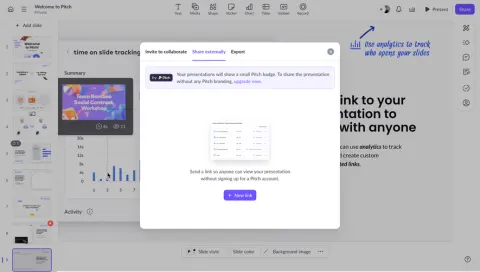
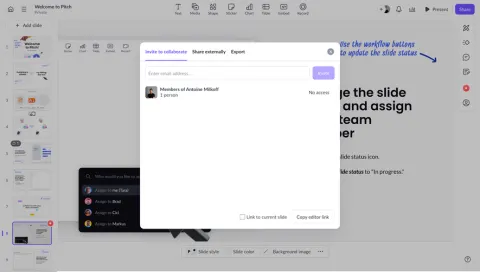
The SaaSFrame references show several Pitch sharing states: link configuration, a created-link inventory, and presentation export. They offer a useful comparison within one product. The visible settings are design evidence, not a verification of every access-control behavior behind them.
Separate collaboration, external access, and export
Inviting a collaborator usually gives an identified person access within the product. Creating a link can distribute access outside that membership model. Exporting produces a separate artifact that may not follow future product updates.
These routes should not share an unexplained universal action. Group them by outcome and describe the relevant difference. A user needs to know whether the recipient can edit, inspect a live object, or receive a static copy.
Keep the object and workspace context visible. Sharing the wrong document or presentation can be more consequential than choosing an inconvenient format. The modal title or summary should identify the target clearly.
Choose an access model before creating the link
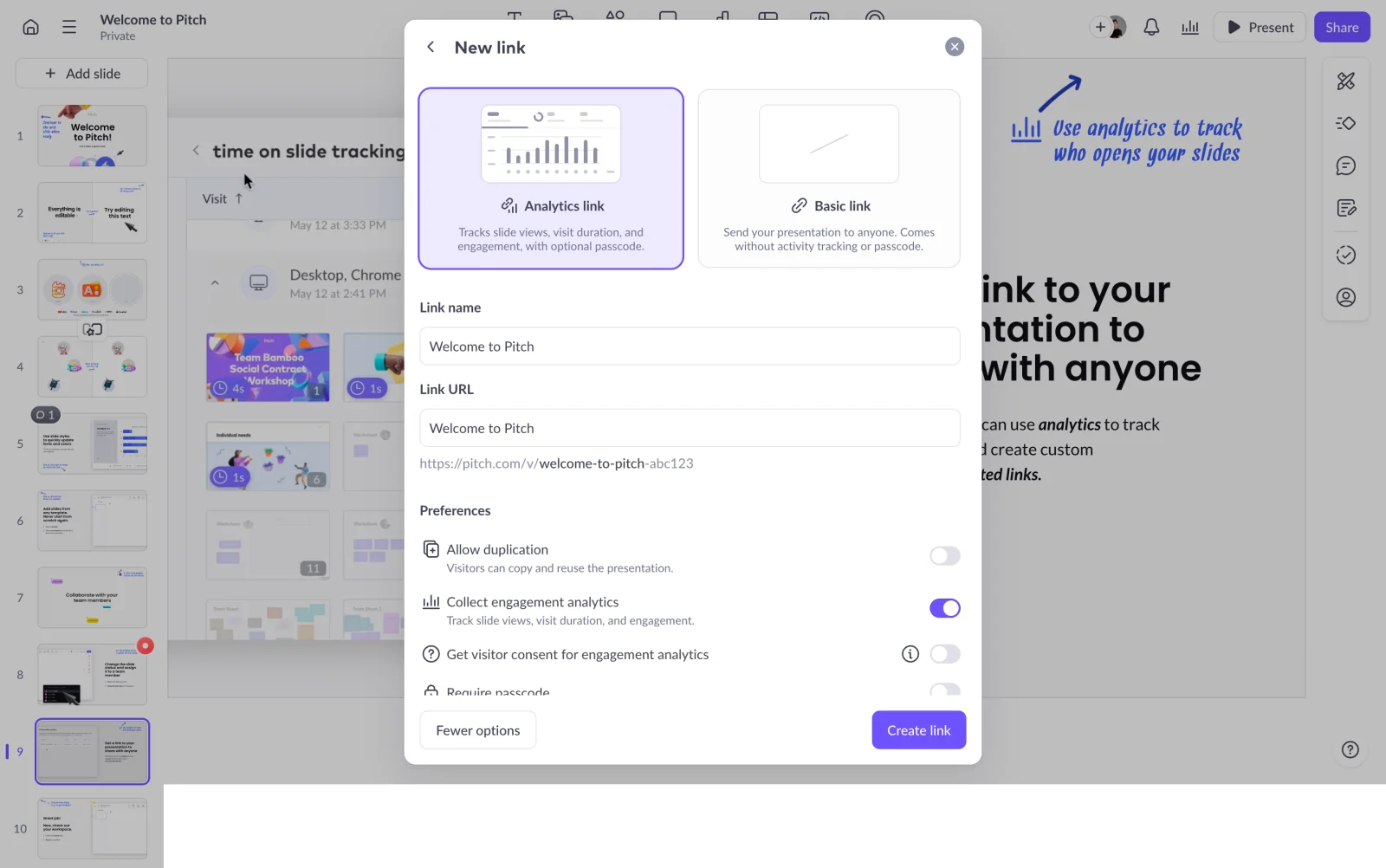
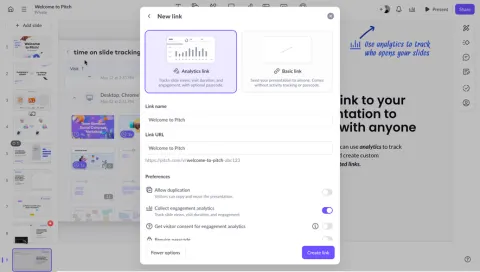
The Pitch new-link capture distinguishes an analytics link from a basic link. It includes a link name, URL, preferences for duplication and engagement analytics, and an associated visitor-consent control.
This makes the link a configured object rather than just a copyable address. Different options affect how recipients interact with the presentation and what information the account collects.
When adapting the model, explain each option's actual effect. Tracking, passcode access, duplication, and identity-based access are separate capabilities. Do not bundle them into one vaguely named secure or advanced setting.
Keep permission scope understandable
View, comment, edit, and duplicate are different operations. Describe the access granted to a recipient in terms of the actual object and action. A broad member role may not explain what one shared link allows.
Public, unlisted, passcode-protected, and invitation-only are also different models. A URL that is not listed publicly may still be accessible to anyone who receives it. Use language that reflects the implemented behavior.
If access changes apply to every existing link, say so. If each link has its own settings, make that identity clear. Users should not assume that editing one configuration updates all previously distributed routes.
Treat the sharing link as a managed object
A link name can help distinguish audiences or purposes. Multiple links may support separate campaigns, clients, or review groups. Their inventory needs enough information to identify the correct one.
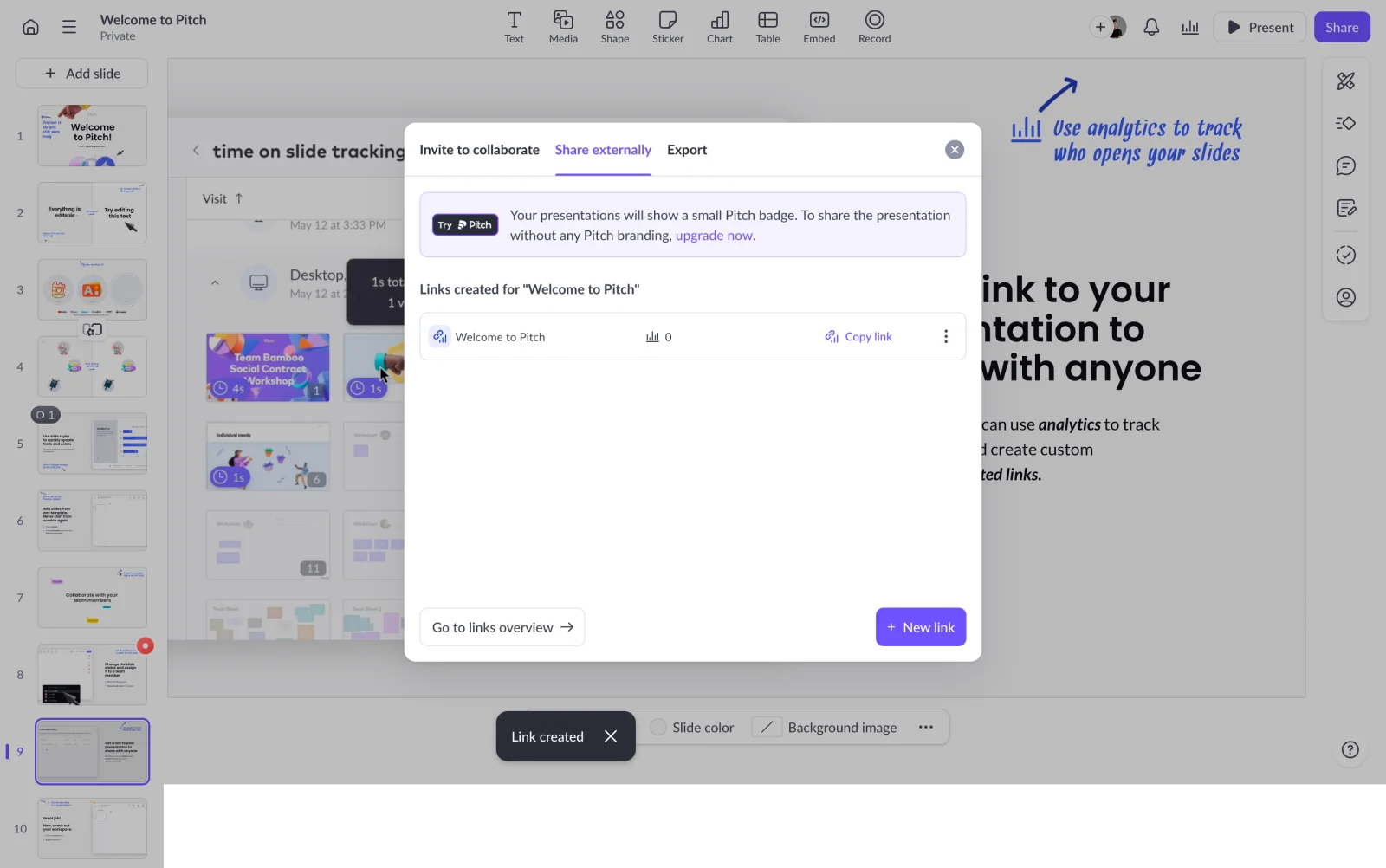
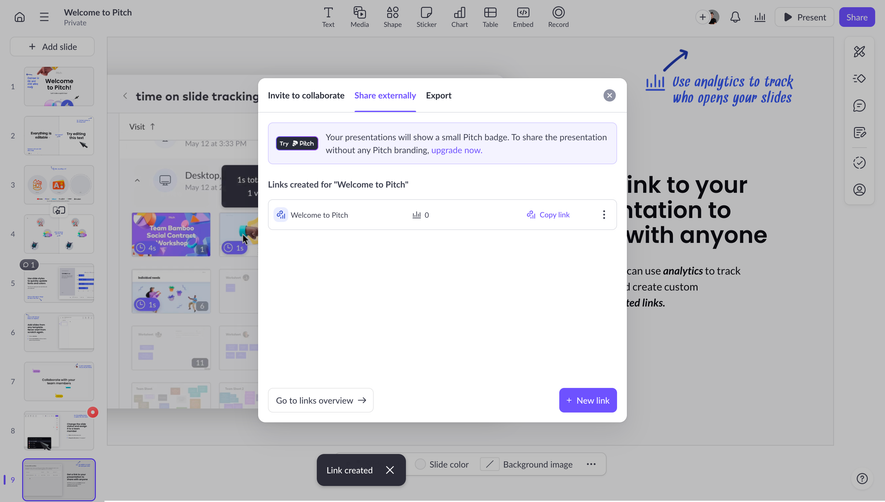
The Pitch created-link capture lists a named link, provides a copy action, and offers routes to an overview or another new link. A success message indicates that link creation completed.
This supports continuing management after the initial action. Copying an existing link is different from creating another one. The interface should make that distinction clear so users do not unintentionally generate duplicate distribution routes.
Where links can expire or be revoked, show their current state and relevant settings. A previously copied URL should not appear ready if the underlying access has changed.
Explain analytics without obscuring access
Engagement analytics can be useful for presentations or sales material, but users need to understand what the option records and whether the recipient is identified. Activity metrics and access restrictions are different concepts.
The reference places analytics and a visitor-consent preference within link configuration. That visible grouping makes the relationship inspectable. It does not establish that one setting is sufficient for every legal or organizational requirement.
For your own product, use accurate descriptions and provide appropriate detail. Do not imply that turning off analytics revokes access or that turning it on identifies every viewer. Explain the actual measurement boundaries.
Distinguish a live link from a static file
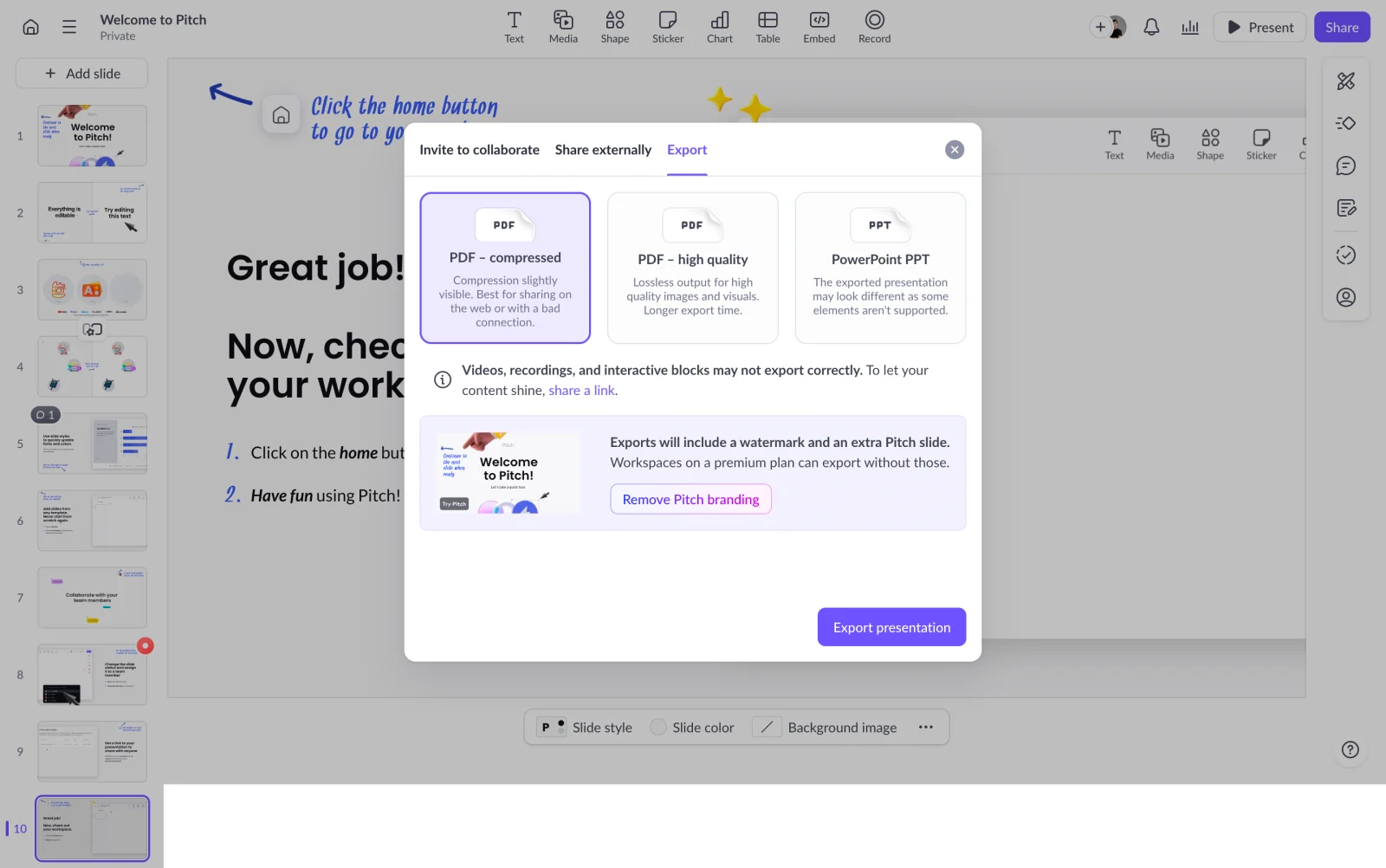
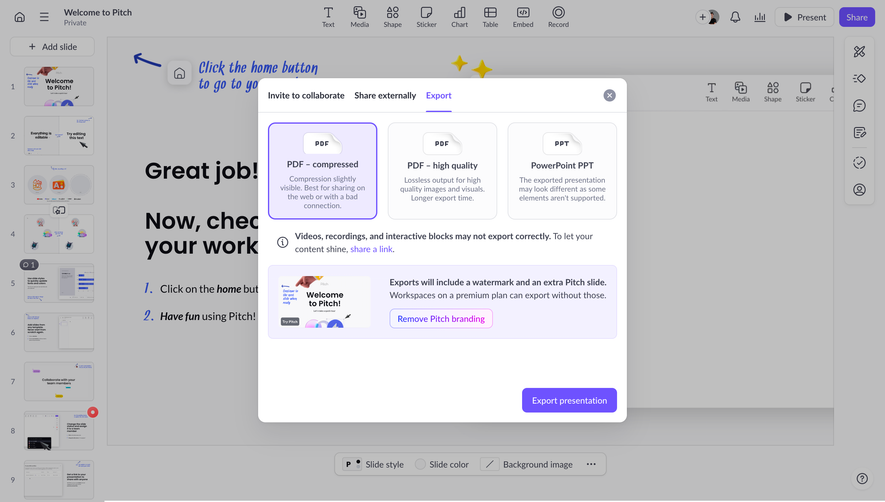
The Pitch export capture offers compressed PDF, high-quality PDF, and PowerPoint routes. It also explains that some elements may not export correctly and presents branding-related information.
This identifies a real distribution tradeoff. A live presentation can retain interactions that a file format may not support. A compressed file can be easier to distribute while changing visual quality.
When adapting the approach, explain what the export preserves and what it changes. A file is not automatically equivalent to the live object. The import and export guide covers format and output-scope decisions in greater depth.
Make recipient expectations concrete
A person receiving a shared object may need an account, a passcode, or a supported viewing environment. Explain those requirements before the sender distributes the link where they affect the use case.
Offer a preview or a way to inspect the recipient experience when useful. Administrators often have access that external viewers do not. Their own successful view is not evidence that the recipient can open the object.
Keep external presentation readable and appropriately branded. If a watermark or product badge appears, communicate it before sharing or exporting rather than surprising the sender afterward.
Preserve correction and revocation routes
Sharing is not necessarily a one-time decision. Users may need to update access, change a link name, stop distribution, or remove a collaborator. Provide a discoverable management route after the initial success state.
Explain the effect of revocation precisely. Disabling a live link may stop future access through that route, while a previously downloaded file remains a separate artifact. The interface should not promise control it cannot provide.
For shared workspaces, adapt management to permissions. A teammate may be able to copy a link without being allowed to create a public one or change the object's access policy.
Confirm the real action, not a visual proxy
Creating a link, copying it, and sending it to another person are separate events. A copy confirmation should say the URL was copied, not that the object was delivered. A created-link message should not imply any recipient has opened it.
If clipboard access fails, preserve the URL and provide another way to use it. If link generation is pending, show the pending state instead of presenting an empty field as a valid address.
Avoid duplicate creation during slow responses. Users should be able to identify whether a link already exists before trying the action again.
Keep sharing controls accessible
Use clear labels for permission selectors, link preferences, and copy actions. Modal focus should let users review the configuration before commitment and return to the relevant object afterward.
On small screens, preserve the target identity and access summary. A large preview should not push the actual permission choices out of view. Long URLs need readable treatment and a usable copy route.
Test keyboard operation, increased zoom, failed copying, expired links, unavailable export formats, and role restrictions. The sharing path needs to remain understandable across those states.
Validate recipient access and sender comprehension
Ask the sender what the recipient can do and whether future edits will appear. Then test the route using a viewer with the intended access level. This checks both the interface explanation and the actual experience.
Include multiple links, changed permissions, static exports, and recipients without product accounts. Watch for assumptions carried from one sharing route into another.
Measure useful distribution and correct access alongside share-button clicks. A frequently copied URL is not necessarily reaching the right audience or granting the intended permission.
Frequently asked questions about SaaS sharing
Is a shared link the same as inviting a collaborator?
No. Collaboration membership and external-link access can use different permission models. Explain the route the user is choosing.
Will an exported file update when the original changes?
A static export generally represents a separate artifact. State the actual behavior of your product and distinguish it from a live link.
What should the success message confirm?
Confirm the event the system knows occurred, such as link creation or copying. Do not imply delivery or recipient access without evidence.