 SaaSFrame
Delete
Manage destructive actions with SaaS Delete and Archive patterns. Learn how to use warning modals and 'type to confirm' inputs to prevent accidental data loss while keeping the UI clean.
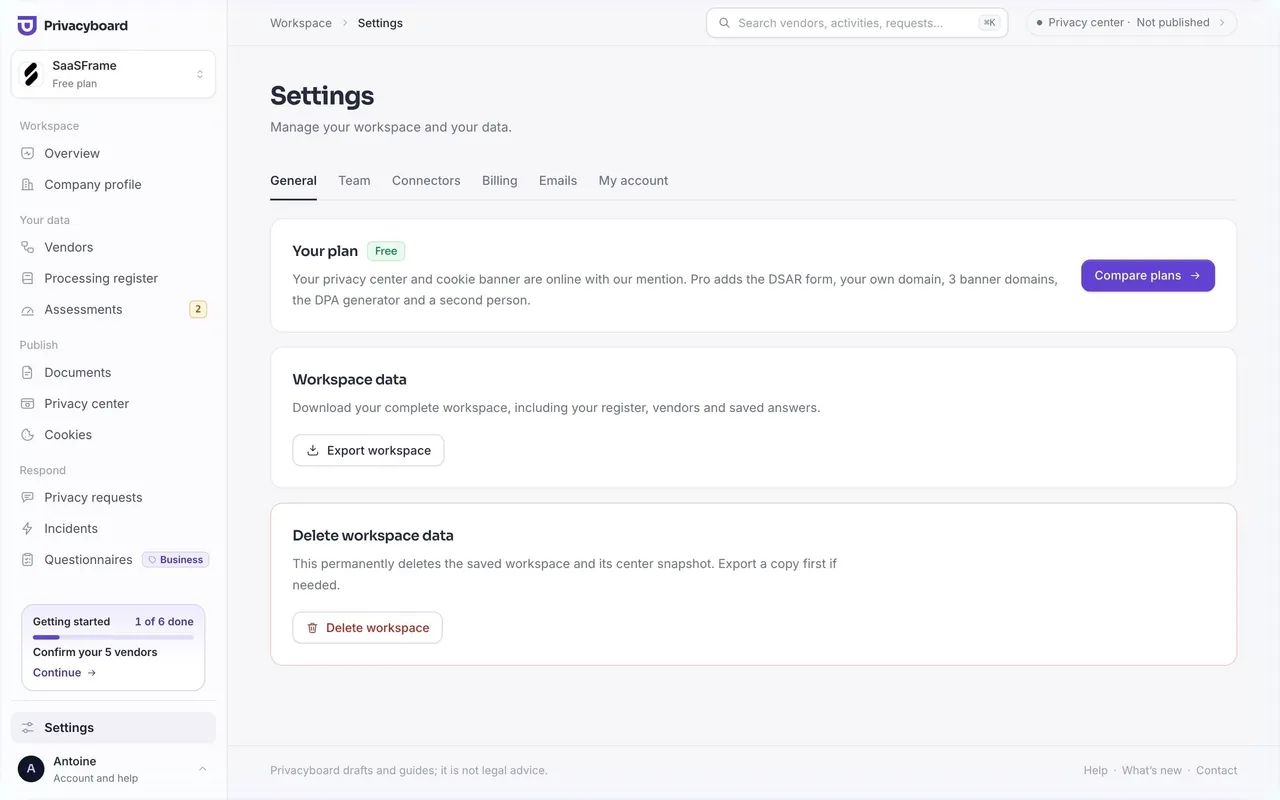

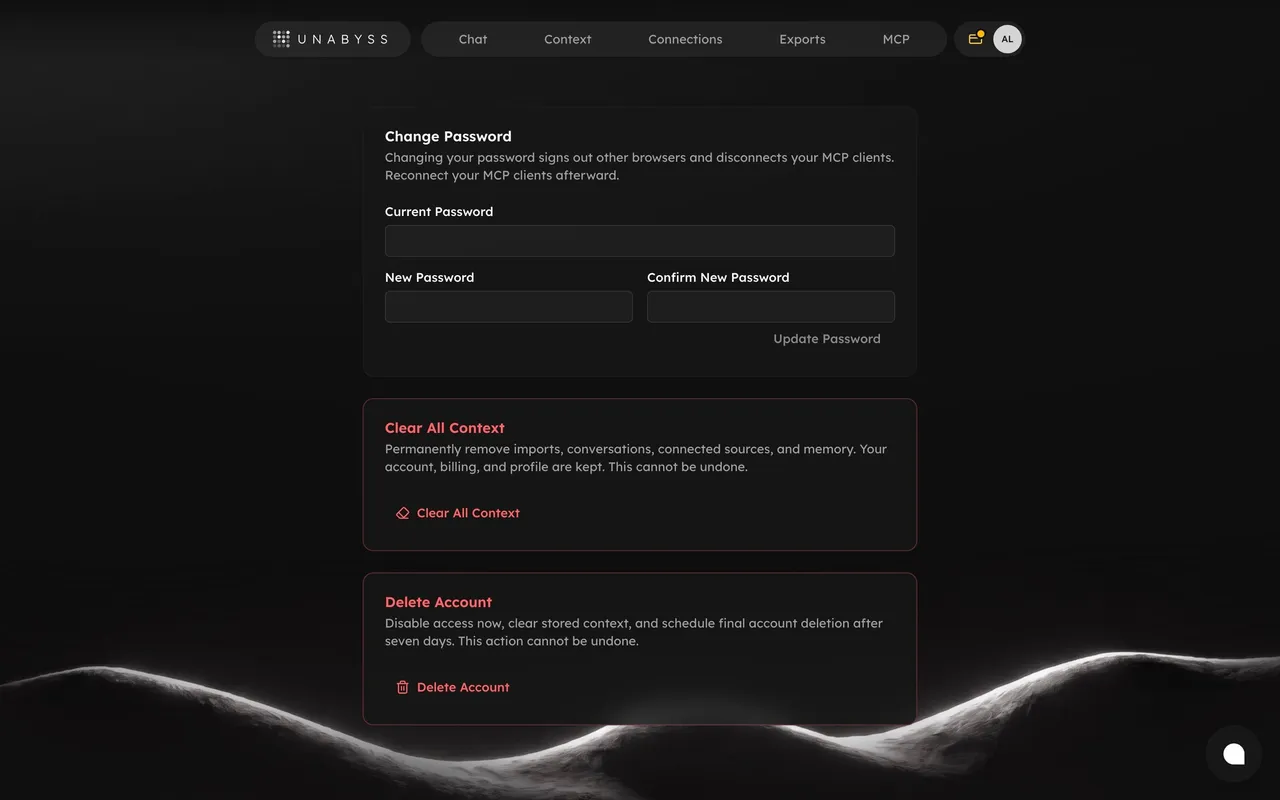

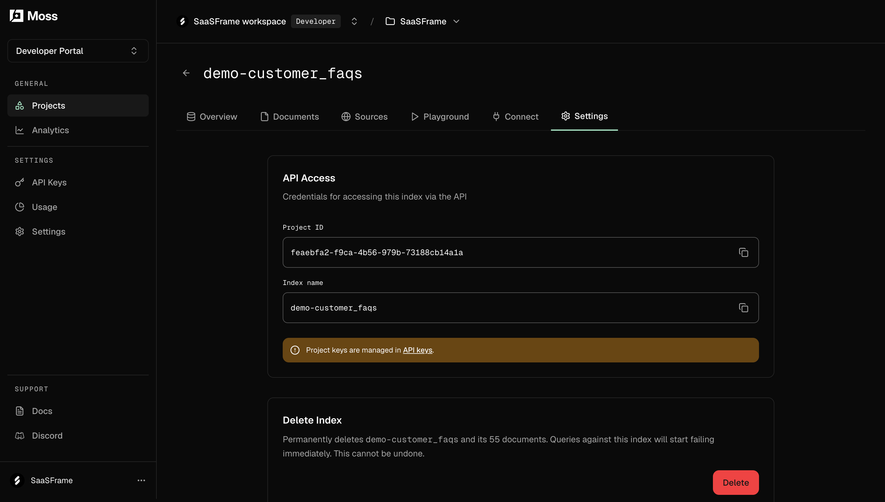



Index of all 62 Delete examples
- Moss Confirm index deletion
- Moss Workspace general settings
- Dub Delete a custom domain
- Dub Delete a workspace
- Pangram Delete image result
- Pangram Delete API key
- Pangram Account settings
- Hugging Face Repository settings
- Hugging Face Repository advanced settings
- Hugging Face Storage bucket settings
- EigenPal Data retention settings
- Claude Privacy Controls
- Visitors Manage Account
- Visitors Delete
- Unkey Delete Key
- Unkey Disable Key
- Unkey Delete API
- Huly Add Schedule
- Superlist Delete Account Confirmation
- Oku Delete Account Confirmation
- FlowMapp User Flow Flowchart
- FlowMapp General Settings
- Hyperline Cancel Subscription Confirmation
- Hyperline Cancel Subscription
- Cal.com Create Workflow
- Cal.com Profile Settings
- Dock Credentials Dashboard
- Dock Verification Templates Dashboad
- Dock Activity Analytics
- Vidzflow Profile Settings
- Frame Company Settings
- Frame Upload Company Logo
- Frame Company Settings
- Rise Account Setup
- Expertpage Edit Basic Information
- Plausible Analytics Verification
- Plausible Analytics Verification
- Meiro Challenge Setup
- Meiro Challenge Blocks Setup
- Meiro Challenge Customization Setup
- Meiro Challenge Integrations Setup
- Meiro Sharing Setup
- Meiro Challenge Published
- Routine Advanced Settings
- Routine Delete Account Confirmation
- Supabase Delete Column
- Supabase Delete Column Confirmation Modal
- Supabase Column Deleted
- Supabase General Settings
- Supabase Delete Project
- Mixpanel User Details
- Livestorm Event General Settings
- Livestorm Event Registration Settings
- Livestorm Event Room Settings
- Livestorm Event Appearance Settings
- Livestorm Event Emails Settings
- Livestorm Event Recording Settings
- Livestorm Event Details
- Mine My Profile
Delete: design guide
Short answer
A delete interaction removes an object, whether by archiving it, moving it to trash or erasing it permanently. Keep the action attached to the object, name the target again at confirmation, explain dependent data, scale friction to the consequence and describe recovery options accurately.
In the libraryas of November 2026
- Examples
- 62
- SaaS products
- 28
- Last added
- Nov 2026
Most common inSettings 24Delete Account 11Confirmation 6Add & Edit 4Appearance Customization 2
Recently addedPrivacyboardUnabyssMossDubPangram
What does deleting actually do to the object?
A deletion interface removes an object from the product's usable state. Depending on the system, that may mean moving it to a recoverable trash area, removing it permanently, or deleting it together with dependent objects. The interface needs to explain the actual operation and its scope before the user commits.
This is different from hiding an item, clearing a filter, or removing a relationship. A record can disappear from a view without being deleted. Conversely, deleting a shared object can affect people who are not currently viewing it. The action's visual size does not indicate the size of its consequence.
Begin with the object, dependencies, permission model, and recovery capability. Then choose the entry point, review step, and feedback around those facts. The design goal is an informed, intentional action with a clear result. A red button alone cannot establish whether users understand what will be lost.
Keep the entry point associated with the object
Supabase's captured table editor shows a menu opened from the url column. The menu includes edit, freeze, and Delete Column options. The destructive action is therefore attached to a specific column rather than placed as an ambiguous page-level control.
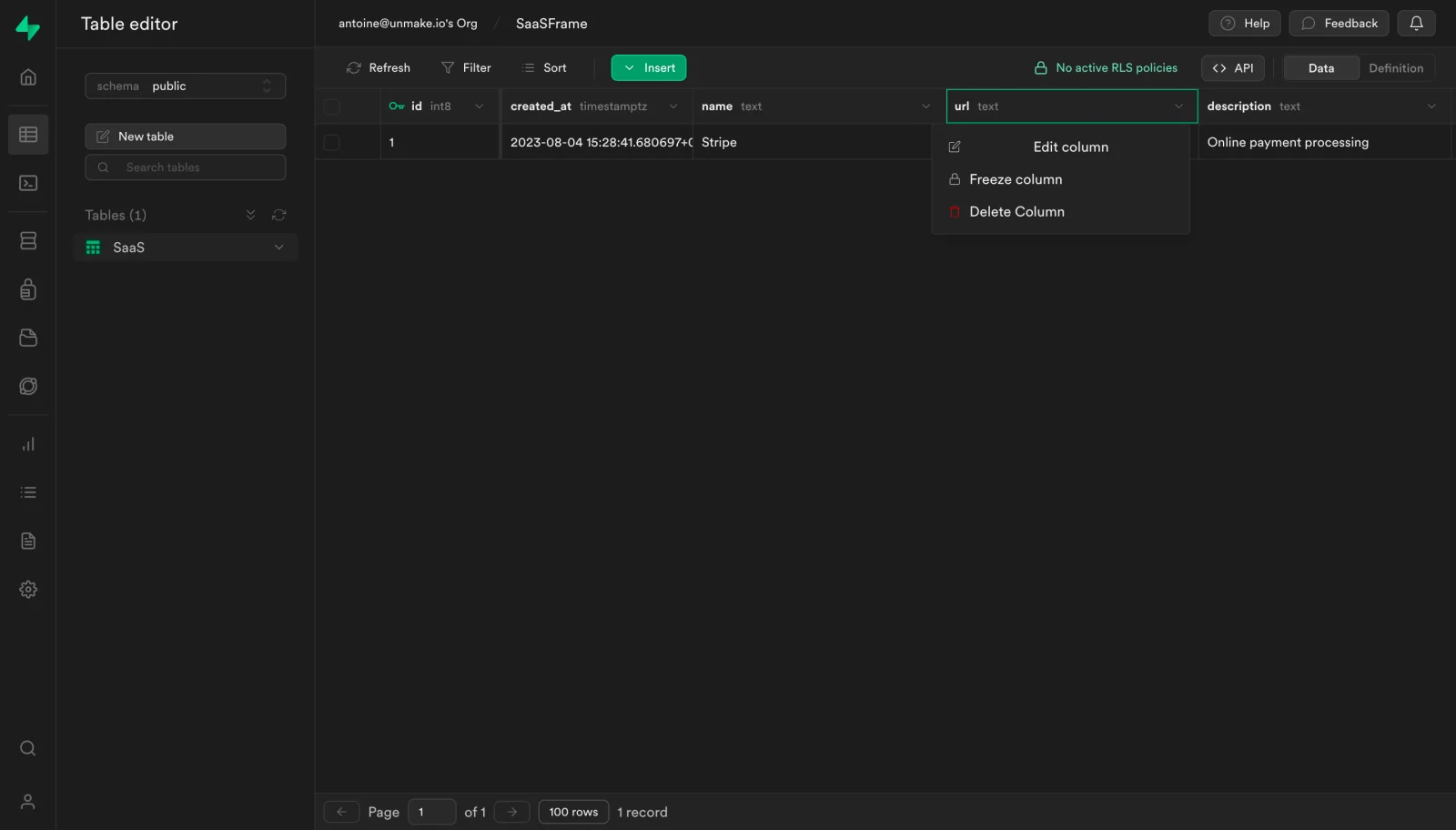
This placement helps establish scope, but the distinction between deleting a column and deleting a record still needs explicit wording. A table contains several object types, and a generic trash icon could reasonably refer to a row, field, table, or selected data. Name the object in the action when the interface includes multiple possible targets.
The neighboring operations also matter. Editing or freezing a column has different consequences from deleting it. Visual separation and a clear label can reduce accidental activation without making the action impossible to find. Avoid placing a destructive option where a routine action is expected after a small layout change.
Name the target again at confirmation
Supabase's second capture shows a confirmation dialog that names the url column. It states that the action cannot be undone and provides Cancel and Delete actions. Repeating the object identity helps users confirm that the current request matches the menu action they intended.
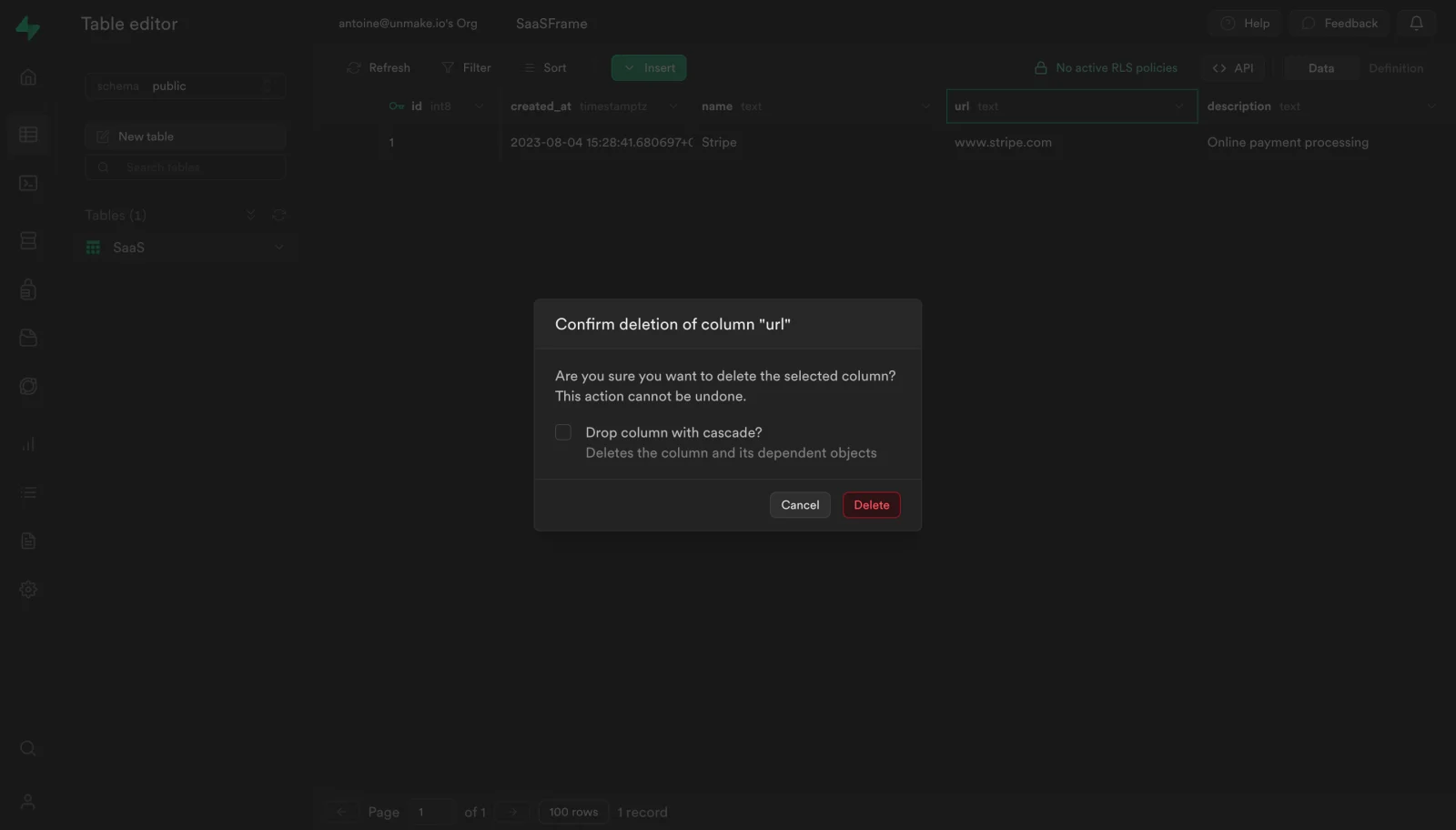
The dialog also includes a cascade checkbox with an explanation that dependent objects are affected. This adds another decision beyond deleting the column itself. The screenshot demonstrates the visible option, not a verified list of actual dependencies or the result of execution. A design review should examine whether users can understand the expanded scope before selecting it.
Use object identity that is specific enough to disambiguate duplicates. A name may need a project, folder, workspace, or path alongside it. For bulk deletion, show the affected count and collection. Avoid a generic question that forces the person to remember a selection hidden behind the dialog.
Explain dependencies rather than hiding them in a label
Some objects support other parts of the product. A field may be referenced by views, a document may be linked from projects, or a shared asset may be used by several teams. Deletion can therefore affect more than the visible object. Explain the relevant relationship where the user makes the decision.
Terms such as cascade may be familiar to a technical audience but still need a practical account of their effect. Where possible, expose the affected objects or a useful summary rather than relying only on an abstract term. If the product cannot determine the full impact, do not imply that the visible list is complete.
Distinguish blocking dependencies from optional expanded deletion. The system may prevent deletion until a relationship is removed, or allow the user to delete related objects together. Those are different workflows. Present the available route clearly and avoid a default that silently expands scope beyond the user's original target.
Match friction to the actual consequence
A recoverable local deletion may work with direct action and a reliable undo route. A permanent change to shared or dependent objects may need a deliberate review step. Choose friction around the consequence and recovery model rather than requiring the same dialog for every operation.
Typed confirmation can help when exact target identification is important, but it should serve a real purpose. Asking users to type a generic word may become a habit that adds little understanding. If the target name is required, make the instruction clear and consider how long or unusual names affect completion.
Keep the review focused. Explain the object, scope, recovery, and important dependencies. A long warning filled with unrelated possibilities can obscure the consequence that matters. The final action label should describe commitment, while cancellation should remain a clear and usable route.
Represent recovery capabilities accurately
Trash, undo, restoration, and backup recovery are different mechanisms. A trash area may preserve an object for a limited period. Undo may reverse a recent action. Backup restoration may require an administrator and affect more than the deleted object. Do not use these terms interchangeably.
The Supabase dialog states that its captured action cannot be undone. Treat that as the visible message in this historical interface, not a claim about every present recovery mechanism. For an implementation, confirm what recovery the product actually supports and communicate it at the relevant point.
If recovery exists, explain its scope. Restoring the object may not restore every relationship, permission, or external effect. If a deadline applies, show the relevant timing where users can act on it. Avoid reassuring language that implies effortless recovery when the process requires substantial work or unavailable information.
Handle permissions and changing scope
A user may be able to view an object without being allowed to delete it. Make the action's availability reflect the permission model and explain the limitation where it helps the task. A disabled control with no context can appear broken, while an active control that fails only after confirmation creates unnecessary uncertainty.
Shared work needs clear scope. Deleting a workspace object can affect collaborators, not merely the current user's view. Identify the workspace or project where relevant. If an object appears in several locations, explain whether the action deletes the shared source or only removes it from the current location.
Permissions and dependencies can change while a dialog is open. Validate the action against the current state and report a useful result if it becomes unavailable. Do not treat the initial preview as permanent authorization for a different target or expanded scope. Preserve the user's orientation when the request cannot complete.
Make commitment and processing states distinct
After confirmation, the system may need time to complete deletion. Acknowledge processing and prevent accidental repeated requests where appropriate. Do not remove the object from the interface in a way that implies completion if the underlying operation is still uncertain.
If the product uses an optimistic update, provide a clear failure path. Restore or reconcile the visible object when the request does not succeed, and explain what happened. A record that reappears after refresh without context can look like an unreliable system or a silently reversed decision.
Separate request failure from partial completion. A bulk operation may delete some objects and leave others. Report the affected items or a useful summary, and keep the remaining work inspectable. A generic success message should not conceal exceptions, while a generic failure should not imply that nothing changed if some deletions completed.
Preserve focus and navigation after the object disappears
Deletion removes the element that may currently hold focus or define the page. Decide where the user goes next. A deleted detail view may return to its parent collection; a deleted row may leave focus on a neighboring row or a stable control. Avoid leaving keyboard users in an undefined location.
When a dialog closes, returning focus to the original trigger is appropriate only if that trigger still exists. Choose a sensible alternative when the target has been removed. Keep the resulting empty state understandable if the collection no longer contains items.
Test deletion while sorting or filtering is active. The next visible item may not be the next object in the underlying collection. Preserve enough context to show what changed and where the user now is. Narrow layouts and zoom can also affect the visibility of confirmation and recovery controls, so review them separately.
Evaluate target recognition and the final result
Ask users to explain what will be deleted, who is affected, which dependent objects are included, and whether recovery is available. Include similarly named targets and a bulk selection. These questions reveal whether the interface supports understanding before the final action.
Then test completion, cancellation, failure, and recovery. Observe whether users can identify the resulting state without refreshing or searching unrelated pages. Measure accidental actions and recovery effort alongside speed. A fast destructive workflow is not useful if users misunderstand its scope.
Use this checklist:
- The entry point identifies the affected object type.
- Confirmation names a specific target and scope.
- Dependencies and expanded deletion are understandable.
- Friction reflects consequence and recovery.
- Trash, undo, and restoration claims match actual capabilities.
- Permissions are checked against current state.
- Processing and partial results are explicit.
- Focus and navigation remain usable after removal.
- Testing covers cancellation, failures, and similarly named targets.
Review recurring deletion tasks separately from occasional high-impact ones. A person clearing many disposable drafts may need efficient selection and recovery, while an administrator deleting a shared structure needs a stronger account of consequences. The same visual component can support both only when its content and states reflect the different operations.
Keep the action vocabulary consistent with other ways an object can leave a view. Archive, remove, hide, and delete should not become interchangeable labels for convenience. If several options coexist, explain their different outcomes in the surrounding interface so users choose deliberately before reaching the final confirmation.
Frequently asked questions about deletion patterns
Should every delete action open a confirmation dialog?
No. Choose the interaction around the consequence and recovery model. A simple recoverable operation may use direct feedback and undo, while permanent or shared changes may need explicit review. The user should understand scope in either case.
What should a deletion confirmation include?
The target, affected scope, important dependencies, and actual recovery capability. Keep the final action and cancellation clear. Add information that changes the decision rather than filling the dialog with generic warning language.
How should partial bulk deletion be reported?
Explain what completed and what remains. Identify exceptions or provide a useful summary and a route to inspect them. Do not present unconditional success or imply that nothing changed when some objects were deleted.
Browse the SaaSFrame deletion examples to compare target identification, confirmation, and the states that make destructive actions understandable.