Template
12
Jumpstart user success with SaaS Template patterns. Discover how to present a 'Template Gallery' that allows users to clone pre-built workflows or documents into their workspace.

A template provides a reusable starting structure for recurring work. It can contain a message, document, sequence, pipeline, or set of fields. Its value comes from preserving useful decisions while leaving the parts that vary easy to change. A template that requires extensive repair can create as much work as starting from an empty state.
Begin by identifying the repeated task and its variable parts. In a support reply, tone and structure may repeat while recipient details differ. In a workflow, steps may repeat while timing or ownership changes. The interface should expose these distinctions so users understand which content is fixed guidance and which needs review for each use.
Templates also introduce a relationship between a reusable source and the objects created from it. Users need to know whether an instance is independent, whether later source edits propagate, and who can modify the shared definition. These rules matter as much as choosing a template from a gallery.
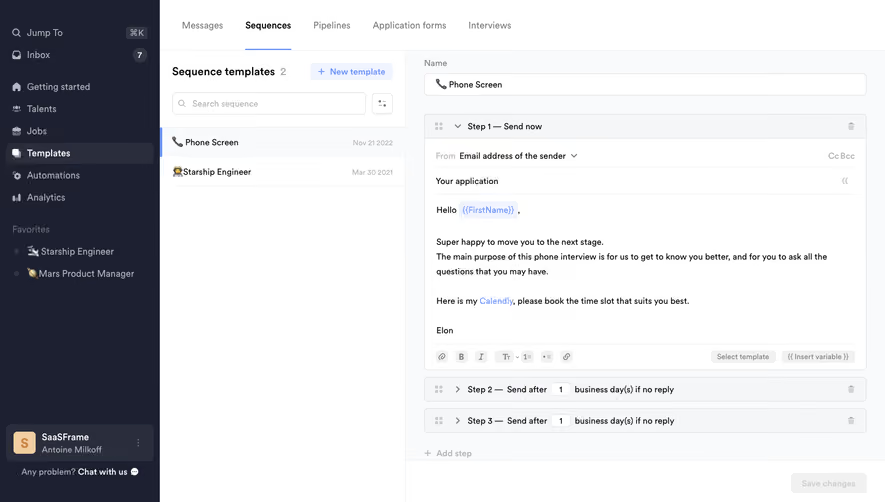
Crew's captured template area separates Messages, Sequences, Pipelines, Application forms, and Interviews. Within Messages, named templates appear in a searchable list beside an editor. The organization helps users distinguish a reusable message from a larger structured process.
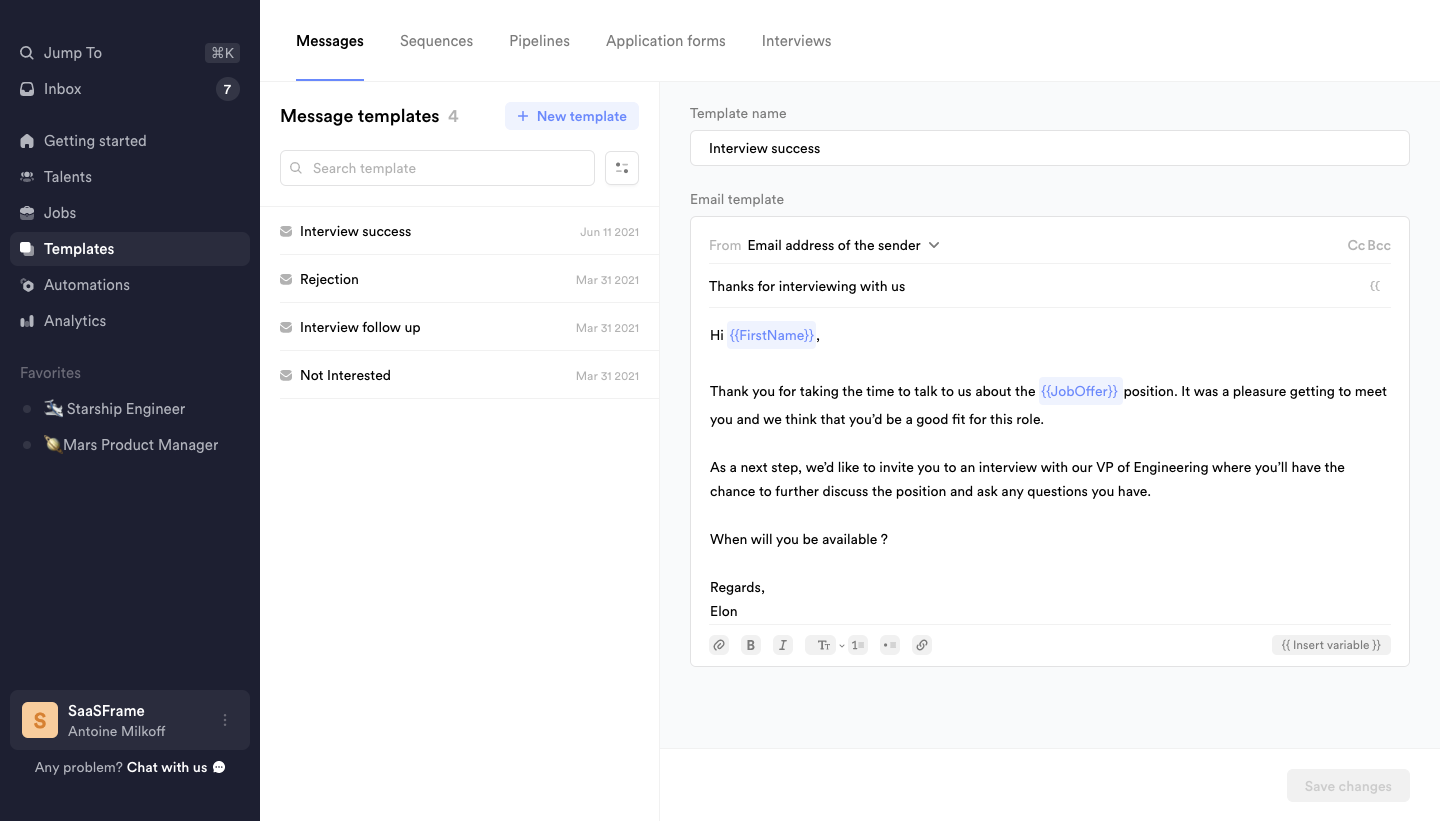
The names describe situations such as interview follow-up and rejection. This is more useful for selection than generic labels like Template 1 because it connects the item to a task. A comparable library should use names, descriptions, or categories that help users choose before opening every definition.
Search and filtering should reflect the library's actual vocabulary. If users search by use case while titles use internal project names, selection becomes harder. Consider both discovery and maintenance: an administrator needs to locate a source for editing, while a user may need a suitable starting point for immediate work.
The Crew message capture includes visually distinct placeholders for recipient and job information. The editor also offers an Insert variable route. This makes personalization explicit inside the reusable content rather than requiring users to remember which words to replace manually.
Variables need meaningful names and a clear source. First name and job offer may be recognizable, but a more complex field needs explanation. Show whether a value comes from the current record, workspace, or another linked object. A token that looks valid can still resolve to the wrong context.
Define missing-value behavior. The product may require a value, use a fallback, omit a phrase, or block use of the template. Make that rule inspectable. Avoid sending unresolved syntax or awkward empty sentences. Preview with representative data, including missing fields, so users can see the resulting content rather than only the abstract token.
Crew's captured sequence template shows an expanded first message and later steps with timing conditions. The reusable object therefore includes content, order, and scheduling logic. Editing the words alone is not enough to understand what an instance will do.
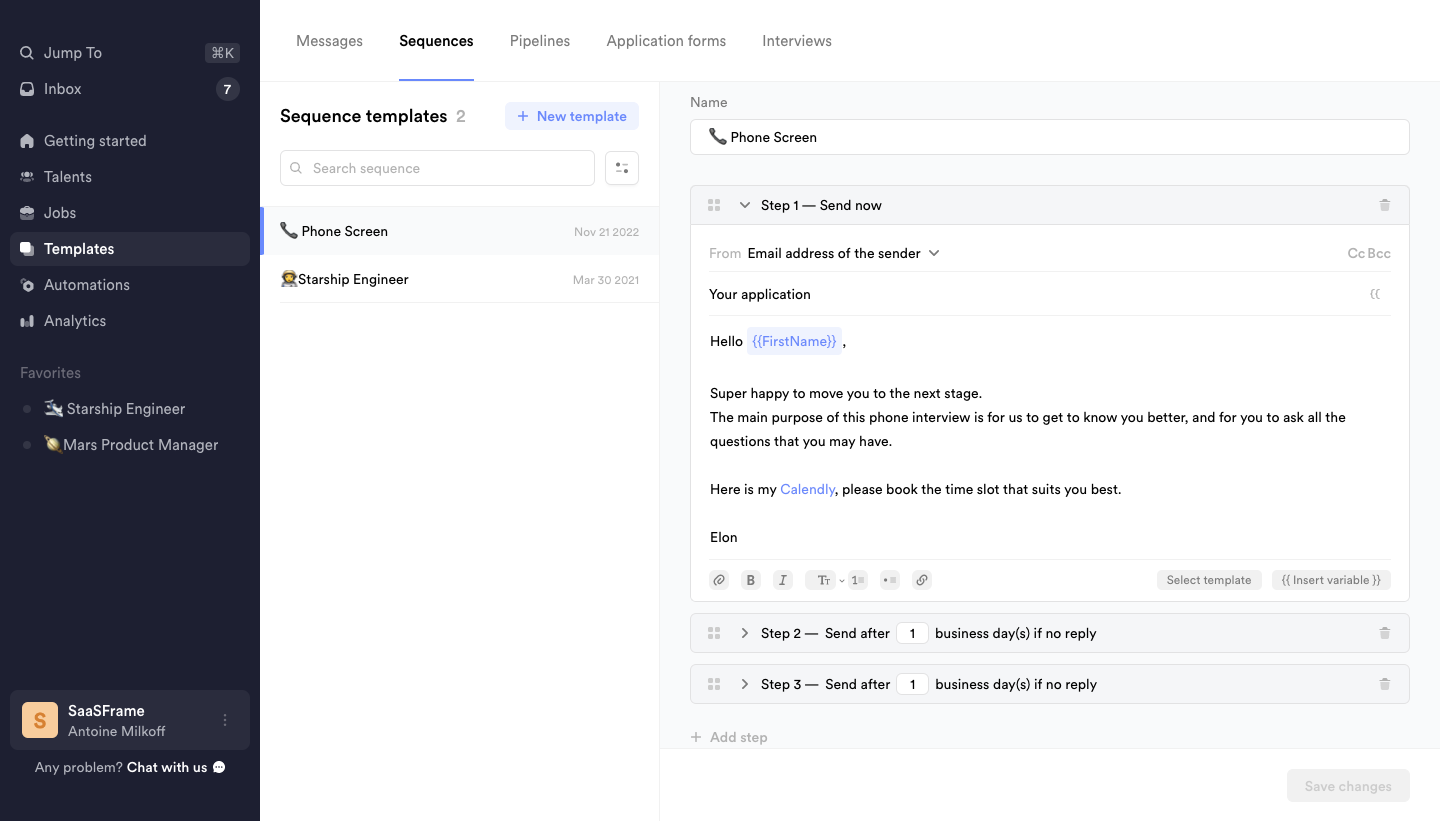
For structured templates, keep consequential properties visible. A delay, conditional step, or default recipient can materially change the result. Use summaries for collapsed steps that communicate more than their position number. A reader should be able to inspect the sequence without opening every panel merely to discover its basic purpose.
The screenshot does not establish how timing is calculated or whether source edits affect active sequences. Verify those rules separately. A template editor should identify whether it is defining future instances, changing live work, or both. The apparent convenience of reuse should not conceal operational scope.
Using a template may create an independent instance, insert content into an existing draft, or maintain a link to the source. These operations have different consequences. Describe the relationship clearly at creation and when editing afterward. Users should not assume that changing a local instance updates the whole library.
Copying a template can be useful when a team needs a variation, but it introduces ownership and naming decisions. Provide a recognizable new identity and make the source relationship understandable. Avoid producing many indistinguishable copies that are difficult to maintain.
Updating a shared template deserves clear scope. If future uses change but existing instances remain untouched, say so where relevant. If updates propagate, explain which parts are affected and whether users can review the change. A save action should not leave administrators guessing whether they changed a definition or a live workflow.
Templates may belong to an individual, project, or organization. Identify that scope and who can edit the source. A user may be allowed to use a shared template without changing it. The interface should offer an appropriate local customization route rather than an edit control that fails unexpectedly.
Version information can help teams understand why an instance differs from the current source. Keep it useful: identify meaningful updates, authorship, and the relationship to prior versions where the product supports it. Do not imply that every saved change can be restored if the implementation lacks that capability.
Review governance around consequential content. A shared communication template may contain outdated terms or a link that no longer works. Assign ownership and a review process appropriate to its use. The library's quality depends on maintained definitions, not merely the number of templates available.
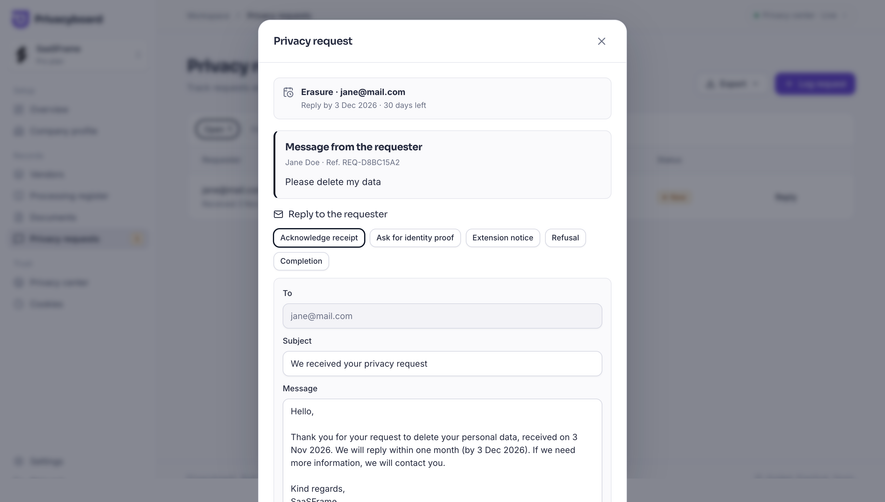
A template preview should show what users will actually create or send. Resolve variables with representative values and expose important configuration such as channel, timing, or destination. An attractive static preview can be misleading if it omits the fields that determine the output.
Test long names, missing values, translated content, and formatting differences. A template designed around one short example may produce awkward layouts or broken sentences in ordinary use. If output differs by channel, show the relevant version rather than assuming one preview represents every destination.
For sequences and structured work, include a readable summary of the resulting process. A test or simulation can help when the product supports it, but distinguish that from a live run. Users should not accidentally contact recipients or modify records while trying to inspect a template.
Editing a source can take time. Preserve unsaved work where appropriate and make the saving state clear. If another person changes the template concurrently, explain the conflict and provide a route to reconcile it. Silently replacing one person's edits with another's undermines the usefulness of a shared library.
Deleting or retiring a template needs a rule for existing instances. They may remain independent, lose their source link, or become unavailable for future use. Explain the actual result. Removing an item from the selection library should not imply that all previously created work disappears unless that is genuinely the operation.
If a template cannot be used because required context or permissions are missing, identify the condition before the user invests effort. Preserve the selected template and offer a useful correction route. A generic error after filling a long form can make the reusable starting point less efficient than manual creation.
Ask users to choose a template for a realistic task, inspect its variable fields, customize it, and explain what will happen after use. Include a missing variable and a source update. Observe whether they understand the relationship between the template and resulting instance.
Measure useful completion, correction effort, and repeated manual rewriting. A frequently selected template may still be poor if users remove most of its content. Review abandoned selections and duplicate copies as signals that the library may need clearer organization or a more appropriate definition.
Use this checklist:
Keep examples aligned with the source definition. A library thumbnail or description can become stale even when the editable template is correct. Review these selection aids alongside the content so users do not choose a template based on an outdated promise.
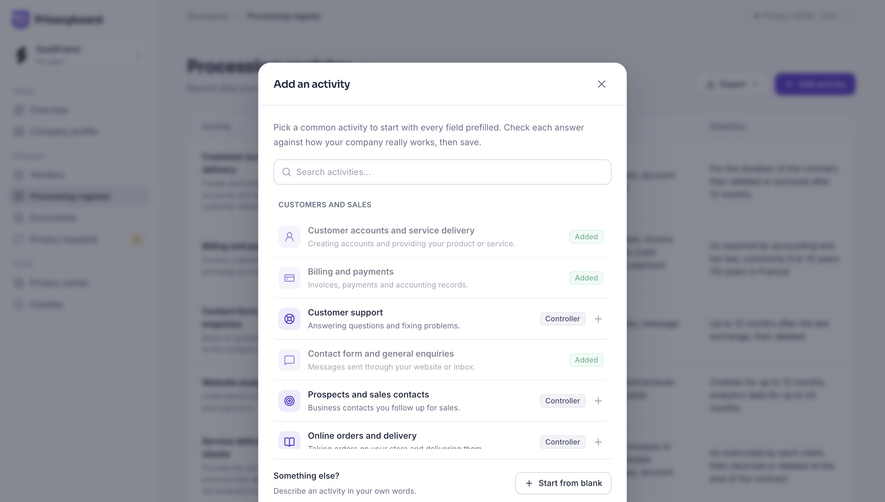
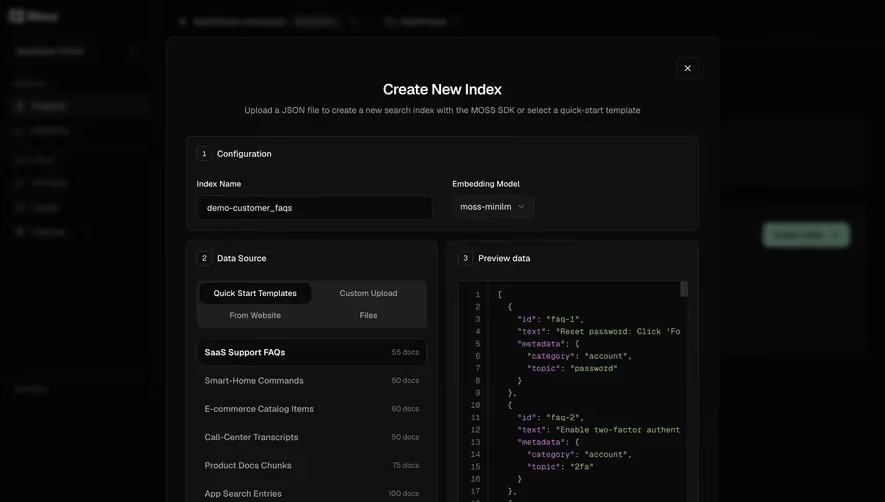
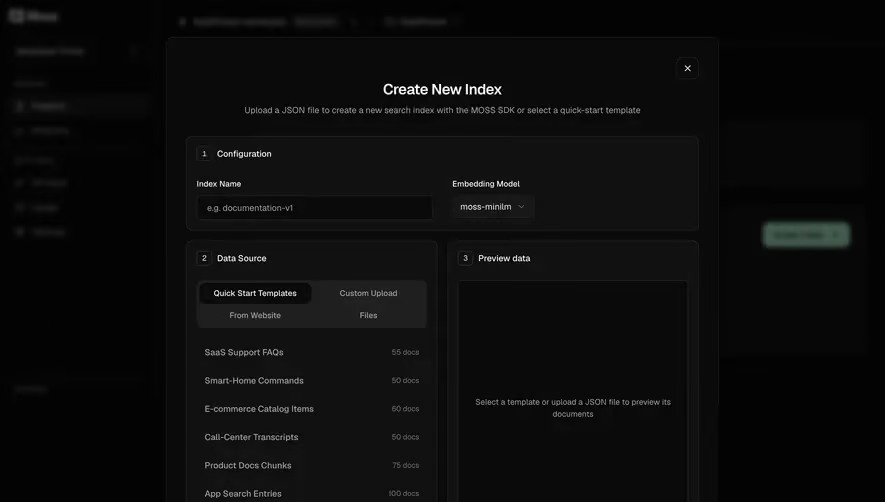
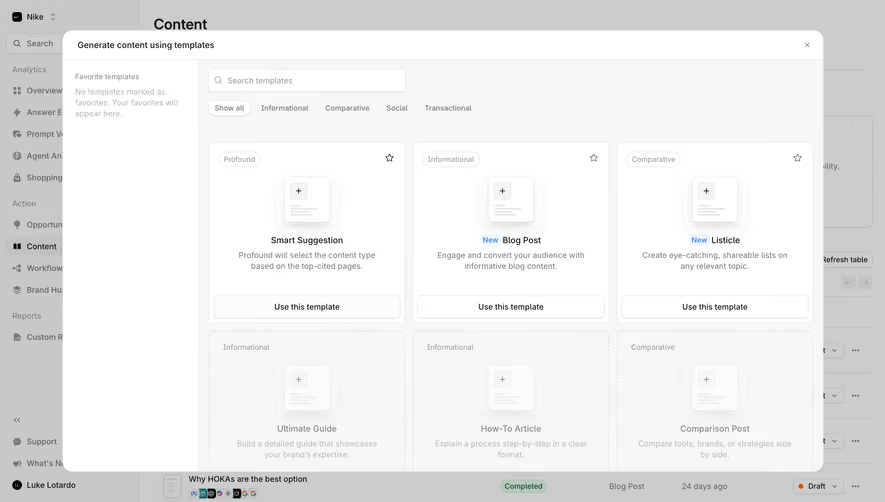
For template galleries, distinguish a recommendation from a required choice. A featured item can reduce search effort, but users should understand why it fits the current task. Avoid presenting a decorative preview as evidence that a template includes capabilities the actual definition lacks. The selection card, editor, and resulting instance should describe the same object.
Review responsive editing too. A side-by-side library and editor may become separate views on a phone. Preserve the selected template's identity and saving state while users move between them. Long variable names, expanded sequence steps, and formatting toolbars should remain usable with text enlargement rather than disappearing behind fixed panels.
When a template requires connected data or another product capability, expose that dependency before use. A sequence may need a sender account, a document may need a workspace property, or a pipeline may depend on available stages. Explain whether the dependency is inherited or configured for the new instance. Reuse should reduce setup work without making essential setup invisible.
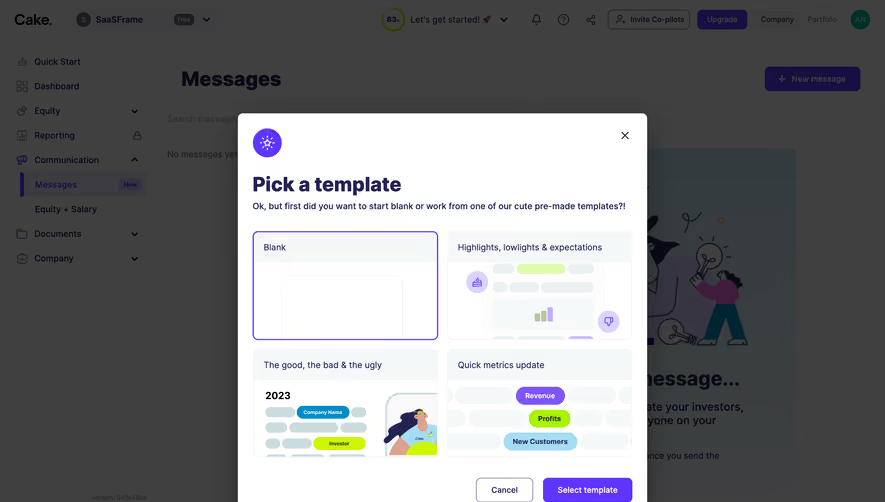
Provide a sensible blank starting route when no template fits. A library is a convenience, not proof that every task belongs to one predefined structure. Compare how much work users need to adapt a template against creating from scratch, and revise definitions that repeatedly require the same corrections.
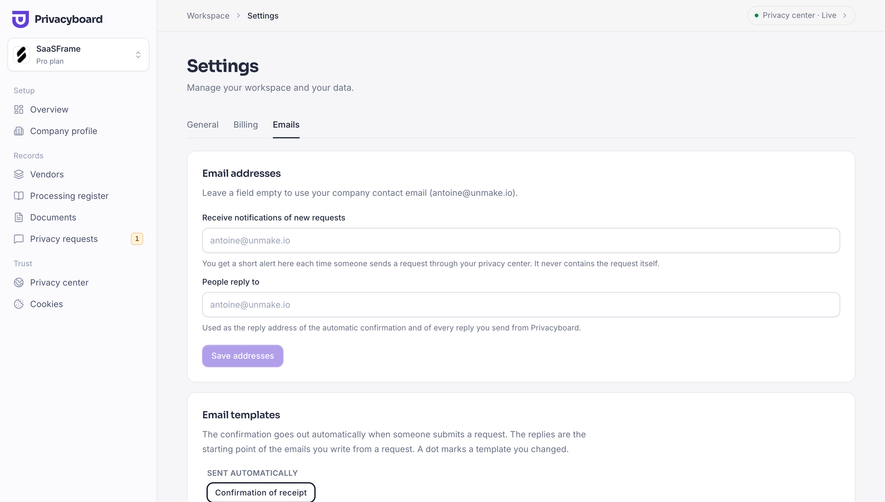
Provide enough structure to reduce work, while making variable parts easy to identify. A fully populated example can help preview, but users should understand which values are examples and which come from their actual context.
That depends on the product's model. Independent copies and linked instances behave differently. Explain the actual rule at source editing and instance creation rather than relying on the word template alone.
Use an explicit rule: request the value, provide an appropriate fallback, or prevent use where necessary. Preview the result and avoid leaving unresolved tokens or misleading empty content.
Explore the SaaSFrame template examples to compare reusable content, structured starting points, and the controls that make adaptation understandable.