.webp)
Thank you! Your submission has been received!
Oops! Something went wrong while submitting the form.
Get SaaSFrame Pro
Monthly
$18
Quarterly
$48
Yearly
$180
Upgrade to access this feature
Browse all screens & flows
Filter and search screens & flows
Access Figma files
Access mobile versions
Bookmark screens & flows
Join now
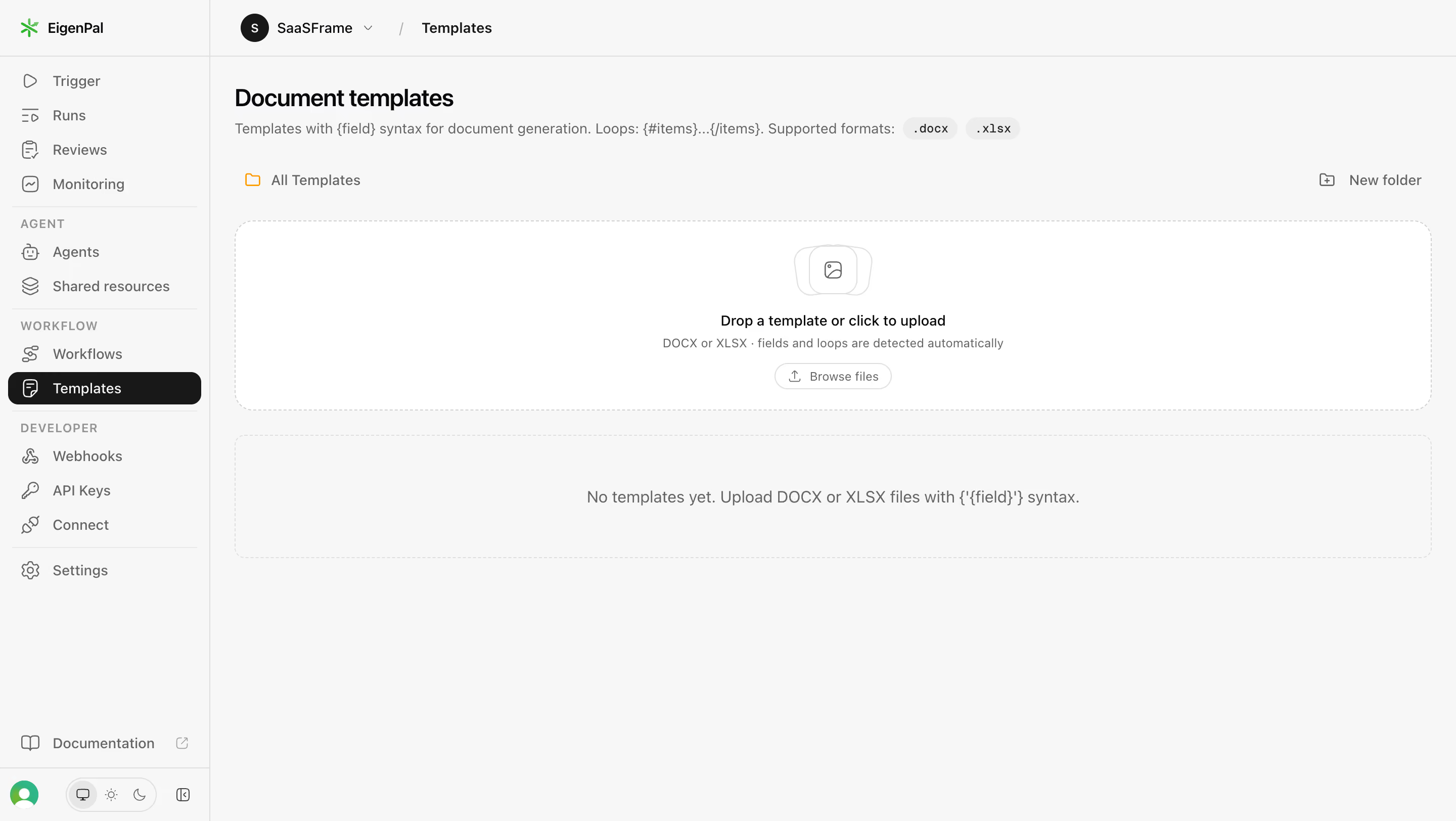
EigenPal Document templates empty state

EigenPal
AI Document Automation Workflows
Designed by
No items found.

Bookmark
Bookmark

Design with AI
Thank you! Your submission has been received!
Oops! Something went wrong while submitting the form.
# Design from Reference: EigenPal Document templates empty state
Create an original, high-fidelity visual design inspired by the reference. Prioritize composition, typography, colors, spacing, and component styling over technical implementation.
## Reference
- **Product:** EigenPal
- **Category:** Empty State
- **Screenshot:** https://cdn.prod.website-files.com/5e9dc792e1210c5325f7ebbc/6acad04b34c900e8fc1b4907_6acacfdac5142fbf892278c9_cms-8363d00ab9ea1f9f62c9097f.webp
Analyze the screenshot first. If inaccessible, request it rather than guessing.
## Content
{{content.instructions}}
{{content.data}}
Preserve essential messaging and factual accuracy. Adapt structure and copy length for visual balance; never invent product claims.
## Visual Design
### Overall aesthetic
- **Character:** Restrained light application dashboard with a neutral gray canvas, thin dividers, outline icons and a single black selected navigation item.
- **Accent strategy:** A small green brand symbol and orange folder icon provide isolated color; the document-template empty state relies on whitespace rather than illustration.
- **Observed scale:** The capture is 2880 × 1624 image pixels. The dimensions below use an estimated 1440 × 812 CSS layout at 2× scale; browser zoom and device pixel ratio are unverified.
### Page composition
- **Application shell:** A roughly 208 CSS px left sidebar spans the viewport. A 56 px top bar across the remaining area contains a circular workspace avatar, workspace selector, slash separator and current location.
- **Main header:** Content begins approximately 24 px inside the main column, with a bold Document templates heading and a single-line syntax/format explanation underneath.
- **Folder toolbar:** An orange folder icon and All Templates label align left; a small outline folder-plus icon and New folder action align at the far right.
- **Upload area:** A wide white dashed-outline drop zone, approximately 1184 × 188 CSS px, sits below the toolbar. Its icon, instruction, supporting line and browse button form a compact centered vertical stack.
- **Empty collection:** A second, shallower dashed container follows after about 24 px. A centered gray message occupies its middle, while most of the lower viewport remains unused.
### Information hierarchy
- **Primary orientation:** The bold page heading identifies the working area; the header breadcrumb and black Templates navigation row reinforce location at different scales.
- **Primary task:** The drop instruction is the strongest content inside the upload area. A small Browse files button provides a concrete alternative to dragging.
- **Secondary guidance:** Syntax, loop notation and supported-format pills sit directly below the title. Supporting upload text explains automatic detection without competing with the task.
- **Empty state:** A single centered sentence explains the absence of templates and suggests uploading supported documents. No rows, thumbnails or existing files are shown.
- **Navigation groups:** Sidebar items are grouped under small uppercase AGENT, WORKFLOW and DEVELOPER labels, separated by light horizontal rules.
### Typography
- **Family:** Clean interface sans-serif; the precise font family is unverified. File-extension pills use a compact monospace appearance.
- **Title:** Approximately 24 CSS px, weight 600–700, with tight tracking and about 30 px line-height.
- **Interface text:** Navigation, toolbar and breadcrumb labels are approximately 14 px with 20 px line-height. The active row changes to white without a large size increase.
- **Instructions:** The central upload instruction is about 14 px at medium weight; its gray supporting line and browse label are around 12 px. The lower empty message is roughly 16 px.
- **Group labels:** Sidebar category captions are approximately 12 px, medium weight, uppercase with expanded tracking.
### Colors & surfaces
- **Measured canvas:** ICC-aware image sampling yields #F7F7F7 as the dominant application background and #FFFFFF for the upload surface.
- **Measured foregrounds:** #181818 appears in the selected navigation surface and dark interface elements; #09090B is another near-black foreground tone. Muted copy and icons use #656565.
- **Measured rules:** #DEDEDE and #D1D1D1 occur in borders and separators; #EDEDED appears in subtle neutral surfaces such as compact pills.
- **Accent distribution:** Green is confined to the brand/user details and orange to the folder marker; these small colors do not become large section backgrounds.
- **Depth:** Surfaces are predominantly flat. Dashed borders and rounded corners define regions without substantial shadows.
### Components
- **Sidebar rows:** Approximately 32 CSS px high with 16–20 px outline icons and about 12 px icon-to-label spacing. The selected Templates row has an almost-black fill, white icon/text and roughly 10 px radius.
- **Workspace selector:** A black circular avatar around 28 px precedes the workspace name and small downward chevron; a faint slash divides it from the current page label.
- **Format pills:** Small pale-gray rounded capsules display DOCX and XLSX extensions beside the explanatory line, with compact horizontal padding.
- **Drop zone:** A thin dashed perimeter and approximately 18 px corner radius enclose the white upload region. The centered icon resembles stacked rounded document/image outlines.
- **Browse action:** A small white pill-shaped outline button, approximately 115 × 28 CSS px, contains an upload icon and muted label.
- **Empty panel:** The lower container is about 122 px high with a dashed light border and roughly 10 px corners, matching the surrounding gray canvas.
- **Sidebar footer:** Documentation sits above a bottom divider; a circular account avatar, a compact three-option display/theme control and a small panel icon occupy the bottom row. No menu or upload-progress state is open.
### Visual rhythm
- **Main spacing:** A consistent approximately 24 px inset aligns heading, toolbar, drop zone and empty panel. The two large panels share their horizontal edges.
- **Sidebar rhythm:** Compact rows alternate with thin dividers and uppercase group captions; the bottom utility area is separated from primary navigation by a large blank interval.
- **Upload stack:** Icon, instruction, supporting text and browse button use small, deliberate vertical gaps of roughly 8–16 px.
- **Density contrast:** The shell remains compact while the main task regions are wide and airy, making an otherwise sparse screen feel organized.
### Responsive
- **Evidence limit:** Only the desktop state is shown; mobile behavior is unverified and the following are recommendations.
- **Shell:** Collapse the sidebar into a drawer at narrow widths and retain an obvious current-page label in the top bar.
- **Header and toolbar:** Let the long syntax explanation wrap and keep format pills together. Allow the folder action to move to a second row if necessary.
- **Task panels:** Make both panels fluid with 16–24 px side padding; preserve a usable upload target and enlarge the small browse action for touch input.
- **Empty text:** Allow the empty-state sentence to wrap naturally rather than reducing its type size or imposing horizontal scrolling.
### Adaptation guidance
- **Reusable pattern:** Combine grouped sidebar navigation, a concise workspace breadcrumb, a folder toolbar and a prominent upload target above the empty collection.
- **Interaction clarity:** Keep drag-and-drop instructions and a keyboard-operable file picker together; display supported formats close to the action.
- **State design:** Add distinct drag-over, validation-error, uploading and completed-file states when implementing this pattern. These states are not visible in the capture.
- **Visual discipline:** Use neutral surfaces, fine borders and a single dark navigation selection; reserve accent colors for meaningful brand or object cues.
- **Accessibility:** Provide text labels for icon controls, visible keyboard focus and clear status announcements after upload without relying on color alone.
Use this context to reproduce the reference's visual language: layout, typography, colors, spacing, borders, radii, and distinctive elements. The screenshot takes priority if descriptions conflict.
## Direction
{{preferences.fidelityInstructions}}
## Output
{{output.instructions}}
Deliver a polished, cohesive design with precise alignment, hierarchy, and spacing. Produce the requested visual artifact, not just a description. If unsupported, explain the limitation.

.avif)
Category
Patterns
Tech Stack

Added on
September 21, 2026
Similar screens
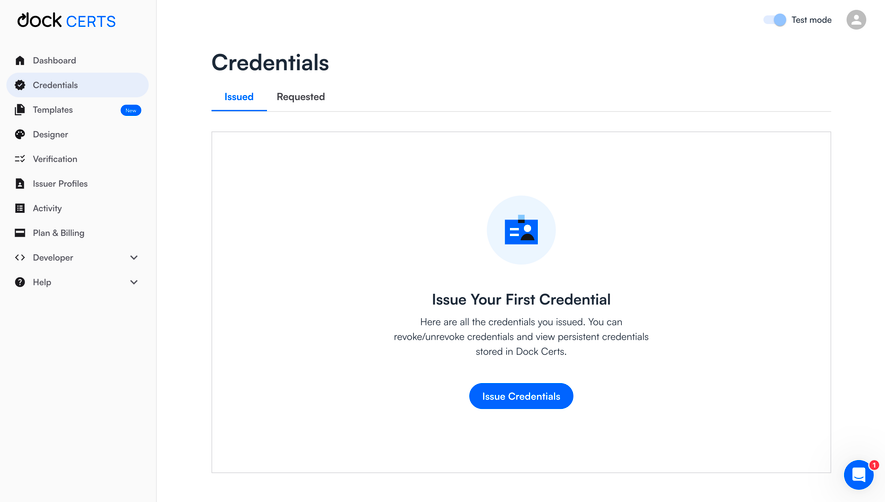


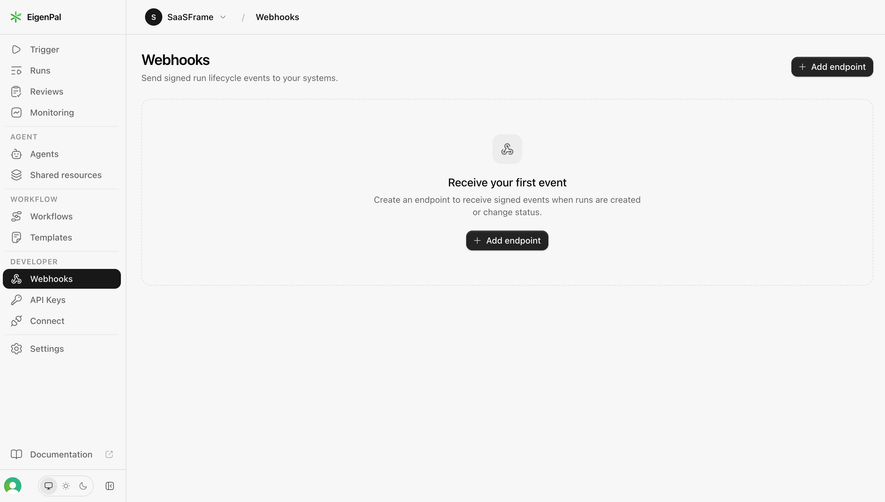
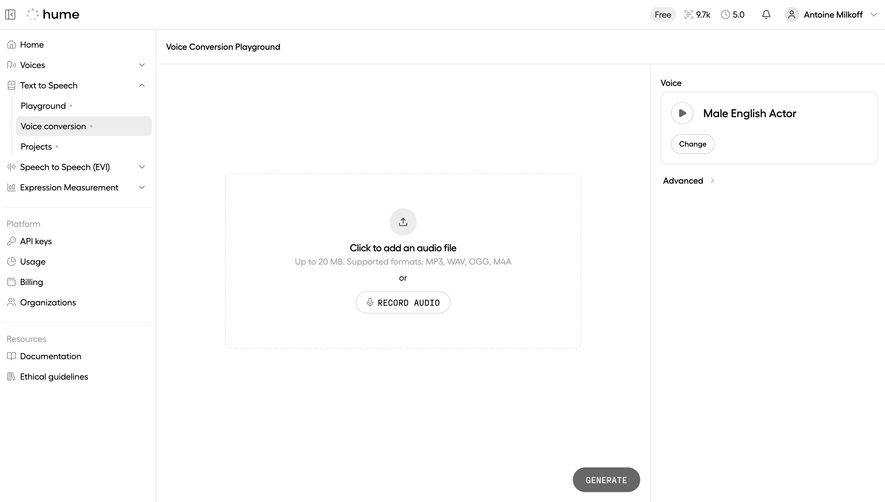

Upgrade to SaaSFrame Pro now to see similar examples.
Monthly
$18 /month
Billed $18 monthly
Browse all screens & flows
Filter and search screens & flows
Search text in screenshots
Access Figma files
Access mobile versions
Join now
Quarterly
$16 /month
Billed $48 quarterly
Browse all screens & flows
Filter and search screens & flows
Search text in screenshots
Access Figma files
Access mobile versions
Join now
Yearly
$15 /month
Billed $180 yearly
Browse all screens & flows
Filter and search screens & flows
Search text in screenshots
Access Figma files
Access mobile versions
Join now