Design with AI
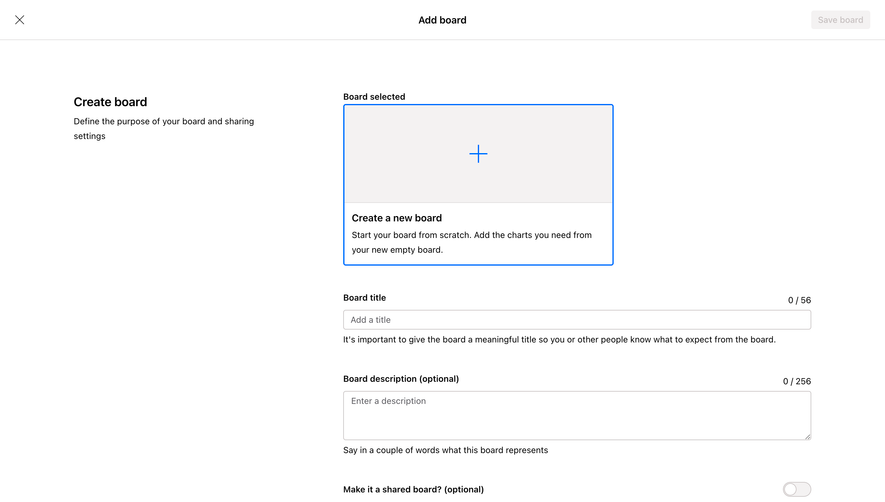
Generate a new design based on this screen using your own content.
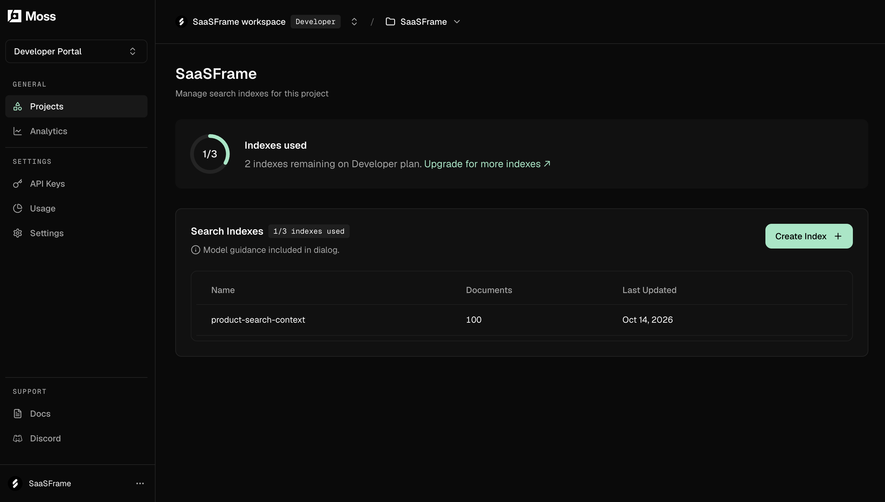
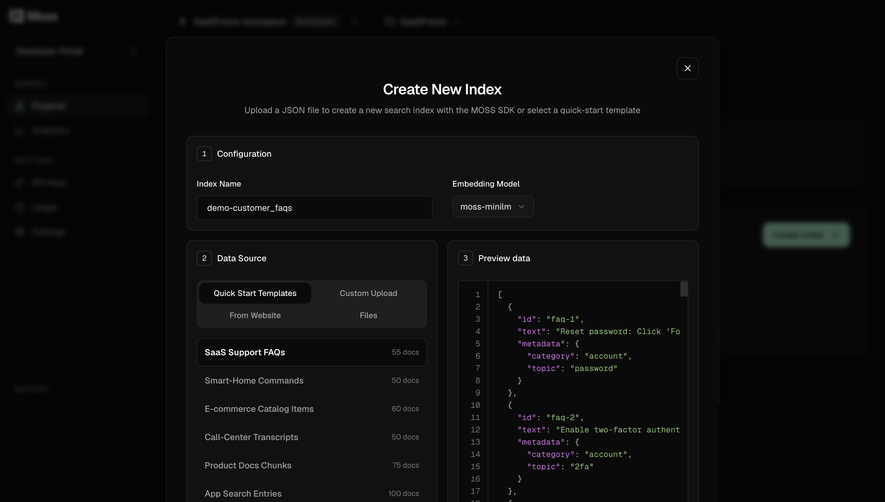
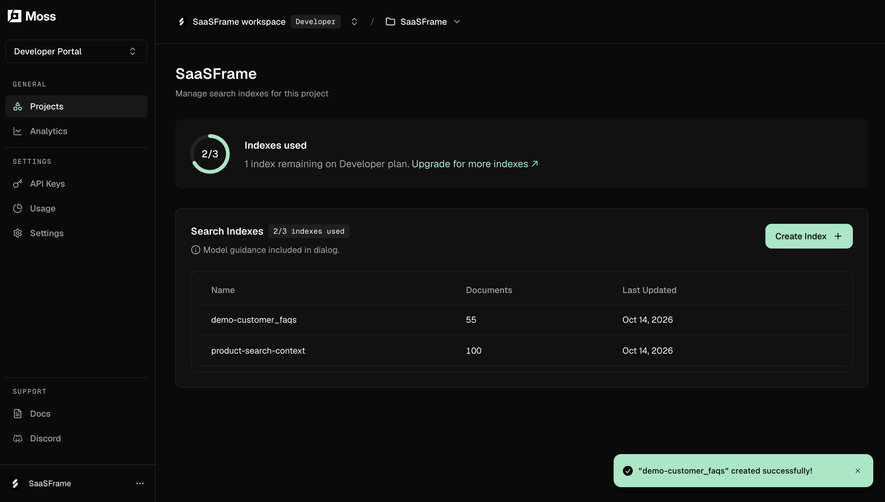
# Design from Reference: Moss Choose data for a new index
Create an original, high-fidelity visual design inspired by the reference. Prioritize composition, typography, colors, spacing, and component styling over technical implementation.
## Reference
- **Product:** Moss
- **Category:** Add & Edit
- **Screenshot:** https://cdn.prod.website-files.com/5e9dc792e1210c5325f7ebbc/6acf523cb863e99d7aeeb6fb_3liyKDp42KAgnbDLscKXz9mAkXGDiJT4l8njf9bhVN0.png
Analyze the screenshot first. If inaccessible, request it rather than guessing.
## Content
{{content.instructions}}
{{content.data}}
Preserve essential messaging and factual accuracy. Adapt structure and copy length for visual balance; never invent product claims.
## Visual Design
### Overall aesthetic
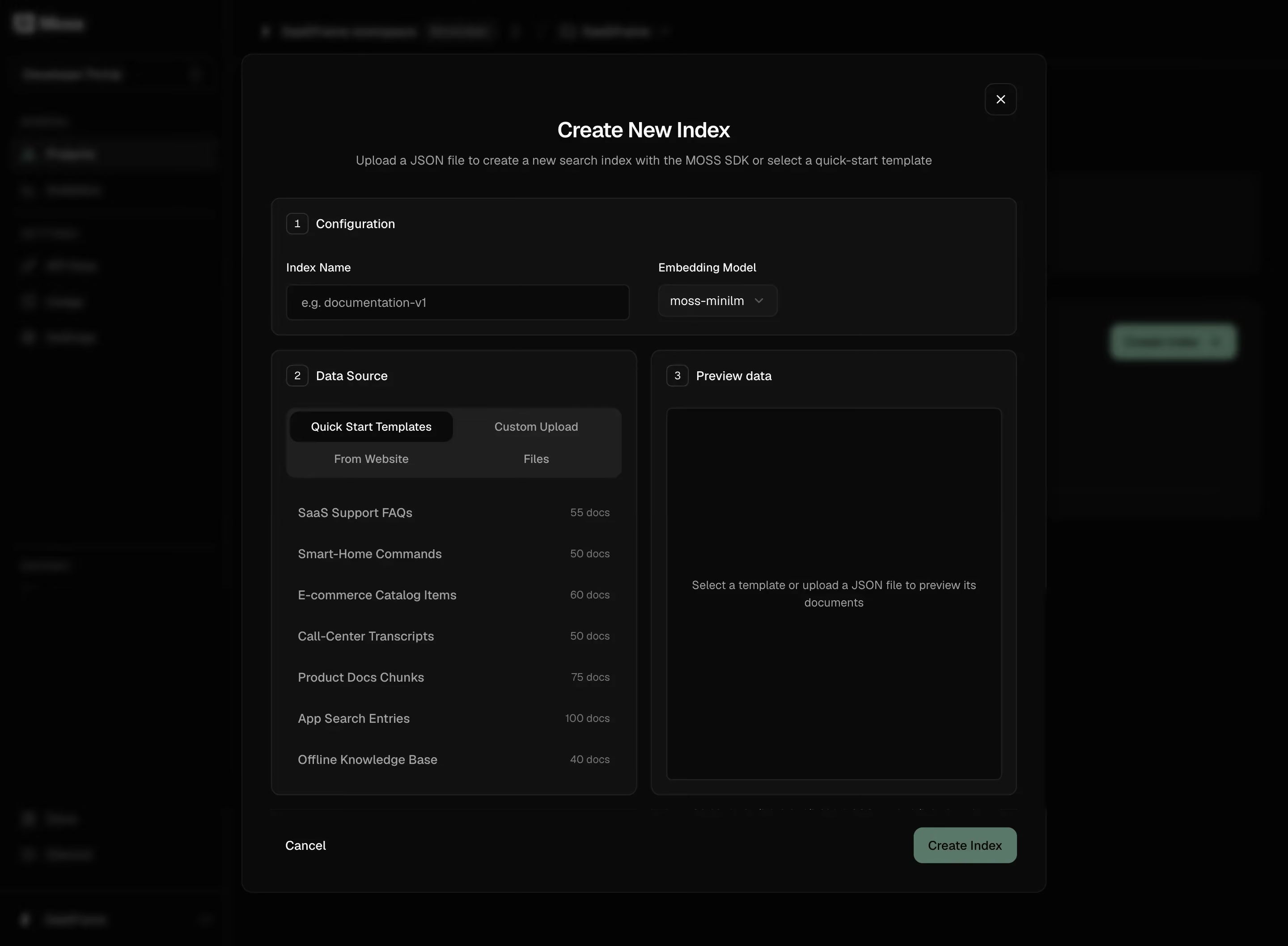
- **Character:** Dense dark configuration dialog with near-black layered panels, subdued gray labels and a muted sage creation action.
- **Evidence and scale:** Screenshot measures 2880 × 2115 image pixels. Dimensions estimate a 1440px-wide CSS viewport at 2× capture scale; actual DPR and typeface are unverified.
### Page composition
- **Overlay frame:** A large centered modal approximately 900px CSS wide sits over a heavily dimmed and blurred application workspace.
- **Dialog header:** Centered title and one-line explanation lead the content; a small outlined close control sits at the upper right.
- **Configuration row:** A full-width numbered section contains an index-name input and embedding-model select.
- **Source and preview:** Beneath it, two nearly equal columns hold numbered Data Source and Preview data panels. Source tabs and a seven-item template list occupy the left; an empty preview stage occupies the right.
- **Footer:** Cancel aligns left and Create Index aligns right, below a faint separating boundary.
### Information hierarchy
- **Numbered workflow:** Small outlined number badges identify configuration, source and preview as three related steps within one dialog.
- **Primary choice:** The source selector shows Quick Start Templates as active among four source options arranged in a two-by-two segmented area.
- **Template list:** Names align left and document counts right. No template selection or populated preview is visible.
- **Action state:** The muted sage create button is visually distinct from Cancel, but whether it is enabled cannot be determined from the still image.
### Typography
- **Dialog title:** Approximately 24px CSS, semibold sans-serif, centered.
- **Section and field roles:** Panel titles, labels, input/select text and template names are around 14px, regular-to-medium weight.
- **Supporting roles:** Subtitle and preview guidance are around 14px in muted gray; document counts and number badges are around 12px.
- **Family:** Neutral sans-serif with compact leading around 20px; exact identity, weight and tracking remain unverified.
### Colors & surfaces
- **Measured dark layers:** #040404 appears in the dimmed workspace; #0A0A0A supports modal/input areas; #111111 fills section panels. #1F1F1F supports segmented-control surfaces.
- **Measured muted action:** A sampled point in the creation button is sage #5B7869 after available profile conversion.
- **Measured secondary text:** Sampled gray #858585 appears in muted labels/list text. Brighter near-white text handles title, active tab and primary labels.
- **Depth:** Thin low-contrast borders distinguish panels; the backdrop blur and large modal outline provide separation without bright shadows.
### Components
- **Modal shell:** Roughly 900 × 935px CSS, radius near 14px, fine dark-gray border and approximately 32px internal padding.
- **Configuration panel:** Full width with a 10px radius, small outlined step badge, approximately 385 × 40px name input and compact model selector.
- **Source selector:** Four options in a charcoal rounded group; the active tab is near-black with brighter text and a pill-like rounded rectangle.
- **Template rows:** Seven evenly spaced options with right-aligned counts; no heavy row separators or selection fill appear.
- **Preview stage:** Large nearly black bordered rectangle around 375 × 415px CSS with centered two-line placeholder guidance.
- **Dialog controls:** Outlined square close button around 36px, plain Cancel text and a rounded sage creation button around 116 × 40px.
### Visual rhythm
- **Panel geometry:** Approximately 16px gaps separate the configuration row from the source/preview pair and divide the two columns.
- **Internal spacing:** Panel headings use about 16px inset; source rows repeat at approximately 46px intervals.
- **Density balance:** Compact fields and source lists contrast with an intentionally empty preview; the footer keeps actions clear of configuration content.
### Responsive
- **Observed limit:** Only a wide desktop dialog is shown; source switching, upload, validation and preview behavior are unobserved.
- **Recommended stacking:** Stack configuration fields and source/preview panels on narrow screens, maintaining numbered reading order.
- **Recommended modal behavior:** Cap height to the viewport with an accessible scroll area and keep close/actions reachable without compressing labels.
- **Recommended preview:** Give preview a meaningful minimum height and wrap template names/counts without horizontal overflow.
### Adaptation guidance
- **Preserve structure:** Use numbered configuration groups, a clear source selector and a separate preview region so users can inspect data before creating an index.
- **Retain restraint:** Differentiate dark surfaces through subtle value changes and borders, with one muted action color.
- **Implementation:** Use labeled inputs, accessible tab/selection semantics, focus trapping and visible focus. Empty preview and create-button availability must reflect actual validation logic; the screenshot does not establish those behaviors.
Use this context to reproduce the reference's visual language: layout, typography, colors, spacing, borders, radii, and distinctive elements. The screenshot takes priority if descriptions conflict.
## Direction
{{preferences.fidelityInstructions}}
## Output
{{output.instructions}}
Deliver a polished, cohesive design with precise alignment, hierarchy, and spacing. Produce the requested visual artifact, not just a description. If unsupported, explain the limitation.
.webp)



.avif)