Success Notification
111
Celebrate user actions with SaaS Success patterns. From 'toast' notifications to full-screen 'Thank You' messages, discover how to use positive reinforcement in your product.
.webp)
A success notification tells users that a requested operation reached a defined completed state. It may confirm a saved record, a sent message, an uploaded file, or a finished setup step. The message should name the result precisely enough that users know what they can rely on next.
Completion can occur at several levels. A request may be accepted before processing finishes. A file may upload before it is ready to use. A message may be sent without proof that the recipient read it. Treat these as distinct states rather than displaying a generic success message whenever the interface receives any positive response.
Begin by defining what the system knows at the moment of notification. Then choose wording, placement, persistence, and the next action around that fact. A useful confirmation closes uncertainty without overstating the result or distracting from continued work.
AND.CO's captured onboarding screen states that an invoice was sent, then asks what the user wants to do next. Completed setup items appear above remaining actions, and a prominent route leads to the dashboard. The notification identifies an operation rather than relying solely on a celebratory symbol.
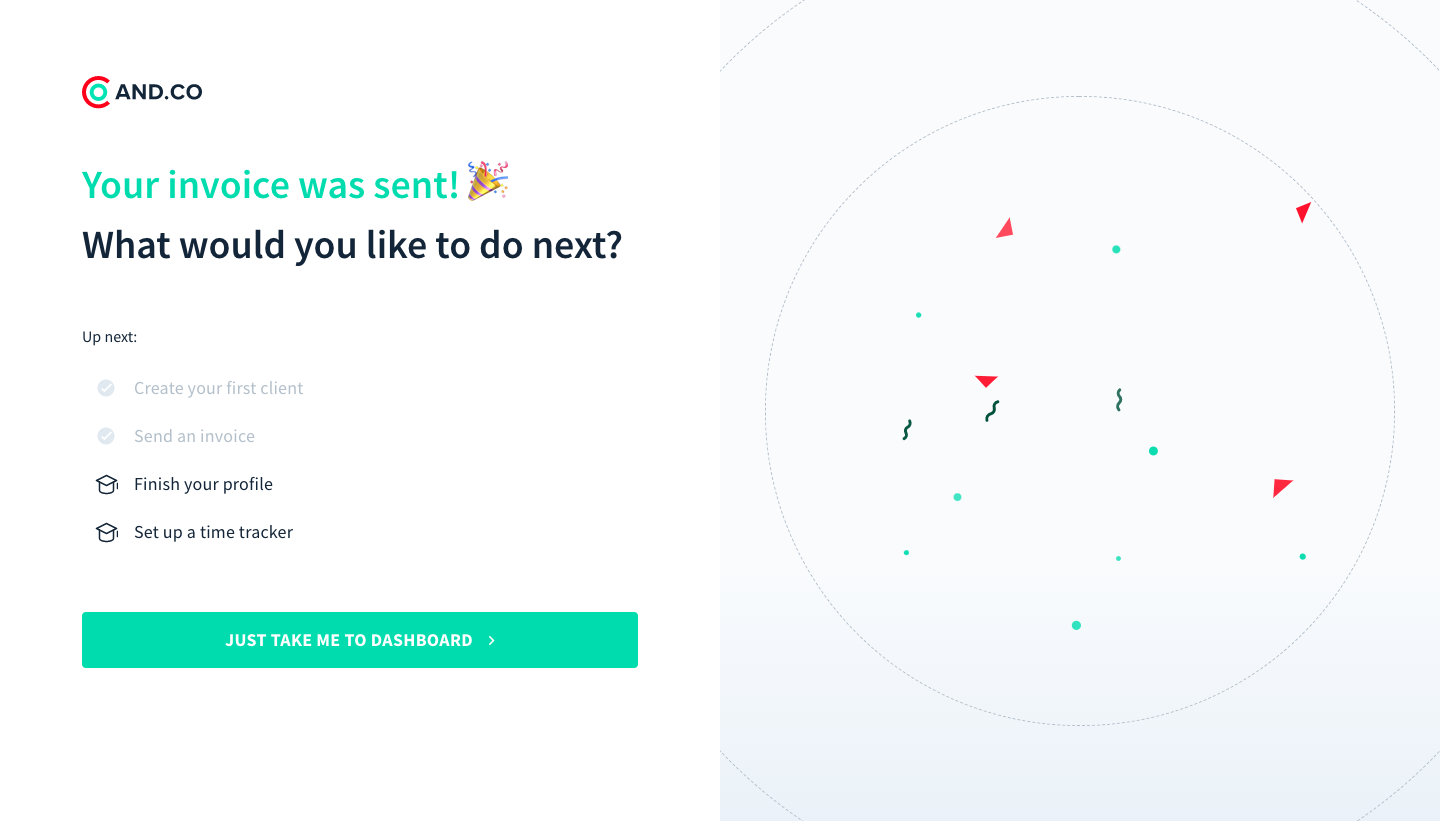
The wording confirms sending, not payment. Those are different states with different evidence. A comparable interface should avoid letting celebration imply a later commercial outcome. Name what completed and reserve stronger claims for information the product actually tracks.
The surrounding checklist helps place the milestone in a larger journey. It shows that some work is complete while other setup remains. A success state can acknowledge progress without implying that the whole product is configured or that every future task is finished.
Abstract's captured setup page says the user is ready while explaining that the macOS app is downloading. It also describes installation and later project setup, offers a web-app route, and provides a fallback download link. The page therefore combines a milestone with a continuing external step.
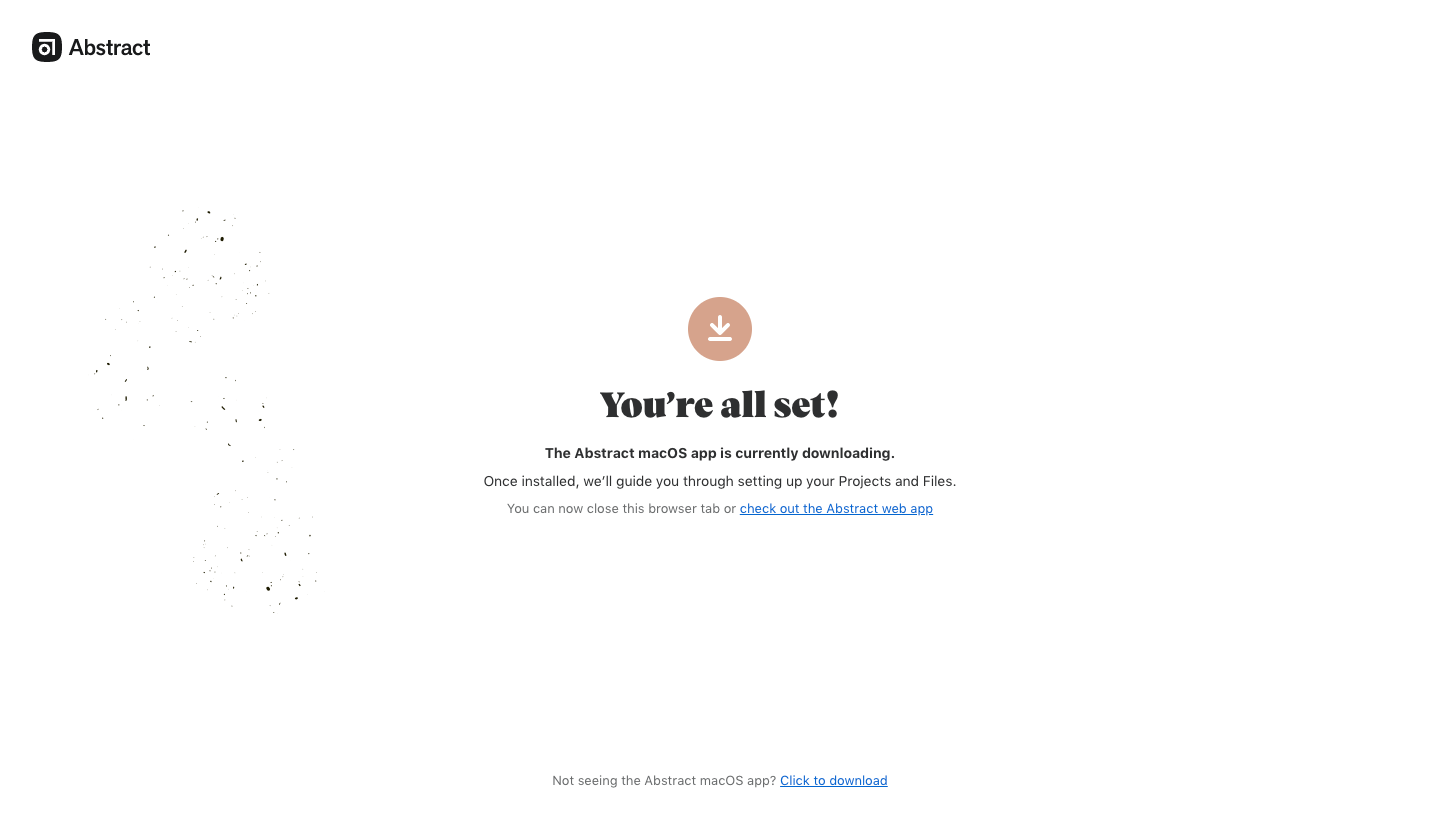
This illustrates why a broad readiness headline needs supporting precision. Download started, download completed, and application installed are different states. A browser page may not know whether an external installation finished. The copy should describe the actual knowledge boundary.
When another application or service takes over, explain the handoff and provide an appropriate fallback. Users should know whether they can close the current page, what happens next, and how to recover if the expected step does not appear. The screenshot shows the stated routes, not verified download behavior.
A brief toast can confirm a routine local change when the resulting state is visible. An inline message can stay connected to a form. A full-page confirmation can support a larger transition or handoff. Choose the surface around what users need to understand and do next.
A small disappearing message is insufficient when it contains the only important result detail. Conversely, a large modal for every autosave can interrupt ordinary work. If the updated object already shows the new state, a restrained acknowledgement may be enough.
Keep confirmation near its context where practical. A save result should relate to the edited object; a message result should relate to the conversation; a batch result should identify the affected selection. A global success banner with no object identity can become ambiguous when several requests occur.
After creation, export, or submission, users often need the result rather than another message. Provide a direct route where it supports the task. The action might open the created record, inspect a sent message, download an available file, or return to a collection.
Sorting and filters can hide the result even after a successful operation. Explain where it went or offer a meaningful link. A success message should not leave users searching for proof that the action occurred.
Use specific action language. View invoice, Open project, and Download report describe different destinations. Avoid a generic Continue label when the next step is not obvious. If the result becomes available later, identify the pending process instead of offering a link that cannot yet work.
A batch can complete for some items and fail for others. The notification should explain the distinction and provide a useful correction route. An unconditional Success statement can conceal remaining work, while a generic Failure can imply that nothing changed.
Provide counts or identities appropriate to the operation. A summary may state how many records were updated and how many were skipped, with a route to details. Keep the categories meaningful: skipped because already present differs from rejected because invalid.
For a multi-step operation, identify the completed stage. An upload may finish while processing remains pending. A subscription change may be accepted while access updates. A useful message lets users know whether to wait, inspect the result, or take another action.
Celebratory treatment can reinforce a meaningful first success or completed journey. It should not obscure the result, qualifications, or next action. A routine background save generally needs less emphasis than completing an initial configuration.
The AND.CO capture uses celebratory imagery around an invoice-sent milestone. Its practical content remains the specific statement and continuation routes. A comparable design should preserve those elements even when decorative media is unavailable or motion is reduced.
Keep tone appropriate to the task. A serious administrative operation may need calm confirmation rather than confetti. Users should not feel that the product is celebrating an outcome that still requires attention. The visual treatment should match the completed state, not exaggerate it.
Users need a way to perceive the result without relying on color or animation. A meaningful text statement should identify completion. Choose announcements appropriate to the operation so assistive technology receives useful feedback without being interrupted by every minor background event.
Do not move focus unnecessarily for a routine acknowledgement. A modal or page transition may require deliberate focus management, while an inline save result can often preserve the editing context. If a notification includes an important action, make it reachable and keep it available long enough to use.
Review dismissal and timeout behavior. Essential information should have a persistent home, even if a brief acknowledgement disappears. Narrow layouts, long translated messages, and text enlargement should preserve the result and action without clipping them.
A slow operation can encourage repeated activation. Acknowledge processing before success and handle duplicate requests predictably. If the operation completed but the interface failed to refresh, reconcile the state before inviting another submission.
Success should update the relevant object or account view. A saved record that still displays old values can undermine the notification. Explain delayed propagation where it matters rather than leaving a positive message beside contradictory state.
If an undo route exists, describe its actual scope. Reversing a local edit differs from recalling external communication. Do not attach a generic undo promise to an operation the system cannot reverse. Preserve a usable route to inspect and correct the result where appropriate.
Concurrent changes can also make a confirmation stale. Another administrator may alter the same object immediately afterward. Distinguish confirmation of the user's completed request from a claim that the object will remain unchanged. Keep the current shared state inspectable.
Ask users what completed, what remains pending, and what they expect to do next. Include a handoff, a partial batch result, and a delayed update. These tasks reveal whether the notification closes uncertainty or merely adds a positive-looking message.
Measure repeated submissions and result-finding effort alongside completion rates. Repeated clicks after success can indicate that feedback was missed or contradicted by the visible state. Review whether users can continue their work without searching for confirmation elsewhere.
Use this checklist:
Review notifications as a system. Consistent placement and wording can help users recognize routine outcomes, while important exceptions need enough specificity to stand out. Avoid making every message identical when the operations have different completion boundaries or next steps.
Keep acknowledgement distinct from instruction. A success statement confirms the result, while a next-step message guides continuation. Combining them can work on a full page, but the user should not infer that another required action remains merely because an optional suggestion appears. Label required and optional continuation appropriately.
For asynchronous work, preserve the operation's identity in later notification. An email or in-product message arriving after the user leaves should name the relevant request and provide a route to its result. A generic completion notice can be confusing when several exports, imports, or changes are pending at once.
Test the message with the actual backend boundary. A positive response from one service may only confirm that it queued the operation. The interface should map that response to the appropriate pending or accepted state, then announce completion when the system has the relevant evidence. This keeps product wording aligned with real processing rather than an optimistic interpretation of a response code.
If the operation produces a receipt, record, or downloadable artifact, provide a stable home for it. The temporary notification can point there, while the user remains able to retrieve it after dismissal or returning later.
It may confirm acceptance, but not necessarily completed processing. Name the stage accurately and show remaining work. Do not imply a final outcome before the system can establish it.
No. Brief acknowledgement can work when the result is visible elsewhere. Important details or actions need a persistent route. Choose timeout behavior around the information users must retain or use.
A relevant route to inspect the result or continue the workflow. Keep remaining setup or handoff steps explicit. Avoid sending users to an unrelated destination simply because the operation completed.
Browse the SaaSFrame success-notification examples to compare completion wording, continuation routes, and feedback that makes the result dependable.