Confirmation Dialog
32
A blocking confirmation step shown before a consequential or destructive action.
.webp)
A confirmation dialog asks someone to review a consequential action before proceeding. Its purpose is to prevent a meaningful mistake or make an important commitment understandable. It should identify the action, the affected object, the consequences, and the available alternatives. A modal that merely repeats “Are you sure?” adds interruption without necessarily improving the decision.
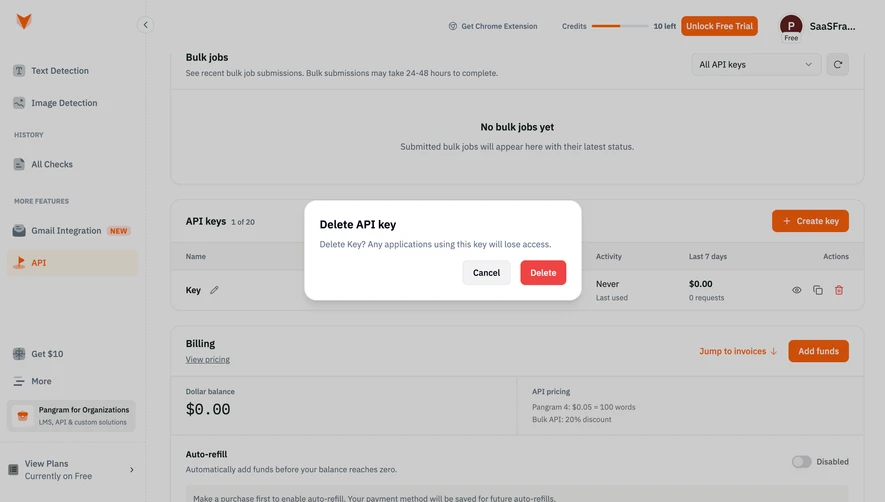
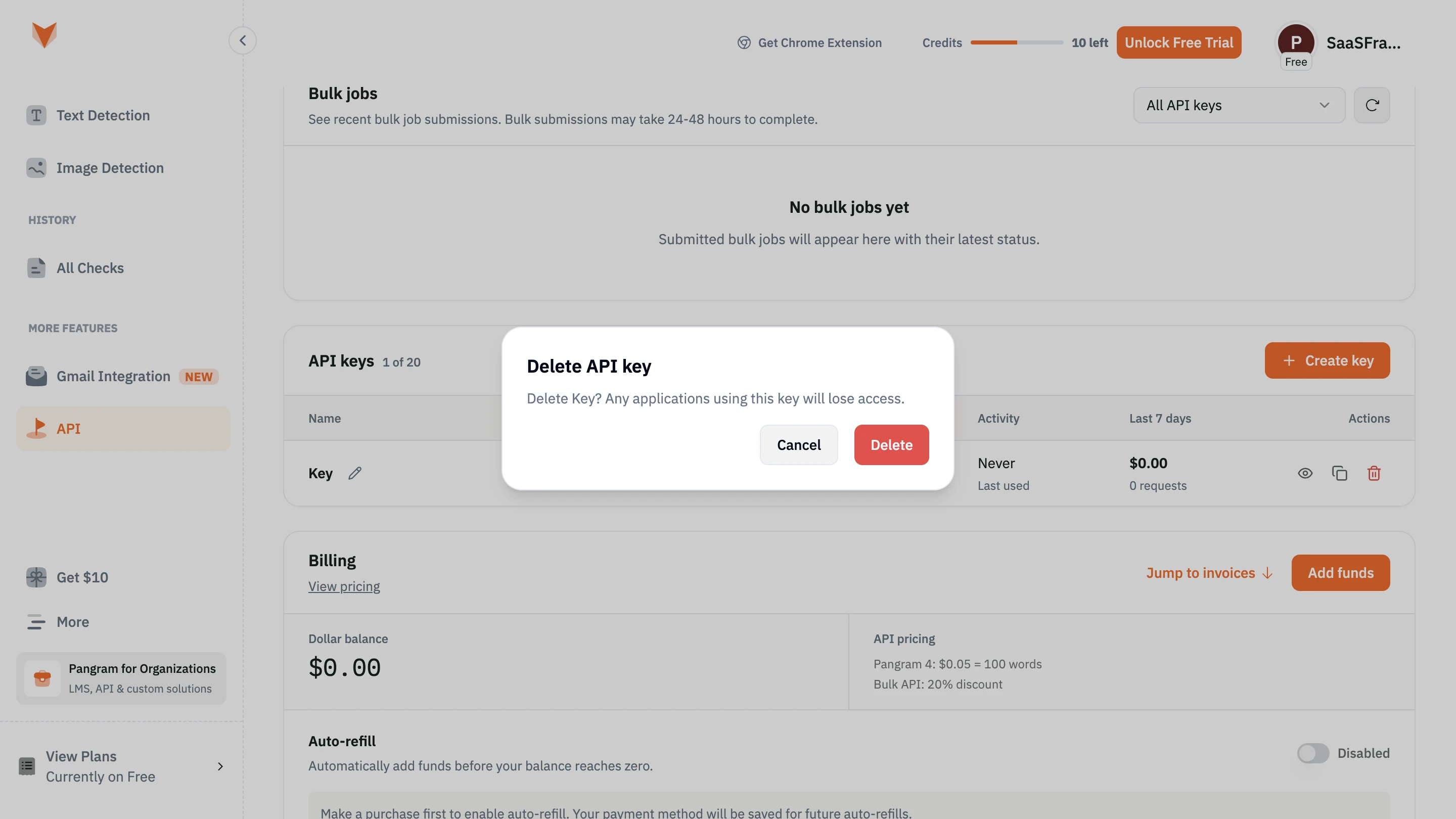
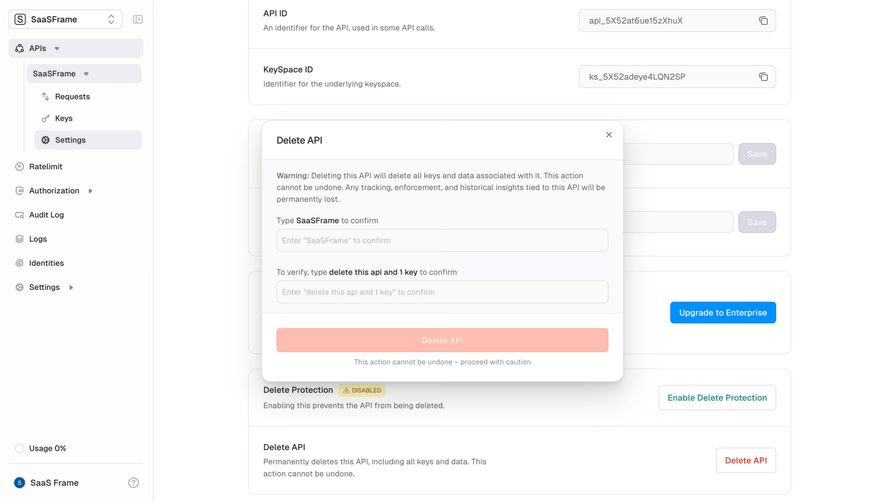
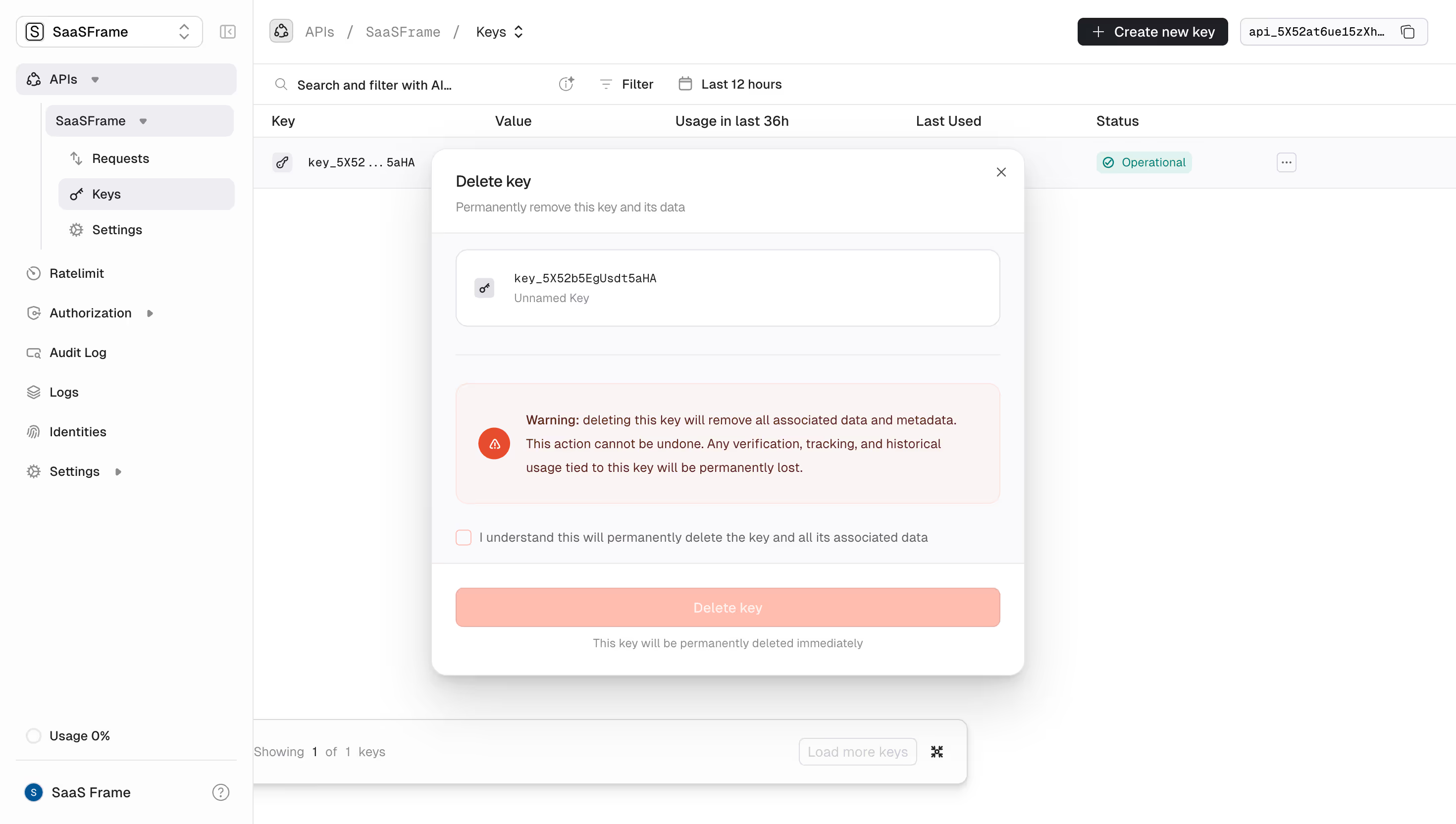
Claude's connector authorization, Prelude's payment-method review, and Unkey's API deletion illustrate different kinds of commitment. The first explains access before an external authorization step; the second previews a payment route; the third warns about irreversible deletion. These screenshots show the review stage, not the result of confirming or cancelling.
Consider impact, reversibility, scope, and likelihood of error together. Deleting a shared workspace, sending a campaign, changing access, and starting a paid operation can justify a deliberate review. Routine navigation and easily reversible edits usually need less interruption.
Confirmation should resolve a specific uncertainty. The user may need to verify the recipient, understand which related objects will be removed, or recognize that a button opens another service. If the dialog contains no new information, it may become a reflexive click rather than a considered decision.
Where undo is genuinely available and dependable, it can support faster work for lower-impact actions. Define the recovery window and consequences before choosing that approach. Do not advertise undo for an operation whose external effects cannot actually be reversed.
Use a title such as “Delete API” or “Authorize Gmail access” when that identifies the decision clearly. Follow with the resource name, account, or relevant scope. Users who opened the dialog accidentally should be able to recognize that mistake immediately.
The confirmation button should describe the outcome or next step. “Delete project,” “Send invitation,” and “Continue to payment” help users verify intent. A generic “OK” can work for acknowledging information but gives little assistance when the choice changes something important.
Keep labels consistent with the initiating control. If the user selected archive and the dialog says delete, explain the relationship or correct the mismatch. Similar terms can hide substantially different retention and recovery behavior.
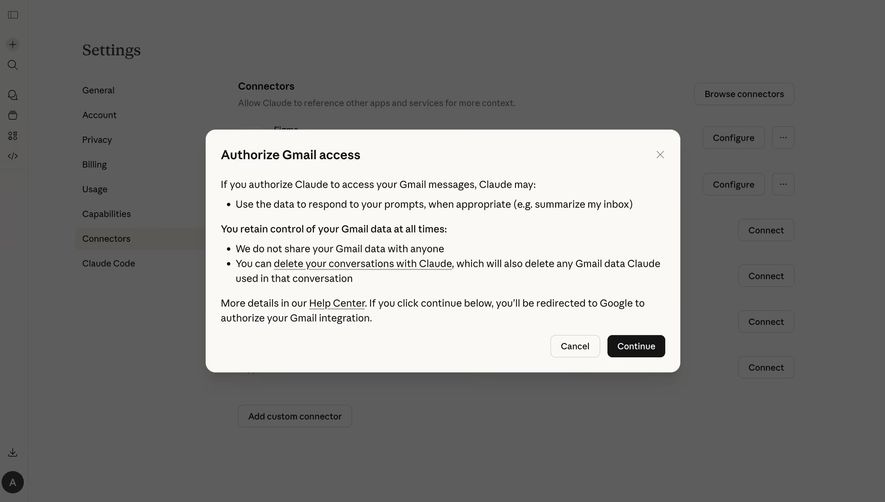
Claude's connector dialog is titled “Authorize Gmail access.” It describes the intended use of Gmail messages, includes information about data control, and states that Continue redirects to Google for authorization. Cancel and Continue appear together at the bottom.

The useful design distinction is between explaining a connection and completing authorization. Clicking Continue in this capture is described as moving to another service, not as proof that access has already been granted. Keep that distinction visible in the action wording and the return state.
Summarize the relevant purpose and scope in plain language. Link to fuller information when needed, but do not make the user leave the decision just to learn its central consequence. Avoid broad reassuring language that does not match the actual access requested.
The screenshot's statements belong to that captured interface; they are not a substitute for verifying current product policies. For your own dialog, coordinate the explanation with the implemented permissions and lifecycle behavior so the text remains accurate.
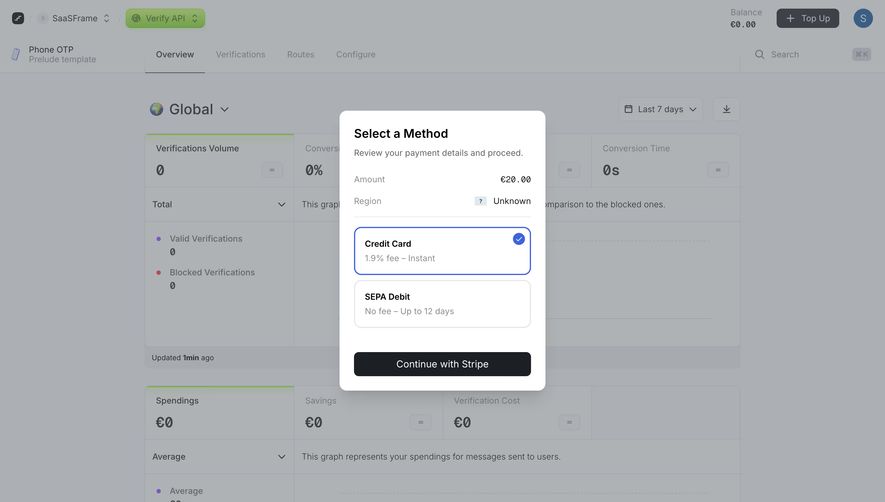
Prelude's checkout modal shows an amount, a region value, and two payment routes. The credit-card choice displays a fee and instant timing; SEPA debit displays no fee and a longer timing estimate. The primary action reads “Continue with Stripe.”
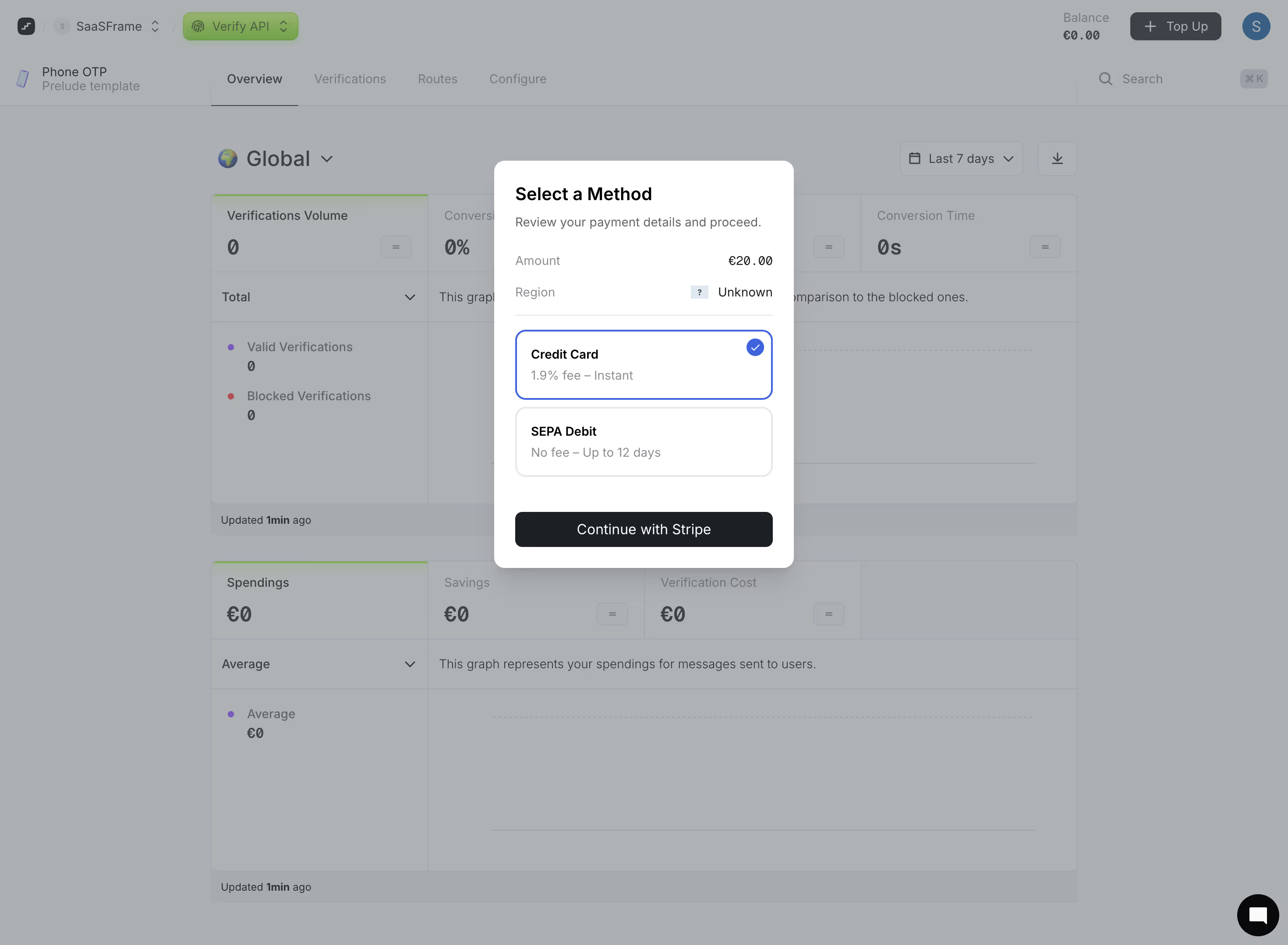
This example is a review and selection step rather than evidence of a completed payment. In your own flow, distinguish moving to checkout from authorizing a charge. The button should make clear when a financial commitment becomes final.
Present the amount, currency, and any meaningful fees before the user commits. If the chosen method changes the total or availability timing, update the relevant summary clearly. Do not leave users to calculate whether a displayed fee is included or added later.
The region is shown as unknown in the capture. Missing decision-relevant information deserves an intentional state: explain whether it affects method availability, the amount, or the next step. A review screen should help resolve uncertainty rather than decorate it with a question-mark icon.
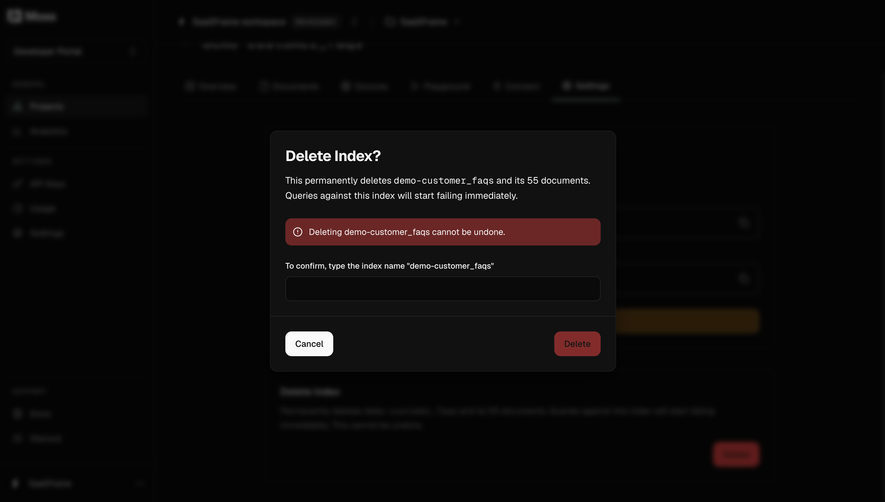
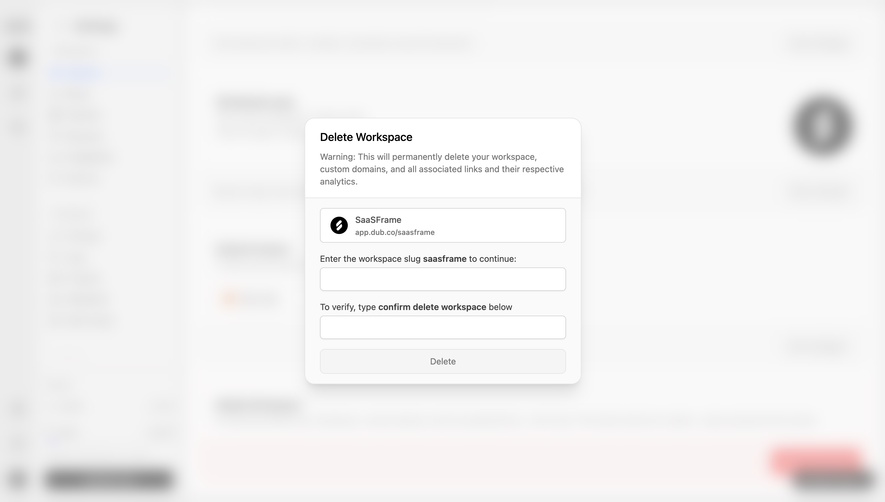
Unkey's deletion dialog explains that deleting the API removes associated keys and data and that the action cannot be undone. It includes typed confirmations for the resource name and a phrase referring to the API and one key. The destructive button is visibly disabled in the captured state.
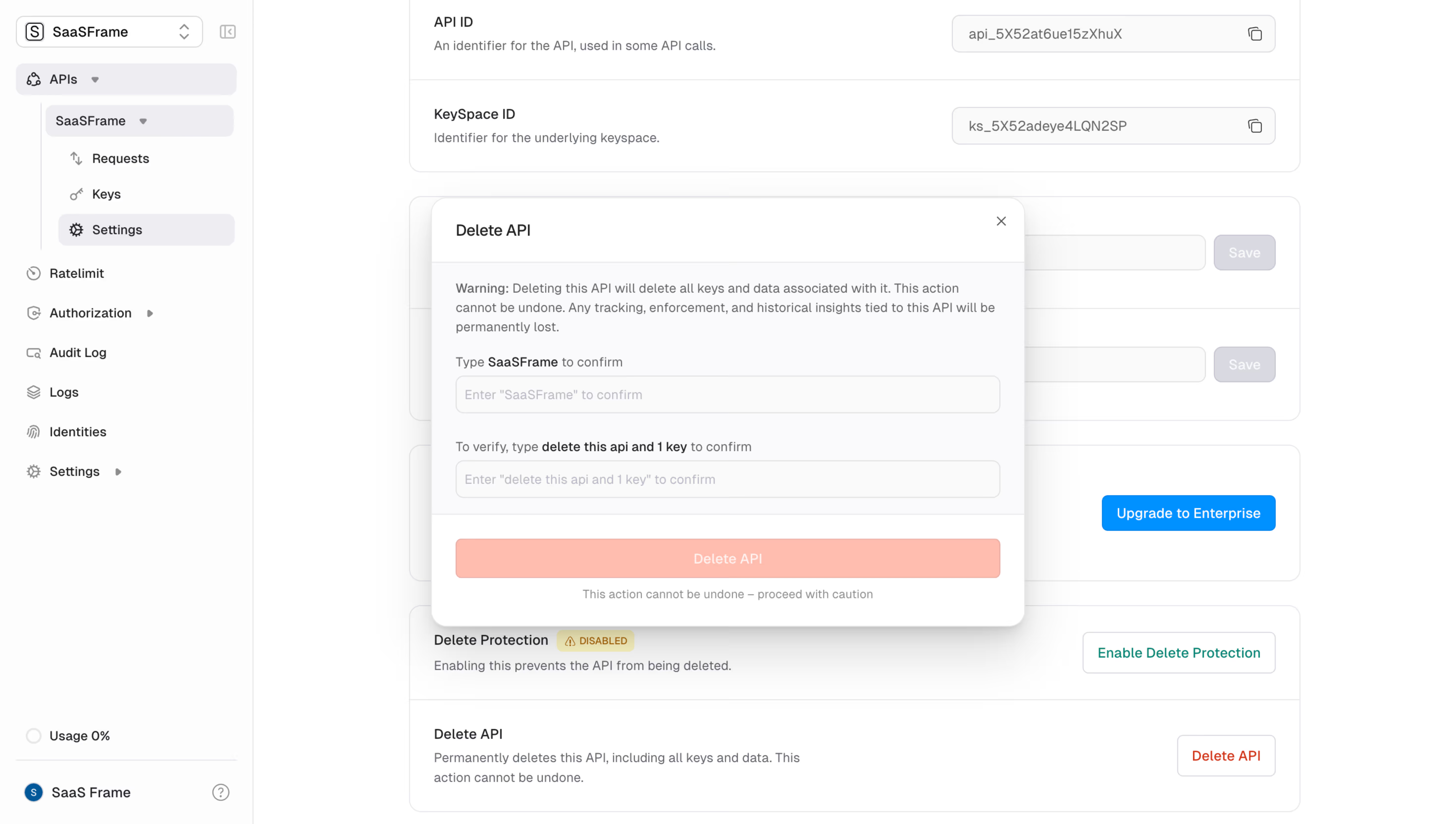
A concrete scope is more informative than a dramatic warning color. Name the object, related resources, and important downstream effects. If a deletion affects collaborators or stops an integration, explain those consequences before the final action.
Typed confirmation can make people attend to a high-impact resource name, but it is not a guarantee that they understand the result. Use it selectively, and keep the consequences readable. Multiple fields can increase friction without adding proportionate clarity if they repeat the same information.
The screenshot cannot establish validation rules or server-side protection. A disabled button is a visible state, not evidence that authorization, dependency checks, and execution safeguards are correct. Treat confirmation as one part of the action design.
A reversible personal preference does not need the same process as deleting an organization. Define levels of review that correspond to actual consequence. A concise question may be enough for an unexpected navigation loss; a shared-resource deletion may need details about affected items.
For bulk actions, include the count and scope. “Delete selected items” can be ambiguous if selection includes hidden pages or all records matching a filter. State whether the action applies to the visible selection or a larger dataset.
Avoid extra confirmations that exist only because several internal services are involved. Users need to understand the commitment they are making, not the number of backend calls. If there are distinct decisions, explain them as distinct steps rather than repeating the same warning.
Provide a visible way to decline or leave the decision. Cancel should return to a useful state without performing the pending action. If the dialog edits options, define whether cancelling discards those local changes or preserves them for later.
Use a clear visual distinction between the safe alternative and the consequential action. Do not hide Cancel as a tiny link beside an oversized commitment button when both are legitimate choices. Destructive styling can reinforce meaning, but readable labels remain necessary.
Define escape and backdrop behavior intentionally. For a straightforward review, dismissing without executing may be appropriate. If the dialog itself contains substantial unsaved work, closing it may need a separate loss decision. Avoid ambiguous dismissal that triggers the action or discards an unrelated page form.
The object's state may change while the dialog is open. Someone else can remove a resource, update permissions, or change the number of affected records. Recheck consequential assumptions at execution time rather than treating the initial summary as permanently valid.
When the scope changes meaningfully, explain the updated decision. Do not silently expand a deletion from one item to a newly added group. A changed summary should allow users to reconsider before the final commitment.
Keep authorization in the actual action path. A confirmation dialog can help prevent an accidental click, but it does not establish that the user is allowed to perform the operation. The interface and execution policy need to agree about available actions.
After confirmation, acknowledge that the operation has started. Prevent repeated clicks from creating duplicate requests where that would matter, and keep the action state understandable while processing continues.
Do not close the dialog and display success before the relevant outcome is known. If a long-running operation continues in the background, provide a persistent place to inspect it. If only part of a batch succeeds, explain the actual result rather than displaying an unqualified completion message.
Failures need a recovery path that reflects what happened. A rejected request differs from a timeout where the final result is uncertain. Help users check the existing outcome before repeating a consequential operation that might already have completed.
For third-party handoffs, handle cancellation and return explicitly. The user may leave checkout or deny access. Return them to a state that makes clear whether the connection, payment, or other action actually succeeded.
Give the dialog an accessible name, place focus deliberately inside it, keep keyboard interaction within a genuinely modal surface, and restore focus appropriately when it closes. The underlying page should not remain interactable as though the dialog were absent.
W3C distinguishes modal dialogs from alert dialogs used for important messages that require a response. Choose semantics according to the actual purpose and behavior. A visual overlay alone does not implement those interaction requirements.
Keep long explanations readable without forcing the whole dialog into one inaccessible announcement. Maintain a sensible heading and reading order, and ensure fields have labels and instructions. Typed confirmation needs clear error feedback when the input does not match.
On narrow screens and at zoom, keep the review content and both choices reachable. Test long resource names, translated labels, validation errors, and the processing state. A dialog that fits an empty screenshot can still fail once actual content is inserted.
Consider reversibility, impact, and scope. A dependable undo may suit lower-impact deletion; permanent removal of shared resources can justify explicit review.
Use it selectively when verifying the exact object or scope matters. It should supplement clear consequences rather than replace them or become a ritual for routine actions.
No. Confirmation asks for a decision before commitment. A success message reports an outcome after the operation has completed.
Prefer the actual action or destination when it clarifies the decision. Continue can fit an intermediate handoff, but a final commitment should explain what it will do.
Compare Modal for the dialog container, Delete for destructive-operation design, Request Permissions for access decisions, and Success Notification for feedback after completion. For implementation behavior, consult W3C's modal-dialog guidance and alert-dialog guidance.