Design with AI
Generate a new design based on this screen using your own content.
# Design from Reference: Guru Onboarding
Create an original, high-fidelity visual design inspired by the reference. Prioritize composition, typography, colors, spacing, and component styling over technical implementation.
## Reference
- **Product:** Guru
- **Category:** User Onboarding
- **Screenshot:** https://cdn.prod.website-files.com/5e9dc792e1210c5325f7ebbc/6acbc93c1790037d3e05909c_6acbc6514a8f67bb0c2ff3d9_cms-77534392227f7463ba229c11.webp
Analyze the screenshot first. If inaccessible, request it rather than guessing.
## Content
{{content.instructions}}
{{content.data}}
Preserve essential messaging and factual accuracy. Adapt structure and copy length for visual balance; never invent product claims.
## Visual Design
### Overall aesthetic
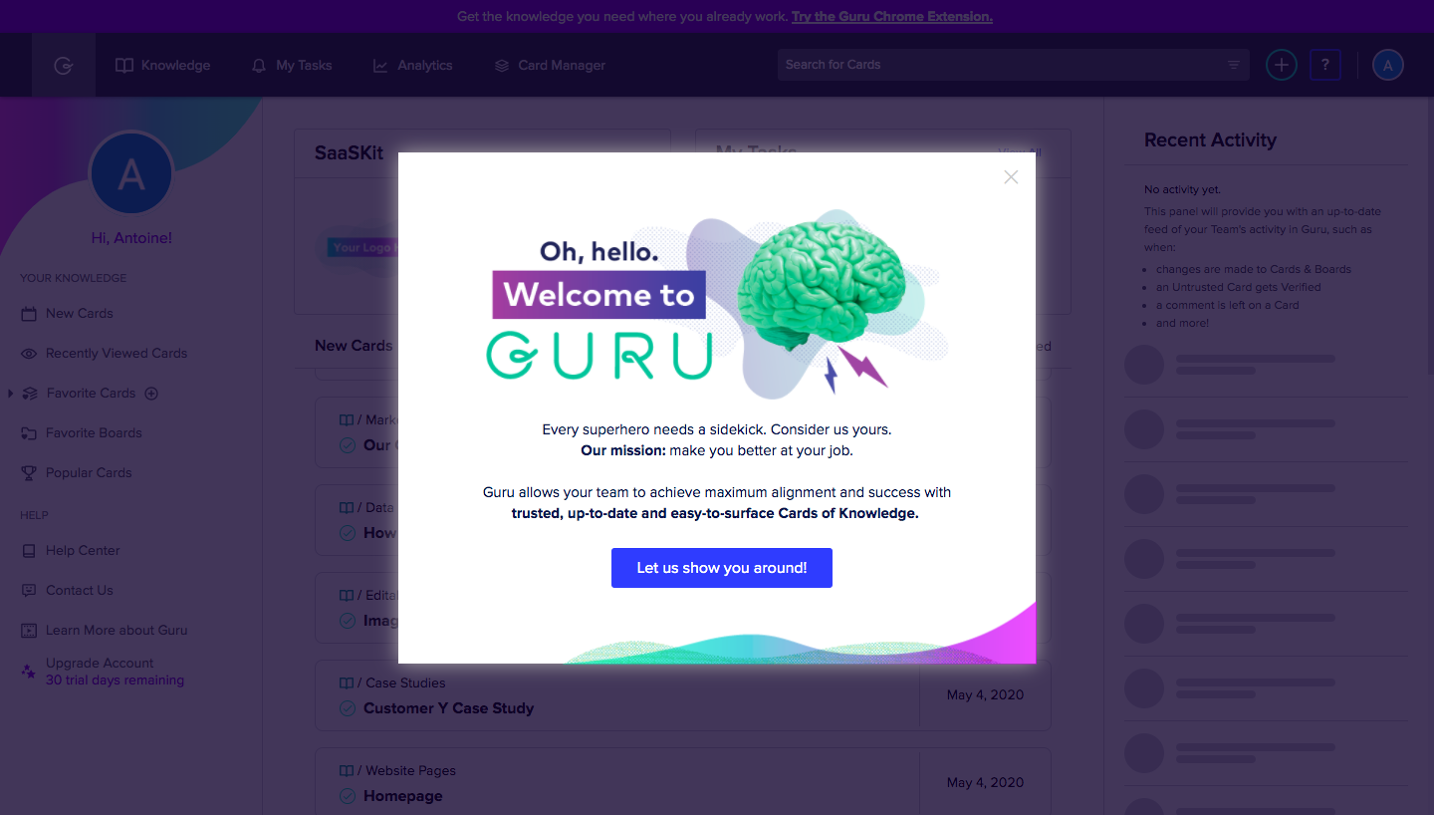
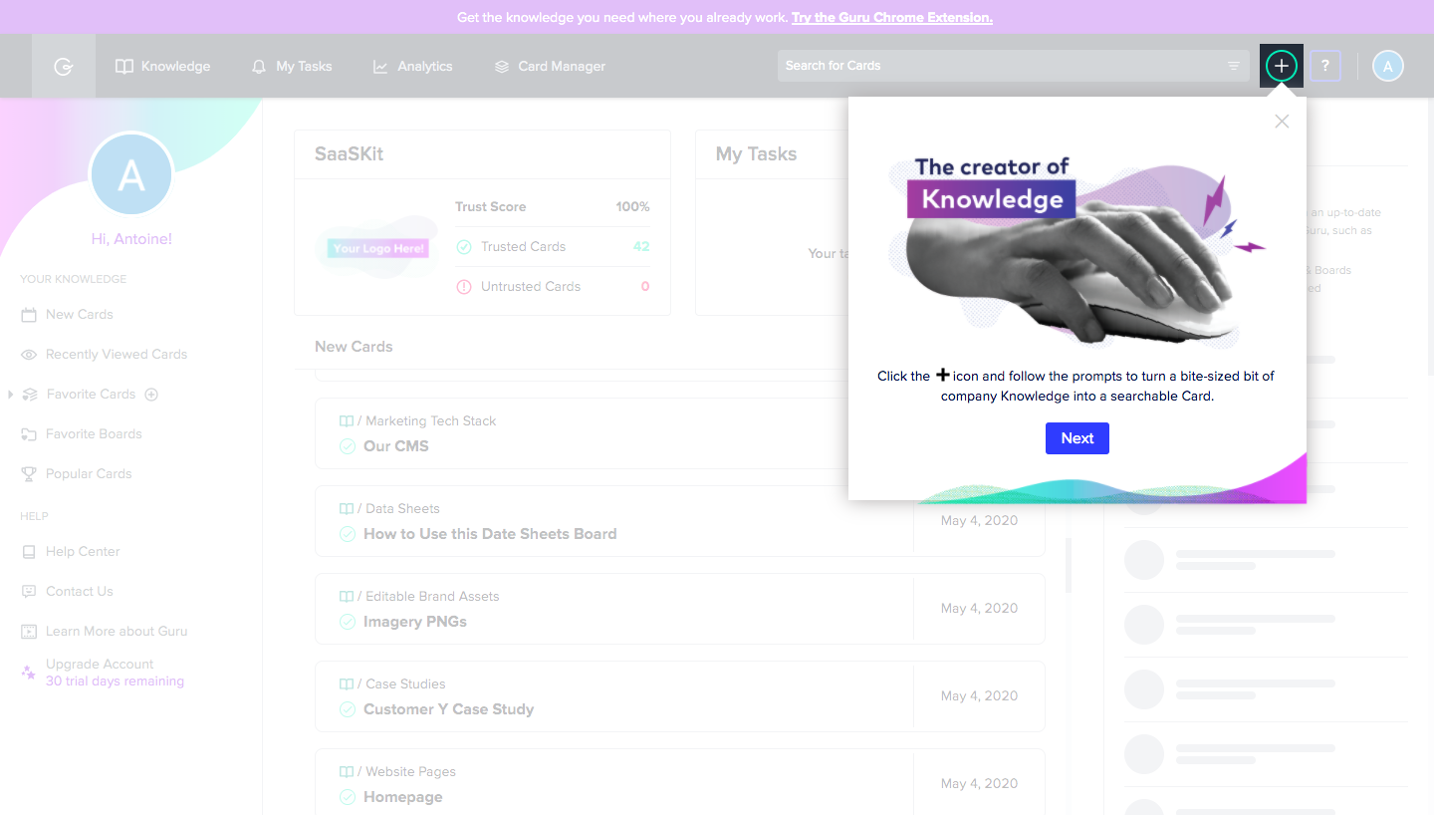
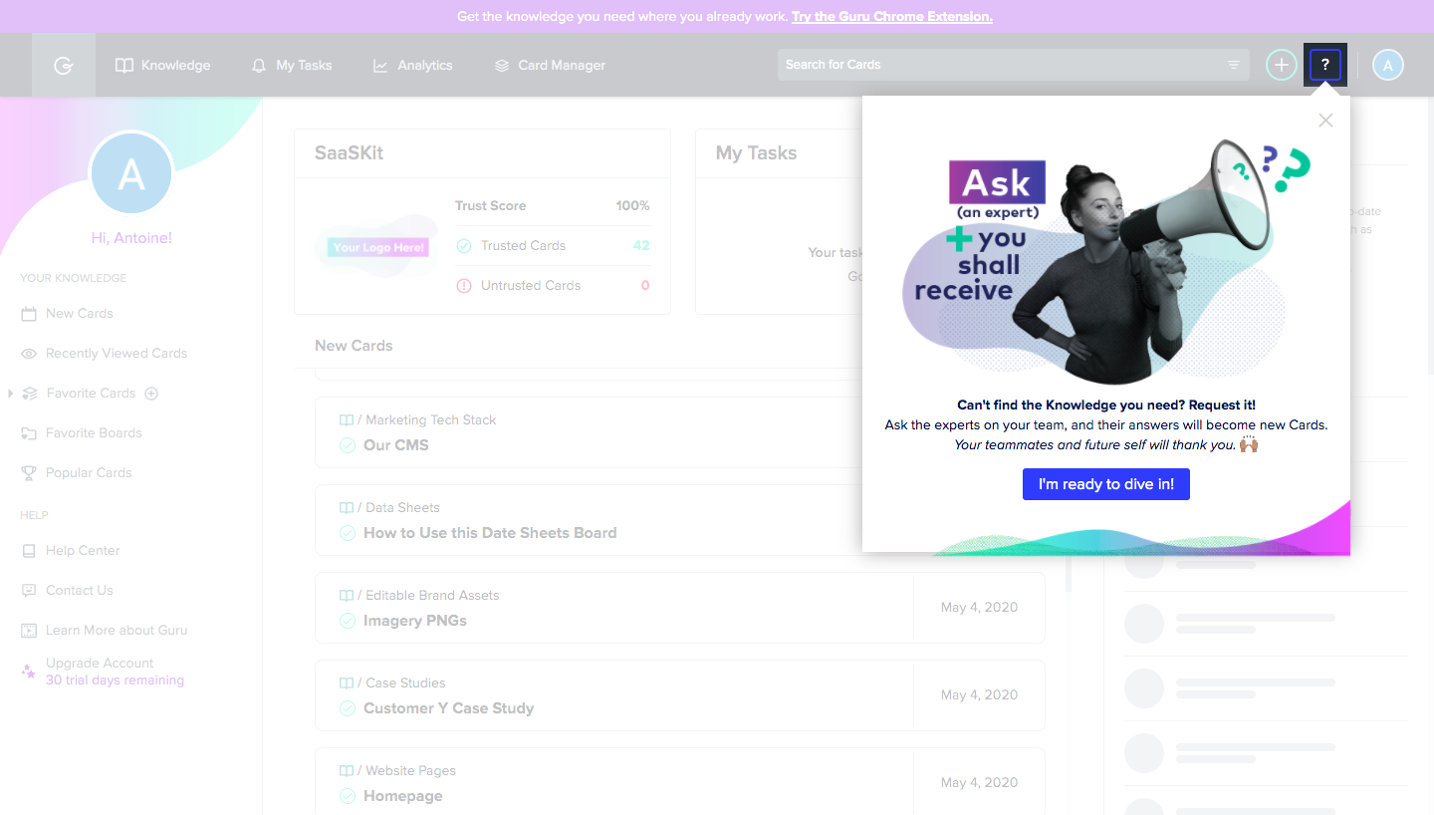
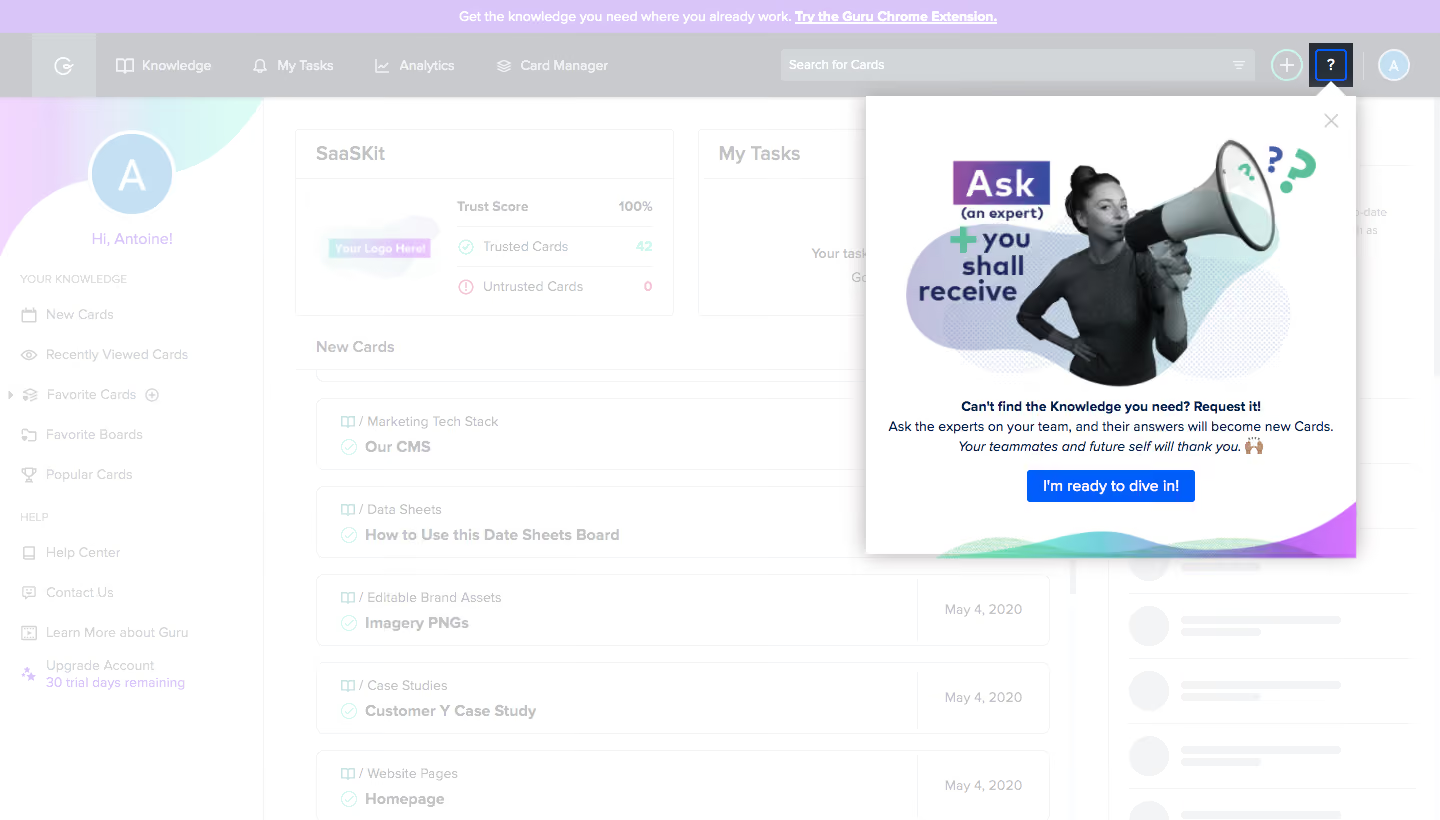
- **Character:** Colorful onboarding coach mark over a subdued knowledge dashboard, combining photographic collage with a direct blue action.
### Page composition
- **Canvas:** 1440 × 820 screenshot px.
- **Structure:** Upper-right white popover approximately 490 × 460 screenshot px, anchored beneath the highlighted question-mark toolbar icon. A pale overlay washes out the dashboard behind it.
### Information hierarchy
- **Priority:** Large collage dominates the upper half; centered headline and short explanatory text lead to a single blue action.
- **Context:** Background retains top navigation/search, left account sidebar, summary tiles and knowledge-card rows.
### Typography
- **Family:** Interface sans serif; exact font unverified.
- **Scale:** Estimated screenshot popover body/button 14–16 px; short bold headline approximately 15 px. Collage lettering is oversized and varies in weight.
### Colors & surfaces
- **Sampled palette:** White #FFFFFF, dimmed toolbar #C8CACD, lavender #D9C5F8, pale-gray rows #F3F4F6 and avatar blue #C5E0F2.
- **Accent:** Vivid blue primary CTA; collage uses violet, mint and cyan. Exact saturated accent hex values not sampled.
### Components
- **Popover:** White rectangular panel, soft shadow, small top pointer and upper-right close icon; corners nearly square.
- **Artwork:** Grayscale woman holding a megaphone overlays pastel abstract forms and large stacked lettering; multicolor wave decoration follows the bottom edge.
- **Action:** Compact centered blue button, approximately 168 × 32 screenshot px.
### Visual rhythm
- **Spacing:** Large artwork area contrasts with tightly grouped centered copy and action. Dashboard repetition remains visible but low contrast.
### Responsive
- **Observed:** Desktop coach mark only.
- **Adaptation:** Convert anchored popover to a centered dialog on small screens; preserve image aspect ratio and provide accessible dismissal.
### Adaptation guidance
- **Preserve:** One focused teaching message, strong image-led hierarchy and obvious connection to the help control.
- **Replace:** Use original artwork and supplied onboarding copy; keep the real workspace visually subordinate while the prompt is open.
Use this context to reproduce the reference's visual language: layout, typography, colors, spacing, borders, radii, and distinctive elements. The screenshot takes priority if descriptions conflict.
## Direction
{{preferences.fidelityInstructions}}
## Output
{{output.instructions}}
Deliver a polished, cohesive design with precise alignment, hierarchy, and spacing. Produce the requested visual artifact, not just a description. If unsupported, explain the limitation.
.webp)


.avif)