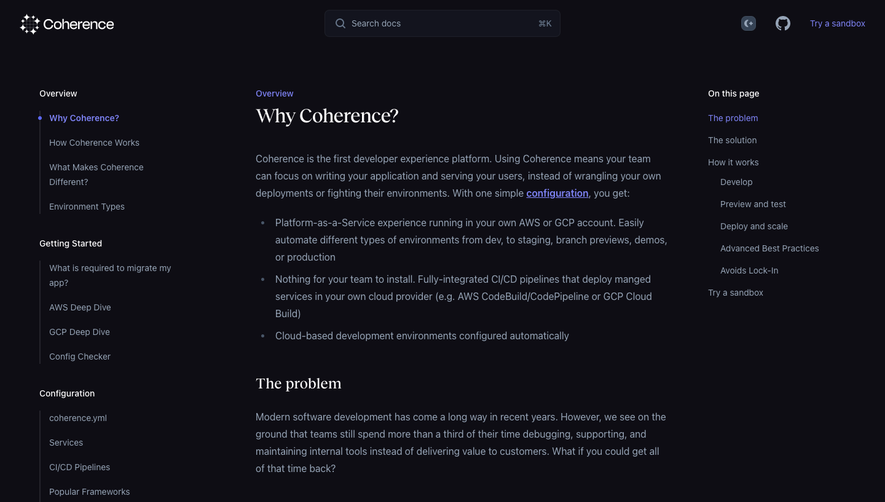
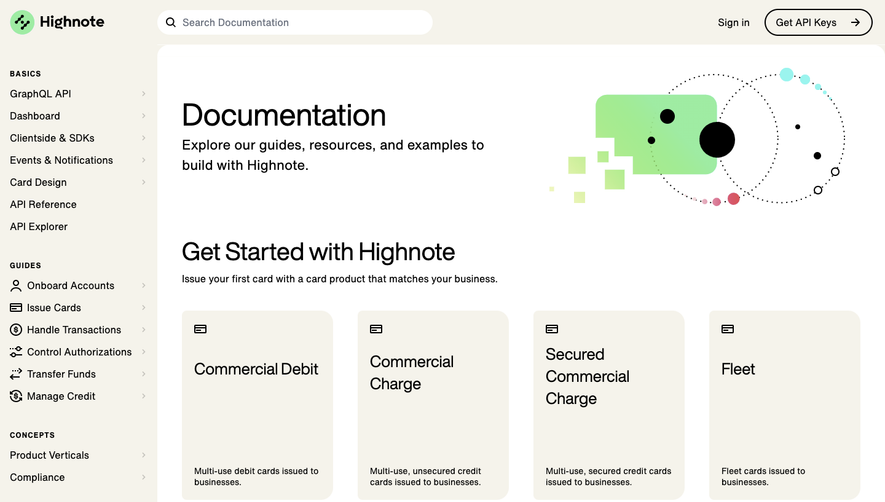
Generate a new design based on this screen using your own content.
Thank you! Your submission has been received!
Oops! Something went wrong while submitting the form.
# Design from Reference: CommandBar Documentation
Create an original, high-fidelity visual design inspired by the reference. Prioritize composition, typography, colors, spacing, and component styling over technical implementation.
## Reference
- **Product:** CommandBar
- **Category:** Documentation
- **Screenshot:** https://cdn.prod.website-files.com/5e9dc792e1210c5325f7ebbc/6acad7f71025e911ae521184_6acad783d5603a17eba71d06_cms-6b754e35ee5b0be864e94b02.webp
Analyze the screenshot first. If inaccessible, request it rather than guessing.
## Content
{{content.instructions}}
{{content.data}}
Preserve essential messaging and factual accuracy. Adapt structure and copy length for visual balance; never invent product claims.
## Visual Design
Use this context to reproduce the reference's visual language: layout, typography, colors, spacing, borders, radii, and distinctive elements. The screenshot takes priority if descriptions conflict.
## Direction
{{preferences.fidelityInstructions}}
## Output
{{output.instructions}}
Deliver a polished, cohesive design with precise alignment, hierarchy, and spacing. Produce the requested visual artifact, not just a description. If unsupported, explain the limitation.
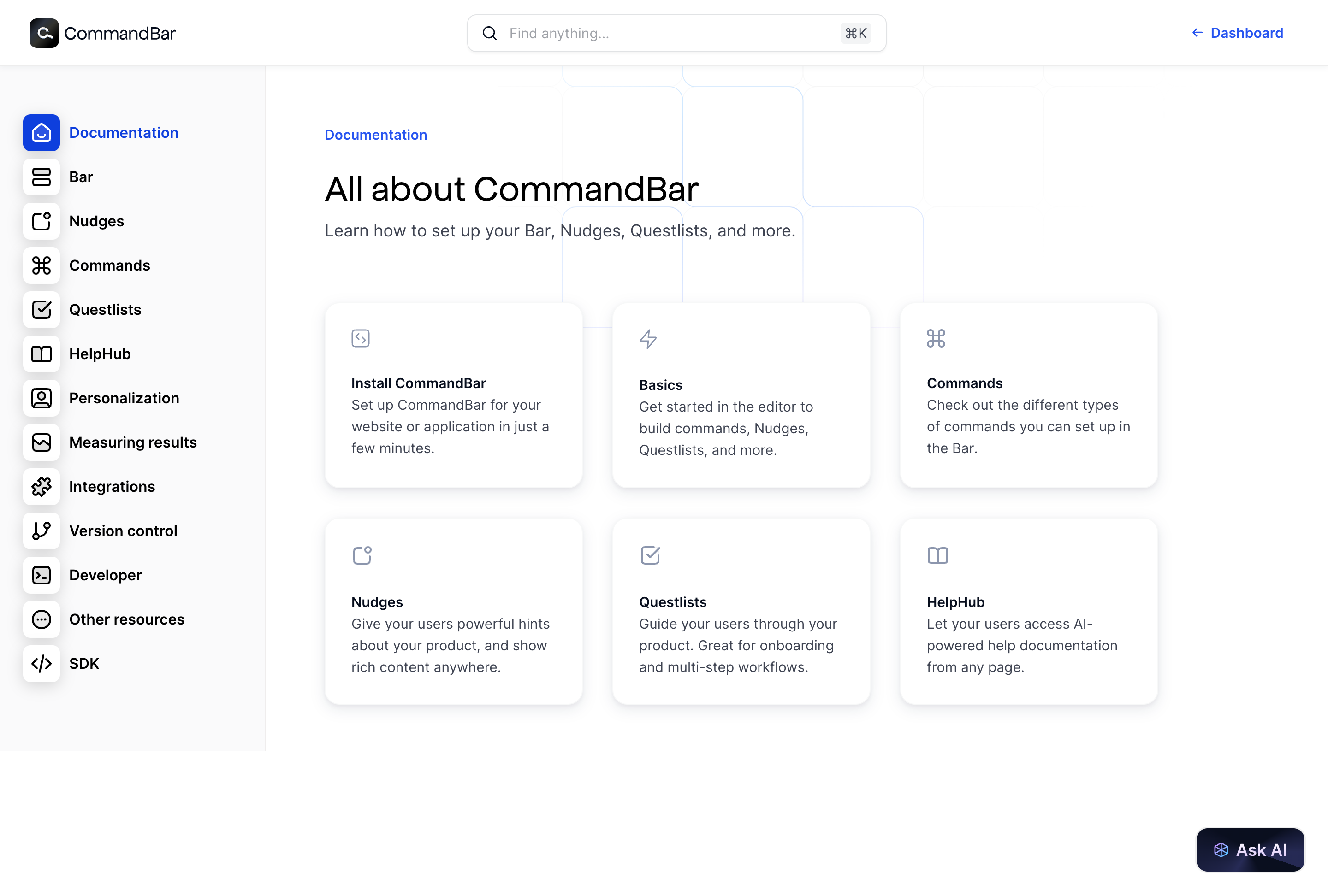
CommandBar’s docs page exemplifies a modern, minimalist SaaS design—clean lines, plenty of whitespace, and subtle color cues create an approachable yet highly professional look. The atmosphere is quietly playful, inviting exploration while maintaining a sense of trust and technological elegance.
Layout and Structure
The structure is simple and purposeful: a persistent sidebar navigation on the left, content-rich documentation in the main pane, and a sticky, compact header for quick product links. There’s no frivolous clutter—every section serves a functional goal: easy onboarding, fast reference, and deep dives as needed.
Visual Elements
Visual subtlety is a hallmark here: lightweight custom icons, minimalist illustrations, and the restrained use of animated cues (such as focus highlights or subtle loader effects). There are no stock images or videos—just crisp graphics that reinforce clarity and product-centric thinking.
Color Palette and Typography
The palette is rooted in calming blues, off-whites, and gentle grays, punctuated by lively accent colors for links or highlights. Typography prioritizes readability: a geometric, sans-serif font for headers and body, with clear hierarchy through thoughtful sizing and bolding.
User Experience Patterns
Persistent navigation ensures users never feel lost, with clear section delineation and sticky progress markers. Calls to action—like “Get Started”—are visually distinct yet unobtrusive. Smooth scroll interactions and keyboard shortcuts further enhance usability, allowing for efficient exploration.
Unique or Notable Design Choices
A standout feature is the “Spotlight-style” command search: it’s both a nod to the product’s core value and a powerful usability boost for documentation. The experience is consistently unintrusive and frictionless, conveying innovation and confidence without overwhelming visitors.
.webp)




.avif)