.webp)
Thank you! Your submission has been received!
Oops! Something went wrong while submitting the form.
Get SaaSFrame Pro
Monthly
$18
Quarterly
$48
Yearly
$180
Upgrade to access this feature
Browse all screens & flows
Filter and search screens & flows
Access Figma files
Access mobile versions
Bookmark screens & flows
Join now
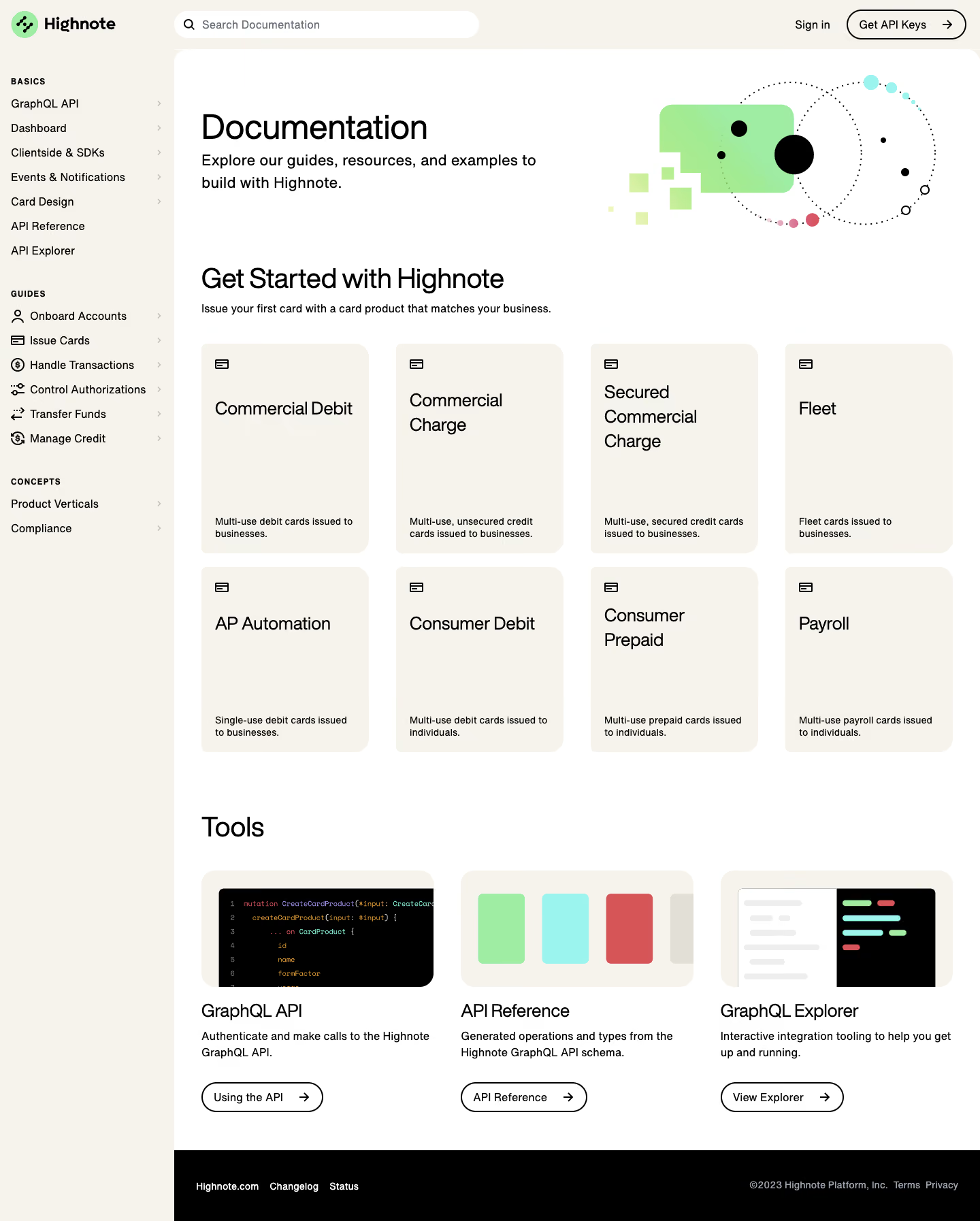

Highnote Documentation

Highnote
Modern card issuer processor
Designed by
No items found.

Bookmark
Bookmark

Design with AI
Thank you! Your submission has been received!
Oops! Something went wrong while submitting the form.
# Design from Reference: Highnote Documentation
Create an original, high-fidelity visual design inspired by the reference. Prioritize composition, typography, colors, spacing, and component styling over technical implementation.
## Reference
- **Product:** Highnote
- **Category:** Documentation
- **Screenshot:** https://cdn.prod.website-files.com/5e9dc792e1210c5325f7ebbc/6acbbd9fd6be908889c4e5cf_6acbbcc86b6ddc4c143bac2d_cms-0d97299ab969d2ab7e3076fd.webp
Analyze the screenshot first. If inaccessible, request it rather than guessing.
## Content
{{content.instructions}}
{{content.data}}
Preserve essential messaging and factual accuracy. Adapt structure and copy length for visual balance; never invent product claims.
## Visual Design
### Overall aesthetic
- **Character:** A calm documentation hub combines warm cream navigation, a white content sheet and playful geometric illustrations.
- **Capture evidence:** The screenshot is 1440 × 1794 image pixels and was inspected to the footer in two portions. Approximate dimensions refer to image pixels; a near-1× CSS scale is plausible but unverified.
- **Treatment:** Black typography, pale flat cards and rounded right corners create a friendly technical interface without heavy shadows.
### Page composition
- **Sidebar:** A roughly 256px-wide cream rail contains the brand and three navigation groups: Basics, Guides and Concepts.
- **Top tools:** A rounded search field begins at the content edge, while Sign in and an outlined API-key action align at the upper right.
- **Main sheet:** A white surface with rounded upper corners contains the documentation title, supporting introduction and a geometric illustration at right.
- **Product grid:** Eight product-guide cards form four columns and two rows below the introductory region.
- **Tools and footer:** Three illustrated tool columns follow, each with title, description and outlined action. A black footer occupies the main-content width while the cream sidebar continues alongside.
### Information hierarchy
- **Introductory hierarchy:** The large Documentation title is followed by a two-line explanatory statement.
- **Guide selection:** A prominent getting-started heading leads to the card grid; each card uses a small icon, large title and bottom-aligned short description.
- **Navigation grouping:** Small uppercase sidebar labels divide plain text links; guide links add line icons and subtle right chevrons.
- **Tool hierarchy:** GraphQL API, API Reference and GraphQL Explorer appear as separate illustrated resources, each with its own action.
### Typography
- **Family:** A clean sans-serif with compact shapes is visible; exact font identity is unverified.
- **Page title:** Approximately 48px, regular-to-medium weight, around 56px line-height and slightly negative tracking.
- **Section headings:** Approximately 40px with close line-height; product titles are around 26–28px and wrap according to length.
- **Body roles:** Introductory text is approximately 22px; navigation and tool descriptions around 16px; product-card descriptions around 14px.
- **Group labels:** Approximately 12px uppercase bold with increased letter spacing.
### Colors & surfaces
- **Primary surfaces:** Sampled #F5F3EB is the warm cream sidebar and card fill; #FFFFFF forms the content sheet.
- **Ink:** Sampled #000000 supplies headings, icon strokes and the footer.
- **Illustration accents:** Sampled #9FECA3 green, #9BF4EE cyan and #D65556 red animate the hero and tool imagery.
- **Secondary details:** Sampled #E2DFD6 and #EEEEEE appear in muted boundaries and illustration details.
- **Footer contrast:** White and gray links sit on black, clearly separating footer utilities from the guide grid.
### Components
- **Search:** A roughly 448 × 40px pill-shaped white input includes a left magnifying-glass icon and muted placeholder.
- **Guide cards:** Approximately 246px wide and 270–310px tall, with around 20px internal padding, flat cream fill and rounded corners around 20px on the right edge.
- **Card layout:** A small line-card icon sits near the top; titles occupy the upper middle and descriptions align near the bottom.
- **Tool illustrations:** Three broad cream-backed image panels depict code, colored reference blocks and an explorer interface.
- **Outlined actions:** Black rounded capsules use roughly 2px borders, compact horizontal padding and trailing arrows.
- **Hero illustration:** Dotted orbit circles, black dots, pastel colored nodes and a green abstract card form the decorative right-side composition.
### Visual rhythm
- **Main inset:** Approximately 40px separates the content sheet edge from headings and grids.
- **Grid gaps:** Product columns use around 40px gutters, with roughly 20px between rows.
- **Section gaps:** Around 80–96px separates the product grid from the Tools heading.
- **Vertical card rhythm:** Large internal blank areas distinguish the short title from the bottom description.
- **Navigation rhythm:** Compact evenly spaced sidebar rows contrast with the more open main area.
### Responsive
- **Evidence limit:** Only one desktop state is observed; sidebar collapse and search behavior are unverified.
- **Grid recommendation:** Reduce four product columns to two and then one, allowing titles and descriptions to flow naturally.
- **Navigation recommendation:** Move the sidebar into a drawer at narrow widths and retain clear group labels.
- **Header recommendation:** Compress or wrap the search and account actions without obscuring the main title.
### Adaptation guidance
- **Reusable modules:** Define one guide-card pattern and one illustrated-tool pattern with consistent title and description alignment.
- **Documentation structure:** Keep navigation taxonomy distinct from product entry points, with semantic links and clear active states.
- **Artwork:** Use vector assets for orbital illustration and small line icons; preserve the pale palette and crisp black strokes.
- **Accessibility:** Provide a labeled search input, keyboard focus, descriptive link names and useful image alternatives for content-bearing illustrations.
Use this context to reproduce the reference's visual language: layout, typography, colors, spacing, borders, radii, and distinctive elements. The screenshot takes priority if descriptions conflict.
## Direction
{{preferences.fidelityInstructions}}
## Output
{{output.instructions}}
Deliver a polished, cohesive design with precise alignment, hierarchy, and spacing. Produce the requested visual artifact, not just a description. If unsupported, explain the limitation.

.avif)
Category
Patterns
No items found.
Tech Stack

Added on
February 14, 2023
Similar screens
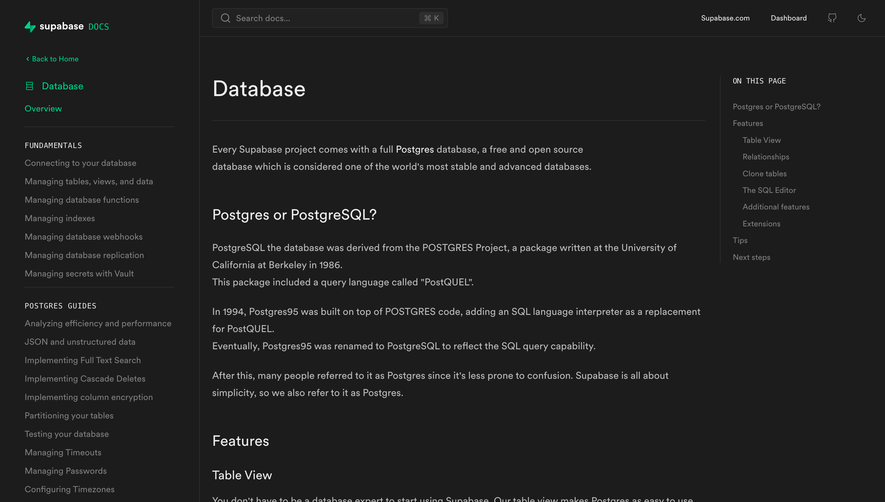


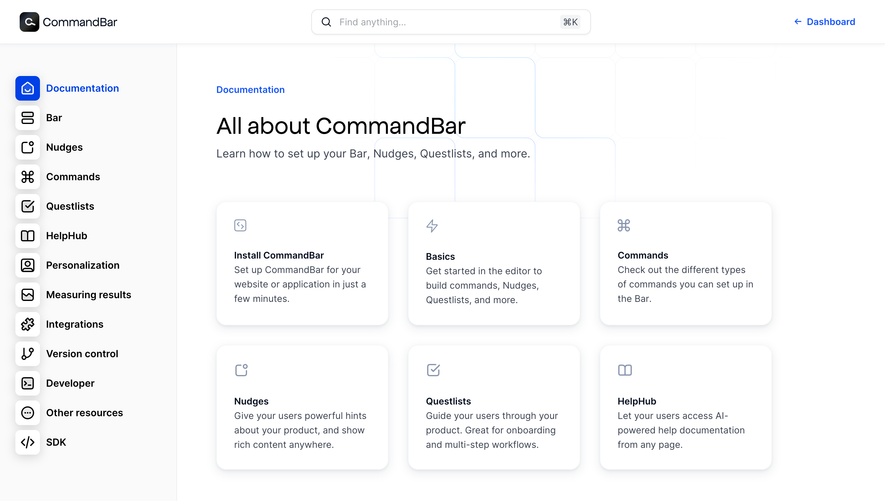

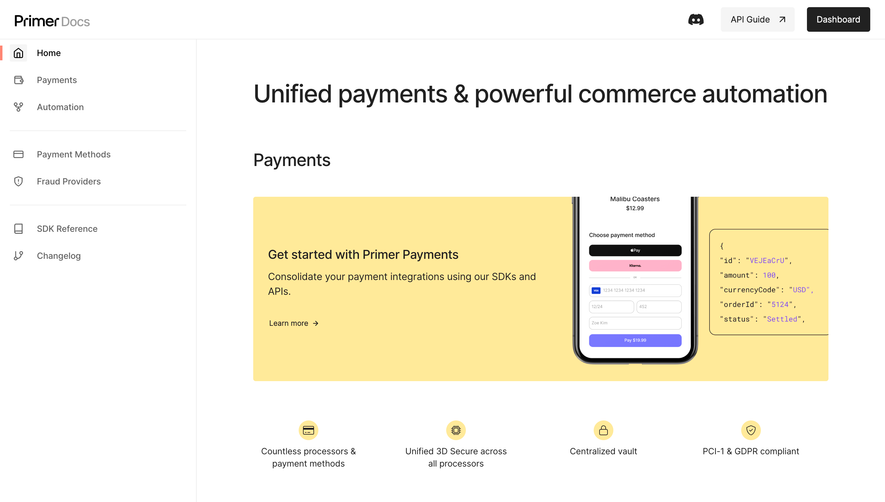

Upgrade to SaaSFrame Pro now to see similar examples.
Monthly
$18 /month
Billed $18 monthly
Browse all screens & flows
Filter and search screens & flows
Search text in screenshots
Access Figma files
Access mobile versions
Join now
Quarterly
$16 /month
Billed $48 quarterly
Browse all screens & flows
Filter and search screens & flows
Search text in screenshots
Access Figma files
Access mobile versions
Join now
Yearly
$15 /month
Billed $180 yearly
Browse all screens & flows
Filter and search screens & flows
Search text in screenshots
Access Figma files
Access mobile versions
Join now