Magic Link Email
2
.webp)

We sell SaaSFrame licenses on Gumroad, a secured online selling platform for creators.
SaaSFrame gets updated all the time! Every new update and version will immediately be made available to all SaaSFrame users.
The licence key required to create your SaaSFrame account is send by Gumroad once you made your purchase. If this email is blocked by your email client, send me an email at antoine[at]unmake[dot]io so I can resend the licence key.
You can generate an invoice on Gumroad once you purchased SaaSFrame. You will find the link in the order confirmation email.
If you're not satisfied, you can ask for a refund within 7 days. Just send me an email at antoine[at]unmake[dot]io
A SaaS magic-link email provides a route to sign in without entering a password in the product's visible login flow. The message should identify its purpose, make the action recognizable, and explain what to do when the request is unexpected or the link no longer works.
This guide studies the email experience rather than assessing the technical security of a particular authentication system.
Use a clear subject and opening sentence. A welcome greeting can be friendly, but it should not obscure that the message contains a login route.
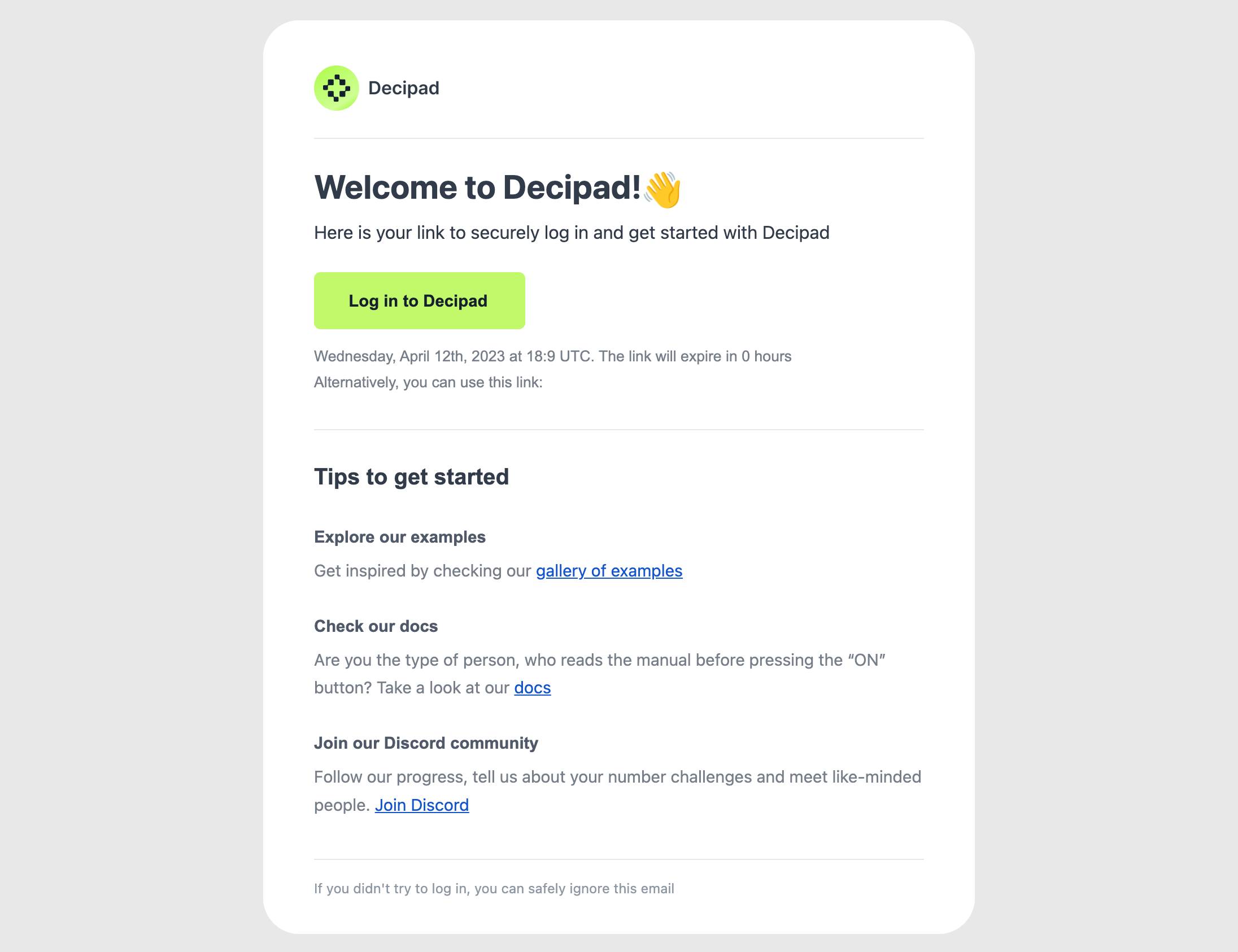
The Decipad reference combines a welcome heading with a prominent login action and an expiry statement. Getting-started resources appear after the authentication task.
That hierarchy keeps login first while offering optional orientation. The expiry shown belongs to the captured flow and is not a universal recommendation.
A sign-in button should be labeled according to the destination and product. Avoid several equally prominent actions before the requested login.
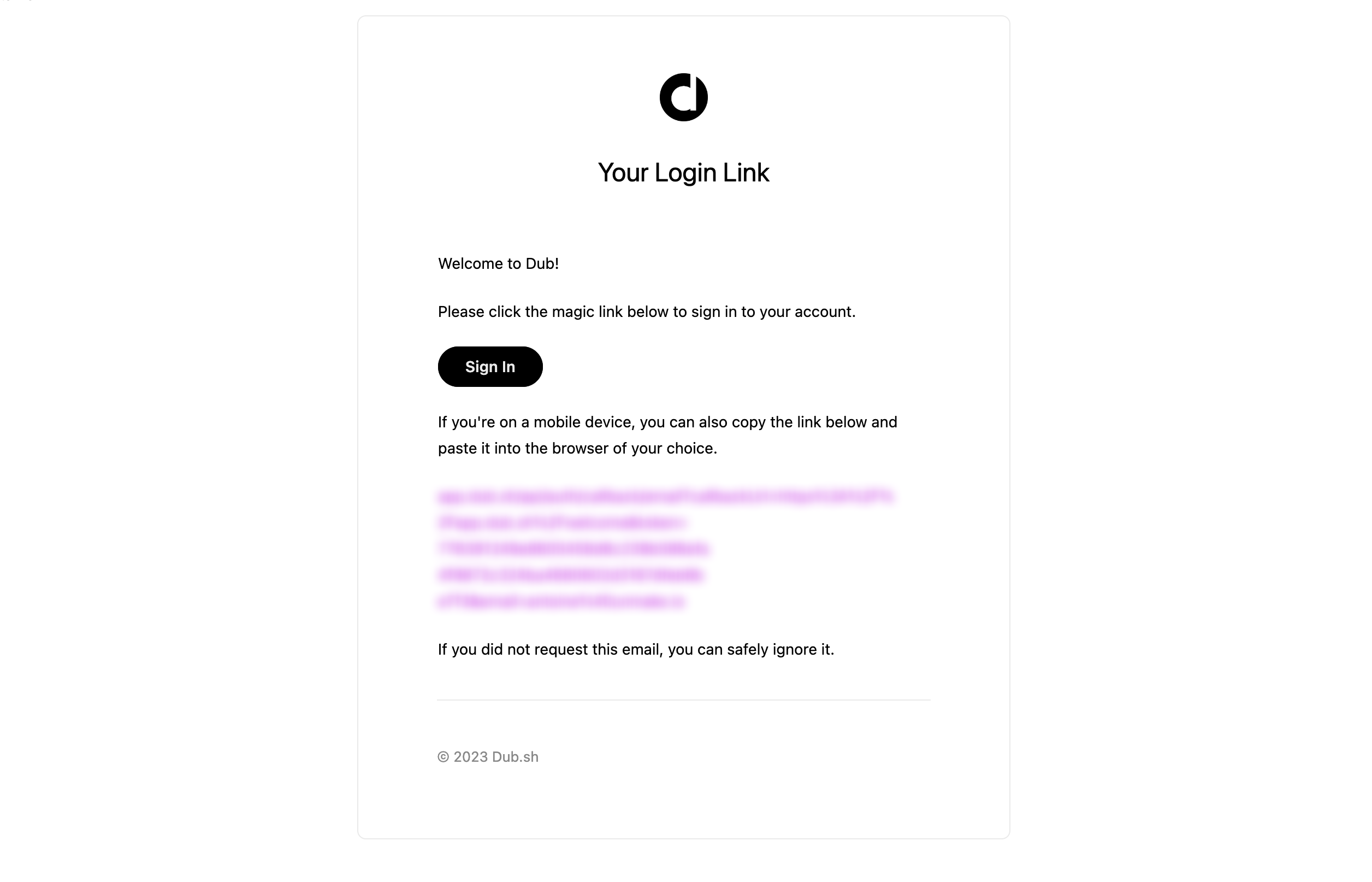
The Dub reference uses a compact login-link message with a sign-in action, a fallback-link area, and guidance for an unrequested message.
A fallback route can help when a button is unavailable, but its treatment needs to preserve readability and appropriate handling of authentication information. The masked capture demonstrates placement without publishing a usable login value.
If a link expires or is limited to a particular use, make the relevant rule understandable. Do not borrow another product's timing or behavior.
A recipient opening an old message needs a route to request a new link. Expired and already-used states should not be described as a generic wrong-password error.
The email being sent does not establish that sign-in succeeded. Confirm the authenticated state only after the product can verify it.
Users may request a link in one browser and open email on another device. Explain any relevant constraints according to the actual flow.
Preserve the intended destination where supported, such as returning to a shared document after authentication. A generic homepage can lose the context that prompted login.
Do not imply that every cross-device route works if the implementation has a narrower model.
Tell recipients what an unrequested message means and the appropriate next step under the product's actual process. Avoid unsupported conclusions about account activity.
Provide a recognizable support or account route where relevant. Calm, specific guidance is more useful than vague reassurance.
Optional onboarding links should follow the login instructions and remain distinguishable from authentication actions.
Test valid login, expiry, repeat opening, device handoff, and an unavailable destination. Check that subject, button, and landing page describe the same task.
Use SaaSFrame's magic-link-email references to compare compact authentication messages and optional orientation. Design around completing a requested sign-in with accurate state feedback.
No. The message provides a route; the product establishes authentication after the relevant action succeeds.
Yes, when it affects use. Show the real rule and provide a route to request a fresh link.
It can appear secondarily when it does not obscure the login action or recovery guidance.