Search SaaS UI & UX Design Examples

Search thousands of real SaaS screens by keyword, category, industry, or product. Discover relevant UI patterns and find inspiration faster.
Type
Categories
Patterns
Thank you! Your submission has been received!
Oops! Something went wrong while submitting the form.
:
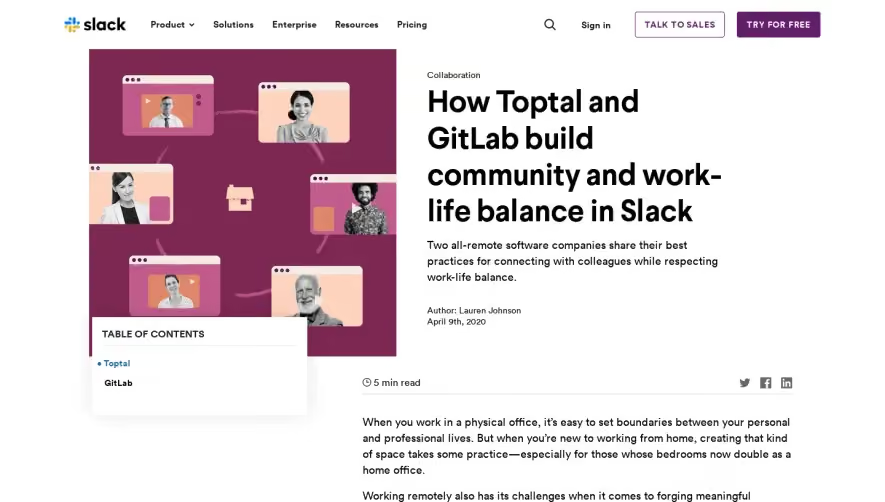
Slack ow Toptal and GitLab build community and work-life balance in
ow Toptal and GitLab build community and work-life balance in
Slack
Customer Stories
Marketing
• slack Product v Solutions Enterprise Collaboration Resou rces Pricing Collaboration Sign in TALK TO SALES TRY FOR FREE How Toptal and GitLab build community and work- life balance in Slack Two all-remote software companies share their best practices for connecting with colleagues while respecting work-life balance. Author: Lauren Johnson April 9th, 2020 TABLE OF CONTENTS • Toptal GitLab Keep reading Collaboration What is digital culture? The teams best prepared for change use modern digital communication tools, feel comfortable learning new ones and continually adapt how they work 0 5 min read When you work in a physical office, it's easy to set boundaries between your personal and professional lives. But when you're new to working from home, creating that kind of space takes some practice—especially for those whose bedrooms now double as a home office. Working remotely also has its challenges when it comes to forging meaningful relationships with teammates, which is why three all-remote organizations using Slack recently shared how they maintain team culture while working from home. We wanted to keep the conversation going, so we reached out to Toptal and GitLab, two global platforms that have been all-remote since day one, for insights on building community among remote workers while maintaining work-life balance in Slack. 'When you're remote and not seeing people every day, you have to overcommunicate and you have to rely on the right tools. Thats why I've been telling everyone we live on Slack and Zoom.' Michelle Labbe Vice president of people, Toptal Toptal Building a remote-worker community spanning 75 countries Toptal is a platform that connects businesses with freelance talent specializing in software engineering, design, financial consulting as well as project and product management. Distributed across 75 countries, the Toptal team has more than 600 full- time employees and more than 2,000 contractors. Michelle Labbe, Toptal's vice president of people, says Slack is the company's digital headquarters. That means Slack, the channel-based messaging platform, supports more than daily work: It provides an infrastructure to support organizational culture and community. "In an office, you run into someone in the hallway or you're talking to the person in the cube next to you," Labbe says. "When you're remote and you're not seeing people every day, you have to overcommunicate and you have to rely on the right tools. That's why I've been telling everybody that we live on Slack and Zoom." Using Slack channels to foster team camaraderie Toptal team members primarily communicate in Slack channels, a single place for co- workers to share messages, files and tools. Each Toptal team has its own core channel that it relies on for internal communication rather than email. Toptal's culture also thrives in Slack channels. For example, Toptal has: Country-specific channels such and to build camaraderie *greece among local workers Skills-based channels for developer languages, such as #javascript and #python, that teammates can use to share news and ideas, or to troubleshoot problems Social channels such as *pet-lovers , *dad-jokes and Channels for working parents who have kids at home such as and wo r k i ngmoms *dads —In—the—trenches Channels to discuss every open role with the team of interviewers "We virtually work closely together but we don't get many opportunities to meet in person," Labbe says. "It's nice to have a platform where people can bond with one another. It reminds us that we're all in the same boat and on the same team." Why Slack is the future of remote collaboration Learn how to build a more connected, secure, and productive workforce with a single, scalable platform. Download e-book here Streamlining communication with custom apps in Slack Labbe shared how Toptal uses a few Slack custom apps and integrations to connect its global teams, including: PTO Ninja, for all vacation and time off approvals Polly, to conduct internal surveys Donut, which randomly selects Toptal team members in Slack to grab "coffee and donuts" to get to know each other Chronos, which allows each employee to rate any meeting with more than three people after it's ended. This tool provides meeting organizers with invaluable feedback about agendas and outcomes. Toptal Slackbot, which DMs freelance talent when a company has expressed interest in the person for a job. This app lets the freelancer accept or reject the prospective offer right in Slack. For organizations and employers making the transition to working remotely for the first time, Labbe advises patience. "l have 20 people that report to me, almost half of them have small children or babies, and their spouses are also home. So you just have to be flexible during these trying times," says Labbe. "You trusted these people in the office to do their job, you have to trust that they're doing it to the best that they can at home. As long as they are meeting their deadlines and being productive, there is no need to treat them any differently than you did in the office." GitLab Using Slack's status features to maintain work-life balance The GitLab platform supports developer operations teams throughout the software development life cycle. With nearly 1,300 teammates plugging away in 67 countries, GitLab has written the book on remote work, which is why it recently published a playbook filled with best practices. Bryan Wise, Gitlab's vice president and head of IT, says GitLab employees are encouraged to block out "do not disturb" time on their calendars when they're off the clock. That sends a clear signal to teammates in other time zones that they're unavailable. This practice also creates a moment to pause so teammates can evaluate whether or not a meeting is necessary—or if the topic can be addressed in a Slack channel. "Because we're careful about protecting our schedules, the time we do spend in remote meetings is super valuable. ' Bryan Wise Vice president and head of IT, Gitlab Wise also encourages remote workers to block off some time to unwind after the workday to make the transition to personal and family time a little smoother. "Because we're careful about protecting our schedules, the time we do spend in remote meetings is super valuable," Wise says. "When you're having a purposeful meeting online to discuss something, meetings have to start on time and end on time to make them worth the effort." Check out our guide on remote meetings to learn more about setting up effective digital meetings with distributed team members. Reduce context switching by sticking with Slack Wise encourages remote organizations to help workers reduce context switching by sticking with one primary communication tool. That's why GitLab shares crucial company updates in its and Slack channels rather {CEO than other means of communication such as email or an internal Wiki. According to Toptal and GitLab, working from home rather than an office doesn't have to kill your company culture. And it certainly doesn't mean your work life has to blend into your personal life. Clear communication goes a long way toward building strong connections with teammates and protecting your off-the-clock time, and Slack is here to help you accomplish exactly that. Stanford, Comcast and Booz Allen Hamilton keep remote workers agile with Slack How to stay engaged, resilient and ready in the age of remote work Insights from Slack, Dropbox, and Asana on remote work Success stories Workplace culture Remote work Was this post useful? YES, THANKS! Collaboration Why leaders need to NOT REALLY Collaboration How to implement a Help your company shift to a digital-first culture Adapt to the evolving needs of your people, customers and market by building a strong foundation that empowers your organization create a digital-first work culture Companies with a strong focus on enhancing the digital experience will be well-positioned to navigate fluctuating employee and customer demands digital transformation Integrating new technology into your business can be difficult, but the rewards are worth it Try Slack with your team for free WHY SLACK? Slack vs. Email Channels Engagement Scale Watch the Demo PRODUCT Features Integrations Enterprise Solutions Releases GET STARTED PRICING Plans Paid vs. RESOURCES Partners Developers Community Apps Blog Help Center Events COMPANY About Us Leadership Investor Relations News Media Kit Careers
Light
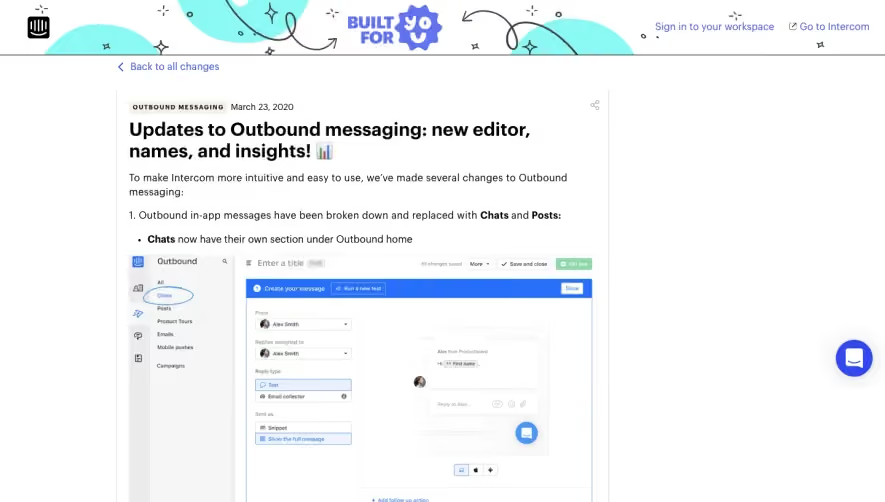
Intercom pdates to Outbound messaging: new editor, names, and insights! 📊
pdates to Outbound messaging: new editor, names, and insights! 📊
Intercom
Product Update
Marketing
BUILT FOR Sign in to your workspace Go to Intercom < Back to all changes OUTBOUND MESSAGING March 23, 2020 Updates to Outbound messaging: new editor, names, and insights! To make Intercom more intuitive and easy to use, we've made several changes to Outbound messaging: 1. Outbound in-app messages have been broken down and replaced with Chats and Posts: • Chats now have their own section under Outbound home Outbound Emails V obi•e = Entera title O Create Remies to Reply Email Choose your audience • Posts now have their own section under Outbound home. Here you can create and manage large and small posts (previously known as Notes) Outbound Enter a title O Create your me s to O Choose audience 2. We've also made changes to our Outbound message editor to make creating outbound messages more intuitive: • Clearer follow-up actions: available follow-up actions now only include "Send auto reply", "Trigger Operators qualification task bot", and "Let Resolution Bot respond" g Outbound = Enter a title Create r m Choose your au • Easily select Chats and Posts from the channel selector when creating a new outbound message messages .arget and to take in Select your channel Mobile Email research questio t Tour our Mobile Pu sh • Set more granular and time-bound goals to track message success in a more powerful way O Set your goal Chat drives in *Oduct, Custom hmto match 7 • See how your outbound messages perform over time. Use these new insights to make optimizations to further drive engagement. Just navigate to any live message and click on the "Sent", "Opened", or "Goals" tabs Messages Campaigns Announcement 40 S dicks Name 2 2 2 12% Tag 40/0 Link Clicked • 2 ago 2 ago 3 days 1 ago 1 ago Please note that we're slowly rolling this out to our customers over the next month. If you don't see these changes now, you will soon Anna Parisi Ploumpi Engineer Conor Maguire Engineer Julien Zmiro Designer Lily Beauvilliers Engineer Martin Pengelly-Phillips ss Engineering Manager Seån Smithers Engineer Paul Magrath Engineer Prateek Ojha Engineer Arindam Barman Engineer Eoin Nolan Engineer Ketan Bhatt Engineer Lorcan Coyle Engineer Rati Zvirawa Product Manager Shannen Jalal QA Peter McKenna Engineer
Light
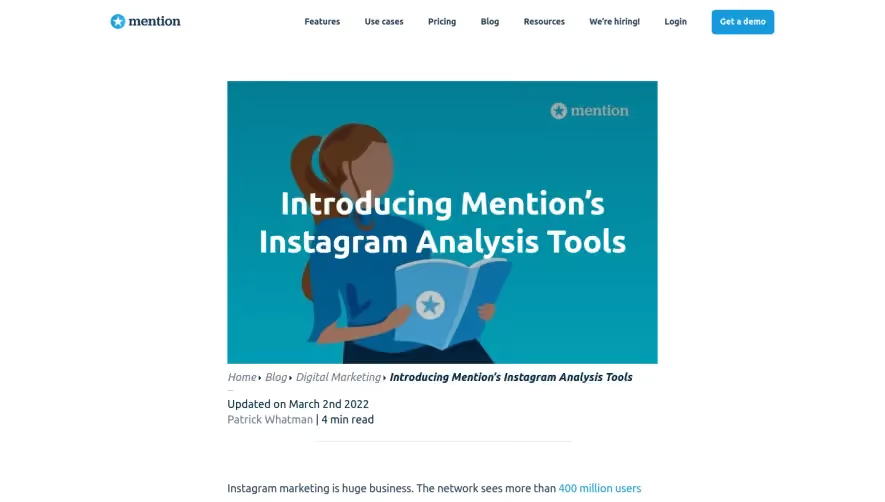
Mention ntroducing ’s Instagram Analysis Tools
ntroducing ’s Instagram Analysis Tools
Mention
Product Update
Marketing
O mention Media Monitoring Features Use cases Pricing Blog Resources We're hiring! Login Get a demo O mention Introducing Mention's Instagram Anal sis Tools Home > Blog Digital Marketing Introducing Mention's Instagram Analysis Tools Updated on March 2nd 2022 Patrick Whatman | 4 min read Instagram marketing is huge business. The network sees more than 400 million users per month, and 80 million photos shared per day. That's a massive global user base. The photo-sharing platform has turned casual fashion bloggers, travelers, and foodies into stars. It's also become the perfect place for more traditional businesses to showcase products and make a name for your brand. And if you want to do it right, you need to be able to analyze all those Instagram posts. Mention lets you do exactly that. Here's how. Analyze hashtags and trends If you're marketing on Instagram, it pays to know what people are talking about. That includes you, your company, your competitors, and your industry. Mention tracks every comment, caption, and hashtag. If you're looking for specific comments - customer feedback, for example — tracking kewv'ords will help you catch them. You'll also see overall trends, including popular hashtags for your industry. as broWtn no filter. Suppose you've just released a revolutionary "anti-wrinkle youth serum." Instagram is a great place to promote it, but you need to do it right. Monitor what's being said about other products like yours. Track phrases like "anti- wrinkle," "anti-aging," and "prevent wrinkles" to find companies and customers using these terms. Want to know whether Brits say "anti-wrinkle" or "anti-aging?" Instagram monitoring provides the answer. Want to find bloggers and models to talk about your wonder cream? More on that in a sec. Respond directly Find something interesting in your alert feed? It'd be nice to respond quickly, without having to open Instagram. Easy. If you've connected your Instagram account, you can follow users or like and comment on posts directly from the Mention dashboard. That beats switching between tabs all the time. Have more than one account? That's easy, too. Switch between your accounts without logging out, or opening a new browser. Now we're saving all kinds of time! Find Instagram influencers Influencer marketing has taken over Instagram. When companies want to get their products noticed, they work with powerful Instagrammers. Building those connections has become a big industry you want to be a part of. Monitor keywords and hashtags to find influential people using them. You could also watch for people talking about other brands like yours, and see if they'd be interested in working with you. The Instagram influencers dashboard shows you everybody using the keywords you're monitoring, ranking according to their influence. When you're looking for new people to work with, this is your one-stop shop. From there, you just need to reach out. You can like, comment, and follow directly from this screen. Soon, you'll have power users talking about your products, building awareness, and encouraging others to buy: Ready to monitor Instagram? If you already have a Mention account, great! Everyone on a Starter plan and up has all these features. That's full Instagram analysis, direct reactions from Mention, and influencer identification. Just log in, connect your Instagram account, and start playing. If you still haven't joined Mention, pay us a visit. Our goal is to make media monitoring easy for everyone. And now that includes Instagram too. Share this post Patrick Whatman Guest Blogger@Mention Be in the know Sign up for The Mention Memo Get the latest and greatest digital marketing + social media tips every week! Related posts O What Is Print on Demand, and How Can Marketers Take Advantage of It? The Best CRM Software for Every Type of Business 10 Free Marketing Tools for E- commerce Cold Email Outreach for Link Building Creative Brand Youtube Ads: Why and How They Work 5 Key Steps to Start an Online Course Social Media Monitoring Brand Management Web Monitoring Social Media Management Competitive Analysis Instagram Tracking Facebook Tracking Twitter Tracking Monrinnc Resources Marketing Library Case studies Webinars Tutorials Blog The Instagram Report The Twitter Report The Influencer Marketing Stack What's New in Mention? Business More Infos Pricing Help Center About us Press Jobs Terms and Privacy Become a partner Write for us Free Tools Email Signature Generator Free Invoice Generator The Brand Grader QR Code Generator Mention For Agencies Education ay clicking "Accept All Cookies", you agree to the storing of cookies on your device to enhance site navigation, analyze site usage, and Cookies Settings assist in our marketing efforts. Reject All Accept All Cookies x
Light
Aircall Product Update
Product Update
Aircall
Product Update
Marketing
aircall Product App Marketplace Pricing Partners Resources +1 888 240 6923 Login Try for free in Aircall Product Update: Simplifiv and Organize With TEAMS Back to blog by Gre g Smoragie wicz 15 November 2017 View Customer Stories Aircall customers have always enjoyed the ability to assign multiple employees to a single phone line — or multiple phone lines to a single employee. But as they continue to add more staff, managing every employee assignment on an individual basis becomes a real headache. That's why we're excited to announce our TEAMS feature. What's New Thanks to this product update, you can now: Create customized teams based on geography, department, skill, etc. • Include these teams in your call distribution plans Transfer a call to an entire team (and ring everyone simultaneously) Why We Built It Assigning multiple employees to a phone line is a smart way to reduce the risk of missing an urgent support request or hot sales lead. But you also need to take talent and experience into account if you want to turn those accepted calls into satisfied customers. This kind of contingency planning and skill matching takes time. And once you're managing 10, 20, or 100 employees, that's time you don't have. We knew that building teams around a common function, location, or skill instead would help managers map out assignments much faster. (And we thought it might inspire them to get more creative with their call routing strategies as well.) Super Important Sales *1617-702-4986 @ Business H ours Call Distribution Call Distribution Antoine Moreau Supervisors Global Sales @ Call Recording US SDR Team Call Back Request Mandatory Tagging We also recognized that call transfers become a bigger challenge the bigger you grow. The more employees you add and specialties they develop, the less likely callers are to find the perfect person on their first try. And the larger your staff, the harder it is to verify the availability of each individual. (Some of your employees may not even know each other by name.) That's why we wanted to make sure the teams you build remain accessible aftera call begins. How It Works Building a team in Aircall is easy. Select "Team" from the main navigation menu on the left and click the "Add a team" tile at the top. Then, set your team name and search for the teammates you want to invite. In this example, we created a team to serve as a backup resource in case our main support squad is ever overwhelmed during peak periods. Once your team is assembled, you can assign it to any number(s) you choose. All you have to do is select "Numbers" from the main navigation menu on the left, search for the line you'd like, and click "Call Distribution." Then hit "Add a team or teammate", select your new team, and set their position in the call distribution list. Totally Timely Support 727-502-6852 @ Business H ours Call Distribution Call Distribution Lisa Miller n, Supervisors Joe Harden @ Call Recording O Patrick McKinley Call Back Request The cavalry Mandatory Tagging Music & Messages Any team you create will also be available to accept call transfers. In this example, we created a team of iOS experts to handle complex questions regarding our latest mobile app update. So if any of their colleagues feel uncertain during a call, they can quickly tap "Transfer" and search for Team Mobile. Once they do, that call will ring to all team members and hopefully receive a fast response. P.S. Need a helping hand? See more tutorials in our support section. SHARE: in The phone system for modern business SOLUTIONS Call Center Support Sales Phone System Ecommerce Non-profits PRODUCT Integrations Quality and reliability Apps Pricing Country coverage Request a demo +1888 2406923 FEATURES PowerDialer Call Routing Call Center Analytics CTI Integration Click to Dial RESOURCES Blog Knowledge Base Customer Stories Partner Stories Become a Partner Build an Integration VoIP Documentation Glossary Speed Test COMPANY Contact us About us Careers hiring Press Uptime Brand t) Aircall Sitemap
Light
Front Product Update
Product Update
Front
Product Update
Marketing
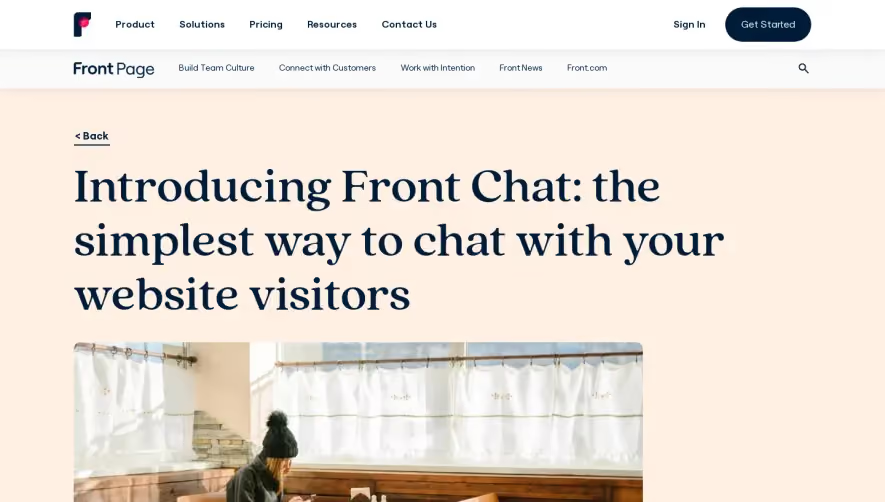
Product Front Page < Back Solutions Pricing Resources Contact Us Work with Intention FrontNews Sign In Frontcom Get Started Build Team Culture Connectwith Customers Introducing Front Chat: the simplest way to chat with your website visitors Front Chat is the live website chat solution that you can manage straight from your inbox. With Front Chat, you can give customers better responses, faster. SARAH SPANGENBERG, Pr«luct Marketing at Front 17 April 2020 •4 min read Front Chat brings live chat conversations to where your team works—your inbox. Whether you're closing a new deal, answering a question about your business, or just want to let someone know that sweater they're eyeing runs a little big, Front Chat makes it easy to deliver a great customer experience in real time. With website chat powered by Front, your team can reply faster to chats, emails, texts, and tweets in Front without juggling multiple tools or duplicating workfows. Behind-the-scenes collaboration is quick and seamless, and getting a single view of all your customer interactions is simple. Front Page Get the latest stories, videos, and more. Subscribe Plans • Contact Login Sign up Azura Hm to help' long Upload your logo and set your header greeting Greet your visitors with a welcome message Set your brand color with a custom hex code Live chat shouldn't create silos Most live chat solutions on the market leave you with two options: choosing a bundled suite of products that includes chat, or settling for a standalone solution. In both cases, you're stuck with an app that doesn't play well with the tools the rest of your organization is using. Getting answers quickly is critical for live chat, but most platforms charge for each teammate's access. Got a tricky message about a new feature and want to ask someone on your technical team about it? You'll find yourself kicking off a separate email thread or Slack conversation to ask them, instead of being able to loop them in directly And even the most standard analysis gets complicated with standalone chat solutions. Looking for every conversation related to your holiday promotion? When chat messages aren't available in the same place as your emails, tweets, and texts, it's impossible to see the full picture. Front Chat breaks down the walls around chat Duplicating work across tools or limiting access to conversations shouldn't be a requirement when you decide to offer live chat on your website. That's why we built Front Chat—so you can spend less time connecting your tools with complicated workfows, and more time on your customers. With Front Chat, every message arrives instantly in Front. Whether a customer decides to reach out over chat, email, SMS, or social media, your team is ready to respond in Front. Getting help from someone in another department is as simple as @mentioning them, so you can get the answers you need faster When you manage your users, tags, analytics, and workfows in Front, you can use them across every communication channel—including live chat. Here's how Front Chat simplifies real-time website chat for your team. 1. Reply faster from a shared inbox Front Chat makes it easy to keep up with website chats by bringing every part of the chat experience into your inbox. Instead of managing multiple apps or converting chats into support tickets, your team gets all the features of a chat solution directly in their inbox. When you open a chat message in Front, you don't see all the extra formatting options you need for email. Front simplifies drafting to just the essentials, so you can reply in one click. Message templates allow for consistent answers, and powerful analytics and automated rules help your team perform at its best. 2. Get messages into the right hands Front's powerful rules engine can assign, tag, or reply to chat messages automatically to help your team stay on top of the queue. For example, you can set up a rule to respond to messages during your team's offine hours, so your customers know when you'll follow up. Or if you have a team expert on all things billing, you can create a rule across all your communication channels that any messages with the keywords "billing", "credit card", or "invoice" will be assigned to them. 3. Make the most of every message Front Chat prompts every visitor for their email address automatically, so you can keep the conversation going even after they leave your site. When Front sends them a follow up email with your last message, it comes right from you personally—no ticket numbers or awkward robotic formatting included. And once you have their email address, you can match website visitors with their past conversations or records in your CRM to get a single, complete view of your customer 4. Chat on your terms Setting up Front Chat is simple. There's no need to train your team on a new tool, and you can manage all your customer communication in a single account. You can customize your chat application to match your brand with a custom color, logo, and greeting directly from your Front settings. From there, just share your unique chat application script with your web development team — once the code snippet is loaded onto your site, you're ready to get started. Get started with Front Chat Front Chat brings your focus where it should be—on your customers. Live chat conversations are easy to manage alongside all your other messages, so you don't need to jump between tools just to talk to your customers. Written by Sarah Spangenberg About Front Page Originally Published: 17 April 2020 Stories to strengthen the heart of business Your Email Address Subscribe Site Links Build Team Culture Connect with Customers Work with Intention Front f Front Page is for leaders who believe in the impact of meaningful connections with customers. You'll find fresh ideas for focusing on what matters, inspiring your teams, and connecting with customers in genuine, human ways. Front News Terms of Service Cookie Policy Our Sites Front.com Privacy Policy Di sure Status O O22 FrontApp, Inc All rights reærved
Light
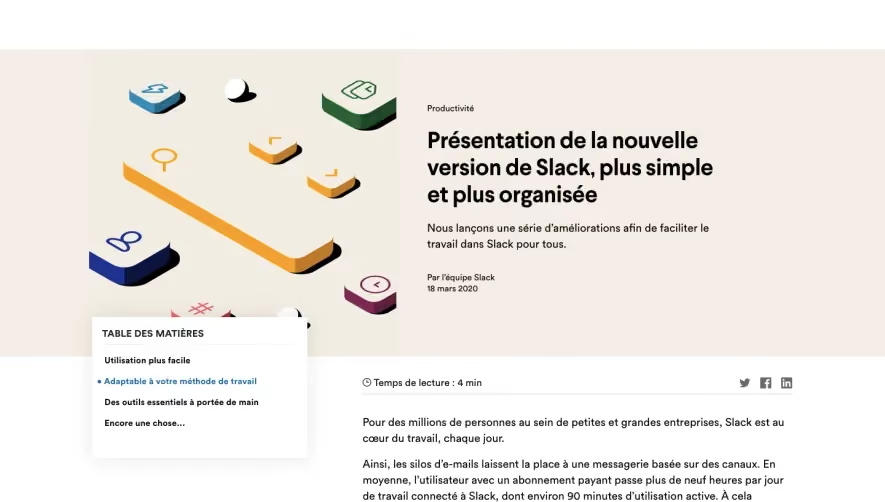
Slack ntroducing a simpler, more organized
ntroducing a simpler, more organized
Slack
Product Update
Marketing
TABLE DES MATIÉRES Utilisation plus facile • Adaptable ä votre méthode de travail Des outils essentiels ä portée de main Encore une chose... Continuer la lecture Collaboration Slack + Sales Cloud : le nouveau QG numérique de votre équipe commerciale Pourquoi tous les membres de votre équipe commerciale profiteront des fonctionnalités puissantes de notre application Productivité Présentation de la nouvelle version de Slack, plus simple et plus organisée Nous lanqons une Série d'améliorations afin de faciliter le travail dans Slack pour tous. Par l'équipe Slack 18 mars 2020 O Temps de lecture : 4 min Pour des millions de personnes au sein de petites et grandes entreprises, Slack est au cæur du travail, chaque jour. Ainsi, les silos d'e-mails laissent la place une messagerie basée sur des canaux. En moyenne, l'utilisateur avec un abonnement payant passe plus de neuf heures par jour de travail connecté ä Slack, dont environ 90 minutes d'utilisation active. Ä cela s'ajoutent plus de 5 milliards d'actions effectuées chaque semaine dans Slack, de la résolution des tickets de support client au suivi des tout derniers contrats de vente. Chaque membre de chaque équipe, en local ou distance, technique ou non, doit pouvoir profiter de la plateforme et collaborer avec ses pairs. C'est pourquoi nous lanqons une expérience plus simple et plus organisée pour nos utilisateurs. Le déploiement a lieu aujourd'hui et se poursuivra au cours des prochaines semaines, avec une version mobile complémentaire å venir. Lorsque tout sera prét, vous pourrez : parcourir des canaux et effectuer des recherches au sein de votre organisation grace une nouvelle barre de navigation ; découvrir des conversations, des fichiers, des applications clés et plus encore, le tout en haut de votre barre latérale ; commencer un message de n'importe oü grace un nouveau bouton « Composer » tres pratique ; répartir des canaux, des messages et des applications dans des sections pouvant étre réduites (vous savez, comme les dossiers) ; réaliser des actions rapides sur vos applications via des raccourcis. Fini, le jonglage entre les interfaces. L'ensemble de ces améliorations facilite pour tous l'utilisation de Slack, son adaptation ä la méthode de travail de chacun et l'accös å des outils essentiels. Découvrez les moindres détails puis rejoignez notre centre d'assistance pour en savoir plus sur les nouveautés. « Nous avons choisi Slack parce que cette plateforme propose l'évolutivité et l'administration l'échelle de l'entreprise dont nous avons besoin. De plus, elle apporte une expérience utilisateur d'envergure internationale qui plait beaucoup nos employés. » Sean Bugler Cloud Architect, Metropolitan Transportation Commission Utilisation plus facile Commenqons par le début. Vous remarquerez d'abord la nouvelle barre de navigation. Grace elle, vous pouvez faire des recherches beaucoup plus rapidement dans Slack et basculer entre vos récentes conversations plus facilement. Aucune saisie avancée n'est requise. Vous constaterez également les informations clés désormais placées en haut de votre barre latérale pour plus de clarté. Les mentions, les réactions vos messages, les fichiers, les personnes et les applis se situent tous ä droite pour pouvoir Sy référer plus facilement. Lorsque vous étes prét démarrer une nouvelle conversation, il vous suffit d'utiliser un tout nouveau bouton de rédaction. II vous permet de commencer ä rédiger un message de maniére pratique avant de décider qui ou sur quel canal vous allez l'envoyer. Si vous devez vous interrompre, votre brouillon est enregistré pour que vous puissiez y revenir dés que vous étes prét. « La toute derniére mise d jour permet aux utilisateurs de se familiariser rapidement avec Slack. Elle est également trés utile pour ceux qui ne sont pas familiarisés avec la technique. II n'ajamais été aussi simple de collaborer efficacement et d'exploiter Slack son plein potentiel. » Grant Foster Internal Applications Specialist, Xero Adaptable ä votre méthode de travail Ä mesure que votre équipe migrera sa charge de travail dans Slack, vous vous retrouverez probablement intégré dans plus de canaux, dont certains feront votre quotidien tandis que d'autres seront plus ponctuels. Grace cette nouvelle expérience, les utilisateurs avec forfaits payants seront en mesure d'organiser leurs canaux, messages directs et applications dans des sections personnalisables de leur barre latérale. Boum. Désormais, vous pouvez vous concentrer sur les taches qui méritent votre attention. Nommez vos sections comme bon vous semble (émoji compris), faites-y glisser n'importe quel canal et conversation et organisez-les en fonction de vos préférences de travail. Par exemple, vous pourriez placer les conversations priorité élevée dans une section « •Urgent » en haut de votre liste. Des outils essentiels ä portée de main Slack s'intégre tous les outils de travail essentiels sur lesquels votre organisation s'appuie. Nous rendons la découverte et l'utilisation de ces outils beaucoup plus simple, en éliminant le basculement entre plusieurs fenétres et onglets. II vous suffit désormais de cliquer sur des raccourcis, une nouvelle icöne en forme d'éclair en regard du champ de saisie de message, et de lancer votre travail dans une appli. Pas mal, non ? Dans les semaines å venir, vos applis préférées pour Slack seront plus nombreuses ä étre accessibles via des raccourcis. Vous pourrez alors facilement : prendre des décisions collaboratives avec Simple Poll (illustré ci-dessus) ; • démarrer une réunion avec Cisco WebEx Meetings ; • créer un ticket pour le support client avec Freshdesk. Et beaucoup d'autres raccourcis d'applis sont prévus. Le menu des raccourcis contient également des fonctionnalités Slack intégrées telles que les rappels, les appels et les flux de travail personnalisés avec le générateur de flux de travail, un outil visuel permettant tous les utilisateurs Slack d'automatiser les processus de routine. Encore une chose... Merci. Nous nous sommes associés étroitement avec nos clients pour codévelopper toutes ces améliorations, en créant des canaux partagés pour que nos clients pilotes puissent communiquer leurs idées directement avec notre équipe produit, en temps réel. Chacun de vous, ainsi que toutes les personnes qui nous ont envoyé des commentaires et des suggestions, nous a aidés faqonner cette nouvelle expérience Slack. Pour en savoir plus sur le déroulement de ce projet collaboratif, consultez notre blog Design. Mises å jour du produit Cet article vous a-t-il été utile ? OUI, MERCI ! Collaboration PAS VRAIMENT Actualités Actualités Slack et Salesforce lancent de nouveaux outils pour accélérer la performance des équipes Comment nous connectons les équipes, les outils et les données afin d'accélérer la collaboration pour fournir des solutions orientées vers le client New collaboration tools to help you work from anywhere Your headquarters for a digital-first way of working—now with reimagined voice and video capabilities Nouveau look et amélioration des fonctionnalités de l'application Slack pour iPad De nouveaux moyens pour vous aider rester productif, organisé et connecté, oü que vous soyez Essayez gratuitement Slack avec votre équipe POURQUOI CHOISIR SLACK ? Comparatif Slack vs. E-mail Canaux Investissement personnel Évolutivité Regarder la démonstration PRODUIT Fonctionnalités Intégrations Pour les entreprises Solutions PREMIERS PAS TARIFS Forfaits Payant vs. Gratuit RESSOURCES Partenaires Développeurs Communauté Applications Blog Centre d'assistance Événements Ä PROPOS DE SLACK Ä propos de nous Nos dirigeants Relations avec les investisseurs Actualités Dossier de presse Emplois Télécharger Slack Statut Confidentialité Conditions Préférences de cookies Nous contacter Changer de région 02022 Slack Technologies, LLC, une entreprise Salesforce. Tous droits réservés. Les différentes marques commerciales appartiennent ä leurs propriétaires respectifs.
Light
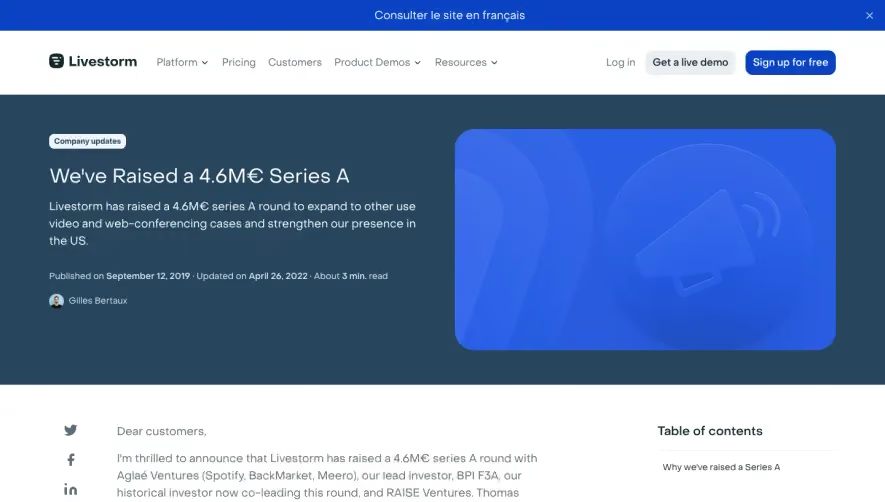
Livestorm Funding Announcement
Funding Announcement
Livestorm
Funding Announcement
Marketing
Consulter le site en franqais e Livestorm Company updates Platform v Pricing Customers Product Demos Resources v Log in Get a live demo Sign up for free We've Raised a 4.6M€ Series A Livestorm has raised a 4.6M€ series A round to expand to other use video and web-conferencing cases and strengthen our presence in the US. Published on September 12, 2019 • updated on April 26, 2022 • About min. read Gilles Bertaux Dear customers, f in 11m thrilled to announce that Livestorm has raised a 4.6M€ series A round with Aglaé Ventures (Spotify, BackMarket, Meero), our lead investor, BPI F3A, our historical investor now co-leading this round, and RAISE Ventures. Thomas Rebaud, co-founder and CEO of Meero, is also an angel investor on this round. Robin, Tom, Vincent, and I created Livestorm three years ago, at the end of our masters studies. We are amazed every day to see the growth of what was once our final exam project. Over one thousand customers have used Livestorm for demo and training webinars, MOOCs, podcasts, and more in five continents. Host engaging meetings and events with Livestorm. Why we've raised a Series A We have been running pretty lean for a long time. This means we've had to hold back on many things like recruiting, marketing, sales, and sometimes even product. Despite our limited capital, our growth was fast. But we knew that continuing in this vein could hurt our customers in the future. We wanted to be able to provide the resources you need, exactly when you need them. We raised this round to expand Livestorm to other use cases and strengthen our presence in the US. Go beyond a webinar software Since day one, we've been driven to innovate within this competitive market. The goal has always been to provide the simplest webinar experience by focusing on user experience and powerful automation features. We started with live webinars and implemented more marketing features such as registration pages, automated emails, advanced analytics and even webinar promotion. People finally had an all-in-one webinar software that could help anyone host an event from a to z in a few clicks. Then we expanded to our vision of on-demand webinars: asynchronous media that can be plugged into real-time customer interaction tools such as Intercom. Perfect for putting your pre-recorded videos at work to generate leads and educate customers. In the meantime, we realized customers were lacking a way to operate as an organization while live streaming. So we added a way to collaborate as a team in your webinar projects. More recently, we added a way to bring automations to your webinars. I insist on that terminology: we don't do automated webinars. Our aim is to add automations within a webinar. You are able to set the cursor as you need: automate just a few features, or go 100% automated. This is what Livestorm is all about: covering more ground and streamlining your video needs into one place. This series A will help us do just that. My automated webinar People Email Recordings Webimr set tings Automation o Sta rt Webi bliSh r Livestorm Meet: same playbook, different space This round of investment will also help us bring Livestorm Meet to a whole different level. Livestorm Meet started as a test product, a dashboard tool for video meetings. We got good traction from it and decided it was time to invest more effort. Lots of companies, including us, used to have different tools for video call meetings for many purposes: sales, support, internal use, etc. We believe that we can help you streamline your video needs (both webinars and meetings) in one place, as a unified Video Communication Platform for teams. Aam Reawte Room Ill Ill (D The Livestorm team As you can expect, our team of ten back in June has doubled in less than two months. We still have positions open in all fields (by the way, we offer free Logitech Brio 4k webcams for any successful recommendations). During this scaling phase, I can assure you that we will focus on steady growth, keeping the team at a reasonable size. For example, you can expect nothing but improvements regarding support. We reinforced the team to better address your support needs in Europe and in the US. Elif will be in charge of optimizing their process and coordinating sales and CSMs. If you have any questions for them (or just want to say congrats) feel free to send an email at [email protected] :) Regarding our product team, we hired with one goal in mind: move faster on more complicated features while maintaining a high standard of code quality! f/_ud We could not have gone this far without the support of you, our customers. You are our number one investors, and we thank you for making this possible. This is just the beginning for Livestorm. Gilles CEO @ Livestorm Press: • FrenchWeb • Les Echos Qualify your leads with webinars Learn how to make the most out of your webinars with our free guide. Download for free Get started for free Create a better experience for your attendees and less stress for your team. Sign up for free About the author Gilles Bertaux - CEO and co-founder Gilles Bertaux is CEO and co-founder of Livestorm, where he helps build the future of end-to-end video engagement. Gilles is a frequent speaker on tech industry topics. Related articles oo Company updates Presenting Livestorm's Much- Anticipated Breakout Rooms 5 min. read Marketing Customized Email Sequences I min. read Company updates Introducing Livestorm's New Usage- Based Enterprise Pricing for Greater Flexibility and Savings 2 min_ read Marketing Plan the Best B2B Video Marketing Strategy for 2022 5 min. read Newsletter Table of contents Why we've raised a Series A e Livestorm Company updates Livestorm s'engage faciliter les réunions distance en temps de crise 2 min_ read Marketing How to Build Authority Within Your Target Market 7 mim read Keep in touch with Livestorm news and updates [email protected]* Subscribe Cl I agree to Livestorm's Terms of Service and the use of personal data as explained in Livestorm's Privacy Policy.• Home > alog > Weh.eo Raised a 4.6MC A Livestorm 2093 Philadelphia Pike #7510 Claymont, DE 19703 USA Contact sales +44 2045 580617 +1 (617) 958-6932 D Contact support Leader Company About Us Press Kit Jobs Culture Solutions use Cases Industries Teams Features Vote for a Feature Latest Releases Marketplace Plugins SDK Platform Meeting Software Webinar Software Free Video Conferencing Software Free Webinar Software On-Demand Webinars Automated Webinars Developers Customers Customer Stories Enterprise Pricing Get a live demo Contact Sales Help Center Help us Resources Virtual Backgrounds Webinar Software Comparison Webinar Promotion Webinar Statistics Webinar Glossary saascast Content Library Blog SHORT' 'S r GDPR COMPLIANT 0 2022 Livestorm Inc. • Use Terms • Sale Terms • GDPR • Legal Notice • Security • Cookie management
Light
Front Funding Announcement
Funding Announcement
Front
Funding Announcement
Marketing
Product Front Page < Back Solutions Pricing Resources Contact Us Work with Intention Sign In Get Started Build Team Culture Connectwith Customers FrontNews Frontcom Announcing Front's Series C and what's in store for 2020 We're thrilled to announce that we've raised $59 million in our Series C funding round, led by executives at Atlassian, Okta, Qualtrics, and Zoom. MATHILDE COLLIN, CEO & Co-founder at Front 17 April 2020 • 6 min read Front Page This post is from our Series C round Read our latest funding announcement about our Series D here! We're thrilled to announce that with this new decade comes a new chapter for Front: we've raised $59 million in our Series C funding round! Our Series C is unique. Along with Sequoia Capital, it's led by some of the biggest leaders in the future of work space — including executives from Atlassian, Okta, Qualtrics, and Zoom: Atlassian co-CEO and co-founder Mike Cannon-Brookes Atlassian President Jay Simons Okta executive vice chairman, COO, and co-founder Frederic Kerrest Qualtrics co-founder and CEO Ryan Smith Qualtrics co-founder and CTO Jared Smith Zoom CEO Eric Yuan We firmly believe email can do so much more for people and businesses, and support from these respected leaders further proves the size of the opportunity ahead of us. Front sits at the intersection of 3 distinct market trends. O Consumers are demanding a more genuine, more human relationship with the brands they do business with. Businesses need more productivity, scale, and reach to remain competitive in the global market. O Employees are asking for more meaning and fulfillment from their work. We believe that the future of work will be rooted in meeting these new expectations, and that the inbox will be the key platform from which to do it. It all starts with email Over the last 20 years, every tool we use at work has changed for the better — except one: email. Traditional email was never built for business, and we're all feeling the pain. Critical messages get lost in the clutter, we're out of the loop on key decisions, and scattered notifications and collaboration apps only add to the mess. Front tackles this problem at its core: by rethinking your inbox. Instead of forwarding and CCing emails, handling conversations together is simple with @mentions and assignments. Teams get a shared perspective to handle conversations together, so they're more productive, connected, and in-tune with customers. And we're just getting started. With this round of financing, we'll focus on driving product innovation and scaling go-to-market functions to accelerate our mission to help teams work happier. Here's a peek into our plans for the future of email in 2020. We're excited — and we hope you are, too. Front in 2020: an early look at our product roadmap This year, we'll help you transform email into a powerful platform that drives your business forward. We'll also give users an inbox experience that makes getting work done simpler than ever The features we're about to share are just a sneak peek into what we'll be working on this year. Before we dive in, know that there's even more to come Thousands of emails? Take control with Front With traditional email, getting messages into the right hands is a tangled mess. That's why a cornerstone of Front has always been to give you tools like assignments and rules to route conversations efficiently — right from your inbox. This year, we're strengthening this foundation to make Front workfows more powerful than ever before. Streamlined setup will enable every team to spend less time managing their inboxes, and more time with their customers. Smart routing with load balancing and a new assignment workfow builder gets messages to the right people on your team faster Rule templates for our most popular workfows will make setup a snap. Choose a pre-built rule from the library, plug in your team's specifics, and you're off to the races. Set SLAs without juggling multiple tags and rules. Just set your response time targets, and Front will take care of the rest to ensure every message is handled on time. Enrich contacts with data from tools like Salesforce or Segment to route messages by account owner, renewal date, and more. With a complete view of every customer, your team can respond with the context they need to deliver a personalized experience, every time. Ever been unsure where to start with rules and automation in Front? We'll suggest rules to guide you along the way, so organizing your inbox and optimizing response times is easier than ever Deeper insights to fuel better decisions Usually, you can't answer important questions about your business with email. Front changed that with the first analytics platform built specifically for your inbox. With Front, you can measure response time, see how often customers are reaching out, improve team performance, and more. Now, we're enhancing Front analytics to give you even more insights. Here are a few ways we're unlocking your inbox data to help your team accomplish more every day Ready-to-go dashboards for SLAs, customer experience, and more make reporting a breeze. Quickly and consistently understand team performance, no ad-hoc analysis needed. Faster analytics will make pulling reports quick and easy. We're investing in our analytics infrastructure to make sure you get the reports you need in seconds Custom views enable you to filter inbox activity and monitor important issues at a glance. They give you the real-time visibility you need to ensure every conversation is accounted for Faster teams, happier customers Businesses rely on email for their most important communications — like conversations with customers. When your inbox slows you down, your customer experience gets pulled down too. That's why we're building features that help you navigate and prioritize your inbox in a fiash: e Offline mode will make Front's desktop and mobile apps available anywhere you want to get work done, whether you're at your desk or on the go. No wifi? No problem. Quote and reply to comments to reference a specific part of the conversation, so your team immediately knows what you want to discuss for faster decision making. n Customize a context sidebar with the details you need to handle conversations, like your contact details, calendar, and Salesforce records. Instead of switching between integrations, all the information you need is right there at a glance. Brand new calendars for G Suite and Office 365 with quick scheduling tools, availability previews, and collaboration on invites to make managing your calendar easier than ever. A few more features to help you work through your inbox at light speed? Prioritized search results, autocorrect suggestions, quick snooze options, and a brand new message template manager with full previews of your messages. We've got dozens of small improvements like these to make email in Front the best experience yet. We're ready for what's ahead We couldn't be more excited to continue building a better Front for you and your team. While improving the most used business app is no small feat, our Series C funding will propel us to move faster We are so grateful for the continued support of our customers, investors, family, and friends — and we look forward to helping teams around the world to work happier. Be sure to follow along with all the latest Front updates on our Changelog and Public Get the latest stories, videos, and more. Roadmap! Written by Mathilde Collin About Front Page Originally Published: 17 April 2020 Stories to strengthen the heart of business Your Email Address Subscribe Site Links Build Team Culture Connect with Customers Work with Intention Front f Front Page is for leaders who believe in the impact of meaningful connections with customers. You'll find fresh ideas for focusing on what matters, inspiring your teams, and connecting with customers in genuine, human ways. Front News Terms of Service Cookie Policy Subscribe Our Sites Front.com Privacy Policy Di sure Status O m22 FrontApp, Inc All rights reærved
Light
Spendesk Funding Announcement
Funding Announcement
Spendesk
Funding Announcement
Marketing
This website stores cookies on your computer. These cookies are used to collect information about how you interact with our website in order to improve and customize your experience. To find out more about the cookies we use, check out our Privacy Policy. Inside Spendesk • 3 min read Accept f in We've raised €35 million to transform spending at work! By Rodolphe Ardant Published September 9, 2019 We're excited to share that Spendesk has raised a €35M Series B investment round to continue transforming spending at work. The round was led by Index Ventures, who also led our €8M Series A and who have been a committed and valued partner on our journey. With new funding secured and a clear horizon ahead, now is the perfect time to refocus on our vision and what brought us to where we are today. The Spendesk vision Since we started in mid-2016, Spendesk has always had a clear vision. In fact, we've only ever had two goals as a company: Help businesses spend smarter, everywhere. Build a great global company where people thrive. 2. So how are we tracking against those goals? Let's look at goal number 1 first; helping businesses spend smarter. Today, Spendesk is trusted by thousands of companies in over 30 countries. Our powerful spend management solutions help our customers save hundreds of thousands of hours on operational spend management, which adds up to millions of Euros, Pounds and Dollars saved. Clearly, we've made a good start. But to me, it's only just the beginning. That's why today I'd like to reaffirm our commitment to our customers. Our commitment to our customers: we will continue to strive to develop cutting-edge software to help businesses control, pay, track and report on operational spending more efficiently. How about goal number two; building a great global company where people can thrive? As a founder and CEO, this is especially important to me. Spendesk started as three people around a table with an idea. Today, we are over 100. At this point in our journey, it's critical to ensure that we foster our culture of excellence, hard-work, commitment to customers and ownership we've built together as we start this new chapter. My commitment to our people: at Spendesk we're building something valuable and great together. Our people and culture will always come first, even as we continue to scale. The key takeaway for me is that our goals as a business are not going to change with this new investment. We're still committed to building the best spend management platform for our customers and providing the best place to work for our people. And now we can move even faster. What's next for Spendesk? #1 — Expanding our spend management platform At Spendesk we believe all employees should be able to spend flexibly and securely at work, while the finance team stays in control. That's why we're adding even more flexible ways to pay through Spendesk, including linked debit cards (in addition to our existing prepaid expense cards) and the ability to make wire transfers from your Spendesk account. For finance teams, we're going to continue to improve the way you control, track and report on operational spending. Look out for improved automation features for reconciliation and reporting, new accounting integrations and powerful spending dashboards and analytics. #2 — Growing our team globally Over the next year, we'll be opening two new offices in Berlin and London to better serve our customers in these important markets. Adding new locations will allow us to get closer to our global customer base and to continue to hire an internationally-rich team. As we grow, we're diligent to stay true to our values to be positive and humble, go the extra mile, take individual ownership and always put the customer first. Each new person not only helps us serve more companies, but also shapes and reinforces our culture at work. #3 — Investing in partnerships and integrations As we continue to develop our product, a key focus will be to integrate our platform with the tools your teams are using daily, to make spend management even more efficient across the company. In addition to our existing Xero integration, we're working to build additional integrations with leading accounting software, HR platforms, ERPs and Bl tools to ensure that internal financial processes run smoothly between systems and tools. We are also pursuing partnerships with complementary services to make operational spending even better. We're excited to announce that we will be partnering with TravelPerk to bring our customers an integrated travel booking solution, and our existing integration with Slack ensures that spend management is beautifully easy across the organisation. Finally, thank you! Before I sign off, I'd like to say a few thank yous. Firstly, to all of our customers, thank you. From those early beta testers who are still with us now to those just receiving their first demo, we appreciate the trust you've given us. We're committed to always taking your feedback, putting care into our service even as we scale, and to building a spend management platform that everyone at work - employees and finance - loves using. Secondly, to my fellow Spendeskers, thank you. We have big ambitions but because of you, we're achieving our goals. I am excited to be on this journey with you and thrilled to see what big things we tackle next. Lastly, to Index Ventures and eFounders, thank you for your continued support! To helping businesses spend smarter. — Rod, Co-Founder and CEO at Spendesk P.S. For anyone who wants to join us on our journey, we're hiring! Inside Spendesk Product updates Stay in the know The latest spend management insights. Straight to your inbox. Enter yaur email* By submitting this form, you agree to be contacted by Spendesk - in accordance with Spendesk's Terms of Use and Privacy Policy. Rodolphe Ardant Rodolphe Ardant is the co-founder and CEO of Spendesk, the all-in one-spend management platform helping businesses spend smarter. Before Spendesk, Rod was founder in residence at startup studio eFounders, COO for the car rental startup Drivy, and founder of Wozaik, a digital advertising startup acquired by Solocal Group in 2013. in Product updates • 2 min read Spendesk Customer Crunch: May Related Articles Inside Spendesk • S min read Feelings over features: Introducing our Super Satisfying brand Product updates • 2 min read Spendesk Customer Crunch: April 2022 SPENDESK O Spendesk Terms of Service campaign Company About us Careers Press Privacy Policy Legal notice Product How it works Pricing 2022 Reso urces Case studies CFO Connect Help Center Contact Book a demo oeee English Language: Mastercard is a registered trademark and the circles design is a trademark of Mastercard International The Spende5k Prepaid Mastercard and Spende5k Debit Mastercard are issued by Transact Payments Limited pursuant to licence by Mastercard International Incorporated Transact Payments Limited is authorised and regulated by the Gibraltar Financial Services Cammi55iarm
Light
Spendesk Product Update
Product Update
Spendesk
Product Update
Marketing
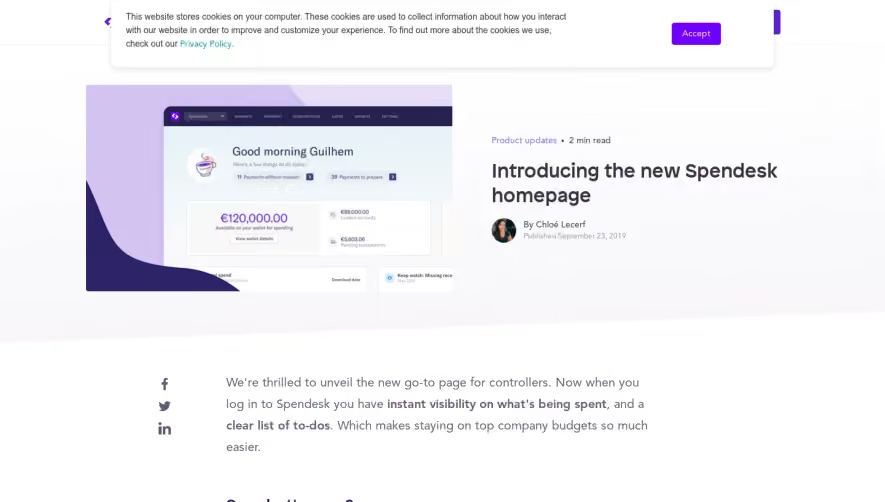
This website stores cookies on your computer. These cookies are used to collect information about how you interact with our website in order to improve and customize your experience. To find out more about the cookies we use, check out our Privacy Policy. Product updates • 2 min read Accept Good morning Guilhem €120,000.00 Introducing the new Spendesk homepage By Chloé Lecerf Published September 23, 2019 f in We're thrilled to unveil the new go-to page for controllers. Now when you log in to Spendesk you have instant visibility on what's being spent, and a clear list of to-dos. Which makes staying on top company budgets so much easier. So what's new? Before, you would arrive on a list of real-time spend requests made by the whole company. You can still find this in the requests tab. But now when you log in, you'll find a brand new homepage full of actionable insights: Good morning Guilhem 39 €120,000.00 This lets you review and analyze: Real-time account balances Spend loaded by each employee €9,000.00. Total spend over the last six months (with a report to download in one- click) Missing receipts to keep an eye on Payments to review and to prepare for export Take quick actions on what's most important Good morning Guilhem Here's a few things to do today: 11 Payments without receipts €120,000.00 Available on your wallet for spending View wallet details 39 Payments to prepare €89,000.00 Loaded on cards €5,603.06 Pending transactions From now on, you'll see the tasks you need to tackle first. For example, you'll be able to easily follow up on missing receipts with friendly in-app and email reminders to specific employees. Keep watch: Missing receipts leaderboard May 2019 €9,000.00 payments with no receipt User Andreea Vasile Missing receipts 4 Corresponding spend €134.93 The missing receipts leaderboard helps make your month-end closing smoother by capturing every receipt you need to justify employee spend. You'll also be able to see which payments need to be reviewed and prepared for export. Our new prepare tab will help you group expenses by supplier, expense accounts, VAT rates, and more, so you can easily check if the information is accurate before marking them as ready for export. You'll also know how much budget is available in your company's wallet with a clear breakdown of the amount loaded on your employees' cards. This amount includes the budget for the physical cards in addition to the virtual cards for one-off spend or recurring subscription payments. If your wallet is running low on cash, your homepage graph will turn orange to let you know to take action. You can quickly top up your wallet within settings to keep business rolling. Total spend Over the last 6 months €600,000 €400,000 Download data Below your account balance, you'll find a chart of your company's total spend over the last six months. This allows you to track any seasonal spikes or changes in spending behavior. Overall, the objective of this new homepage is to make spending insights more accessible and actionable. We know how precious your time is and hope you like this new experience! Enjoy Not yet on board? Let's talk. Spendesk helps your business spend smarter Request a demo Product updates Stay in the know The latest spend management insights. Straight to your inbox. Enter yaur email • By submitting this form, you agree to be contacted by Spendesk - in accordance with Spendesk's Terms of Use and Privacy Policy. Chloé Lecerf Chloé Lecerf est Product Marketing Manager chez Spendesk. in Related Articles Product updates • 2 min read Spendesk Customer Crunch: May Product updates • 2 min read Spendesk Customer Crunch: April Product updates • 3 min read Spendesk Customer Crunch March 2022 2022 SPENDESK O Spendesk Terms of Service 2022 Company About us Careers Press Privacy Policy Legal notice Product How it works Pricing Reso urces Case studies CFO Connect Help Center Contact Book a demo oeee English Language: Mastercard is a registered trademark and the circles design is a trademark of Mastercard International The Spende5k Prepaid Mastercard and Spende5k Debit Mastercard are issued by Transact Payments Limited pursuant to licence by Mastercard International Incorporated Transact Payments Limited is authorised and regulated by the Gibraltar Financial Services Cammi55iarm
Light
Slite Funding Announcement
Funding Announcement
Slite
Funding Announcement
Marketing
slite On Your Own Time. Discover Slite Subscribe An exciting milestone: Announcing our $11M series A SliFe Series A SPARK CAPITAL Index Ventures Combinator WRITTEN BY Christophe Pasquier I hope you're safe and holding up, wherever you are. With the current events, we all need some good news. We're excited to share that we raised an $11M financing round led In the midst of this crisis, it seems like a great way to reassure you that we're here to stay, and share what's next. But first, thanks Two years ago we launched a simple "note app for teams". Since then, we've talked to thousands of teams, have seen companies grow with the tool, improving it in return. Today, Slite is the one tool your team needs for all their documents, knowledge, and notes. We can't thank you enough for your trust and feedback. Slite would have never evolved so much without the amazing teams using it every day. What's next? Our upcoming Smart Tables will let your team further organize documents by tagging them, assigning users, filtering and sorting them. Interviews ws tracker Kellen Barroz Notes We're also working on an outstanding collaboration experience, starting with an activity feed, better comments and external sharing. O eFounders SHARE THIS STORY in C No fluff, no spam. Recent updates Store branding plan And most importantly, we want to help teams transition to better work habits. When Pierre and I started Slite three years ago, we had two goals: 1. Build a world-class productivity tool, 2. And put our hearts into building an outstanding place to work. We put so much care into hiring, and constantly revisited how we work to make Slite a better place to grow. I always thought about these two separately, but somehow they've connected along the way. Our team has developed a written culture, starting all projects by articulating our thoughts on paper. Naturally, we built Slite as the perfect tool to work this way. It fosters transparency, has led us to being fully remote, and generally helps us create a sane and peaceful work environment. Improving our UX and interface is a short-term goal. But helping your team develop calmer, more thoughtful work habits is Slite's larger mission. Our manager handbook "Lead by writing: is a good glimpse at what we'll be building in the next years on this matter. For now, here are three things that can be of interest to you: • We're helping businesses fight COVID-19. Please reach out if that's your case. • We are hiring.great folks in marketing and customer relationship • Finallyue_heluyou transition to remote Thanks for reading, have a great one and please reach out if we can help. 3 Drop us a line Hey I'm Mel, Publishing online sometimes feel like shouting into a void so I want you hear what you'd like to read about! How do you want to improve remote work? Drop us a line. I want to hear about Who are you? (name, mail, twitter...) WRITTEN BY Send Christophe Pasquier is co-founder and CEO. Chris' goal is to help teams do incredible work in better environments, by helping them embrace remote work and async communication. He currently lives in Berlin with his wife and baby Noé. Find him @Christophepas on Twitter! Document, discuss, decide, do:AIl in Slite. What it's for Knowledge base Worki ng remotely Fix remote meetings Onboarding remotely guild human connection Handbooks By browsing this website, you accept our cookie How it works Features Integrations Pricing What's new Help center Contact support mer terms Resources Templates Learn Blog Startup Bibles Remote handbook Management handbook Download apps Chrome extension Slite About us Find us on Tw'itter Careers Customers Press kit Compare Notion Confluence Google Docs Dropbox Paper All comparisons Get our weekly letter about learning how to enjoy remote. In our own words, on your own time. Subscribe Related content LASTEST POST Bond with your team without killing the planet SHARE THIS STORY in C PREVIEW Series A slitecom An exciting milestone: Announcing our $11M series A Discover Slite Remote letters to read on your own time What's your email? 100 % homemade, no tricks or ponies or growth hacking nonsense. Just remote things we care about with a short surprising insight every week. No rush. @2022Site.All rights reserved.
Light
Front Customer Stories
Customer Stories
Front
Customer Stories
Marketing
Product Solutions Pricing Resources Contact Us Sign In Get Started COmbinator Y Combinator responds to inquiries 7 times faster with Front Y Combinator responds to emails 7 times faster now that they have visibility with Front. Y Combinator is a startup accelerator that has funded more than 2,000 startups to date since 2005. They have created a community of more than 5,000 founders of companies that have a combined valuation of over $150B. They fund startups in batches, twice each year, from January through March and June through August. One of the most valuable components of being a Y Combinator funded company is the access to mentorship and a network of other cofounders, partners, investors and potential acquirers. Challenge Y Combinator runs multiple programs and events, each with their own email alias. Their bi-annual batches also have their own email alias, as well as their inboxes for general inquiries, applications and other matters. In total, they have more than 20 separate email aliases being managed by staff and partners. To manage these inboxes, Y Combinator used Google Groups, but this imposed a very time-consuming and confusing process for the team. They had to constantly toggle between accounts, without any clear visibility into which conversations had already been responded to, were in progress, or still needed someone's attention. Their general inquiries inbox receives the most emails but they had to be forwarded to the correct person or Google Group within Y Combinator Additionally, the admin of the Google Group would often not know the answer, so they forwarded the message to the right Y Combinator partner to respond. This process lead to many conversations falling through the cracks, overwhelmed staff, and prolonged response times of up to a week. Solution With the increasing number of team inboxes that Y Combinator manages, it became apparent that they needed a better solution. While they searched for a new solution, Front was accepted to their Summer 2014 batch, and they jumped at the idea of adopting Front for themselves Responding to every message 7x faster The most drastic improvement for Y Combinator has been its response times. By having access to all of their inboxes in one place, they're now responding 7 times faster. Before Front, it would be hard for everyone to reach "inbox zero" and messages would sometimes go unresponded for a week. Now, they're able to clear all their tasks every day and nothing stays in someone's inbox for more than a daw Automation gets message to the right partner instantly Front completely redefined the way Y Combinator manages their multiple team inboxes. Instead of manually forwarding emails that came into the general inquiries inbox, they're automatically assigned to the right Y Combinator partner via rules defined by keywords in the body or subject of the email. Internal @mentions eliminate confusing forwarded email threads Staff members no longer have to forward emails to partners when they need help on a response. They can simply@mention a partner, add a comment to the incoming message, and internally collaborate before the staffer writes a response. Keeping one single version of the conversation and having the internal discussion within it is key to avoiding lost messages and confusion. Accountability keeps messages from falling through the cracks With Front, the Y Combinator staff can easily assign a message to a partner, part-time partner, or another staff member to clearly signal ownership and accountability. This has been extremely important in preventing conversations from falling through the cracks. When someone is on vacation or out of the office, conversations assigned to them can be immediately reassigned, or if they remain unassigned in the team inbox, another staffer can take care of them in a timely manner. Working faster with message templates to jumpstart their replies The Y Combinator team has become considerably more productive with Front. Many of the emails coming into the general inquiries inbox are recurring questions. They're now able to create message templates to quickly and accurately respond to these questions in I-click, without having to constantly rewrite them. The staff and partners can easily manage and have visibility into all the team inboxes without toggling back and forth between each Google Group. They can add or remove inboxes, and surface and respond to all conversations from Front. Transparency and visibility keeps everyone informed Y Combinator's partners and employees have complete transparency into all communications, which ensures that everyone is on the same page. This way no one gets blind-sided by an event that could be happening tomorrow that they weren't aware of. Conversations no longer fall through the cracks thanks to the ability to assign, comment, and set reminders in Front. Want to see Front in action? Request a demo! COmbinator Industry 82B Technology Team Company-wide Business Size 11-50 Tools integrated with Front Slack Trello Get Started Contact Sales Get Started LEARNING Front Page PRODUCT Product In tegra tion API Customization Pricing Roadmap Changelog Get Started Request Demo Download USE CASES Team Collaboration Universal Inbox Workflow Managemen t Remote Team Collabora tion Multi Channel Communica tion Email Management Shared Inbox Email Delegation Help Desk Complain t Management TEAMS AND INDUSTRIES Cus tomer Support Cus tomer Success Sales Operations & IT Professional Services Travel Logis tics Finance Cus tomer Experience B2B Tech Manufac turing Financial Services COMPARE Front vs. Email Clients Front vs. Ticketing Front vs. Zendesk Front vs. Freshdesk Front vs. Intercom Front Classroom Help Center Cus tomer Stories COMPANY About Us Careers Press Security Contact Us 0 2022 FrontApp, Inc. All rights reserved Terms of Service Cookie Policy Privacy Policy Disclosure Status f in
Light
Upgrade to SaaSFrame Pro to browse all screens

Monthly

$18 /month

Billed $18 monthly
Browse all screens & flows
Filter and search screens & flows
Search text in screenshots
Access Figma files
Access mobile versions
Join now

Quarterly

$16 /month

Billed $48 quarterly
Browse all screens & flows
Filter and search screens & flows
Search text in screenshots
Access Figma files
Access mobile versions
Join now

Yearly

$15 /month

Billed $180 yearly
Browse all screens & flows
Filter and search screens & flows
Search text in screenshots
Access Figma files
Access mobile versions
Join now