Onboarding Checklist
11
A task list guiding new users through setup and activation milestones.
.webp)
An onboarding checklist organizes the actions that help someone move from a newly created account or resource to useful work. It exposes what remains, explains why tasks matter, and offers routes to complete them. Unlike a wizard, a checklist can support tasks performed at different times or in a flexible order.
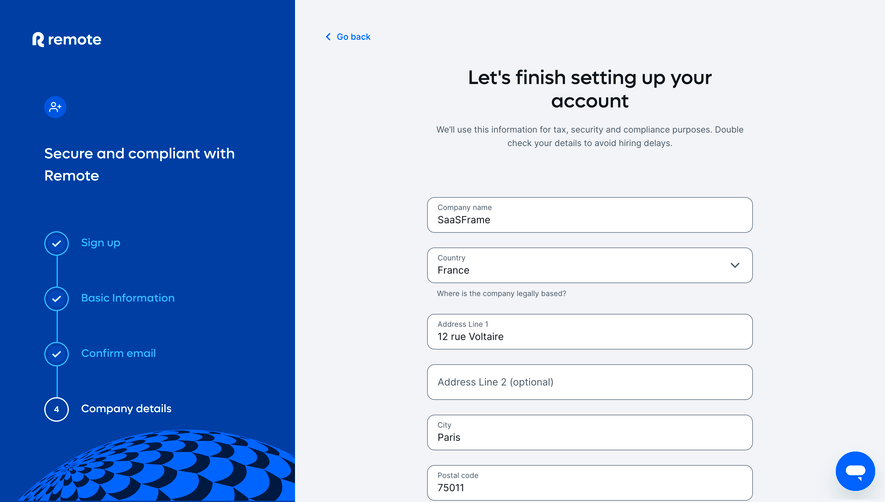
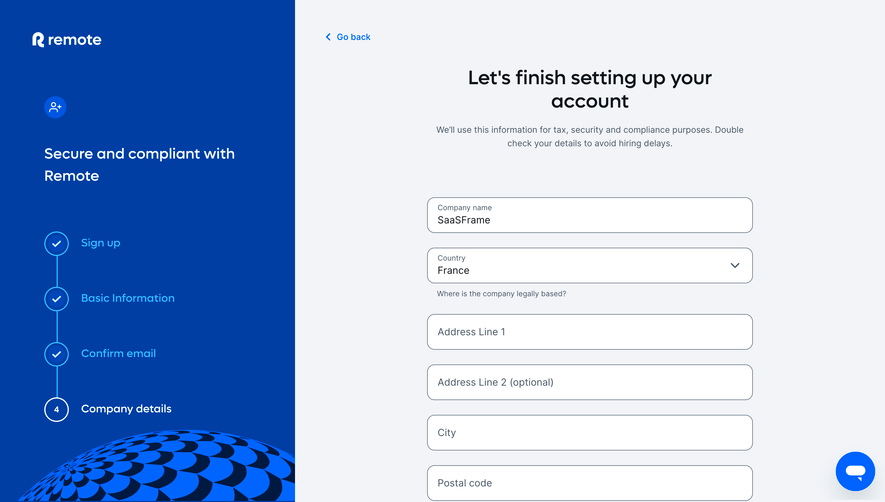
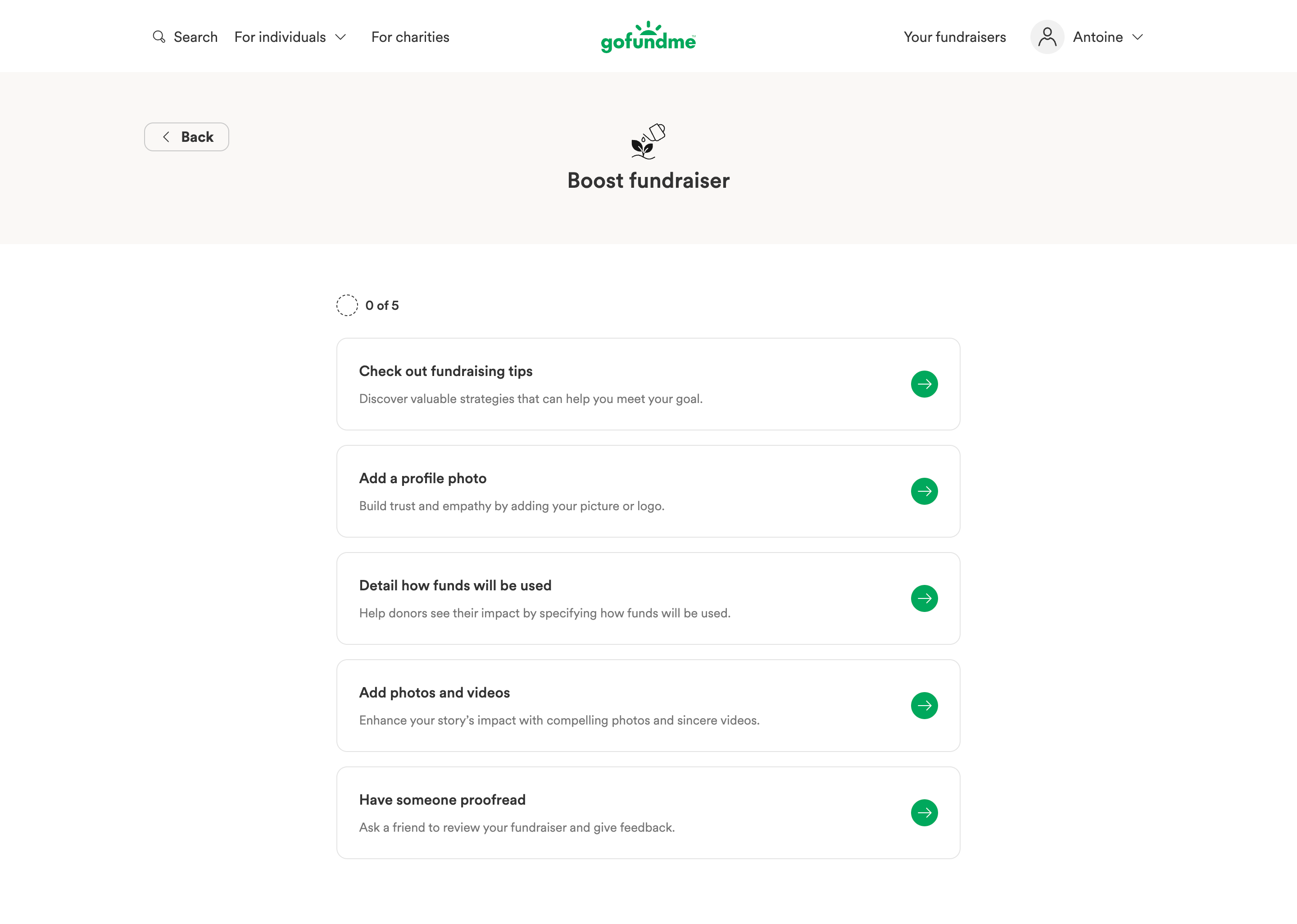
GoFundMe’s captured improvement checklist provides a visible five-task structure and a separate section-completion state. Remote’s welcome screen illustrates the handoff from initial setup to an operational next action. These examples concern interface structure and copy, not proof that completing the suggested tasks produces a particular business result.
A checklist should support an outcome the person recognizes. Connecting a first data source, preparing a shared project, or configuring a usable resource gives the tasks a common purpose. “Complete your profile” is less useful as a goal when the person came to do something unrelated.
GoFundMe’s capture labels its checklist as improving a fundraiser. The tasks relate to explaining the use of funds, adding relevant media, reviewing the content, and preparing the person’s presentation. The purpose connects the tasks rather than presenting them as miscellaneous account chores.
Separate required setup from recommended improvement. A product may function before every recommendation is completed. Do not imply that a useful resource is unusable merely because someone has not performed an optional customization.
A checklist can become a container for everything the team wants a new user to do. That can dilute its usefulness. Prefer tasks that establish the relevant capability or help the person reach an initial result.
Inviting colleagues may be essential for a collaborative handoff but unnecessary for a solo evaluation. Adding an avatar may aid recognition but should not carry the same meaning as connecting a required data source. Give tasks priority according to the user’s work.
Keep the initial set manageable. A long inventory of every available feature can overwhelm the first session. Additional guidance can appear later when a task or resource makes it relevant, rather than filling the checklist with distant possibilities.
GoFundMe’s captured cards use concrete labels such as adding a profile photo and detailing how funds will be used. Supporting text explains the intended benefit. The arrow provides a route into the task rather than asking people to interpret a generic setup icon.
Use a verb and an identifiable object. “Connect a data source” is more actionable than “Integrations.” If a task has several possible routes, choose wording that describes the outcome instead of one unnecessarily narrow implementation.
Avoid making the task label a promotional claim. Explain what completing it changes. A clear benefit can help someone prioritize without promising a result the product cannot establish.
Define the completion rule for each task. Opening a settings page, entering a value, saving it, and activating the capability are different events. Choose the event that matches what the checklist claims is complete.
A task called “Connect your calendar” should not become complete merely because the person opened the connection dialog. A task called “Review the setup guide” may reasonably use a different rule, but should not imply that configuration occurred.
If a task is manually marked complete, make that model clear. Manual confirmation can suit work performed outside the product, such as asking a colleague to review content. It does not provide the same evidence as a system-confirmed configuration.
The captured GoFundMe checklist begins at zero of five. Its completion capture shows five of five behind a section-completion modal. The count gives a concise indication of remaining tasks.
Explain what the denominator represents when tasks can change by role or resource. A dynamically tailored list may have a different length for another person. Progress should reflect the relevant set rather than a fixed number that includes inaccessible tasks.
Avoid equating checklist percentage with overall product success. Completing recommendations is not proof that a project is effective or a business goal was achieved. Use progress to orient the person within setup, then measure the actual outcome separately.
A checklist can let people choose the task they are ready to complete. They may have a company logo available now but need an administrator to approve an integration later. Flexibility can keep useful work moving.
When dependencies exist, show them. A task that requires a project before an invitation should identify that prerequisite and offer a route to it. A disabled action without explanation makes the checklist look incomplete or broken.
If nearly every task must be performed in one fixed sequence, consider whether a wizard is a clearer model. A checklist earns its flexibility by helping people manage independent or asynchronous tasks, not merely by changing the shape of numbered steps.
Optional work should remain distinguishable from required work. Give people a way to defer or dismiss a recommendation when appropriate. Marking it as done just to remove it can make progress inaccurate.
Some tasks may not apply to a role, plan, or use case. Tailor the list or show the relevant qualification. A viewer should not be pressured to change a workspace policy they cannot administer.
Decide how skipped tasks affect the count. If the product treats skipped as resolved, use wording that does not imply the action occurred. A completion summary can distinguish completed setup from intentionally deferred recommendations.
Tasks often open another page, modal, or external authorization flow. Preserve a way to return and review the updated state. A person should not have to search the dashboard to find out whether their action counted.
If completion is detected asynchronously, show an appropriate pending state or refresh route. Avoid presenting a stale unchecked task after the system has already accepted the configuration, especially when repeating it could create duplicates.
Maintain useful context through interruptions. Someone resuming on another day should see their actual progress, not a fresh checklist that ignores prior work. The scope of that progress must also be clear: personal account, workspace, or specific resource.
In a team product, different people can complete different setup tasks. Decide whether the checklist belongs to one user or the shared workspace. A workspace task completed by an administrator should not appear uncompleted to every other member without explanation.
Show ownership or the supported request route where it helps. A person who lacks permission to connect billing can ask the relevant administrator rather than remaining blocked by an unexplained task.
Handle changes in shared state. An integration that was connected and later removed may need attention again. Decide whether that reopens the setup task or creates a separate operational notice. Repeatedly restarting onboarding can be confusing when the underlying issue is maintenance.
A dashboard checklist can provide a stable home for setup while allowing normal product work around it. A modal can focus attention on an immediate task, but repeated interruption may become costly once the person knows what they are doing.
Let people minimize or dismiss guidance where appropriate, while preserving a discoverable return route. A permanently expanded checklist should not occupy the most valuable working space simply because one optional task remains.
Consider the transition after first use. Replace irrelevant introductory guidance with a useful resource summary or next task when the product can identify that change. An experienced user should not continually encounter instructions intended for their first session.
GoFundMe’s captured completion modal identifies the completed section and provides a Next section action. The five-of-five state remains visible behind it. This connects the celebration with a continuation rather than ending at a decorative success message.
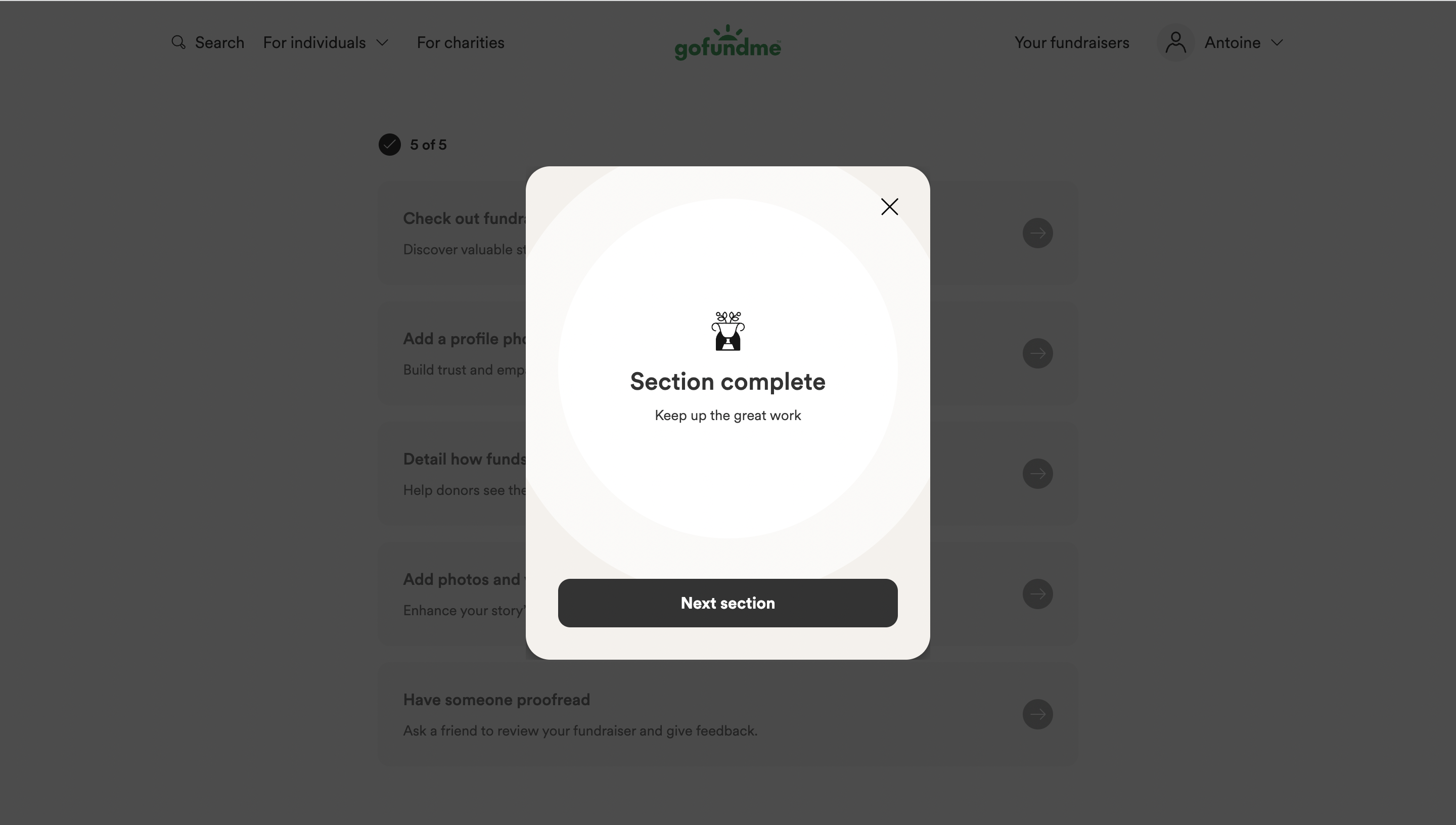
Use the right scope in the message. A completed section is different from a finished account setup or a completed business task. Avoid a broad “you are done” message when another required phase remains.
Keep celebration proportionate. A short acknowledgement can reinforce progress, but it should not hide the next action or force a long animation. Respect the person’s need to continue and make dismissal usable.
Remote’s captured welcome modal states that setup is ready and offers Add hire, with a separate Skip action. This is a related handoff example rather than a visible checklist. It names what the person can now do and provides a direct route into that work.
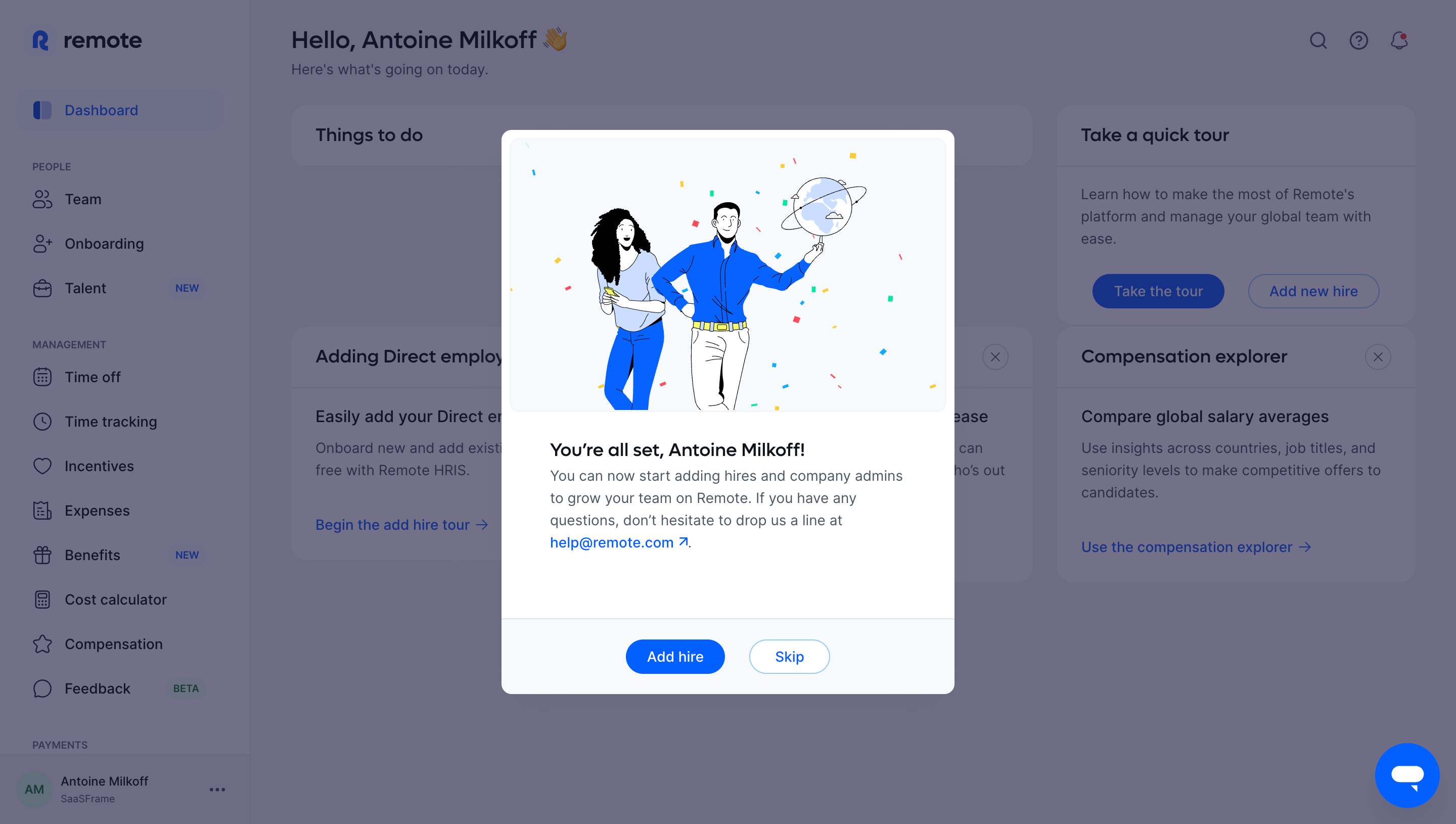
A checklist’s final state should similarly connect to useful work. Opening an empty dashboard may be insufficient if the person still needs to create their first resource. Give the continuation context without starting another unrelated onboarding sequence.
If a required capability remains pending, say so. A saved configuration can await verification or processing. The handoff should reflect readiness rather than the mere fact that the person filled in every field.
Task controls need clear names and completion states available to assistive technology. Use checkboxes when the person actually controls a checked state, and suitable status indicators when completion is determined by the system.
Do not rely solely on strike-through or a green icon to communicate completion. Keep task names readable and make disabled or pending states understandable. Keyboard focus should remain predictable when a completed item collapses or moves.
Test a failed task, an interrupted request, and a permission change. Preserve useful input and explain the supported correction. A checklist should guide recovery rather than merely continue to show an unchecked row.
Track whether the tasks help people reach the relevant product outcome. A checklist can have a high completion rate while directing users into low-value customization. Its success should be assessed against useful first work and continued use.
Inspect where people stop and why. A blocked integration may reflect missing permission. A deferred invitation may be reasonable for a solo evaluator. Avoid treating every unchecked task as a design failure or a reason to add pressure.
Compare task wording and routes with observed problems. Improve the explanation or prerequisite when that is the obstacle. Removing a task can sometimes improve the experience when it does not help the actual onboarding outcome.
A checklist can organize tasks completed in a flexible order or across sessions. A wizard guides a more structured sequence of decisions.
Only if the task genuinely concerns visiting that destination. For configuration, use the evidence that establishes the promised outcome.
Choose a progress model that reflects their role and explain it. Do not imply an optional action occurred simply because it was skipped.
Explore Wizard for staged setup, Stepper for sequence progress, Product Tour for contextual learning, and Empty State for the first operational task.
Compare the gallery by the outcome each task establishes and how people continue afterward. A useful checklist connects guidance with real product work rather than making completion an end in itself.