Account Switcher
1
A control for switching between user accounts, organizations, or tenants.
.webp)
An account switcher changes the identity or organization context used to access a SaaS product. It helps people who work across clients, teams, or personal and business accounts move between those contexts without repeatedly signing out. The design problem is larger than listing names: users need to know which identity is active, what will change, and what happens to the work they are leaving.
A good account switcher makes the boundary visible before and after the transition. Data, permissions, billing, notifications, and saved preferences may belong to different accounts. A fast transition is useful only when the user can confidently verify the destination and continue in the correct context.
An identity, workspace, organization, project, and connected external account are different objects. Decide which one this control changes. If a person can use one email identity across several organizations, switching organization may preserve authentication while changing data and access. Switching to another email identity is a different transition.
Keep the interface terminology aligned with that model. “Switch account” should not unexpectedly change only a project, and “Switch workspace” should not sign the user into a different person’s session. Explain nested choices when the product supports both identities and organizations.
Use a simpler workspace switcher when that is the actual task. A combined account surface can be useful, but its groups should establish which level each option belongs to. The visual hierarchy should mirror the boundary users are crossing.
The FlowMapp dashboard reference displays a SaaSFrame context in the sidebar and repeats a name, email address, and plan cue inside its open account menu. This is useful identity context for a switching experience, even though the capture itself does not show a list of alternate accounts.
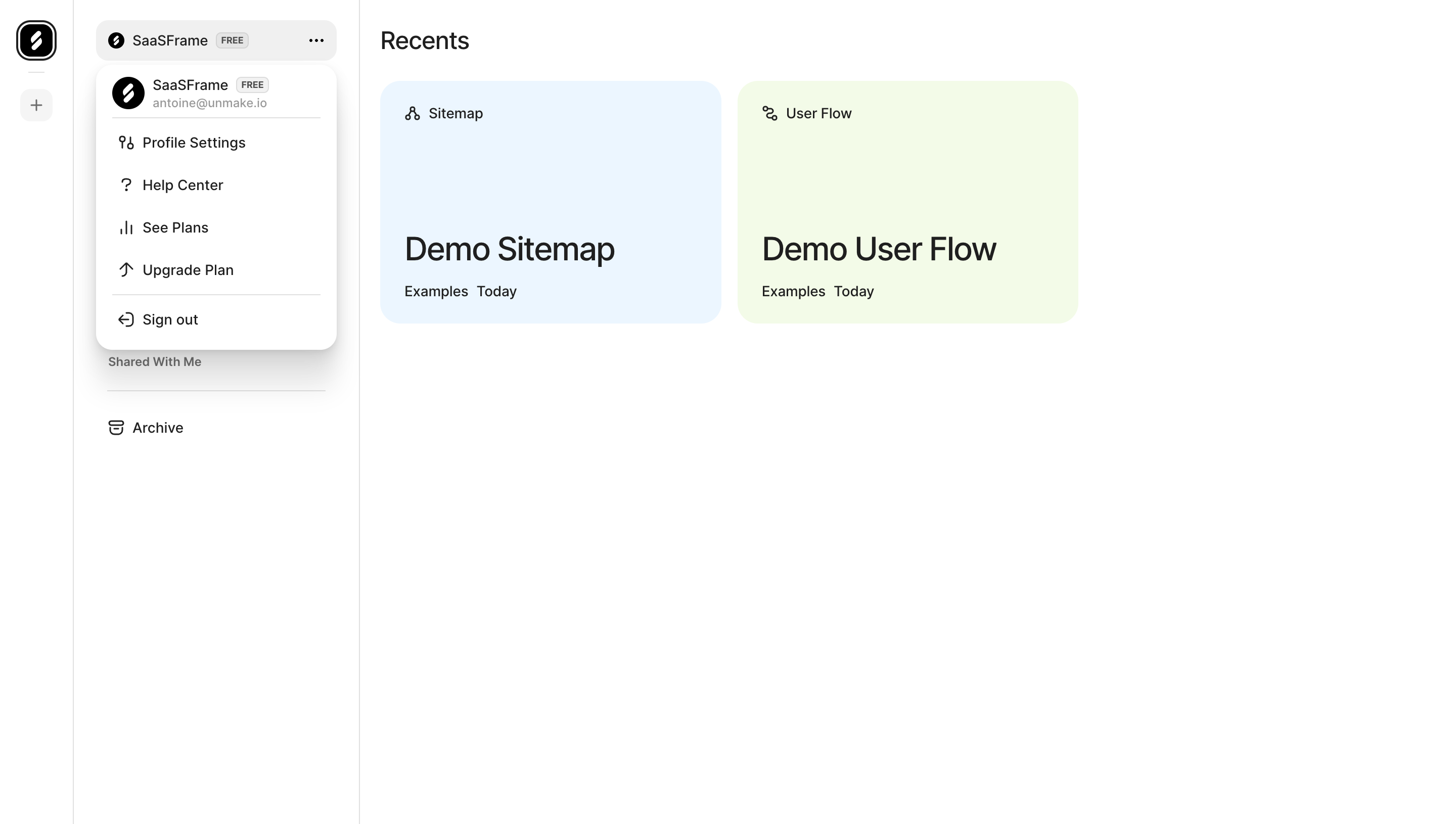
The distinction matters: a menu displaying account information is not evidence that a product supports multi-account switching. What designers can study here is the visible relationship between the active context and account actions. A switcher can preserve that identity header and add explicit destination choices when the product actually supports them.
Choose identifiers that prevent collisions. Two organizations named “Acme” may need a domain, role, or distinctive logo. Two identities with the same display name may need email addresses. Avoid relying on portraits alone to distinguish destinations, especially when users have not supplied photos.
Mark the current account clearly rather than treating it as an ordinary unselected row. The trigger and expanded list should agree. A selected indicator can be useful, but users also need a readable identity label after the list closes.
Organize destinations by the product’s structure. If several organizations belong to one identity, grouping them under that identity can reduce repeated information. If switching requires a separate session, show that distinction before activation instead of making users infer it from an unexpected sign-in page.
For long lists, search and recent context can help. Preserve a route to the full set rather than showing only recent destinations without explanation. Sort predictably, and do not move a focused item while the user is inspecting the list.
Client work creates realistic naming collisions. A freelancer may belong to several test organizations, each with a familiar logo or generic name. Add a secondary identifier that helps distinguish the intended tenant without turning the list into a dense directory.
Use status labels where they change the choice. A pending invitation, suspended organization, or expired session is not equivalent to a ready destination. Explain the next action, such as accepting an invitation or signing in again, instead of presenting every row as an immediate switch.
Keep important identifiers available with long text and translations. Truncating every organization to the same prefix defeats the purpose of the list. A responsive layout can allow a second line or a detail cue rather than squeezing all names into a fixed narrow column.
The Superlist integration capture shows a Gmail connection with an email identity and account-specific automation preferences. That identity belongs to the integration being configured, while the surrounding application has its own navigation and settings context.
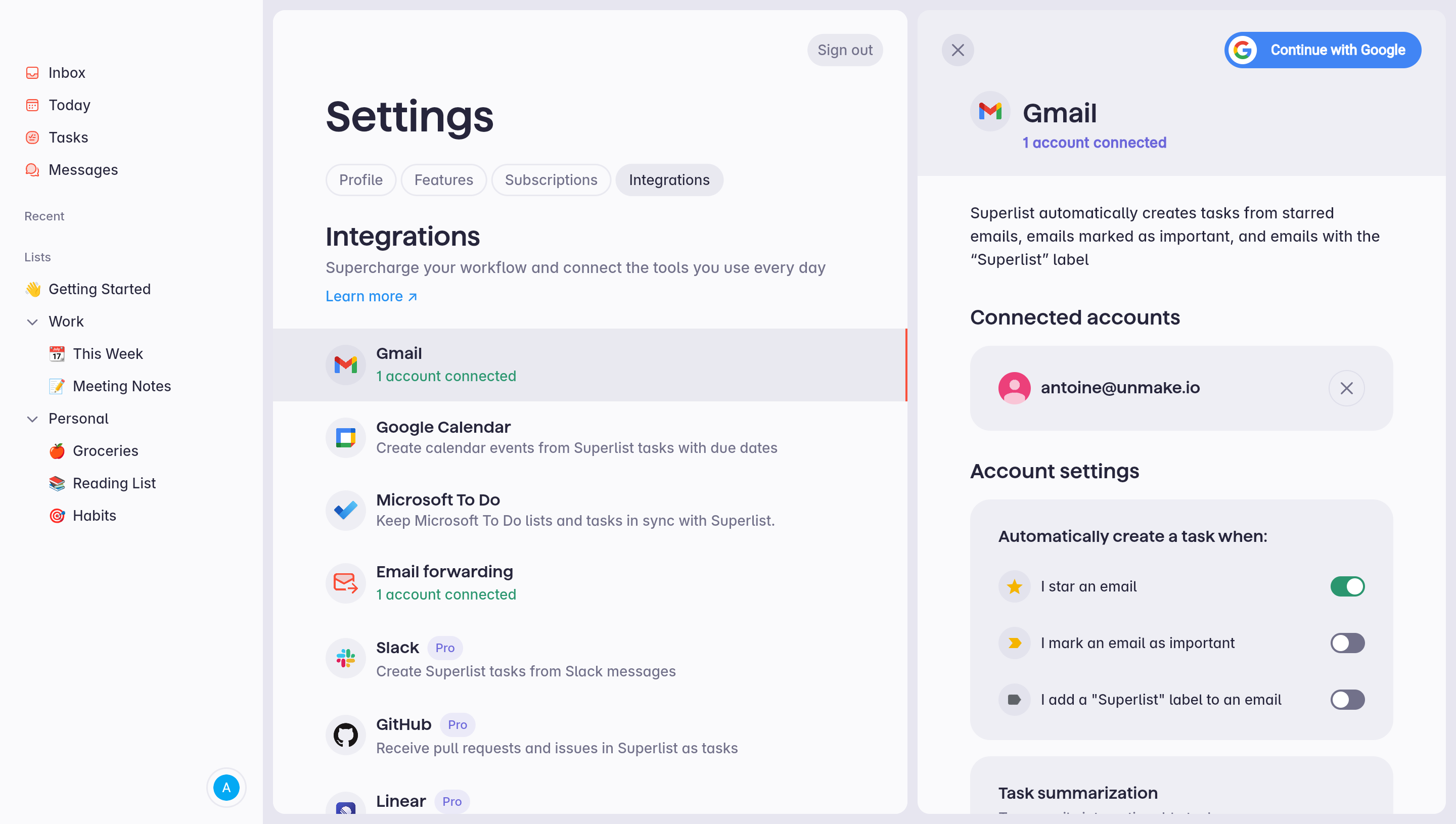
This reference illustrates why “account” needs qualification. Choosing a Gmail source, removing that connection, and switching the signed-in Superlist identity would be different operations. The screenshot demonstrates a connected-account detail panel; it does not demonstrate switching the application’s authenticated user.
In your product, keep these relationships explicit. Use labels such as “Connected Google account” when the external identity is the object. Do not place integration account choices in a global switcher unless the relationship and consequences are understandable.
Before switching, decide what happens to an open editor, form, upload, or draft. Preserve work where the product can reliably do so. If leaving would discard input, explain that consequence and offer a useful way to stay or save.
Do not carry a draft into another tenant simply because the page component remains mounted. A message, customer record, or billing form may belong to the source account. The transition should preserve the correct ownership rather than create a visually smooth but ambiguous handoff.
If background work continues in the original context, communicate where its result will appear. A report generation job or upload should not silently become associated with the destination account. Keep progress and notifications tied to the initiating context.
Some products can retain the current area after switching, while others should return to an account home. Retaining a “Reports” route can be useful if both accounts support it, but a record-specific URL may have no equivalent in the new tenant.
Define a fallback for unavailable destinations. Explain that the user has entered another account and provide a usable starting point. An unexplained empty page can look like data loss, especially when the source account contained many records.
Update the context label as part of the successful transition. Avoid displaying the new account name above stale data from the previous account. If retrieval is delayed, use a clear transitional state until the destination content is ready.
Switching accounts can change role and capability. A user who administers one organization may be read-only in another. The destination should present its actual access state without implying that the old permissions carried over.
When reauthentication is needed, make the reason and destination clear. Returning from the sign-in step should complete or safely resume the requested transition. Do not silently fall back to whichever account the browser happens to remember.
Removing a remembered account is also different from signing out of all sessions. Give those actions precise labels and an appropriate scope statement. Users should not have to experiment with a session control to learn which identities it affects.
The trigger needs a meaningful label and expanded state. The list should support a consistent focus and selection model, including predictable dismissal. A highlighted destination is not necessarily the active account, so keep keyboard exploration separate from committing the transition.
Expose names and secondary identifiers in a useful reading order. An organization logo can supplement recognition, but it should not replace the information needed to distinguish similar options. Avoid repeated announcements of decorative icons.
On mobile, a sheet or dedicated chooser can provide space for identities and context. Preserve a clear return route to the current account. If the chooser includes search, keep the selected context and close action reachable when the on-screen keyboard appears.
Ask users to identify the current account, switch to a similarly named destination, and confirm where they landed. Then test switching with unsaved input, a background task, expired authentication, and a role change. Measure whether they can predict the data and permissions boundary.
Include multiple browser tabs and navigation back to an account-specific URL. Verify that the interface presents the correct context and does not label one tenant’s data as another’s. Visual testing should be paired with direct checks of the actual session and data behavior.
Explore the SaaSFrame account-switcher collection alongside profile menus and workspace controls. Use a switcher when multiple contexts are a real product need, and make the identity boundary more prominent as the consequences of a mistake increase.
Consider browser history and deep links after switching. A bookmarked record may belong to the previous account, and the Back button may revisit a route whose permissions no longer match the active context. Show an intelligible account boundary instead of a generic missing-page error where the application can safely explain the mismatch. Do not automatically switch identities simply because a URL was opened. A deliberate choice preserves the user's understanding of which account they are using and which organization will receive any subsequent changes.
Is account switching the same as workspace switching? Not necessarily. One authenticated identity can belong to several workspaces. Name the control according to the boundary it changes.
Should the current page remain open after switching? Retain an equivalent area when it exists and is appropriate. Use a clear fallback when the original route refers to a record or capability unavailable in the destination.
What should happen to an unfinished draft? Preserve it under its original account when possible. Explain any real loss before leaving, and avoid transferring account-specific input into another tenant without an explicit task to do so.