.webp)
Thank you! Your submission has been received!
Oops! Something went wrong while submitting the form.
Get SaaSFrame Pro
Monthly
$18
Quarterly
$48
Yearly
$180
Upgrade to access this feature
Browse all screens & flows
Filter and search screens & flows
Access Figma files
Access mobile versions
Bookmark screens & flows
Join now
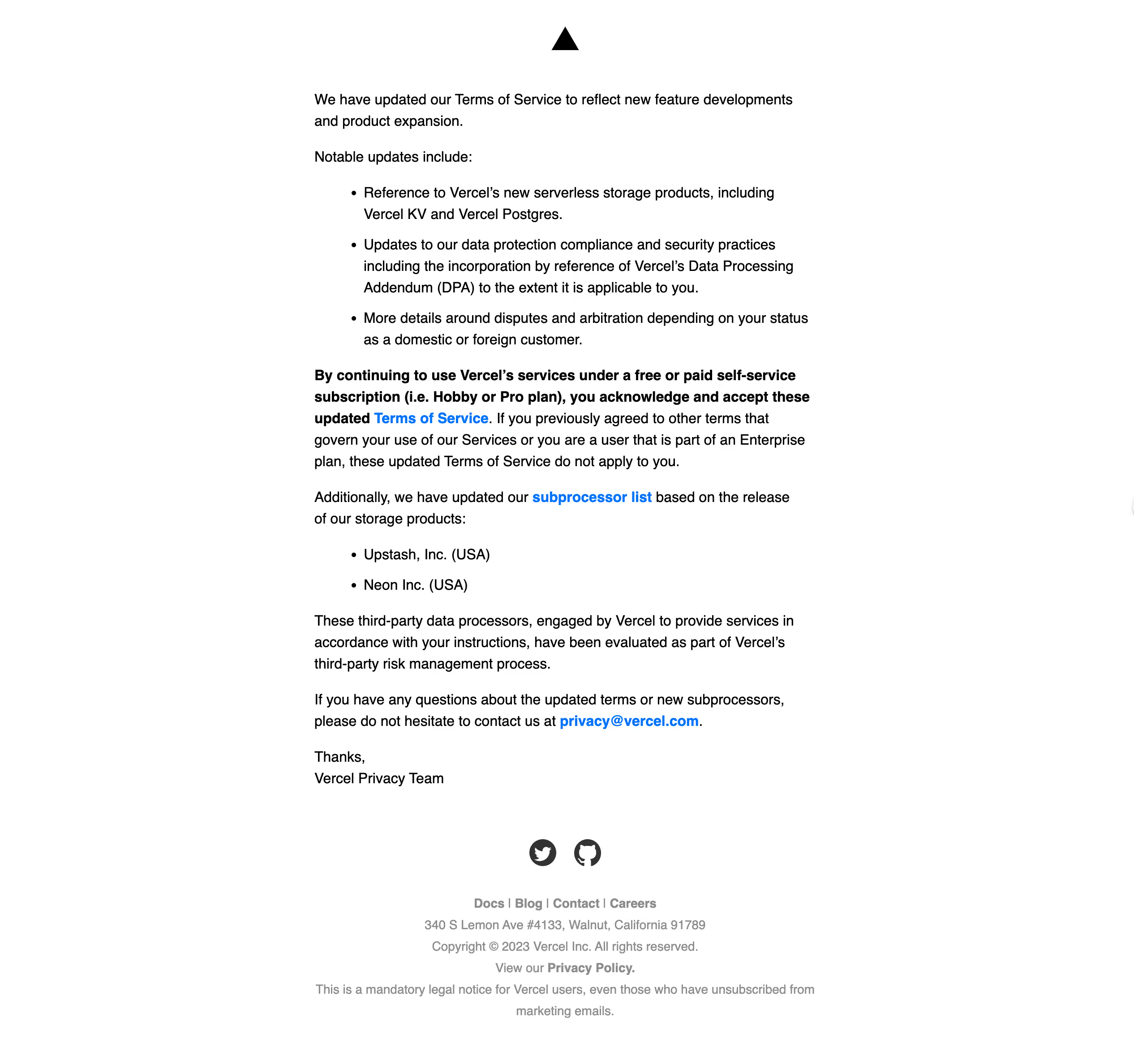
Vercel Terms & Privacy Emails

Vercel
Build Fast and Reliable Sites
Designed by
No items found.

Bookmark
Bookmark

Design with AI
Thank you! Your submission has been received!
Oops! Something went wrong while submitting the form.
# Design from Reference: Vercel Terms & Privacy Emails
Create an original, high-fidelity visual design inspired by the reference. Prioritize composition, typography, colors, spacing, and component styling over technical implementation.
## Reference
- **Product:** Vercel
- **Category:** Terms & Privacy Emails
- **Screenshot:** https://cdn.prod.website-files.com/5e9dc792e1210c5325f7ebbc/6acb6453b206c0d3f8f0640d_6ac574011f629dd1c5beef4d_richtext-e3d801a139a9864c406f.webp
Analyze the screenshot first. If inaccessible, request it rather than guessing.
## Content
{{content.instructions}}
{{content.data}}
Preserve essential messaging and factual accuracy. Adapt structure and copy length for visual balance; never invent product claims.
## Visual Design
### Overall aesthetic
- **Style:** Plain, text-led legal-notice email with a white background, black body text and bright blue inline links.
- **Character:** A small centered triangular brand mark and restrained gray footer provide identity without a promotional hero or decorative card.
- **Capture:** The image measures 2532 × 2376 pixels. Browser/email scale is unverified; approximate CSS values below assume a 2× capture, giving an effective width near 1266 pixels.
### Page composition
- **Brand area:** A small black triangle is centered above the message with generous surrounding white space.
- **Message column:** A roughly 560-CSS-pixel-wide left-aligned text block sits centrally, beginning below the mark.
- **Content sequence:** Introductory paragraph, update label, three-item bullet list, emphasized acknowledgment paragraph, secondary update paragraph, two-item list, explanatory paragraphs and a short team sign-off.
- **Footer:** Two centered social icons precede navigation links, address, copyright, privacy reference and a multi-line notice.
- **Surface:** The email has no visible outer card, colored band or enclosing border.
### Information hierarchy
- **Opening:** The first paragraph states the update directly; no separate large headline is used.
- **List structure:** Bullets summarize the major changes before the longer acknowledgment text.
- **Emphasis:** A bold multi-line passage highlights acceptance-related information, with a blue inline terms link embedded in it.
- **Secondary update:** A subsequent paragraph introduces another blue-linked resource and a shorter list.
- **Support route:** A blue email link appears within the final explanatory paragraph before the sign-off.
- **Footer priority:** Gray utility text is smaller and visually subordinate to the main message.
### Typography
- **Family:** A conventional sans-serif is visible; exact font identity is unverified.
- **Body:** Estimated 16-pixel CSS size with approximately 24-pixel line height and regular weight.
- **Bold passage:** The acknowledgment introduction uses the same size with bold weight, preserving the message's single-scale editorial structure.
- **Links:** Blue inline links are bold or visually stronger than surrounding regular copy.
- **Footer:** Approximately 14 pixels with 24-pixel line rhythm; navigation and privacy-reference words have heavier weight.
- **Alignment:** Main content is left aligned; branding, social icons and footer lines are centered.
### Colors & surfaces
- **Measured base:** White #FFFFFF fills the entire background.
- **Measured body:** Black #000000 dominates the main copy; dark gray #333333 appears among the social/icon pixels.
- **Measured link accent:** Blue #0072FC distinguishes actionable inline references.
- **Measured footer:** Gray #8C8C8C supports lower-priority legal and utility text.
- **Depth:** No shadows, gradients or elevated surfaces are visible.
### Components
- **Brand mark:** A solid black triangle approximately 30 CSS pixels wide is centered at the top.
- **Bullet lists:** Standard circular bullets use a hanging indent, with wrapped continuation lines aligned to the text rather than the bullet.
- **Emphasis block:** A bold opening spans several lines and returns to regular-weight prose within the same paragraph.
- **Inline actions:** Terms, resource, privacy and contact destinations are embedded in prose rather than rendered as buttons.
- **Social row:** Two dark circular/brand-shaped icons sit side by side with about 24-pixel separation.
- **Footer navigation:** Four compact text destinations share a line, separated by vertical bars.
- **State scope:** This is a static email presentation; no interactive expansion or button states are shown.
### Visual rhythm
- **Reading measure:** The narrow centered column creates broad white margins and keeps legal copy manageable.
- **Paragraph spacing:** Approximately 16–20 CSS pixels separate paragraphs and lists.
- **List pacing:** Individual bullets have small additional gaps, while wrapped lines retain the normal body line height.
- **Footer separation:** A larger white-space break follows the sign-off before social icons and the gray utility stack.
- **Consistency:** A single body size and limited weight/color changes create hierarchy without ornamental sections.
### Responsive
- **Recommendation — email width:** Use a fluid column capped near 560 pixels, with adequate side padding in narrow clients.
- **Recommendation — lists:** Preserve hanging indents and allow long legal references to wrap safely.
- **Recommendation — links:** Keep actionable text distinguishable and provide sufficiently large clickable regions where practical.
- **Recommendation — footer:** Allow navigation and address lines to wrap while retaining centered alignment. No mobile email rendering is shown.
### Adaptation guidance
- **Keep the notice direct:** Lead with a concise explanation, followed by structured change lists and relevant references.
- **Use emphasis selectively:** Reserve bold text for the key acknowledgment passage and important inline links.
- **Retain the neutral shell:** Reuse white, black, blue links and gray footer text without introducing promotional imagery.
- **Separate utility content:** Keep social, navigation and mandatory notice details beneath the main sign-off.
- **Preserve semantic email markup:** Use real paragraphs, lists and descriptive links so the structure survives client limitations.
- **Avoid inferring policy content:** Adapt the visual structure independently from the specific legal wording shown in the screenshot.
Use this context to reproduce the reference's visual language: layout, typography, colors, spacing, borders, radii, and distinctive elements. The screenshot takes priority if descriptions conflict.
## Direction
{{preferences.fidelityInstructions}}
## Output
{{output.instructions}}
Deliver a polished, cohesive design with precise alignment, hierarchy, and spacing. Produce the requested visual artifact, not just a description. If unsupported, explain the limitation.

.avif)
Category
Patterns
No items found.
Tech Stack




Added on
July 25, 2023
Similar screens



Upgrade to SaaSFrame Pro now to see similar examples.
Monthly
$18 /month
Billed $18 monthly
Browse all screens & flows
Filter and search screens & flows
Search text in screenshots
Access Figma files
Access mobile versions
Join now
Quarterly
$16 /month
Billed $48 quarterly
Browse all screens & flows
Filter and search screens & flows
Search text in screenshots
Access Figma files
Access mobile versions
Join now
Yearly
$15 /month
Billed $180 yearly
Browse all screens & flows
Filter and search screens & flows
Search text in screenshots
Access Figma files
Access mobile versions
Join now