

.avif)

```html
.webp)
Thank you! Your submission has been received!
Oops! Something went wrong while submitting the form.
Get SaaSFrame Pro
Monthly
$18
Quarterly
$48
Yearly
$180
Upgrade to access this feature
Browse all screens & flows
Filter and search screens & flows
Access Figma files
Access mobile versions
Bookmark screens & flows
Join now
Sketch Blog Feed

Sketch
Design, collaborate, prototype and handoff
Designed by
No items found.

Bookmark
Bookmark
Design with AI
Thank you! Your submission has been received!
Oops! Something went wrong while submitting the form.
# Design from Reference: Sketch Blog Feed
Create an original, high-fidelity visual design inspired by the reference. Prioritize composition, typography, colors, spacing, and component styling over technical implementation.
## Reference
- **Product:** Sketch
- **Category:** Blog Feed
- **Screenshot:** https://cdn.prod.website-files.com/5e9dc792e1210c5325f7ebbc/6acb6def0e8221f130836656_6acb6bda6670525038122997_cms-6eb3f00ebaeb47e4022080ee.webp
Analyze the screenshot first. If inaccessible, request it rather than guessing.
## Content
{{content.instructions}}
{{content.data}}
Preserve essential messaging and factual accuracy. Adapt structure and copy length for visual balance; never invent product claims.
## Visual Design
### Overall aesthetic
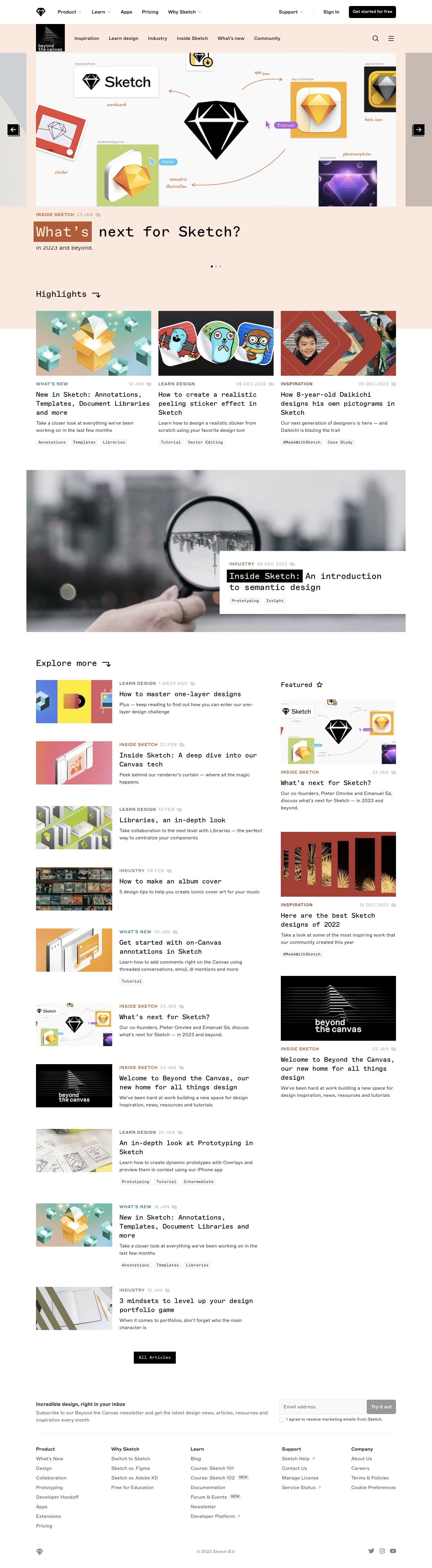
- **Style:** An editorial design blog combines warm peach feature regions, white article areas and distinctive monospaced headlines.
- **Character:** Large imagery, category colors, square tags and minimal black controls create a magazine-like visual system.
### Page composition
- **Capture:** The source measures 1440 × 5225 pixels. Dimensions below approximate image pixels; CSS scale is unverified.
- **Navigation:** A white product header sits above a peach blog-category row with a small black publication mark, search and menu icons.
- **Hero carousel:** A large landscape image spans a centered roughly 1200-pixel region, with partial adjacent slides and black arrow controls at the edges.
- **Hero caption:** Category/date metadata precede a large monospaced title and short subtitle; small pagination marks sit beneath.
- **Highlights:** Three equal image-led articles form a row under a monospaced section heading.
- **Feature banner:** A wide photograph has a white title/metadata block overlaid across its lower-right portion.
- **Explore:** A broad left list pairs thumbnails with article copy; a narrower right Featured column contains three larger stacked cards.
- **Closing:** An All Articles button precedes a newsletter row, five footer-link columns and a small legal/social row.
### Information hierarchy
- **Hero:** The image and large monospaced caption dominate the opening.
- **Article roles:** Colored uppercase categories and pale dates precede black titles; descriptions and tags remain secondary.
- **Feature banner:** A highlighted black phrase within its title creates an additional editorial emphasis.
- **Explore split:** Repeated horizontal stories lead the main feed; larger sidebar cards distinguish selected content.
- **Footer:** Newsletter copy and form sit above the denser navigation groups.
### Typography
- **Families:** Monospaced headlines/tags contrast with a neutral sans serif for navigation and descriptions; identities are unverified.
- **Hero title:** Approximately 48 pixels, regular monospaced, with compact leading.
- **Article titles:** Around 22–24 pixels monospaced, with 30-pixel leading.
- **Section headings:** Around 28 pixels monospaced.
- **Body:** Around 16 pixels with 24-pixel leading.
- **Metadata:** Approximately 14 pixels, uppercase with tracking; tags around 13 pixels monospaced.
### Colors & surfaces
- **Measured base:** White #FFFFFF and pale gray #F9F9F9 define content areas.
- **Warm framing:** Peach #F8E9DE fills the feature region.
- **Ink:** Black #000000 supplies headings, controls and selected text highlights.
- **Image tones:** Sampled rust #A24035 and neutral #C7BAB2 occur in imagery; these are image colors rather than confirmed interface tokens.
- **Category accents:** Orange, purple, blue, red and muted olive distinguish category labels.
- **Depth:** Content is largely flat and unboxed; the feature-caption overlay has a subtle shadow.
### Components
- **Global CTA:** A compact black rounded rectangle with white text.
- **Carousel controls:** Black square arrows and small square pagination marks.
- **Article cards:** Borderless image/title/description stacks with category/date rows and small pale rectangular tags.
- **Explore rows:** Roughly 255-pixel-wide thumbnails align beside compact text blocks.
- **Feature overlay:** A broad white caption box overlaps the photograph, with a black reversed-text phrase.
- **All Articles:** A square-corner black button with white monospaced label.
- **Newsletter:** A pale email field, gray action button and separate consent checkbox align opposite explanatory copy.
- **Footer:** Five open link columns use bold group labels, gray links and occasional small New badges.
### Visual rhythm
- **Editorial cadence:** Large full-width images alternate with three-column cards and horizontal article rows.
- **Spacing:** Broad 60–90-pixel section gaps contrast with compact metadata/title spacing.
- **Alignment:** Header, hero caption, highlights and footer share consistent container edges.
- **Density:** The main feed is denser than the upper carousel, while the footer returns to generous white space.
### Responsive
- **Evidence:** Only desktop is observed; carousel and mobile behavior are unverified.
- **Recommended layout:** Stack highlights, feature caption and Explore columns; collapse horizontal feed rows when thumbnails become too narrow.
- **Navigation:** Collapse category/product menus while keeping search accessible.
- **Newsletter:** Stack form and copy, retaining readable consent text.
- **Images:** Preserve landscape ratios and intentional crop positions.
### Adaptation guidance
- **Preserve:** Keep monospaced editorial titles, warm peach framing, category colors and large design imagery.
- **Build:** Use reusable hero, vertical card, horizontal story and feature-overlay components.
- **Content:** Use supplied articles and images; do not infer unseen stories from titles.
- **Interaction:** Define carousel, search, tags and signup states explicitly; only their visual appearance is established.
Use this context to reproduce the reference's visual language: layout, typography, colors, spacing, borders, radii, and distinctive elements. The screenshot takes priority if descriptions conflict.
## Direction
{{preferences.fidelityInstructions}}
## Output
{{output.instructions}}
Deliver a polished, cohesive design with precise alignment, hierarchy, and spacing. Produce the requested visual artifact, not just a description. If unsupported, explain the limitation.
Category
Patterns
No items found.
Tech Stack
Added on
March 16, 2023
Similar screens
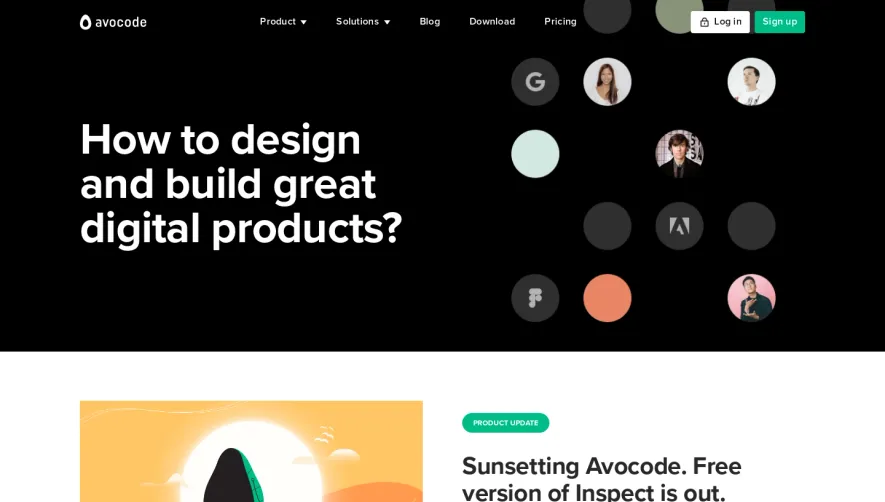




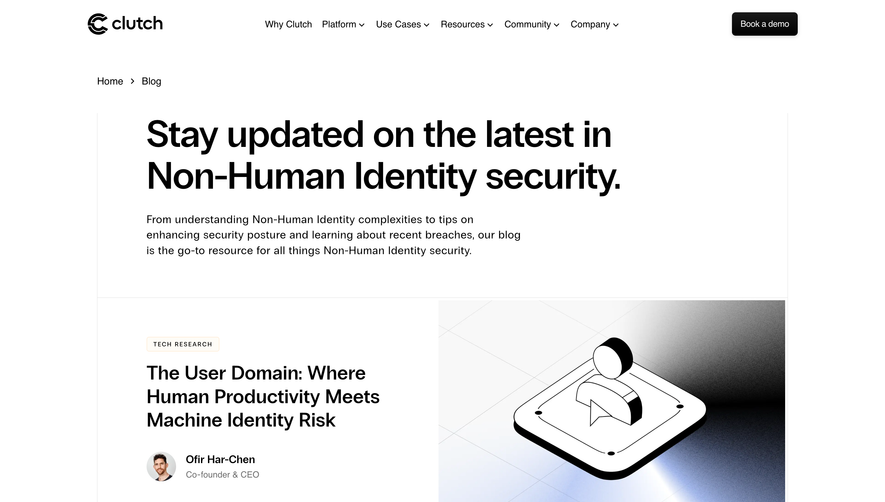

Upgrade to SaaSFrame Pro now to see similar examples.
Monthly
$18 /month
Billed $18 monthly
Browse all screens & flows
Filter and search screens & flows
Search text in screenshots
Access Figma files
Access mobile versions
Join now
Quarterly
$16 /month
Billed $48 quarterly
Browse all screens & flows
Filter and search screens & flows
Search text in screenshots
Access Figma files
Access mobile versions
Join now
Yearly
$15 /month
Billed $180 yearly
Browse all screens & flows
Filter and search screens & flows
Search text in screenshots
Access Figma files
Access mobile versions
Join now