Design with AI
Generate a new design based on this screen using your own content.
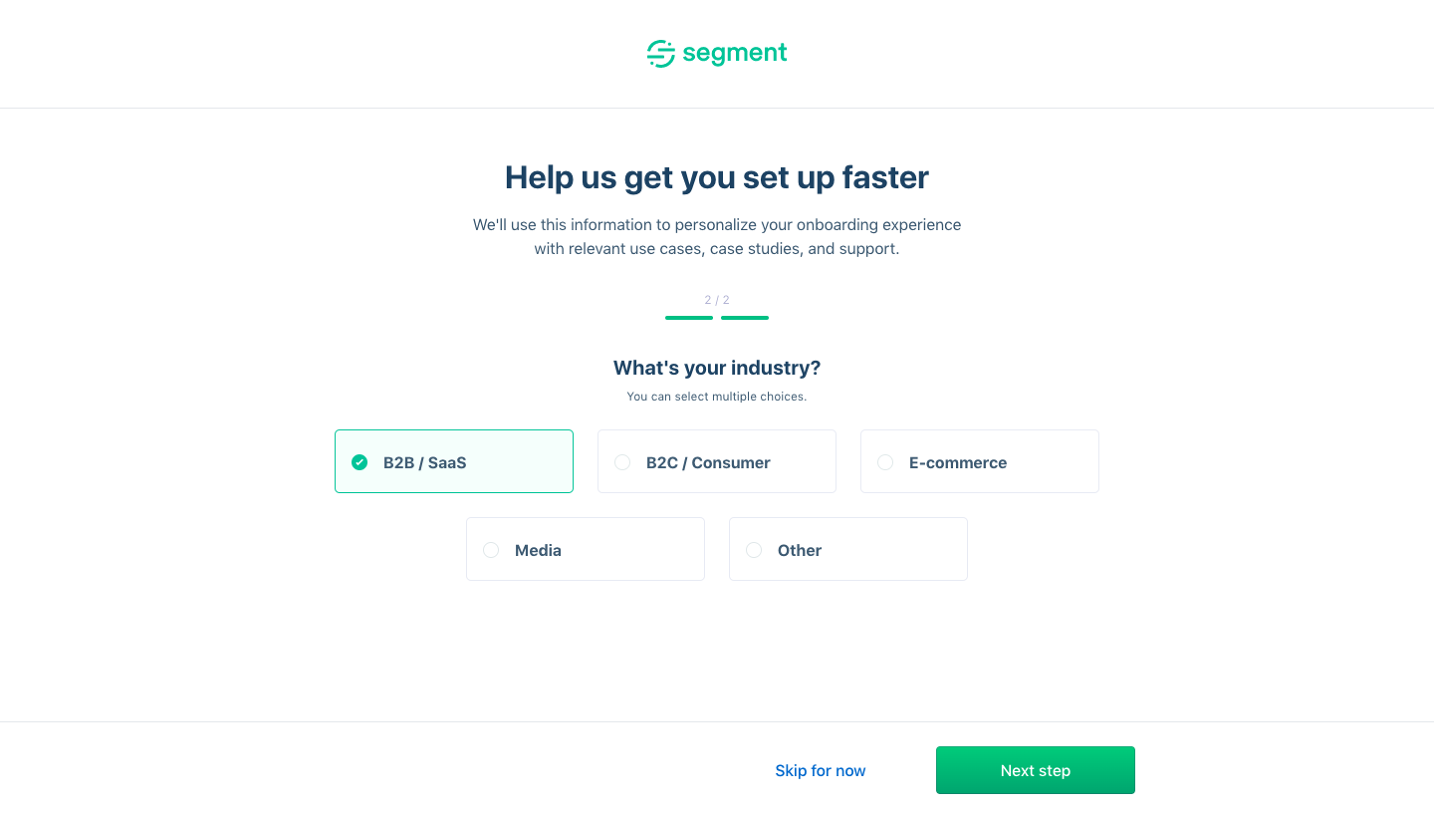
# Design from Reference: Segment Sign Up Flow
Create an original, high-fidelity visual design inspired by the reference. Prioritize composition, typography, colors, spacing, and component styling over technical implementation.
## Reference
- **Product:** Segment
- **Category:** Account Setup
- **Screenshot:** https://cdn.prod.website-files.com/5e9dc792e1210c5325f7ebbc/6acbc06d7ce271b12870b5e1_6acbbfbe4f59d5c94389b9b9_cms-afca2045651d5d56b902cd7f.webp
Analyze the screenshot first. If inaccessible, request it rather than guessing.
## Content
{{content.instructions}}
{{content.data}}
Preserve essential messaging and factual accuracy. Adapt structure and copy length for visual balance; never invent product claims.
## Visual Design
### Overall aesthetic
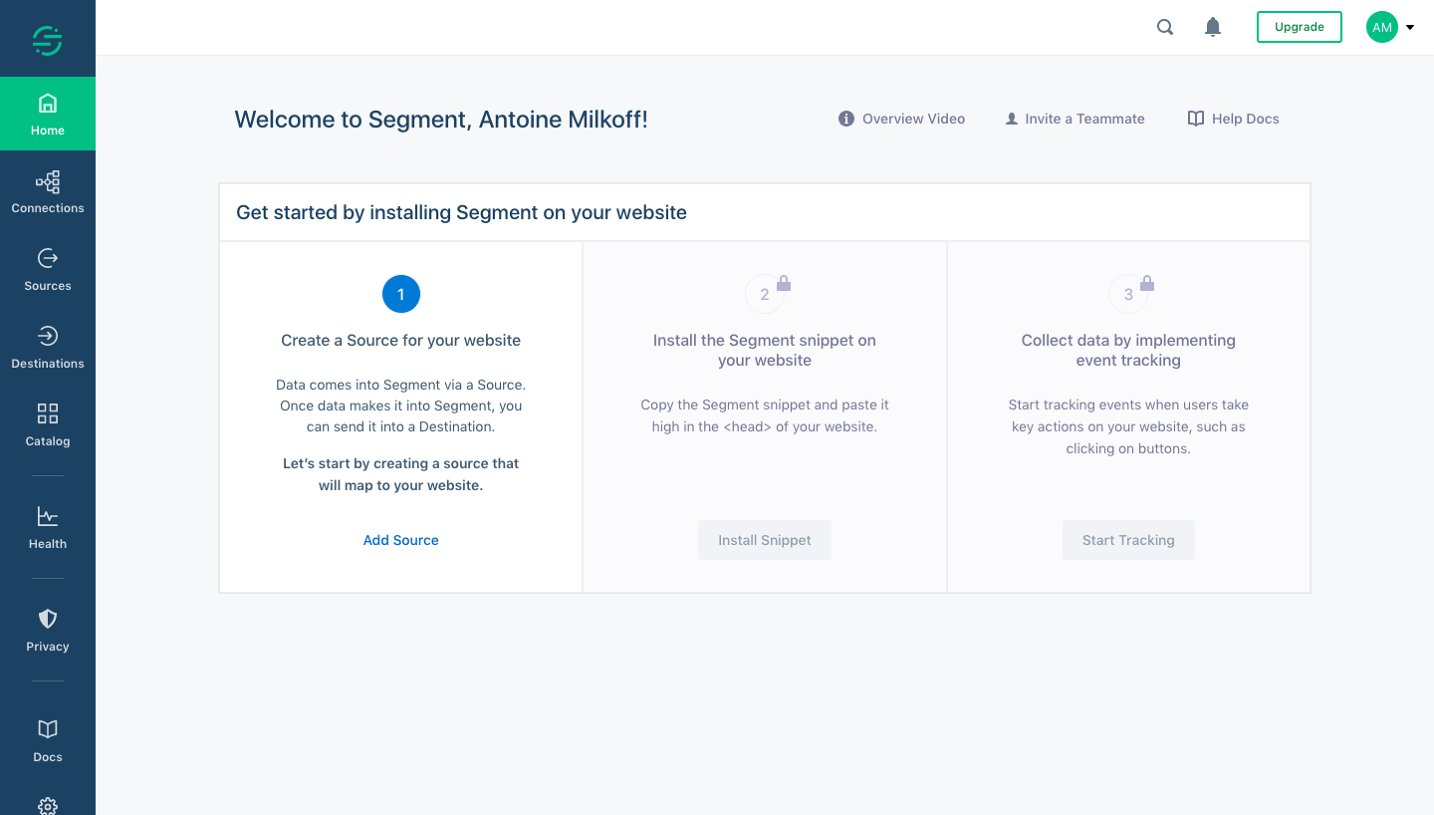
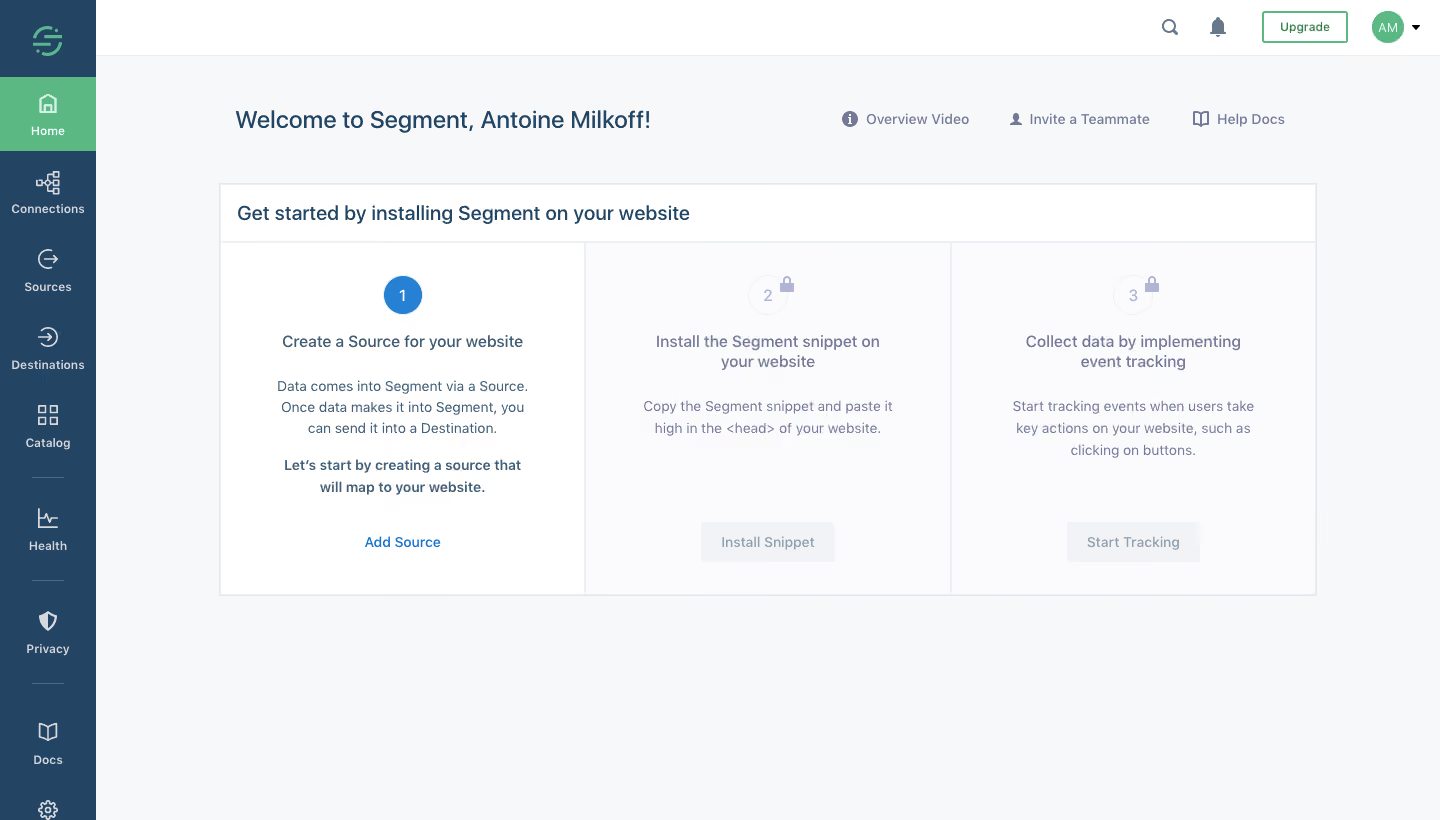
- **Character:** A structured first-use dashboard with a navy navigation rail, pale workspace and three-step installation guide.
- **State:** The first step is active while later steps are visibly locked and washed out.
### Page composition
- **Capture:** The source measures 1440 × 820 image pixels. A 1× CSS scale is plausible but unverified.
- **Shell:** A narrow roughly 96-pixel navy rail contains stacked icon/label navigation; a white utility header spans the main area.
- **Welcome row:** A personalized greeting sits left, with overview, teammate and help links aligned to its right.
- **Guide panel:** A large outlined white panel around 1096 pixels wide contains a title bar and three equal vertical columns.
- **Lower area:** The remainder of the pale workspace is intentionally empty.
### Information hierarchy
- **Guide title:** Installation on the user's website is the primary dashboard task.
- **Step one:** A blue numbered circle precedes source-creation copy and an Add Source link.
- **Locked steps:** Pale numbered circles with lock marks introduce snippet installation and event tracking, each with muted disabled-looking action.
- **Utilities:** Upgrade, search, notifications and avatar remain in the top header; Home is highlighted green in the rail.
### Typography
- **Family:** A clean sans serif is visible; exact identity is unverified.
- **Welcome:** Approximately 24 image pixels, medium weight.
- **Panel title:** Around 20 pixels; step headings are approximately 16 pixels, medium.
- **Body:** Around 14 pixels with 21-pixel line height and centered alignment inside each column.
- **Rail:** Small bold labels around 12 pixels accompany larger line icons.
### Colors & surfaces
- **Measured palette:** ICC-aware sRGB sampling yields canvas #F7F8FA, white #FFFFFF, pale locked surface #FBFBFD, navy #234462 and green #5BB882.
- **Secondary tones:** #F2F3F7, #EDF0F2 and #E4E7EB support inactive buttons and dividers.
- **Active accent:** Blue marks the first step number and Add Source action.
- **Treatment:** The guide uses square/lightly rounded edges, fine gray rules and no prominent shadow.
### Components
- **Three-step panel:** Equal columns share a top title band and vertical dividing rules.
- **Step markers:** A filled blue circle distinguishes step one; later pale circles include small lock icons.
- **Actions:** Add Source is a blue text link, while Install Snippet and Start Tracking appear as pale rectangular controls.
- **Rail navigation:** Home, Connections, Sources, Destinations, Catalog and lower utilities repeat icon-over-label geometry.
- **Top links:** Small icons accompany overview video, invitation and documentation links.
### Visual rhythm
- **Symmetry:** Equal columns and centered text create a clear left-to-right sequence.
- **Spacing:** Large gaps separate step headings, explanations and actions, making progression easy to scan.
- **Contrast:** Active step content is darker and clearer than locked steps; the green Home selection anchors the shell.
### Responsive
- **Recommendation:** Stack steps vertically on phones and keep lock/progress explanations associated with each stage.
- **Recommendation:** Collapse the navigation rail and wrap utility links without shrinking instructional text. No mobile state is shown.
### Adaptation guidance
- **Preserve:** Retain the explicit installation sequence and visually distinct active/locked states.
- **Implement:** Use readable progress semantics and explain prerequisites rather than relying on faded controls alone.
- **Privacy:** Replace the personalized welcome name with generic example text in reusable designs; installation behavior is unverified.
Use this context to reproduce the reference's visual language: layout, typography, colors, spacing, borders, radii, and distinctive elements. The screenshot takes priority if descriptions conflict.
## Direction
{{preferences.fidelityInstructions}}
## Output
{{output.instructions}}
Deliver a polished, cohesive design with precise alignment, hierarchy, and spacing. Produce the requested visual artifact, not just a description. If unsupported, explain the limitation.
.webp)




.avif)