.webp)
Thank you! Your submission has been received!
Oops! Something went wrong while submitting the form.
Get SaaSFrame Pro
Monthly
$18
Quarterly
$48
Yearly
$180
Upgrade to access this feature
Browse all screens & flows
Filter and search screens & flows
Access Figma files
Access mobile versions
Bookmark screens & flows
Join now
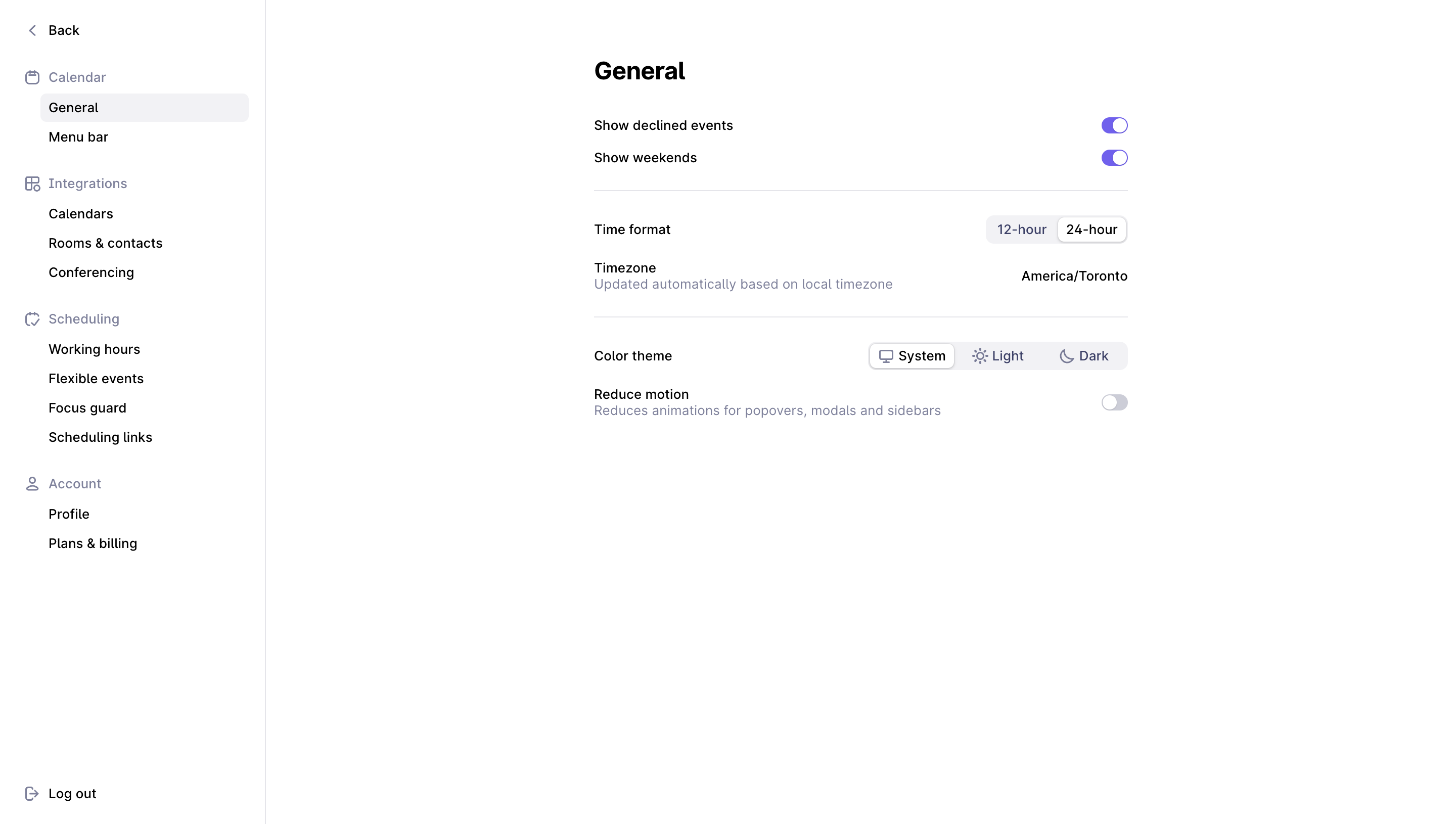
Rise General Settings

Rise
The calendar that works for you
Designed by
No items found.

Bookmark
Bookmark

Design with AI
Thank you! Your submission has been received!
Oops! Something went wrong while submitting the form.
# Design from Reference: Rise General Settings
Create an original, high-fidelity visual design inspired by the reference. Prioritize composition, typography, colors, spacing, and component styling over technical implementation.
## Reference
- **Product:** Rise
- **Category:** Settings
- **Screenshot:** https://cdn.prod.website-files.com/5e9dc792e1210c5325f7ebbc/6acada1cca6d79c1e0c8a28e_6acad9aa3ce5f4104ebf8988_cms-17b81ce599df4bdff2716f0b.webp
Analyze the screenshot first. If inaccessible, request it rather than guessing.
## Content
{{content.instructions}}
{{content.data}}
Preserve essential messaging and factual accuracy. Adapt structure and copy length for visual balance; never invent product claims.
## Visual Design
### Overall aesthetic
- **Style:** Sparse, light calendar-application settings screen with a narrow navigation sidebar and a compact form floating in extensive white space.
- **Character:** Black labels, muted blue-gray helper text, pale lavender-neutral control tracks and a vivid purple accent. Decoration is limited to small outline icons.
- **Surface treatment:** Flat white page without enclosing form cards. Thin separators and subtle inset/raised segmented controls establish structure.
### Page composition
- **Screenshot scale:** 2880 × 1630 image px. Reconstruction estimates assume an unverified 2× capture, yielding approximately 1440 × 815 CSS px.
- **Sidebar:** Approximately 262 CSS px wide, spanning the full height and divided from the main region by a thin vertical rule.
- **Navigation organization:** Back sits at the top. Four icon-led groups—Calendar, Integrations, Scheduling and Account—contain indented page links. General is the selected page. Log out is anchored near the bottom left.
- **Form placement:** A roughly 528 CSS px-wide settings column begins around x=587, y=60 CSS px. It is positioned well inside the main region rather than starting immediately after the sidebar.
- **Top group:** The General heading precedes two switch rows for declined events and weekends. A full-column horizontal rule closes the group.
- **Middle group:** Time format uses a right-aligned segmented control; Timezone uses a right-aligned location value with a muted helper line beneath its label. Another separator follows.
- **Final group:** Color theme uses a three-part selector, followed by a reduce-motion row with helper text and a switch. The remaining lower page is empty.
### Information hierarchy
- **Page title:** General is the sole large heading and sits directly above the form.
- **Setting rows:** Primary labels align left; values, switches and segmented controls align to the common right edge. Helper descriptions sit directly below the relevant labels.
- **Navigation levels:** Muted icon/group labels separate black subordinate links. The active General link has a pale rounded row background rather than a large accent marker.
- **Captured states:** Both top switches are on. The 24-hour segment is selected, System is selected in the theme control, and Reduce motion is off.
- **Action model:** No Save button, footer action bar or confirmation banner is visible. Do not infer persistence behavior from this absence.
### Typography
- **Family:** Compact neutral sans serif. Exact font identity is unverified; proportions resemble standard application typography.
- **Heading:** Approximately 24 CSS px, bold around 700, with 28–30 px leading and slightly tight tracking.
- **Setting labels:** Approximately 14 px, regular to medium weight, with 18–20 px leading.
- **Helper text:** Approximately 14 px with 18 px leading, using muted blue-gray rather than a smaller font to signal secondary importance.
- **Navigation:** Approximately 14 px throughout, with group labels slightly more colored and subordinate links dark. Link rows repeat at approximately 29 px intervals.
- **Controls:** Segment labels and the timezone value are approximately 13–14 px; selected segments use dark text. All sizes are visual CSS estimates under the assumed 2× scale.
### Colors & surfaces
- **Canvas:** Sampled sRGB #FFFFFF dominates the page and selected-segment surfaces.
- **Primary text:** Sampled #000000 provides the darkest heading and label tone.
- **Muted text:** Sampled #7D819D is a principal blue-gray tone for navigation groups, icons and helper copy; sampled #3C416A is a darker related control-label tone.
- **Accent:** Sampled #7360F4 appears in the enabled purple switches.
- **Control fills:** Sampled #F2F2F5 supplies the pale neutral backgrounds of selected navigation and segmented-control tracks.
- **Borders and disabled tones:** Sampled #E5E5EA supplies a fine neutral border reference; #CCCDD8 is a related muted tone visible among control details. Preserve the clear distinction between purple on states and gray off states.
### Components
- **Selected navigation row:** Approximately 207 CSS px wide and 28 px tall, indented within the sidebar, with a small 6 px radius and pale fill.
- **Group icons:** Small outline calendar, integration, scheduling and account symbols, approximately 14–16 px, aligned with their muted section labels.
- **Switches:** Approximately 26 × 16 CSS px with pill-shaped tracks and white circular thumbs. Enabled switches place the thumb to the right; the off switch places it left.
- **Time-format control:** Approximately 140 × 28 CSS px with two segments. The selected 24-hour item appears white with a fine border/shadow inside the pale track.
- **Theme selector:** Approximately 256 × 28 CSS px with System, Light and Dark options. Each combines a small outline icon with a label; System is raised on white.
- **Timezone row:** Left-aligned title and helper text balance a right-aligned America/Toronto value. No dropdown chevron or open menu is visible.
- **Separators:** Thin horizontal rules span the form width, with about 25–30 px vertical breathing room before the next group.
- **Bottom navigation:** A small logout icon and dark label remain isolated near the sidebar's lower edge.
### Visual rhythm
- **Spacing system:** Compact rows sit inside larger groups separated by thin rules. Labels and controls share stable baselines.
- **Whitespace:** The wide gap between sidebar and form, plus the large blank lower canvas, creates a calm settings experience.
- **Alignment:** All controls terminate on one right edge; labels and helper lines share one left edge. This two-column rhythm is the main organizing device.
- **Accent restraint:** Purple is concentrated in enabled switches, keeping the page title and settings labels visually dominant through typography.
### Responsive
- **Evidence limit:** Only desktop is shown; recommendations below are not observed mobile behavior.
- **Navigation recommendation:** Replace the full-height sidebar with a settings menu or separate navigation screen at narrow widths.
- **Form recommendation:** Reduce side margins to 20–24 px and let the form fill available width. Stack long values or theme controls beneath labels when necessary.
- **Touch recommendation:** Preserve the small visual switches but provide larger effective hit areas around them.
- **Text recommendation:** Allow helper lines to wrap without colliding with right-aligned switches or timezone values.
### Adaptation guidance
- **Preserve the pattern:** Use clear setting labels, contextual helper text and right-aligned controls, grouped by light separators.
- **Match control semantics:** Use switches for binary preferences and segmented controls for a small fixed set of mutually exclusive options.
- **Use restrained color:** Retain white canvas, muted helper text and one accent for enabled controls; avoid adding decorative panels or unnecessary illustrations.
- **Keep state explicit:** Populate values and selected options from actual product state. Add save or feedback behavior only according to the target application's requirements.
- **Accessibility recommendation:** Associate labels with controls, expose selected/on states programmatically and provide keyboard focus indicators. These behaviors cannot be verified from the screenshot.
Use this context to reproduce the reference's visual language: layout, typography, colors, spacing, borders, radii, and distinctive elements. The screenshot takes priority if descriptions conflict.
## Direction
{{preferences.fidelityInstructions}}
## Output
{{output.instructions}}
Deliver a polished, cohesive design with precise alignment, hierarchy, and spacing. Produce the requested visual artifact, not just a description. If unsupported, explain the limitation.

.avif)
Category
Tech Stack


Added on
September 19, 2023
Similar screens
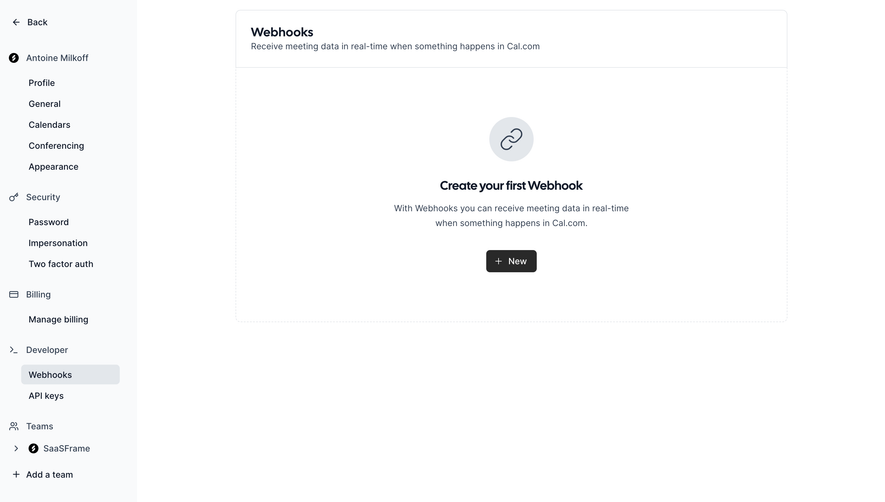




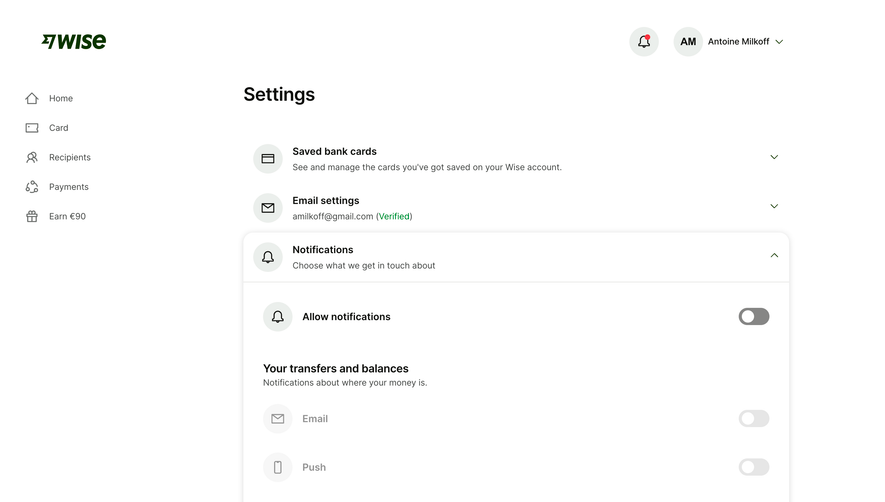

Upgrade to SaaSFrame Pro now to see similar examples.
Monthly
$18 /month
Billed $18 monthly
Browse all screens & flows
Filter and search screens & flows
Search text in screenshots
Access Figma files
Access mobile versions
Join now
Quarterly
$16 /month
Billed $48 quarterly
Browse all screens & flows
Filter and search screens & flows
Search text in screenshots
Access Figma files
Access mobile versions
Join now
Yearly
$15 /month
Billed $180 yearly
Browse all screens & flows
Filter and search screens & flows
Search text in screenshots
Access Figma files
Access mobile versions
Join now