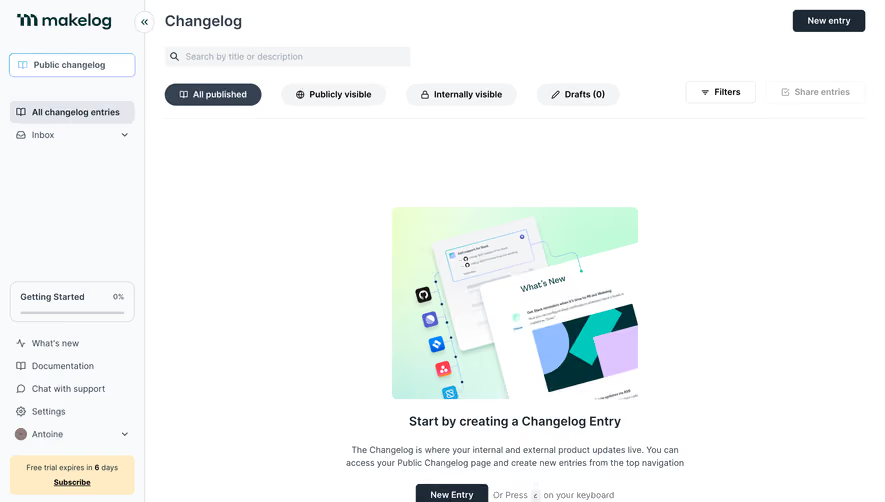
Generate a new design based on this screen using your own content.
Thank you! Your submission has been received!
Oops! Something went wrong while submitting the form.
# Design from Reference: Remote Empty Employee Table
Create an original, high-fidelity visual design inspired by the reference. Prioritize composition, typography, colors, spacing, and component styling over technical implementation.
## Reference
- **Product:** Remote
- **Category:** Empty State
- **Screenshot:** https://cdn.prod.website-files.com/5e9dc792e1210c5325f7ebbc/6acad79afbf1299940aab5bc_6acad6455c79bb17f2202728_cms-4403b9a3d7a4833f82940067.webp
Analyze the screenshot first. If inaccessible, request it rather than guessing.
## Content
{{content.instructions}}
{{content.data}}
Preserve essential messaging and factual accuracy. Adapt structure and copy length for visual balance; never invent product claims.
## Visual Design
Use this context to reproduce the reference's visual language: layout, typography, colors, spacing, borders, radii, and distinctive elements. The screenshot takes priority if descriptions conflict.
## Direction
{{preferences.fidelityInstructions}}
## Output
{{output.instructions}}
Deliver a polished, cohesive design with precise alignment, hierarchy, and spacing. Produce the requested visual artifact, not just a description. If unsupported, explain the limitation.
Employ.Remote’s dashboard exemplifies a modern, professional SaaS aesthetic with a clean, uncluttered interface. Neutral backgrounds allow vibrant primary accents—like blues and teals—to pop, reinforcing a sense of trust and reliability. Subtle shadows and soft edges add a polished touch without unnecessary ornamentation.
Layout and Structure
The page employs a robust two-column structure: a persistent sidebar for primary navigation and a central content area displaying a candidate table. This layout prioritizes function and quick access, with main actions like “Add People” clearly visible. Above the candidate list, an overview header delivers key stats and contextual information, helping users orient themselves immediately.
Visual Elements
Iconography is smartly deployed for quick-scanning statuses and actions (such as “active” or “invite sent”), enhancing clarity. Avatars or initials in user circles humanize the data and break up text-dense areas. While illustrations and animations are minimal, micro-interactions (like hover states and dropdowns) provide tactile feedback.
Color Palette and Typography
A cool-toned palette—predominantly blues and greys—conveys composure and professionalism, with brighter accents for CTA buttons and highlights. Typography establishes clear visual hierarchy: bold, larger headers contrast with crisp, readable sans-serif body text, ensuring effortless skimming and task focus.
User Experience Patterns and Unique Choices
Consistent CTAs and filter tools are sticky or always within reach, streamlining bulk actions and search. Table actions tuck secondary functions into clean dropdowns, minimizing clutter. The concise, data-centric approach exudes competence and efficiency—ideal for busy talent teams needing seamless workflows.
Tone and Feel
Overall, the experience feels trustworthy, approachable, and quietly innovative, balancing clarity with a touch of warmth—an inspiring blueprint for anyone wishing to design intuitive, professional SaaS dashboards.
.webp)





.avif)