.webp)
Thank you! Your submission has been received!
Oops! Something went wrong while submitting the form.
Get SaaSFrame Pro
Monthly
$18
Quarterly
$48
Yearly
$180
Upgrade to access this feature
Browse all screens & flows
Filter and search screens & flows
Access Figma files
Access mobile versions
Bookmark screens & flows
Join now
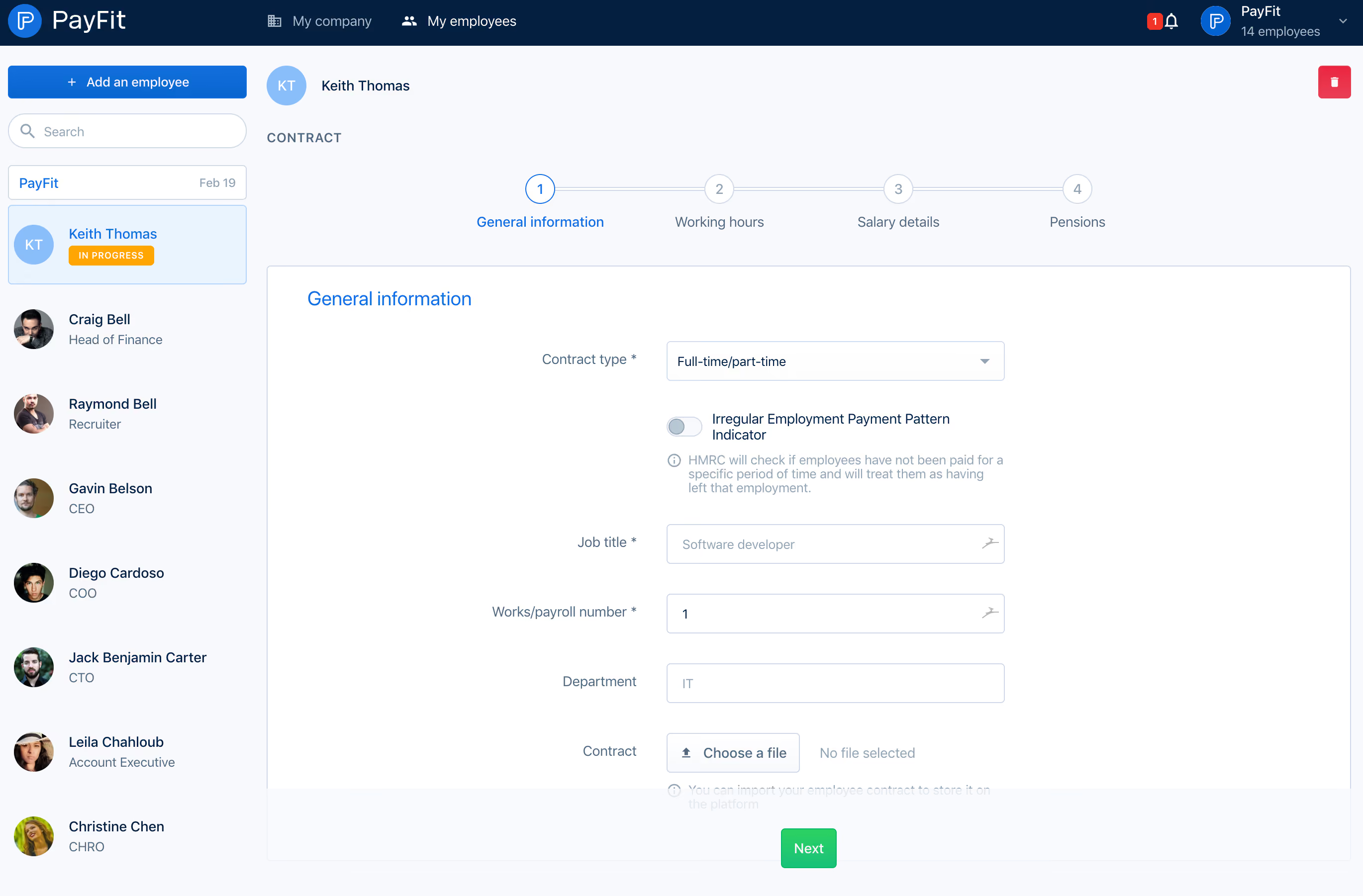
Payfit Invite Team Members

Payfit
Payroll management
Designed by
No items found.

Bookmark
Bookmark

Design with AI
Thank you! Your submission has been received!
Oops! Something went wrong while submitting the form.
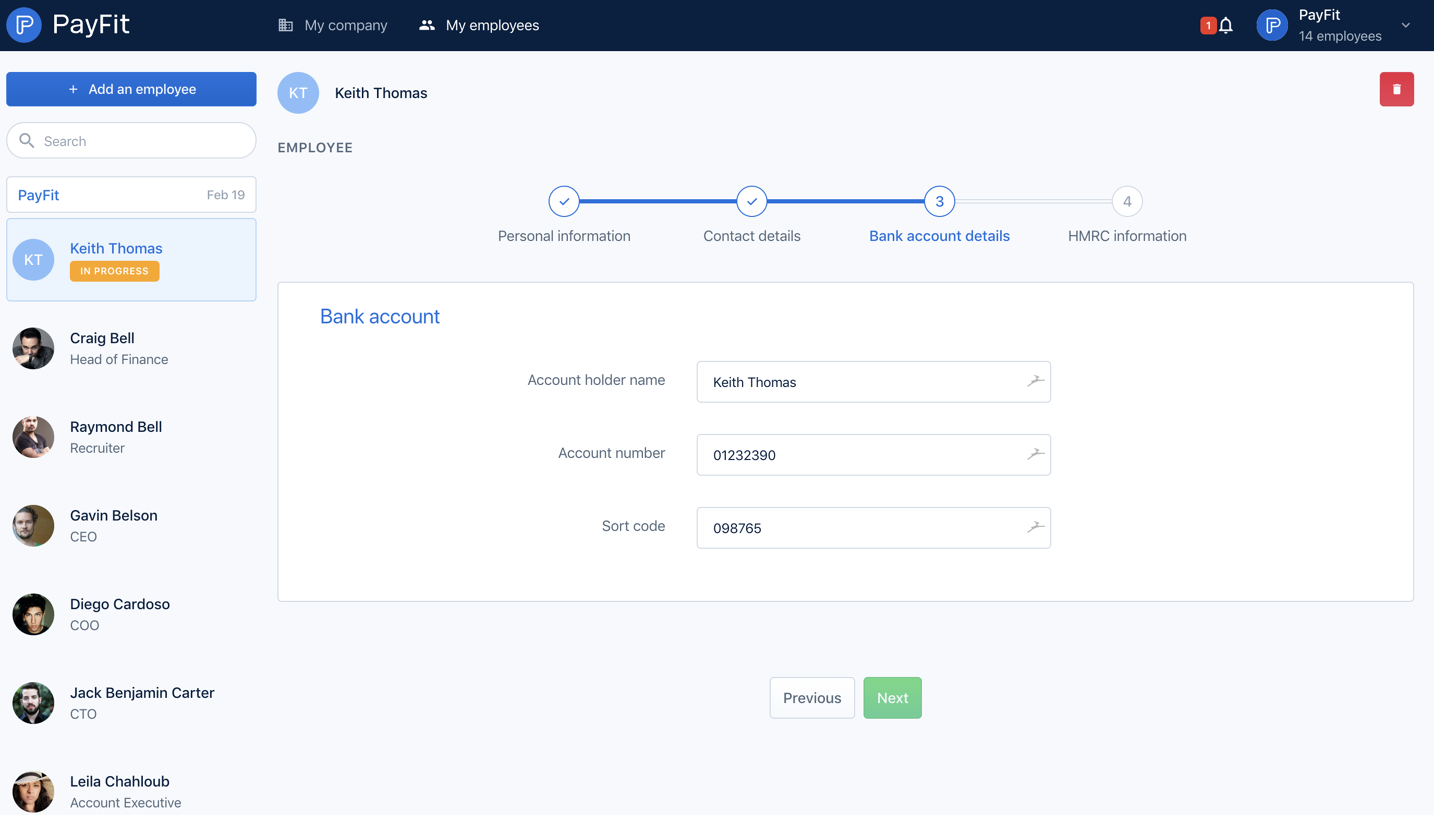
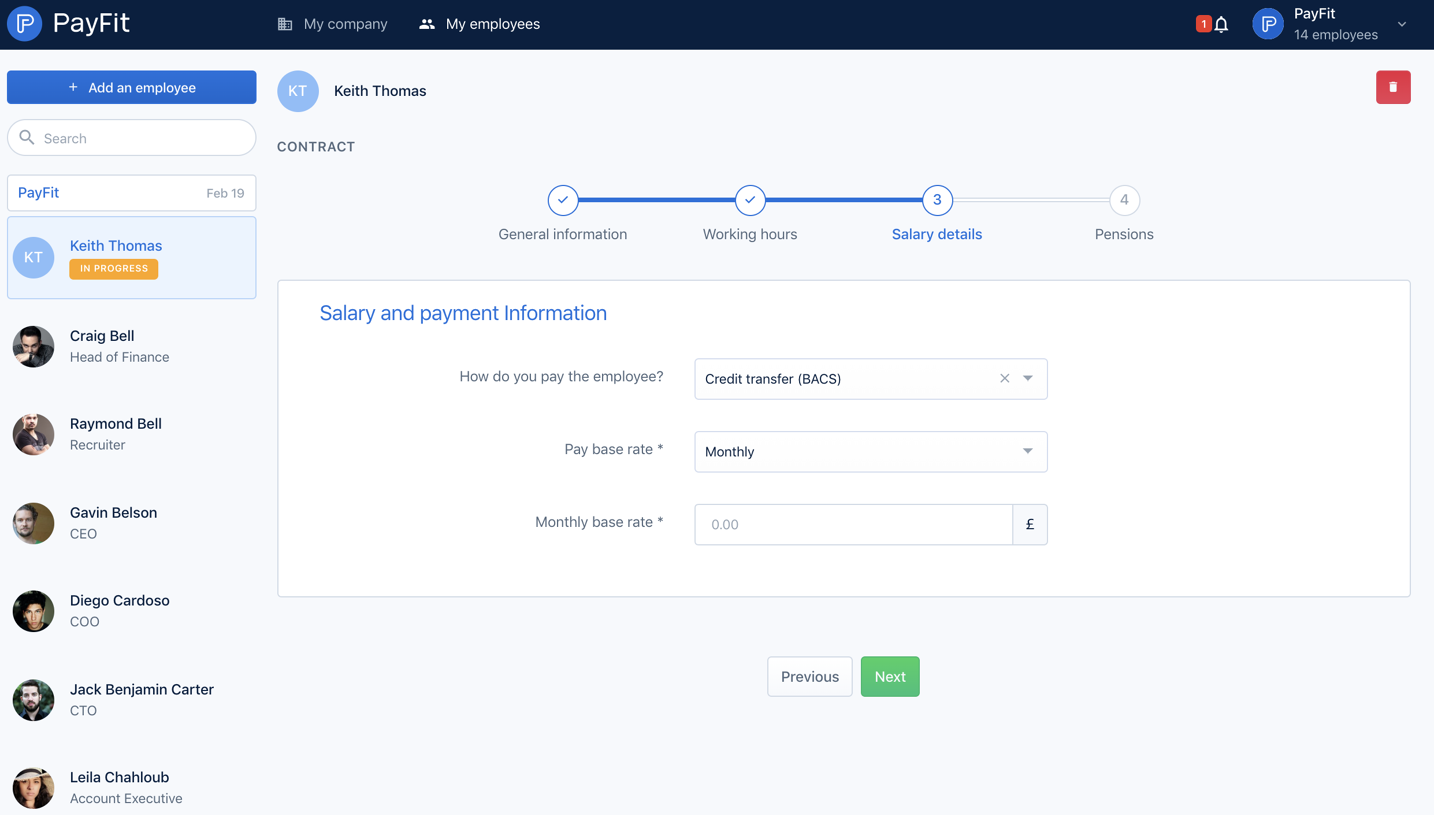
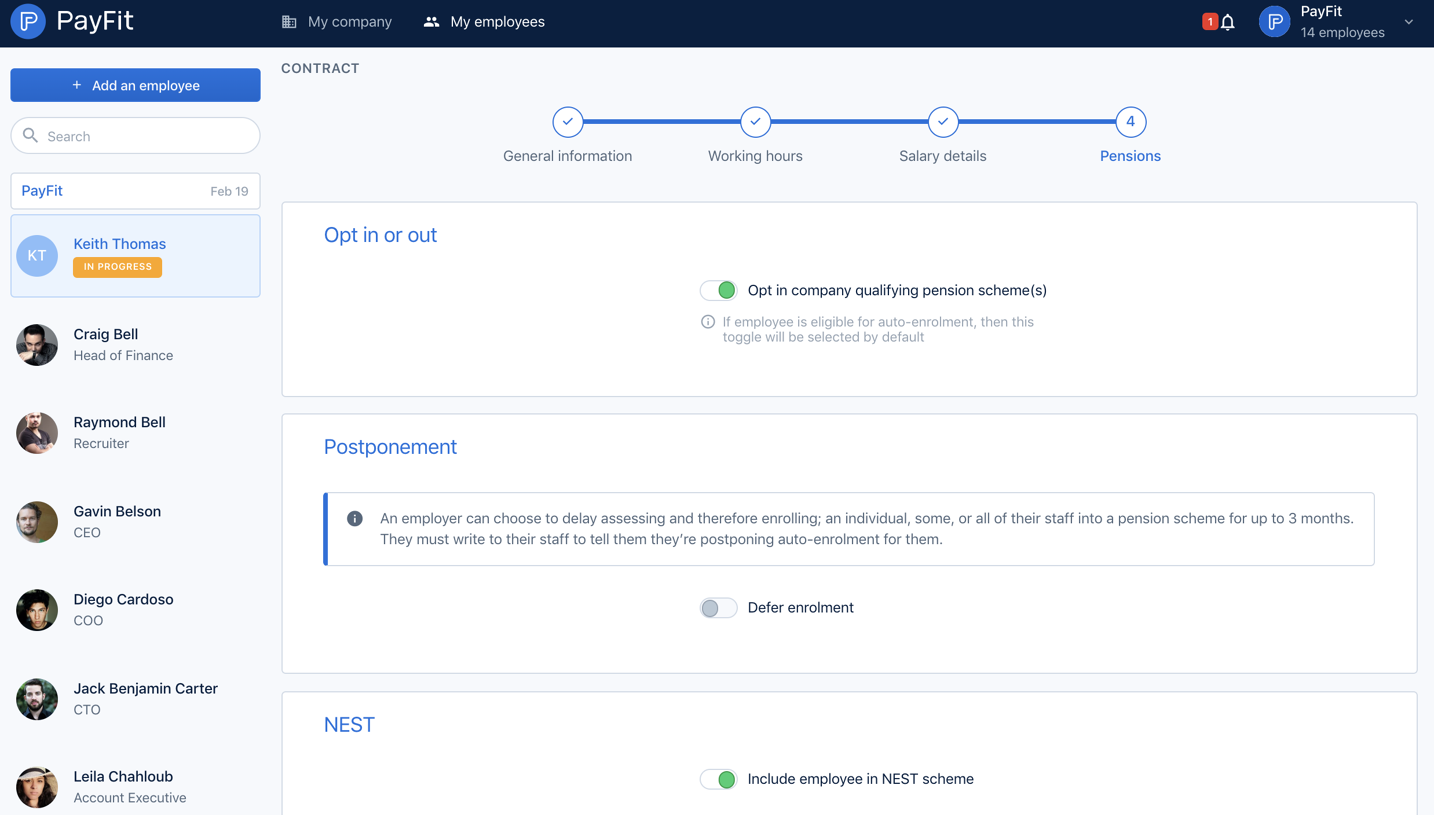
# Design from Reference: Payfit Invite Team Members
Create an original, high-fidelity visual design inspired by the reference. Prioritize composition, typography, colors, spacing, and component styling over technical implementation.
## Reference
- **Product:** Payfit
- **Category:** Invite Team Members
- **Screenshot:** https://cdn.prod.website-files.com/5e9dc792e1210c5325f7ebbc/6acbc9561790037d3e059522_6acbc6fba4008ddb7478f42b_cms-56486916d2fef48731dc3721.webp
Analyze the screenshot first. If inaccessible, request it rather than guessing.
## Content
{{content.instructions}}
{{content.data}}
Preserve essential messaging and factual accuracy. Adapt structure and copy length for visual balance; never invent product claims.
## Visual Design
### Overall aesthetic
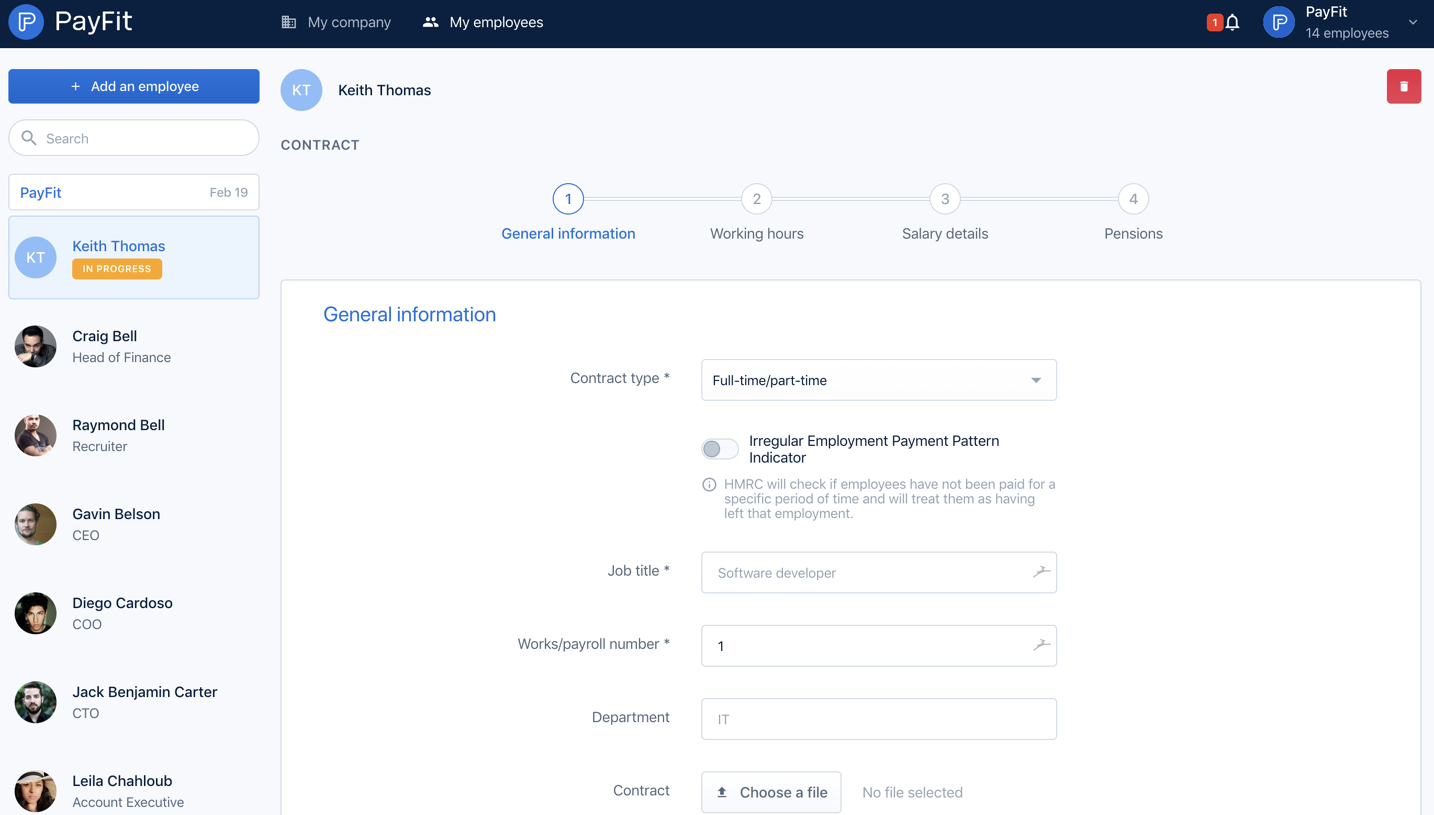
- **Character:** A structured employee-contract form uses a navy global header, pale blue-gray workspace, a left employee directory, and a large white form panel.
- **Evidence:** The source is 2740 × 1802 px, inspected at 1400 px width. Measurements below use inspection pixels; actual CSS scale is unverified.
- **Visible task:** The captured screen shows the general-information stage of an employee contract workflow, not an invitation dialog.
### Page composition
- **Header:** PayFit branding sits left, company/employee navigation spans the top, and notifications/workspace controls sit right.
- **Directory:** An approximately 260 px-wide left column holds an add-employee button, search field, small group row, and employee entries with avatars and roles.
- **Main context:** Selected employee identity appears above a contract label and four-step progress indicator.
- **Form panel:** A bordered white region contains a blue general-information heading, right-aligned labels, and aligned input controls.
- **Lower action band:** A pale band spans the panel bottom with centered green Next action; some helper text is partially obscured by this visible band.
### Information hierarchy
- **Selection:** The current employee has a pale-blue outlined directory tile and an orange in-progress badge.
- **Workflow:** General information is active in blue; working hours, salary details, and pensions remain muted.
- **Fields:** Contract type is followed by an off switch and explanation, then job title, payroll number, department, and contract upload.
- **Actions:** Next is green, the directory add action is blue, and a small red delete icon sits at the main area's upper right.
- **State:** Several fields show example values, the irregular-payment switch is off, and the upload shows no file selected.
### Typography
- **Family:** A neutral interface sans serif is used; exact identity is unverified.
- **Form heading:** Approximately 20 px regular, blue.
- **Labels and entries:** Approximately 14 px, with employee names slightly stronger than muted role descriptions.
- **Step captions:** Around 14 px with small numbered circles above.
- **Utility:** Contract label is uppercase with modest tracking; helper text is around 13 px with compact line-height.
### Colors & surfaces
- **Measured palette:** Source samples include white #FFFFFF, pale blue-gray #F7F9FC, #F9FAFD, navy #041F40, selection blue-white #EAF4FF, and border gray-blue #D0DAE6.
- **Semantic accents:** Blue identifies active workflow and navigation; green marks progression; orange marks in-progress state; red marks deletion.
- **Text:** Navy carries primary labels, while muted slate carries secondary explanations.
- **Surface treatment:** Thin cool borders define panel and inputs; the overall interface is mostly flat.
### Components
- **Directory controls:** A full-width blue add button and rounded outlined search field sit above employee rows.
- **Employee rows:** Circular photographs/initial avatars align with name/role text; the selected row has a pale fill, thin blue border, and status badge.
- **Stepper:** Four numbered outlined circles connected by a fine horizontal line, with active blue first stage.
- **Inputs:** Approximately 345 × 40 inspection px, thin cool outlines, small 4 px radii, and consistent alignment.
- **Switch:** A small gray/off capsule precedes a two-line label and information helper.
- **Upload:** An outlined Choose a file control sits beside muted empty-file text.
- **Next:** A compact green rectangle approximately 58 × 41 px with white label and small radii.
### Visual rhythm
- **Main alignment:** The content panel begins just beyond the directory; the input column forms a strong central vertical axis.
- **Form spacing:** Large vertical gaps distinguish contract selection, irregular-payment explanation, and subsequent fields.
- **Directory cadence:** Employee avatars and role lines repeat at generous intervals down the sidebar.
- **Density:** The wide form contains comparatively few controls, leaving broad white margins around the central field group.
### Responsive
- **Observed limit:** Only desktop is visible; actual mobile layout and validation are unverified.
- **Recommended navigation:** Collapse the directory and global navigation into accessible compact patterns.
- **Recommended fields:** Stack labels above controls on small screens and let the stepper become a compact current-step indicator.
- **Recommended footer:** Ensure the action band does not obscure helper text and remains reachable with an on-screen keyboard.
### Adaptation guidance
- **Preserve:** Keep clear employee selection, explicit workflow stage, aligned field groups, and semantic action colors.
- **Implement:** Use associated labels, accessible switch/upload controls, and a stepper that communicates current stage in text.
- **Content:** Replace example employee details with appropriate data; do not infer invitation behavior from the record title.
- **Validate:** Confirm fonts, CSS scale, scroll/action-band overlap, error states, and keyboard order. Later contract stages are not visible.
Use this context to reproduce the reference's visual language: layout, typography, colors, spacing, borders, radii, and distinctive elements. The screenshot takes priority if descriptions conflict.
## Direction
{{preferences.fidelityInstructions}}
## Output
{{output.instructions}}
Deliver a polished, cohesive design with precise alignment, hierarchy, and spacing. Produce the requested visual artifact, not just a description. If unsupported, explain the limitation.

.avif)
Category
Patterns



Added on
February 4, 2023

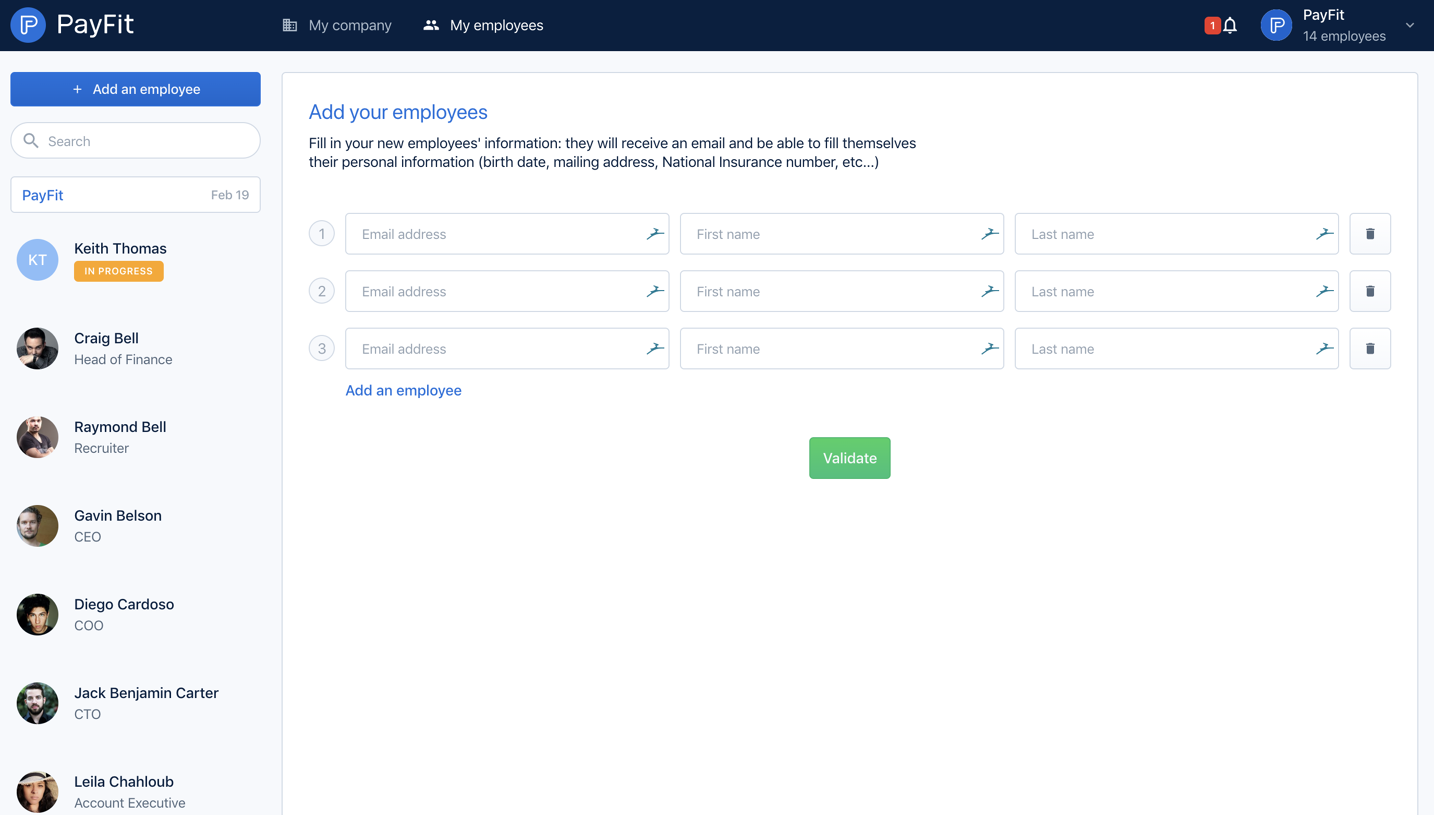
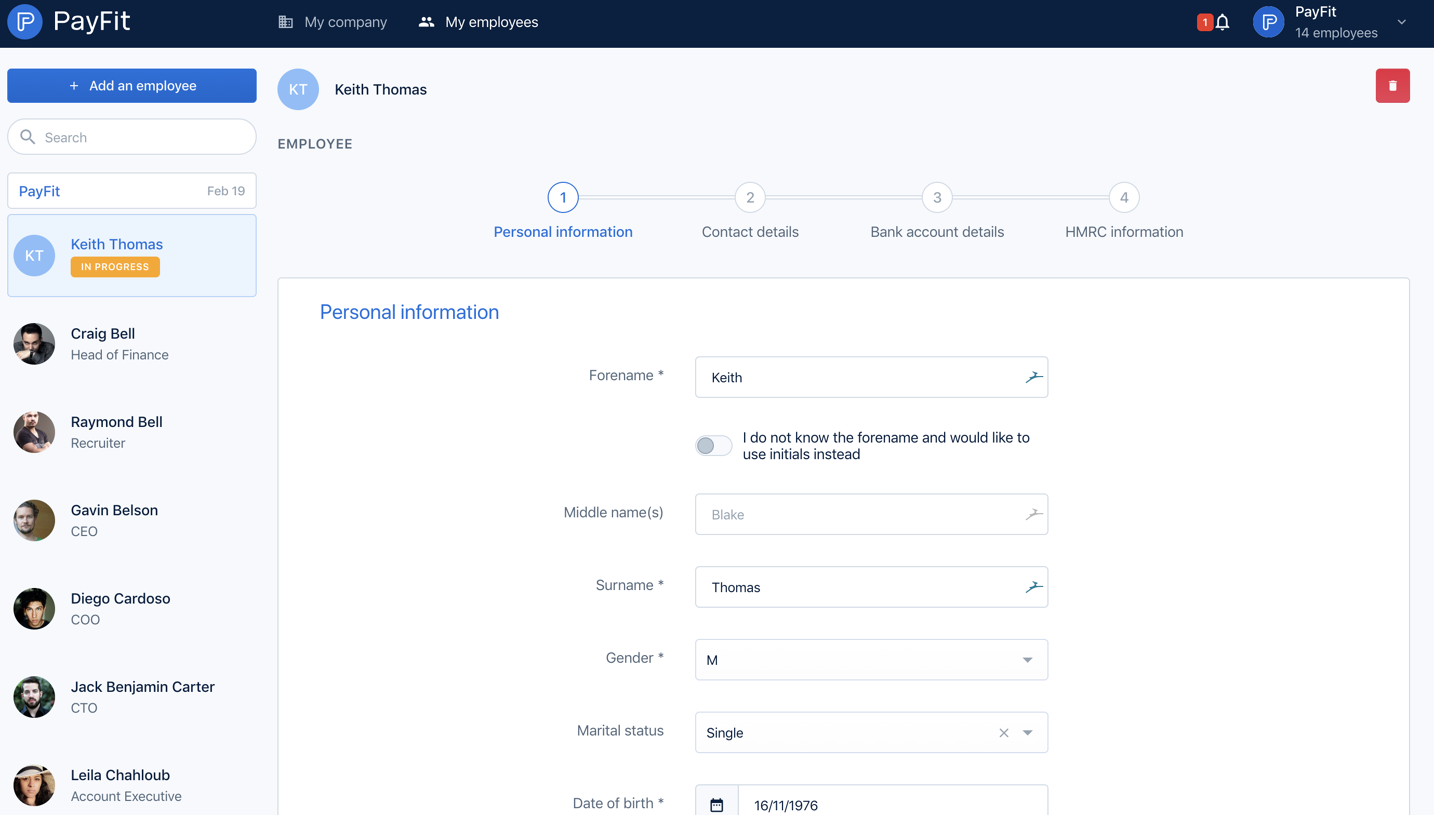
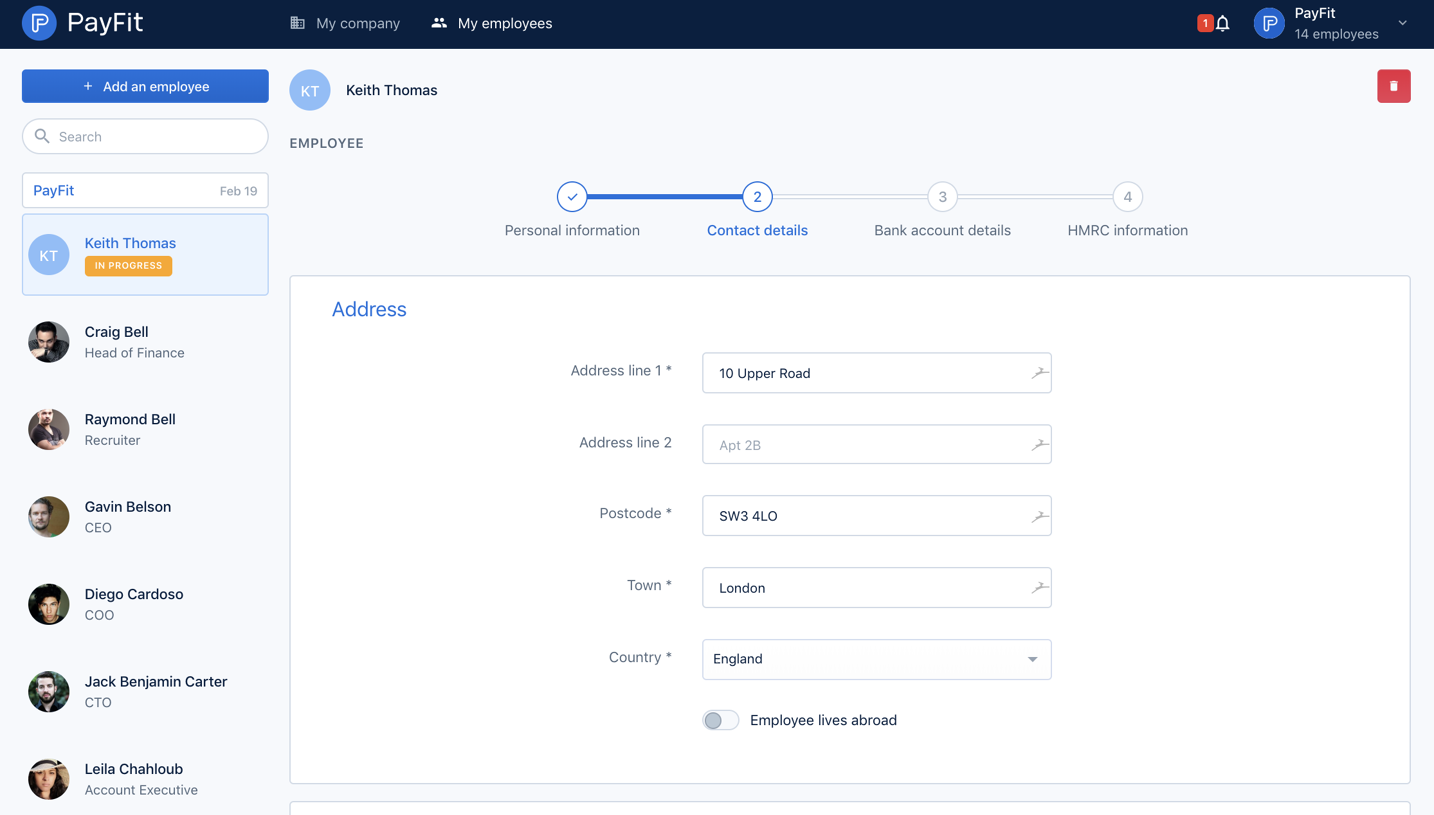


Similar screens





Upgrade to SaaSFrame Pro now to see similar examples.
Monthly
$18 /month
Billed $18 monthly
Browse all screens & flows
Filter and search screens & flows
Search text in screenshots
Access Figma files
Access mobile versions
Join now
Quarterly
$16 /month
Billed $48 quarterly
Browse all screens & flows
Filter and search screens & flows
Search text in screenshots
Access Figma files
Access mobile versions
Join now
Yearly
$15 /month
Billed $180 yearly
Browse all screens & flows
Filter and search screens & flows
Search text in screenshots
Access Figma files
Access mobile versions
Join now