.webp)
Thank you! Your submission has been received!
Oops! Something went wrong while submitting the form.
Get SaaSFrame Pro
Monthly
$18
Quarterly
$48
Yearly
$180
Upgrade to access this feature
Browse all screens & flows
Filter and search screens & flows
Access Figma files
Access mobile versions
Bookmark screens & flows
Join now
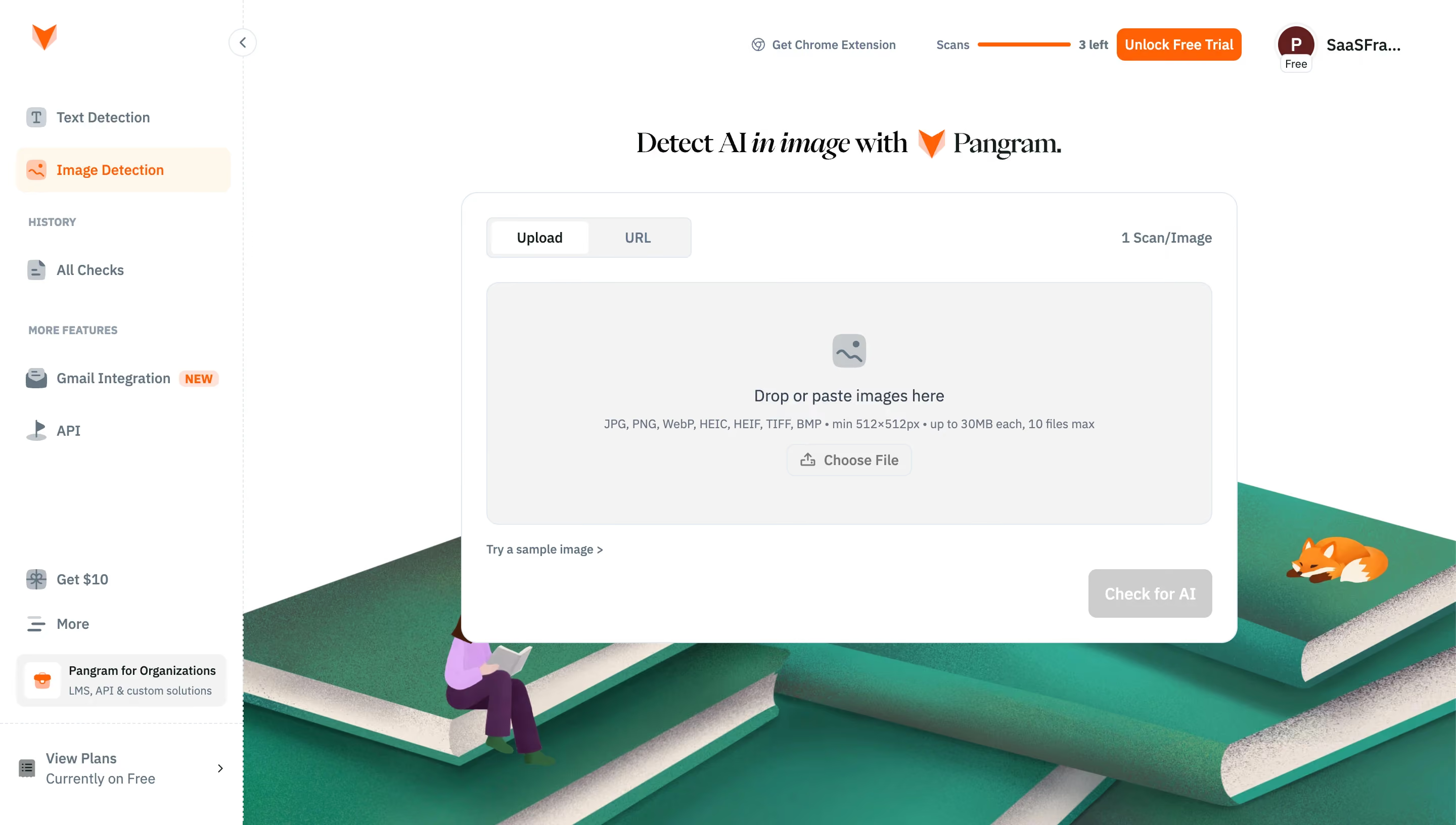
Pangram Upload an image for AI detection

Pangram
AI detection for text and images.
Designed by
No items found.

Bookmark
Bookmark

Design with AI
Thank you! Your submission has been received!
Oops! Something went wrong while submitting the form.
# Design from Reference: Pangram Upload an image for AI detection
Create an original, high-fidelity visual design inspired by the reference. Prioritize composition, typography, colors, spacing, and component styling over technical implementation.
## Reference
- **Product:** Pangram
- **Category:** Import & Export
- **Screenshot:** https://cdn.prod.website-files.com/5e9dc792e1210c5325f7ebbc/6aca261ea3a034e38b3ee6d9_6aca22f477a5af83cf951d94_cms-3a3273e7f56ac665ecaa3cd0.webp
Analyze the screenshot first. If inaccessible, request it rather than guessing.
## Content
{{content.instructions}}
{{content.data}}
Preserve essential messaging and factual accuracy. Adapt structure and copy length for visual balance; never invent product claims.
## Visual Design
### Overall aesthetic
- **Style:** Sparse image-analysis workspace combining a white utility shell, orange brand accents and a large illustrated lower background.
- **Character:** A serif headline adds editorial personality above a practical sans-serif upload interface; oversized green books, a reader and a sleeping fox add warmth.
- **Capture:** The image measures 2880 × 1632 pixels. CSS estimates assume a 2× capture, equivalent to 1440 × 816 CSS pixels; actual scale and font identities are unverified.
### Page composition
- **Sidebar:** A roughly 240-CSS-pixel rail spans the left edge, separated by a fine dashed vertical rule. Navigation groups and subscription utilities are distributed vertically.
- **Top utilities:** Extension access, remaining scan allowance, a trial action and profile identity align across the upper-right region.
- **Page heading:** A centered serif line sits above the upload panel, combining the task description, orange mark and product name.
- **Upload panel:** A white bordered card approximately 768 pixels wide occupies the center-right canvas, beginning around x456 and y190 CSS pixels.
- **Card structure:** Upload/URL tabs and a scan-cost label form the top row. A large gray drop zone follows, then a sample-image link and a right-aligned disabled analysis button.
- **Background:** The lower illustration begins behind the card and extends to the viewport's bottom and right edges.
### Information hierarchy
- **Task focus:** The central drop zone and its instruction establish uploading as the current step; no image is selected.
- **Mode selection:** Upload is selected in the segmented control, while URL is available but inactive.
- **Constraints:** Supported formats, minimum dimensions, file size and file count appear together in a small line beneath the primary instruction.
- **Action state:** Check for AI uses a gray disabled appearance until input is provided; Choose File is the available upload affordance.
- **Quota and upsell:** Remaining scans and the orange trial action are visible above the workflow without occupying the upload panel.
- **Navigation grouping:** Image Detection is highlighted; history, additional features, referral and plan controls are separated into distinct sidebar regions.
### Typography
- **Headline:** Approximately 28-pixel CSS serif type, medium weight; the image-related phrase is italicized.
- **UI family:** The remaining interface uses a compact sans-serif; its exact identity is unverified.
- **Primary drop instruction:** Approximately 16 pixels with regular weight and dark slate color.
- **Navigation and tabs:** Approximately 14 pixels, mostly semibold, with 20-pixel line height.
- **Constraints and metadata:** Approximately 12 pixels with 18-pixel line height, in muted blue-gray.
- **Group labels:** Small uppercase sidebar labels use approximately 11-pixel bold text.
- **Actions:** Trial and analysis buttons use approximately 14–16-pixel semibold text.
### Colors & surfaces
- **Measured base:** White #FFFFFF dominates the shell and upload card; the drop zone and segmented control include #F3F3F3.
- **Measured accent:** Orange #FF6105 appears in brand and action areas. Pale warm #FFF7ED supports the selected navigation state.
- **Measured boundaries:** Cool light gray #E2E8F0 appears in fine panel and control outlines.
- **Measured utility tones:** #637481 is a sampled blue-gray used among interface text/icon pixels; #CDCDCC supports the disabled-action appearance.
- **Illustration palette:** Large textured green and teal book surfaces contrast with white page edges, violet clothing and orange fox artwork.
- **Depth:** The card remains mostly flat with a fine border; dimensional depth comes primarily from the illustration beneath it.
### Components
- **Selected navigation:** A rounded warm-tinted row, approximately 212 × 44 CSS pixels, pairs an orange image icon with its label.
- **Sidebar utilities:** A small NEW badge marks the Gmail integration. A compact organization offer has its own pale-gray rounded surface; plan access sits below a horizontal divider.
- **Quota indicator:** A slim orange progress-like line appears beside the scan label and remaining-count text.
- **Trial action:** A compact orange button approximately 124 × 32 pixels uses white text and small corner rounding.
- **Main card:** Approximately 768 × 446 pixels with 16-pixel corners, a fine cool-gray outline and about 24-pixel padding.
- **Segmented control:** Approximately 202 × 40 pixels; the selected Upload segment is white inside a gray rounded track.
- **Drop zone:** Approximately 718 × 240 pixels, with 12-pixel corners, light-gray fill and fine border. Icon, instruction, constraints and file button are vertically centered.
- **File control:** A small outlined button combines an upload icon and Choose File label.
- **Analysis action:** Approximately 122 × 48 pixels, gray-filled with white text in the captured disabled state.
- **Profile:** A circular initial avatar, truncated workspace label and small Free badge occupy the upper-right corner.
### Visual rhythm
- **Shell spacing:** Sidebar rows have generous horizontal inset and roughly 44–52-pixel vertical cadence.
- **Panel spacing:** The heading sits about 32 pixels above the card; internal gaps separate mode controls, drop zone and bottom actions.
- **Centering:** The task card and heading align within the content area to the right of the sidebar, rather than the whole viewport.
- **Density contrast:** Sparse white upper space contrasts with the detailed illustration along the bottom.
- **Action placement:** The sample link anchors the lower left of the card while the disabled analysis button anchors the lower right.
### Responsive
- **Recommendation — navigation:** Collapse the sidebar while preserving the selected analysis mode and access to scan history.
- **Recommendation — panel:** Use a fluid card width with 16–24-pixel gutters and keep the drop instruction readable.
- **Recommendation — constraints:** Wrap file requirements into several lines on narrow screens rather than shrinking them.
- **Recommendation — utilities:** Move quota and trial controls into a compact header or account menu when space is limited.
- **Recommendation — decoration:** Crop or simplify the book illustration without covering input controls. No mobile layout is evidenced.
### Adaptation guidance
- **Preserve input-first flow:** Keep upload mode, file requirements, sample access and analysis action within one clear panel.
- **Make state explicit:** Retain a disabled analysis state until usable input exists, and provide separate selected-file, loading, result and error states.
- **Use orange sparingly:** Apply the sampled accent to identity, selected mode and key commercial action while leaving the workspace neutral.
- **Keep requirements close:** Place formats and limits beside the upload instruction so users can assess suitability before choosing a file.
- **Separate illustration from controls:** Treat the books, reader and fox as decorative background artwork with stable contrast behind the white task card.
- **Maintain accessible alternatives:** Support keyboard file selection alongside drop/paste input and give tabs and disabled states appropriate semantics.
Use this context to reproduce the reference's visual language: layout, typography, colors, spacing, borders, radii, and distinctive elements. The screenshot takes priority if descriptions conflict.
## Direction
{{preferences.fidelityInstructions}}
## Output
{{output.instructions}}
Deliver a polished, cohesive design with precise alignment, hierarchy, and spacing. Produce the requested visual artifact, not just a description. If unsupported, explain the limitation.

.avif)
Category
Patterns
Tech Stack
No items found.
Added on
October 9, 2026
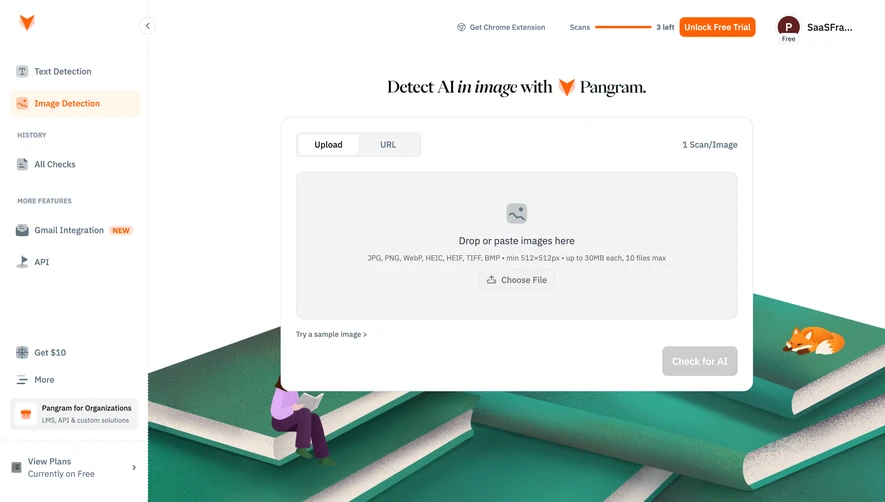
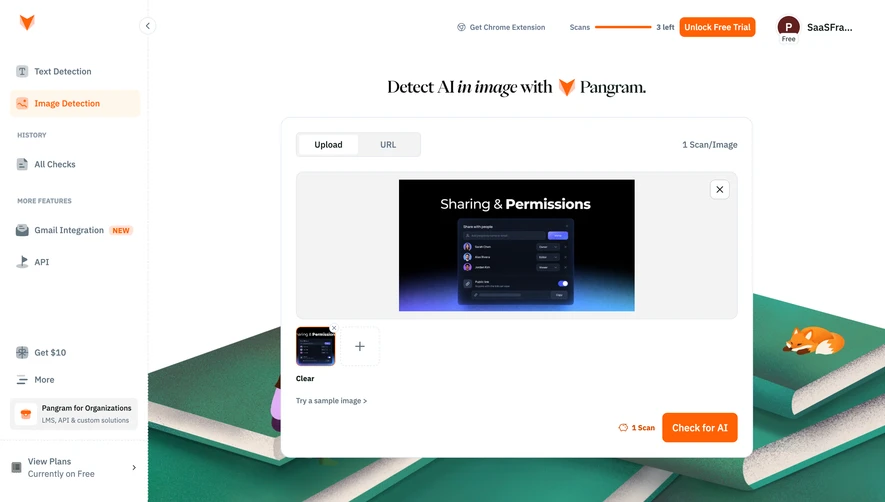
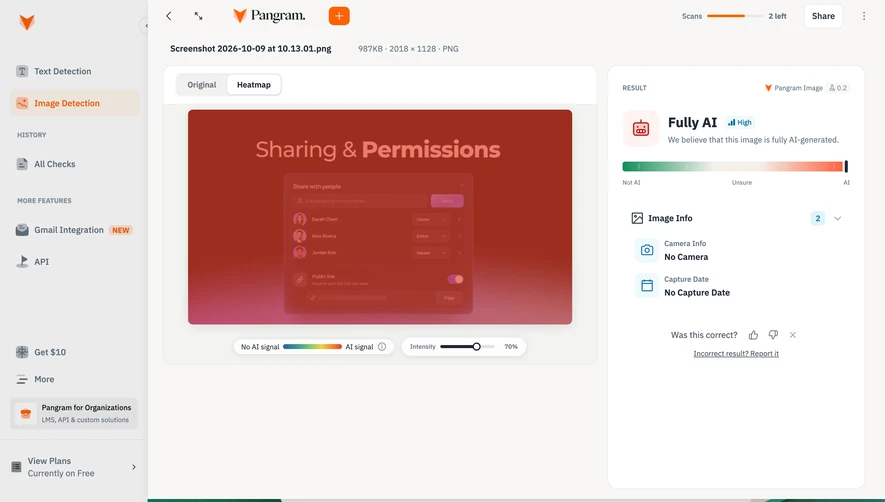
Similar screens




Upgrade to SaaSFrame Pro now to see similar examples.
Monthly
$18 /month
Billed $18 monthly
Browse all screens & flows
Filter and search screens & flows
Search text in screenshots
Access Figma files
Access mobile versions
Join now
Quarterly
$16 /month
Billed $48 quarterly
Browse all screens & flows
Filter and search screens & flows
Search text in screenshots
Access Figma files
Access mobile versions
Join now
Yearly
$15 /month
Billed $180 yearly
Browse all screens & flows
Filter and search screens & flows
Search text in screenshots
Access Figma files
Access mobile versions
Join now