Design with AI
Generate a new design based on this screen using your own content.
# Design from Reference: Loops Upload Contacts CSV
Create an original, high-fidelity visual design inspired by the reference. Prioritize composition, typography, colors, spacing, and component styling over technical implementation.
## Reference
- **Product:** Loops
- **Category:** Import & Export
- **Screenshot:** https://cdn.prod.website-files.com/5e9dc792e1210c5325f7ebbc/6acadbeed05a3f53c0a86396_6acadb436cd44b3ad4d910e8_cms-d9367f4052d3ad55549744a1.webp
Analyze the screenshot first. If inaccessible, request it rather than guessing.
## Content
{{content.instructions}}
{{content.data}}
Preserve essential messaging and factual accuracy. Adapt structure and copy length for visual balance; never invent product claims.
## Visual Design
### Overall aesthetic
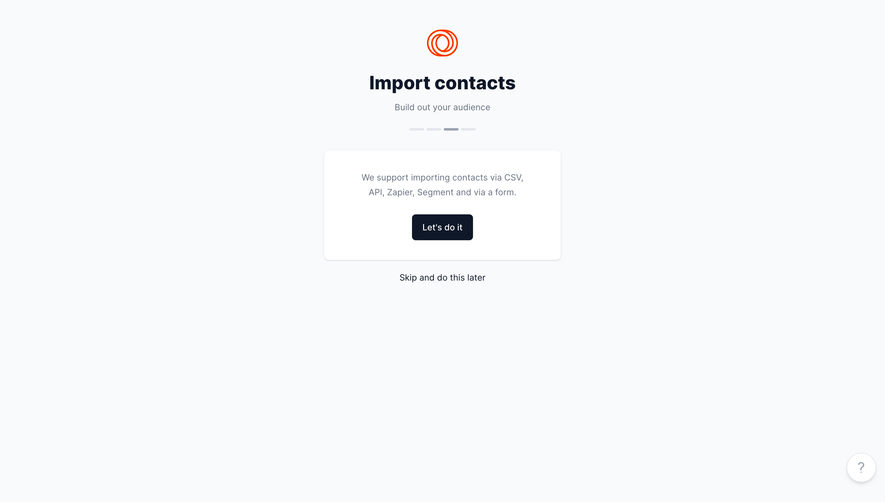
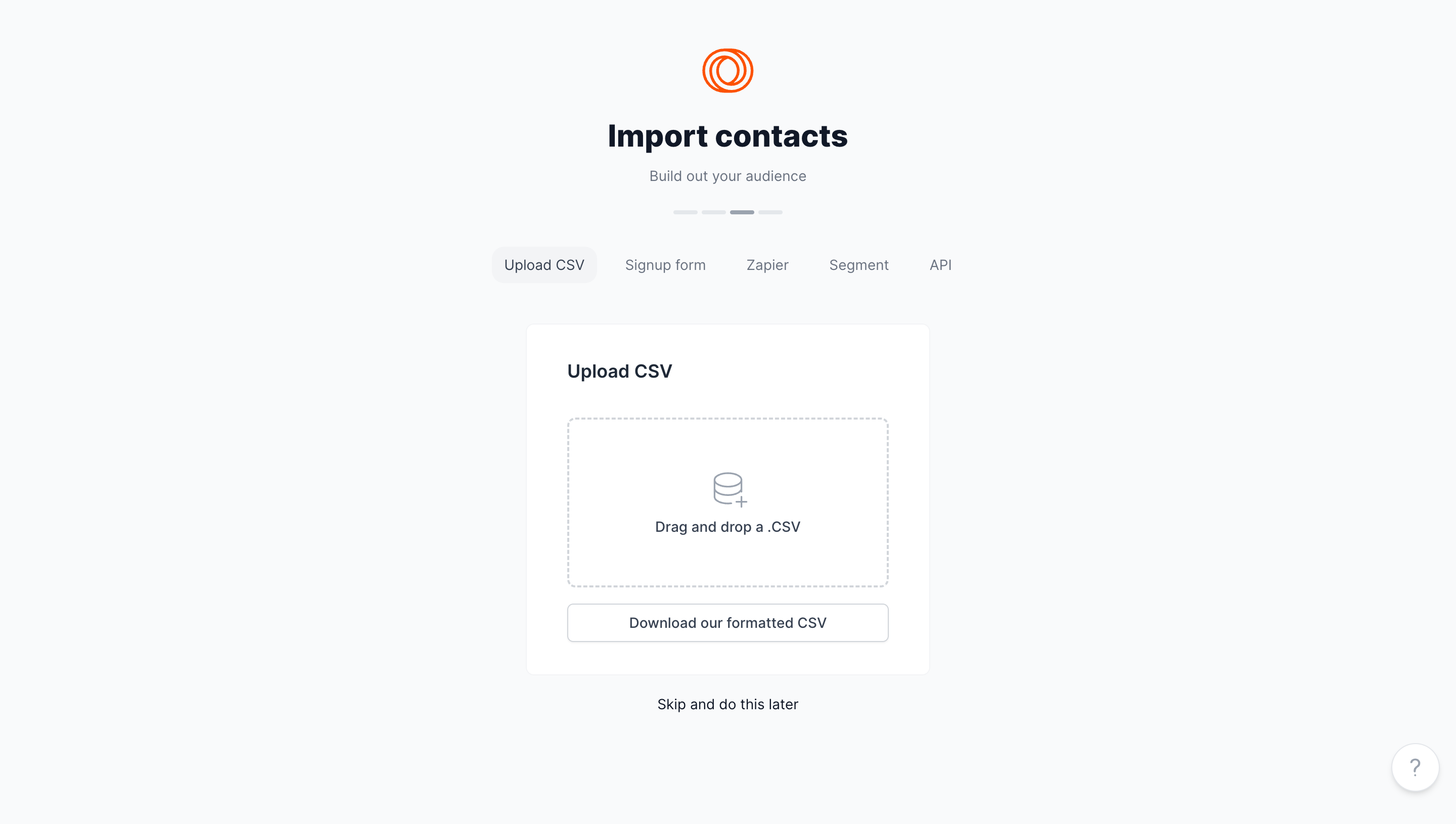
- **Character:** A light onboarding import screen uses a pale gray canvas, centered white upload card and orange brand symbol.
- **Tone:** Sparse text, soft borders and generous whitespace create a calm setup experience.
### Page composition
- **Capture scale:** The source measures 2880 × 1630 image pixels. CSS estimates below assume a 2× capture; device-pixel ratio is unverified.
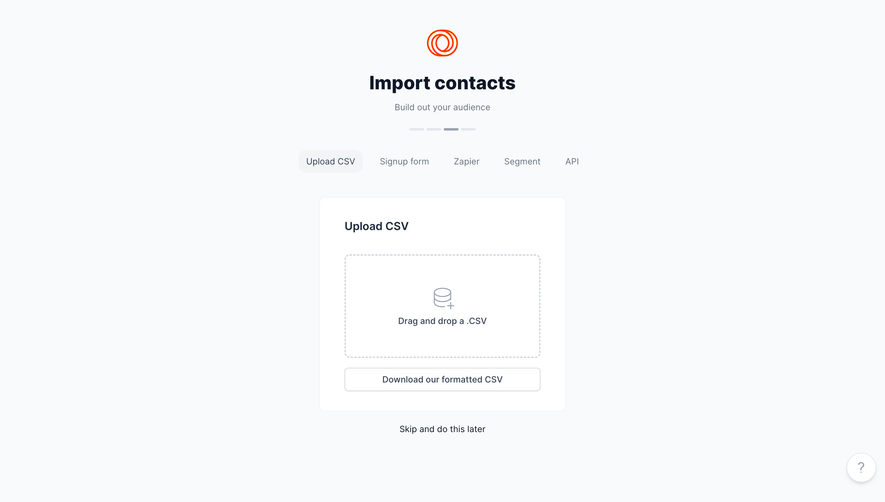
- **Header stack:** A small orange mark, bold Import contacts title, muted subtitle and four-segment progress indicator are centered at the top.
- **Import methods:** Five horizontal tabs sit beneath the progress indicator; Upload CSV is selected.
- **Upload card:** A roughly 400 × 345 px CSS white card contains a heading, large dashed drop zone and full-width template-download button.
- **Secondary actions:** A centered skip link sits below the card, while a circular help control anchors the lower-right corner.
### Information hierarchy
- **Task identity:** The bold page title is the largest text element, supported by a short audience-building subtitle.
- **Method selection:** The selected CSV tab has a pale rounded background; other methods remain text-only.
- **Upload focus:** The dashed drop zone and database-plus icon provide the primary interaction cue.
- **Supporting route:** A template-download control follows the drop zone; skipping remains visually separate below.
### Typography
- **Family:** A neutral sans serif is visible; exact identity is unverified.
- **Page title:** Approximately 32 px CSS, bold, with around 38 px leading.
- **Card heading:** Approximately 20 px, semibold.
- **Controls and copy:** Approximately 14–16 px, with muted slate used for secondary text.
- **Progress:** The step indicator uses shapes rather than numeric labels.
### Colors & surfaces
- **Measured foundation:** ICC-aware sRGB sampling yields #F9FAFB, white #FFFFFF and pale #F3F4F6.
- **Measured text:** Dark #0F1828 and slate #344153 establish hierarchy.
- **Measured borders:** #D0D5DB outlines the drop zone and secondary control.
- **Measured brand:** Orange #FF3D00 provides the only saturated accent.
- **Muted details:** #687281 supports tabs/subtitle, with darker #1C2938 in card labels.
### Components
- **Progress indicator:** Four short rounded horizontal segments sit in one row, with the third visibly darker.
- **Method tabs:** Five evenly spaced labels include CSV, signup form and three integration routes.
- **Upload card:** A thin pale border and approximately 8 px corners enclose around 40 px internal padding.
- **Drop zone:** A roughly 320 × 170 px CSS dashed rectangle has small corners, centered line icon and single-line instruction.
- **Template button:** A full-width white outlined control approximately 38 px high has a subtle lower shadow.
- **Help launcher:** A white circular button contains a gray question mark and faint shadow.
### Visual rhythm
- **Centered alignment:** Brand, title, progress, tabs, card and skip route share a central axis.
- **Section spacing:** Broad gaps distinguish the heading stack, import tabs and card.
- **Card cadence:** Heading, drop zone and template button use consistent left/right edges and generous vertical spacing.
- **Whitespace:** Large side margins keep the import task focused.
### Responsive
- **Evidence boundary:** Only a desktop state is shown; responsive behaviors are recommendations.
- **Fluid card:** Fit the upload panel within mobile gutters while preserving a useful drop target.
- **Tab overflow:** Wrap or horizontally scroll method choices without shrinking labels excessively.
- **Alternative input:** Provide a keyboard/touch file-picker route in addition to drag and drop.
### Adaptation guidance
- **Import setup:** Reuse method selection, upload area, formatted-template access and explicit skip route.
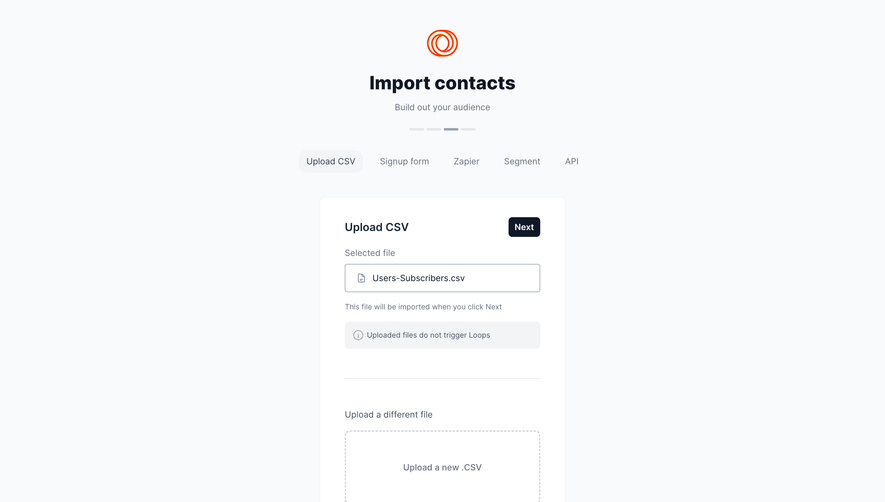
- **Feedback states:** Define selected-file, validation, uploading and completion states; the capture shows an empty drop zone only.
- **Accessible controls:** Label progress and upload interactions programmatically and preserve visible focus.
- **Scale calibration:** Validate the assumed 2× capture scale before implementing CSS dimensions.
Use this context to reproduce the reference's visual language: layout, typography, colors, spacing, borders, radii, and distinctive elements. The screenshot takes priority if descriptions conflict.
## Direction
{{preferences.fidelityInstructions}}
## Output
{{output.instructions}}
Deliver a polished, cohesive design with precise alignment, hierarchy, and spacing. Produce the requested visual artifact, not just a description. If unsupported, explain the limitation.
.webp)



.avif)