.webp)
Thank you! Your submission has been received!
Oops! Something went wrong while submitting the form.
Get SaaSFrame Pro
Monthly
$18
Quarterly
$48
Yearly
$180
Upgrade to access this feature
Browse all screens & flows
Filter and search screens & flows
Access Figma files
Access mobile versions
Bookmark screens & flows
Join now


MonSpark Contact Page

MonSpark
All In One Website Monitoring
Designed by
No items found.

Bookmark
Bookmark

Design with AI
Thank you! Your submission has been received!
Oops! Something went wrong while submitting the form.
# Design from Reference: MonSpark Contact Page
Create an original, high-fidelity visual design inspired by the reference. Prioritize composition, typography, colors, spacing, and component styling over technical implementation.
## Reference
- **Product:** MonSpark
- **Category:** Contact Page
- **Screenshot:** https://cdn.prod.website-files.com/5e9dc792e1210c5325f7ebbc/6acb65c0b206c0d3f8f0f605_6acb65051a5e5fba58c56f16_cms-e55e2188e449d341d94e8ca8.webp
Analyze the screenshot first. If inaccessible, request it rather than guessing.
## Content
{{content.instructions}}
{{content.data}}
Preserve essential messaging and factual accuracy. Adapt structure and copy length for visual balance; never invent product claims.
## Visual Design
### Overall aesthetic
- **Style:** Dark technology contact page with violet/blue atmospheric artwork, a practical contact form and a personal support card.
- **Character:** Near-black navy surfaces, pale blue-gray text, purple actions and cyan link accents. Wireframe paper planes and glossy dimensional contact icons create a futuristic tone.
- **Surface treatment:** Most content sits directly on the dark canvas. Bordered inputs, a purple-tinted support card and a rounded newsletter banner establish the principal component surfaces.
### Page composition
- **Capture scale:** 2880 × 5426 image px. CSS estimates assume an unverified 2× capture, corresponding to approximately 1440 × 2713 CSS px.
- **Header:** A centered navigation row places MonSpark at left, seven compact links across the middle and an outlined Login action at right. Contact is highlighted blue.
- **Hero:** A large centered question sits over a diffuse violet glow and wireframe paper-plane scene. One word within the heading receives a blue/violet color treatment.
- **Contact row:** A roughly 585 CSS px-wide form occupies the left; an approximately 450 × 385 px support card sits on the right. A generous gap separates them.
- **Form structure:** Name and Surname share the first row. Company Name, Phone Number, Work Email and Your Message each occupy full-width rows, followed by a small terms/privacy checkbox and a right-aligned Submit action.
- **Support card:** A purple overlay covers an office photograph. Centered heading, circular portrait, contact name and role form a vertically aligned personal-support presentation.
- **Contact methods:** Three evenly spaced blocks below the form pair large dimensional icons with uppercase Address, Phone and Email labels and muted values.
- **Newsletter:** A narrower centered purple banner contains a two-line headline and a white pill-shaped email/subscription control over abstract curved line artwork.
- **Footer:** A large gap precedes the footer. Brand/contact information sits left, with four link columns to the right. A horizontal rule separates social icons and copyright; a bright circular chat launcher sits at the lower-right edge.
### Information hierarchy
- **Hero emphasis:** The large question is the strongest text element, supported by atmospheric imagery rather than a paragraph.
- **Primary task:** The form uses visible labels and a consistent top-to-bottom field sequence. Submit is the principal form action.
- **Human reassurance:** The support card provides an identifiable person and role, visually balancing the data-entry area.
- **Alternate channels:** Address, phone and email are grouped into equally weighted blocks rather than competing buttons.
- **Secondary conversion:** Newsletter signup appears after the contact methods and uses its own prominent purple surface.
- **Captured state:** Fields are empty and the consent box is unchecked. No validation, loading or success state is visible.
### Typography
- **Family:** Clean neutral sans serif with heavy display headings. Exact identity is unverified.
- **Hero heading:** Approximately 60–64 CSS px, bold around 700, with close 68–74 px leading and slightly tight tracking.
- **Navigation:** Approximately 14 px regular; the logo is around 20 px bold and Login is slightly larger than the links.
- **Field labels:** Approximately 14 px with 18–20 px leading, pale neutral text. Placeholders are a quieter blue-gray at a similar size.
- **Support card:** Heading approximately 28–30 px bold; name around 18 px semibold; role around 16 px.
- **Contact blocks:** Uppercase labels around 16 px with increased tracking, followed by regular 16 px values.
- **Newsletter:** Approximately 30–32 px bold with generous 48–54 px line spacing. Footer headings are approximately 16 px bold and links around 14 px.
- **Measurement limit:** Typography values are visual CSS estimates under the assumed 2× capture.
### Colors & surfaces
- **Main background:** Sampled sRGB #0B1118 and #0D1118 dominate the dark page.
- **Input/secondary surfaces:** Sampled #101823 and #101922 are related dark blue-gray surface tones.
- **Light foreground:** Sampled #F4F4FB is a pale cool text reference used among brighter interface details.
- **Accent palette:** Purple/violet fills appear on Submit, the support overlay and newsletter banner; cyan/blue appears in links and highlighted words. Their exact accent hex values are not established by the dominant-color sample.
- **Border treatment:** Inputs use thin muted violet-blue outlines that remain visible against the dark fill. Footer rules are substantially quieter.
- **Decorative lighting:** The hero glow, icon highlights and newsletter curves use soft gradients rather than flat fills; preserve these as layered artwork instead of treating each raster variation as a theme token.
### Components
- **Inputs:** Full-width rows are approximately 585 × 46 CSS px; the first pair are about 286 px wide with a 12 px gap. Corners are around 7–8 px.
- **Input icons:** Small muted leading glyphs appear inside the controls, with text inset beyond them. Labels remain outside and above each field.
- **Message control:** Shown at a height similar to the other fields in this capture, rather than as a tall multi-line box.
- **Consent row:** Small unchecked square followed by compact text with cyan Terms and Privacy Policy links.
- **Submit button:** Approximately 98 × 42 CSS px, violet fill, white centered label and about 7–8 px radii.
- **Support portrait:** Circular photograph around 90–95 px across with a white ring, centered over the tinted office image.
- **Contact icons:** Large glossy location pin, phone and chat symbols use dark reflective surfaces with blue/violet accents and subtle glow.
- **Newsletter control:** Approximately 510 × 58 CSS px white pill, with muted email placeholder and an inset blue-violet Subscribe pill on the right.
- **Footer chat:** Bright cyan circular launcher with white speech icon, distinct from the subdued footer links.
### Visual rhythm
- **Section pacing:** Atmospheric hero, functional contact row, three contact methods, newsletter and footer create clear sequential regions.
- **Spacing:** Large vertical gaps separate sections, while form fields use compact, consistent label/control spacing.
- **Balance:** A wide form and narrower personal card establish asymmetry; the three contact blocks and centered newsletter restore symmetry below.
- **Accent concentration:** Purple surfaces mark the key support and conversion areas; most remaining content stays neutral on dark navy.
### Responsive
- **Evidence limit:** Only desktop is visible; recommendations below are not observed behavior.
- **Form recommendation:** Stack first/last-name fields on narrow screens and use full-width controls with at least 44 px touch height.
- **Support recommendation:** Move the personal-support card below the form and maintain readable text over the photo overlay.
- **Contact recommendation:** Stack the three method blocks or use a compact list, retaining descriptive text alongside icons.
- **Newsletter recommendation:** Separate email input and Subscribe action when the inset-pill pattern becomes too cramped.
- **Footer recommendation:** Collapse navigation into fewer columns and keep the chat launcher clear of legal links.
### Adaptation guidance
- **Preserve task clarity:** Keep the contact form and genuine alternate contact channels easy to locate within the decorative theme.
- **Use real identities:** Replace the support portrait, role, contact details and business claims with authorized target-product material.
- **Adapt data collection:** Include only fields required by the target contact workflow and provide suitable consent wording.
- **Retain coherent accents:** Use one violet/blue family across buttons, artwork and highlights, with near-black backgrounds and readable pale text.
- **Accessibility recommendation:** Verify text and border contrast, label every field and expose errors clearly. Static screenshots do not establish submission or keyboard behavior.
Use this context to reproduce the reference's visual language: layout, typography, colors, spacing, borders, radii, and distinctive elements. The screenshot takes priority if descriptions conflict.
## Direction
{{preferences.fidelityInstructions}}
## Output
{{output.instructions}}
Deliver a polished, cohesive design with precise alignment, hierarchy, and spacing. Produce the requested visual artifact, not just a description. If unsupported, explain the limitation.

.avif)
Category
Patterns
No items found.
Tech Stack


Added on
June 28, 2023
Similar screens
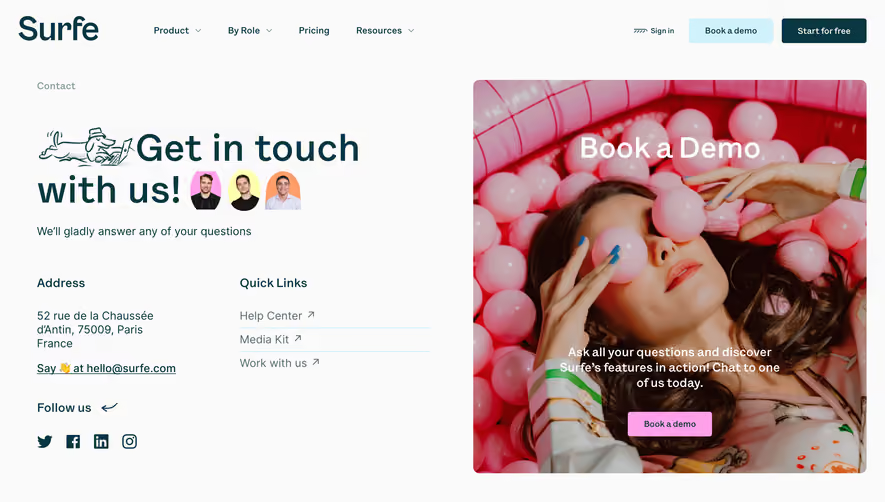



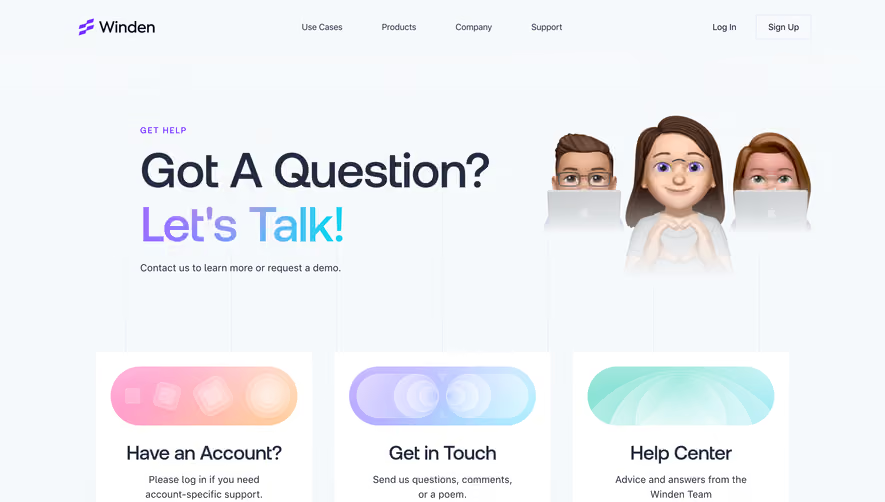

Upgrade to SaaSFrame Pro now to see similar examples.
Monthly
$18 /month
Billed $18 monthly
Browse all screens & flows
Filter and search screens & flows
Search text in screenshots
Access Figma files
Access mobile versions
Join now
Quarterly
$16 /month
Billed $48 quarterly
Browse all screens & flows
Filter and search screens & flows
Search text in screenshots
Access Figma files
Access mobile versions
Join now
Yearly
$15 /month
Billed $180 yearly
Browse all screens & flows
Filter and search screens & flows
Search text in screenshots
Access Figma files
Access mobile versions
Join now