.webp)
Thank you! Your submission has been received!
Oops! Something went wrong while submitting the form.
Get SaaSFrame Pro
Monthly
$18
Quarterly
$48
Yearly
$180
Upgrade to access this feature
Browse all screens & flows
Filter and search screens & flows
Access Figma files
Access mobile versions
Bookmark screens & flows
Join now
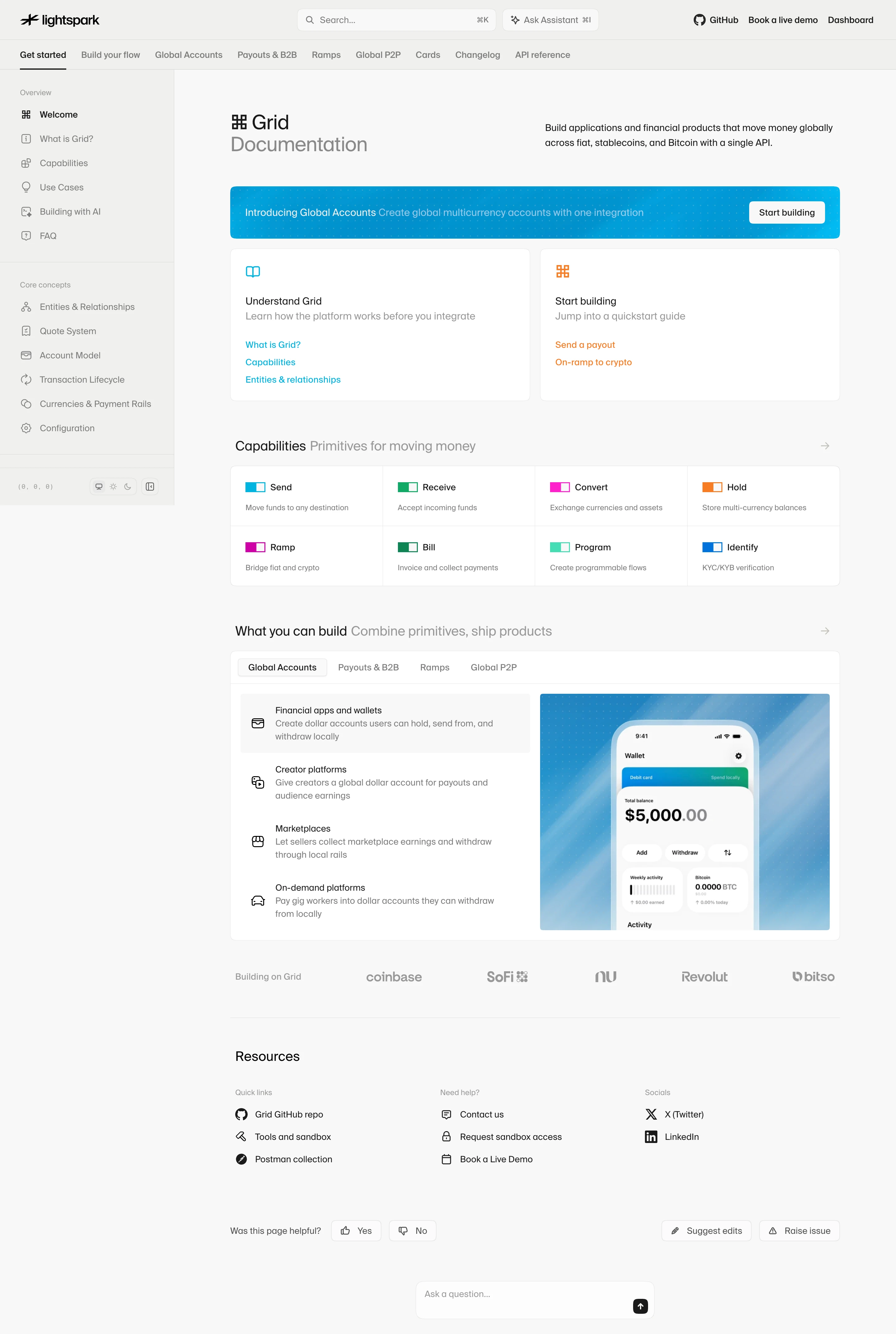

Lightspark Documentation

Lightspark
The API for money
Designed by
No items found.

Bookmark
Bookmark

Design with AI
Thank you! Your submission has been received!
Oops! Something went wrong while submitting the form.
# Design from Reference: Lightspark Documentation
Create an original, high-fidelity visual design inspired by the reference. Prioritize composition, typography, colors, spacing, and component styling over technical implementation.
## Reference
- **Product:** Lightspark
- **Category:** Documentation
- **Screenshot:** https://cdn.prod.website-files.com/5e9dc792e1210c5325f7ebbc/6aca2637fe95dabb9205635f_6aca230a9310ad66fe263bf9_cms-e0666c8d47b2053fef7cbf63.webp
Analyze the screenshot first. If inaccessible, request it rather than guessing.
## Content
{{content.instructions}}
{{content.data}}
Preserve essential messaging and factual accuracy. Adapt structure and copy length for visual balance; never invent product claims.
## Visual Design
### Overall aesthetic
- **Style:** Light developer-documentation portal with warm neutral surfaces, fine grid boundaries and compact sans-serif typography.
- **Character:** Small line icons, a cyan announcement banner and color-coded capability markers add clarity to a restrained technical layout.
- **Capture:** The screenshot measures 2880 × 4288 pixels. CSS estimates assume a 2× capture, equivalent to approximately 1440 × 2144 CSS pixels; actual scale and font identity are unverified.
### Page composition
- **Global header:** Logo, search and assistant controls share the top row with repository, demo and dashboard links.
- **Topic navigation:** A second horizontal row lists documentation areas, with Get started underlined.
- **Sidebar:** An approximately 280-CSS-pixel rail groups overview and core-concept links, with small theme/display controls below.
- **Main introduction:** A two-part heading sits left and a short platform explanation right within an approximately 980-pixel content region.
- **Announcement:** A cyan patterned banner spans the content width with a right-aligned start action.
- **Entry cards:** Two equal white cards offer conceptual orientation and quickstart routes.
- **Capabilities:** Eight compact entries form a four-column, two-row bordered grid.
- **Use-case module:** A tabbed white panel pairs four application descriptions on the left with a large wallet-phone illustration on the right.
- **Lower content:** A customer-logo row precedes resources, page feedback, edit/issue controls and a centered question composer.
### Information hierarchy
- **Documentation identity:** Grid and a lighter Documentation line establish the page, supported by a concise explanation.
- **Entry paths:** Understand and Start building have equal card prominence but distinct cyan/orange accents.
- **Capability taxonomy:** Short names, colored markers and one-line descriptions provide a quick overview.
- **Use-case focus:** Global Accounts is the selected tab; the first application row has a pale selected background.
- **Trust:** Five muted customer logos sit between examples and resources.
- **Utility hierarchy:** Resource links are grouped by quick links, help and social destinations; feedback controls remain lower priority.
- **Assistant access:** Search, assistant and bottom question input offer several help entry points without a large chat overlay.
### Typography
- **Family:** A clean geometric sans-serif is visible; exact identity is unverified.
- **Page identity:** Approximately 32-pixel CSS size, regular-to-medium weight, with a gray second line.
- **Section headings:** Approximately 22 pixels, regular-to-medium, often followed by lighter inline explanatory text.
- **Card titles:** Approximately 16 pixels; descriptions around 16 pixels in muted gray.
- **Navigation and resource links:** Approximately 14 pixels.
- **Capability descriptions:** Approximately 12–13 pixels with 18-pixel line height.
- **Sidebar group labels:** Approximately 12 pixels, light gray; item labels around 14 pixels.
- **Feedback controls:** Approximately 14 pixels, regular.
### Colors & surfaces
- **Measured canvas:** Warm near-white #F8F8F7 fills the main area.
- **Measured card surface:** White #FFFFFF supports cards and grids.
- **Measured shell:** #F0F0EE supports the header/sidebar family.
- **Measured text:** Near-black #1A1A1A carries primary labels; #7C7C7C and #989898 appear among secondary text pixels.
- **Accent roles:** Cyan distinguishes conceptual links and the announcement; orange distinguishes quickstart links. Green, magenta, mint and blue classify capabilities.
- **Artwork:** The wallet preview uses a blue gradient, white phone surface and small green/blue card details.
- **Depth:** Fine pale outlines and small corner radii define modules, with minimal shadow.
### Components
- **Search/assistant:** A wide rounded search field includes a shortcut hint; a neighboring assistant button has an icon and separate shortcut.
- **Selected topic:** A dark thin underline marks Get started in the upper navigation.
- **Sidebar links:** Small gray line icons precede each item; horizontal dividers separate groups.
- **Banner:** Approximately 980 × 84 CSS pixels, with 8-pixel corners, a dotted cyan surface and white action button.
- **Entry cards:** Approximately 482 × 245 pixels with about 24-pixel padding and colored icon/link groups.
- **Capability grid:** Eight equal cells share borders; each has a small paired-color rectangular mark, name and description.
- **Use-case tabs:** Four compact labels sit in the panel header; the selected tab uses a pale bordered fill.
- **Example panel:** A two-column body contains icon-led application rows and a cropped wallet-phone image.
- **Resource groups:** Three columns use small gray labels and icon-text links.
- **Feedback row:** Yes/No controls align left, while Suggest edits and Raise issue align right.
- **Question composer:** A rounded white input near the bottom includes a dark square send-arrow button.
- **State scope:** No search result, assistant response, expanded sidebar or alternate use-case tab is shown.
### Visual rhythm
- **Main inset:** Approximately 90 pixels separate the sidebar edge from the content column.
- **Module gaps:** Roughly 16 pixels separate paired cards; larger 56–64-pixel breaks divide capabilities, use cases and resources.
- **Grid rhythm:** Repeated icon/title/description structures create a compact overview within generous outer space.
- **Alignment:** Banner, cards, grids, logos and feedback share the same content edges.
- **Density transition:** The page moves from dense discovery modules to sparse resources and feedback at the bottom.
### Responsive
- **Recommendation — navigation:** Collapse topic/sidebar navigation while preserving current location and search.
- **Recommendation — cards:** Stack paired entry cards and reduce the capability grid to fewer columns.
- **Recommendation — use cases:** Stack descriptions above the wallet illustration and allow tabs to wrap or scroll explicitly.
- **Recommendation — resources:** Wrap the three groups and feedback controls into readable vertical sections.
- **Recommendation — assistant:** Keep the question composer within the viewport with a clear send target. No mobile layout is evidenced.
### Adaptation guidance
- **Preserve entry choices:** Separate conceptual learning from quickstart action.
- **Use consistent taxonomy:** Keep capability names, colored markers and one-line descriptions together.
- **Maintain light structure:** Reuse warm neutrals, white cards, fine borders and compact icons.
- **Keep examples concrete:** Pair use-case descriptions with a relevant product illustration.
- **Separate documentation utilities:** Keep resources, feedback, edits and assistant help distinct from the main learning path.
- **Define unseen states:** Search, assistant answers, tabs and feedback results require separate implementation beyond the static capture.
Use this context to reproduce the reference's visual language: layout, typography, colors, spacing, borders, radii, and distinctive elements. The screenshot takes priority if descriptions conflict.
## Direction
{{preferences.fidelityInstructions}}
## Output
{{output.instructions}}
Deliver a polished, cohesive design with precise alignment, hierarchy, and spacing. Produce the requested visual artifact, not just a description. If unsupported, explain the limitation.

.avif)
Category
Patterns
No items found.



Added on
October 5, 2026
Similar screens



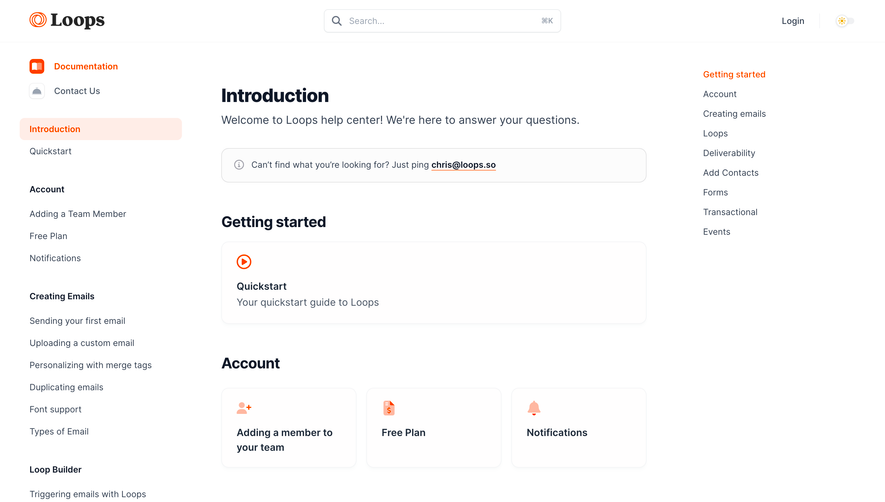

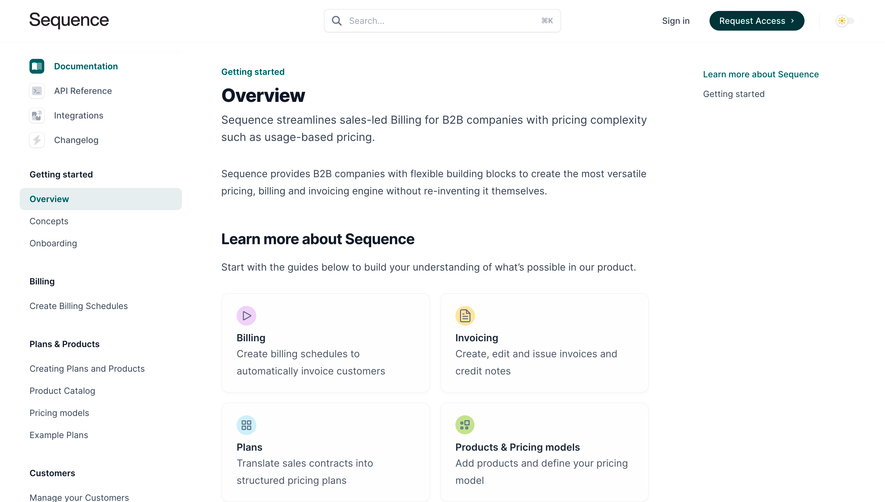
Upgrade to SaaSFrame Pro now to see similar examples.
Monthly
$18 /month
Billed $18 monthly
Browse all screens & flows
Filter and search screens & flows
Search text in screenshots
Access Figma files
Access mobile versions
Join now
Quarterly
$16 /month
Billed $48 quarterly
Browse all screens & flows
Filter and search screens & flows
Search text in screenshots
Access Figma files
Access mobile versions
Join now
Yearly
$15 /month
Billed $180 yearly
Browse all screens & flows
Filter and search screens & flows
Search text in screenshots
Access Figma files
Access mobile versions
Join now