.avif)

1. Header: The page starts with a clear header section. It has a logo, a primary menu bar, and a call-to-action button. 2. Hero Section: The hero section features a banner image, a heading, a brief description, and a button for downloading the media kit. 3. Press Release List: The next section consists of a grid of press release cards sorted in reverse chronological order. Each card includes the title of the press release, a brief description, and a thumbnail image. Users can click on the "Read More" button on each card to read the full press release. 4. Press Release Filters: Below the press release list, there is a filter section allowing users to filter the press release cards by category, year, and keyword. 5. Media Coverage: The media coverage section lists links to articles about Kinsta from popular industry publications. Each card includes the name of the publication, a thumbnail image, the article title, and a brief description. 6. Branding and Logos: The branding and logos section includes different versions of the Kinsta logo in various file formats and sizes. 7. Contact Section: The contact section has a heading and a short paragraph describing how to contact Kinsta for press inquiries. It also includes a contact form for potential press inquiries. 8. Footer: The footer section includes links to navigate the website, social media links, and copyright information. It also has a subscription form for users to sign up for Kinsta's newsletter.
.webp)
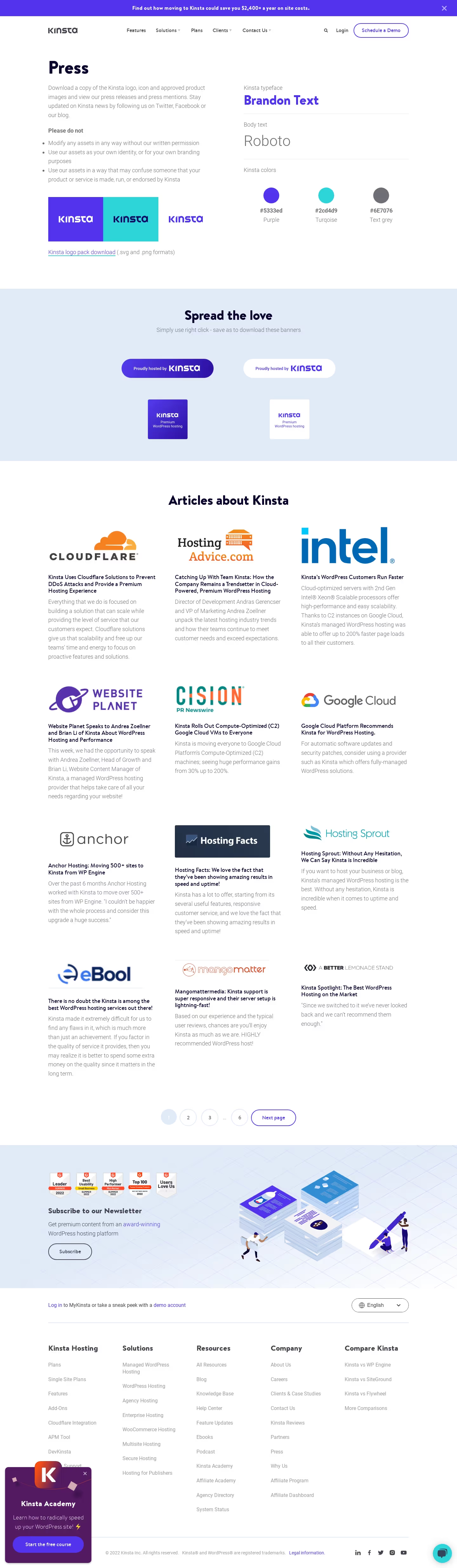

Kinsta Press Page

Kinsta
WordPress Hosting Tool
Designed by
No items found.
Category
Patterns
No items found.
Tech Stack
Added on
October 21, 2020