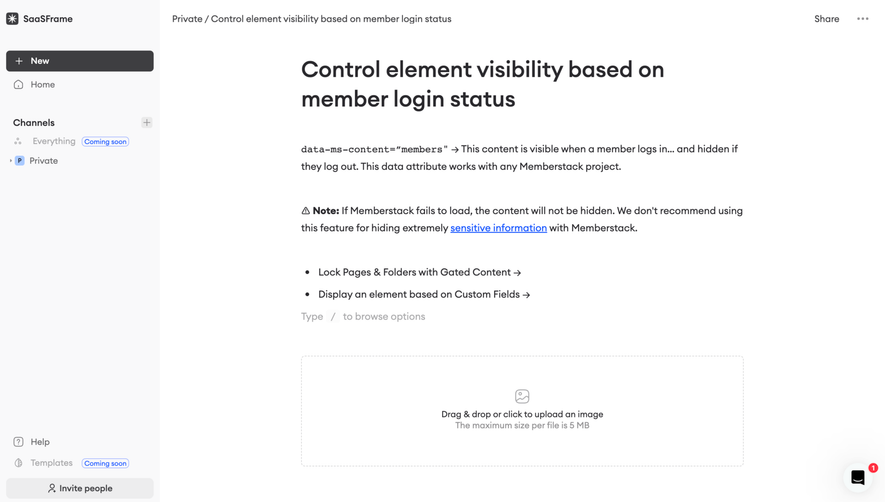
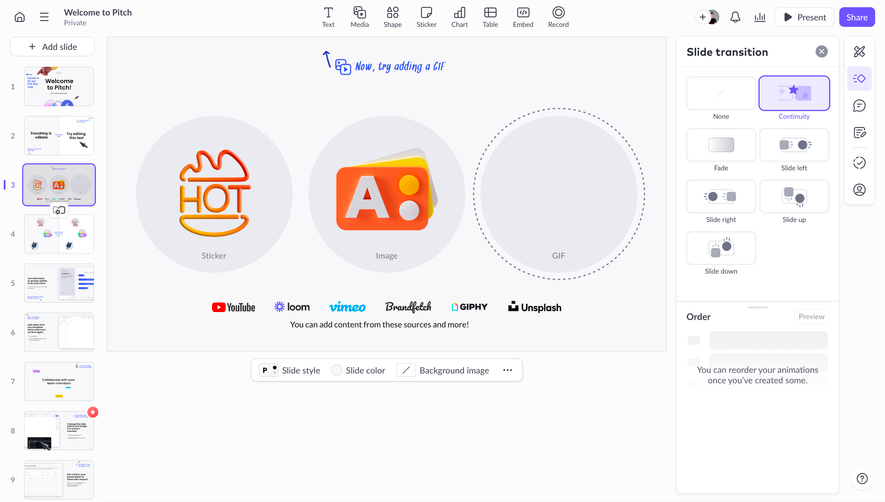
Design with AI
Generate a new design based on this screen using your own content.
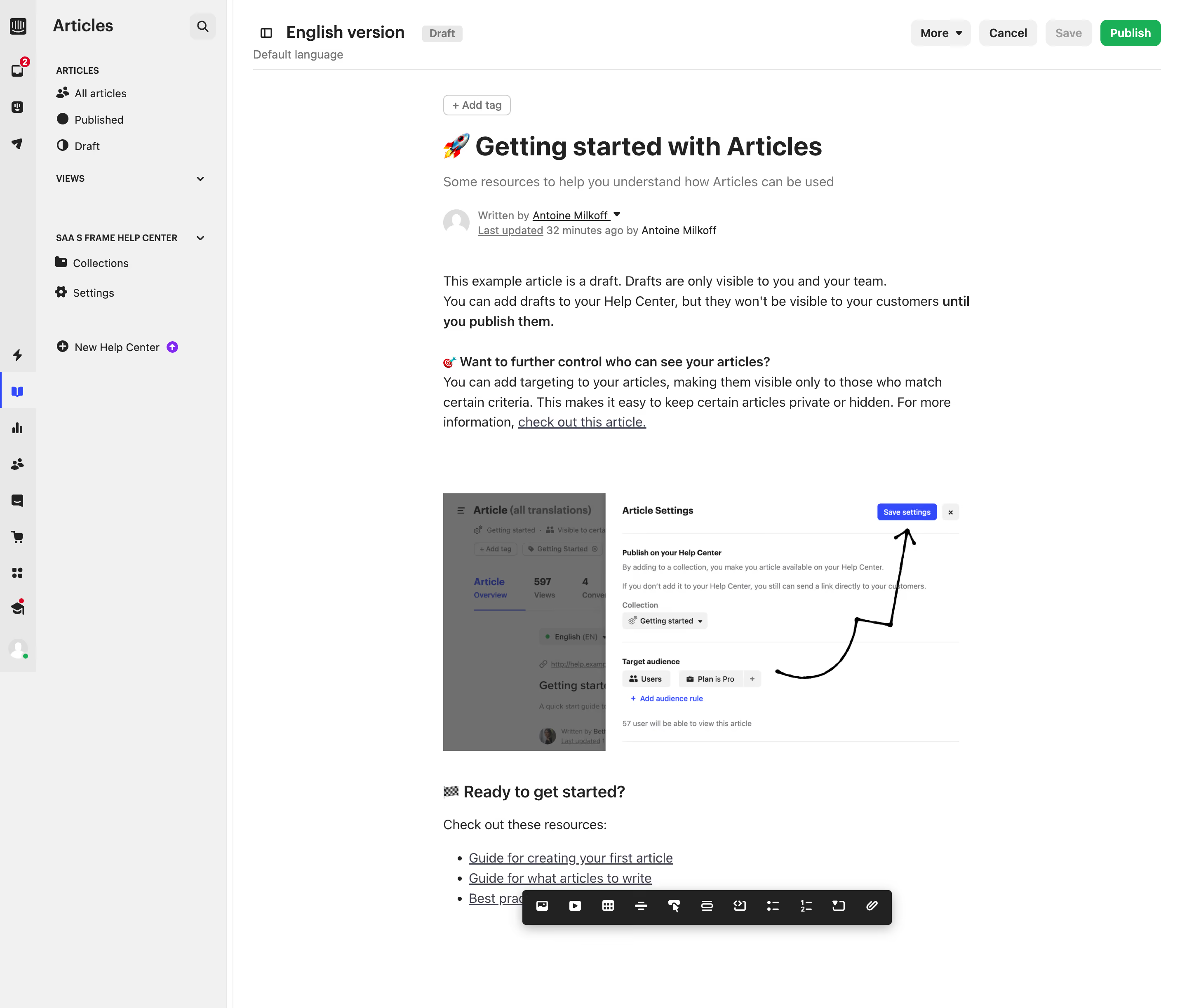
# Design from Reference: Intercom Edit Article
Create an original, high-fidelity visual design inspired by the reference. Prioritize composition, typography, colors, spacing, and component styling over technical implementation.
## Reference
- **Product:** Intercom
- **Category:** Text Editor
- **Screenshot:** https://cdn.prod.website-files.com/5e9dc792e1210c5325f7ebbc/6acad625fef6904ce0090dcf_6acad5a805865e2eb66ad459_cms-f225dbc24bbf7dc155e6af2c.webp
Analyze the screenshot first. If inaccessible, request it rather than guessing.
## Content
{{content.instructions}}
{{content.data}}
Preserve essential messaging and factual accuracy. Adapt structure and copy length for visual balance; never invent product claims.
## Visual Design
### Overall aesthetic
- **Character:** Light help-center article editor with quiet gray navigation, white writing canvas and a green publish action.
- **Evidence and scale:** Screenshot measures 2896 × 2446 image pixels. Sizes estimate a 1448px CSS canvas at 2× capture scale; DPR and font family are unverified.
### Page composition
- **Navigation:** Narrow global icon rail and wider Articles sidebar occupy the left, with article-status links and help-center collection/settings routes.
- **Editor header:** Language/version title and Draft badge align left; More, Cancel, pale Save and green Publish controls align right.
- **Article canvas:** Narrow centered content column contains tag action, large emoji-led title, subtitle, author/update metadata and body.
- **Body content:** Paragraphs, bold inline heading, underlined link, large embedded instructional screenshot and resource list appear in sequence.
- **Editing toolbar:** A floating black insertion toolbar overlays the lower article region.
### Information hierarchy
- **Draft context:** Draft badge and pale Save control distinguish editing state; no published result is shown.
- **Article levels:** Large title, muted subtitle/metadata, body paragraphs and smaller section heading establish writing hierarchy.
- **Instructional image:** Embedded settings screenshot with drawn arrow supports the article, distinct from the live editor controls.
- **Primary action:** Green Publish stands out from neutral header utilities.
### Typography
- **Article title:** Approximately 32px CSS bold sans-serif.
- **Body:** Around 16px with 24px leading; smaller section heading around 20px semibold.
- **Metadata:** Around 13px in muted gray; subtitle around 16px.
- **Shell:** Sidebar labels/header controls around 12–14px; exact font identity and weights remain unverified.
### Colors & surfaces
- **Measured foundation:** White #FFFFFF and light #F1F1F1 dominate shell/canvas.
- **Measured boundaries:** #E8E8E8 supports separators and outlines.
- **Measured text:** Dark #222222 and muted #6F6F6F create hierarchy.
- **Measured accents:** Green #00B34B supports Publish; blue #2C4BFF appears in selected navigation/embedded UI, with tiny purple #8D20F9 accents.
### Components
- **Sidebar:** Icon-led article/status destinations, small uppercase group labels, collapsible headings and pale selected global icon treatment.
- **Header controls:** Compact rounded gray buttons; Draft pill; bright green rounded Publish button.
- **Metadata row:** Small pale avatar, author dropdown and underlined update label.
- **Embedded image:** Wide screenshot showing article settings and a black curved annotation arrow; its internal controls are illustrative content.
- **Floating toolbar:** Long black rounded rectangle with white insertion/format icons and pronounced soft shadow.
- **Resource list:** Standard bullets and underlined text links aligned within the reading column.
### Visual rhythm
- **Reading measure:** Article column around 625px CSS wide begins far from the navigation, leaving broad white margins.
- **Spacing:** Large gaps separate metadata, body, embedded image and resources; paragraph leading remains compact.
- **Shell rhythm:** Thin rules and small utility controls keep the application frame subordinate to content.
- **Toolbar layering:** Floating dark strip clearly contrasts with the otherwise light editor.
### Responsive
- **Observed limit:** Desktop editor only; saving, publishing, toolbar behavior and mobile layout are unobserved.
- **Recommended navigation:** Collapse sidebars and keep article actions reachable in a compact header.
- **Recommended canvas:** Use fluid reading width with comfortable padding, scaling embedded images proportionally.
- **Recommended toolbar:** Allow wrapping or horizontal scrolling without covering active text.
### Adaptation guidance
- **Preserve writing focus:** Keep navigation quiet, article measure readable and publication controls clearly separated.
- **Clarify state:** Show draft/save status explicitly and distinguish embedded screenshots from active application controls.
- **Implementation:** Provide semantic editor controls, accessible toolbar labels, keyboard focus and clear publish state. The screenshot is visual evidence only and does not authorize publishing.
Use this context to reproduce the reference's visual language: layout, typography, colors, spacing, borders, radii, and distinctive elements. The screenshot takes priority if descriptions conflict.
## Direction
{{preferences.fidelityInstructions}}
## Output
{{output.instructions}}
Deliver a polished, cohesive design with precise alignment, hierarchy, and spacing. Produce the requested visual artifact, not just a description. If unsupported, explain the limitation.
.webp)




.avif)