Design with AI
Generate a new design based on this screen using your own content.
# Design from Reference: Help Scout Onboarding Emails
Create an original, high-fidelity visual design inspired by the reference. Prioritize composition, typography, colors, spacing, and component styling over technical implementation.
## Reference
- **Product:** Help Scout
- **Category:** Onboarding Email
- **Screenshot:** https://cdn.prod.website-files.com/5e9dc792e1210c5325f7ebbc/6acbc691edc235600abc9310_6acbc1005c8937341a5641b3_cms-26e8fb7a526d50efc07a761b.webp
Analyze the screenshot first. If inaccessible, request it rather than guessing.
## Content
{{content.instructions}}
{{content.data}}
Preserve essential messaging and factual accuracy. Adapt structure and copy length for visual balance; never invent product claims.
## Visual Design
### Overall aesthetic
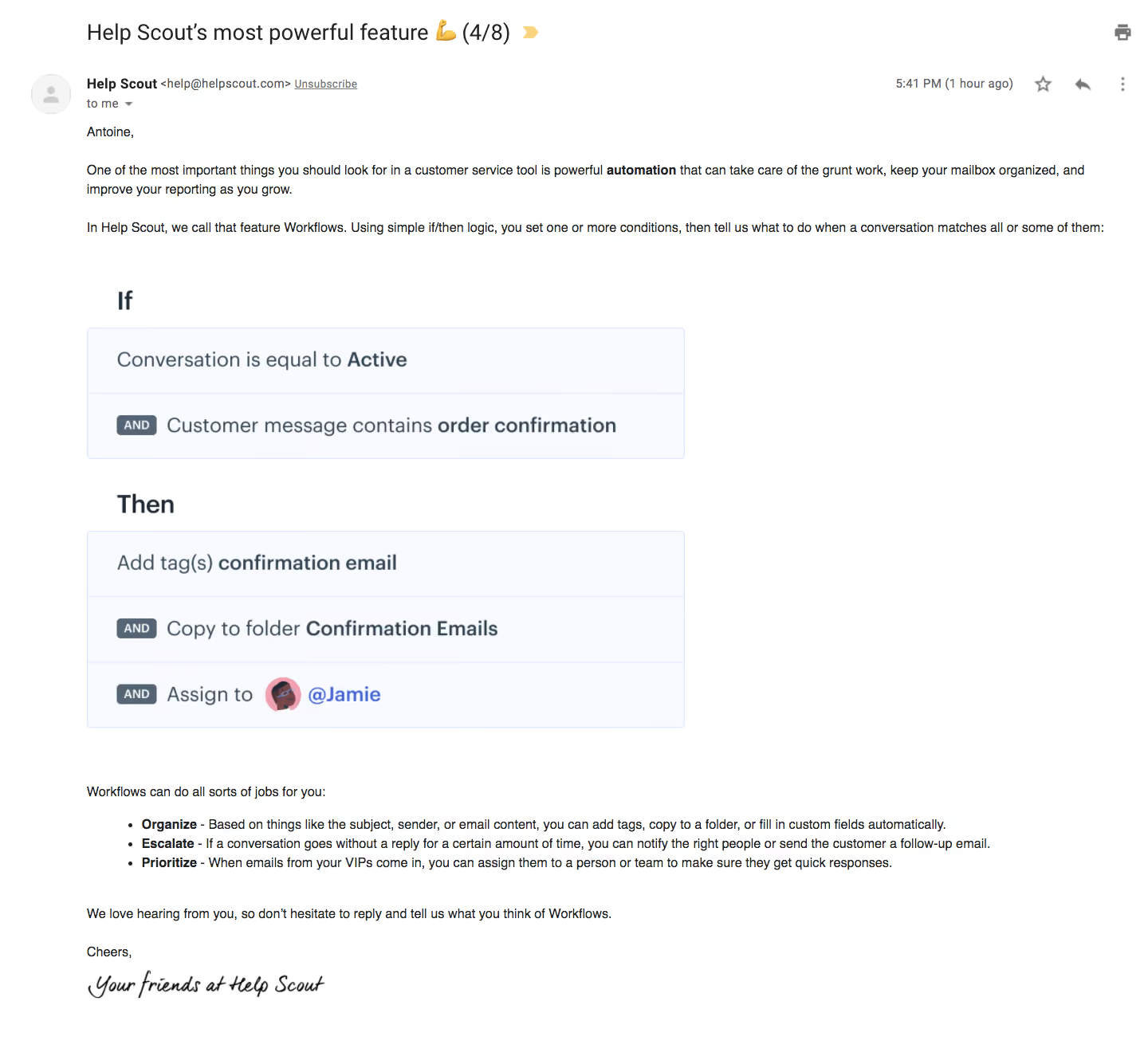
- **Character:** A plain instructional email is shown inside a mail-reader interface, with one large workflow illustration and minimal decoration.
- **Tone:** Black body copy, selective bold emphasis and a handwritten-style sign-off make the message feel direct and personal.
### Page composition
- **Capture:** The source is 1440 × 1320 image pixels. Measurements approximate image pixels; mail-client zoom and email CSS scale are unverified.
- **Mail chrome:** Subject, sender row, timestamp and reader icons occupy the top.
- **Message:** A greeting and two introductory paragraphs precede a large left-aligned If/Then workflow graphic.
- **Closing:** Three bulleted use cases, a reply invitation, short farewell and script-like signature complete the message.
### Information hierarchy
- **Subject:** The large mail-reader subject establishes the lesson before the body.
- **Explanation:** Bold automation wording introduces the topic; the diagram then illustrates conditions and actions.
- **Use cases:** Bold lead words distinguish three bullets, with explanatory text continuing at regular weight.
- **Ending:** The signature is decorative but remains subordinate to the instructional content.
### Typography
- **Family:** Body and mail chrome use conventional sans serif; exact identity is unverified.
- **Subject:** Approximately 28 pixels, regular weight.
- **Body:** Around 16 pixels with 24-pixel leading; bold spans identify concepts and bullet leads.
- **Graphic:** Large If/Then labels and condition/action text use approximately 28–32 pixels within the illustration.
- **Signature:** A black handwritten script-like graphic closes the message.
### Colors & surfaces
- **Measured canvas:** White #FFFFFF dominates the entire message.
- **Measured illustration:** Very pale blue #F8FAFF and nearby #F2F5FE fill workflow rows.
- **Measured ink:** Dark #222222 supplies strong text; slate #556575 appears within the illustration.
- **Accent relationships:** A small blue mention and illustrated avatar add localized color; pale borders separate workflow rows.
### Components
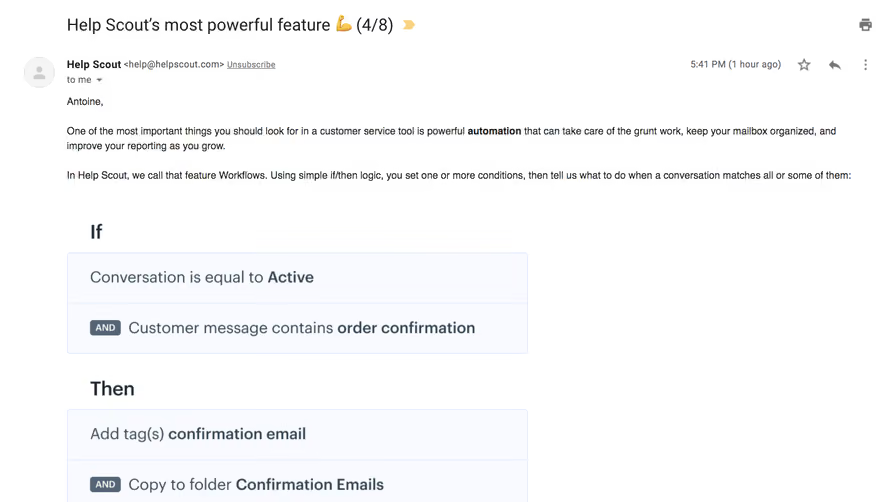
- **Workflow diagram:** Two condition rows and three action rows form pale outlined groups, each approximately 750 pixels wide.
- **Logic markers:** Small dark slate AND capsules precede secondary rows.
- **Mention:** A circular illustrated avatar and blue user mention appear in the final action row.
- **Mail controls:** Print, star, reply and overflow icons belong to the surrounding mail reader rather than the email's designed content.
- **Bullets:** Three standard round bullets align beneath the diagram; no filled CTA is visible.
### Visual rhythm
- **Alignment:** Subject, sender and body share a broad left inset near 108 pixels.
- **Paragraph spacing:** Large pauses separate introductory paragraphs, diagram, use cases and sign-off.
- **Asymmetry:** The diagram occupies only the left portion of the wide reading area, leaving substantial blank space to the right.
### Responsive
- **Observed state:** Only a wide mail-reader capture is supplied; mobile email rendering is unverified.
- **Recommended graphic:** Scale proportionally and provide a text equivalent so workflow instructions remain readable.
- **Recommended body:** Use fluid width and natural paragraph/bullet wrapping without fixed heights.
### Adaptation guidance
- **Preserve simplicity:** Keep the message as a readable letter with one explanatory graphic.
- **Separate chrome:** Recreate mail-reader controls only when reproducing the complete screenshot context.
- **Content fidelity:** Treat illustrated workflow conditions as examples, not live configuration.
- **Accessibility:** Supply an informative diagram alternative and avoid conveying logic solely through image text.
Use this context to reproduce the reference's visual language: layout, typography, colors, spacing, borders, radii, and distinctive elements. The screenshot takes priority if descriptions conflict.
## Direction
{{preferences.fidelityInstructions}}
## Output
{{output.instructions}}
Deliver a polished, cohesive design with precise alignment, hierarchy, and spacing. Produce the requested visual artifact, not just a description. If unsupported, explain the limitation.