.webp)
Thank you! Your submission has been received!
Oops! Something went wrong while submitting the form.
Get SaaSFrame Pro
Monthly
$18
Quarterly
$48
Yearly
$180
Upgrade to access this feature
Browse all screens & flows
Filter and search screens & flows
Access Figma files
Access mobile versions
Bookmark screens & flows
Join now
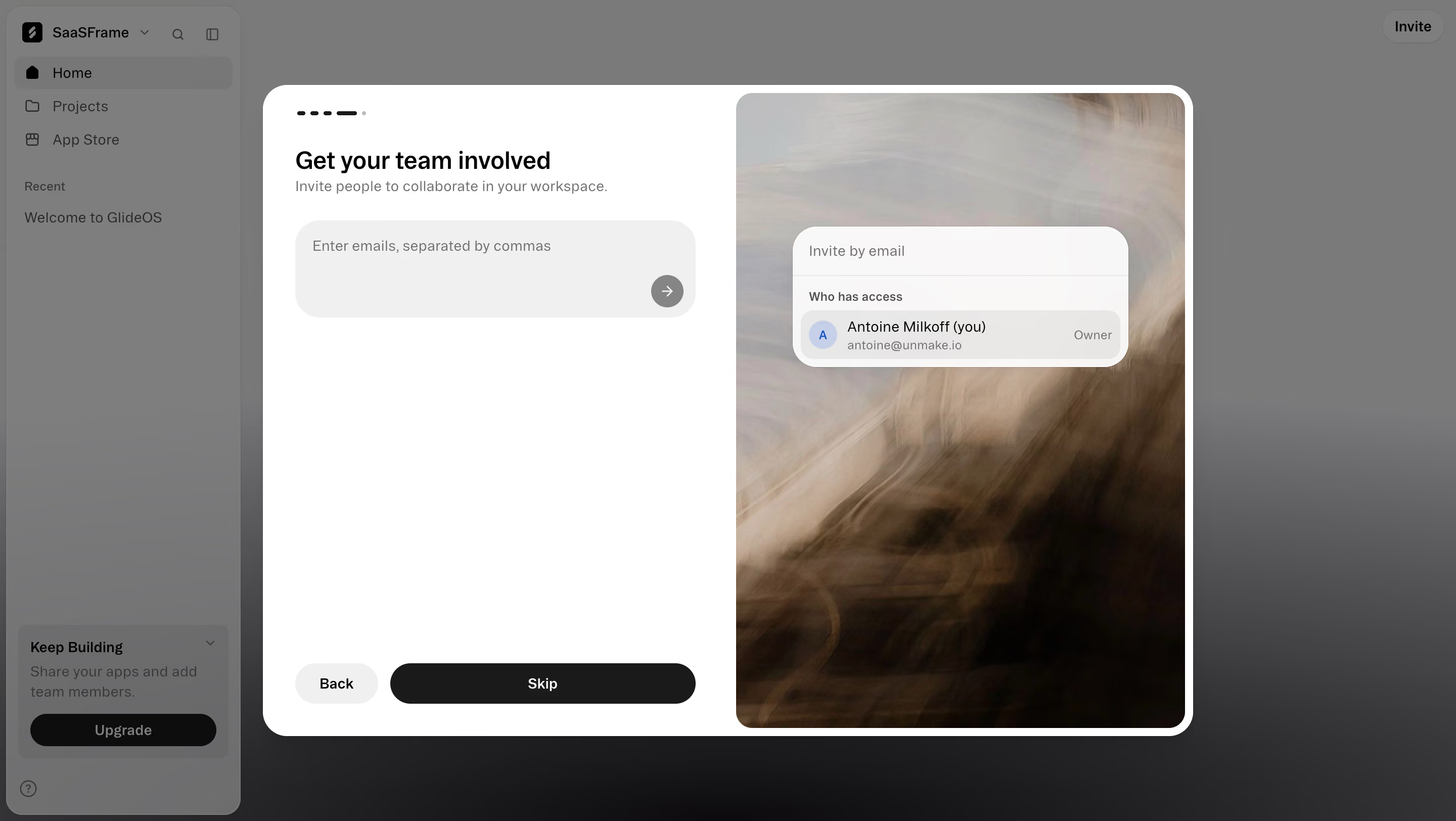
Glide Invite teammates during setup

Glide
Turn spreadsheets into apps
Designed by
No items found.

Bookmark
Bookmark

Design with AI
Thank you! Your submission has been received!
Oops! Something went wrong while submitting the form.
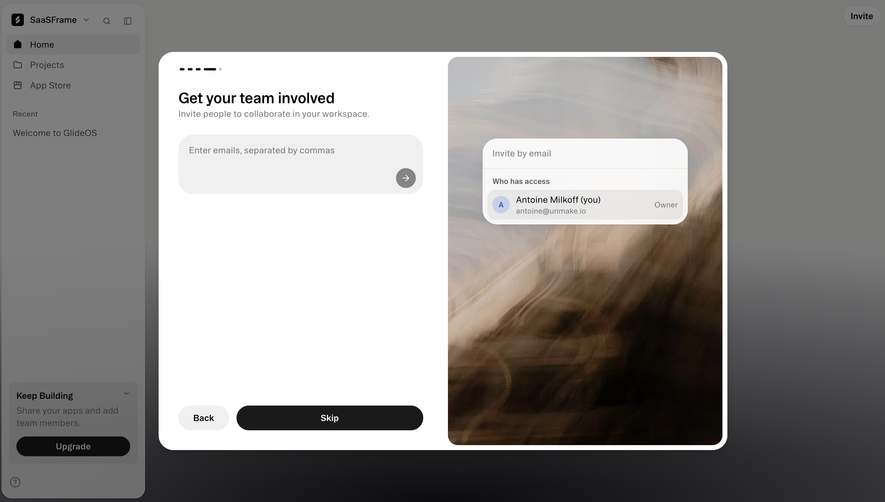
# Design from Reference: Glide Invite teammates during setup
Create an original, high-fidelity visual design inspired by the reference. Prioritize composition, typography, colors, spacing, and component styling over technical implementation.
## Reference
- **Product:** Glide
- **Category:** Invite Team Members
- **Screenshot:** https://cdn.prod.website-files.com/5e9dc792e1210c5325f7ebbc/6acacffe7796407cec141788_6acacf8a0c49d10a7abc8ee5_cms-30947eaa2676810122e38840.webp
Analyze the screenshot first. If inaccessible, request it rather than guessing.
## Content
{{content.instructions}}
{{content.data}}
Preserve essential messaging and factual accuracy. Adapt structure and copy length for visual balance; never invent product claims.
## Visual Design
### Overall aesthetic
- **Style:** Modern onboarding invitation modal with a functional white left half and an atmospheric photographic right half.
- **Character:** Rounded controls, black primary action, neutral gray typography and a glass-like access preview over blurred warm imagery.
- **Captured state:** A dark scrim dims the workspace behind the dialog; composited background colors are not confirmed base-theme tokens.
### Page composition
- **Capture scale:** 2880 × 1624 image px. CSS estimates assume an unverified 2× capture, approximately 1440 × 812 CSS px.
- **Background workspace:** Narrow left navigation with workspace selector, Home/Projects/App Store, recent item and lower upgrade card remains visible behind the overlay.
- **Modal:** Approximately 920 × 645 CSS px, centered, with a thick white boundary and large rounded corners.
- **Left half:** Small segmented progress indicator, title, one-line explanation and broad email-entry area occupy the top. Back and Skip actions anchor the bottom.
- **Right half:** Full-height blurred photographic image with rounded inner corners; a small invitation/access preview floats near its upper-middle.
- **Preview card:** Contains an email-invite line, divider, access heading and one owner row with circular initials avatar and role.
- **Whitespace:** Large blank region between the input and bottom actions keeps the step visually simple.
### Information hierarchy
- **Primary task:** Get your team involved and its supporting sentence establish the invitation step.
- **Input guidance:** Placeholder specifies comma-separated email addresses.
- **Action state:** A gray circular arrow appears inside the empty entry area. No entered addresses or sent invitations are visible.
- **Alternate path:** Skip is a large black pill; Back is a smaller pale pill.
- **Preview hierarchy:** The right-side card demonstrates current access with a single owner entry; it should not be treated as an actual invitation form state beyond what is visible.
- **Evidence limit:** No validation, success message, role selector or invitation delivery result is shown.
### Typography
- **Family:** Neutral modern sans serif; exact identity is unverified.
- **Title:** Approximately 24 px, semibold, with 30 px leading.
- **Supporting line:** Approximately 14–15 px, regular, muted gray.
- **Input placeholder:** Approximately 14 px with compact leading.
- **Preview:** Approximately 14 px for identity; 12 px for secondary email/role and access heading.
- **Actions:** Approximately 14 px medium/semibold.
- **Measurement limit:** Values are visual CSS estimates under the assumed 2× capture.
### Colors & surfaces
- **Modal:** Sampled sRGB #FFFFFF supplies the white dialog.
- **Input/button neutrals:** Sampled #F0F0F0 supplies the pale entry/control reference.
- **Primary action:** Sampled #1A1A1A supplies the near-black Skip reference; #0D0D0D appears among darkest details.
- **Overlay:** Sampled #7A7A79, #7E7E7E and #7B7B79 belong to the dimmed background composition.
- **Image palette:** Cream, taupe, brown and near-black blur across the right panel, providing atmosphere rather than readable product detail.
- **Preview accent:** Pale blue/lavender initials avatar is the only small cool accent inside the access card.
### Components
- **Dialog:** Large white rounded rectangle, approximately 24 px radii, split into two nearly equal halves.
- **Progress indicator:** Four short dark dash segments and a tiny pale marker near the upper-left inset.
- **Email entry:** Approximately 400 × 96 px, pale-gray fill, about 24 px radii and generous internal padding.
- **Submit affordance:** Small gray circular arrow at the entry area's lower right.
- **Back control:** Small pale-gray pill, approximately 82 × 40 px.
- **Skip action:** Wide black pill, approximately 300 × 40 px, white centered label.
- **Access preview:** White/translucent rounded card around 330 px wide, soft shadow, fine divider and pale inner owner row.
- **Photo panel:** Rounded full-height image inset from the dialog edge; no sharp informational content should be invented from the blur.
### Visual rhythm
- **Split balance:** Functional copy/controls left contrast with rich photographic texture right.
- **Top/bottom anchoring:** Input stays near the heading; navigation actions remain near the modal base.
- **Shape consistency:** Rounded rectangle, capsule and circle treatments repeat across input, preview and actions.
- **Focus contrast:** Bright modal dominates the subdued background workspace.
### Responsive
- **Evidence limit:** Only desktop is shown; recommendations below are not observed behavior.
- **Modal recommendation:** Use viewport-safe dimensions and scrollable content where necessary.
- **Image recommendation:** Hide or stack the decorative right panel on narrow screens.
- **Input recommendation:** Support wrapped email tokens and clear validation without fixed-height clipping.
- **Action recommendation:** Preserve accessible Back/Skip routes and comfortable touch targets.
- **Accessibility recommendation:** Manage dialog focus and label invitation controls; these behaviors are not verified by the screenshot.
### Adaptation guidance
- **Preserve optional collaboration:** Invite teammates during setup without obscuring a clear continuation path.
- **Use real access data:** Populate owner identity and permissions from actual workspace state rather than copying personal details.
- **Match invitation behavior:** Explain supported address entry and validate before sending.
- **Retain restraint:** Combine one clear task, generous whitespace and optional decorative imagery.
- **Avoid inferred outcomes:** Do not imply invitations were sent or roles changed from this empty-state capture.
Use this context to reproduce the reference's visual language: layout, typography, colors, spacing, borders, radii, and distinctive elements. The screenshot takes priority if descriptions conflict.
## Direction
{{preferences.fidelityInstructions}}
## Output
{{output.instructions}}
Deliver a polished, cohesive design with precise alignment, hierarchy, and spacing. Produce the requested visual artifact, not just a description. If unsupported, explain the limitation.

.avif)
Category
Patterns


Added on
September 29, 2026
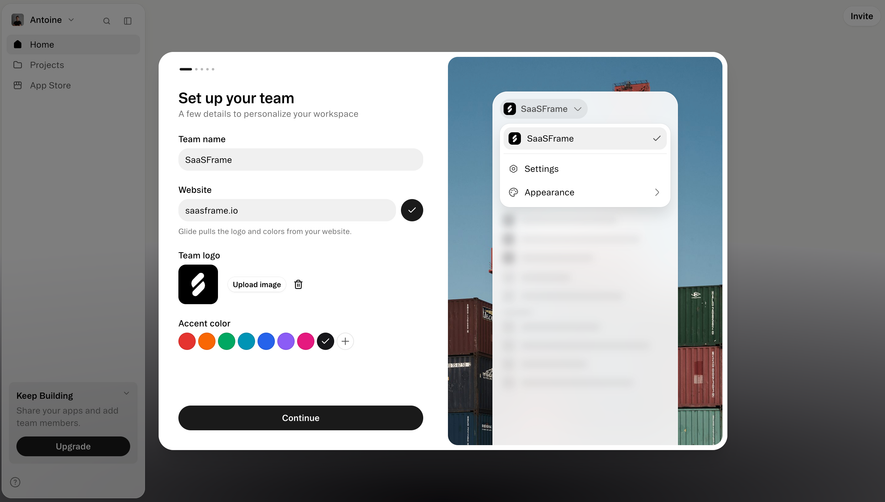
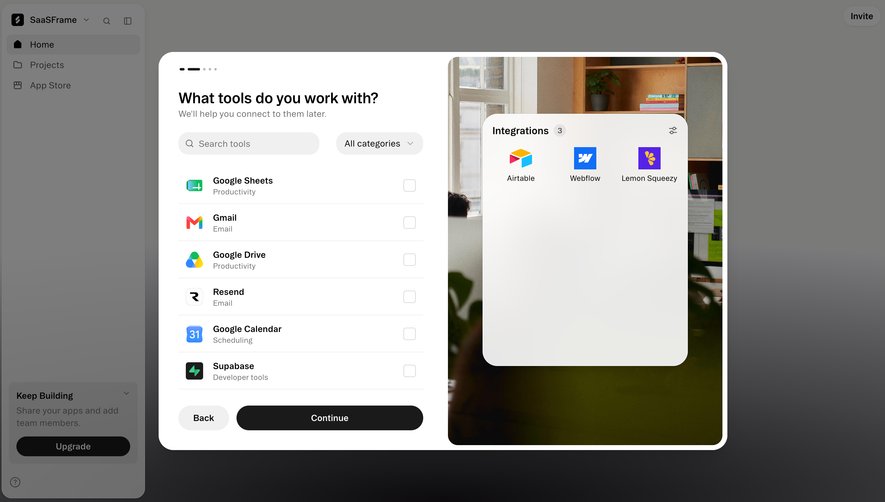
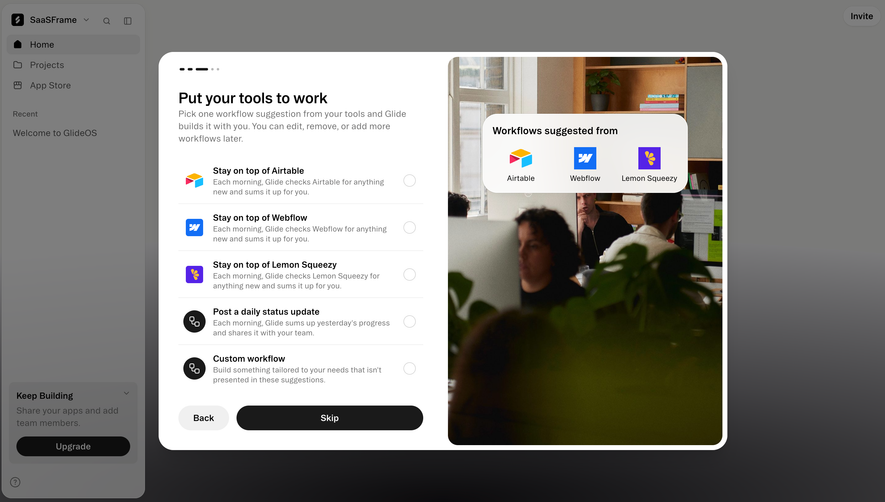
Similar screens





Upgrade to SaaSFrame Pro now to see similar examples.
Monthly
$18 /month
Billed $18 monthly
Browse all screens & flows
Filter and search screens & flows
Search text in screenshots
Access Figma files
Access mobile versions
Join now
Quarterly
$16 /month
Billed $48 quarterly
Browse all screens & flows
Filter and search screens & flows
Search text in screenshots
Access Figma files
Access mobile versions
Join now
Yearly
$15 /month
Billed $180 yearly
Browse all screens & flows
Filter and search screens & flows
Search text in screenshots
Access Figma files
Access mobile versions
Join now