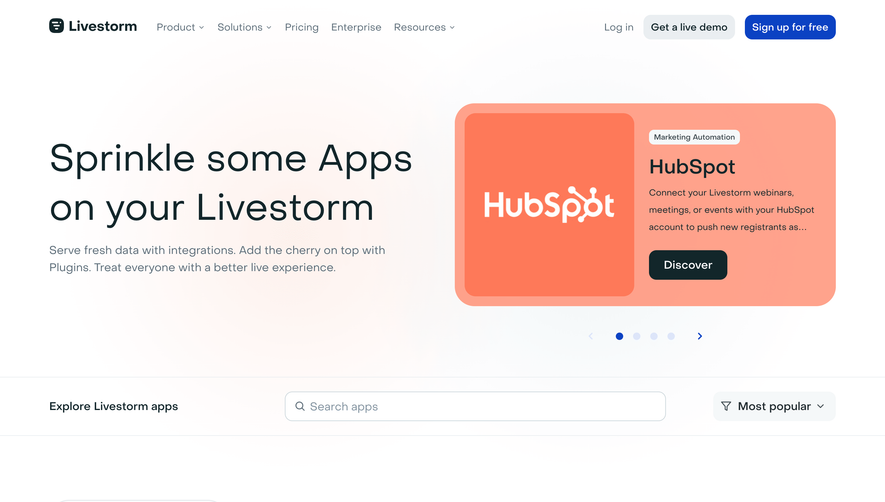
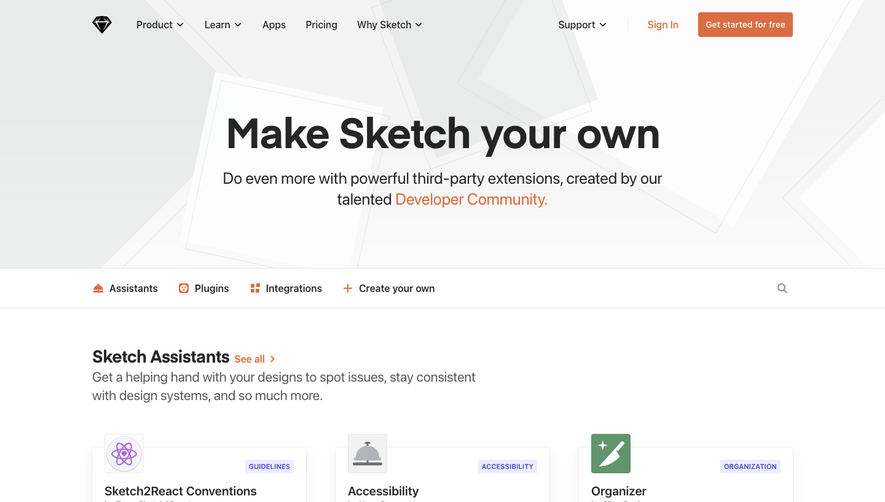
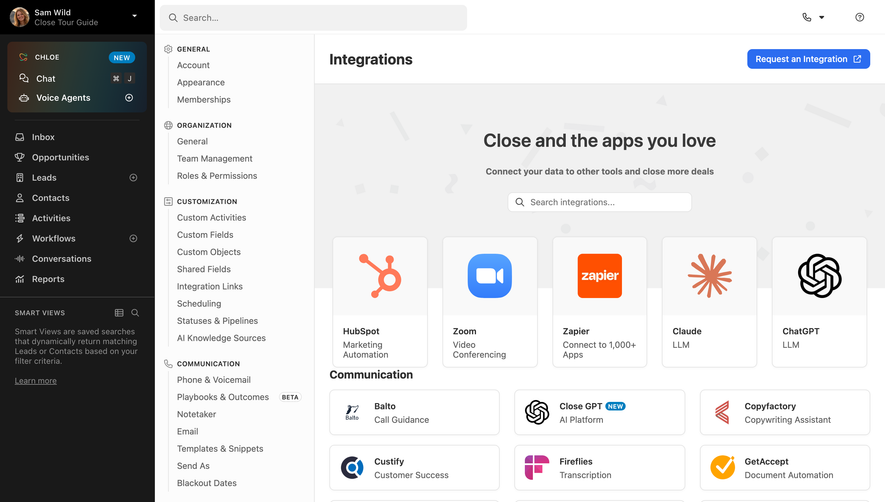
Generate a new design based on this screen using your own content.
Thank you! Your submission has been received!
Oops! Something went wrong while submitting the form.
# Design from Reference: Deel Integrations Library
Create an original, high-fidelity visual design inspired by the reference. Prioritize composition, typography, colors, spacing, and component styling over technical implementation.
## Reference
- **Product:** Deel
- **Category:** Integrations Library
- **Screenshot:** https://cdn.prod.website-files.com/5e9dc792e1210c5325f7ebbc/6acadc5d5c79bb17f221b1a8_6acadbbef20dd41981c61aaf_cms-bfc1421a73a1680a82a76c4b.webp
Analyze the screenshot first. If inaccessible, request it rather than guessing.
## Content
{{content.instructions}}
{{content.data}}
Preserve essential messaging and factual accuracy. Adapt structure and copy length for visual balance; never invent product claims.
## Visual Design
Use this context to reproduce the reference's visual language: layout, typography, colors, spacing, borders, radii, and distinctive elements. The screenshot takes priority if descriptions conflict.
## Direction
{{preferences.fidelityInstructions}}
## Output
{{output.instructions}}
Deliver a polished, cohesive design with precise alignment, hierarchy, and spacing. Produce the requested visual artifact, not just a description. If unsupported, explain the limitation.
``` Deel’s Integrations page expertly balances a modern, minimalist ethos with a professional polish that feels accessible and forward-looking. Crisp, ample white space highlights core content, while playful iconography and subtle motion infuse the experience with energy and freshness—signaling innovation without overwhelming users. ```html
Layout and Structure
``` The page opens with a bold hero section: concise headline, supporting text, and prominent call-to-action button are smartly to the left, while an animated visual draws immediate attention to integration possibilities. Scrolling reveals a neatly segmented grid of integration cards—each interactive and cleanly organized—with filters enabling effortless exploration. There are no cluttered testimonials or pricing elements here, keeping focus squarely on integrations. A structured footer delivers global navigation and contact options with visual clarity. ```html
Visual Elements
``` Vivid, custom illustrations animate seamlessly, making integrations look approachable. Integration cards are adorned with instantly recognizable partner logos, while floating elements and soft drop shadows add gentle depth. Hover states and micro-interactions delight the user, fueling engagement through dynamism. ```html
Color Palette and Typography
``` The color palette is rooted in deep blues and bright accents, underscoring both trust and creativity. Muted backgrounds highlight vibrant logos, and accent buttons draw the eye. Crisp, sans-serif typography—pairing generous headings with lighter body text—delivers an unmistakable hierarchy and effortless scanning. ```html
User Experience Patterns & Unique Touches
``` Sticky navigation ensures easy access to key areas, while smart filtering and search transform the integrations catalogue into a powerful discovery tool. The mix of dynamic visuals, clear labeling, and actionable CTAs creates a confident, optimistic, and seamless SaaS experience—ideal for design inspiration.


.avif)

.webp)