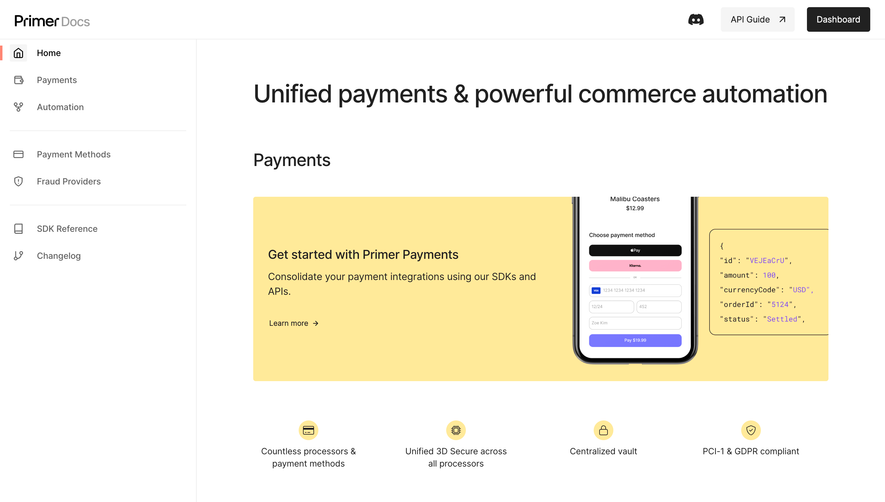
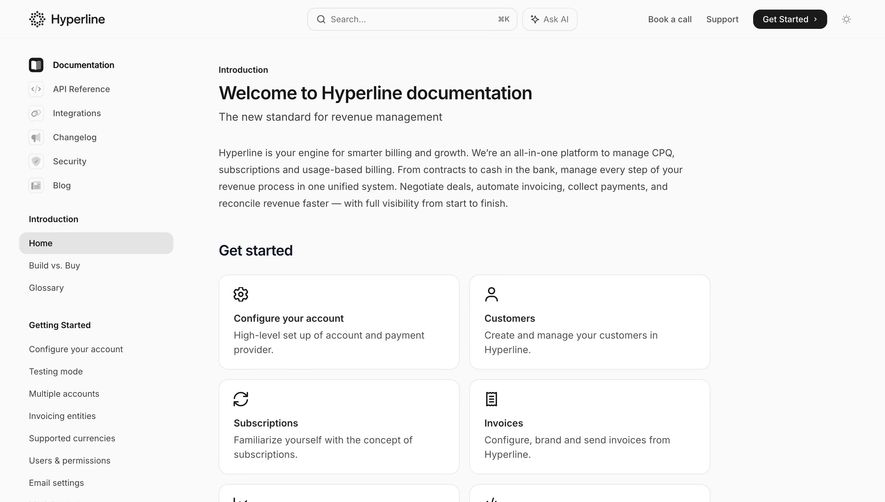
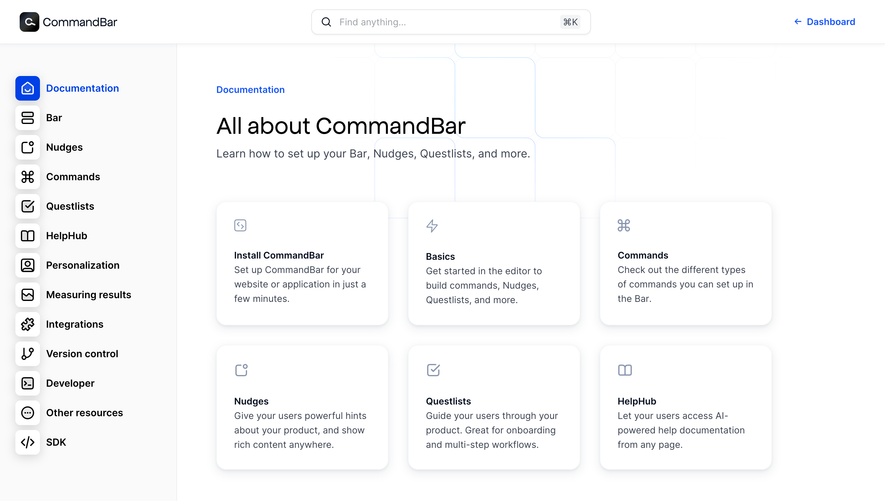
Overall Style and Aesthetic
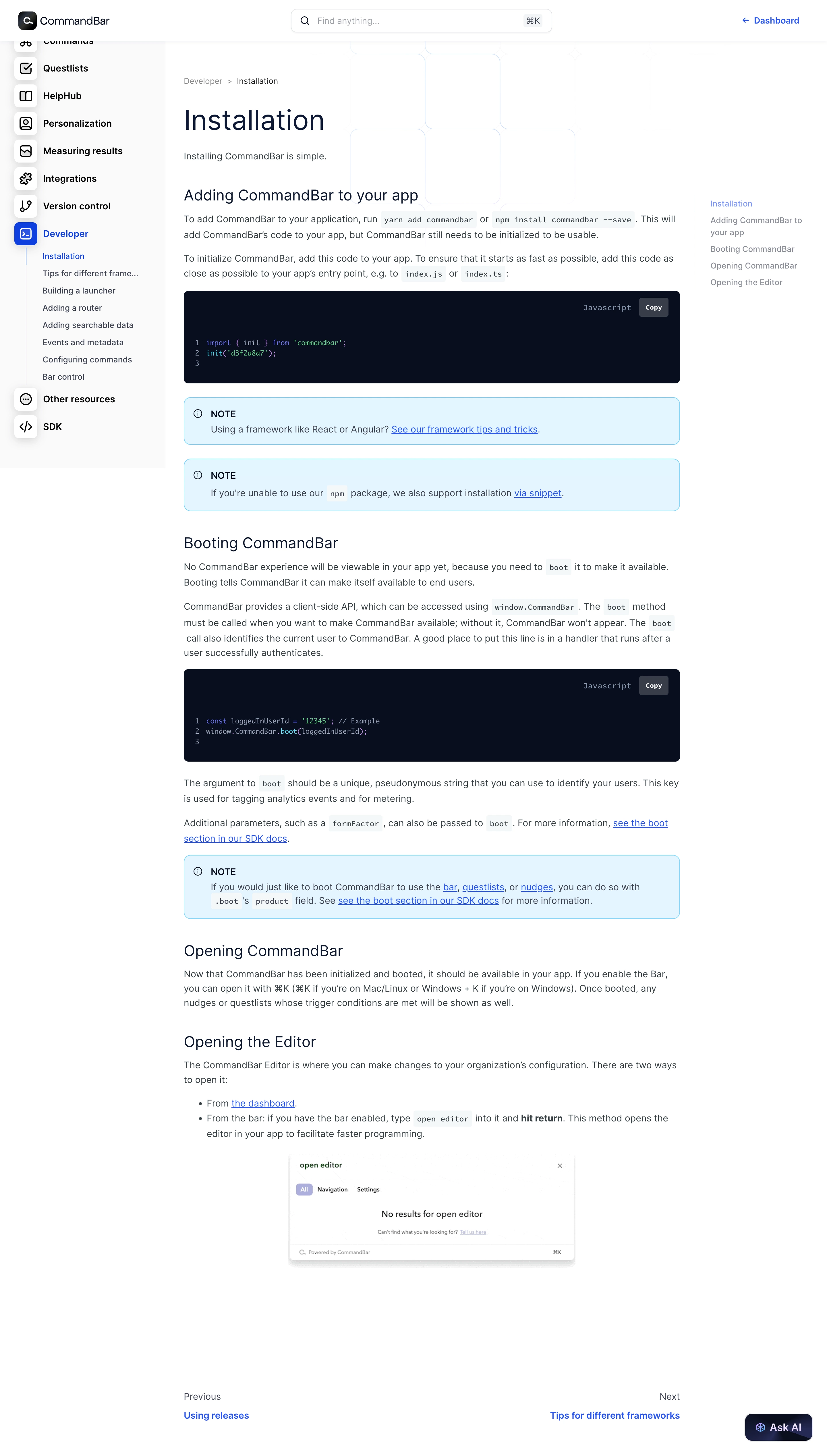
CommandBar’s installation docs page exemplifies a modern minimalist approach. The clean, white canvas is punctuated with soft accent colors, giving the page a polished, professional, and approachable feel. The design avoids unnecessary clutter, focusing attention on content and usability, which projects reliability and innovation. Layout and Structure
The structure is highly pragmatic, prioritizing scannability for busy developers. The page features a persistent left sidebar for navigation, grouping all docs logically. The main content area is spacious, with generous padding and clear sectional divisions. There’s no hero section, instead jumping straight to utility with a heading, concise intro, and then segmented installation instructions. A sticky table of contents (TOC) on the right aids with fast in-page navigation. Visual Elements
Iconography is subtle yet functional, used in the navigation sidebar and TOC to clarify hierarchy. Occasional inline code snippets, command highlights, and callout boxes break up text and add visual rhythm. While illustrations are minimal, everything is crafted for clarity and quick comprehension over decoration. Color Palette and Typography
Primary colors are black, white, and gray hues, with blue accents for links and highlights—injecting both calm and clarity. Typography features a refined sans-serif for body text, with bold, larger headings ensuring unquestionable hierarchy. Code is differentiated by a monospaced font and contrasting background blocks. User Experience Patterns
Navigation is remarkably smooth—the persistent left sidebar and sticky right TOC cater to both first-time and returning users by surfacing all content within a click or scroll. Clear CTAs in content, such as “Next” steps, guide the reader. The page supports deep linking to headings, perfect for sharing context-rich documentation. Unique or Notable Design Choices
The standout is CommandBar’s harmony of utility and visual calm. The sidebar and sticky TOC offer dual axes of navigation, while code snippets are copy-ready and visually appealing. The result is a documentation experience that feels both inviting and empowering—ideal inspiration for SaaS teams prioritizing both form and deep function..webp)




.avif)