Generate a new design based on this screen using your own content.
Thank you! Your submission has been received!
Oops! Something went wrong while submitting the form.
# Design from Reference: Claude New Chat
Create an original, high-fidelity visual design inspired by the reference. Prioritize composition, typography, colors, spacing, and component styling over technical implementation.
## Reference
- **Product:** Claude
- **Category:** Chat
- **Screenshot:** https://cdn.prod.website-files.com/5e9dc792e1210c5325f7ebbc/69971bf76e04724db54489a1_Mm0eRSGzvZvBP6Pz8JmbQOQvGWHu52vh005JFW4OaPw.avif
Analyze the screenshot first. If inaccessible, request it rather than guessing.
## Content
{{content.instructions}}
{{content.data}}
Preserve essential messaging and factual accuracy. Adapt structure and copy length for visual balance; never invent product claims.
## Visual Design
Use this context to reproduce the reference's visual language: layout, typography, colors, spacing, borders, radii, and distinctive elements. The screenshot takes priority if descriptions conflict.
## Direction
{{preferences.fidelityInstructions}}
## Output
{{output.instructions}}
Deliver a polished, cohesive design with precise alignment, hierarchy, and spacing. Produce the requested visual artifact, not just a description. If unsupported, explain the limitation.
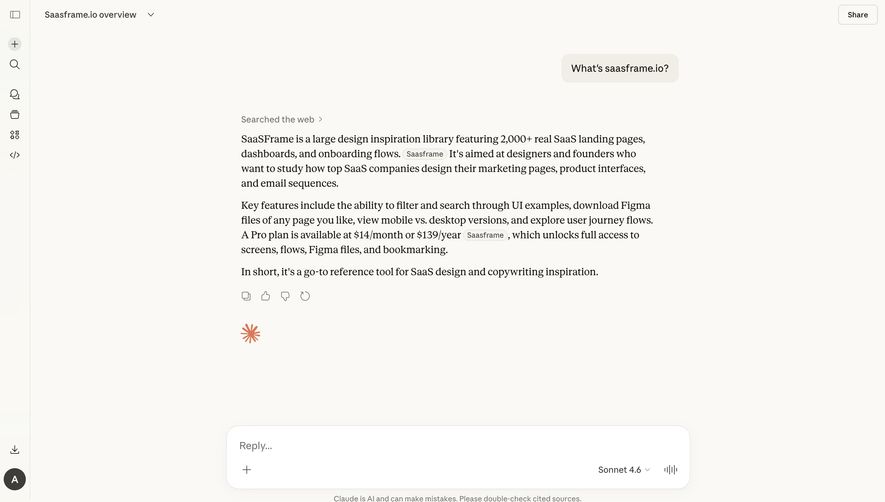
First thing you notice is how calm this feels. That creamy off-white background paired with the warm greeting "Back at it, Antoine" instantly makes it personal without trying too hard. The orange starburst icon is a small touch but it adds just enough personality to break the monotony.
Dead Simple Input Architecture
The entire page funnels your attention straight to one thing: the prompt field. "How can I help you today?" sits in a softly bordered container with generous padding. Below it, five pill-shaped action shortcuts (Code, Create, Write, Learn, Life stuff) give you quick entry points. Each has a subtle icon. No walls of text, no feature grids. Just ask.
Typography That Breathes
The headline uses a large serif font that feels editorial and human. It contrasts well with the sans-serif UI elements below. The model selector "Sonnet 4.6" is tucked quietly in the input bar. Smart hierarchy.
What Makes It Stand Out
The left sidebar is icon-only, collapsed by default. That restraint is rare. Everything here serves the conversation-first philosophy.
.webp)




.avif)