Design with AI
Generate a new design based on this screen using your own content.
# Design from Reference: Cal.com Empty Workflow Dashboard
Create an original, high-fidelity visual design inspired by the reference. Prioritize composition, typography, colors, spacing, and component styling over technical implementation.
## Reference
- **Product:** Cal.com
- **Category:** Add & Edit
- **Screenshot:** https://cdn.prod.website-files.com/5e9dc792e1210c5325f7ebbc/6acad8abd05a3f53c0a74dc3_6acad827150755fc570f7293_cms-7115d0ac05a633688ad129ff.webp
Analyze the screenshot first. If inaccessible, request it rather than guessing.
## Content
{{content.instructions}}
{{content.data}}
Preserve essential messaging and factual accuracy. Adapt structure and copy length for visual balance; never invent product claims.
## Visual Design
### Overall aesthetic
- **Character:** Clean workflow empty state paired with practical automation templates.
### Page composition
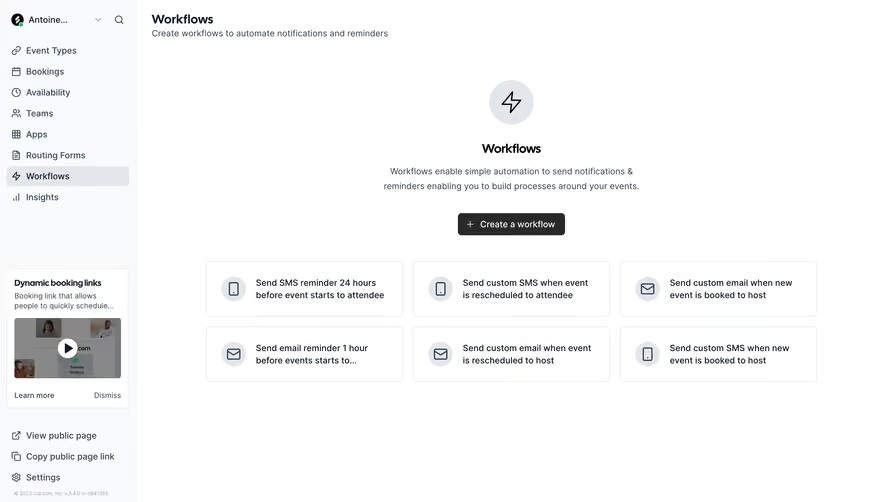
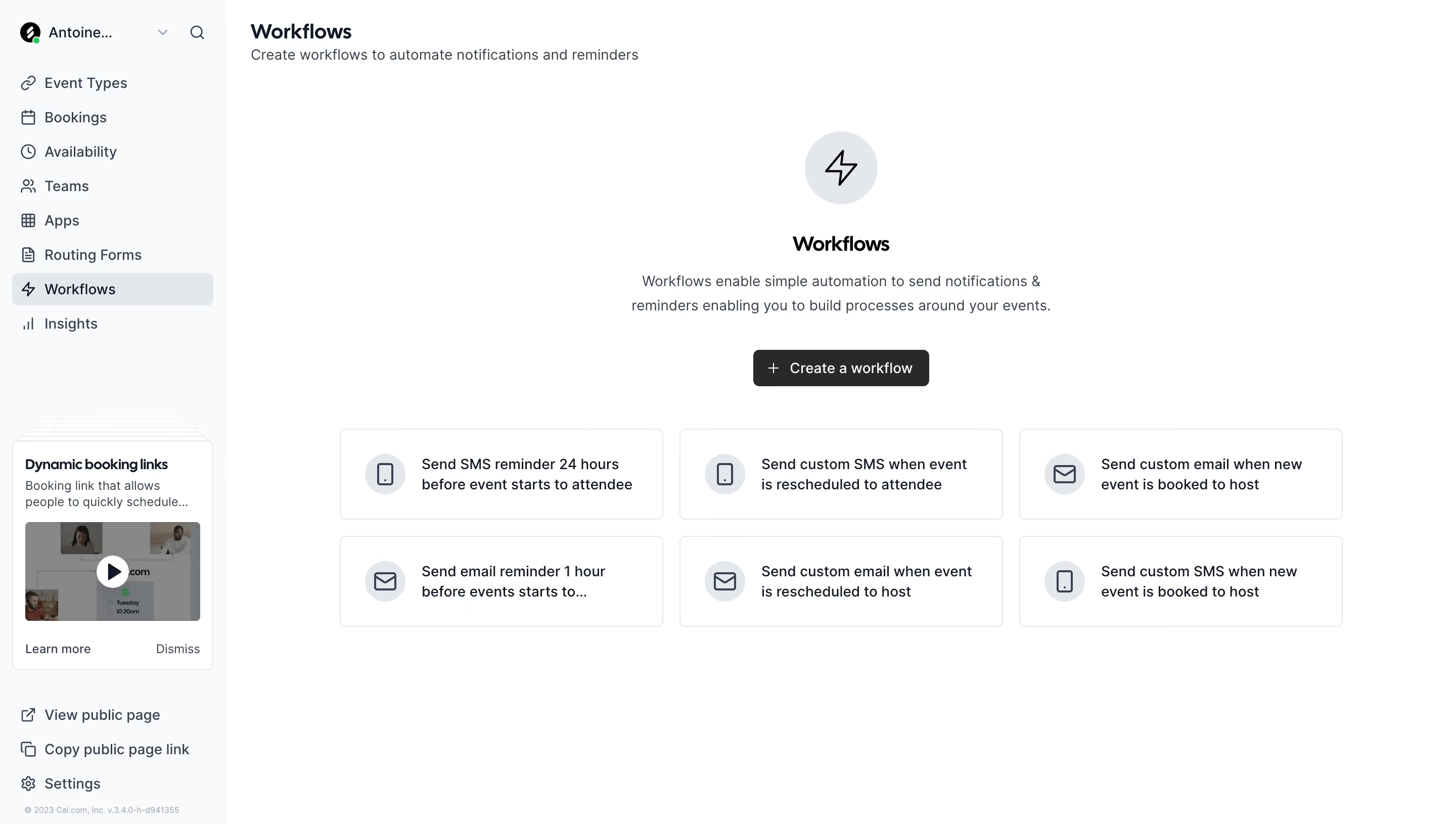
- **Canvas:** 2880 × 1630 screenshot px. Pale sidebar with navigation and learning card; main area has Workflows heading, centered lightning icon/message/action, and six templates in a 3 × 2 grid.
### Information hierarchy
- **Priority:** Central Create a workflow action follows a short explanation; templates offer alternative starting points with phone/email icons.
### Typography
- **Scale:** Estimated CSS at assumed 2× capture: heading 20 px bold, body 14 px, template text 14 px, sidebar 14 px. Sans serif family unverified.
### Colors & surfaces
- **Palette:** Sampled sRGB #FFFFFF, sidebar #F9FAFB, borders/icon circles #E3E7EB, muted #888888, and dark #292929/#0F1828.
### Components
- **Details:** Black creation button, circular lightning backdrop, thin bordered template cards with about 6 px corners, and a compact sidebar video card.
### Visual rhythm
- **Spacing:** Estimated sidebar 224 CSS px; grid cards around 320 × 90 px with 16 px gaps. Broad whitespace frames the empty-state introduction.
### Responsive
- **Adaptation:** Mobile is not shown. Collapse navigation and reduce templates to one column while keeping the main creation action prominent.
### Adaptation guidance
- **Transfer:** Preserve explanation-plus-templates structure and monochrome emphasis. Use actual automation triggers and supported channels.
Use this context to reproduce the reference's visual language: layout, typography, colors, spacing, borders, radii, and distinctive elements. The screenshot takes priority if descriptions conflict.
## Direction
{{preferences.fidelityInstructions}}
## Output
{{output.instructions}}
Deliver a polished, cohesive design with precise alignment, hierarchy, and spacing. Produce the requested visual artifact, not just a description. If unsupported, explain the limitation.
.webp)



.avif)