Data Grid
6
A dense interactive dataset with advanced column controls, selection, editing, and navigation.
.webp)
A data grid organizes many records into a consistent set of columns so people can inspect, compare, and sometimes act on them. In SaaS products it may support administration, content operations, customer management, or workflow monitoring. Its purpose is operational clarity rather than merely fitting more information on the screen.
Some grids allow editing, selection, or spreadsheet-like navigation; others are read-only tables with filtering and detail routes. Define those capabilities explicitly. A screenshot of rows and columns cannot prove editable-cell behavior, and the design should not imply interactions the product does not offer.
Identify the object represented by each row and the questions the grid should answer. A simulation list may support finding a draft and checking its state. An asset list may support comparing dimensions and publication status. Those purposes lead to different columns and actions.
Choose a primary identifier that remains recognizable. A name, reference number, or title should help users return to the same record. Avoid making the only identifier an ambiguous icon or a value that changes whenever the record updates.
Keep the default columns focused on the common task. Additional information can appear in details or optional columns. A grid that displays everything can force users to search visually for the few values that actually drive their decision.
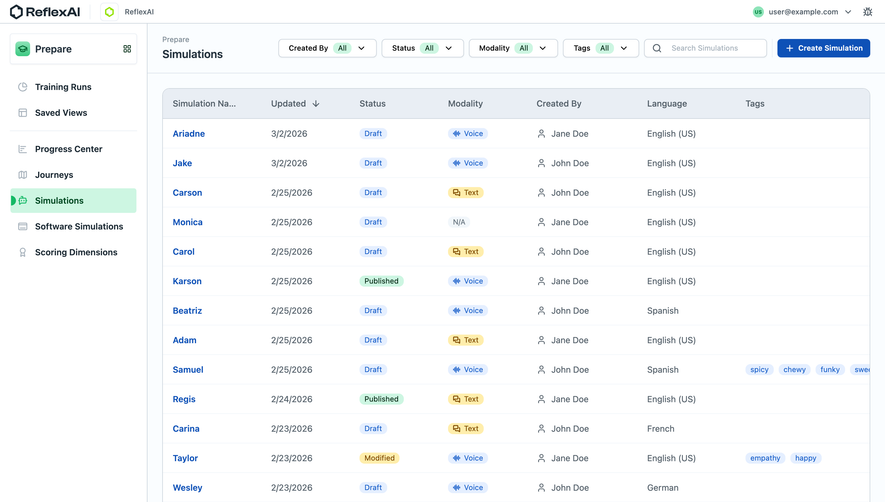
The ReflexAI capture shows simulations with columns for name, update date, status, modality, creator, language, and tags. Status and modality appear as text-bearing chips, while the record names have a distinct link treatment. Filtering and search controls sit above the grid.
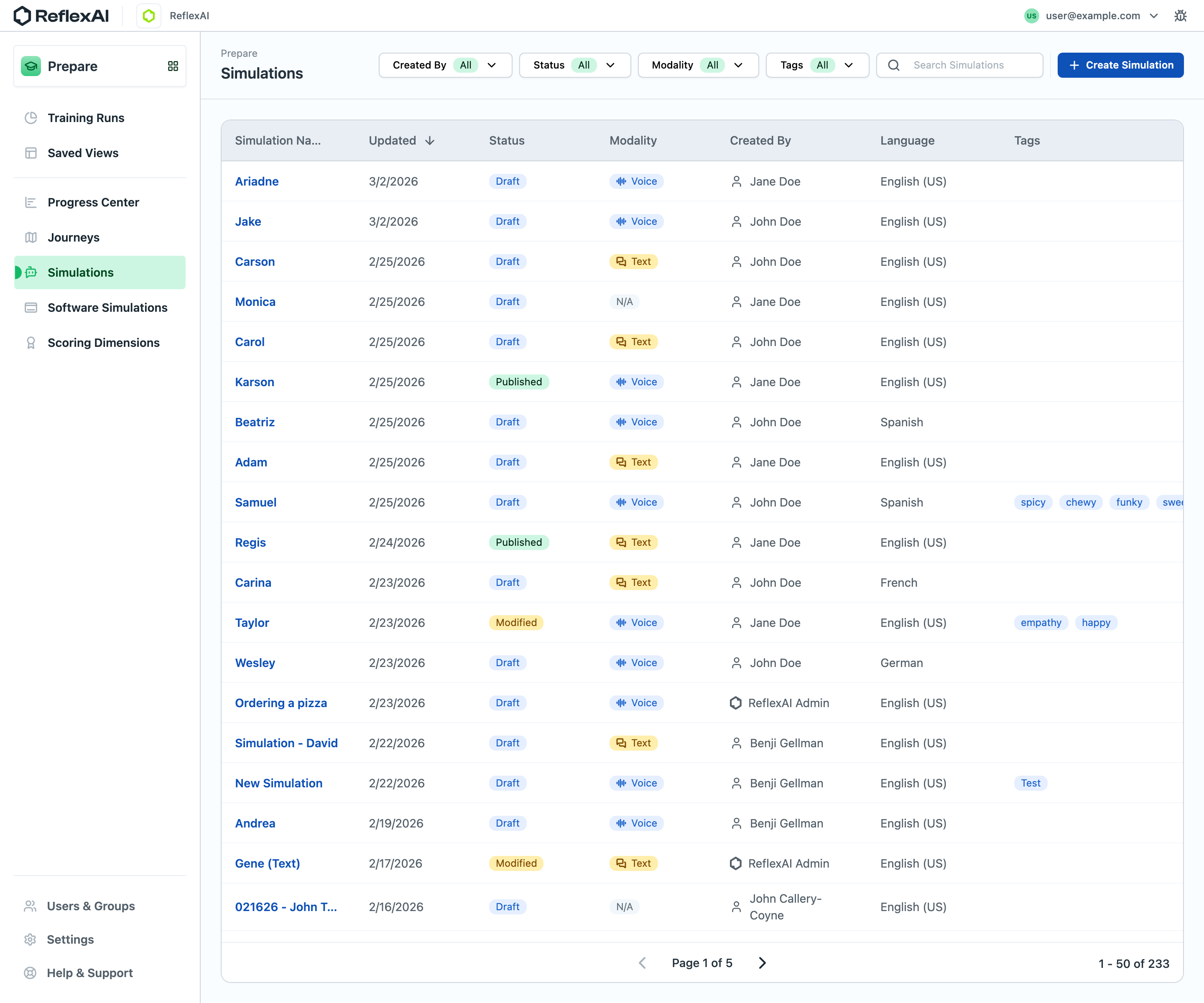
The layout supports several ways to distinguish records without opening them. The status chips communicate different lifecycle states rather than relying on color alone. The still image does not establish inline editing, row selection, permissions, or the behavior of those filters.
When adapting this pattern, prioritize states that change the next action. Draft and published may require different workflows; a missing modality may need clarification. Make the meaning of each status available and avoid treating every colored badge as equally important.
The Hygraph asset-list capture combines previews with structured metadata: filename, type, alternative text, dimensions, size, and status. Each row presents the same kinds of information, allowing users to compare suitability across assets.
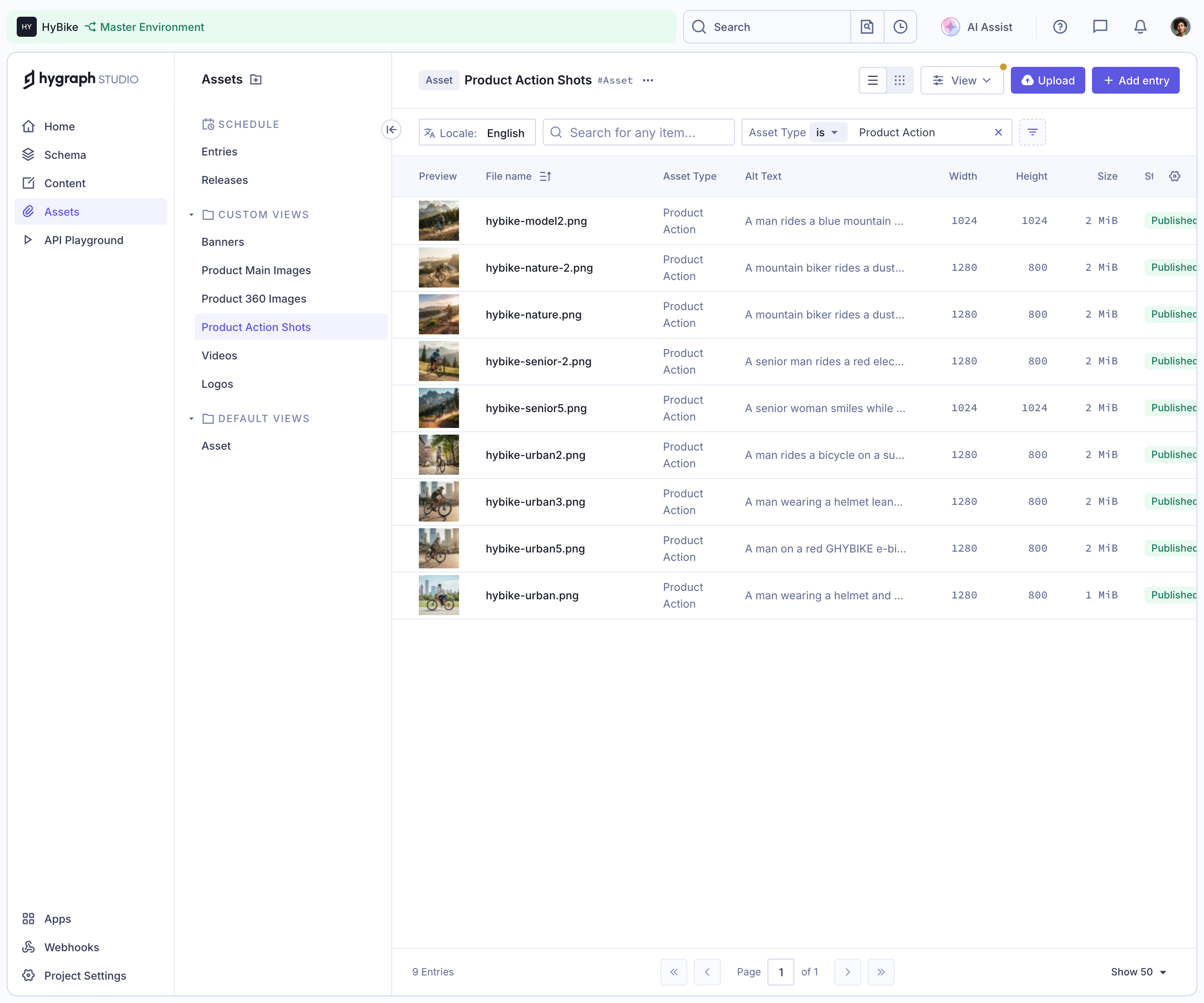
This is an operational use of a table, distinct from a marketing plan comparison. The columns support inspection of records in a working collection. The image cannot establish that any cell is editable, even though some values look like fields people might maintain.
Use consistent units and formatting. Dimensions, dates, and file sizes should be interpretable without guessing their conventions. Align numeric values appropriately and provide enough precision for the task without creating unnecessary visual noise.
Show which criteria are active and how to remove them. A grid may contain hundreds of records while showing only a filtered subset. The user should be able to tell whether the visible rows are the complete collection, one page, or matching results.
Place search and filters where their scope is understandable. A global application search should not be confused with searching the current grid. If filters interact, make the resulting constraints visible rather than leaving users to infer why an expected record disappeared.
Distinguish no results from unavailable data. A successful query with no matches calls for revising the criteria. A request failure calls for recovery. An empty collection may need creation or import. The same blank grid should not stand in for all three.
Indicate the active sort column and direction. A date column sorted newest first serves a different task from a name column sorted alphabetically. The visual state should explain the order rather than requiring users to compare several rows to infer it.
Decide how missing values are handled and keep the rule consistent. If several records share the same value, a stable secondary order can help users relocate them. Avoid unexpected reordering while someone is preparing to activate a row action.
For dynamic data, consider when newly updated records should move. Immediate resorting can be accurate but disruptive. A refresh cue or deliberate update strategy may preserve orientation better, depending on the task. Make the choice explicit in the experience.
A row can contain a detail link, selection control, menu, and editable fields. Those intentions need distinct affordances. Clicking a name should not unexpectedly select the row if its treatment suggests navigation.
If bulk selection exists, communicate whether it covers visible rows, the current page, or all matching records. Show the count and scope before an action. A checkbox near a filtered grid can otherwise create a much broader consequence than the user expects.
If editing exists, make entry, validation, saving, and cancellation clear. A value should not look saved while a request is still pending or has failed. Preserve the edited content through recoverable errors and avoid making users reconstruct several changes from memory.
An operation on one record should identify that record's result. A bulk operation may need a summary plus item-level exceptions. Do not reduce a partial failure to a generic success message that hides which changes did not complete.
Keep unaffected records available where possible. A failed update in one cell should not erase the entire grid. Explain the problem near the relevant action or provide a clear route to its details.
For consequential actions, show the scope and relevant conditions before execution. The design should help users verify intent rather than relying on a broad confirmation that repeats the action label without identifying the affected records.
Compact rows allow more comparisons at once, but they can reduce readability and make controls harder to use. A comfortable default can coexist with a denser option when frequent users need it. Do not let density remove the spacing required to distinguish adjacent actions.
Truncate long text only when a practical way to inspect it exists. A row whose identifying title is clipped to the same prefix as several others is difficult to use. Consider a detail view, expansion, or readable full-text presentation appropriate to the field.
Column customization can help specialized workflows, but it needs understandable defaults and a reset route. A user who hides a critical status column should still receive necessary action feedback. Optional visibility should not eliminate essential information about a consequence.
Pagination should identify the current page and relevant result count when available. If the count is uncertain or changes dynamically, avoid presenting unsupported precision. A route to the next page should preserve the active query and filters.
When users open a record and return, restore their browsing context where appropriate. Filters, sort, page, and scroll position help them continue inspecting the collection. Resetting to the beginning after each detail visit makes operational work slower and more error-prone.
If records are removed or become inaccessible while someone is viewing them, explain that state and preserve a sensible return path. Do not make a missing row look like an unexplained navigation failure.
Preserve understandable relationships between headers and cells, and choose the interaction model that matches the actual capabilities. A read-only table and an interactive grid have different navigation needs; visual similarity alone should not decide the implementation.
Ensure keyboard users can reach filters, records, actions, and editing controls without losing focus. Text-bearing status labels help preserve meaning beyond color. Hidden menus and hover actions need an operable route that does not depend on a pointer.
On mobile, prioritize the task rather than shrinking every column. A focused record view or selected-column presentation may be more practical than a very wide grid. Keep access to omitted information and preserve the identity of each record.
Use duplicate names, long labels, missing values, mixed statuses, and multiple pages. Ask users to locate a record, compare relevant values, and perform an appropriate action. A small uniform sample can hide the problems a real dataset creates.
Check filtering, sorting, detail return, selection scope, editing failures if applicable, partial operations, and unavailable data. Verify that the final displayed values correspond to the intended records and current context.
Explore the SaaSFrame data-grid collection to study operational information hierarchy. Supplement visual references with direct testing of the interactions your own product actually supports.
Does every grid need inline editing? No. Add editing when it improves the task and when validation, saving, and recovery can be made clear. A detail form may be better for complex changes.
How many columns should be visible? Show the information needed for the common decision. Offer access to additional detail without making the default view an exhaustive and unreadable inventory.
Should selecting all affect every record? Define the scope explicitly. Visible rows, the current page, and all filtered records are different sets, and the interface should identify which set an action will affect.