Cookie Preferences
0
A preference interface for selecting cookie categories and consent settings.
.webp)
Cookie preferences give people a way to understand and change how a website uses cookies and related trackers. The complete pattern includes the initial notice, category or purpose choices, saved settings, and a persistent route to revisit them. A banner alone is only the first encounter.
For a SaaS website, this interface must connect clearly worded choices to actual tracker behavior. Attractive buttons and well-organized categories are insufficient if tags load before the relevant permission or continue running after a choice changes. Design and implementation need to share the same preference model.
The initial notice introduces the decision. The preference panel supports more detailed choices. A settings entry lets the person return later. These surfaces have related content but different jobs, and each should lead to a coherent saved state.
A first-visit banner should not attempt to explain every technical detail at once. Provide the essential purpose information and appropriate choices, with access to fuller details. The panel can then organize the relevant purposes or services in a readable structure.
After settings are saved, users should know what happened. Dismissal without confirmation can be confusing when the action might mean saving, rejecting, or simply closing. Choose labels that establish the consequence, and make the implementation match them.
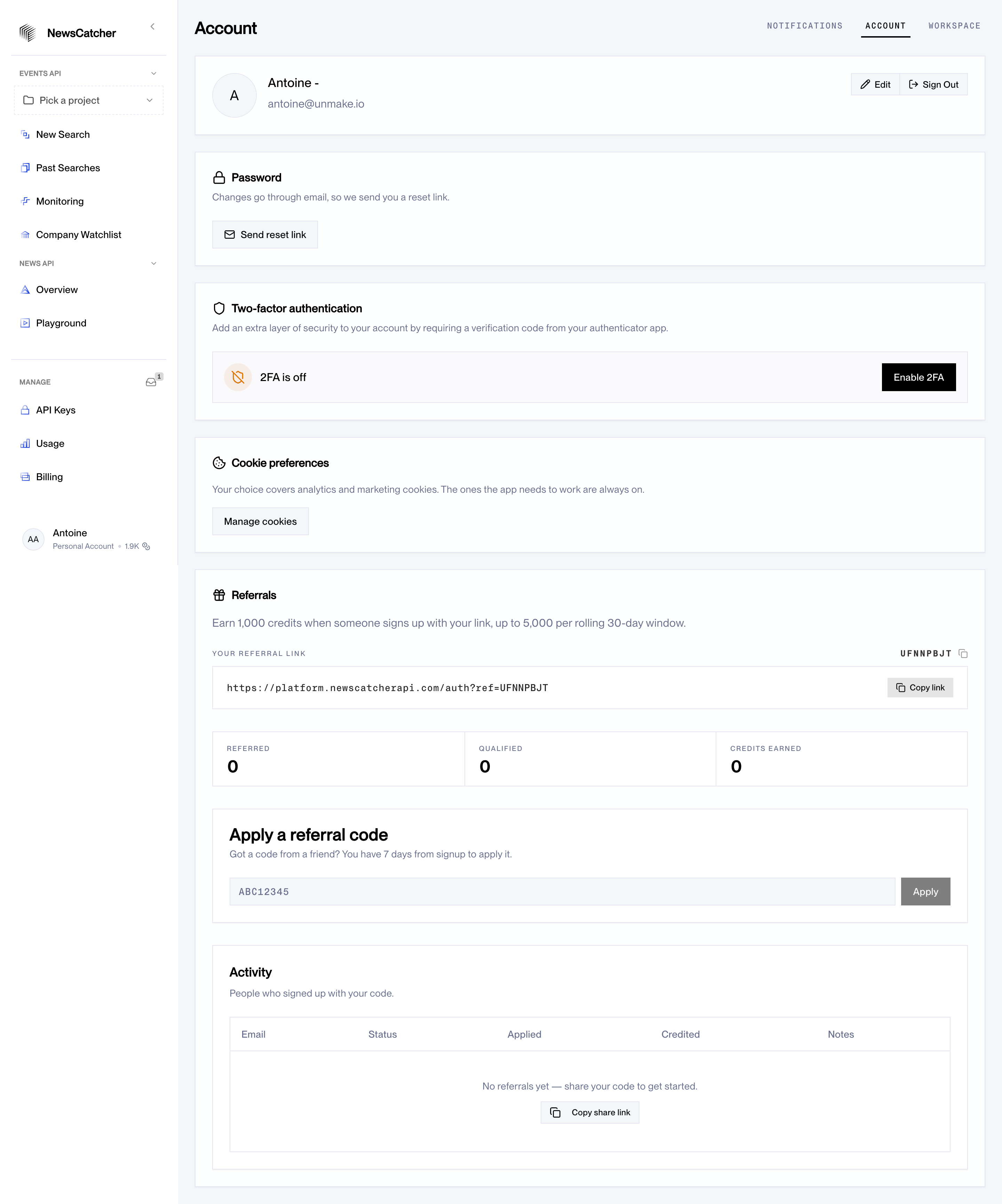
The NewsCatcher Settings reference places Cookie Preferences within account settings. The section explains analytics and marketing preferences, mentions required functionality, and includes a “Manage cookies” action. It provides an explicit return point after the initial browsing encounter.
The screenshot does not show the opened preference panel or establish how trackers are controlled. Its useful evidence is the presence, wording, and location of the settings entry. An implementation using this pattern still needs a complete panel, persistence model, and tracker integration.
The placement also raises a practical question: can visitors who are not signed in find the same control? A marketing website should provide an appropriate public route rather than requiring an account to revisit browser-level choices. Account settings can be an additional entry point, not necessarily the only one.
Categories such as required functionality, analytics, and marketing can help users navigate the decision, but labels need meaningful explanations. Describe what the category does rather than listing only technical cookie names or vendor jargon.
Keep the model connected to actual services. If several providers serve a purpose, make the relevant details available without making the primary decision unreadable. Do not group unrelated uses together simply because the tag manager happens to deploy them through the same mechanism.
Be careful with the word “required.” It should reflect the actual function and applicable rules, not an organization's preference for collecting more data. A design system should not automatically place every convenient measurement tool in an always-on category.
The initial interface should identify available actions accurately. “Accept all,” “Reject optional,” and “Customize” convey different results. Labels such as “Continue” can be ambiguous if they also record a preference the user may not recognize.
Visual hierarchy must not hide a meaningful choice. Tiny text, low contrast, or a long path for one decision can make the interaction difficult to understand. Review the interface against the applicable requirements rather than assuming that offering a preference link is enough.
For France, the CNIL cookie FAQ is a relevant primary reference for cookie consent questions, including refusal and withdrawal. Its jurisdiction and subject matter should remain explicit; do not present it as a universal rule for every visitor worldwide.
A panel should show the current choices and let users understand how saving will affect them. Use controls with clear labels, visible states, and concise purpose descriptions. If a category cannot be changed, explain why instead of presenting a disabled switch without context.
Separate “Save preferences” from actions that set all optional categories to one state. A save action commits the individual choices currently shown. A global accept or reject action changes the entire optional set. The labels and feedback should distinguish those operations.
Keep long vendor details secondary to the core decision, while still accessible when relevant. Expandable sections can reduce density, but important purpose information should not disappear into a series of hidden accordions. The panel should remain usable without reading a technical inventory first.
Document which tags, embedded services, and scripts belong to each preference. Evaluate when they load and what happens when a person changes the setting. A consent platform's visible state is not proof that every integration follows it.
Test the initial unknown state, acceptance, rejection, custom combinations, and withdrawal. Where consent is required for a tracker, ensure the relevant execution respects the applicable choice. Consider server-side and embedded third-party behavior as well as ordinary browser scripts.
Changing a preference may stop future activity without erasing previously collected data. Explain consequences accurately and route broader data requests through the appropriate process. Do not promise that rejecting a category deletes all information already held by every provider.
Cookie preferences can be browser-specific, device-specific, or connected to an authenticated account depending on the implementation. Tell users what scope applies when it affects their expectation. A setting saved in one browser should not imply that every device now shares it unless the system actually supports that behavior.
For cross-device consent in France, the CNIL recommendations on multi-device consent provide a specific reference. Account-level synchronization introduces additional design and implementation questions and should not be inferred from the presence of an account settings page.
Plan what happens when preferences expire, the purpose model changes, or a new provider is introduced. Avoid presenting stale choices as current without evaluating whether a new decision is needed. Keep preference versions and current tracker behavior aligned.
Provide a recognizable preference entry in a stable public location, such as the footer, and additional contextual routes where useful. “Cookie preferences” is clearer than an unrelated support label. The control should work after the initial notice has disappeared.
When reopening the panel, show the saved state rather than defaulting to a visually checked set. Users should be able to understand what is currently active and change it deliberately. Confirm that the new settings were saved before closing the surface.
Do not force a person to clear browser storage or find a hidden URL to withdraw a choice. Those workarounds are difficult, can remove unrelated session information, and do not represent a usable product control.
Videos, maps, chat tools, and other embedded services may depend on particular preferences. If a feature is unavailable under the current choice, explain why and offer an appropriate route to enable it. Do not leave an empty rectangle that looks like a broken page.
Keep access to preference settings available if the consent service itself fails. Avoid silently treating an unavailable preference service as permission for all optional activity. Define the fallback behavior with the technical and privacy teams responsible for the implementation.
On mobile, coordinate the notice with sticky CTAs, chat launchers, and navigation. Several fixed surfaces can block most of the viewport. The person should be able to read the notice, make a decision, and continue without fighting overlapping controls.
Test labels, keyboard interaction, visible focus, control states, and text enlargement. If the preference panel is modal, manage focus and provide an understandable dismissal route. Closing a panel without saving should not secretly commit changes unless the interface clearly uses immediate-saving controls.
Inspect network activity and storage under each meaningful preference combination. Verify that tag-manager configuration, embedded content, and downstream integrations behave as intended. Repeat relevant checks after adding or changing a service, not only when the banner is first launched.
Measure whether people can understand and change their choices successfully. A high acceptance rate does not establish good design or compliance. Include confusion, failed saves, blocked content recovery, and accessibility feedback in the evaluation.
Keep a practical release checklist tied to the preference model. A newly embedded video service, an updated analytics integration, or a marketing campaign script can change behavior without changing the panel's appearance. Assign responsibility for checking those changes so the visible purposes remain accurate. The review should cover real network requests and stored values, not only whether the banner still opens.
A banner introduces the choice. The broader experience also needs correct tracker behavior, persistence, and a way to revisit preferences. The appropriate legal requirements depend on the actual context.
They can appear there, as the NewsCatcher reference illustrates, but public visitors need an appropriate route too. Clarify whether the choice applies to the browser, device, account, or another defined scope.
Consent and opt-in covers affirmative choices in forms and subscriptions. Cookie preferences add a continuing relationship between user choices and tracker execution. Review both the visible decision and the system behavior it controls.