Audit Log
5
A security-focused history of sensitive administrative actions and account changes.
.webp)
An audit log records consequential actions so authorized users can reconstruct what happened, who or what initiated it, and which resources were affected. In a SaaS product, the interface turns those records into an investigation tool. It should help someone trace a change without confusing administrative events, user activity, and technical request telemetry.
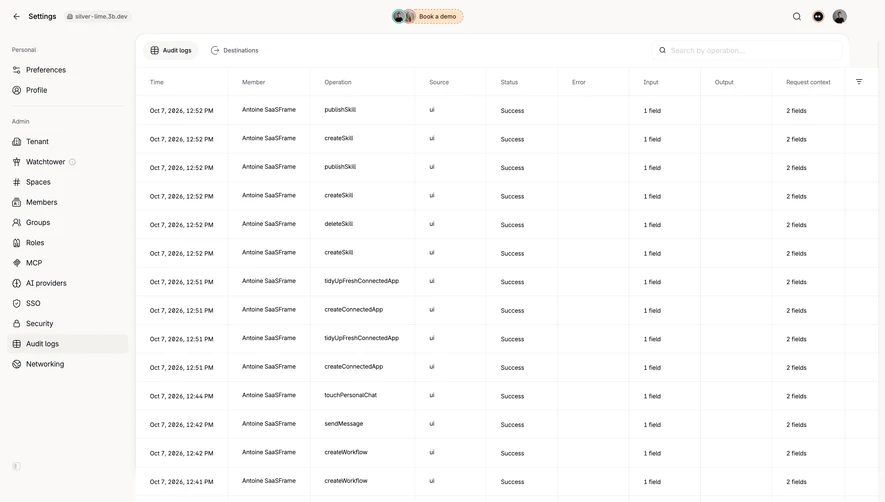
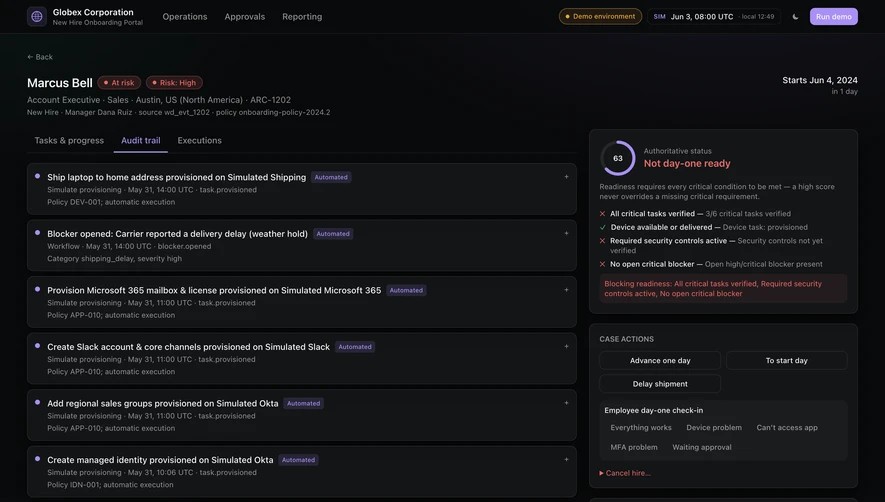
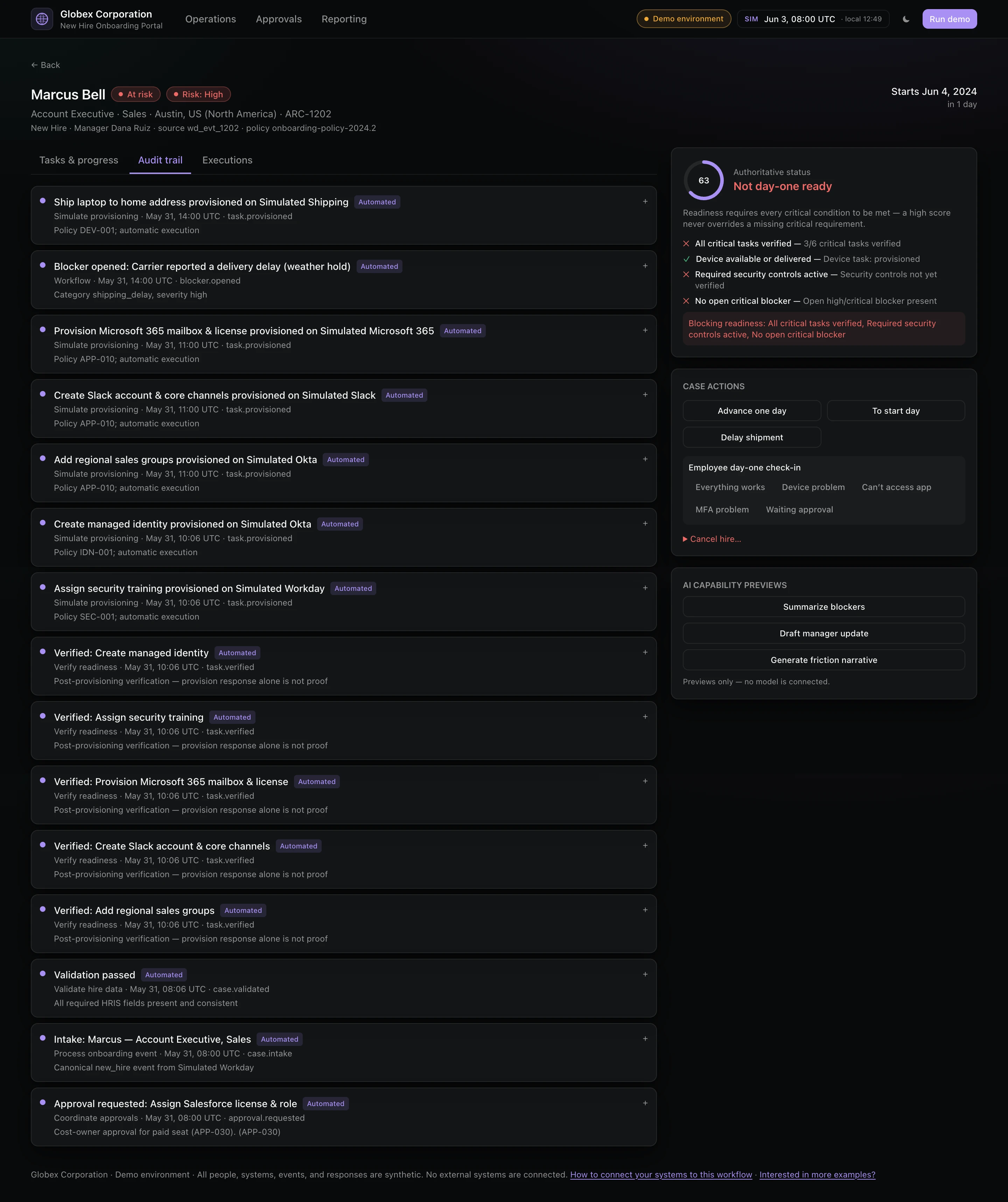
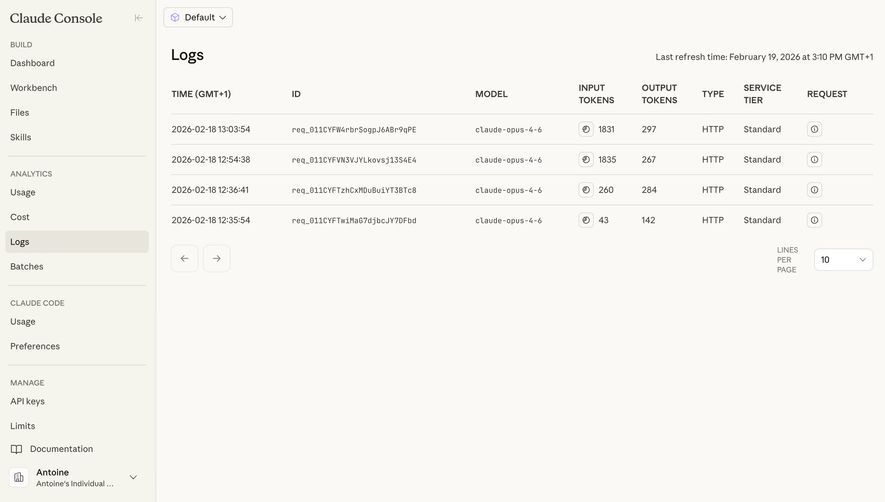
Unkey provides a direct audit-log example. Customer.io's activity logs and Claude Console's request logs are useful adjacent references because they organize different kinds of evidence. Their inclusion here illustrates boundaries between log types; it does not establish that all three products offer the same audit capabilities, retention, or integrity guarantees.
Start with concrete questions: who changed a role, when was an API key created, which process deleted a resource, or what access was granted? These questions determine the events and attributes that need to exist before the table is designed.
An audit log is not simply every application message displayed chronologically. Debug traces can overwhelm administrative review, while a friendly activity feed may omit the actor or exact target needed to investigate a change. Establish the purpose and coverage of the audit trail explicitly.
Do not imply completeness beyond the recorded scope. If only workspace administration is logged, say so. If older events are unavailable or a specific integration does not produce records, expose that boundary. A blank search should not leave users to assume that the action never occurred.
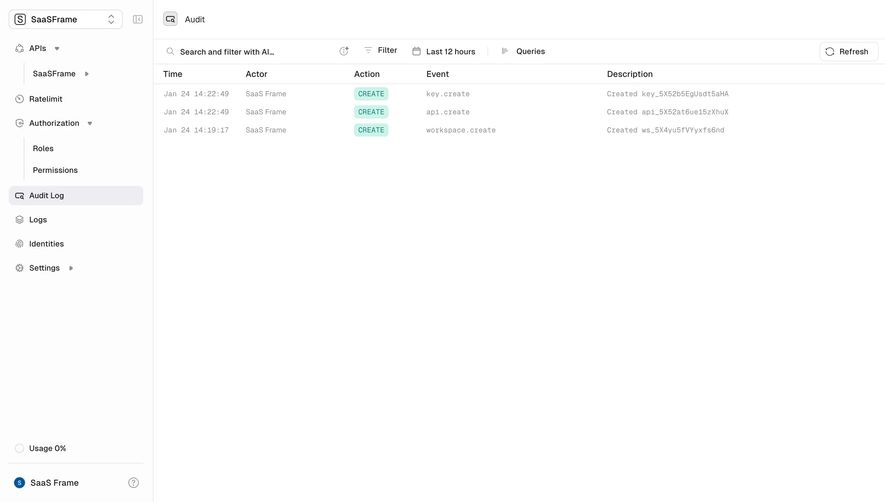
Unkey's audit view displays Time, Actor, Action, Event, and Description. Visible records show creation events for a key, an API, and a workspace. The high-level action is separated from a more specific event identifier such as “api.create,” while the description includes a target identifier.
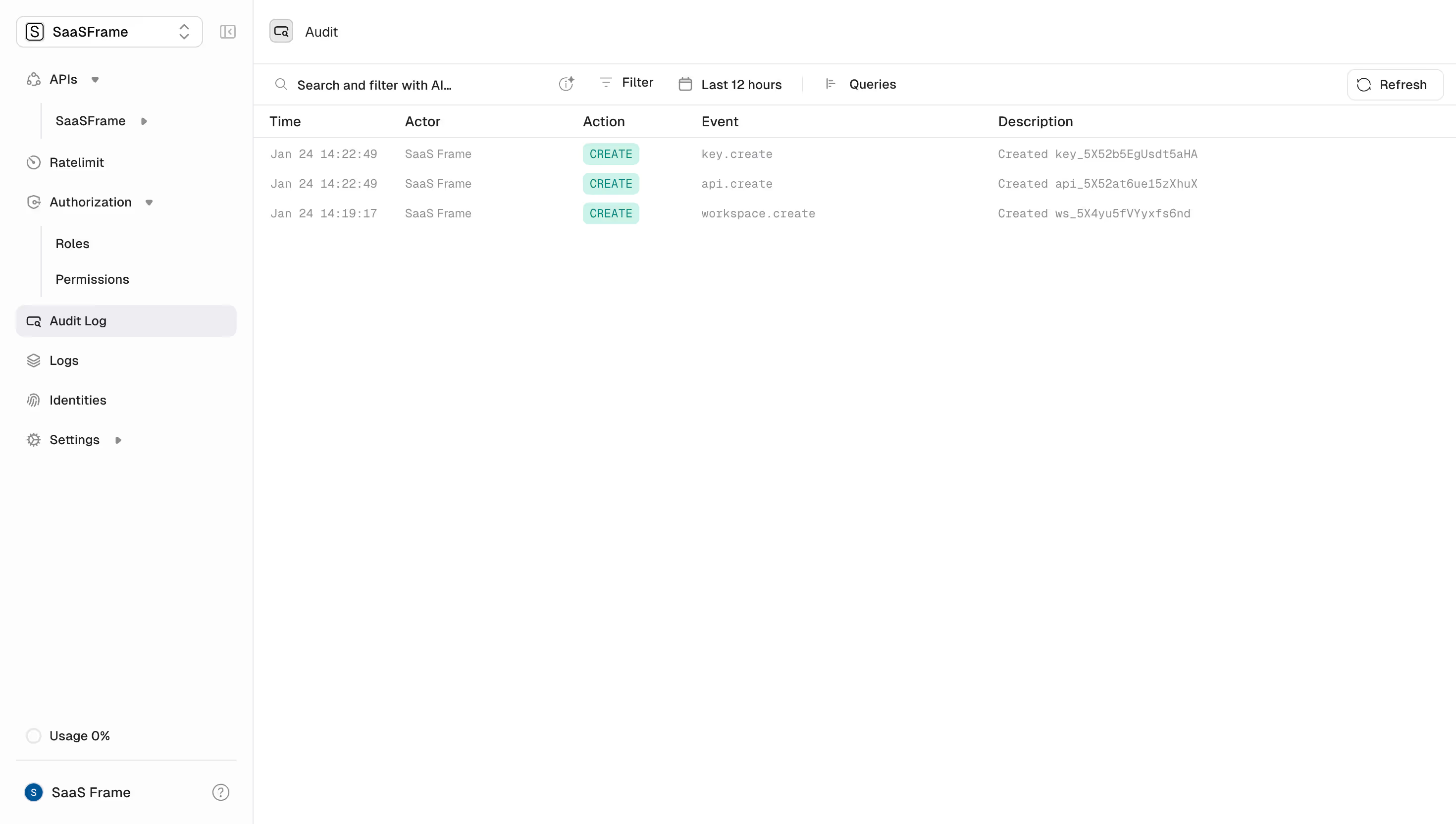
This structure supports two reading modes. A person scanning for deletions or access changes benefits from consistent action language; someone investigating a specific resource needs exact identifiers. Keep both available rather than forcing users to interpret raw event names for every row.
Use consistent verbs and object names across event types. A mixture of “created,” “new,” “added,” and “provision” for the same conceptual action makes filtering and comparison harder. Retain precise technical names where needed, but provide a readable interpretation.
When names can change, preserve enough historical identity to locate the original object. A current display name is convenient, while a stable identifier helps distinguish similarly named resources. Do not make a deleted object's audit record unintelligible merely because its live detail page no longer exists.
Actor identity matters because changes can originate from a person, an API credential, an automation, or the system itself. Present the initiating identity and method clearly enough to distinguish those paths.
For an action performed on behalf of someone else, retain the relationship rather than collapsing it into a single name. An administrator using delegated access is different from the affected user acting directly. Use detail views for additional context when the table would otherwise become crowded.
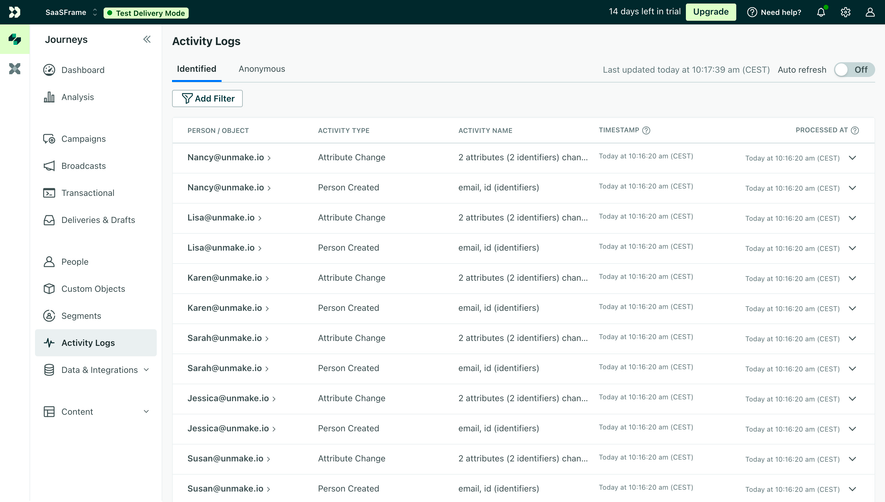
Customer.io's activity log leads with “Person / Object,” followed by activity type and activity name. The visible rows include attribute changes and person creation. That structure centers the entity whose activity is being examined; it does not by itself establish who initiated each change.
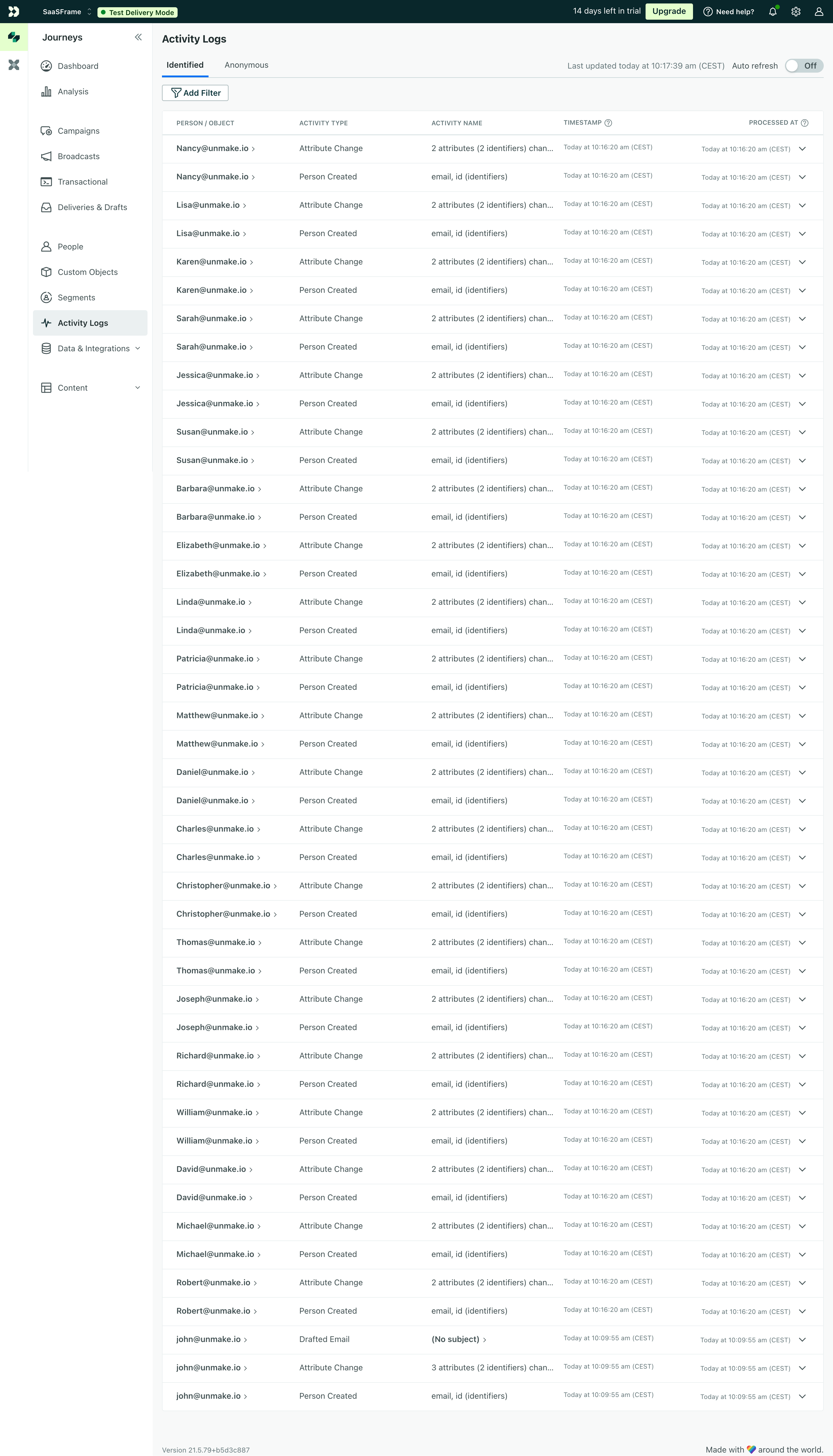
Keep that distinction explicit when designing navigation. A profile timeline can help inspect a customer's events, while an audit log can help investigate administrative responsibility. Linking between them is useful when the product preserves the relevant context.
Claude Console's log table shows request time, ID, model, input and output tokens, type, service tier, and a request-information control. It is a reference for technical request inspection rather than visible evidence of workspace permission changes.

Technical logs can explain what ran and how resources were used. An audit trail may explain who changed the configuration that allowed it. These views can complement one another, but their names and event coverage should make the difference clear.
Use correlation identifiers when several systems contribute to an investigation. A request ID can connect an administrative event to a technical trace, but only if the relationship is actually recorded. Do not imply a traceable connection merely because both interfaces display timestamps.
Keep raw request content out of a compact audit summary unless users need it and policy permits it. A precise identifier and appropriate detail route may provide enough investigative value without exposing unnecessary payload information.
Customer.io separates Timestamp from Processed at, while Claude labels the displayed time zone and shows the last refresh time. These visible distinctions help users avoid treating every timestamp as the same observation.
An event can occur before it is received or processed. That difference matters when reconstructing an incident or explaining delayed activity. Label the relevant times rather than showing an unexplained “Date” column.
Make time zones discoverable and consistent across search, table display, and export. Relative labels can help scanning, but exact times should be available when people need to compare records across tools. Include sufficient precision for the events your system can actually distinguish.
Ordering needs a defined rule when timestamps match or late events arrive. Preserve a stable identifier or tie-breaker in the underlying view so paging and refresh do not unpredictably duplicate or omit records. A visually ordered table should not imply more certainty about causality than the evidence provides.
Useful dimensions can include actor, action, resource, outcome, source, and time window, depending on the recorded model. Prioritize conditions that help users isolate a meaningful sequence rather than exposing every internal field equally.
Unkey's capture offers search, Filter, a selected twelve-hour window, Queries, and Refresh. The toolbar establishes investigation controls near the records. The screenshot does not reveal how the search interprets a query or how saved queries behave.
If natural-language search produces conditions, let users inspect the interpreted query. Investigation needs reproducibility: someone should be able to explain what records were included and why. A persuasive AI summary cannot substitute for inspectable event evidence.
Keep active conditions visible and provide a reset route. Distinguish no matching events from no retained events, a permission restriction, or retrieval failure. Those states support different conclusions and require different next steps.
A detail view can expose target identifiers, source information, changed fields, outcome, and correlation data. Keep the summary readable, then make the deeper record easy to inspect without losing the original search context.
For changes, a before-and-after view can be more useful than a generic “Updated” event. Identify which fields changed and whether a value was removed. Avoid presenting sensitive values simply because the logging system captured them; choose a safe representation appropriate to the task.
Record the result of the action when it matters. An attempted deletion that was denied differs from a completed deletion. A job being queued differs from the change taking effect. Use event names and outcome fields that preserve those distinctions.
If one user action creates several records, provide a way to understand their relationship. A grouped transaction or correlation link can help users reconstruct the operation without assuming that adjacent rows always belong together.
New events can arrive while someone is reading. Show freshness and consider a controlled refresh or a visible new-events indicator instead of moving rows unexpectedly. Customer.io's capture shows an auto-refresh control; Claude uses an explicit last-refresh timestamp.
Preserve the selected event and query context when updating. If a detail panel is open, a background refresh should not silently replace its object. Make it possible to return to the same place after following a resource link.
Large histories need predictable paging or another bounded retrieval approach. Communicate the loaded range and maintain ordering. Avoid implying that the currently displayed page is the complete audit history.
Exports should state the selected time span and conditions, and should preserve meaningful identifiers and timestamps. A recipient needs enough context to understand the dataset without access to the original screen.
An audit interface can expose identities and sensitive operational information. Define who may view events, inspect details, and export records. A role that can operate a resource does not automatically need access to every administrative event across the organization.
Communicate the available retention period where it affects investigation. If the chosen dates extend beyond retained history, explain the boundary. A premium retention option should not make missing data look like proof that no event occurred.
Do not claim that a trail is tamper-proof, complete, or suitable for a particular compliance requirement based on its UI. Those properties require implementation and policy evidence beyond a screenshot. The interface can explain established guarantees, but should not invent them.
OWASP's logging guidance emphasizes recording sufficient event context and avoiding inappropriate sensitive data. Use that guidance to inform the event model and access design; keep the dashboard's claims aligned with what the system actually records.
Use clear column headings and expose full identifiers through a usable mechanism. Truncation can be acceptable for scanning only when users can retrieve the complete value with a keyboard or touch interaction.
Color can distinguish action types, but text should identify the action. Icons for request details need meaningful names. Expanded rows and side panels should communicate their state and preserve a predictable reading order.
On narrow screens, prioritize the key summary and provide a structured detail view for remaining attributes. Do not compress every column until actor names and timestamps become unreadable. Test long resource names, missing actors, deleted targets, and events with extensive changes.
No. An activity feed can emphasize user-facing updates; an audit log supports reconstruction of consequential actions. Its usefulness depends on the recorded actor, target, outcome, and context.
Include them when they serve the defined investigative purpose, and distinguish attempted, denied, and completed outcomes. Do not make every recorded attempt look successful.
No. A table can demonstrate presentation, but integrity and retention properties require evidence from the implementation and operating policies.
Links can aid investigation, but the historical record should remain understandable when a resource is renamed, deleted, or no longer accessible.
Compare Activity Log for user and object activity, Roles & Permissions for administrative access, Filter for investigative scope, and Table for dense records. Consult OWASP's logging guidance when defining event coverage and sensitive-data handling.