.webp)
Thank you! Your submission has been received!
Oops! Something went wrong while submitting the form.
Get SaaSFrame Pro
Monthly
$18
Quarterly
$48
Yearly
$180
Upgrade to access this feature
Browse all screens & flows
Filter and search screens & flows
Access Figma files
Access mobile versions
Bookmark screens & flows
Join now
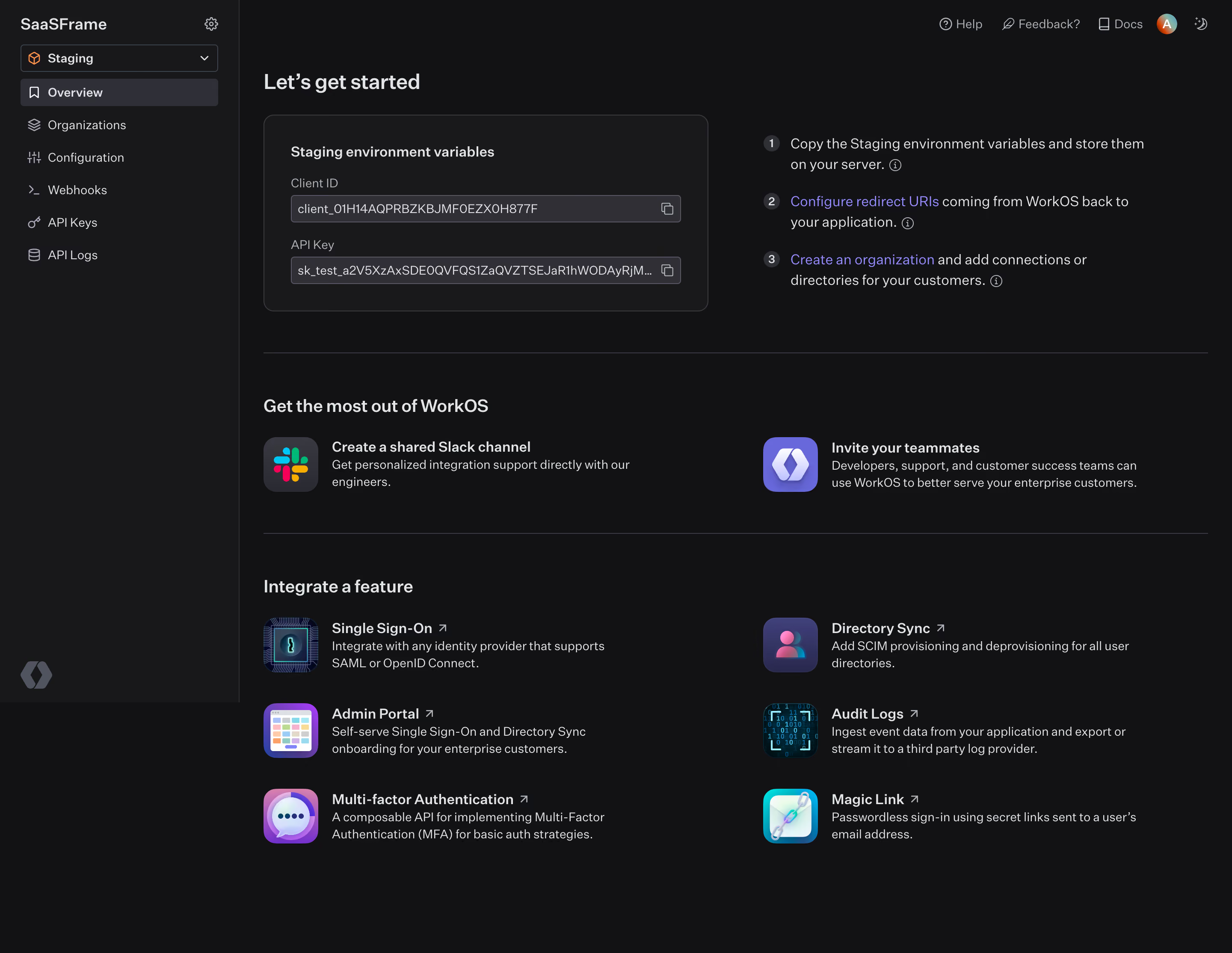
WorkOS Dashboard

WorkOS
our app, Enterprise Ready.
Designed by
No items found.

Bookmark
Bookmark

Design with AI
Thank you! Your submission has been received!
Oops! Something went wrong while submitting the form.
# Design from Reference: WorkOS Dashboard
Create an original, high-fidelity visual design inspired by the reference. Prioritize composition, typography, colors, spacing, and component styling over technical implementation.
## Reference
- **Product:** WorkOS
- **Category:** Dashboard
- **Screenshot:** https://cdn.prod.website-files.com/5e9dc792e1210c5325f7ebbc/6acb6a4b03442b22fb62aafc_6acb695fe9370e78965ce6cf_cms-fc2a4167a20abc2ce905c96f.webp
Analyze the screenshot first. If inaccessible, request it rather than guessing.
## Content
{{content.instructions}}
{{content.data}}
Preserve essential messaging and factual accuracy. Adapt structure and copy length for visual balance; never invent product claims.
## Visual Design
### Overall aesthetic
- **Style:** Dark developer onboarding dashboard combining environment configuration, numbered setup guidance and a catalogue of integration features.
- **Character:** Near-black canvas, slightly lighter sidebar/panels, pale neutral text and violet links. Colorful dimensional feature icons provide the main decorative accents.
- **Surface treatment:** Fine charcoal dividers, rounded configuration panel and compact input-like credential rows. Most resource links sit directly on the page without enclosing cards.
### Page composition
- **Capture scale:** 2880 × 2228 image px. CSS estimates assume an unverified 2× capture, corresponding to approximately 1440 × 1114 CSS px.
- **Sidebar:** Approximately 280 CSS px wide, with workspace name and gear at top, environment selector below, six icon-led navigation links and a brand emblem near its lower edge.
- **Utility row:** Help, feedback, documentation, account avatar and theme control align along the upper right of the main region.
- **Main inset:** Content begins approximately 28 CSS px after the sidebar, with a similar right margin.
- **Getting-started region:** A large heading precedes two columns. The left is a rounded environment-variables panel, roughly 520 × 230 px; the right contains three numbered setup instructions.
- **Resource region:** A full-width divider introduces Get the most out of WorkOS. Two horizontally arranged resources pair large square icons with title and short description.
- **Feature region:** Another divider introduces Integrate a feature. Six feature links form two columns and three rows, each combining colorful square imagery, title, external-link mark and short explanation.
- **Lower space:** Content ends above the screenshot bottom, leaving a calm dark margin rather than a footer or action bar.
### Information hierarchy
- **Setup priority:** Let's get started is the primary heading; staging environment values and the numbered checklist provide the immediate integration path.
- **Credential hierarchy:** Field labels sit above compact value rows. Copy icons at the right suggest duplication actions, but no copied/success state is visible.
- **Checklist hierarchy:** Small numbered circles lead into instructions. Violet linked phrases identify configuration and organization-creation routes.
- **Support hierarchy:** Slack support and teammate invitation appear before the feature catalogue, positioning assistance as part of onboarding.
- **Feature hierarchy:** Titles are semibold and brighter than descriptions; external-link symbols distinguish outbound integration documentation.
- **Captured state:** Staging and Overview are selected. Credential strings are visible as interface content but are not reproduced in this design description.
### Typography
- **Family:** Neutral developer-tool sans serif. Exact font identity is unverified.
- **Primary heading:** Approximately 24 px semibold with 30 px leading.
- **Section headings:** Approximately 20 px semibold with 26 px leading.
- **Panel and resource titles:** Approximately 16 px semibold; descriptions around 14 px with 20 px leading.
- **Checklist:** Approximately 16 px with 24 px leading; numbered markers are smaller and centered in circles.
- **Sidebar and utilities:** Approximately 14 px. Credential labels and value rows are around 14 px, with compact line-height.
- **Measurement limit:** Font sizes and weights are visual CSS estimates under the assumed 2× capture, not verified CSS or font identities.
### Colors & surfaces
- **Main canvas:** Sampled sRGB #121214 dominates the central workspace.
- **Sidebar/panel:** Sampled #18181A and #19191A provide subtly lighter dark surface references.
- **Control fills/dividers:** Sampled #2F2F35 and related #2F3037 appear among selected rows, credential controls and structural details.
- **Primary text:** Sampled #E1E5E8 is a pale cool-gray reference for headings and stronger labels.
- **Muted details:** Sampled #575864 provides a subdued neutral reference among small symbols and secondary interface tones.
- **Link accent:** Sampled #6868DB supplies a violet reference among highlighted interface elements.
- **Illustration color:** Feature icons introduce purple, cyan, pink, teal and multicolor details. Keep these localized to product/resource identity rather than applying them to all text.
### Components
- **Environment selector:** Full sidebar-width outlined dark rectangle with an orange cube symbol, Staging label and right chevron.
- **Selected navigation:** Pale-charcoal rounded row with bookmark-style icon and Overview label. Other links remain directly on the sidebar surface.
- **Configuration panel:** Approximately 520 px wide with 12–14 px radii, thin charcoal border and about 30 px internal padding.
- **Credential rows:** Roughly 455 × 32 px, dark-gray fill, fine lighter border, small radius and a copy icon at the right. Long values are truncated rather than wrapped.
- **Numbered steps:** Small charcoal circles containing light numbers, aligned beside two-line instructions; small information icons follow some text.
- **Resource icons:** Approximately 64 px square, rounded around 14 px, with Slack branding and a violet teammate/brand symbol.
- **Integration tiles:** Similar square icons lead text blocks in a two-column layout. There are no separate enclosing card borders around each feature.
- **Separators:** Thin full-main-width gray rules create distinct setup, support and integration regions.
- **Utility controls:** Compact icon/text links and a small circular avatar, without a large top navigation bar.
### Visual rhythm
- **Section pacing:** Dense configuration content at the top transitions into more spacious resource and feature rows.
- **Alignment:** Main headings, separators and left-column icons share one left edge. Right-column content follows a consistent second axis.
- **Icon rhythm:** Repeated square icon sizes unify resources and integrations despite differing artwork.
- **Contrast restraint:** Small tonal steps distinguish dark surfaces; bright text and violet links carry hierarchy without broad saturated panels.
### Responsive
- **Evidence limit:** Only desktop is shown; recommendations below are not observed behavior.
- **Navigation recommendation:** Collapse the sidebar into a drawer or compact menu while retaining an explicit environment indicator.
- **Setup recommendation:** Stack the variable panel and checklist, preserving copy controls and truncation behavior for long values.
- **Grid recommendation:** Reduce support and integration links to one column on narrow screens.
- **Utility recommendation:** Move secondary help/feedback controls into an accessible overflow menu if needed.
- **Touch recommendation:** Expand effective copy, selector and icon-control hit areas toward 44 px.
### Adaptation guidance
- **Preserve onboarding order:** Show environment context, required setup values, concrete steps, support and feature-specific integration routes.
- **Use real configuration:** Populate actual project data safely and avoid copying credential values from the reference.
- **Match resource content:** Include only supported features and genuine documentation links.
- **Retain visual consistency:** Use near-black surfaces, subtle borders, pale text, one link accent and consistently sized resource icons.
- **Accessibility recommendation:** Label copy buttons, communicate environment clearly and provide keyboard focus/feedback for actions. These behaviors cannot be verified from the static screenshot.
Use this context to reproduce the reference's visual language: layout, typography, colors, spacing, borders, radii, and distinctive elements. The screenshot takes priority if descriptions conflict.
## Direction
{{preferences.fidelityInstructions}}
## Output
{{output.instructions}}
Deliver a polished, cohesive design with precise alignment, hierarchy, and spacing. Produce the requested visual artifact, not just a description. If unsupported, explain the limitation.

.avif)
Category
Patterns
No items found.
Tech Stack


Added on
May 23, 2023
Similar screens
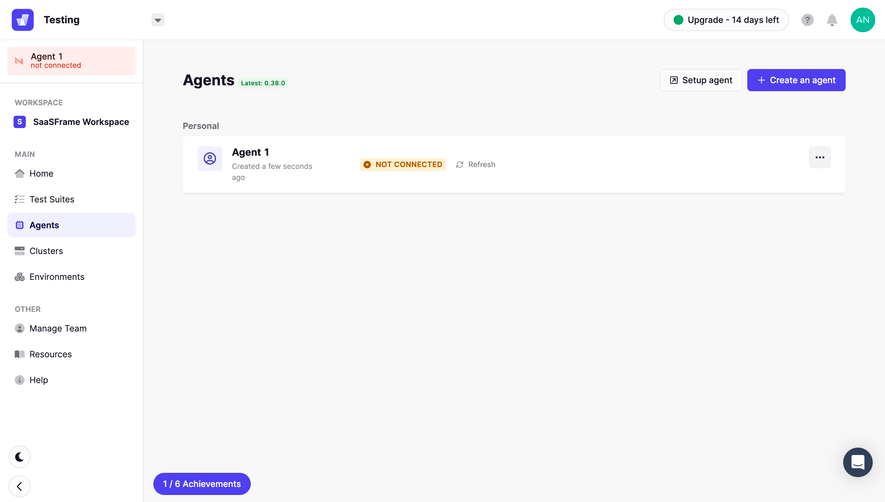




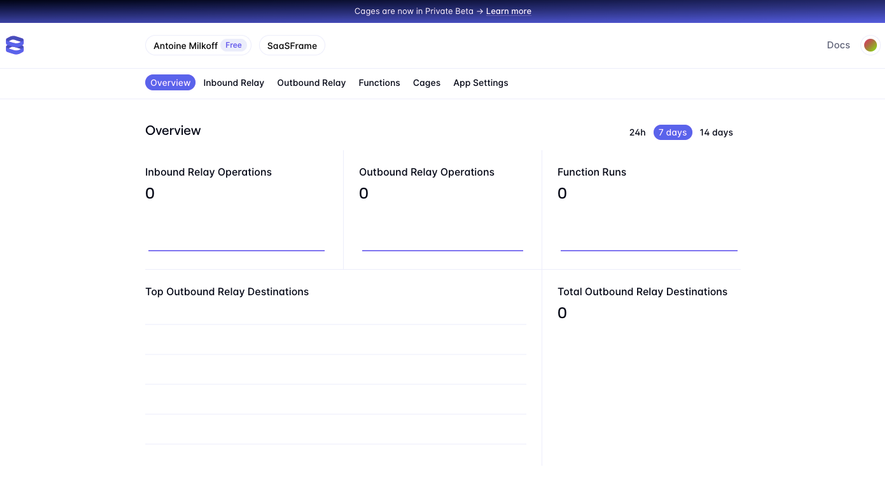

Upgrade to SaaSFrame Pro now to see similar examples.
Monthly
$18 /month
Billed $18 monthly
Browse all screens & flows
Filter and search screens & flows
Search text in screenshots
Access Figma files
Access mobile versions
Join now
Quarterly
$16 /month
Billed $48 quarterly
Browse all screens & flows
Filter and search screens & flows
Search text in screenshots
Access Figma files
Access mobile versions
Join now
Yearly
$15 /month
Billed $180 yearly
Browse all screens & flows
Filter and search screens & flows
Search text in screenshots
Access Figma files
Access mobile versions
Join now