Generate a new design based on this screen using your own content.
Thank you! Your submission has been received!
Oops! Something went wrong while submitting the form.
# Design from Reference: Wiza Plans
Create an original, high-fidelity visual design inspired by the reference. Prioritize composition, typography, colors, spacing, and component styling over technical implementation.
## Reference
- **Product:** Wiza
- **Category:** Plans
- **Screenshot:** https://cdn.prod.website-files.com/5e9dc792e1210c5325f7ebbc/6acad57786f1bee9c3650842_6acad4a6d5603a17eba60dc1_cms-efe6ded2aa0808a7c8a39d13.webp
Analyze the screenshot first. If inaccessible, request it rather than guessing.
## Content
{{content.instructions}}
{{content.data}}
Preserve essential messaging and factual accuracy. Adapt structure and copy length for visual balance; never invent product claims.
## Visual Design
Use this context to reproduce the reference's visual language: layout, typography, colors, spacing, borders, radii, and distinctive elements. The screenshot takes priority if descriptions conflict.
## Direction
{{preferences.fidelityInstructions}}
## Output
{{output.instructions}}
Deliver a polished, cohesive design with precise alignment, hierarchy, and spacing. Produce the requested visual artifact, not just a description. If unsupported, explain the limitation.
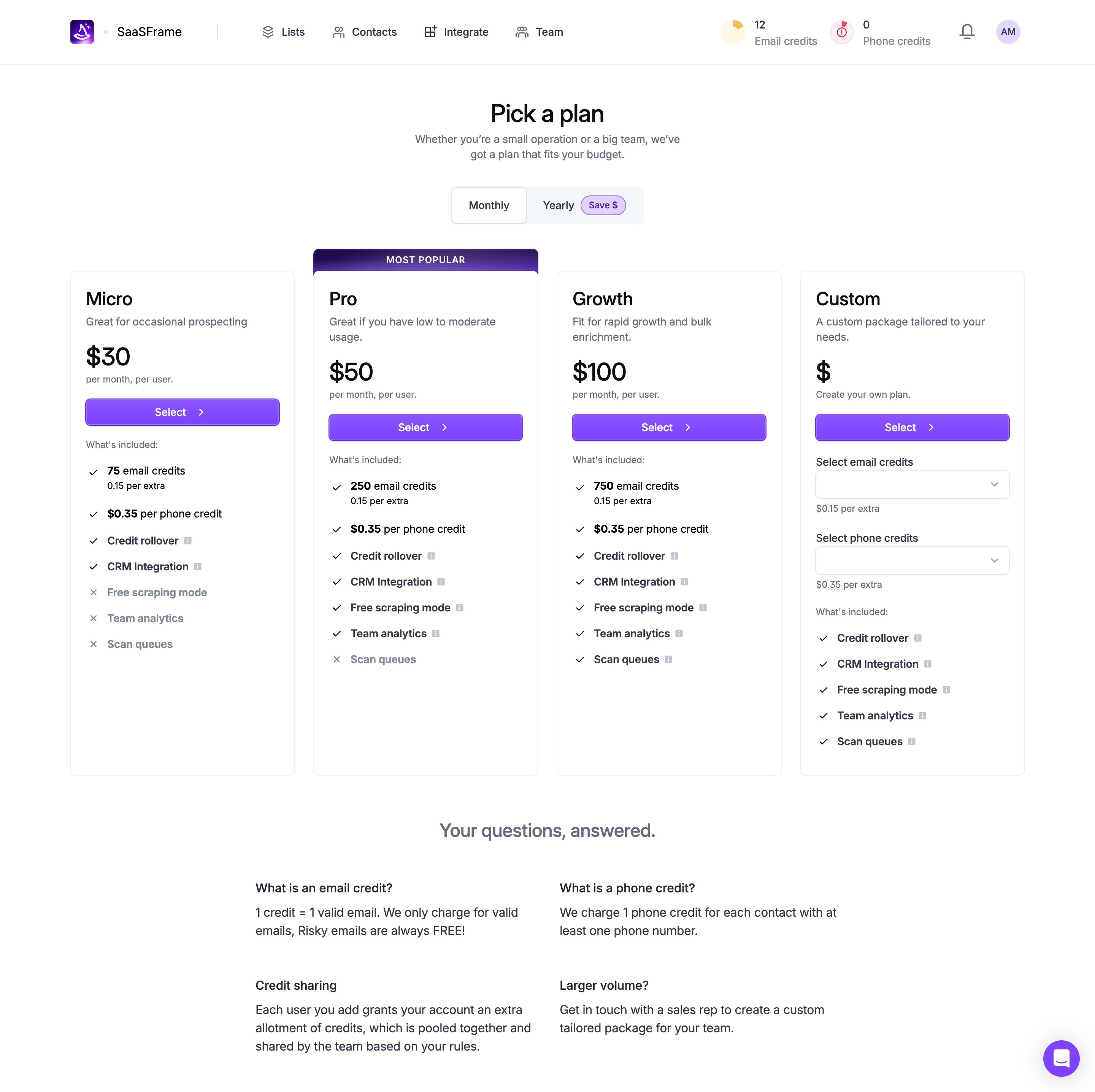
Four-tier pricing page from SaaSFrame and it nails the basics without overcomplicating things. The purple "Most Popular" badge on the Pro plan immediately pulls your eye to the center. Smart. The rest of the cards stay white and minimal, letting that one pop of color do all the heavy lifting.
Layout and Flow
The progression from Micro to Custom reads naturally left to right, with prices scaling clearly: $30, $50, $100, then a blank dollar sign for custom. Each card follows the same visual rhythm. Plan name, description, price, CTA button, then a checklist of features with checkmarks and X marks. You know exactly what you're getting and what you're not. The Monthly/Yearly toggle up top with that little "Save $" pill is a solid touch.
What Makes It Stand Out
Typography is sharp and restrained. The FAQ section at the bottom handles objections right where they matter. The Custom tier with its dropdown selectors for credits feels genuinely useful, not just a "contact us" dead end. Practical design that respects the user's time.
.webp)



.avif)