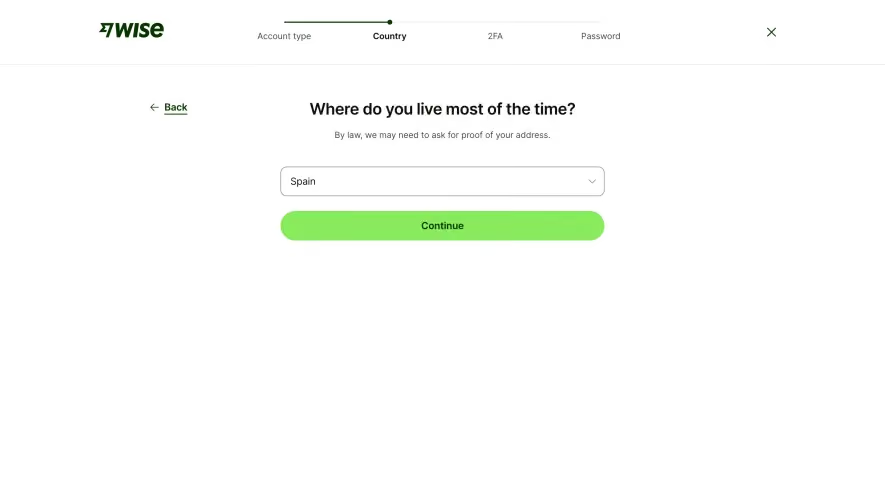
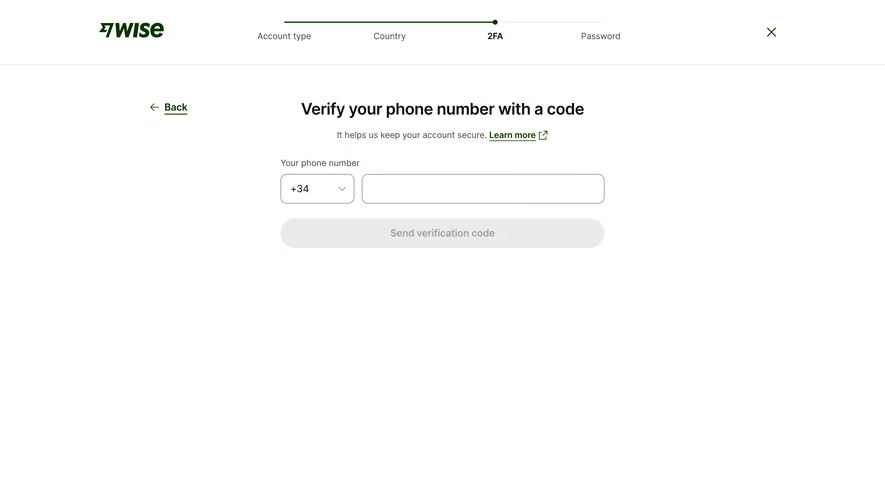
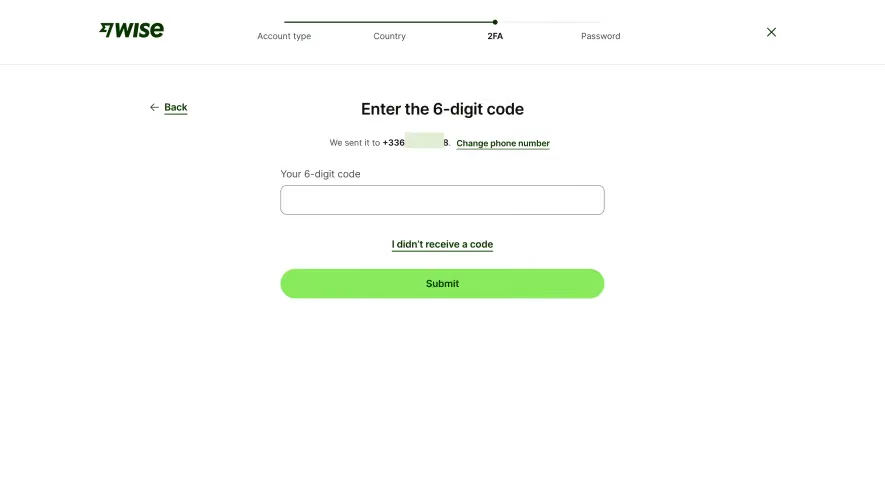
Generate a new design based on this screen using your own content.
Thank you! Your submission has been received!
Oops! Something went wrong while submitting the form.
# Design from Reference: Wise Signup
Create an original, high-fidelity visual design inspired by the reference. Prioritize composition, typography, colors, spacing, and component styling over technical implementation.
## Reference
- **Product:** Wise
- **Category:** Signup
- **Screenshot:** https://cdn.prod.website-files.com/5e9dc792e1210c5325f7ebbc/6aca27e3aca7079066e8e737_6aca2702691f530acb458d21_cms-8f36675ce893f3eba6f99037.webp
Analyze the screenshot first. If inaccessible, request it rather than guessing.
## Content
{{content.instructions}}
{{content.data}}
Preserve essential messaging and factual accuracy. Adapt structure and copy length for visual balance; never invent product claims.
## Visual Design
Use this context to reproduce the reference's visual language: layout, typography, colors, spacing, borders, radii, and distinctive elements. The screenshot takes priority if descriptions conflict.
## Direction
{{preferences.fidelityInstructions}}
## Output
{{output.instructions}}
Deliver a polished, cohesive design with precise alignment, hierarchy, and spacing. Produce the requested visual artifact, not just a description. If unsupported, explain the limitation.
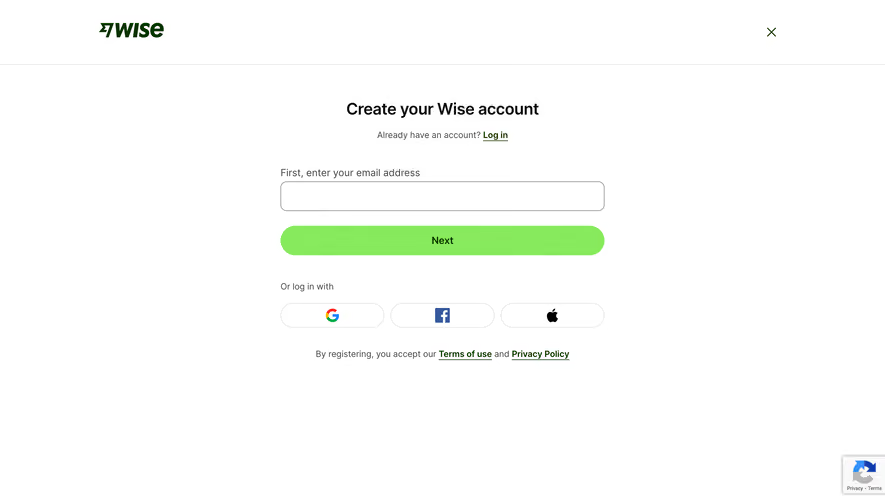
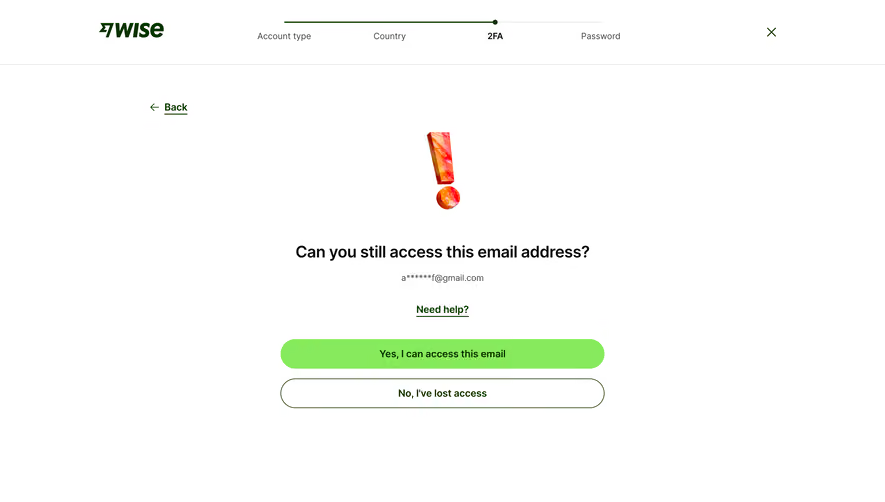
This is Wise's account creation page and it's a masterclass in restraint. The first thing you notice is how much breathing room everything has. Massive white space. Nothing competing for attention. Just one input field, one green button, and three social login options. That's it.
The Green Button Pulls You In
That soft lime green "Next" CTA is doing all the heavy lifting here. It's the only color on the entire page besides the dark Wise logo up top. Your eye goes straight to it. The rounded corners on the button and input field keep things feeling friendly and approachable. Typography is simple, likely a clean sans-serif, with a clear hierarchy from the bold heading down to the smaller helper text.
What Makes It Stand Out
The social login icons sit in equally-sized pill containers which feels balanced and intentional. The "Terms of use" and "Privacy Policy" links at the bottom use underlines instead of color to indicate interaction. Small detail but it keeps the minimal palette intact. The close X in the top right suggests this is a modal overlay. Smart pattern.
.webp)




.avif)