Overall Style and Aesthetic
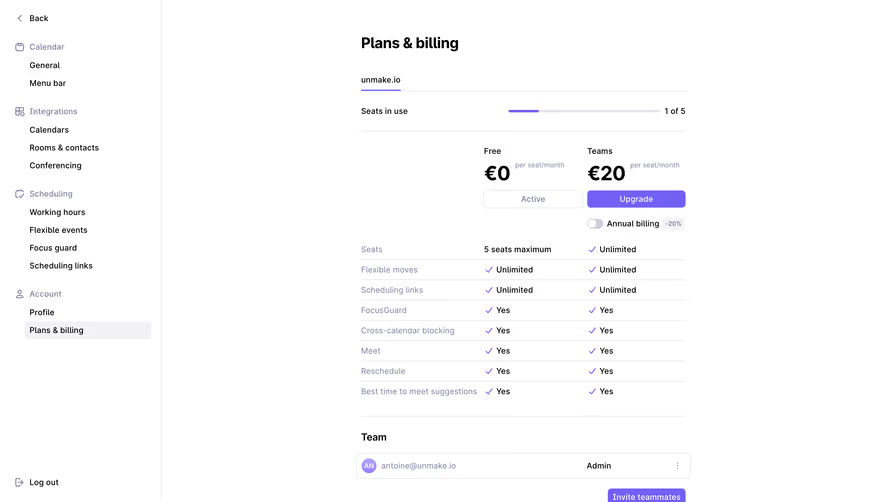
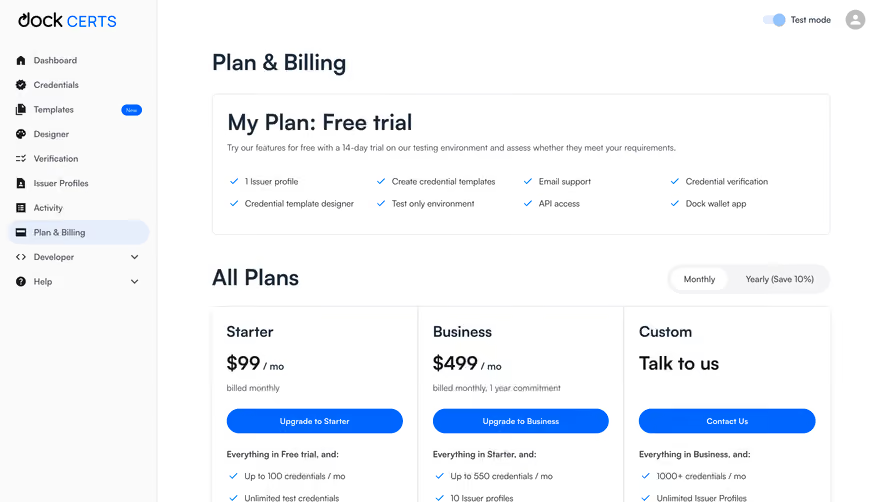
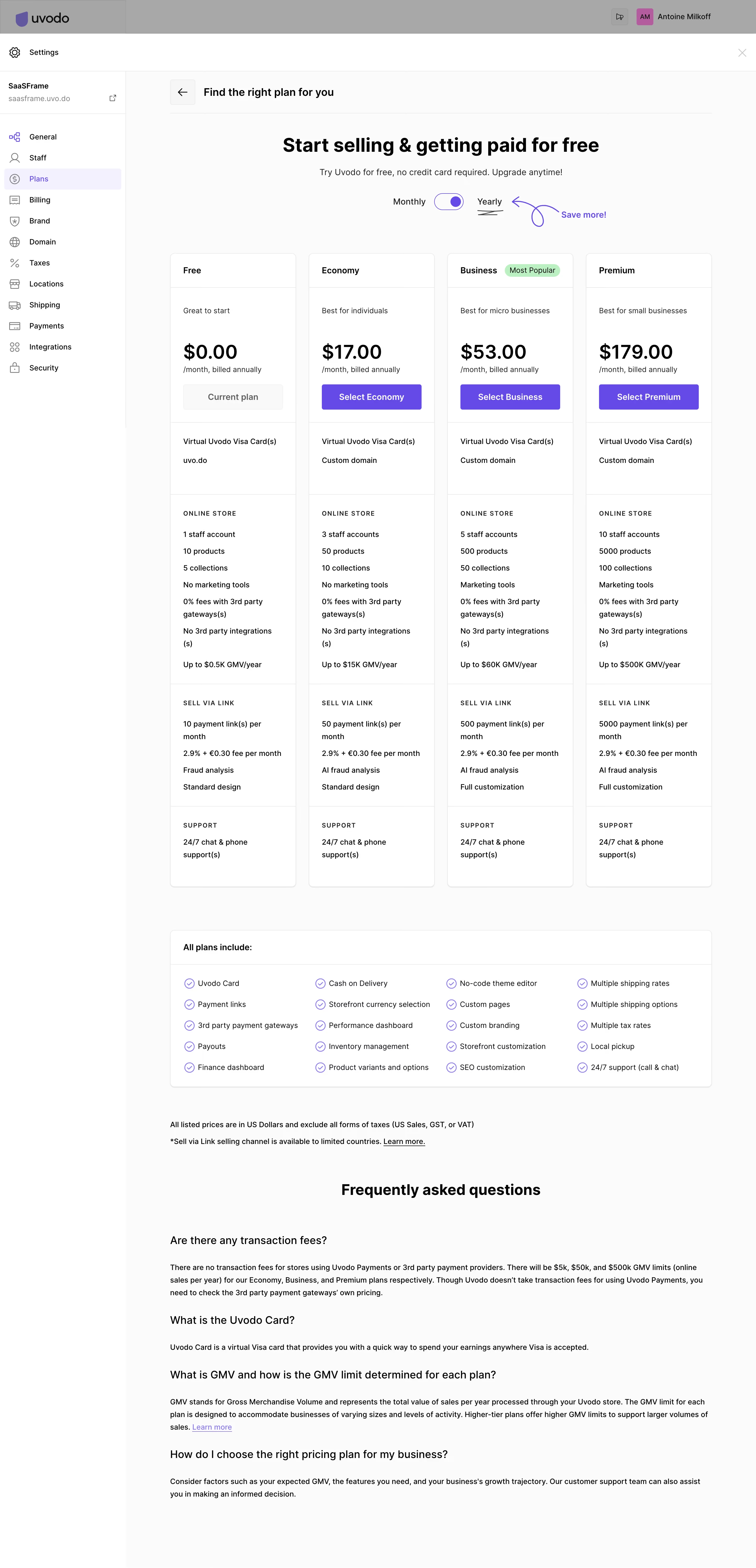
This page demonstrates a clean, modern take on SaaS UI, utilizing ample white space and restrained design choices to foster a professional, approachable feel. The aesthetic leans toward minimalism, with a focus on clarity and functionality over decorative flourishes—perfect for product teams seeking straightforward inspiration. Layout and Structure
The content is smartly segmented into panels, clearly delineating navigation, account overview, and main plan management. The navigation sidebar offers persistent access to core sections, while the header keeps settings accessible without distraction. The main body efficiently centers the “Plans” management functionality, eschewing superfluous elements for a consistently task-driven approach. Visual Elements
Visuals are efficient but impactful. Crisp icons accompany key options, adding clarity and a subtle visual rhythm. Plan cards use subtle drop shadows and soft borders for depth, while button and toggle states are highlighted with visible color shifts, giving interactivity a tactile edge without resorting to heavy animation or illustration. Color Palette and Typography
A restrained palette—soft whites, gentle grays, and bold accent blues—emphasizes information hierarchy and interactivity. Typography is clean and legible; headings use strong sans-serifs with distinct sizing, while body text remains minimal for easy scanning. User Experience Patterns
Usability shines via sticky sidebar navigation, prominent CTAs (like “Add Plan”), and intuitive inline editing. Feedback on actions (like saving changes) is instant and clear, reinforcing user confidence. The overall journey feels direct, enabling users to complete tasks with minimal friction. Unique or Notable Design Choices
In-line plan editing, unobtrusive microinteractions, and ultra-clear structure set this page apart. It shows how to build a trustworthy, focused, user-first SaaS settings page without sacrificing visual appeal—a study in confident product design..webp)



.avif)