Design with AI
Generate a new design based on this screen using your own content.
# Design from Reference: Userbot Product Tour
Create an original, high-fidelity visual design inspired by the reference. Prioritize composition, typography, colors, spacing, and component styling over technical implementation.
## Reference
- **Product:** Userbot
- **Category:** Product Tour
- **Screenshot:** https://cdn.prod.website-files.com/5e9dc792e1210c5325f7ebbc/6acbc9351790037d3e058f31_6acbc647681d3a08a1ee4f55_cms-b0e1fcbaca0c99b59020fe66.webp
Analyze the screenshot first. If inaccessible, request it rather than guessing.
## Content
{{content.instructions}}
{{content.data}}
Preserve essential messaging and factual accuracy. Adapt structure and copy length for visual balance; never invent product claims.
## Visual Design
### Overall aesthetic
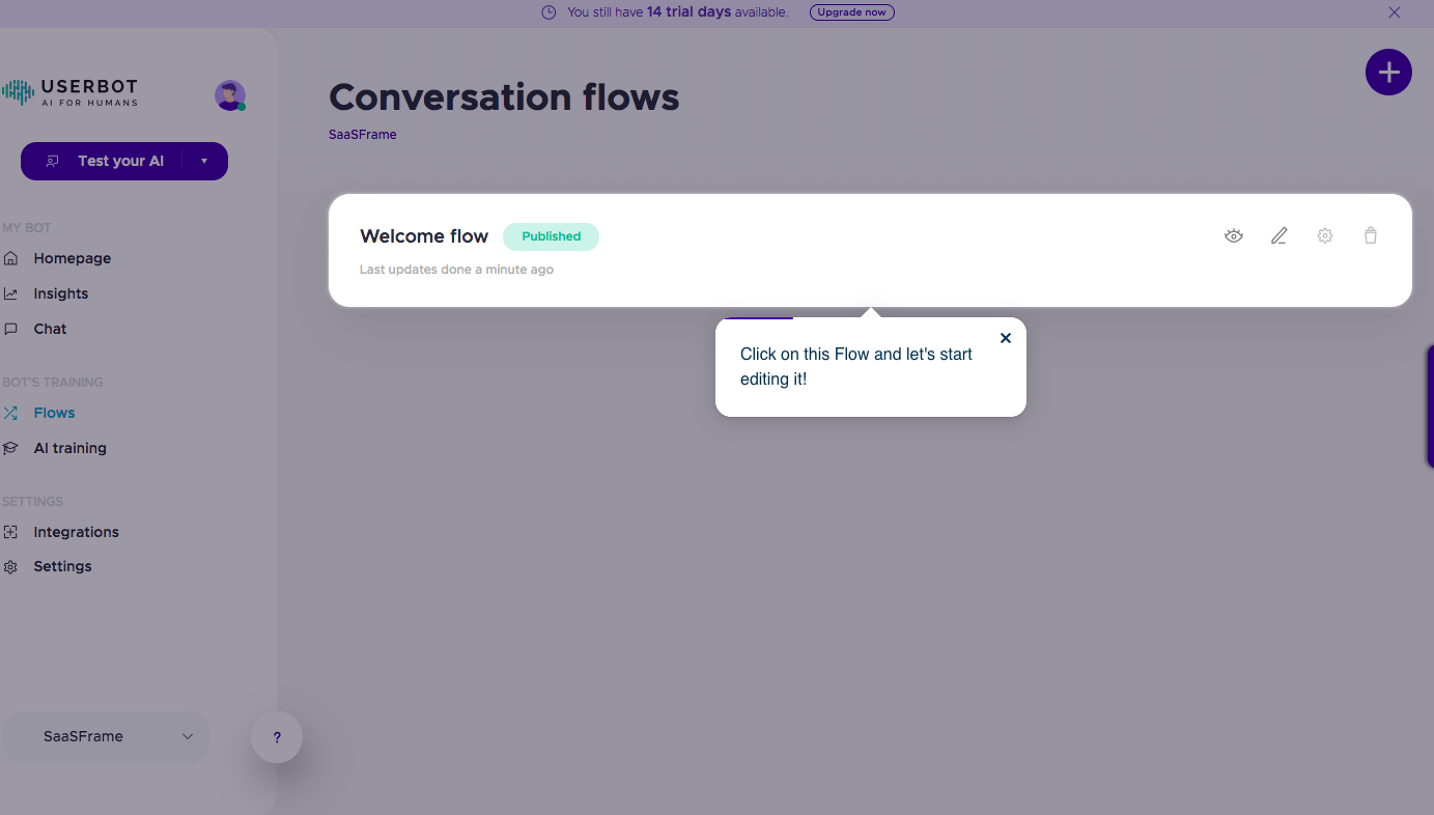
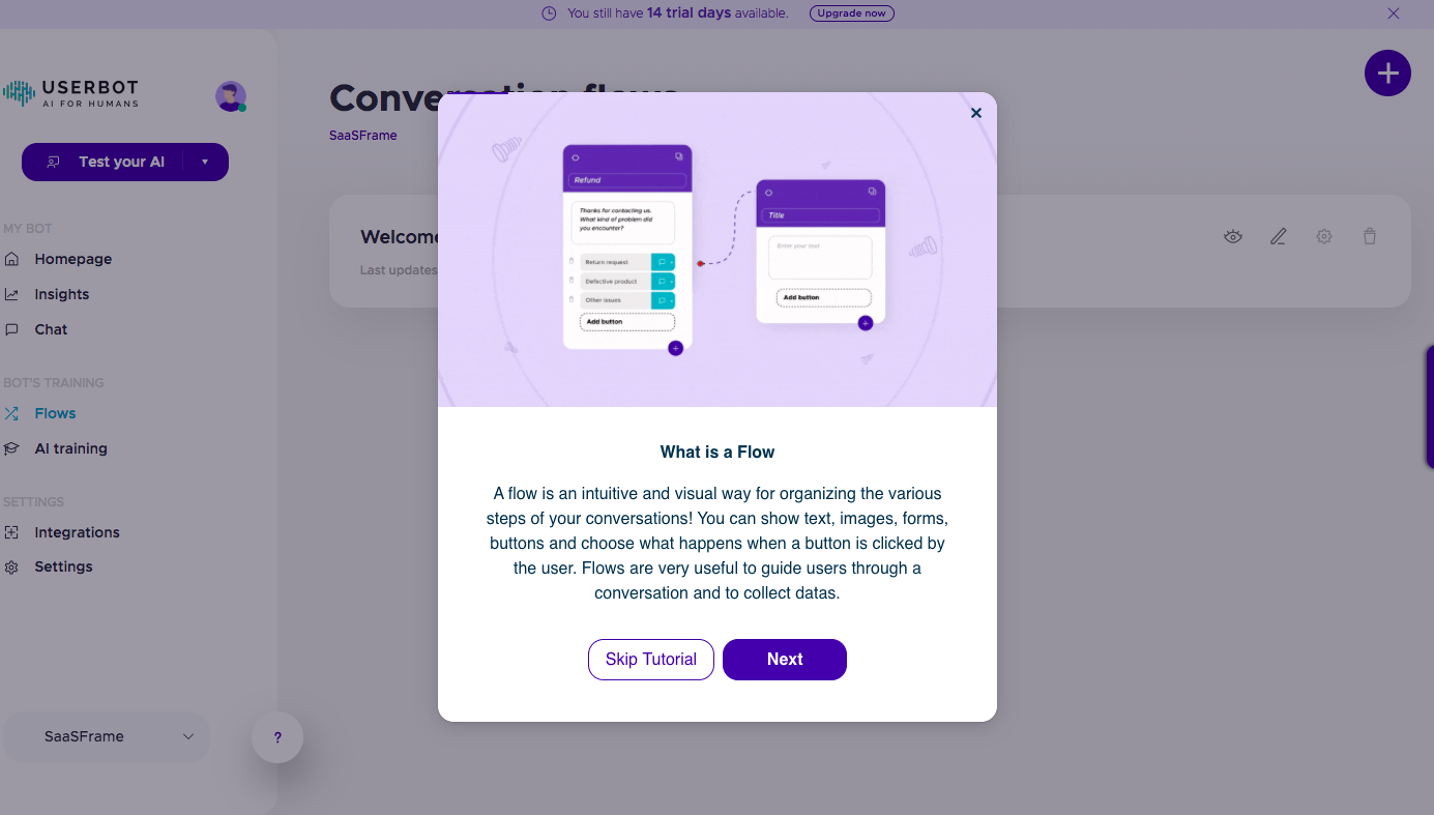
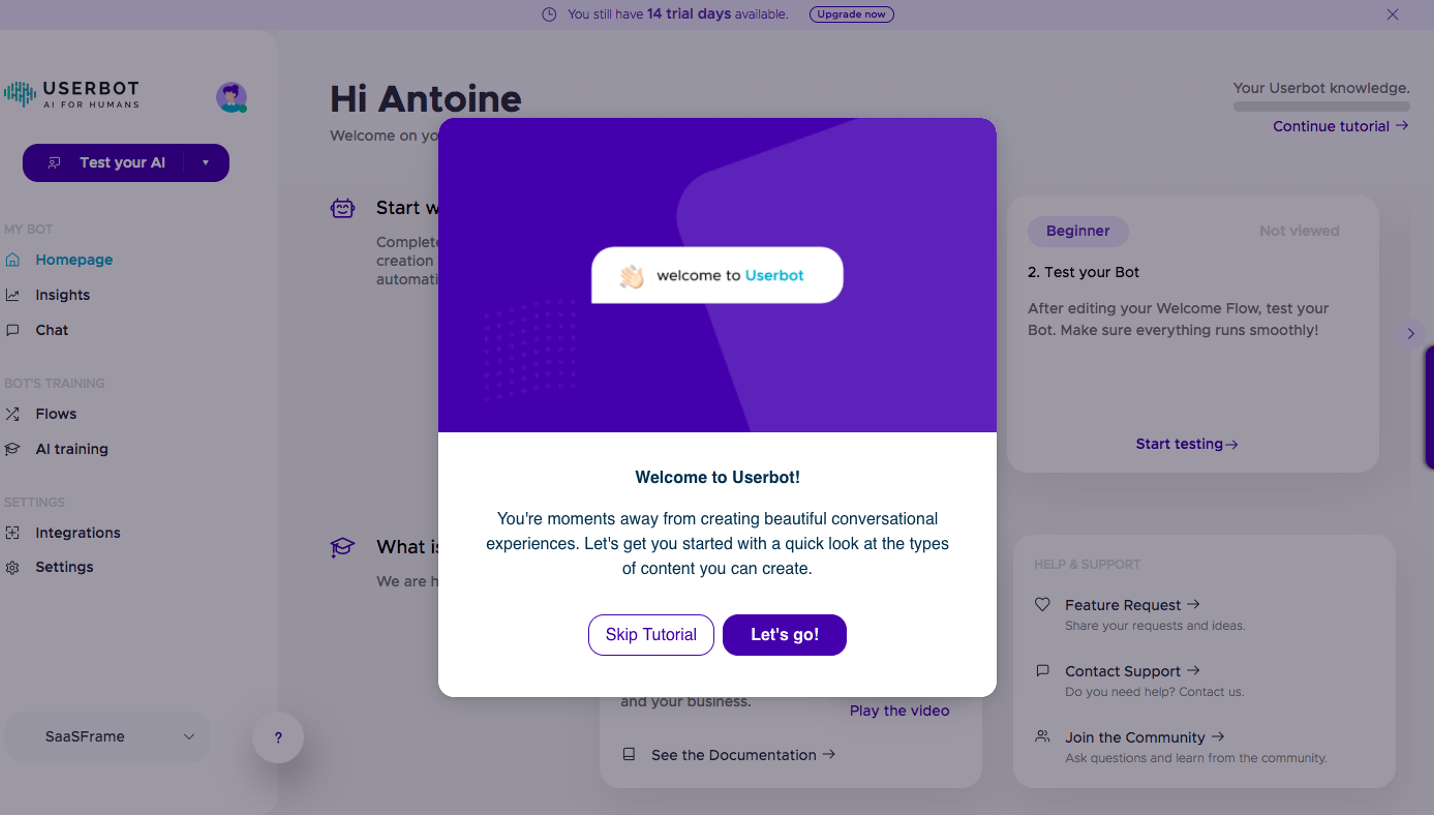
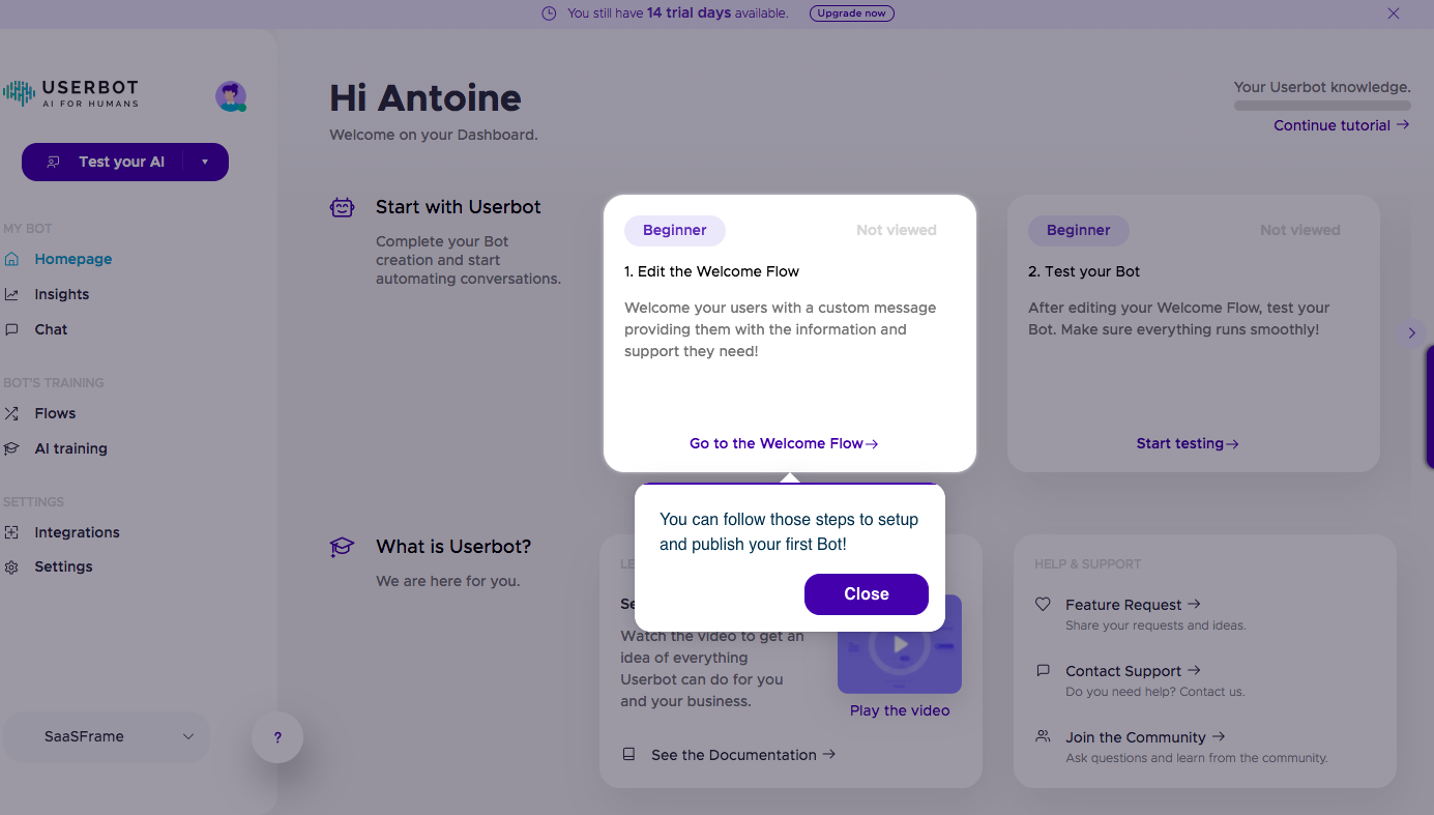
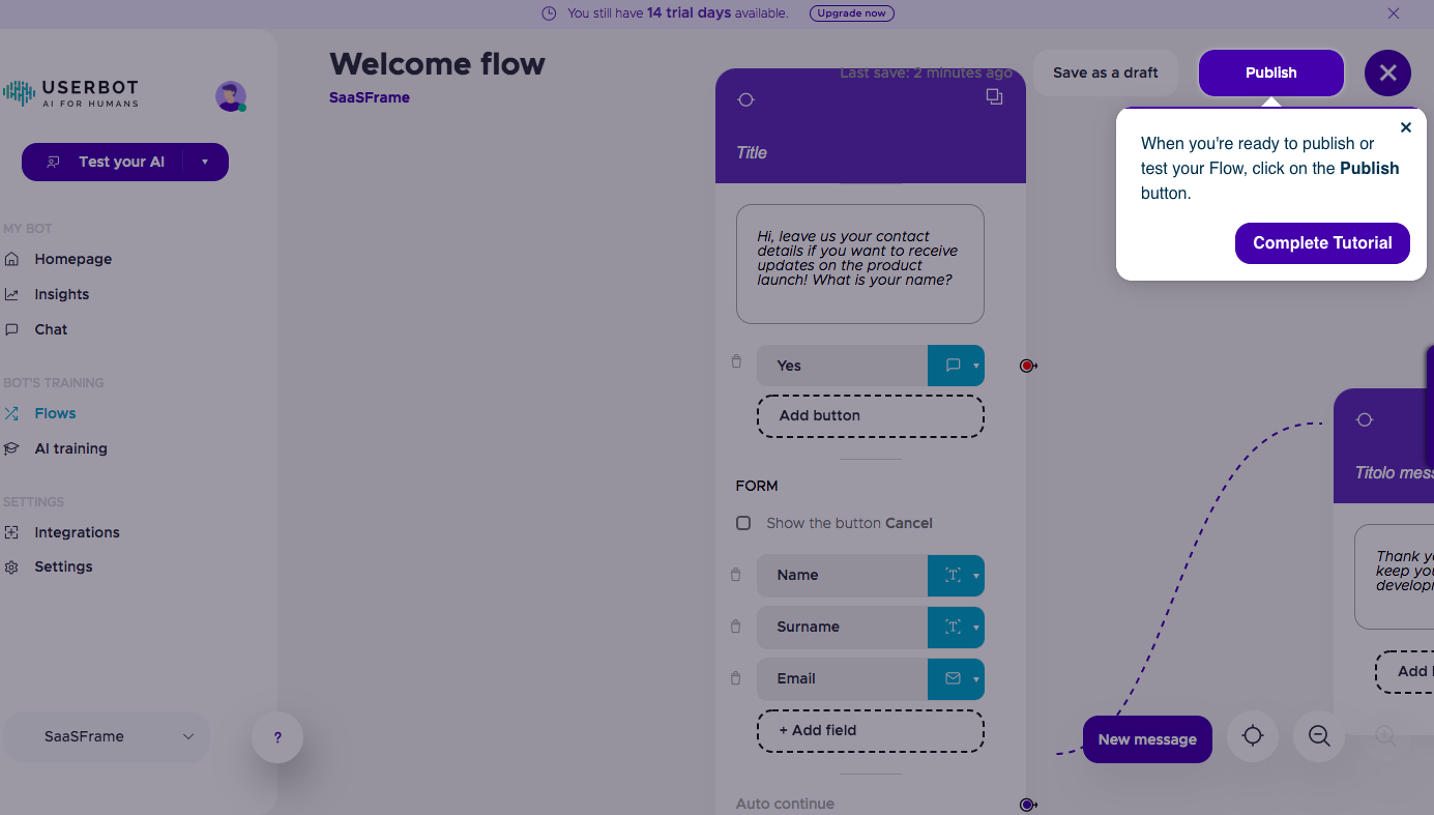
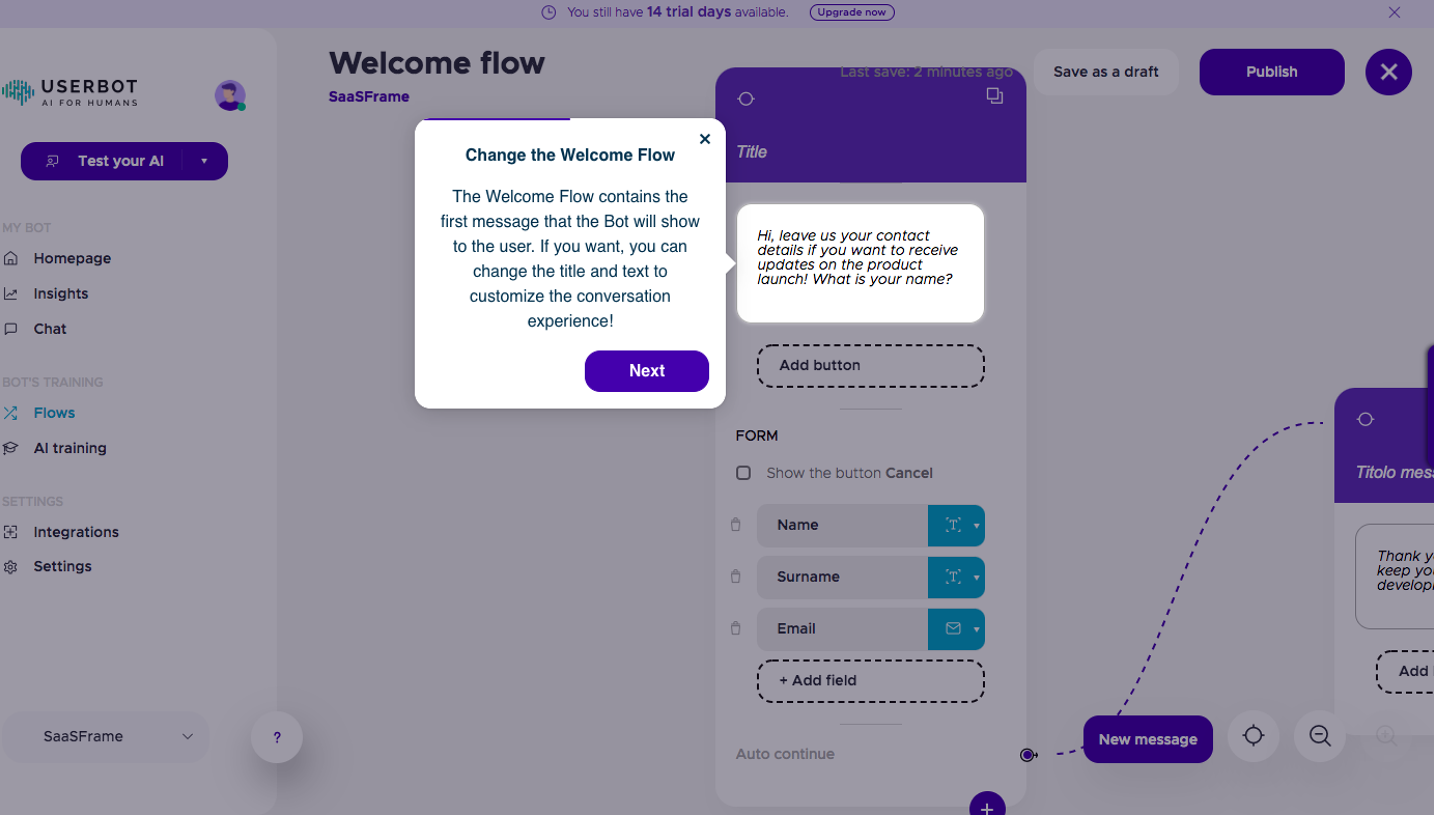
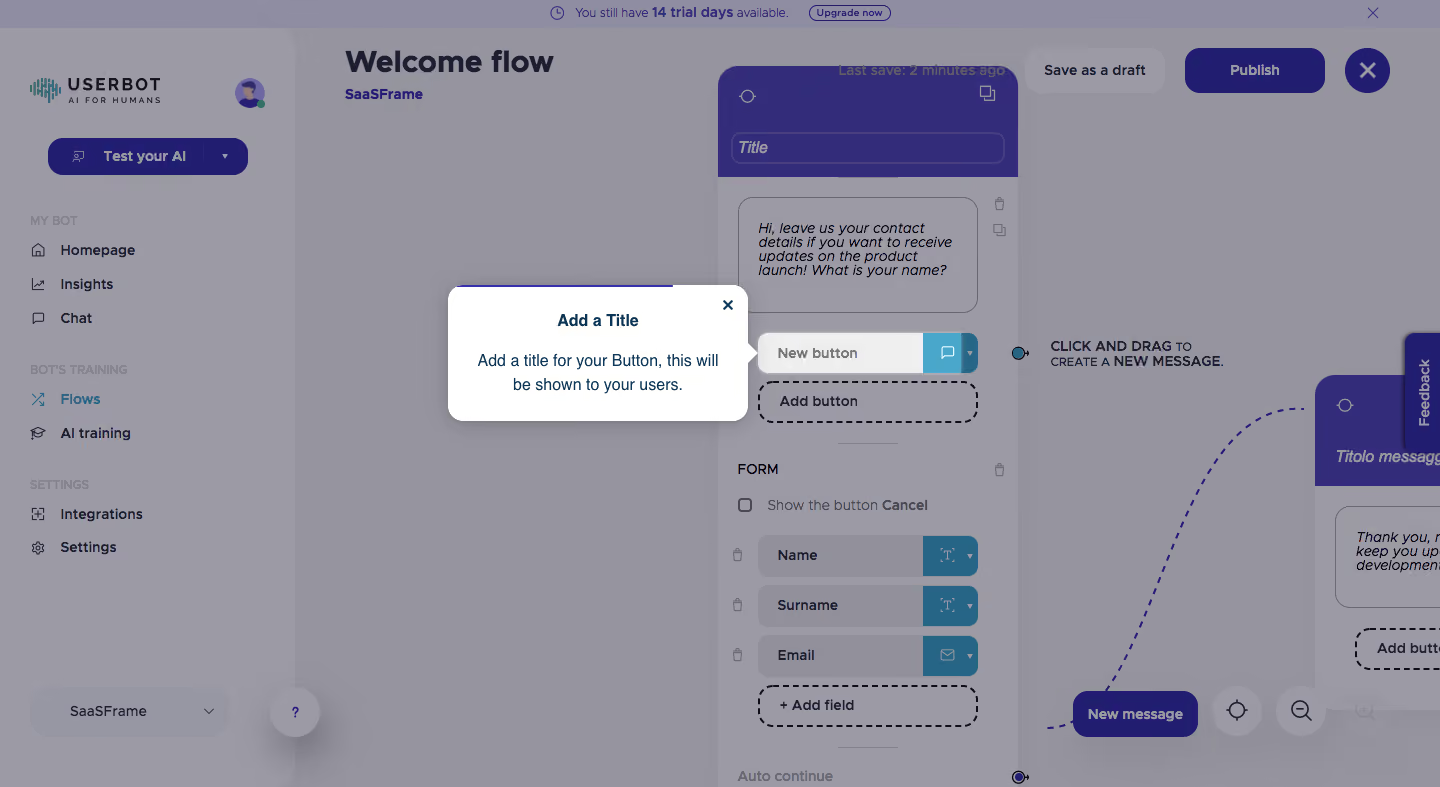
- **Character:** A visual chatbot builder is dimmed beneath a white guided-tour tooltip, with purple flow nodes, cyan field controls and dotted connectors.
- **Evidence:** The screenshot measures 1440 × 787 pixels. Approximate CSS sizes assume an unverified 1× capture density.
### Page composition
- **Application shell:** A wide left sidebar contains the brand, test action and grouped destinations; a trial-status strip and workflow actions span the top.
- **Flow canvas:** A tall node occupies the center-right, with a partially visible connected node at the right edge and zoom/creation controls near the bottom.
- **Tour overlay:** A white tooltip sits just left of the selected button row, with a right-pointing notch identifying its target.
### Information hierarchy
- **Tour priority:** The undimmed tooltip title and two-line instruction dominate the view.
- **Target:** A New button row remains visible beside the pointer, above a dashed Add button area.
- **Background context:** Welcome flow, form fields and save/publish actions establish the editor's purpose but are visually subordinated by the overlay.
### Typography
- **Page title:** Approximately 30 pixels bold; sidebar and action labels are around 14–16 pixels semibold.
- **Tooltip:** Title is around 16 pixels bold; instruction text is about 16 pixels with 23-pixel leading.
- **Node content:** Compact labels and message text are around 14–15 pixels. The sans-serif family is unverified.
### Colors & surfaces
- **Measured composite:** ICC-to-sRGB sampling identifies #95949F and #9B9AA5 as dominant overlay-dimmed surfaces, and #332C7B as a prominent dark purple.
- **Undimmed surface:** #FFFFFF defines the tooltip. Its dark blue text contrasts sharply with the muted background.
- **Underlying accents:** Purple node headers/actions and cyan field-type segments are visible, but their original undimmed hex values cannot be recovered reliably from this composite.
- **Depth:** The tooltip has a soft shadow, rounded corners and a thin purple progress line along its top.
### Components
- **Tour tooltip:** Approximately 300 × 135 pixels with roughly 28-pixel padding, 14-pixel radius, close x and a small pointer.
- **Node editor:** A purple header contains a title field; body sections include message text, button row and labeled form inputs.
- **Addition targets:** Dashed rounded rectangles identify Add button and Add field regions.
- **Canvas controls:** A New message button, circular targeting/zoom controls and dotted curved connectors support flow construction.
- **Shell actions:** Save as a draft, Publish and a large close control sit along the upper-right edge.
### Visual rhythm
- **Overlay focus:** Dimmed large regions draw the eye to the small white instruction box and adjacent target.
- **Node cadence:** Repeated form rows have even vertical spacing and aligned cyan type selectors.
- **Canvas openness:** Wide empty areas around the nodes accommodate connectors and emphasize spatial editing.
### Responsive
- **Observed scope:** One desktop guided-tour step is visible; later steps and mobile editor behavior are not documented.
- **Recommended tour behavior:** Reposition the tooltip when space is limited, keep its target visible and support keyboard dismissal/progression.
- **Recommended canvas:** Preserve pan/zoom access rather than compressing nodes to unreadable widths.
### Adaptation guidance
- **Tour pattern:** Anchor concise instructions to one visible target and dim surrounding chrome consistently.
- **State fidelity:** Treat sampled colors as overlay composites, not the application's base tokens.
- **Implementation:** Confirm fonts/scale, expose the guide accessibly and avoid triggering background actions while the tour is active.
Use this context to reproduce the reference's visual language: layout, typography, colors, spacing, borders, radii, and distinctive elements. The screenshot takes priority if descriptions conflict.
## Direction
{{preferences.fidelityInstructions}}
## Output
{{output.instructions}}
Deliver a polished, cohesive design with precise alignment, hierarchy, and spacing. Produce the requested visual artifact, not just a description. If unsupported, explain the limitation.
.webp)



.avif)