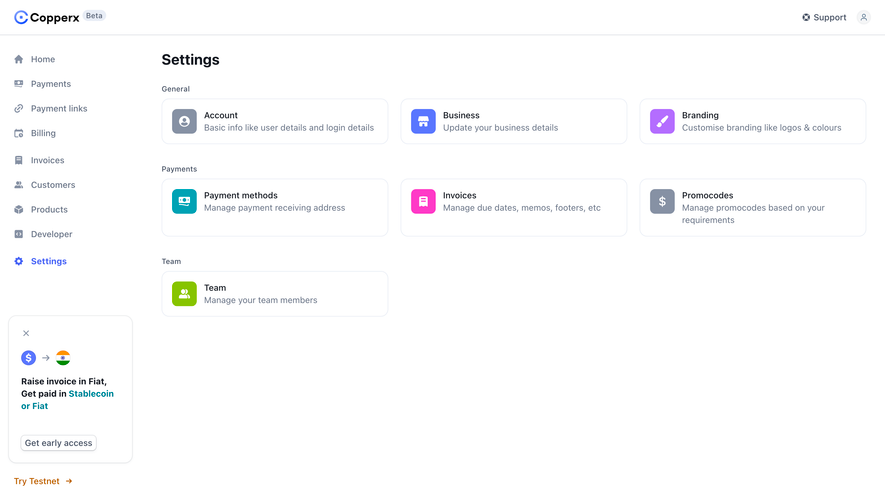
Generate a new design based on this screen using your own content.
Thank you! Your submission has been received!
Oops! Something went wrong while submitting the form.
# Design from Reference: Unkey API Settings
Create an original, high-fidelity visual design inspired by the reference. Prioritize composition, typography, colors, spacing, and component styling over technical implementation.
## Reference
- **Product:** Unkey
- **Category:** Settings
- **Screenshot:** https://cdn.prod.website-files.com/5e9dc792e1210c5325f7ebbc/697b760556f96503e830e0af_I_FBqXZJAbbyeEE2YLrSMdU3HMKssyuXgaSq8QTjmBY.avif
Analyze the screenshot first. If inaccessible, request it rather than guessing.
## Content
{{content.instructions}}
{{content.data}}
Preserve essential messaging and factual accuracy. Adapt structure and copy length for visual balance; never invent product claims.
## Visual Design
Use this context to reproduce the reference's visual language: layout, typography, colors, spacing, borders, radii, and distinctive elements. The screenshot takes priority if descriptions conflict.
## Direction
{{preferences.fidelityInstructions}}
## Output
{{output.instructions}}
Deliver a polished, cohesive design with precise alignment, hierarchy, and spacing. Produce the requested visual artifact, not just a description. If unsupported, explain the limitation.
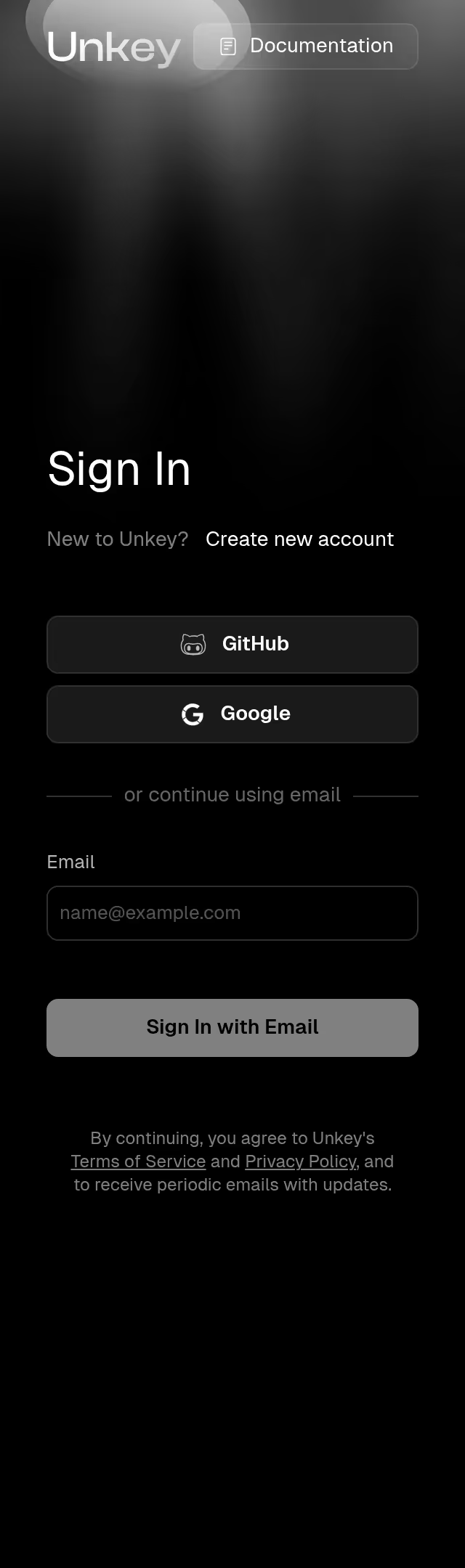
This is Unkey's API Settings page and it's a great example of how to make a dense config screen feel totally manageable. The left sidebar keeps navigation tight with a clear hierarchy under the SaaSFrame workspace. Everything reads top to bottom in logical groups. Name, IDs, bytes, prefix, then the danger zone stuff at the bottom. Smart ordering.
Restraint Is the Move Here
The palette is almost entirely white, gray, and black. No unnecessary color until you hit that orange "Upgrade to Enterprise" button and the red "Delete API" at the bottom. Those pops of color do real work, drawing attention exactly where it matters. The status badges like "LOCKED" and "DISABLED" use subtle yellow and gray chips that inform without screaming.
Typography and Spacing Do the Heavy Lifting
Each setting block pairs a bold label with a lighter description underneath. Generous vertical spacing between sections prevents the page from feeling cramped despite packing in a lot of controls. The copy-to-clipboard icons on the ID fields are a thoughtful touch. Nothing fancy here, just solid, functional design that respects the user's time.
.webp)




.avif)