Design with AI
Generate a new design based on this screen using your own content.
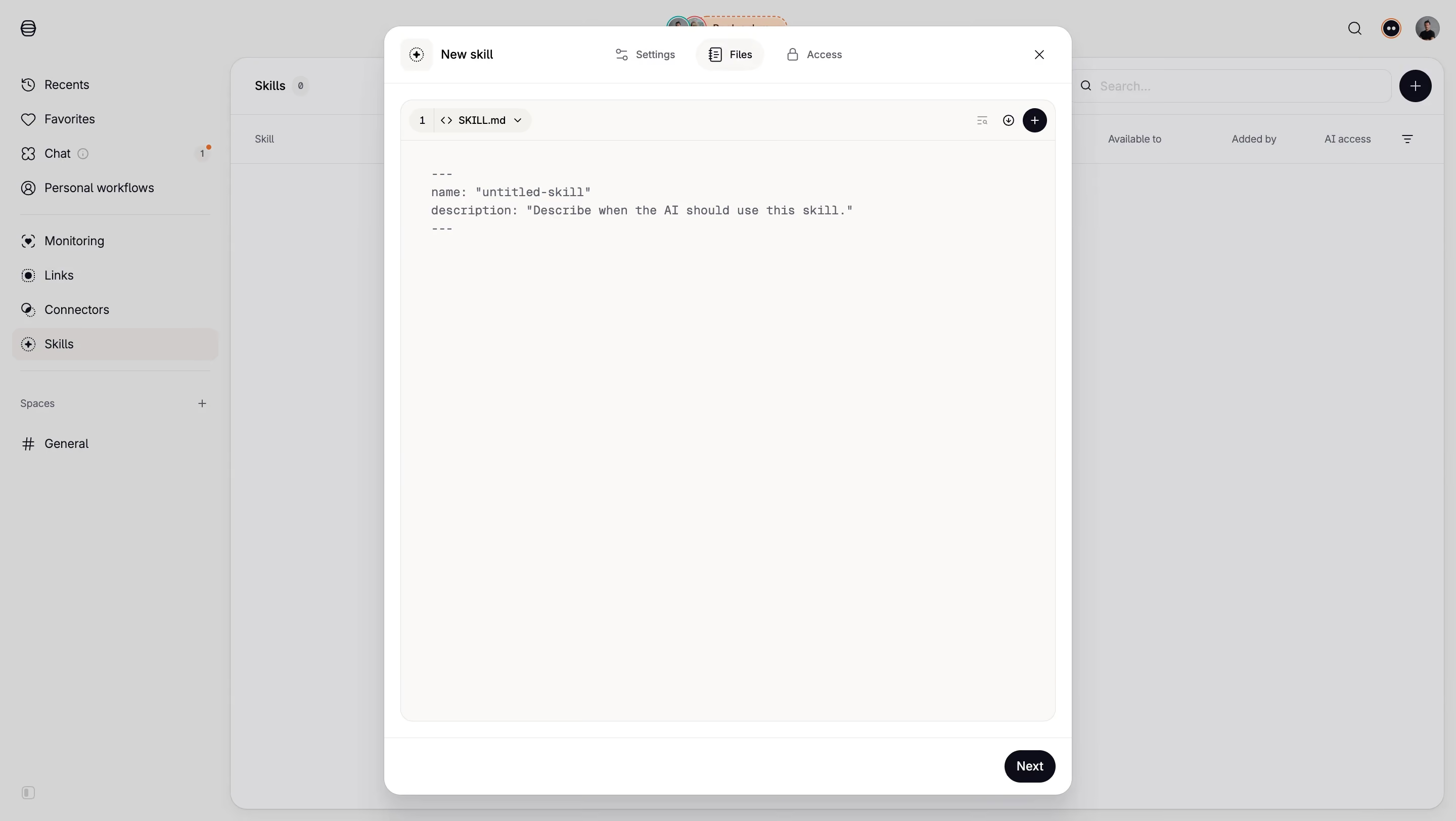
# Design from Reference: Tines Skill Definition Editor
Create an original, high-fidelity visual design inspired by the reference. Prioritize composition, typography, colors, spacing, and component styling over technical implementation.
## Reference
- **Product:** Tines
- **Category:** Text Editor
- **Screenshot:** https://cdn.prod.website-files.com/5e9dc792e1210c5325f7ebbc/6aca2626a3a034e38b3ee7c0_6aca2300fe95dabb9204db9e_cms-30fbc7b20e0d3886eaa2fd5b.webp
Analyze the screenshot first. If inaccessible, request it rather than guessing.
## Content
{{content.instructions}}
{{content.data}}
Preserve essential messaging and factual accuracy. Adapt structure and copy length for visual balance; never invent product claims.
## Visual Design
### Overall aesthetic
- **Style:** Quiet technical editor inside a rounded white modal, with warm off-white code canvas, compact controls and a gray-dimmed application behind it.
- **Scale:** Source screenshot 2880 × 1624px. Sizes below estimate a 1440px-wide CSS layout at 2× capture scale.
### Page composition
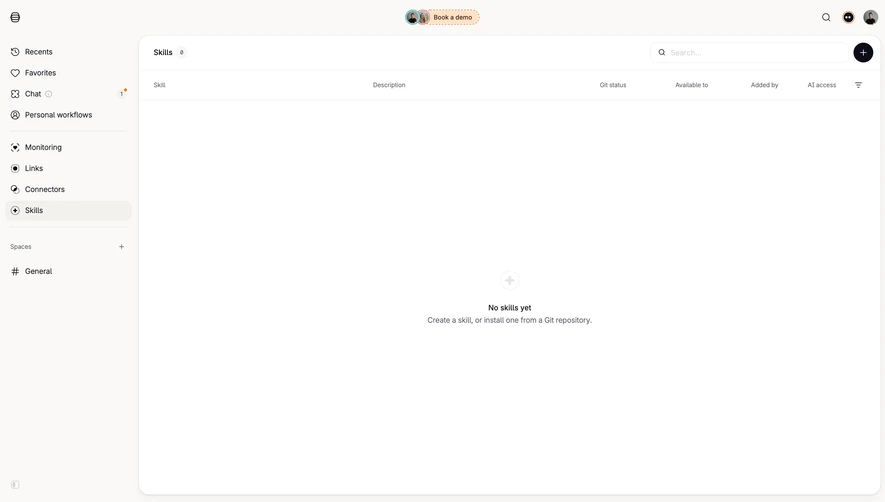
- **Background shell:** A roughly 228px sidebar contains navigation groups and a selected Skills row. The background main region is an empty skills table with search and a circular add action.
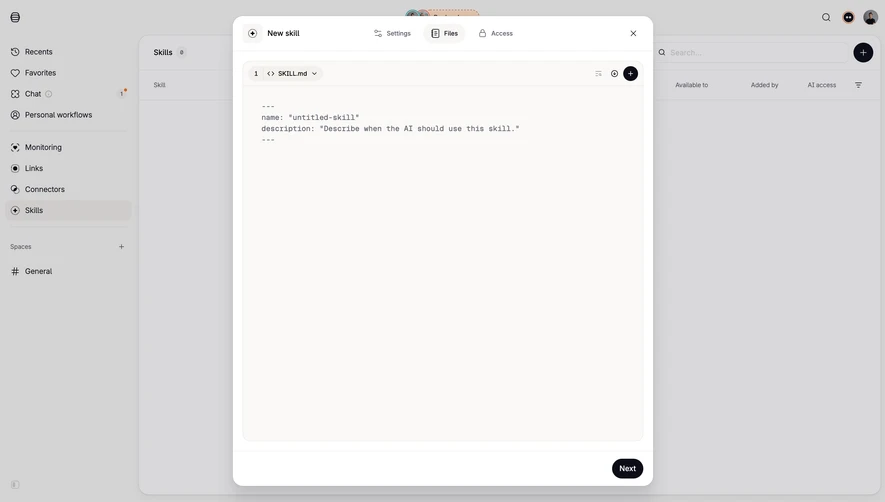
- **Modal:** Centered approximately 680 × 760px panel, beginning around x380/y26, with a header, large editor region and short footer.
- **Editor area:** A rounded inset editor occupies nearly the full modal body; most of its surface is blank beneath a short metadata template.
### Information hierarchy
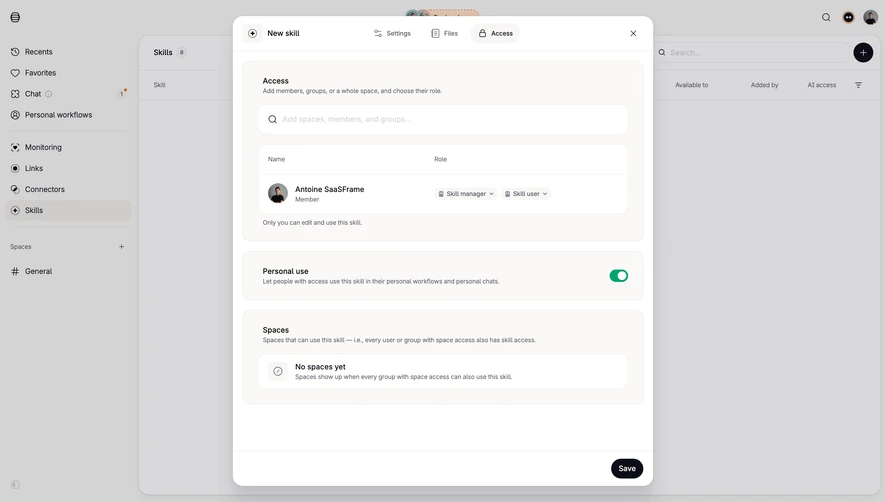
- **Header:** New skill appears left; Settings, Files and Access tabs run across the center, with Files selected and a close icon right.
- **File context:** A compact toolbar identifies SKILL.md with a code glyph and dropdown, plus small utilities and a dark circular add button.
- **Content and continuation:** The visible editor contains YAML-style front matter with name and description placeholders. Next is the sole footer action, aligned right.
### Typography
- **Families:** Compact sans-serif interface text contrasts with monospaced editor content; exact fonts are unverified.
- **Roles:** Estimated modal title and tab labels 12–13px medium; file label 11–12px; code around 12px/18px with muted dark-blue-gray coloring.
- **Density:** Small typography and sparse syntax keep the large editor surface visually calm.
### Colors & surfaces
- **Sampled palette:** ICC-aware sRGB samples include warm editor #FAF9F7, white #FFFFFF and dimmed grays #D8D8DA, #D4D3D3 and #D3D2D2.
- **Layer distinction:** The gray background samples belong to the overlay-dimmed shell, while the modal remains bright. Near-black actions and small outline icons provide contrast.
- **Borders:** Very pale neutral outlines and separators define tabs, editor toolbar and footer without heavy decoration.
### Components
- **Modal treatment:** Approximately 16px outer corners with a soft substantial shadow. Header and footer are separated from the body by thin horizontal rules.
- **Tabs:** Files uses a light pill-shaped selected background and document icon; Settings and Access remain plain with their own outline icons.
- **Editor:** Large warm off-white panel with approximately 12px corners, a compact top toolbar and an inset code area beginning below it.
- **Footer action:** Small near-black Next pill, approximately 50 × 32px, positioned about 16px from the right/bottom edges. No validation or saved state is visible.
### Visual rhythm
- **Spacing:** Modal body margins are about 16px; toolbar and code use tighter insets. The intentionally empty editor dominates the composition.
- **Alignment:** Header controls follow one baseline, code remains left aligned and the footer action anchors the lower-right corner.
### Responsive
- **Recommended adaptation:** Only desktop is shown. Use a nearly full-screen modal on small displays, retain a scrollable code area and allow header tabs to condense.
- **Editor usability:** Preserve readable monospaced text and horizontal scrolling for long code lines; keep close and Next accessible.
### Adaptation guidance
- **Preserve:** Keep file-level context, clear editing tabs, a large uninterrupted code canvas and a single progression action.
- **Adapt:** Use the actual file/template structure and supported utilities. Treat the visible front matter as editable content, not decorative filler.
Use this context to reproduce the reference's visual language: layout, typography, colors, spacing, borders, radii, and distinctive elements. The screenshot takes priority if descriptions conflict.
## Direction
{{preferences.fidelityInstructions}}
## Output
{{output.instructions}}
Deliver a polished, cohesive design with precise alignment, hierarchy, and spacing. Produce the requested visual artifact, not just a description. If unsupported, explain the limitation.
.webp)



.avif)