.webp)
Thank you! Your submission has been received!
Oops! Something went wrong while submitting the form.
Get SaaSFrame Pro
Monthly
$18
Quarterly
$48
Yearly
$180
Upgrade to access this feature
Browse all screens & flows
Filter and search screens & flows
Access Figma files
Access mobile versions
Bookmark screens & flows
Join now
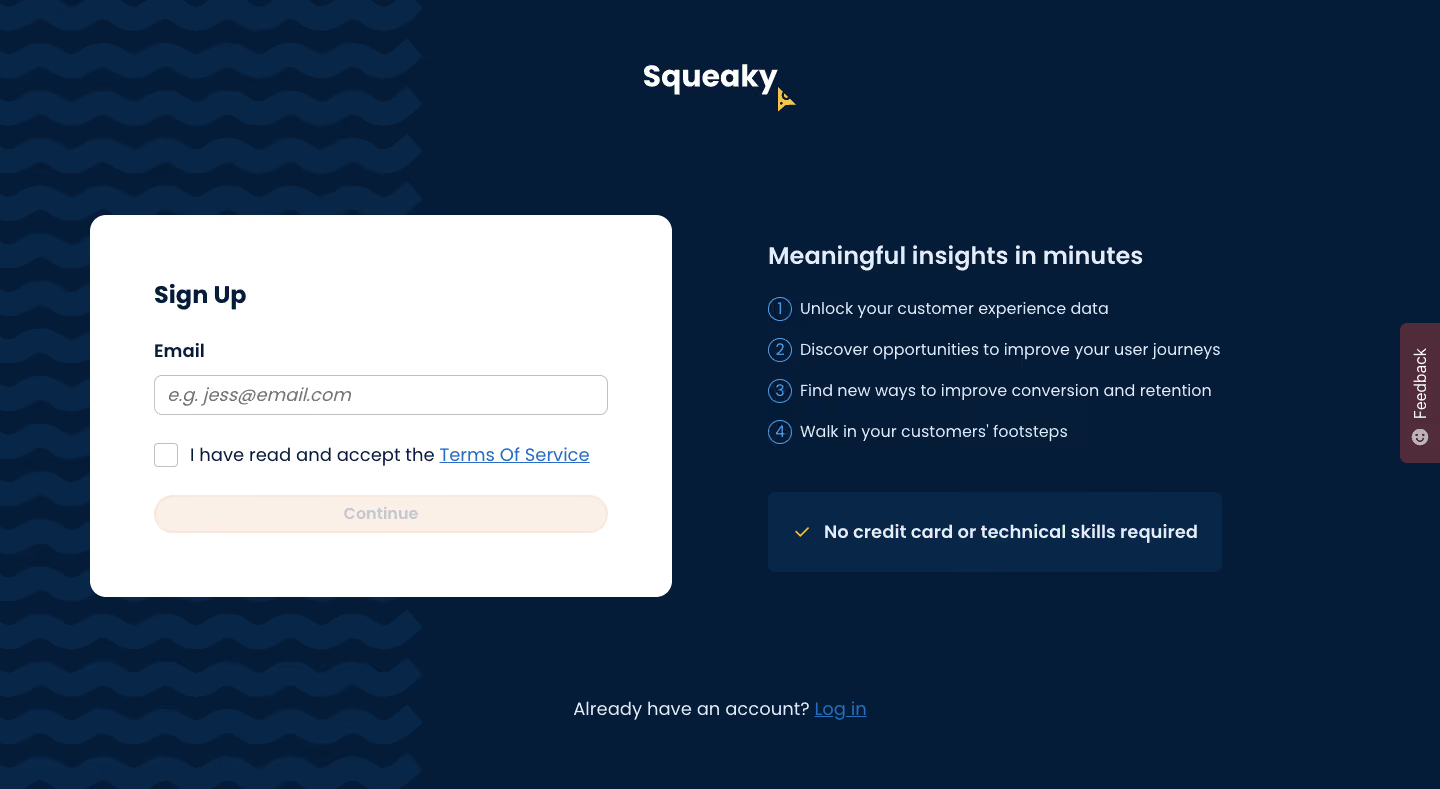
Squeaky Sign up

Squeaky
Privacy-first customer experience platform
Designed by
No items found.

Bookmark
Bookmark

Design with AI
Thank you! Your submission has been received!
Oops! Something went wrong while submitting the form.
# Design from Reference: Squeaky Sign up
Create an original, high-fidelity visual design inspired by the reference. Prioritize composition, typography, colors, spacing, and component styling over technical implementation.
## Reference
- **Product:** Squeaky
- **Category:** Account Setup
- **Screenshot:** https://cdn.prod.website-files.com/5e9dc792e1210c5325f7ebbc/6acbbebf39e7f22db4028860_6acbbe008fac5a61406f4d29_cms-78182a936d271ab97a14bf21.webp
Analyze the screenshot first. If inaccessible, request it rather than guessing.
## Content
{{content.instructions}}
{{content.data}}
Preserve essential messaging and factual accuracy. Adapt structure and copy length for visual balance; never invent product claims.
## Visual Design
### Overall aesthetic
- **Style:** Friendly, branded signup screen with a deep navy canvas, a white registration card and a separate benefits column.
- **Character:** Rounded geometric sans-serif typography, soft corners, blue numbered markers and warm cream accents. Repeating horizontal waves decorate the left portion of the background.
- **Captured state:** The form is empty, the terms checkbox is unchecked and Continue appears disabled. The page shows one step of registration rather than a complete multi-field flow.
### Page composition
- **Capture dimensions:** 1440 × 789 image px. Approximate CSS reconstruction assumes an unverified 1× capture; dimensions below follow that scale.
- **Brand placement:** A white Squeaky wordmark is centered near the top, approximately y=65–95 px. A small yellow decorative emblem appears beside its lower-right edge.
- **Decorative region:** A roughly 420 px-wide wave pattern extends along the left side from top to bottom, behind the registration card.
- **Main row:** The form card begins around x=90, y=215 px and measures approximately 580 × 380 px. A benefits column begins around x=767, y=245 px and spans about 455 px.
- **Form interior:** Sign Up, the Email label, one input, a terms-consent row and a full-width Continue button form a vertical stack with approximately 64 px horizontal padding.
- **Benefits area:** A bold introductory heading precedes four compact numbered lines. A darker blue reassurance panel sits below, with a yellow checkmark and one bold sentence.
- **Bottom route:** An existing-account sentence and blue Log in link are centered near y=710 px.
- **Edge control:** A vertical Feedback tab is attached to the right viewport edge around the middle height.
### Information hierarchy
- **Primary task:** The white card is the strongest surface contrast on the page, drawing attention to the signup action before the surrounding benefits.
- **Form hierarchy:** A bold title leads into a smaller bold label, then the input, consent and disabled continuation action.
- **Supporting value:** Four numbered statements explain the product's intended benefits with consistent line lengths and equal visual weight.
- **Reassurance:** The separate blue panel emphasizes the no-credit-card/no-technical-skills message without introducing another CTA.
- **Alternate route:** Log in is visually quieter and spatially separated below the main row.
- **State clarity:** The pale button fill and low-contrast label communicate the captured disabled appearance. No validation error or completed state is visible.
### Typography
- **Family:** Rounded geometric sans serif with a friendly application character. Exact font identity is unverified.
- **Brand wordmark:** Approximately 32–34 px, bold, in white; this is a visual estimate rather than an identified logo font.
- **Section headings:** Sign Up is approximately 24 px bold; the benefits headline is approximately 26 px semibold, with about 32 px leading.
- **Field label and consent:** Approximately 18 px; the label is bold, while the consent sentence is regular.
- **Input placeholder:** Approximately 20 px, italic, medium gray. It occupies a single line inside the email control.
- **Benefit lines:** Approximately 17–18 px with 24–26 px leading. Number markers use a similar text size within small outlined circles.
- **Footer and reassurance:** Existing-account text is around 18 px; the reassurance sentence is approximately 18 px bold. Sizes are estimated under the unverified 1× scale.
### Colors & surfaces
- **Main background:** Sampled sRGB #051C38 supplies the dominant deep navy canvas.
- **Secondary blue:** Sampled #072648 provides a slightly lighter navy reference for the wave treatment and reassurance surface.
- **Form surface:** Sampled #FFFFFF fills the registration card and input interior.
- **Warm disabled action:** Sampled #FAF0E8 and related #F8E8DC provide the pale cream/peach button treatment.
- **Light foreground:** Sampled #E5EDF9 is a pale blue-white reference for supporting text against navy.
- **Feedback accent:** Sampled #502B39 supplies the muted plum edge-tab background.
- **Other accents:** Blue links and numbered outlines, plus small yellow marks, are visually present. Their precise hex values are not established by the dominant-color sample.
### Components
- **Form card:** Approximately 580 × 380 px, white, with roughly 16 px corner radii. It has no heavy visible border or pronounced drop shadow.
- **Email input:** Approximately 455 × 40 px, thin gray border, about 6 px radius and 12–14 px horizontal padding.
- **Consent control:** A roughly 24 px outlined checkbox aligns with a single-line statement and underlined blue Terms Of Service link.
- **Continue button:** Approximately 455 × 38 px with fully rounded ends, warm pale fill and faint warm border. The centered label is muted in the captured disabled state.
- **Number markers:** Four small blue outlined circles, approximately 22–24 px across, align in a narrow leading column with the benefit text.
- **Reassurance panel:** Approximately 455 × 80 px, modest 7–8 px radius, slightly lighter navy fill, left-aligned yellow check and bold light text.
- **Feedback tab:** Narrow vertical plum rectangle with rotated light text and a small face icon; its inner corners are softly rounded.
### Visual rhythm
- **Horizontal balance:** A bright card on the left balances a text-led benefits block on the right, with a generous gap between them.
- **Vertical spacing:** The form uses larger gaps between title, field and consent than the benefits list uses between numbered lines.
- **Pattern rhythm:** Repeated blue waves add movement only along the left side, leaving the benefits area quiet and readable.
- **Action restraint:** One continuation action inside the card and one login link below keep the page focused.
### Responsive
- **Evidence limit:** Only a desktop screen is visible; recommendations below are not observed behavior.
- **Stack recommendation:** Place the registration card first and benefits below on narrow screens, maintaining 20–24 px viewport margins.
- **Card recommendation:** Reduce internal padding to approximately 24 px and let input and button widths follow the available space.
- **Consent recommendation:** Permit the terms statement to wrap beside the checkbox, preserving clear link targets.
- **Decoration recommendation:** Reduce or crop the waves and reposition the Feedback tab if it overlaps content or keyboard-visible form controls.
- **Touch recommendation:** Increase effective input, button and checkbox hit areas toward 44 px.
### Adaptation guidance
- **Preserve the split:** Pair one concise signup task with a short numbered value explanation and one reassurance statement.
- **Use truthful copy:** Replace every benefit and reassurance claim with supported information from the target product; do not copy commercial promises automatically.
- **Maintain state semantics:** Connect the continuation state to actual validation and consent requirements. Do not reproduce a disabled appearance for an enabled action.
- **Keep brand texture restrained:** Adapt the wave motif and navy palette to the new brand while preserving readable, uncluttered form surfaces.
- **Accessibility recommendation:** Provide associated labels, keyboard focus, readable disabled/enabled distinctions and clear consent handling. These behaviors cannot be verified from the static capture.
Use this context to reproduce the reference's visual language: layout, typography, colors, spacing, borders, radii, and distinctive elements. The screenshot takes priority if descriptions conflict.
## Direction
{{preferences.fidelityInstructions}}
## Output
{{output.instructions}}
Deliver a polished, cohesive design with precise alignment, hierarchy, and spacing. Produce the requested visual artifact, not just a description. If unsupported, explain the limitation.

.avif)
Category
Patterns
Tech Stack
No items found.
Added on
February 5, 2023
Found in 1 flow
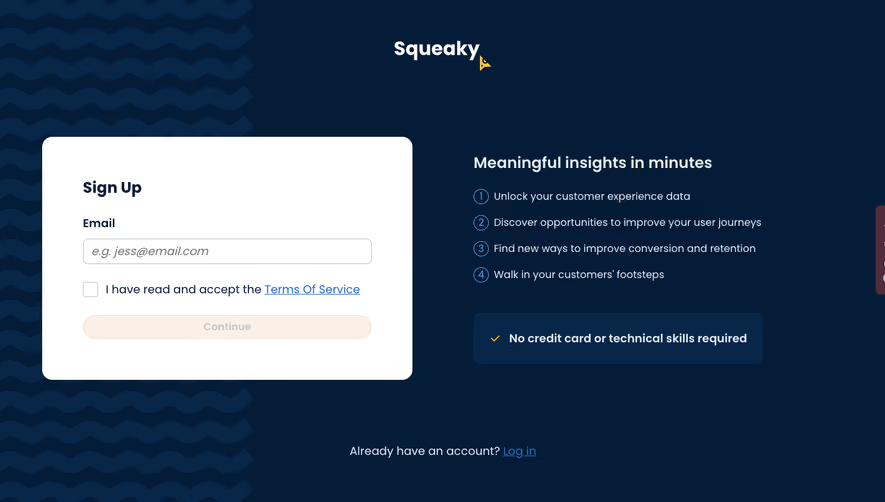
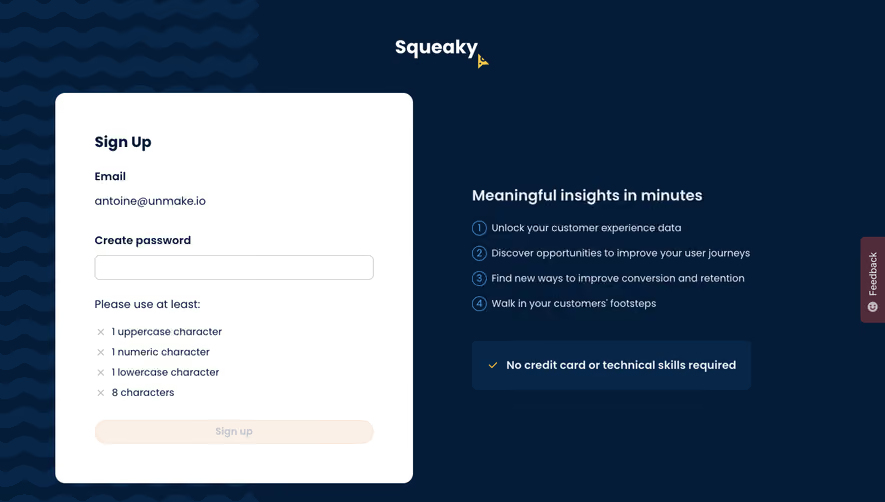


Similar screens
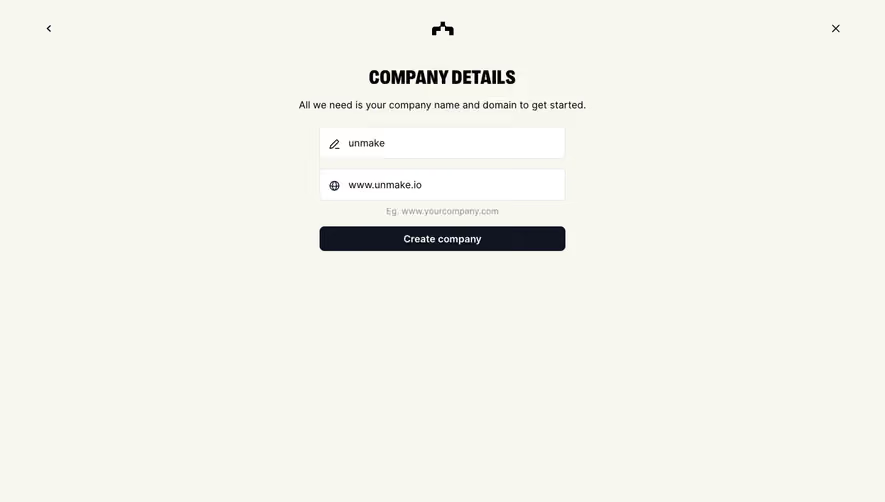





Upgrade to SaaSFrame Pro now to see similar examples.
Monthly
$18 /month
Billed $18 monthly
Browse all screens & flows
Filter and search screens & flows
Search text in screenshots
Access Figma files
Access mobile versions
Join now
Quarterly
$16 /month
Billed $48 quarterly
Browse all screens & flows
Filter and search screens & flows
Search text in screenshots
Access Figma files
Access mobile versions
Join now
Yearly
$15 /month
Billed $180 yearly
Browse all screens & flows
Filter and search screens & flows
Search text in screenshots
Access Figma files
Access mobile versions
Join now