Design with AI
Generate a new design based on this screen using your own content.
# Design from Reference: Specify Select asset type
Create an original, high-fidelity visual design inspired by the reference. Prioritize composition, typography, colors, spacing, and component styling over technical implementation.
## Reference
- **Product:** Specify
- **Category:** User Onboarding
- **Screenshot:** https://cdn.prod.website-files.com/5e9dc792e1210c5325f7ebbc/6acbd1f3f1e28b55422383f9_6acbcfed8892d3072b755bda_cms-0da4d4c5c0438e1f826be350.webp
Analyze the screenshot first. If inaccessible, request it rather than guessing.
## Content
{{content.instructions}}
{{content.data}}
Preserve essential messaging and factual accuracy. Adapt structure and copy length for visual balance; never invent product claims.
## Visual Design
### Overall aesthetic
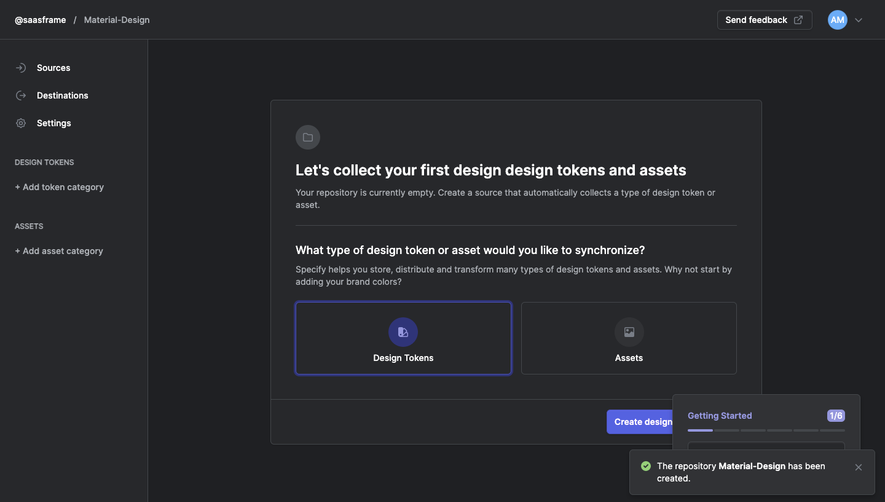
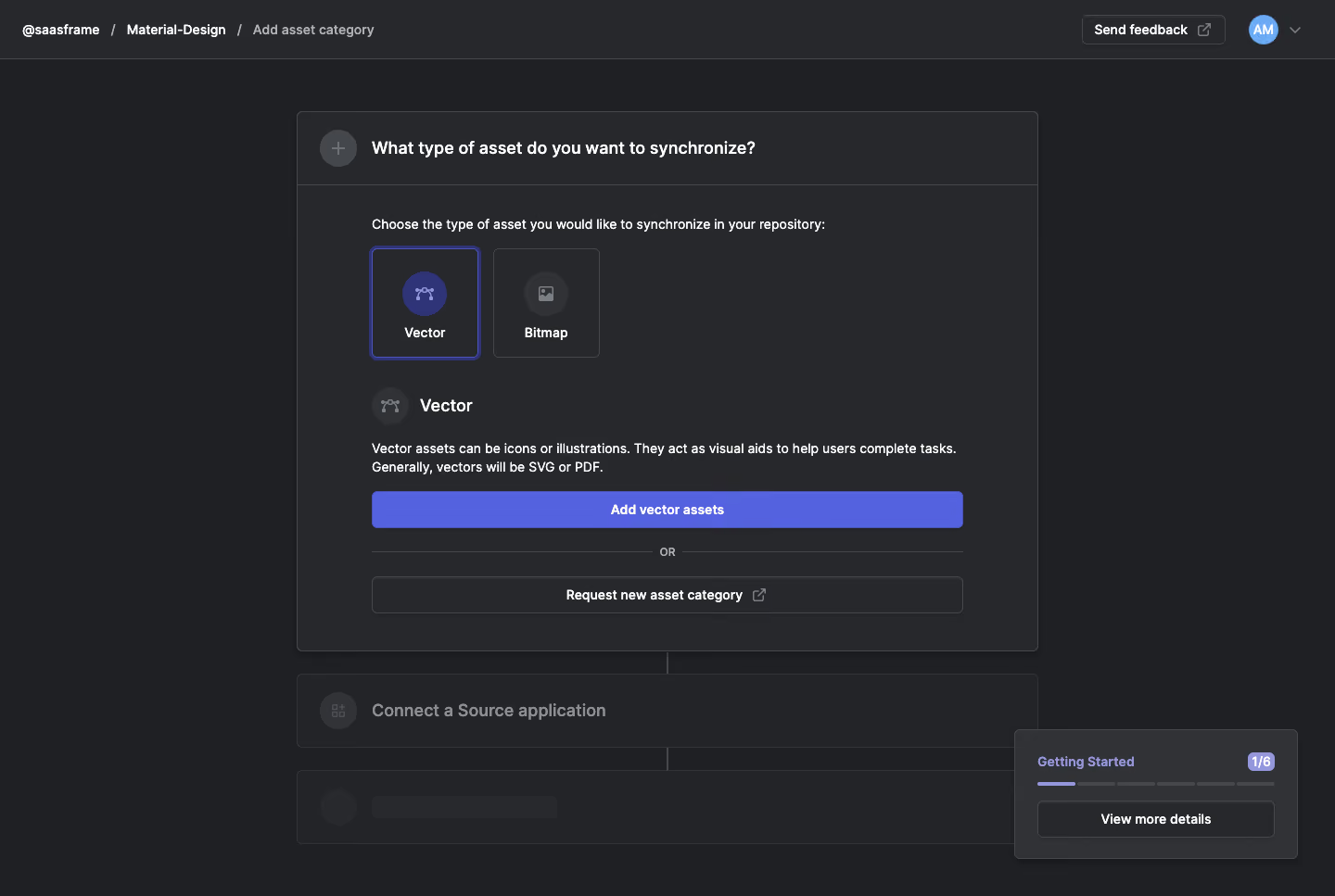
- **Character:** Dark repository-setup screen with charcoal panels, fine borders and indigo selection/actions.
- **Focus:** A centered asset-type step dominates, while later steps are visibly muted.
- **Scale:** The image measures 1440 × 967 px. Dimensions below are image estimates; CSS scale is unverified.
### Page composition
- **Header:** Breadcrumbs identify workspace/repository/add-category context; feedback and avatar controls sit right.
- **Main step:** A centered roughly 800 px-wide panel asks which asset type to synchronize.
- **Choices:** Vector and Bitmap tiles sit side by side beneath an instruction.
- **Selected detail:** Vector icon/title, explanatory paragraph and full-width Add vector assets action appear below.
- **Alternative/later steps:** An OR divider and category-request action precede muted source-connection/later panels.
- **Guide widget:** A small getting-started progress card floats lower right.
### Information hierarchy
- **Current task:** The asset-type question leads.
- **Selection:** Vector has an indigo outline and colored icon ground; Bitmap remains neutral.
- **Explanation:** A short paragraph clarifies vector use/formats before the action.
- **Alternative:** Requesting another category is subordinate.
- **State:** No asset is added or source connected in the capture.
### Typography
- **Family:** Compact neutral sans-serif; exact identity is unverified.
- **Step title:** Approximately 18–19 image px, bold.
- **Body:** Around 14 px with 20 px leading.
- **Choice labels:** Approximately 14 px bold.
- **Secondary steps:** Larger muted labels remain visibly lower priority.
### Colors & surfaces
- **Measured base:** ICC-aware sRGB sampling yields #1F2023, #27282B and #232427.
- **Measured borders:** #313235 and #44474B define panel/control edges.
- **Measured accent:** Indigo #5562E0 marks selection and primary action.
- **Foreground:** White/light-gray text contrasts with charcoal.
- **Depth:** Subtle shadows and small rounded corners define the main card/guide widget.
### Components
- **Choice tiles:** Two approximately 115 × 120 px rectangles have circular icons and bottom labels.
- **Selected tile:** Double-looking indigo border and blue-violet icon circle distinguish Vector.
- **Primary action:** Wide indigo rectangle with white bold caption and small corners.
- **OR divider:** Thin lines flank a small centered label.
- **Request action:** Full-width outlined button includes external-link symbol.
- **Guide widget:** Progress count, segmented bar and outlined details button sit in a compact dark card.
### Visual rhythm
- **Insets:** Main content uses broad consistent padding.
- **Stack:** Choices, selected explanation and actions form a clear vertical sequence.
- **Continuation:** Thin connecting line visually links later setup panels.
- **Whitespace:** Dark margins isolate the centered task.
### Responsive
- **Evidence limit:** Only desktop is shown; recommendations follow.
- **Panel:** Use fluid width with safe margins.
- **Choices:** Wrap tiles if needed while keeping selection clear.
- **Guide:** Move floating progress below content on small screens.
### Adaptation guidance
- **Reusable pattern:** Let users select an asset class, explain it and offer one scoped next action.
- **State clarity:** Keep disabled/later stages distinct from current work.
- **Accessibility:** Expose tile selection semantically and label external destinations.
- **Visual discipline:** Reserve indigo for selected/progression states.
Use this context to reproduce the reference's visual language: layout, typography, colors, spacing, borders, radii, and distinctive elements. The screenshot takes priority if descriptions conflict.
## Direction
{{preferences.fidelityInstructions}}
## Output
{{output.instructions}}
Deliver a polished, cohesive design with precise alignment, hierarchy, and spacing. Produce the requested visual artifact, not just a description. If unsupported, explain the limitation.
.webp)



.avif)