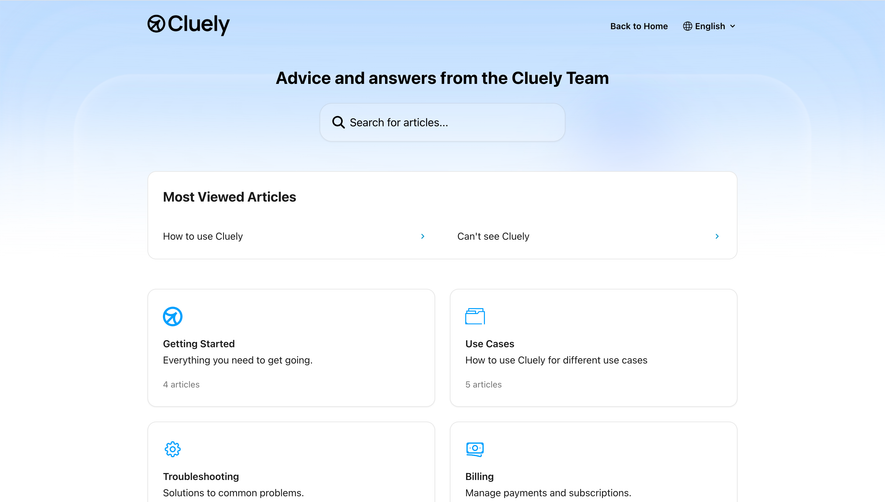
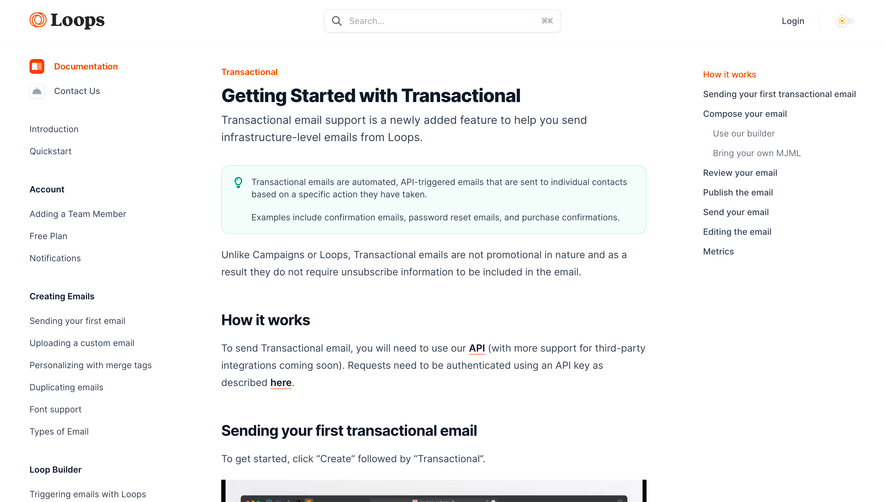
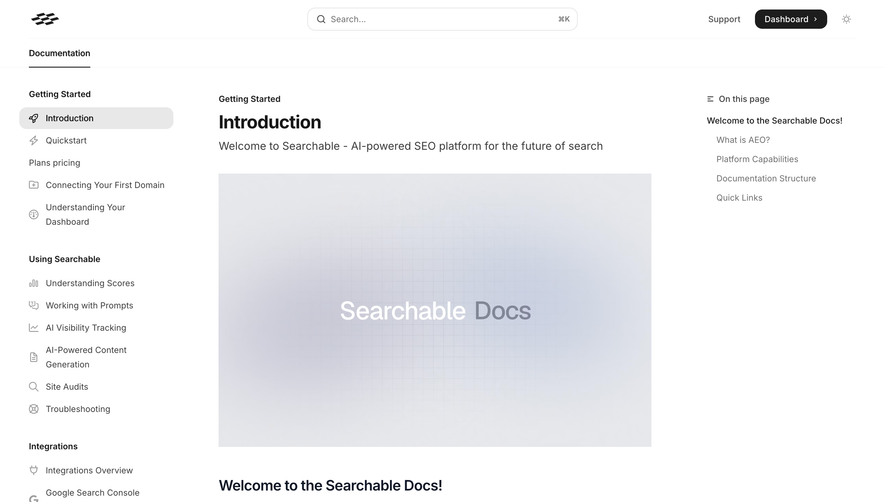
Generate a new design based on this screen using your own content.
Thank you! Your submission has been received!
Oops! Something went wrong while submitting the form.
# Design from Reference: Speakeasy Documentation
Create an original, high-fidelity visual design inspired by the reference. Prioritize composition, typography, colors, spacing, and component styling over technical implementation.
## Reference
- **Product:** Speakeasy
- **Category:** Documentation
- **Screenshot:** https://cdn.prod.website-files.com/5e9dc792e1210c5325f7ebbc/6acad410c910b3adf9e48db0_6acad1afcdf07ad614971ef6_cms-c34b80e6ea53b7f43a641a49.webp
Analyze the screenshot first. If inaccessible, request it rather than guessing.
## Content
{{content.instructions}}
{{content.data}}
Preserve essential messaging and factual accuracy. Adapt structure and copy length for visual balance; never invent product claims.
## Visual Design
Use this context to reproduce the reference's visual language: layout, typography, colors, spacing, borders, radii, and distinctive elements. The screenshot takes priority if descriptions conflict.
## Direction
{{preferences.fidelityInstructions}}
## Output
{{output.instructions}}
Deliver a polished, cohesive design with precise alignment, hierarchy, and spacing. Produce the requested visual artifact, not just a description. If unsupported, explain the limitation.
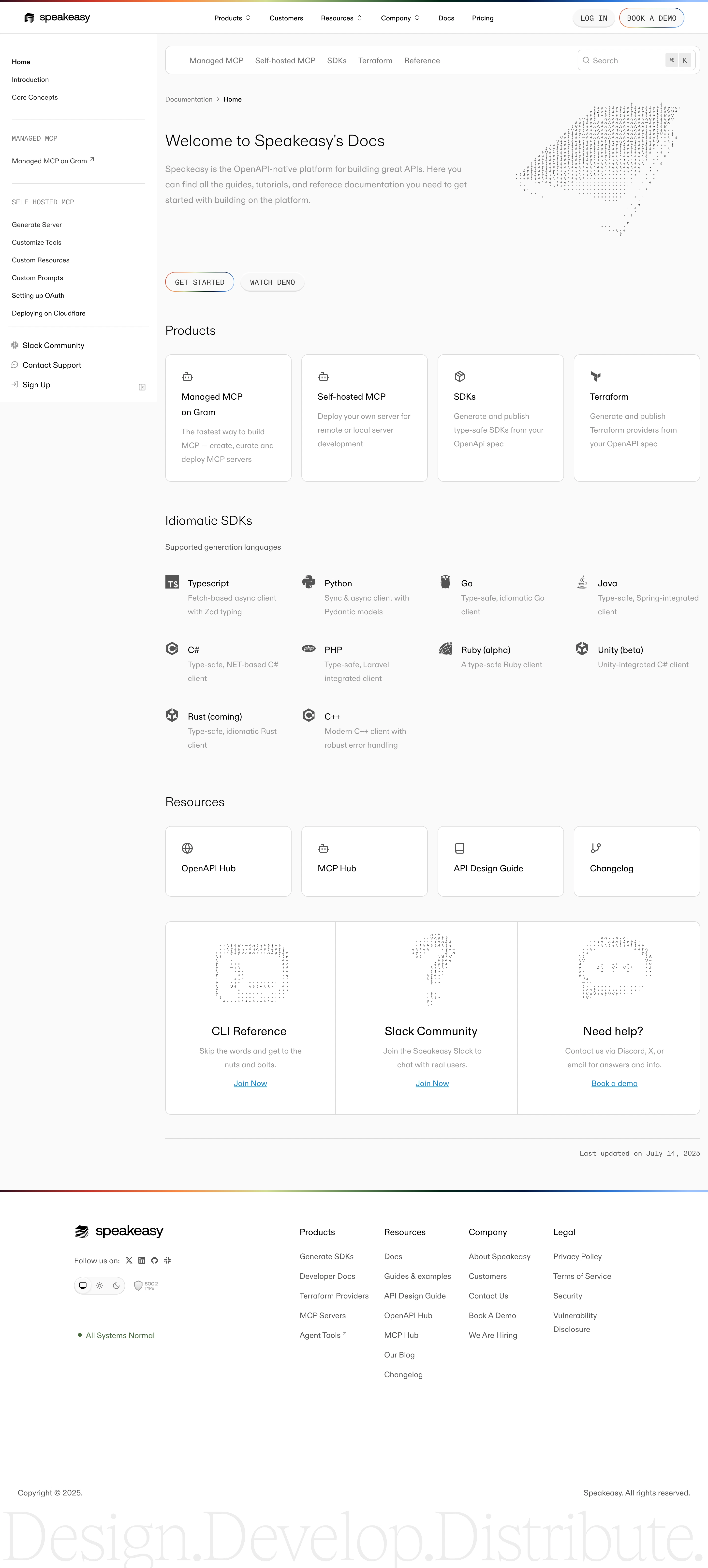
Speakeasy’s documentation page embraces a hyper-modern, minimalist aesthetic. Crisp white space dominates, balanced by subtle gradients and precision-lined UI elements. The atmosphere feels both approachable and professional—engineered to appeal to tech-savvy users while fostering clarity and ease.
Layout and Structure
The layout is tidy and intuitive, beginning with a slim sticky header for navigation and search. Content unfolds down the page in streamlined sections. A concise hero introduces the product and documentation purpose, followed by a categorized list of guides in card format. Navigation remains ever-present, ensuring users never lose their place or context.
Visual Elements
Custom icons and playful, monochromatic line illustrations inject a hint of personality without detracting from readability. Decorative, undulating gradients flow subtly behind sections and cards, adding depth and dynamism. Lightweight animations underline interactions, such as card hover states and collapsible menus—visually reinforcing the sense of a living, responsive tool.
Color Palette and Typography
The palette is anchored in cool blues and purples, complemented by neutrals for maximum legibility—accentuated by strategic bursts of highlight color. Headings use a bold, geometric sans-serif font that stands out, while body copy is set in a clear, highly readable sans. Hierarchy is obvious, guiding users through information at a glance.
User Experience Patterns
Quick-access CTAs and a sticky search bar make exploration frictionless. Navigation is streamlined via left-hand menus and cross-sectional links. Clear, interactive states—such as highlighted sidebars—guide focus. Documentation is discoverable without overwhelming, encouraging exploration and return visits.
Unique or Notable Design Choices
Speakeasy stands out by blending vibrant, developer-friendly aesthetics with absolute usability. The documentation’s modular card system, fluid color accents, and persistent nav create a seamless, engaging experience—evoking innovation and trust from the first scroll.
.webp)



.avif)