Design with AI
Generate a new design based on this screen using your own content.
# Design from Reference: Hypercontext oapbox Onboarding Email Flow
Create an original, high-fidelity visual design inspired by the reference. Prioritize composition, typography, colors, spacing, and component styling over technical implementation.
## Reference
- **Product:** Hypercontext
- **Category:** Onboarding Email
- **Screenshot:** https://cdn.prod.website-files.com/5e9dc792e1210c5325f7ebbc/6acbbf6f4d71070f5fd413bd_6acbbe95476aea3982e40bed_cms-9d727ed5d7e52619c5c348bd.webp
Analyze the screenshot first. If inaccessible, request it rather than guessing.
## Content
{{content.instructions}}
{{content.data}}
Preserve essential messaging and factual accuracy. Adapt structure and copy length for visual balance; never invent product claims.
## Visual Design
### Overall aesthetic
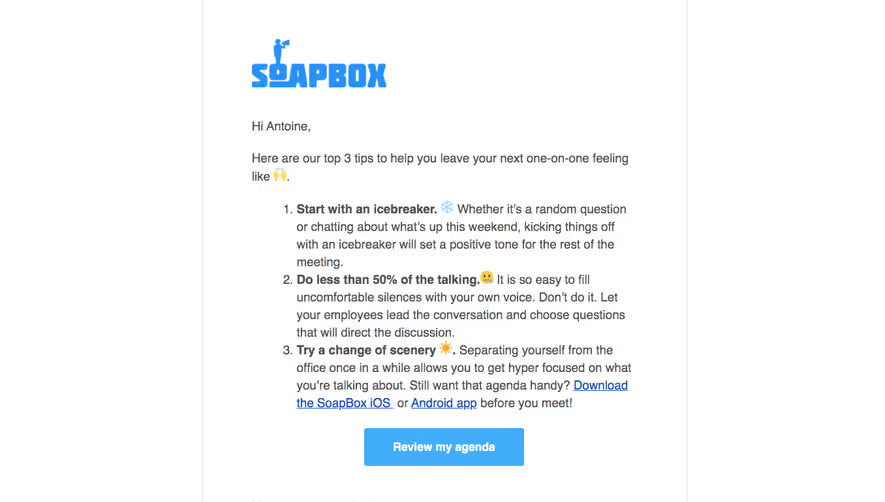
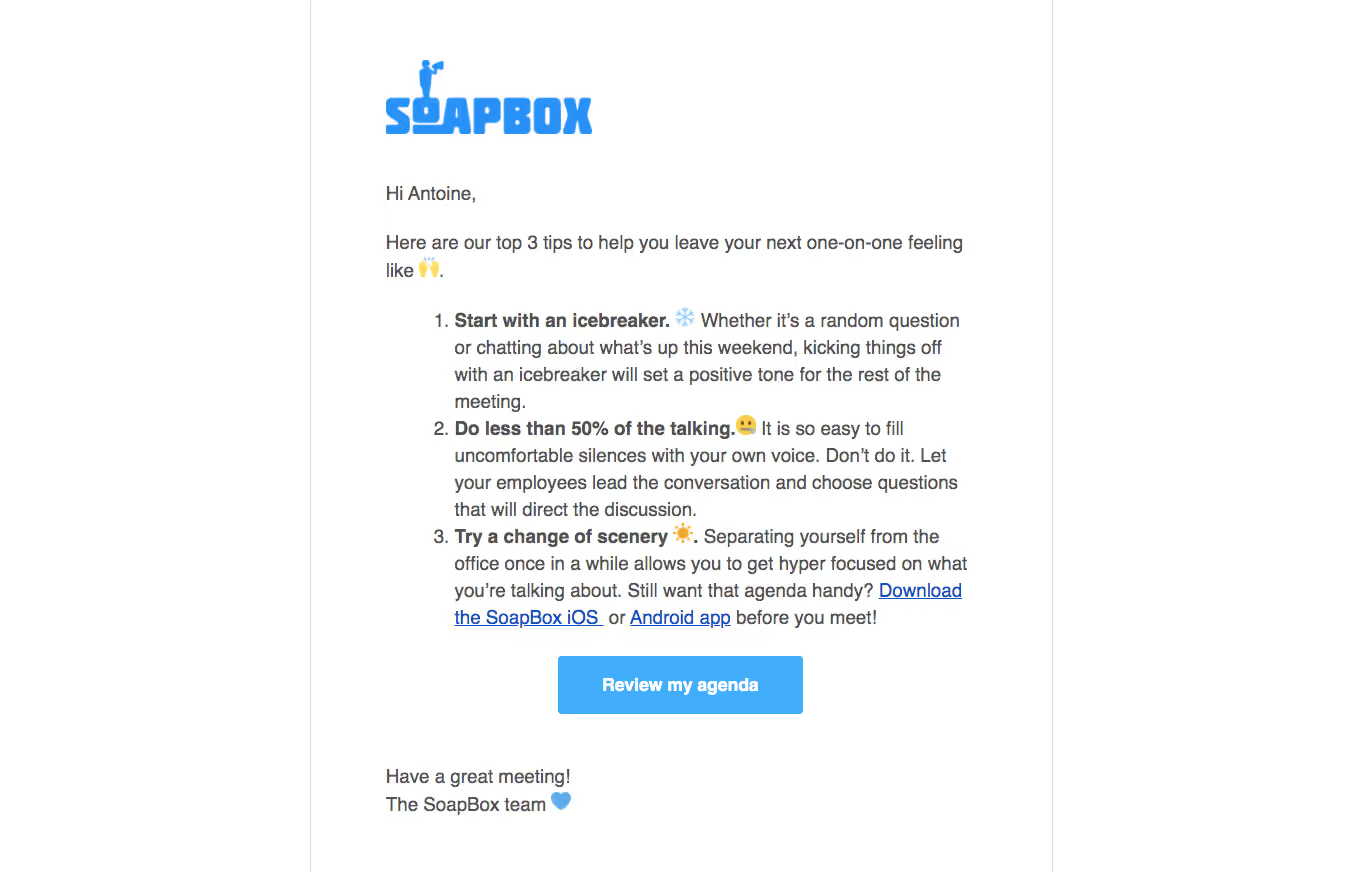
- **Style:** A straightforward white onboarding email with a blue brand mark, gray prose and one centered blue action.
- **Character:** Friendly coaching content uses emoji and bold lead-ins rather than decorative cards or elaborate illustration.
### Page composition
- **Canvas:** Source 1356 × 872 pixels, inspected at native size. Email-client zoom and CSS scale are unverified.
- **Email wrapper:** A centered approximately 742px-wide white region is bounded by fine vertical gray rules near x310 and x1052.
- **Content:** A roughly 590px reading column begins near x385. Logo, greeting, introduction, ordered advice list, CTA and sign-off form one vertical flow.
- **Action position:** The button is centered near x558, y656; the closing two-line sign-off returns to the main left edge near y769.
### Information hierarchy
- **Brand:** A large blue SoapBox wordmark opens the email.
- **Message:** A short greeting and two-line introduction lead into three numbered tips.
- **Advice:** Each list item starts with a bold phrase and emoji, followed by regular explanatory text. The last includes blue underlined mobile-app links.
- **Next step:** Review my agenda is the sole button, followed by a compact friendly sign-off.
### Typography
- **Body:** Approximately 20px neutral sans serif, around 27px line height and regular weight. Exact font identity is unverified.
- **List emphasis:** Bold opening clauses retain the body size; ordered markers sit in a separate hanging gutter.
- **Button:** Approximately 18px bold white text centered vertically in the blue rectangle.
- **Brand lettering:** A custom block-style wordmark appears as artwork and should not be treated as the body font.
### Colors & surfaces
- **Measured base:** #FFFFFF white background and #525252 body text.
- **Measured blues:** #42ADFB and #2890F7 appear in the action/brand palette, with #1251BA among darker blue pixels.
- **Rules:** #DDDDDD provides pale neutral boundaries. Slight near-white variations such as #FFFEFA and #FBFFFF are minor rendering tones.
- **Surface treatment:** The email has no raised cards, tinted content panels or prominent shadows.
### Components
- **Logo:** Approximately 207 × 75px, left aligned at the top of the message.
- **Ordered list:** Three multiline items, indented around 48px from the prose edge, with hanging numbers and bold lead-ins.
- **Inline links:** Conventional blue underlining distinguishes the two mobile destinations inside the final item.
- **Primary button:** Approximately 245 × 58px with about 4px radius and generous horizontal padding.
- **Captured state:** Only a static email is visible; link destinations, hover behavior and the agenda experience are unverified.
### Visual rhythm
- **Opening:** Around 50px separates logo from greeting; another roughly 28px separates greeting from introduction.
- **Advice cadence:** The list follows the introduction by about 28px, with continuous 27px line spacing and minimal gaps between items.
- **CTA and closing:** About 26px precedes the button and roughly 50px follows it before the sign-off.
- **Alignment:** Left-aligned prose and centered action produce a simple and predictable reading path.
### Responsive
- **Observed scope:** A single email rendering is supplied; mobile behavior is unverified.
- **Recommended width:** Use a fluid email container with a maximum width and at least 20px inner mobile gutters.
- **Recommended list:** Retain hanging numbers while allowing text and links to wrap without overflow.
- **Recommended action:** Keep the CTA comfortably tappable and readable when the desktop text scale is reduced.
### Adaptation guidance
- **Preserve:** Branded opening, short introduction, three actionable tips and one clear agenda action.
- **Content:** Replace greeting and coaching text with supplied content; keep personal details out of reusable templates.
- **Implementation:** Use conservative email-compatible layout and inline styles, with logo alternative text and meaningful link labels.
- **Restraint:** Avoid adding unrelated panels or secondary buttons that would compete with the message.
Use this context to reproduce the reference's visual language: layout, typography, colors, spacing, borders, radii, and distinctive elements. The screenshot takes priority if descriptions conflict.
## Direction
{{preferences.fidelityInstructions}}
## Output
{{output.instructions}}
Deliver a polished, cohesive design with precise alignment, hierarchy, and spacing. Produce the requested visual artifact, not just a description. If unsupported, explain the limitation.
.webp)



.avif)