Design with AI
Generate a new design based on this screen using your own content.
# Design from Reference: Sidebird Schedule a tweet
Create an original, high-fidelity visual design inspired by the reference. Prioritize composition, typography, colors, spacing, and component styling over technical implementation.
## Reference
- **Product:** Sidebird
- **Category:** Add & Edit
- **Screenshot:** https://cdn.prod.website-files.com/5e9dc792e1210c5325f7ebbc/6acbbb6a151c40fa4074622b_6acbba6e64a048f355a4049b_cms-83751f3cc83c78ac3404a2fa.webp
Analyze the screenshot first. If inaccessible, request it rather than guessing.
## Content
{{content.instructions}}
{{content.data}}
Preserve essential messaging and factual accuracy. Adapt structure and copy length for visual balance; never invent product claims.
## Visual Design
### Overall aesthetic
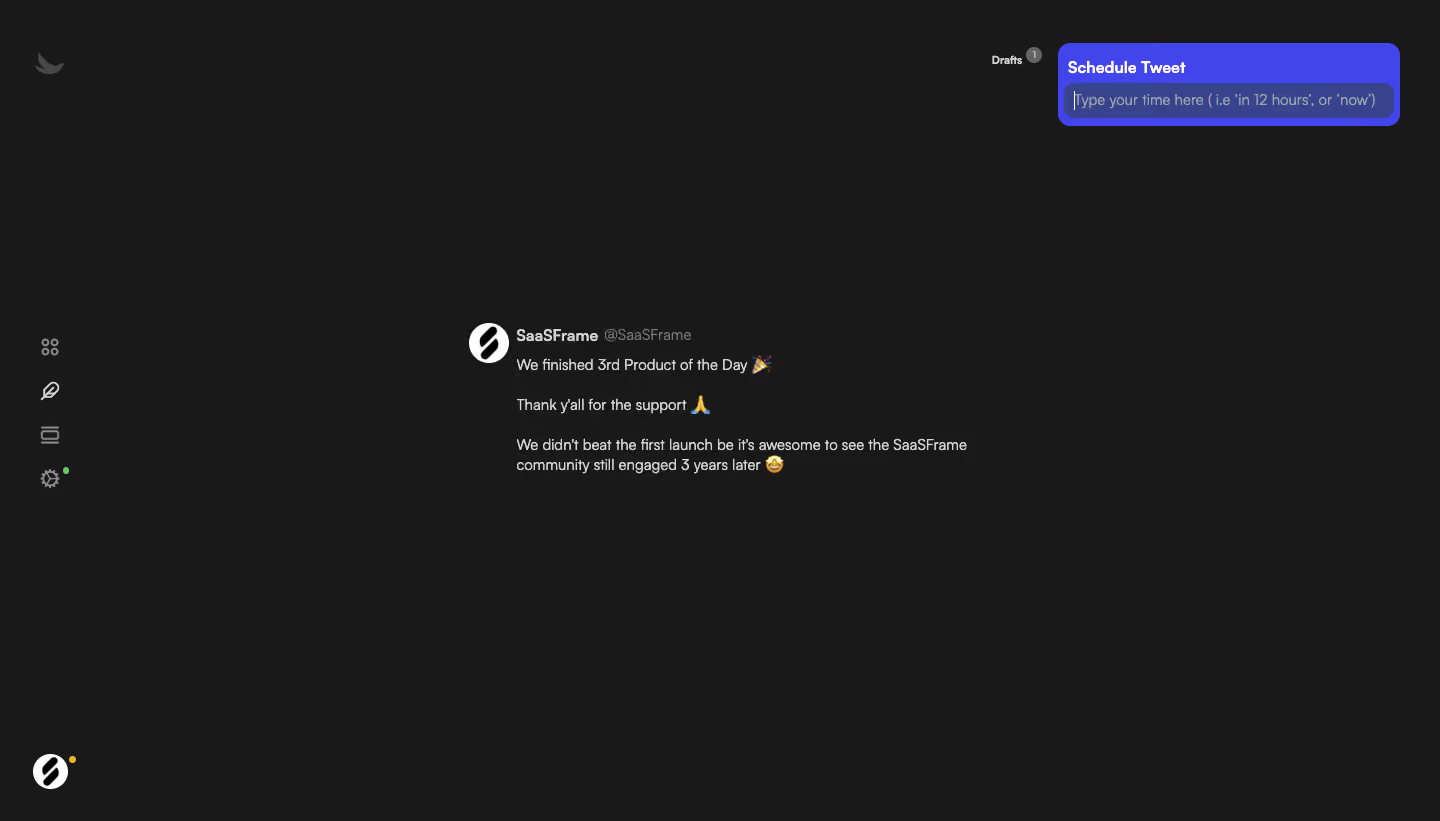
- **Style:** A sparse dark writing workspace uses a nearly black canvas and a single vivid blue-violet scheduling popover.
- **Character:** Minimal chrome and broad empty space keep the draft text central.
### Page composition
- **Capture:** The source measures 1440 × 821 pixels. Sizes below approximate image pixels; CSS scale is unverified.
- **Navigation:** A narrow icon-only rail sits at the left, with brand at top and account avatar at bottom.
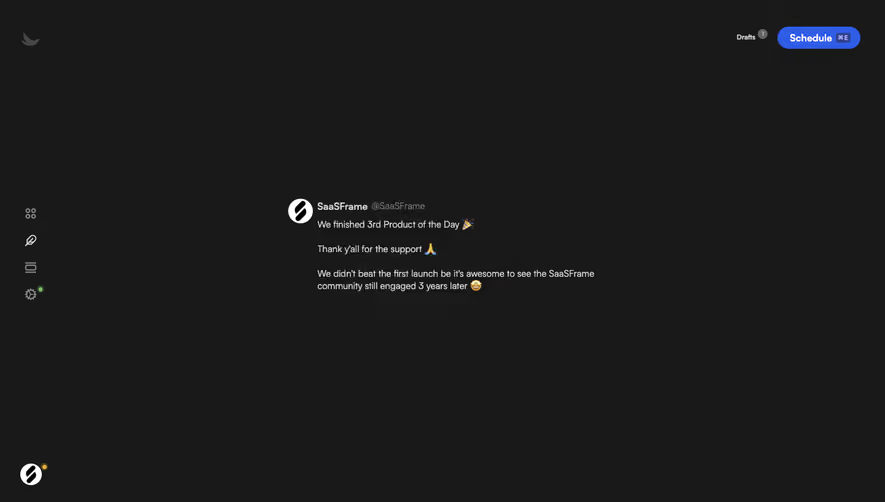
- **Draft:** A compact identity row and several short paragraphs occupy the central region, around x470–970 and y325–470.
- **Scheduling:** A roughly 340-pixel-wide popover sits at the upper right beside a small Drafts count.
- **Canvas:** No enclosing editor card or visible footer divides the dark background.
### Information hierarchy
- **Popover:** White bold Schedule Tweet text and a focused time input are the clearest action elements.
- **Draft identity:** A circular avatar, bold display name and muted handle precede the body.
- **Draft copy:** Short paragraphs and emoji form the main content, with consistent regular text.
- **Utilities:** Gray rail icons and a tiny draft-count badge remain secondary.
### Typography
- **Family:** Neutral sans serif throughout; exact identity is unverified.
- **Popover title:** Approximately 16 pixels, bold.
- **Draft body:** Around 14 pixels with 20-pixel leading.
- **Identity:** Name around 14 pixels bold; handle is similar size and muted.
- **Status:** Drafts text and its count are around 11–12 pixels.
### Colors & surfaces
- **Measured canvas:** Dark #191919 dominates.
- **Popover:** Blue-violet #4145E9 is sampled in the scheduling surface.
- **Input:** Muted indigo #38438D distinguishes the entry field.
- **Text:** White #FFFFFF and pale gray #D4D4D4 provide contrast; lower-priority handles/icons are darker gray.
- **Status accents:** Small green and yellow dots appear beside peripheral icons.
### Components
- **Popover shell:** Approximately 340 × 82 pixels, around 14-pixel corners and compact padding.
- **Time field:** Dark-indigo rounded input spans nearly the full popover width, with a visible caret and natural-language example placeholder.
- **Draft avatar:** A roughly 40-pixel circular mark aligns beside the identity.
- **Rail:** Four compact outline icons stack around the vertical middle; no text labels are visible.
- **Account marker:** A circular avatar with small yellow dot anchors the lower left.
### Visual rhythm
- **Whitespace:** The draft is isolated by a large dark perimeter.
- **Text cadence:** Approximately 20–25-pixel gaps separate short draft paragraphs.
- **Contrast:** Only the scheduling surface uses a large saturated color area.
### Responsive
- **Evidence:** One desktop frame is shown; scheduling results and mobile behavior are unverified.
- **Recommended layout:** Keep the draft column fluid and reposition the popover within viewport bounds.
- **Recommended input:** Maintain readable text and a comfortable target for time entry.
- **Accessibility:** Label icon-only controls and provide explicit focus and scheduling feedback.
### Adaptation guidance
- **Preserve:** Keep the dark distraction-free editor and compact blue-violet scheduling control.
- **Content:** Use supplied draft and account data rather than copying the screenshot's text.
- **Scope:** The image shows time entry, not a confirmed scheduled post.
- **Behavior:** Define parsing, validation and confirmation explicitly; no publication action is demonstrated.
Use this context to reproduce the reference's visual language: layout, typography, colors, spacing, borders, radii, and distinctive elements. The screenshot takes priority if descriptions conflict.
## Direction
{{preferences.fidelityInstructions}}
## Output
{{output.instructions}}
Deliver a polished, cohesive design with precise alignment, hierarchy, and spacing. Produce the requested visual artifact, not just a description. If unsupported, explain the limitation.
.webp)



.avif)